Using Sendtric.Com to Add Urgency to Your Emails
To walk you through setting up a timer to your email campaigns to add urgency to your emails.
Prefer a shortcut? 16 free tools do parts of this for you.

Aim: To walk you through setting up a timer to your email campaigns to add urgency to your emails.
Optimal Outcome: To increase customer engagement and conversions of your marketing campaigns by adding a timer to your email contents.
What do you need to start: Sendric.com account, Marketing automation platform
Why is this SOP Important: Adding a timer to email campaigns can create urgency, improve engagement, enhance personalization, increase conversions, and allow for testing of effectiveness.
When and Where to execute: A timer can be used on email marketing campaigns when promoting limited-time offers, time-sensitive events, or flash sales to create urgency and encourage recipients to take action before the time runs out.
Who Should Be Doing This: Marketing staff, graphic artist
Execution
Resources/Tools & Set up
-
Create an account on Sendtric.com and generate a timer.
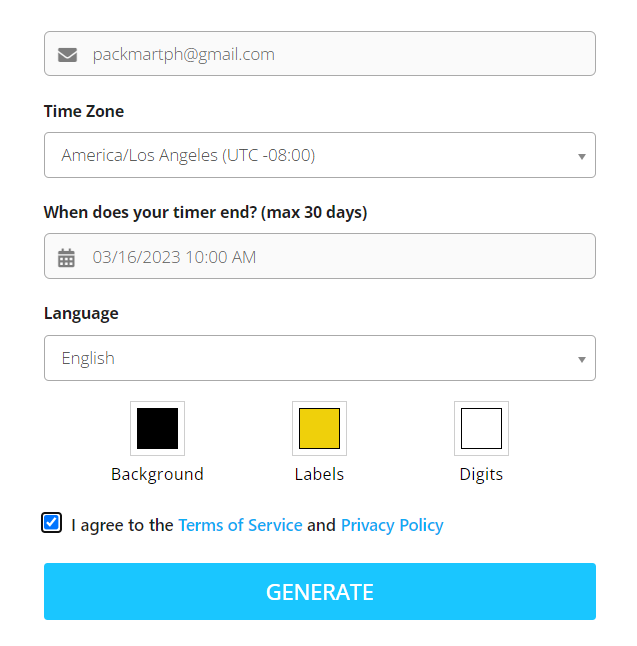
Create an account on sendtric.com
-
Fill out the needed information. Customize the elements of your timer such as background, labels, and digits.
-
Agree to the Terms of Service.
-
Click Generate.
-
Copy the code that will show on the right side of the page.
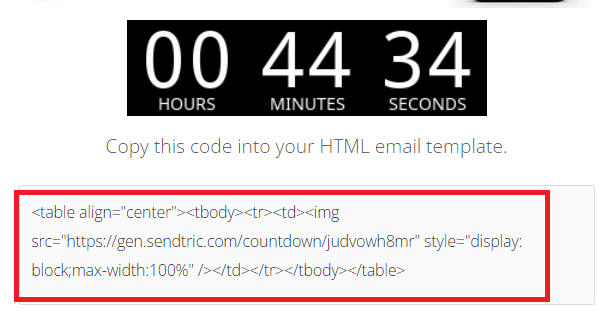
- If you want more customization for your timer such as specifying an end date or a perpetual timer, you’ll need to create an account in sendtric.com and upgrade your plan.
Add the timer to your email content
- The Edit email section
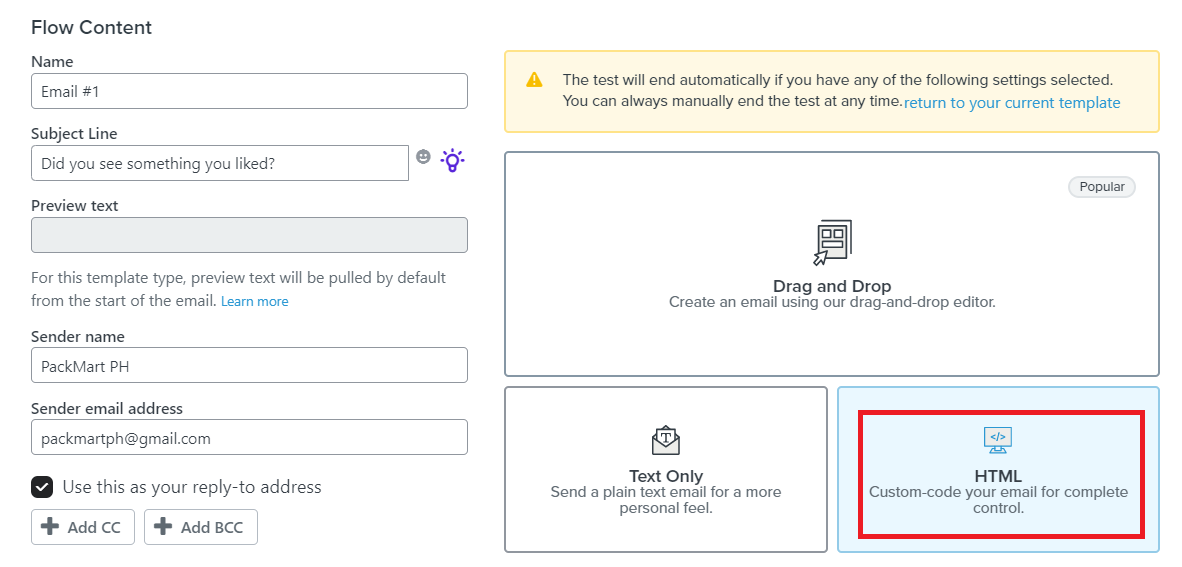
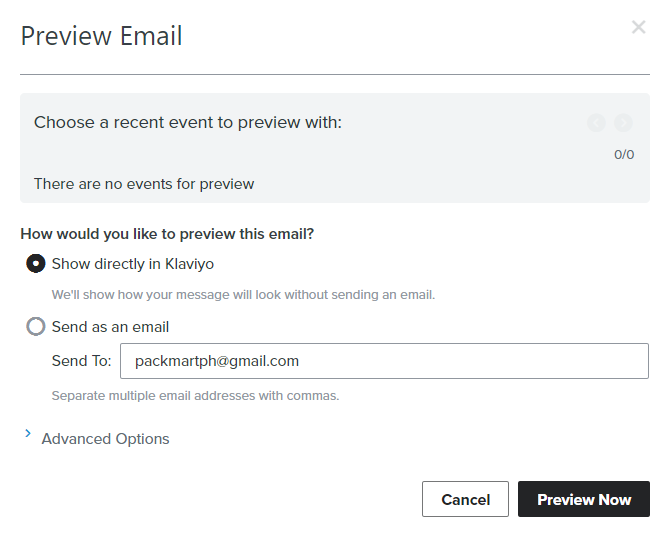
- Insert the script you copied from sendtric.com to your Editor page. Click Preview Email.
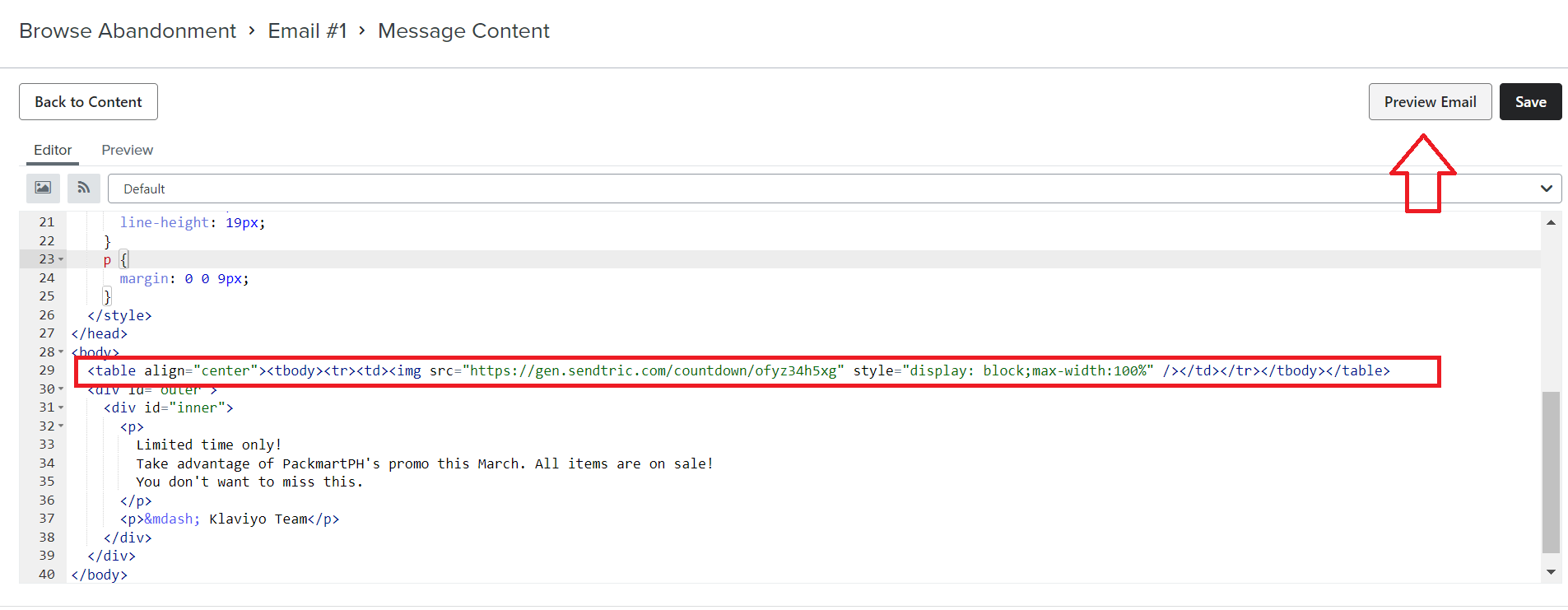
- You can choose whether you want to see the preview in the editor platform or through a test email.
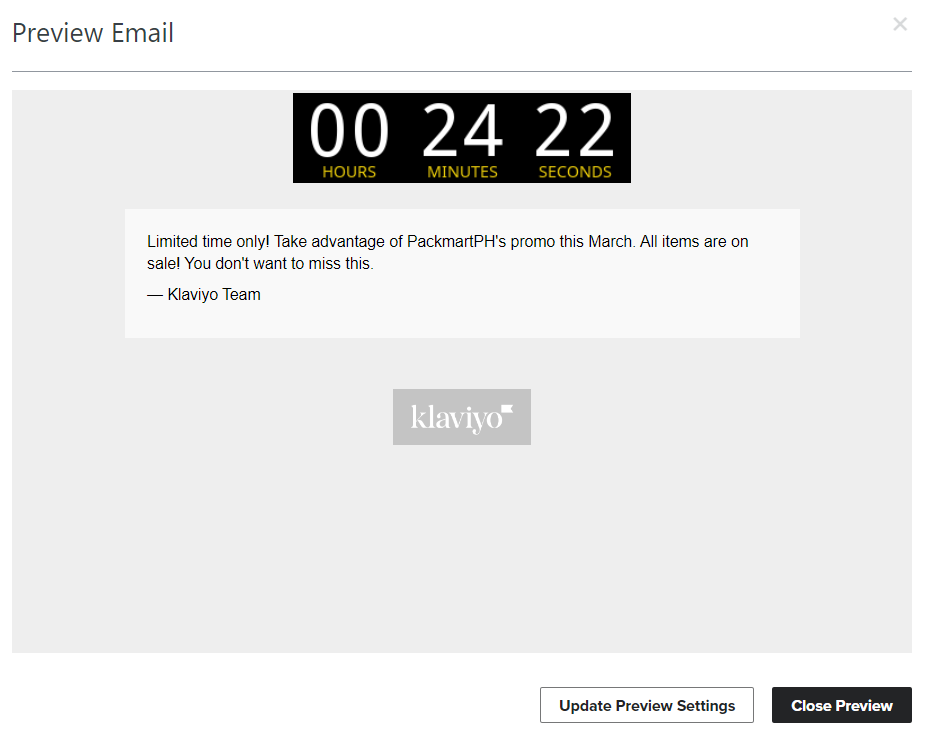
- Check to see that your countdown is set up correctly.
Conclusion
That’s it! You now have a timer that you can use to add a sense of urgency in your email campaigns.
-
A timer creates a sense of urgency and encourages the recipients to take action before the time runs out. This can be especially effective in promoting limited-time offers, flash sales, or time-sensitive events.
-
A timer can help grab the attention of the recipient and improve engagement with your email content. People are more likely to read and respond to an email that has a clear deadline or time line.
-
By using a timer, you can personalize your email campaigns and make them feel more relevant to the recipient. For example, you could send a follow-up email with a timer counting down to the end of a free trial period or a special discount offer.
-
The sense of urgency created by a timer can lead to higher conversion rates. Recipients may be more likely to take action and make a purchase or sign up for a service if they feel like they have a limited time to do so.
-
By using different timers with different lengths and placements, you can test the effectiveness of your email campaigns and see which approach leads to the best results. This can help you refine your email marketing strategy and optimize your campaigns for better engagement and conversion rates.