How to Segragate Apple & Android Users in Your Email Audience
To walk you through identifying and separating your Apple and Android users.
Prefer a shortcut? 16 free tools do parts of this for you.

Aim: To walk you through identifying and separating your Apple and Android users.
Optimal Outcome: To ensure that your emails are tailor-fitted and readable in each platform.
What do you need to start:
Why is this SOP Important: It is important to segregate Apple and Android users in your email audience to tailor email content and design to each platform's unique capabilities, resulting in higher engagement rates and more successful email marketing campaigns.
When and Where to execute: The segregation of Apple and Android users in your email audience should ideally be set up before sending any emails or setting up email flows.
Who Should Be Doing This: Person responsible for setting up automation
What is email audience?
An email audience refers to the group of individuals who have subscribed to receive emails from a particular sender or organization, typically through an opt-in process. This audience is made up of individuals who have expressed interest in receiving information, updates, or promotional messages from the sender and can be considered as a key target for email marketing campaigns. Email audiences can be segmented based on a variety of criteria, such as demographics, interests, or behaviors, to help personalize and target email communications for greater effectiveness.
Execution
Create OS filter for a new audience segment
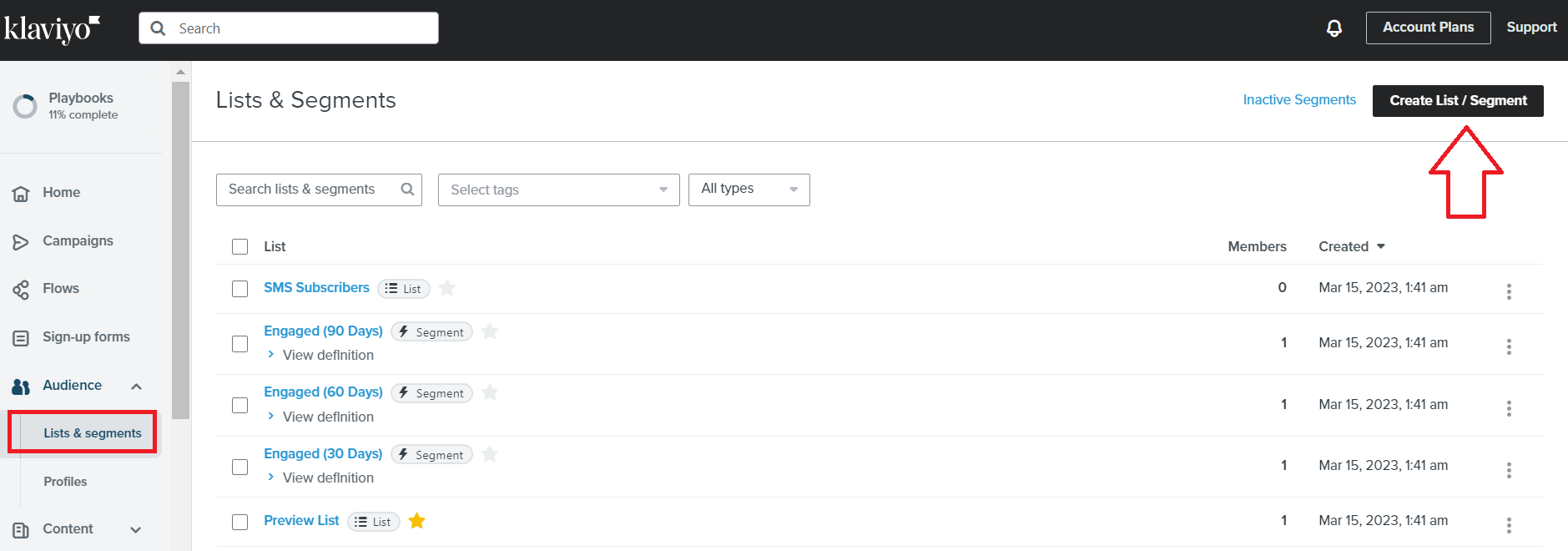
- Navigate to the left menu. Under Audience, click Lists & segments. Then click Create List / Segment.
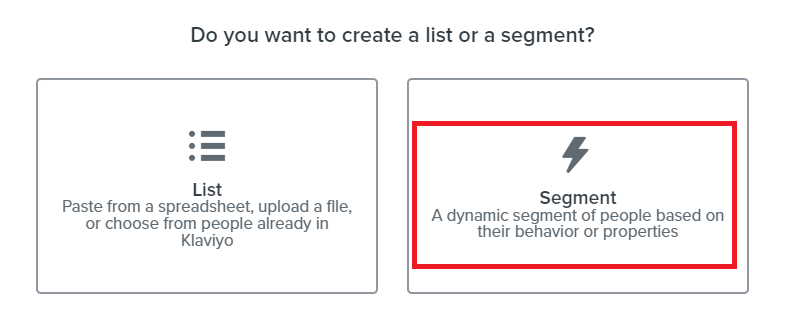
- Select the Segment card.
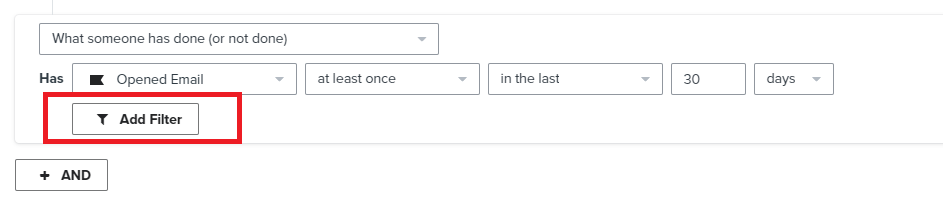
- Under each conditional segment, click Add Filter.
- Add the following parameters.
Where→Client name→equals→Apple Mail
Where→Client name→equals→Mobile Safari
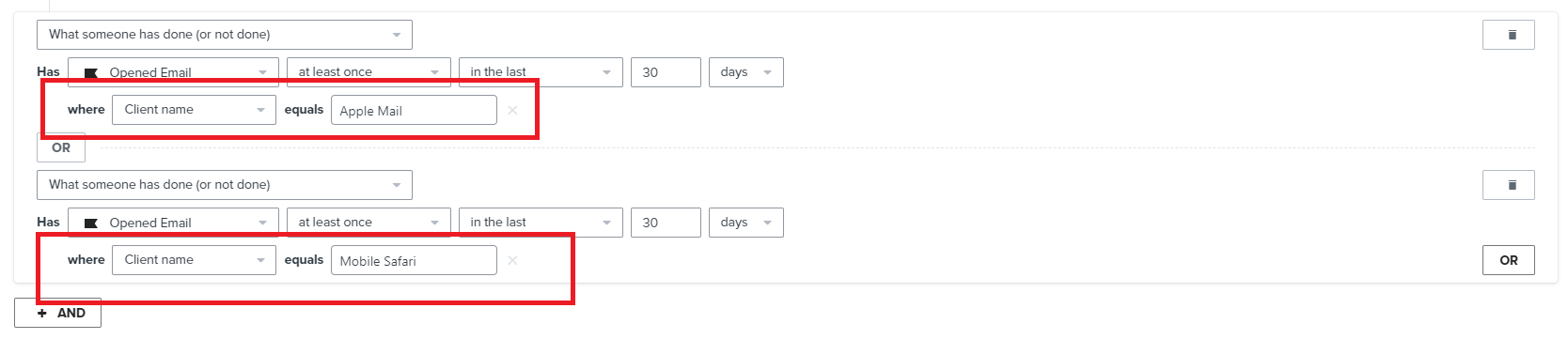
Note: You need to add this to every conditional command in your segment and create a separate segment for Android users without these Apple filters.
Add OS filter to an existing audience segment
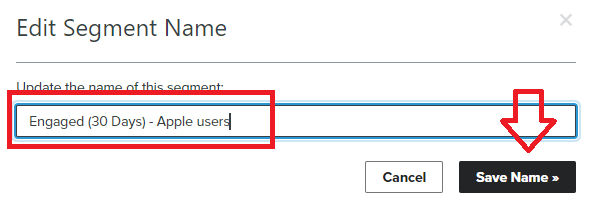
- If you’re modifying an existing audience segment to separate Apple and Android users, you’ll need to duplicate the existing segment and rename the new copy to add Apple in the label.
-
Create your segments as you’ve done previously.
-
Under each conditional segment, click Add Filter.
- Add the following parameters.
Where→Client name→equals→Apple Mail
Where→Client name→equals→Mobile Safari
Note: You need to add this to every conditional command in your segment and create a separate segment for Android users without these Apple filters.
Conclusion
That’s it! You now have two separate audience segments for Apple and Android users which you can use to optimize your email campaign contents and strategy.
-
By separating your audience based on the device they use, you can create personalized email campaigns that are tailored to the specific needs and preferences of each group. This can help you deliver more relevant content that resonates with your audience, leading to higher engagement and conversions.
-
Different devices may have different features or limitations, which can impact how users interact with your emails. By segmenting your audience based on the device they use, you can create targeted messaging that addresses the unique needs of each group. For example, if you’re promoting a mobile app, you might create a separate email campaign for Android users that highlights features that are specific to that platform.
-
Email providers often use complex algorithms to filter out spam and unwanted emails. By segmenting your audience based on device type, you can optimize your emails to meet the specific requirements of each platform. This can help improve your deliverability rates and ensure that your emails are reaching the right people at the right time.
-
By tracking and analyzing the performance of your email campaigns for each audience segment, you can gain valuable insights into the preferences and behavior of your users. This can help you refine your marketing strategy and improve the effectiveness of your future campaigns.