Strategies for Finding Someone's Contact Information
Obtaining that person's email address and effectively communicating with that person for personal or business purposes.
Prefer a shortcut? 16 free tools do parts of this for you.

Aim: To discover someone’s email address.
Optimal Outcome: Obtaining that person's email address and effectively communicating with that person for personal or business purposes.
What do you need to start: Before initiating cold email outreach campaigns, it is advisable to review your local laws and regulations concerning email communications.
Why is this SOP Important: Email is a widely used method of communication, allowing individuals and businesses to exchange information and messages quickly and efficiently.
When and Where to execute: Any time, depending on the needs of the business and the goals of the individual or team responsible for conducting the SOP. It is executed on a web browser (preferably Chrome).
Who Should Be Doing This: Sales and marketing team member or the person responsible for lead lookup in your business.
What is an email and why it is important to have someone's email?
An email is a form of electronic communication that allows individuals and organizations to exchange messages, information, and attachments over the internet. Having someone's email address is important because it provides a direct and efficient way to communicate with them. This can be beneficial for building and maintaining relationships, promoting products or services, and providing support. However, it's essential to respect individuals' privacy rights and adhere to legal regulations, such as those related to sending unsolicited emails or using personal information for marketing purposes.
Execution
Resources/Tools & Set up
- Web Browser (preferably Chrome)
Use an Email Look-Up Tool
An efficient method of locating an email address is through the utilization of email lookup services. By simply inputting a person's name or a website, the service will search and provide the relevant email address.
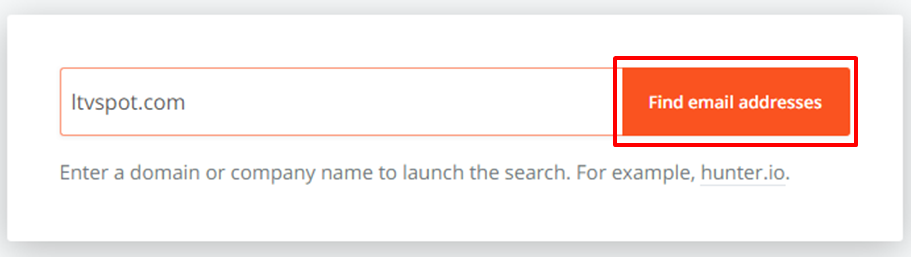
- Go to https://hunter.io/ and enter the company name or website. Click on ‘Find email addresses’.
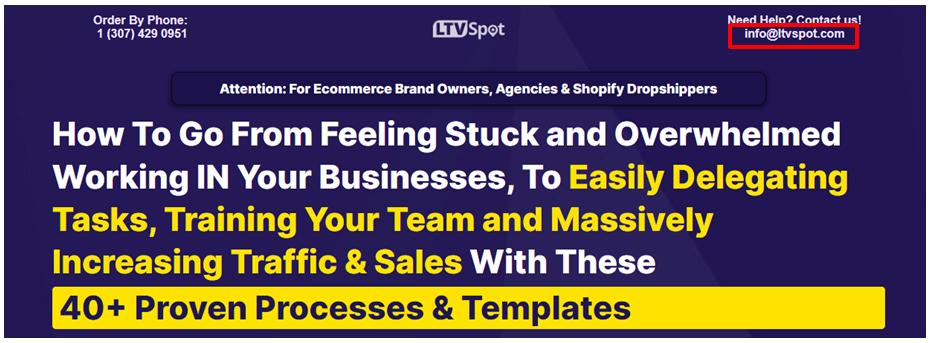
Click on the dropdown at the right corner to reveal the sources of the email and visit the link to find the complete email address.
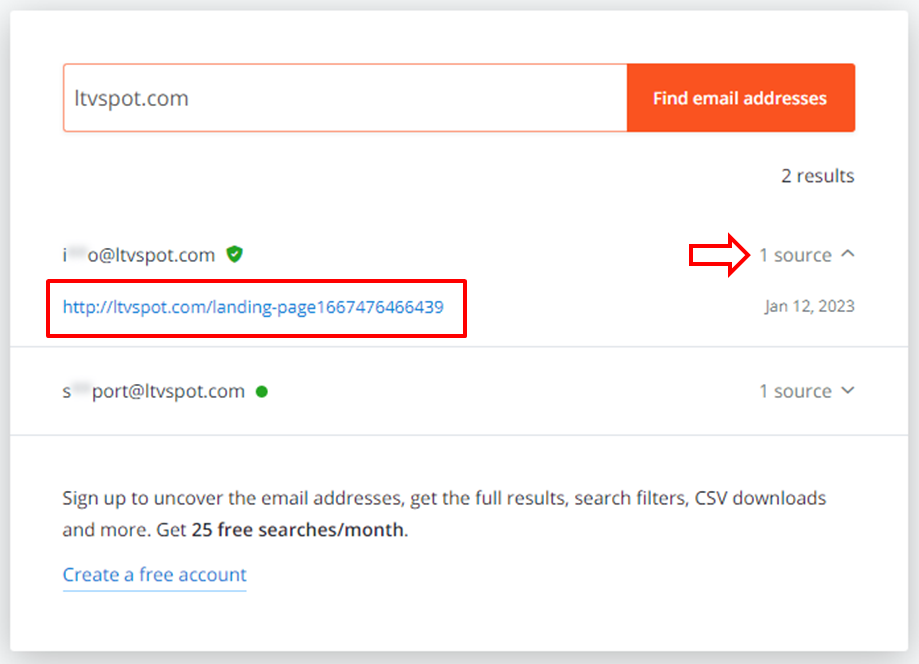
💡 Tip: By creating a free account, you will gain instant access to their email address.
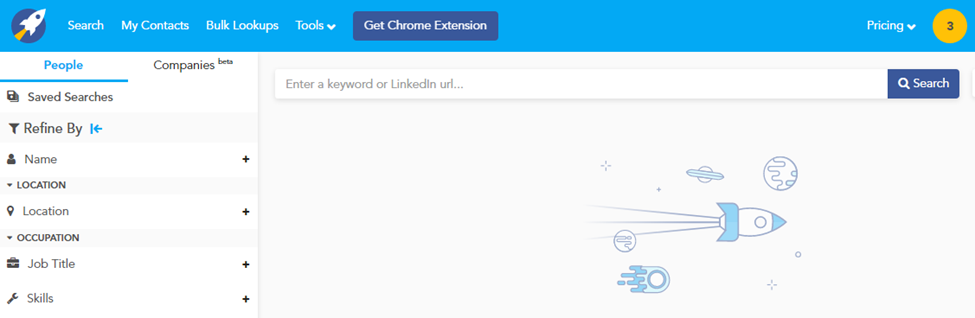
- You can also use https://rocketreach.co/ to quickly uncover email addresses, particularly for high-profile targets. Get started by putting a name, keyword, or LinkedIn URL on the search bar, or for a more refined search, use the filters to the left**.**
Click ‘Get Contact Info’ to get the complete list of emails.
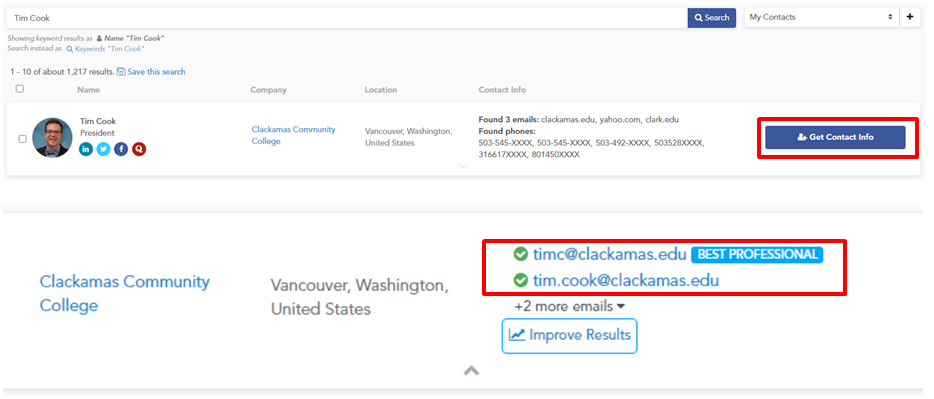
📝 Note: You need to create an account to be able to perform searches.
Use Google
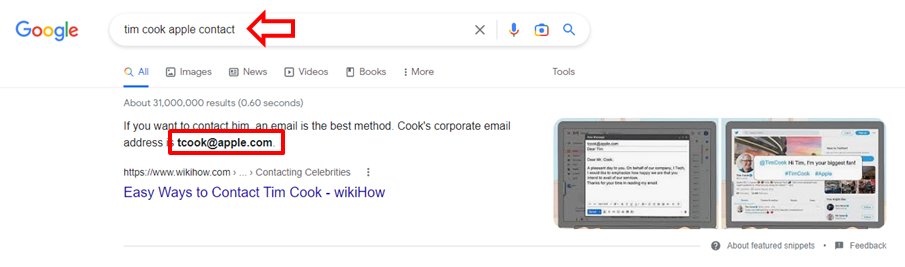
- Enter your target's name along with the phrase "email address" or “contact”.
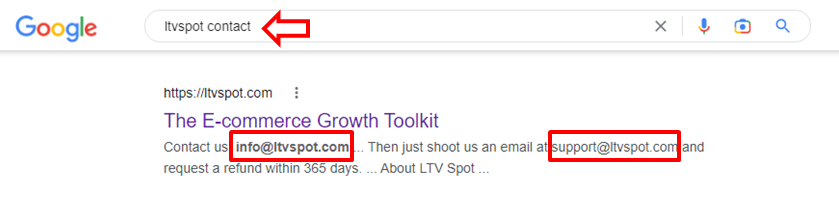
- If the person you're seeking has a common name, refine your search by utilizing Google search operators, which are simple to use. Simply enter the operator into Google and start your search.
Example Operators:
[name] + email (or) email address
[name] + contact (or) contact information (or) contact me
[name] + “home town”
[name] + “company they work for”
Find a Personal Website
- Enter the person’s “First Name + Last Name” on Google’s search bar.
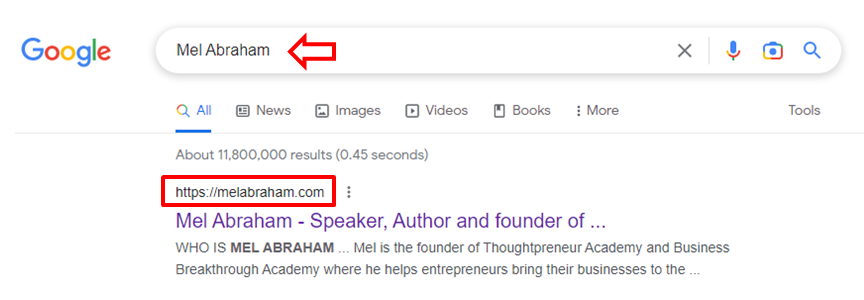
- Visit the website and look for the contact page.

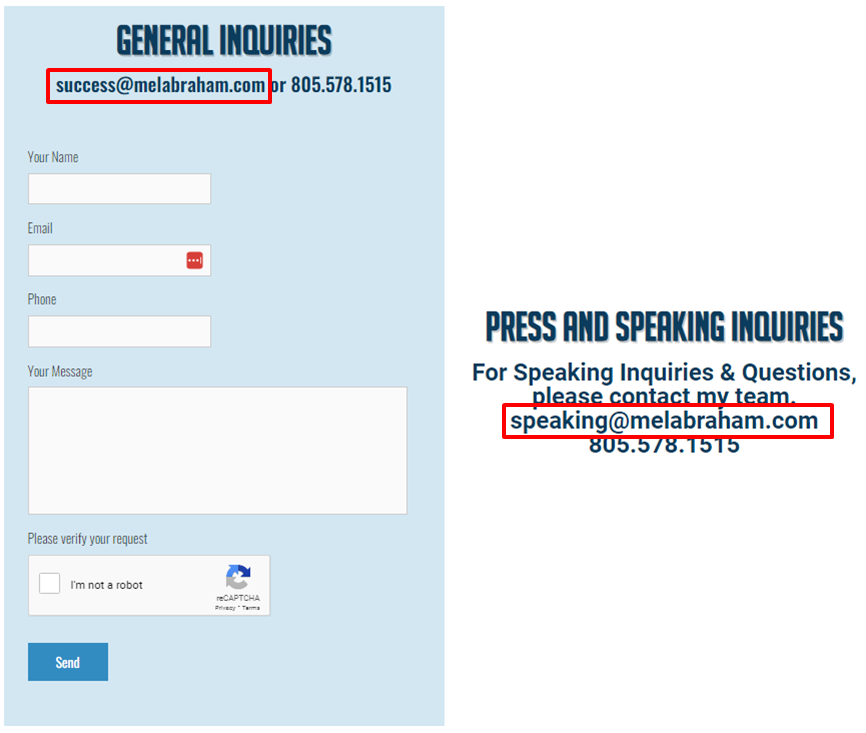
💡 Tip: You can use the generic contact form to ask how to get in touch with your ideal prospect.
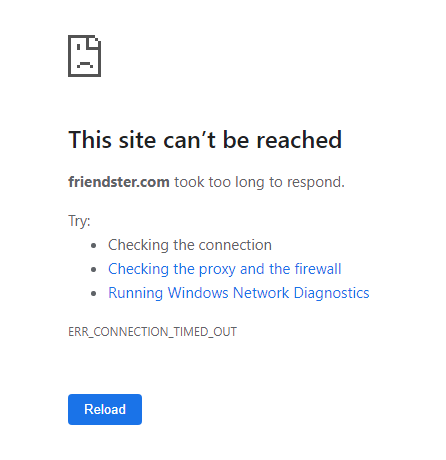
- In the event that you found a website that is no longer accessible, utilize the internet archive at https://archive.org/web/ to retrieve those pages.
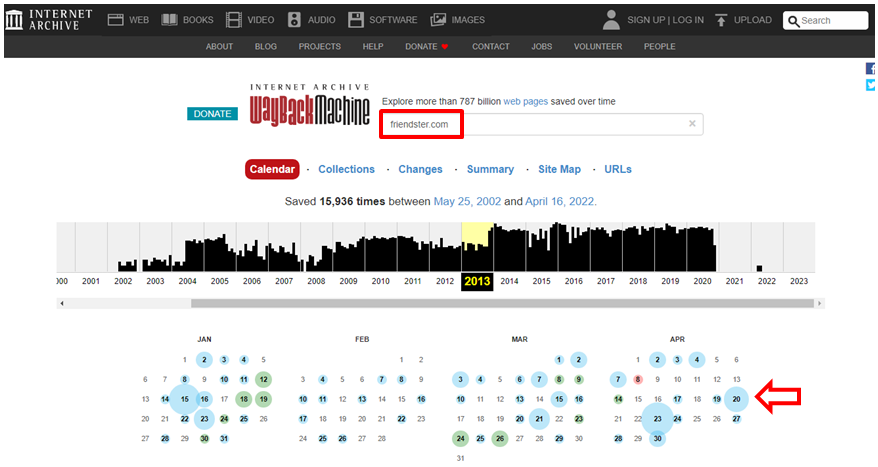
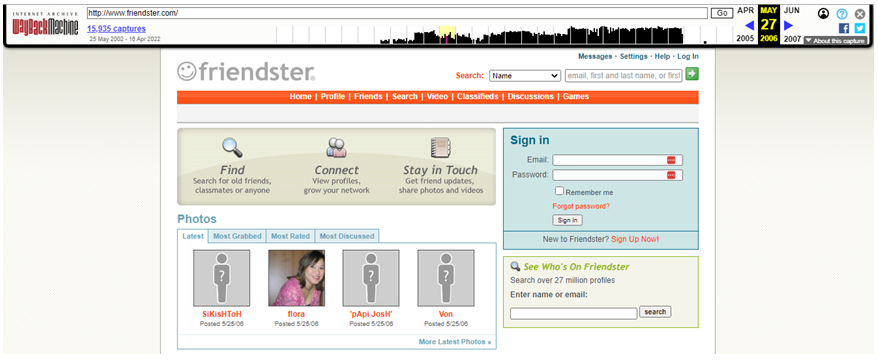
To recover an older version of a website, simply input the desired website and select a date from the past to view its previous appearance.
Subscribe to their Email List
- If your prospect's website or blog offers a newsletter, consider subscribing to their mailing list as this can often be an efficient method of obtaining the desired email address, as many newsletters are distributed using a personal email.

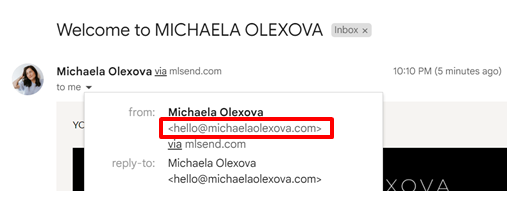
- Check the sender of the welcome email in a newsletter. It may be sent from the person's professional email address.
Search for Related Websites
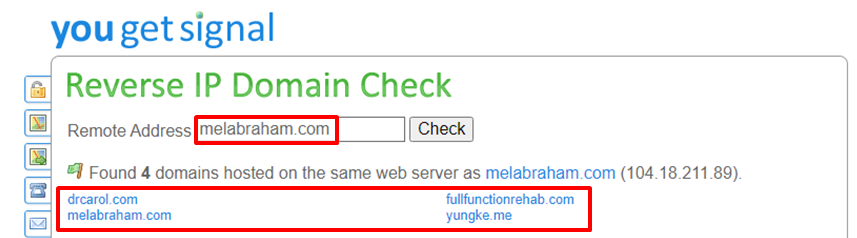
- Use Reverse IP Lookup tool to check for sites that share the same server with the original website. Enter the original web address and click ‘Check’.
💡 Reminder: Just because two websites share the same server, it does not necessarily mean they have the same owner. Use your judgment to determine if any of the websites on the list are connected to your target person. If the connection is strong, it's likely they belong to the same person.
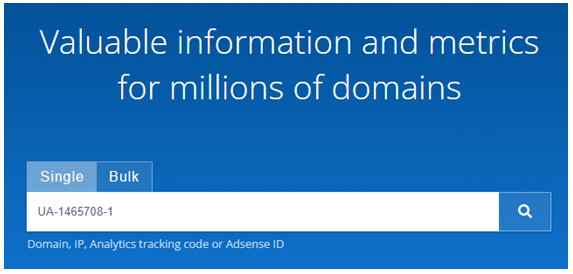
- Use Domainstats to find sites that share the same Google Analytics or Google Adsense accounts with the original website.
-
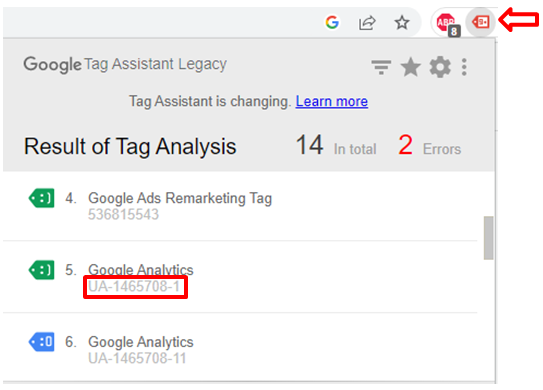
Install Google Tag Assistant for Chrome to be able to extract the Google Analytics code from the original website. Enable the plugin on the original website and it will let you know if Google Analytics is running on that website and what the ID is.
-
Enter the Google Analytic ID on Domainstats search bar to reveal the other websites using the same Google Analytics ID. Visit the sites and look for the contact page.
Use Twitter
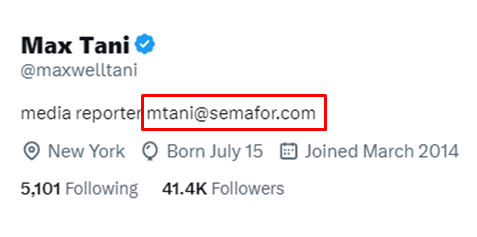
- Check the person’s Twitter Bio
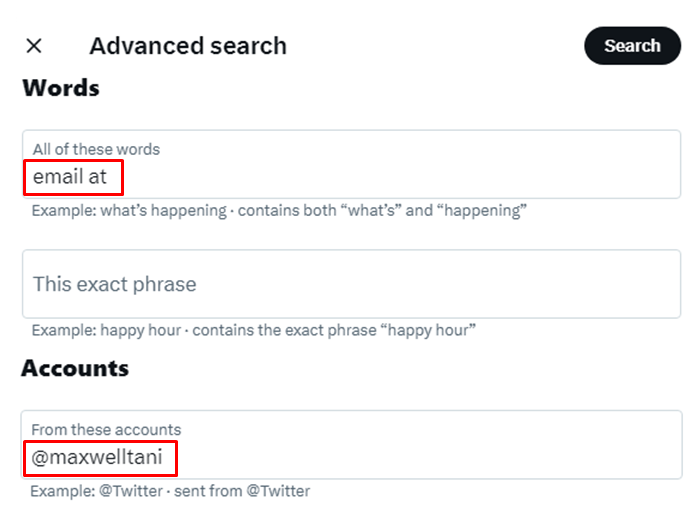
- Use the advanced search box. You can specify exact phrases, exclude certain words, search for hashtags, focus on specific accounts, and set a time frame using this tool. Experiment with different inputs, including "email," "reach," and "contact," to refine your search results.
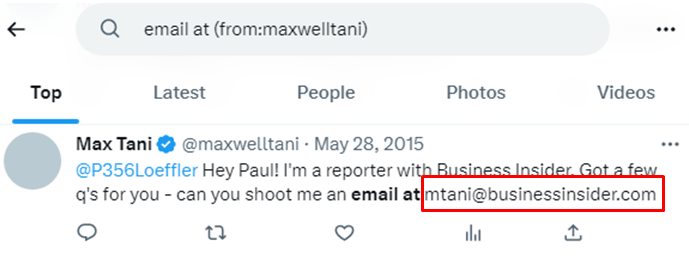
💡 Tip: Try reaching out to them directly on Twitter by asking for their email address. To increase your chances of getting a response, make sure to keep your message brief and provide a compelling reason for them to respond.
- Discover a probable email address by utilizing Twitter's password reset feature.
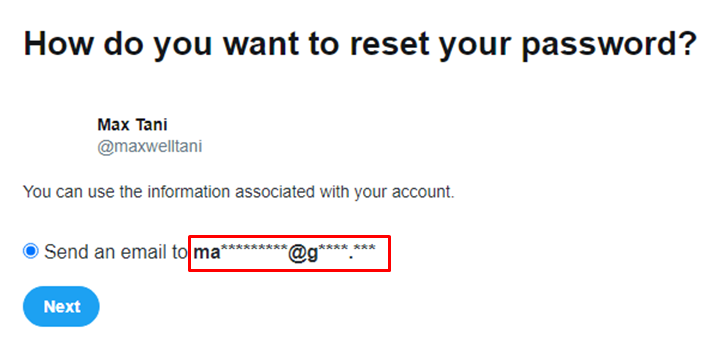
💡 Tip: If the email ends in @g****.*** it most probably stands for @gmail.com. Same for @o******.*** standing for @outlook.com.
📝 Note: Avoid actually triggering a password reset, as this will alert the individual to the fact that someone is attempting to reset their password
Use Instagram
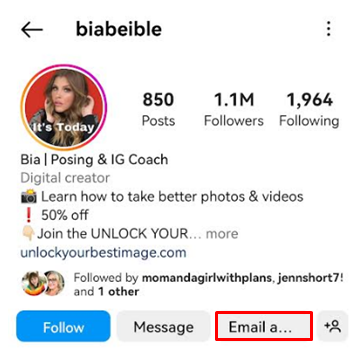
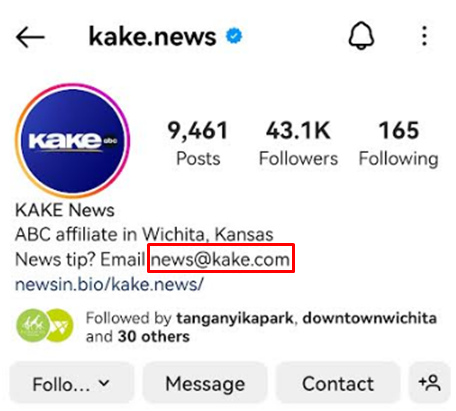
- Check the person’s Instagram Bio
Use Facebook
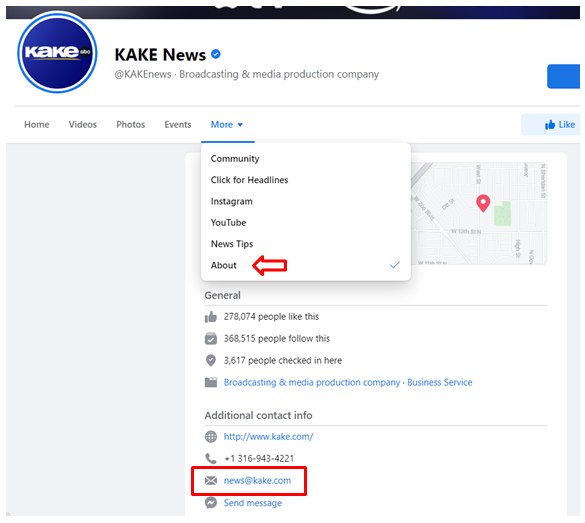
- Visit your prospect’s Facebook page and head to the ’About’ section. You will find their email under the Additional Contact Info.
Use LinkedIn
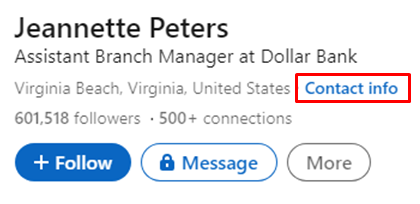
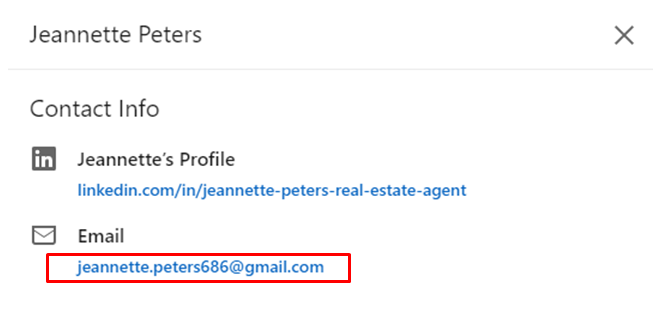
- Check the person’s LinkedIn profile and click on ‘Contact Info’.
Validate if the email address is deliverable
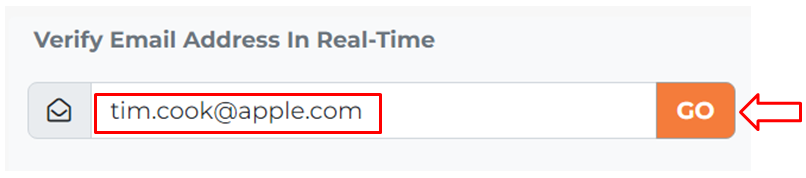
- Use this Email Hippo tool to confirm if the email addresses that you obtained belong to the person you are looking for. Enter the email address then click ‘Go’.
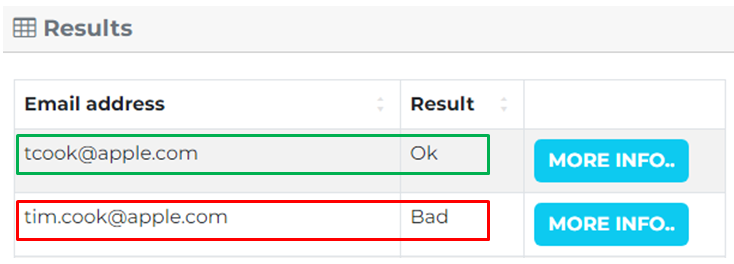
Check the results table to determine if the email is likely to be valid. If the result shows as "Bad," it probably is not a real email.
Use Reverse Image Search
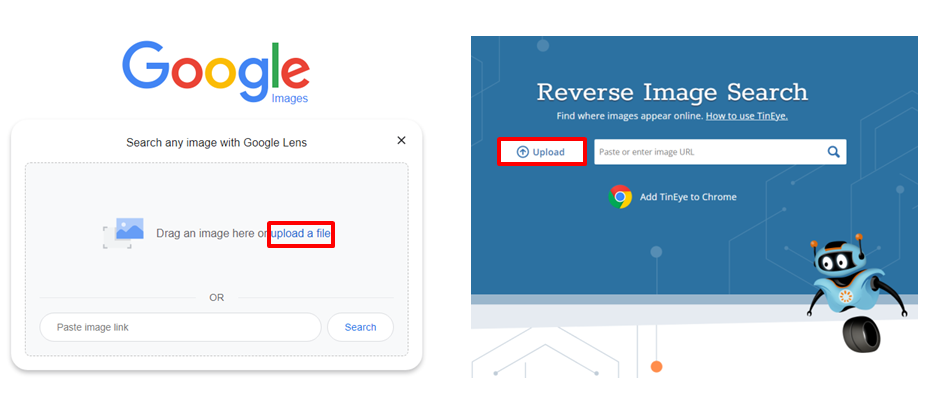
- Go to a reverse image search engine such as Google Images or TinEye.
Upload the image to the search engine by either dragging and dropping it or clicking the ‘Upload’.
- The search engine will then analyze the image and display a list of websites that contain that same image.

Check the websites to see if the person has listed their email address or contact information. If not, try searching for their name or company on those websites. Repeat the process with different images of the person if necessary.
📝 Note: Reverse image search is not a guarantee of finding someone's email or contact information, but it is a useful tool to help you in your search.
Take a Guessed Approach
- If you have the first name, last name, and domain of the person you're looking for, you can make an educated guess at their email address. To do this, think about common email address formats. If you already have an email address from someone else at the same company, use it as a reference.
Here are some common email address formats to try:
[name]@company.com
[name].[surname]@company.com
[name][surname]@company.com
[initial].[surname]@company.com
- Use Hunter.io to discover the most commonly used email format by entering the company website. The search result will reveal the Most Common Pattern. Use this pattern to guess your prospect’s email address.
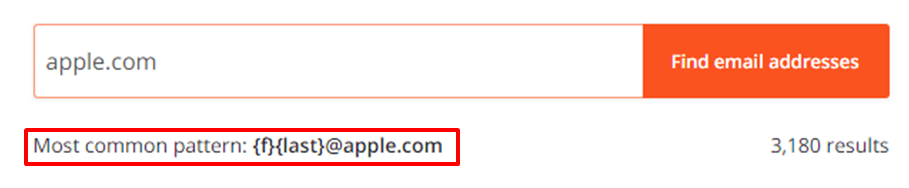
Here is an example:
Person’s Name: Tim Cook
Most Common Pattern: {f}{last}@apple.com
First Name Initial + Last Name + @ company website
Probable Email Address: tcook@apple.com
- Validate if the email is deliverable by using the Email Hippo tool.
Conclusion
You’re done! It's important to remember that obtaining someone's email address is a crucial step in establishing a professional connection and communication. Having a reliable and accurate email address can greatly enhance the effectiveness of your outreach efforts and increase the chances of a successful outcome.
By following these steps, you can effectively and efficiently find the email address of a person:
-
Use an email lookup tool such as Hunter.io
-
Search on Google using a combination of the person's name, job title, and domain name.
-
Check the personal website and blog of the person and subscribe to their email list if available.
-
Search for related websites that might belong to the same person.
-
Utilize social media platforms, such as Twitter, Instagram, Facebook, and LinkedIn to reach out to the person or find clues to their email address.
-
Validate the deliverability of the email address using verification tools.
-
Use reverse image search to find related information.
-
Take an educated guess by using common email address formats based on the person's first name, surname, and domain.