How to Set Up an Automatic Pop-Up Reactivation After 7 Days
To display a popup automatically after seven days when a page visitor doesn’t subscribe to the email list
Prefer a shortcut? 16 free tools do parts of this for you.
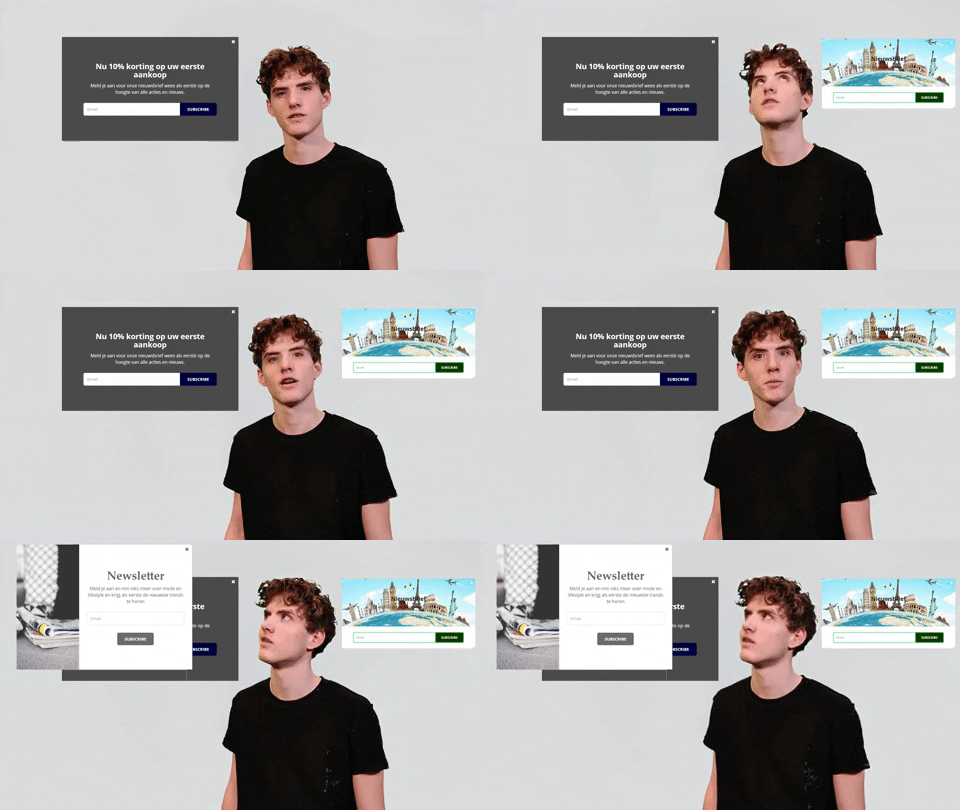
Aim: To display a popup automatically after seven days when a page visitor doesn’t subscribe to the email list
Optimal Outcome: Encourage subscribing to an email list without pestering the page visitor to sign up repeatedly
What you need to start: Klaviyo account
Why is this SOP Important: Increase customer interaction by encouraging your page visitors to sign up for your email list
When and Where to execute: Perform this SOP when creating or updating your popup
Who Should Be Doing This: A person in your Marketing team
What Is Display Frequency?
Display frequency is the number of times a flyout or popup will show for your page visitor. You can set your popup not to show it to an existing subscriber. Moreover, you can set it to show up again after a few days after closing. Generally, you don’t want your visitors to always see the popup; thus, you can set it to seven days.
Execution
Resources/Tools & Set up
-
Klaviyo account
-
Shopify account
Set the Display Frequency to 7
NOTE: This SOP assumes that you’ve already integrated Shopify and Klaviyo and created or are creating a popup.
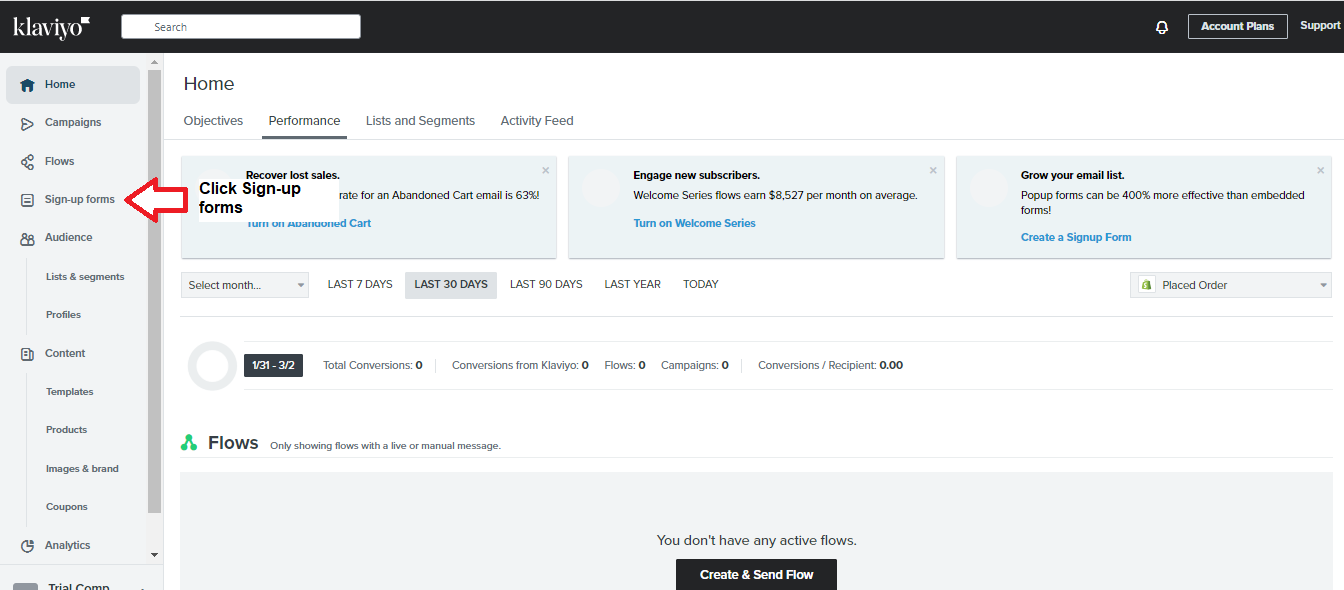
- Log into Klaviyo. Click Sign-up Forms in the sidebar.
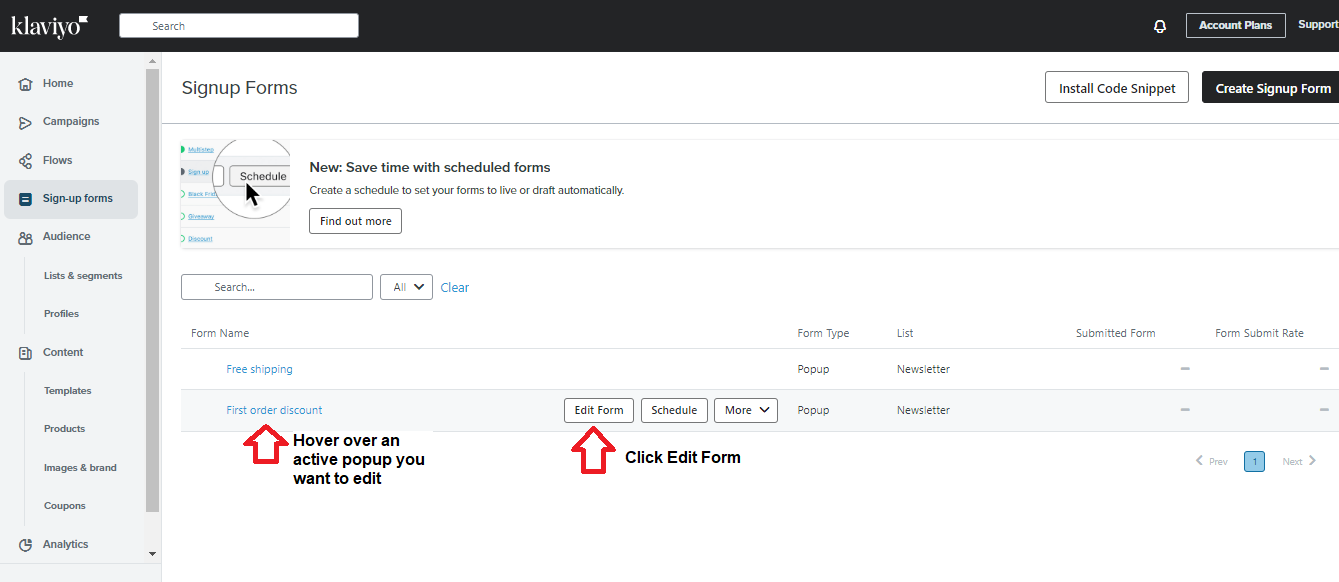
- Hover the mouse over an active popup you want to edit. Click Edit Form.
- Click Targeting & Behavior.
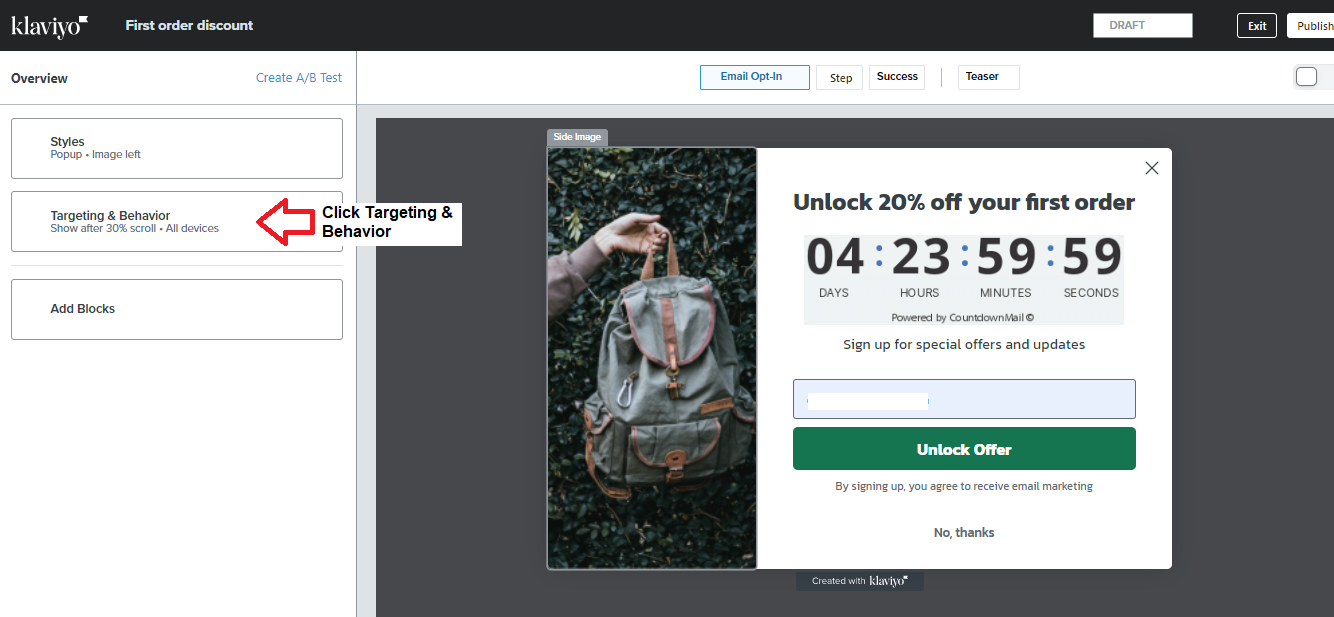
- Scroll down the sidebar until you see Display Frequency. Change the default to 7 days.
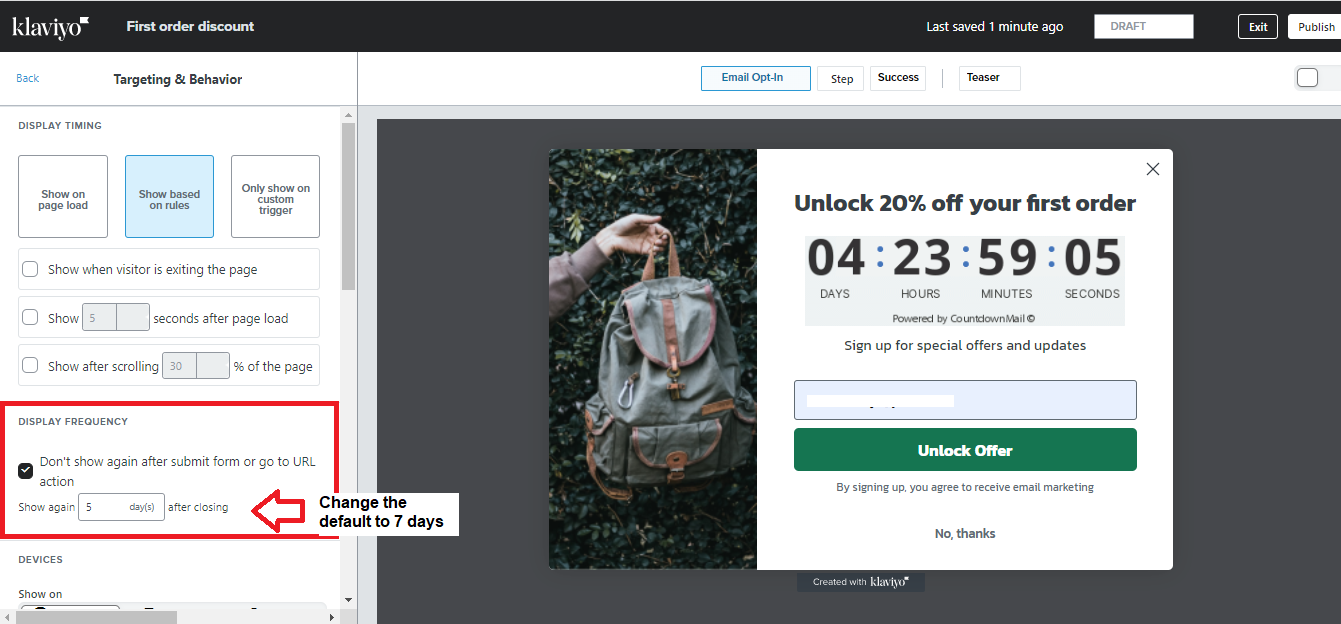
- Ensure to click Publish after the edit.
Conclusion
Congratulations! Your shop visitors will only see the popup after seven days if they closed the form without acting on it.
Execution Checklist:
-
Many customers don’t want shops to have too many popups because they find them intrusive.
-
Therefore, you should set it to seven days if your visitors closed the popup without subscribing to your email list.