Boost Conversions by Adding a Buy Now, Pay Later Option in Your Emails
To provide you with a step-by-step guide in setting up your buy now, pay later option and add it to your email campaigns.
Prefer a shortcut? 16 free tools do parts of this for you.

Aim: To provide you with a step-by-step guide in setting up your buy now, pay later option and add it to your email campaigns.
Optimal Outcome: To add buy now, pay later options in your email marketing campaigns to boost your conversions.
What do you need to start:
You’ll need the following:
-
An online store or website
-
Marketing automation platform
-
You need a third-party payment provider that offers BNPL option and integrate this service to your website or online store
Why is this SOP Important: Overall, setting up buy now, pay later, (BNPL) for your email marketing campaigns can help retailers increase sales, attract new customers, improve customer loyalty, and stand out in a competitive market.
When and Where to execute: The timing of launching a buy now, pay later option depends on your marketing strategy but in general, you can maximize the effectiveness of your BNPL campaign during peak sales such as holidays or when launching a new product.
Who Should Be Doing This: Marketing staff, person responsible for setting up automation
What is the Buy Now, Pay Later option?
Buy now, pay later (BNPL) is a payment option offered by some retailers and payment service providers that allows customers to purchase goods or services and split the cost into multiple installments over a period of several weeks or months, rather than paying the full amount upfront. While BNPL can be convenient for customers who need to make a large purchase and prefer to spread out their payments over time, it's important to note that additional fees and interest charges may apply, and failure to make payments on time can result in late fees and negative impacts to credit scores.
Execution
Resources/Tools & Set up
Create an account in a payment provider that offers installment payment options (Example: Affirm, Sezzle, AfterPay, Klarna etc.)
Add a third-party BNPL payment provider to your Shopify store
- Add Buy Now, Pay Later banners and subject lines in your email campaigns
A****dd a third-party BNPL payment provider to your Shopify store
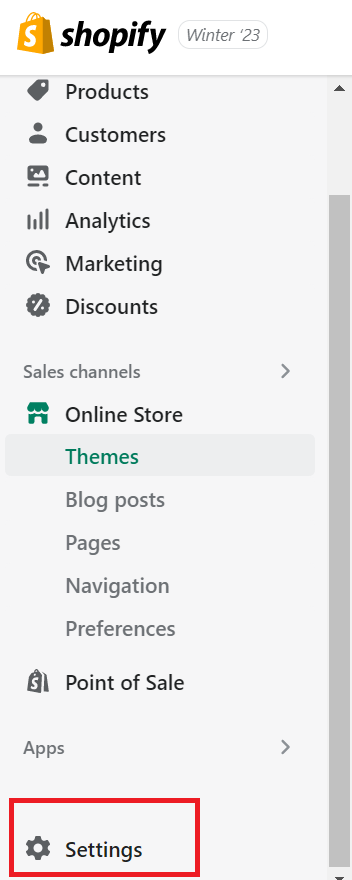
- Login to your Shopify account.
-
Navigate to the left menu, click Settings.
-
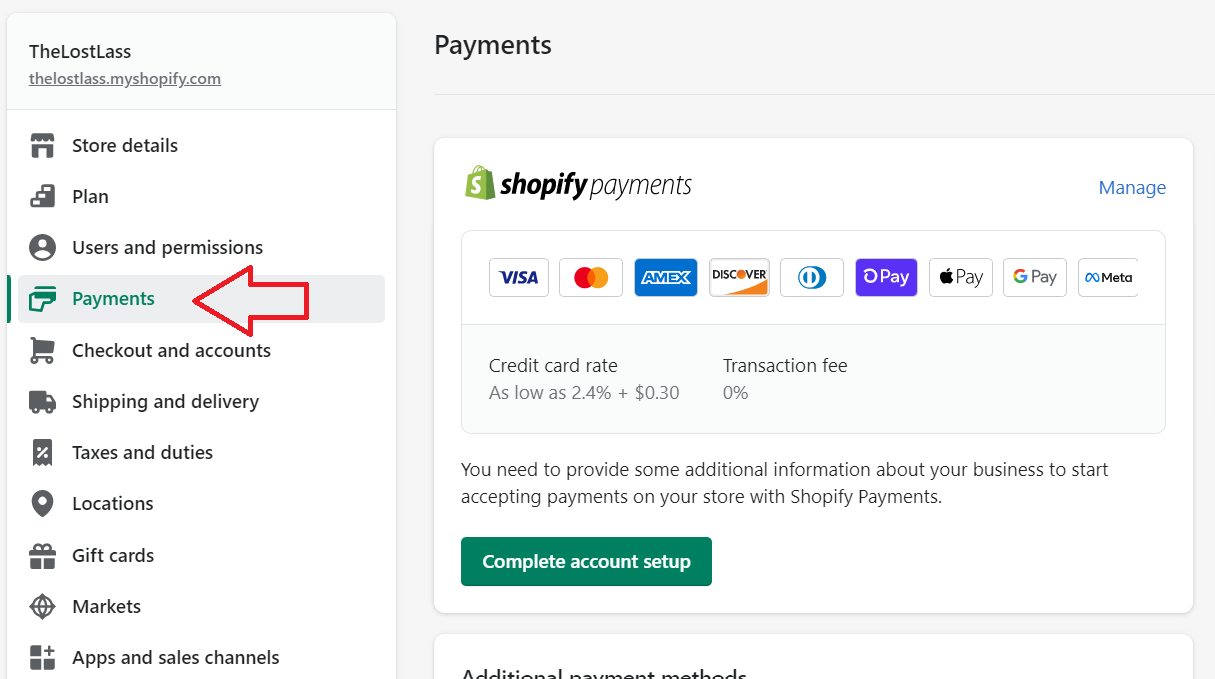
Click Payments.
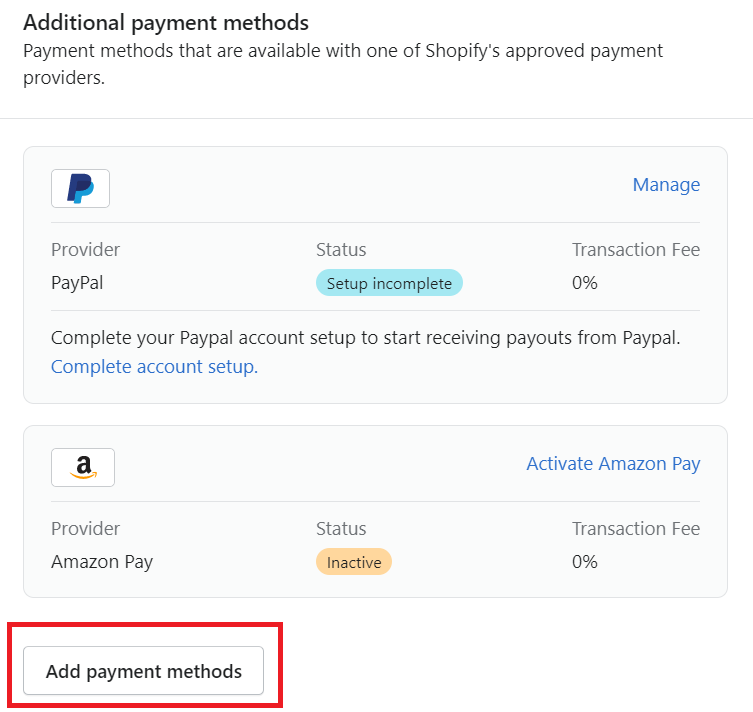
- Scroll to the middle of the page and look for the Additional payment methods section. Click Add payment methods.
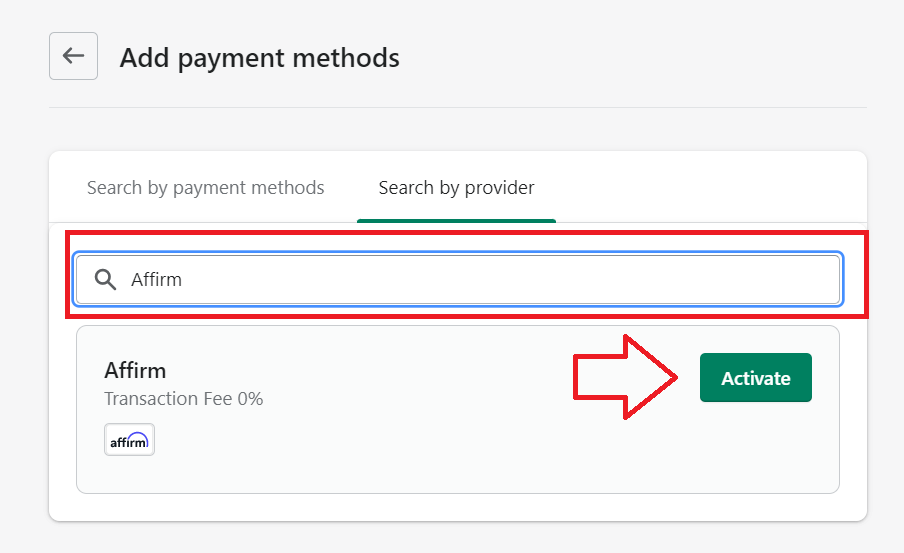
- Go to the Search by provider tab, then search for the name of the payment provider. Click Activate.
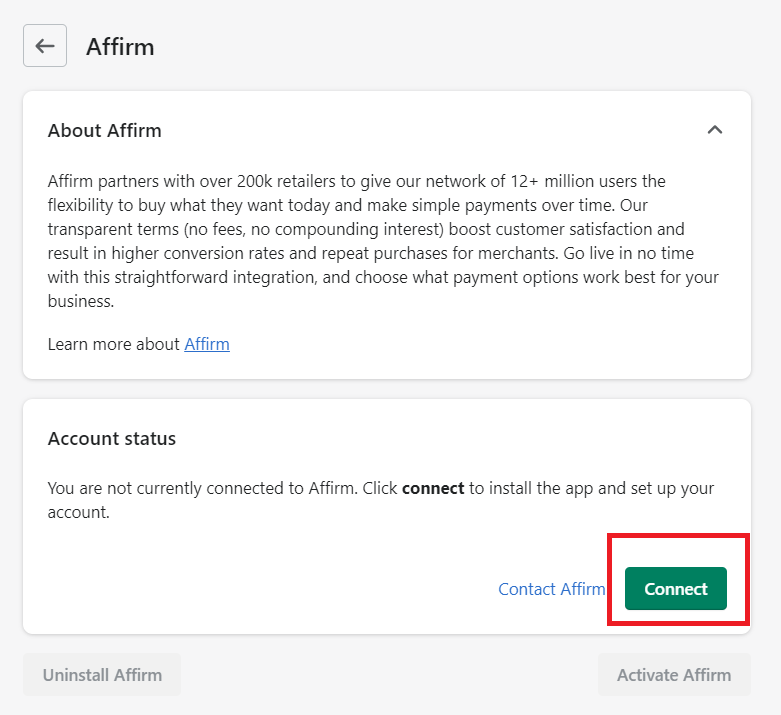
- Look for the Account status section, then click Connect.
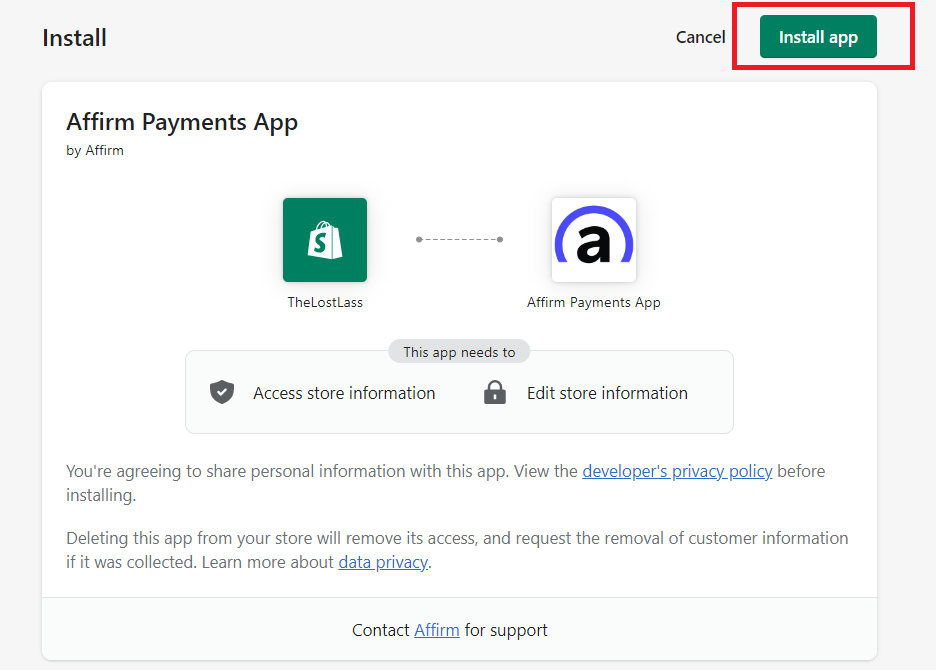
- Click Install app.
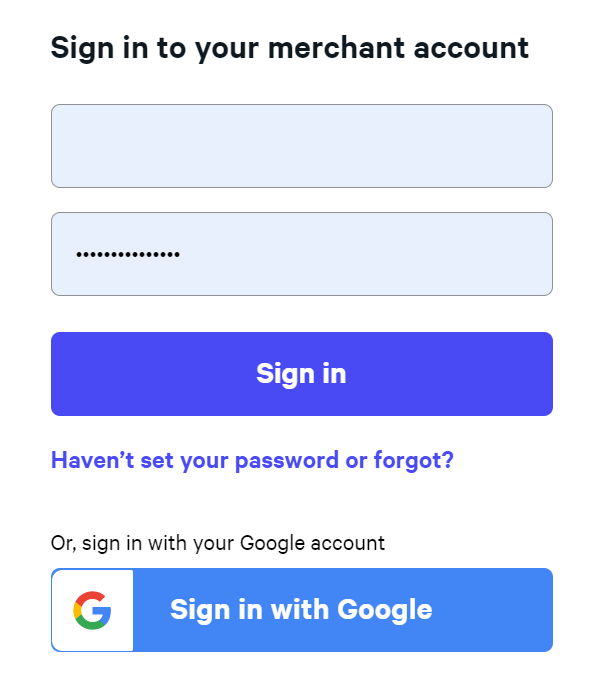
- Login to your third-party merchant account.
Add Buy N****ow, Pay Later banners and subject lines to your email campaigns
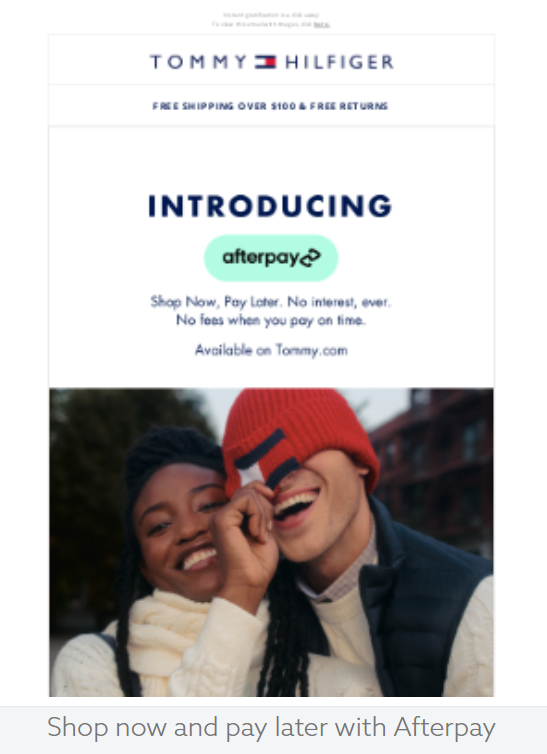
- Introduce BNPL - Highlight the benefit of BNPL in your emails.
Sample subject lines:
-
Buy now, pay later: Meet Klarna
-
Introducing a new way to pay
-
Flexible payment options available now: Buy now, pay later.
Sample email:
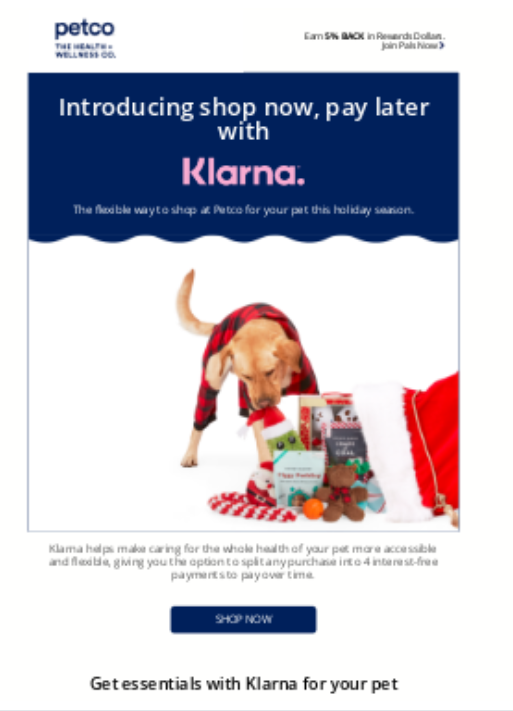
- Provide instructions on how BNPL works - messaging should focus on ease of use.
Sample subject lines:
-
Wear now, pay later in 3 easy steps
-
Skin care just became so easy. Pay in 4 with Klarna
-
Say goodbye to upfront payments: Buy now, pay later made easy.
Sample email:
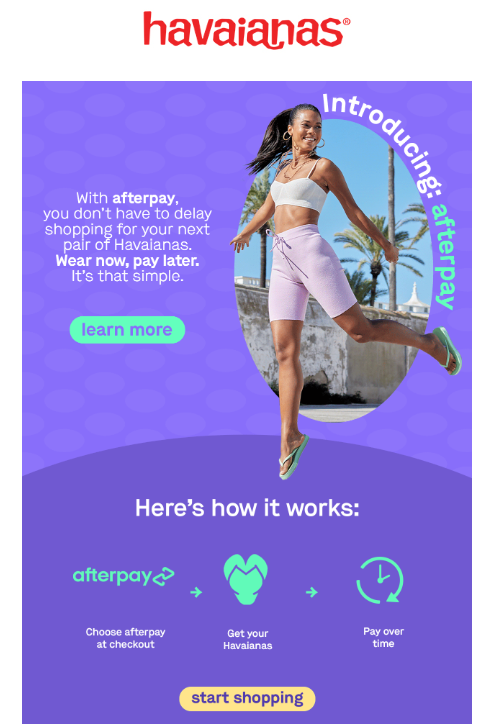
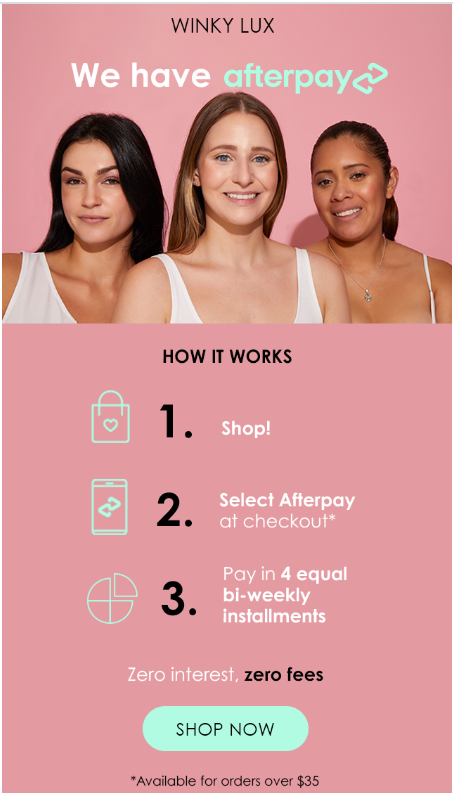
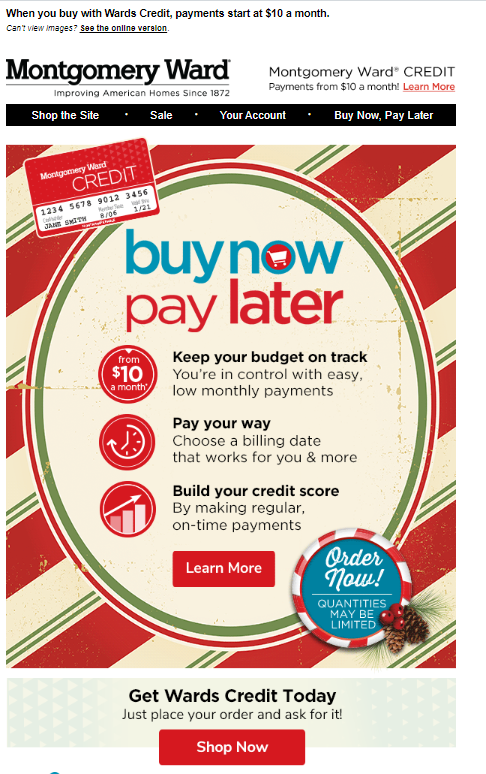
- Use CTAs to educate customers
Sample subject lines:
-
Get what you need now and pay later: Enjoy our flexible payment options. Learn More.
-
Buy now, pay later: Your wallet will thank you. Find out how.
-
Buy now, pay later: Get what you want without breaking the bank. Show now.
Sample email:
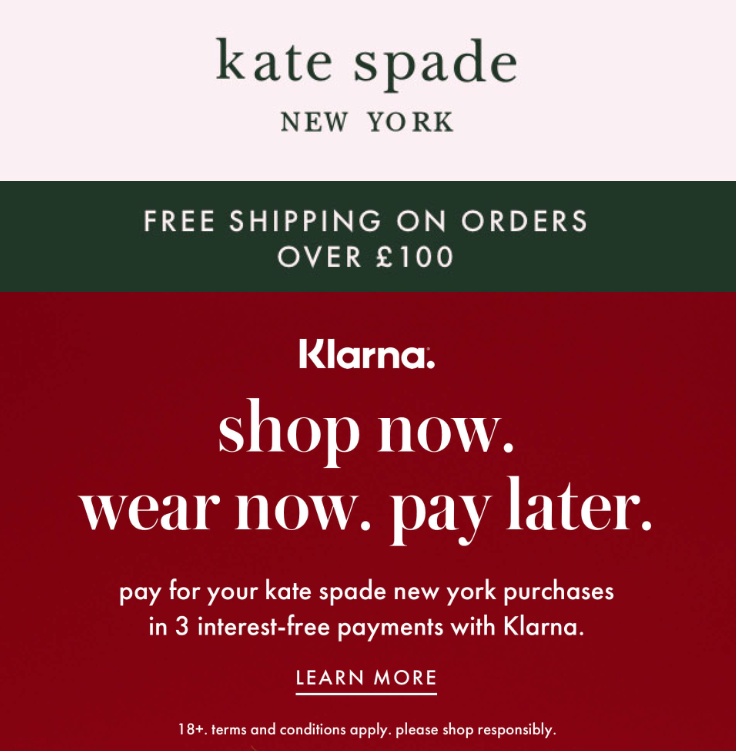
Conclusion
That’s it! You can now start adding buy now, pay later subject lines and CTAs to your email campaigns to drive conversions.
Best Practices:
-
Ensure that you comply with all the regulations related to buy now, pay later, including any consumer protection laws, payment processing regulations, and data privacy laws.
-
Make sure your messaging is easy to understand and doesn’t confuse your readers.
-
Let your readers know why they should take advantage of the buy now, pay later option. Highlight the convenience, flexibility, and affordability it provides.
-
Encourage your audience to take action by creating a sense of urgency. You can include limited-time offers, promotions, or deals that are only available for a short time.
-
Ensure that you provide clear payment terms and conditions, including interest rates, payment schedule, and any penalties for late payment.
-
Use personalization techniques to make the messaging more relevant to your readers. Include their names, interests, and previous purchase history.
-
Use eye-catching visuals that showcase your products or services and buy now, pay later option.
-
Run A/B tests on subject lines, and email contents to optimize based on open rates, click-through rates, and conversion rates to find the best performing message.
Execution Checklist:
-
Subscribe to a payment provider that offers installment payment options.
-
Integrate your third-party payment provider to your online store or website as a payment method for your customers.
-
Create your subject lines and creative collaterals to include BNPL messaging.