Setting Up Dynamic Reviews on Okendo
To walk you through setting up dynamic reviews on using Okendo.
Prefer a shortcut? 16 free tools do parts of this for you.

Aim: To walk you through setting up dynamic reviews on using Okendo.
Optimal Outcome: To start leveraging the benefits of customer reviews to improve and optimize your business processes.
What do you need to start: Okendo account (paid), Shopify store, Klaviyo account (optional0
Why is this SOP Important: Setting up dynamic reviews on Okendo can help you improve customer engagement, boost SEO, build trust, gain valuable customer insights, and gain a competitive advantage in your industry.
When and Where to execute: Okendo
Who Should Be Doing This: Customer Service Manager, Developer
What is Dynamic Review?
A dynamic customer review is a type of ongoing feedback provided by customers based on their evolving experiences with a product or service. Unlike static customer reviews, dynamic reviews reflect a customer's changing opinions and perceptions over time. They can be gathered through various channels and provide valuable insights to businesses about their customers' experiences, preferences, and needs. By monitoring and responding to dynamic customer reviews, businesses can improve customer satisfaction, increase brand loyalty, and enhance their reputation in the market.
Execution
Resources/Tools & Set up
-
Go to https://www.okendo.io/ and set up your Okendo account
-
Create and start sequences in Okendo
-
Send a review request email after order has been delivered
Create and start sequences in Okendo
-
Open your Okendo app.
-
Navigate to the side bar and click Mail. On the Sequences page, click the +New Sequence.
-
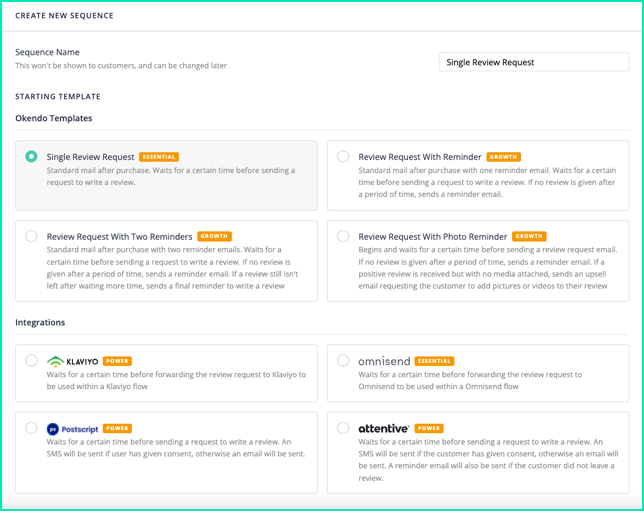
Select a template then proceed to the next section to customize the elements of the sequence.
-
There are three configurations (blocks) for your sequence.
-
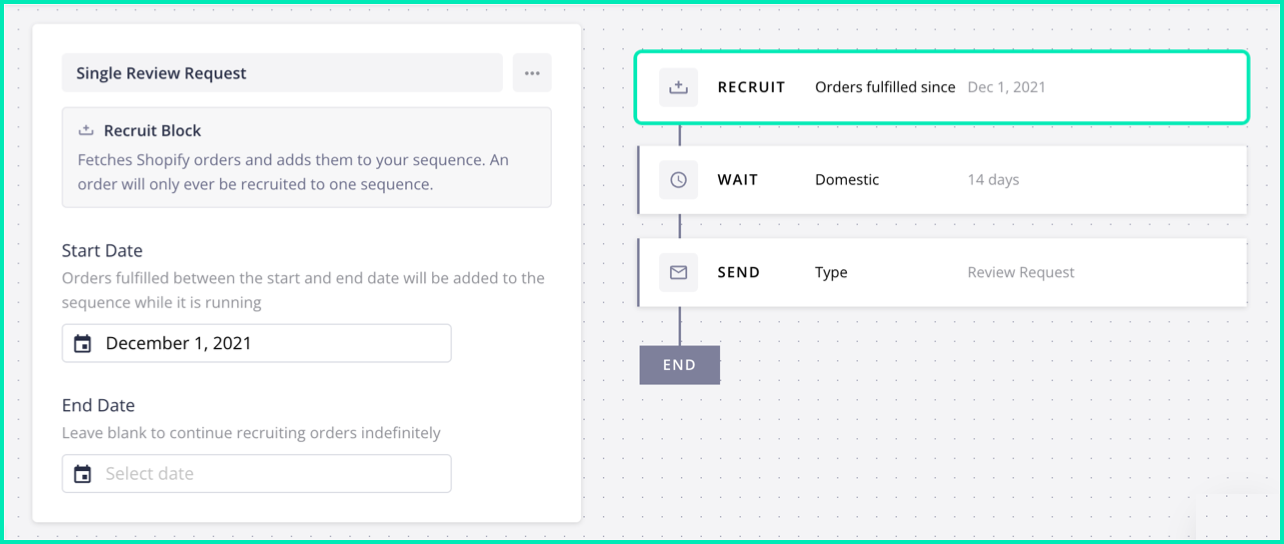
Recruit block - in the RECRUIT block, you can set the commencement date of a sequence. Okendo will enroll any orders that have a fulfillment date on or after the specified start date into the sequence. Once an order is enlisted in a sequence, it will be sent a review request email.
Click the Recruit block.
Select a start date.
Select an end date (optional).
Click Save.
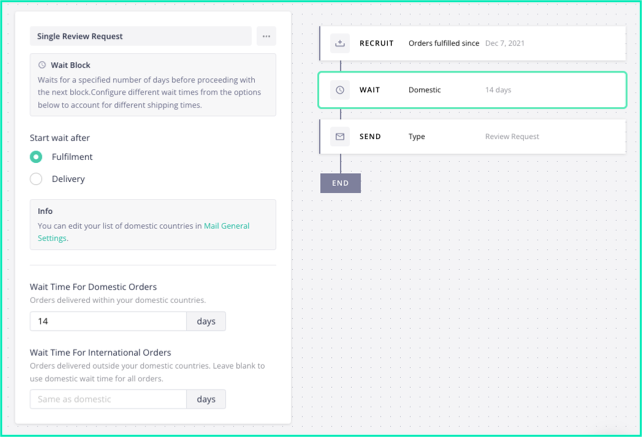
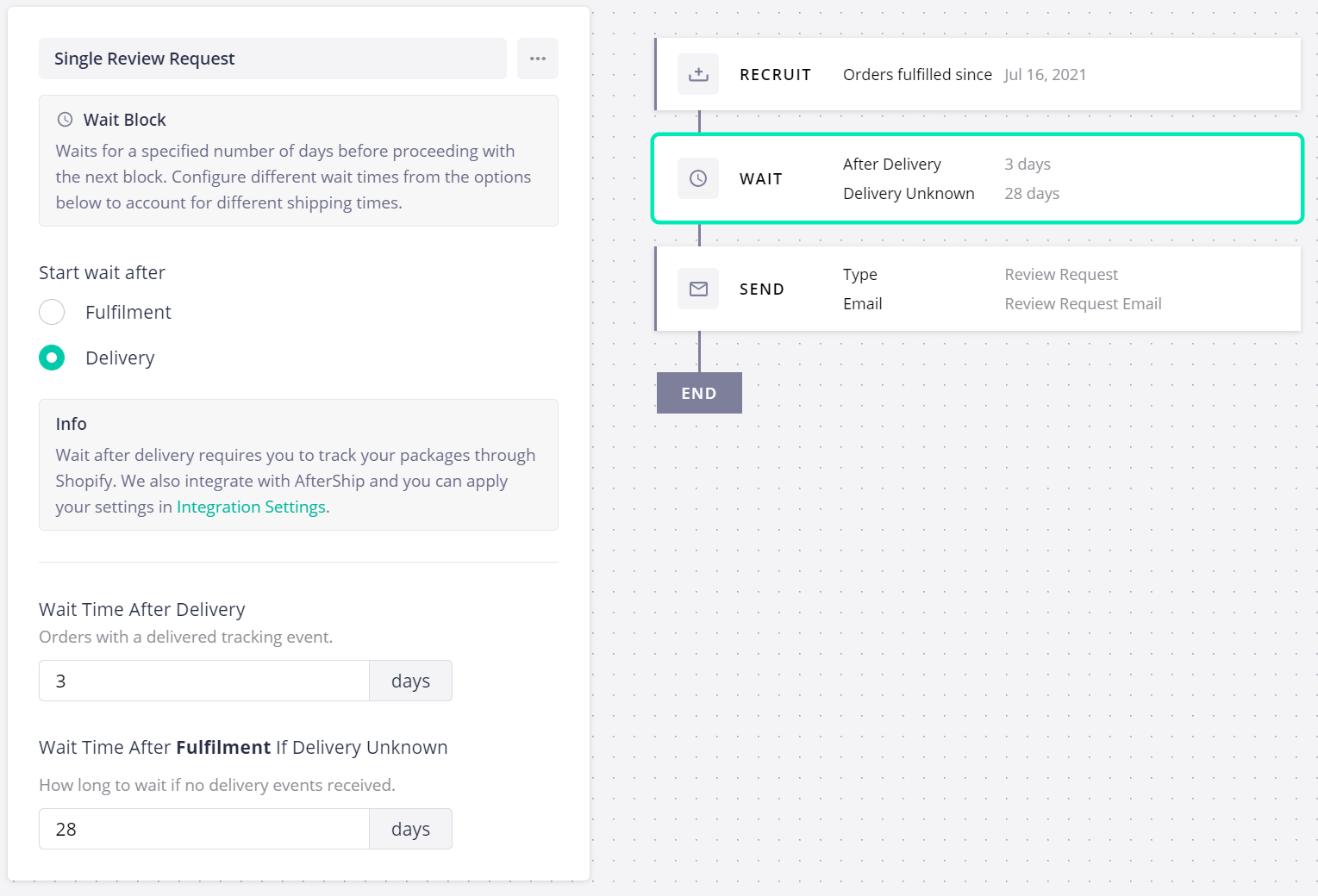
- Wait block - The WAIT block sets the duration of time that Okendo will pause before sending out a review request email to the enlisted orders in the sequence.
Click the Wait block.
Select either Fulfillment (waiting period starts when the order is fulfilled) or Delivery (waiting period starts when the order is delivered).
Set the waiting period for domestic and international (optional) deliveries.
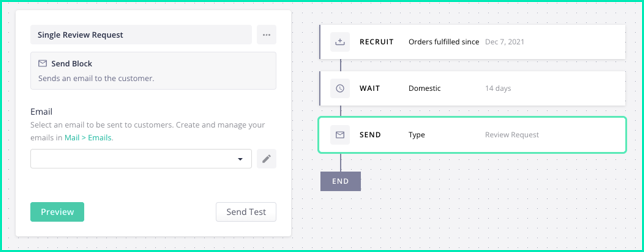
- Send block - With this block, you can select the personalized review request email that you wish to send to your customers.
Click the Send block.
In the email field, select the email you want to send.
Click Preview. (The preview email will show a random product from your inventory but the customer will see the product that they purchased.)
Click Send Test to send a test email (optional).
- To start your sequence, click the Start ► button, then click Start Sequence.
Send a review request email after order has been delivered (Growth Plan and above only)
-
Follow the steps to create and start sequences.
-
On the Wait Block configuration, Select Delivery.
-
Configure the Wait time after delivery.
-
There’s also an option to indicate wait time if the order is not tracked and delivery date is unknown.
Install Okendo in your Shopify Online Store
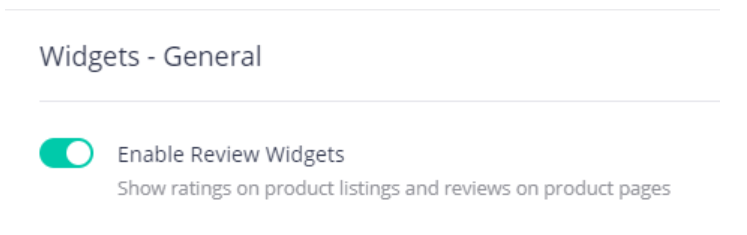
- Login to Okendo, click Settings then go to Widgets. Make sure that the toggle for Enable Review Widgets is on.
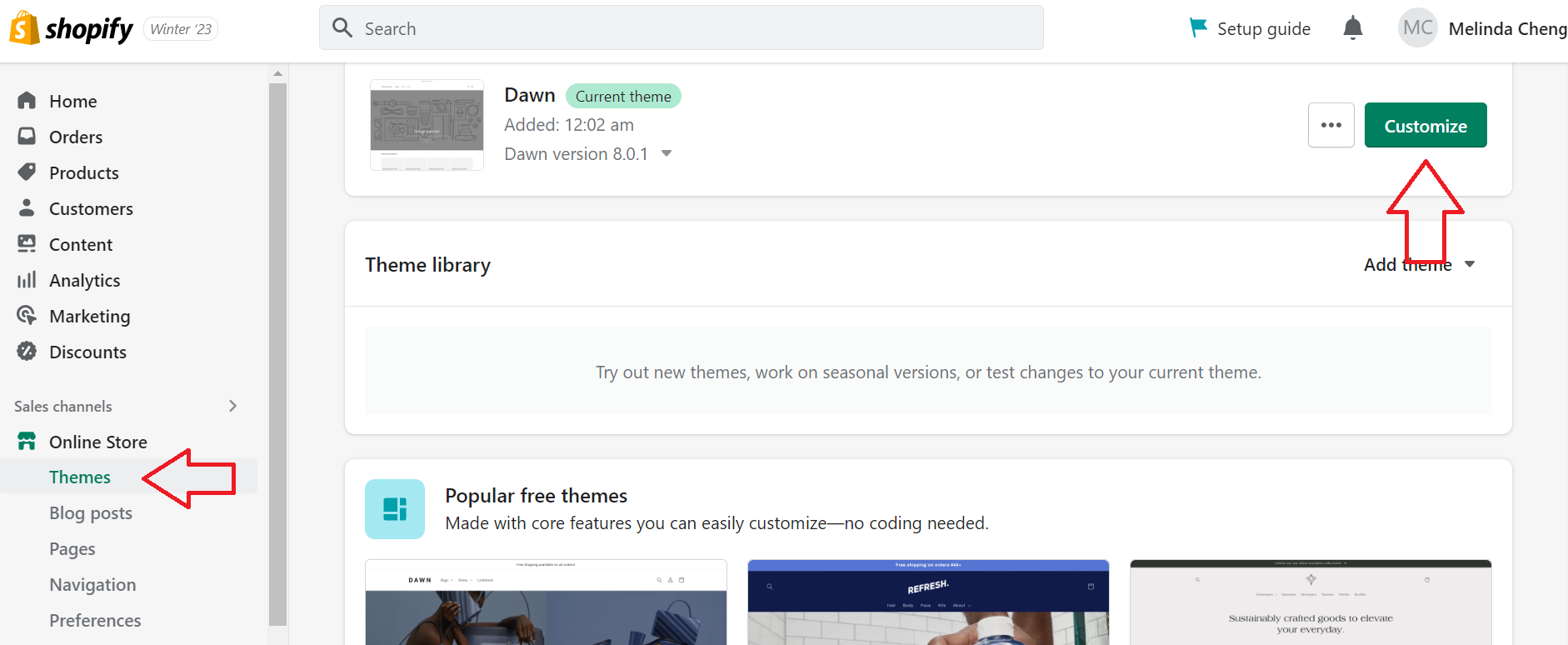
- Navigate to the left menu then click Themes. Select your store’s theme then click Customize.
-
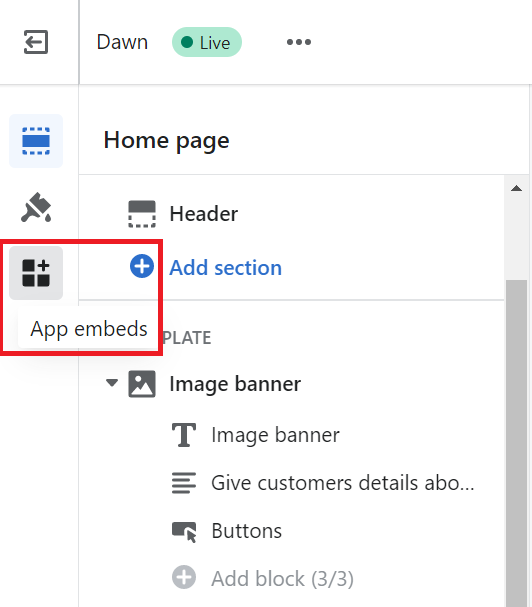
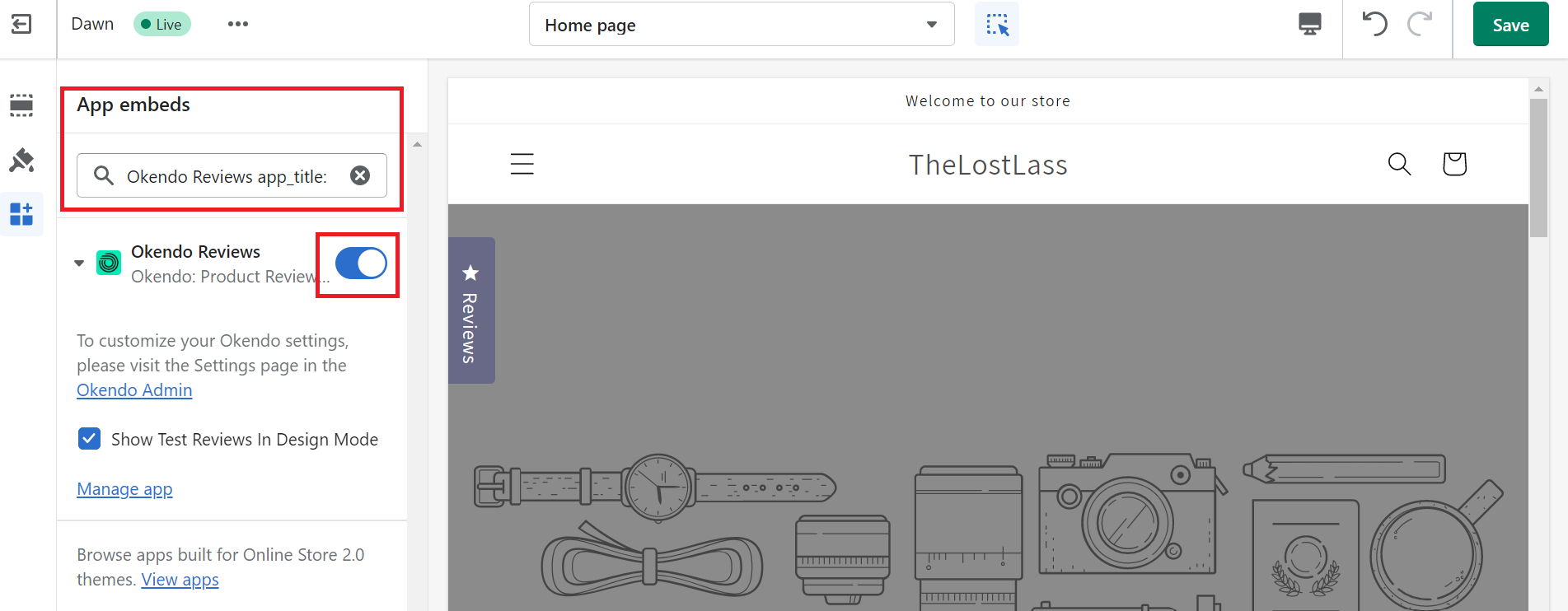
Select the icon for App embeds.
-
Search for Okendo then use the toggle to turn it on.
Conclusion
That’s it! You have now set up your dynamic reviews on Okendo which will automatically send review requests to your customers once their orders have been delivered.
Execution Checklist:
-
Create an Okendo account.
-
Create and start sequences in Okendo
-
Send a review request email after order has been delivered
-
Install Okendo in your Shopify Online store