Boosting Conversions with Gamified Popups
To encourage your Shopify visitors to sign up to your email list by including a gamified popup
Prefer a shortcut? 16 free tools do parts of this for you.

Aim: To encourage your Shopify visitors to sign up to your email list by including a gamified popup
Optimal Outcome: Boost engagement and conversions by allowing shoppers to “win” discounts, vouchers, free shipping offers, etc.
What you need to start: Shopify account
Why is this SOP Important: Spend less time figuring out how to create gamified popups for your Shopify store
When and Where to execute: Perform this SOP after you’ve set up your Shopify account and if you have any new promotions for your store visitors
Who Should Be Doing This: A person in your Marketing Team or someone assigned to Shopify administration
What Is a Gamified Popup?
A gamified popup allows you to offer vouchers, free shipping discounts, coupon codes, and promotional offers to your Shopify visitors. You can hasten conversions through it because you attract them to become a subscriber by offering relevant promos.
Execution
Resources/Tools & Set up
-
Shopify account
-
Tala Spin-wheel popup widget
Integrate Shopify and Tada Spin-Wheel Popups
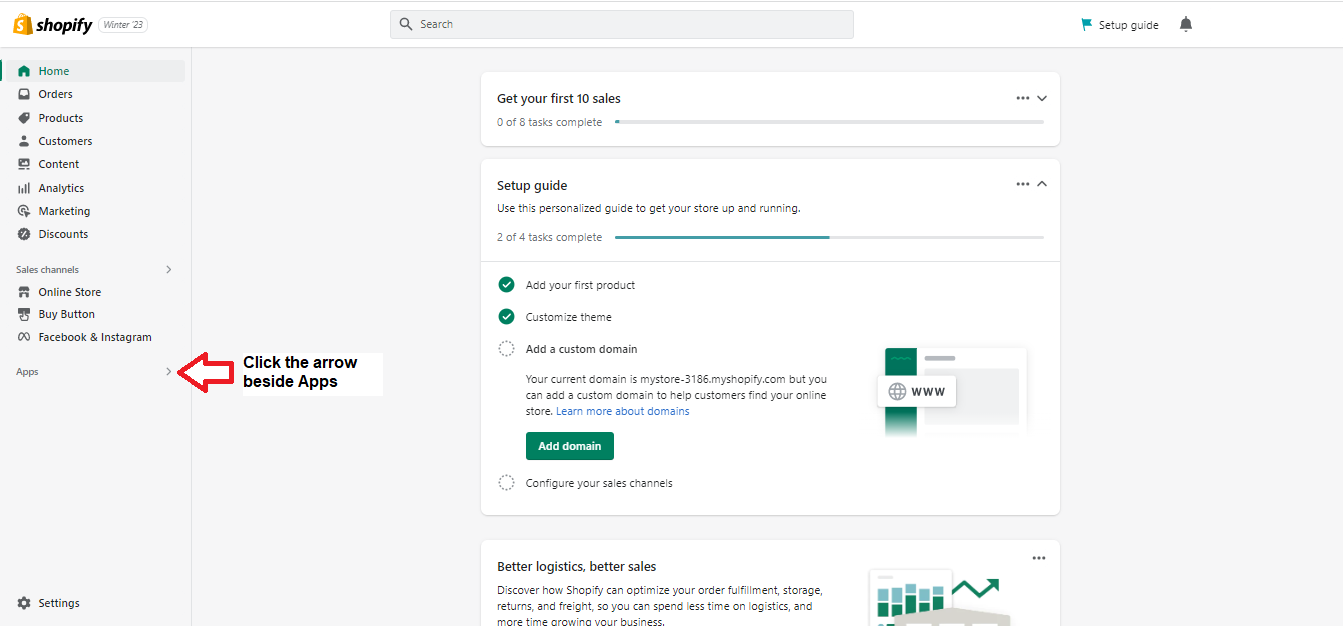
- Log into your Shopify account, then click the arrow beside Apps in the sidebar.
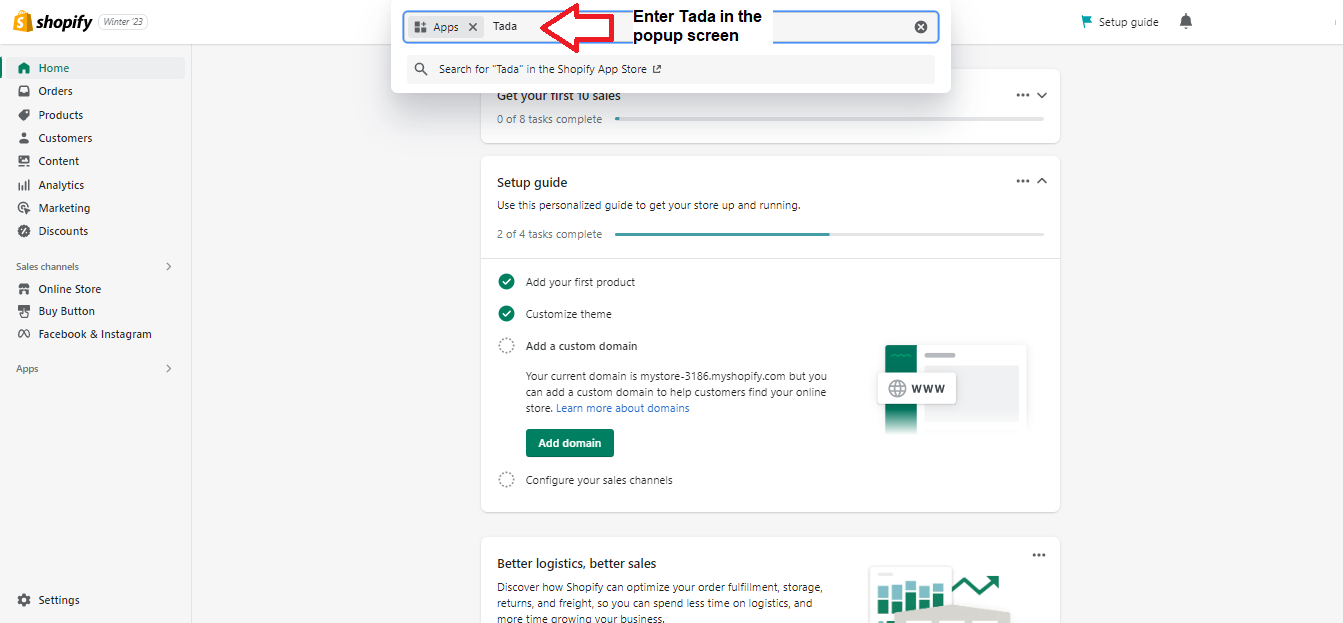
- Search for Tada in the popup screen.
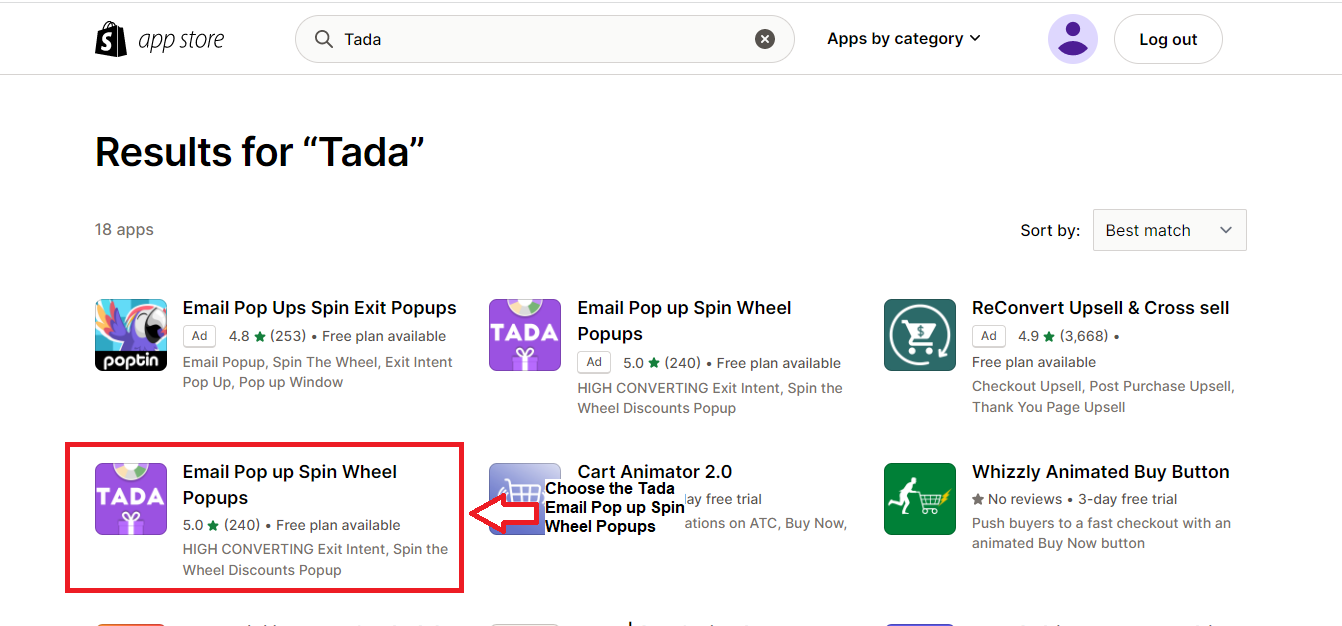
- Shopify will direct you to a new window where you must click on Tada.
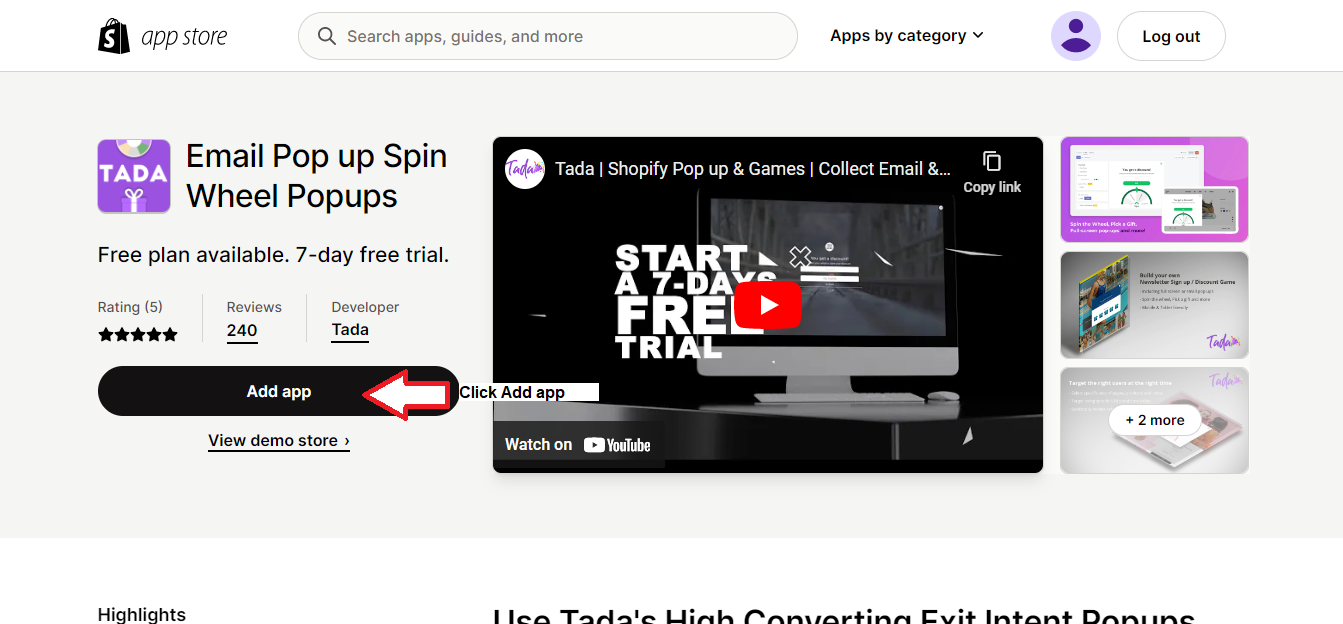
- Click Add app.
- Click Install app.
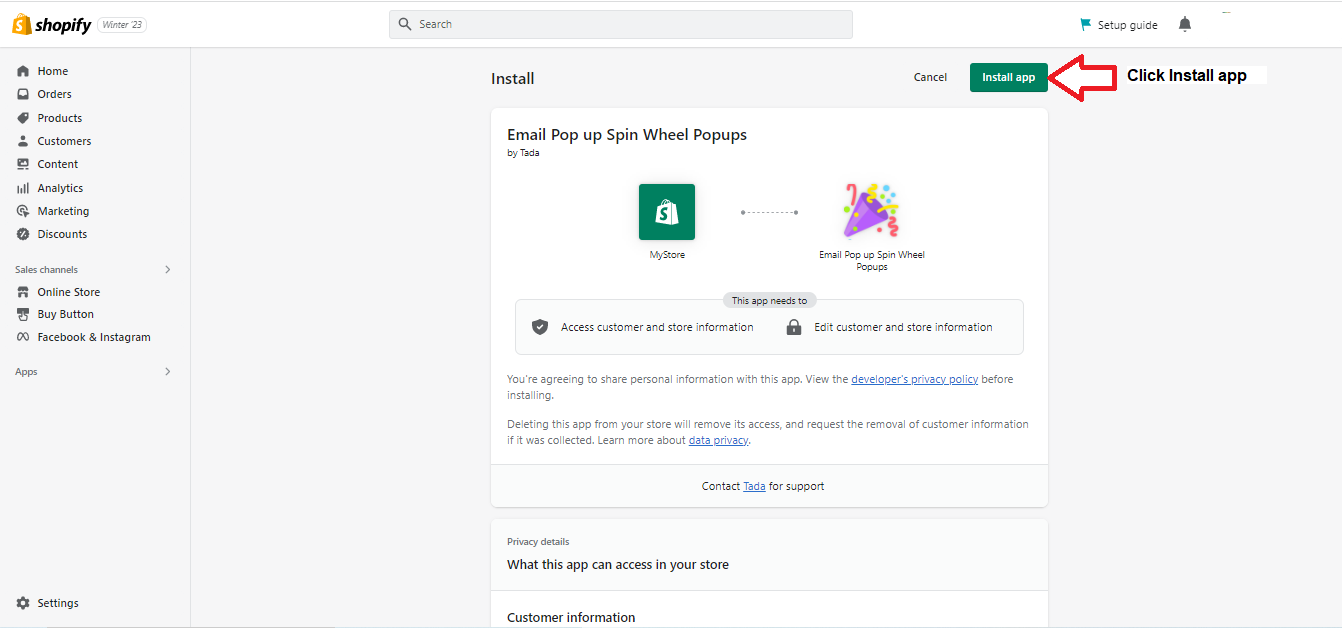
- Select your Tada plan.
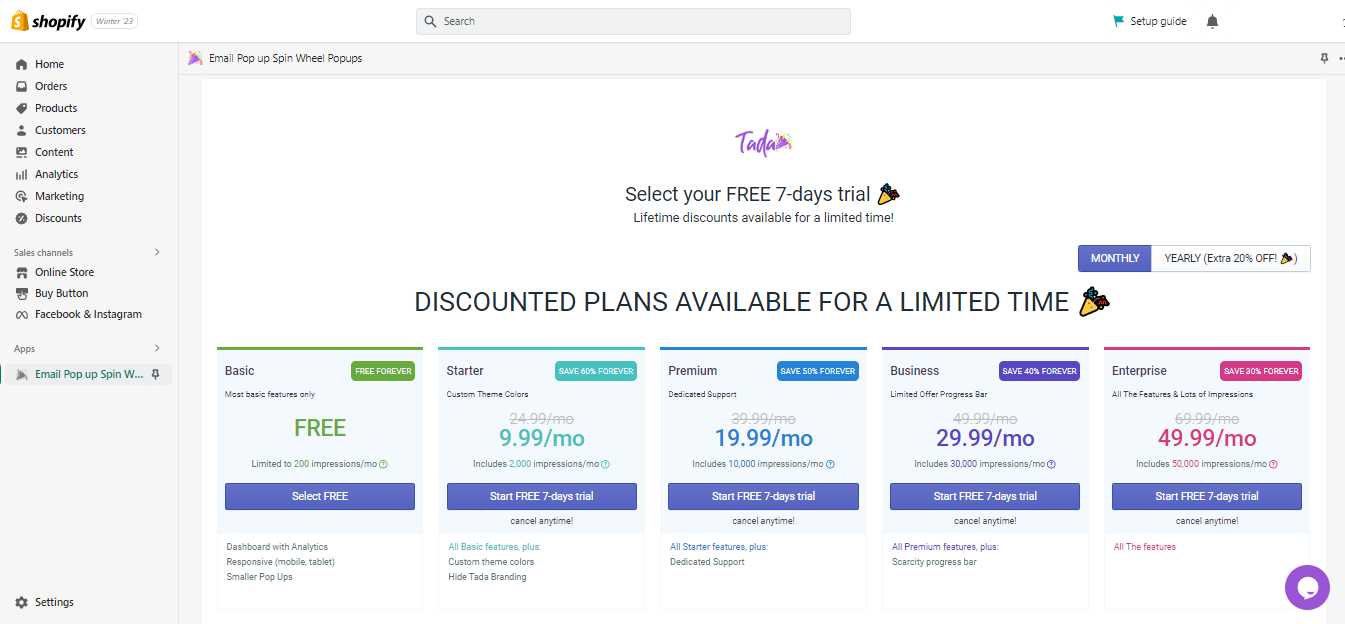
You’re now ready to create your gamified popup.
Create a Widget.
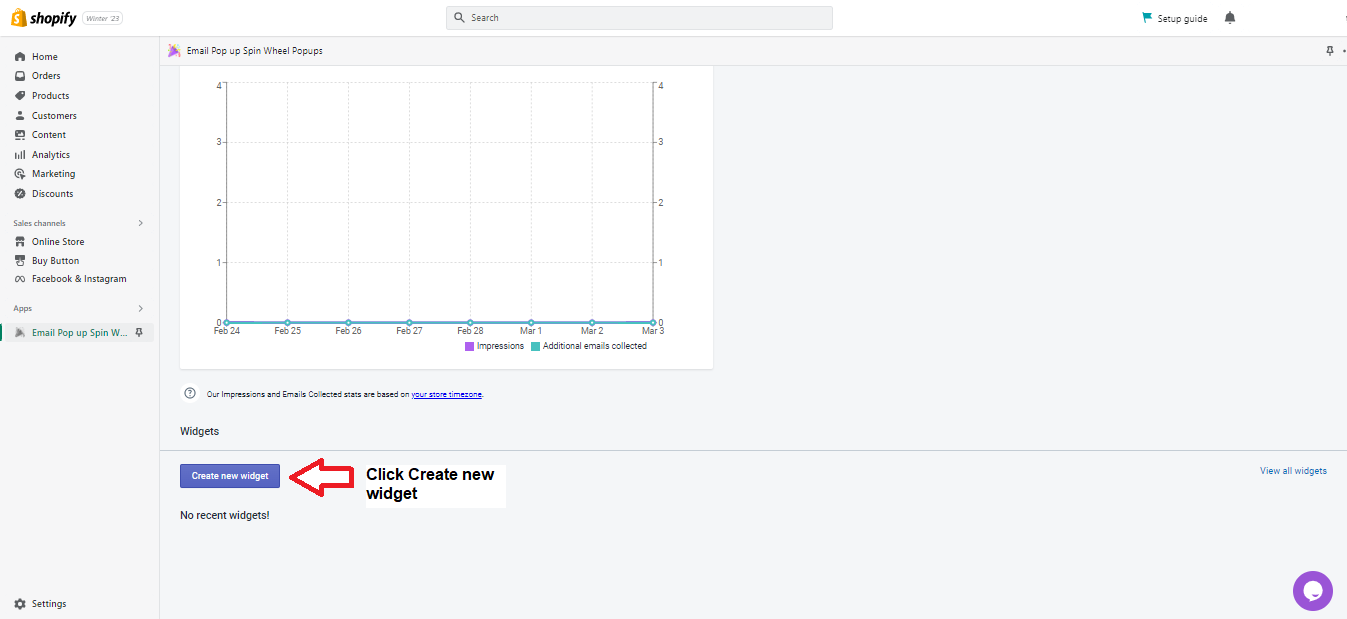
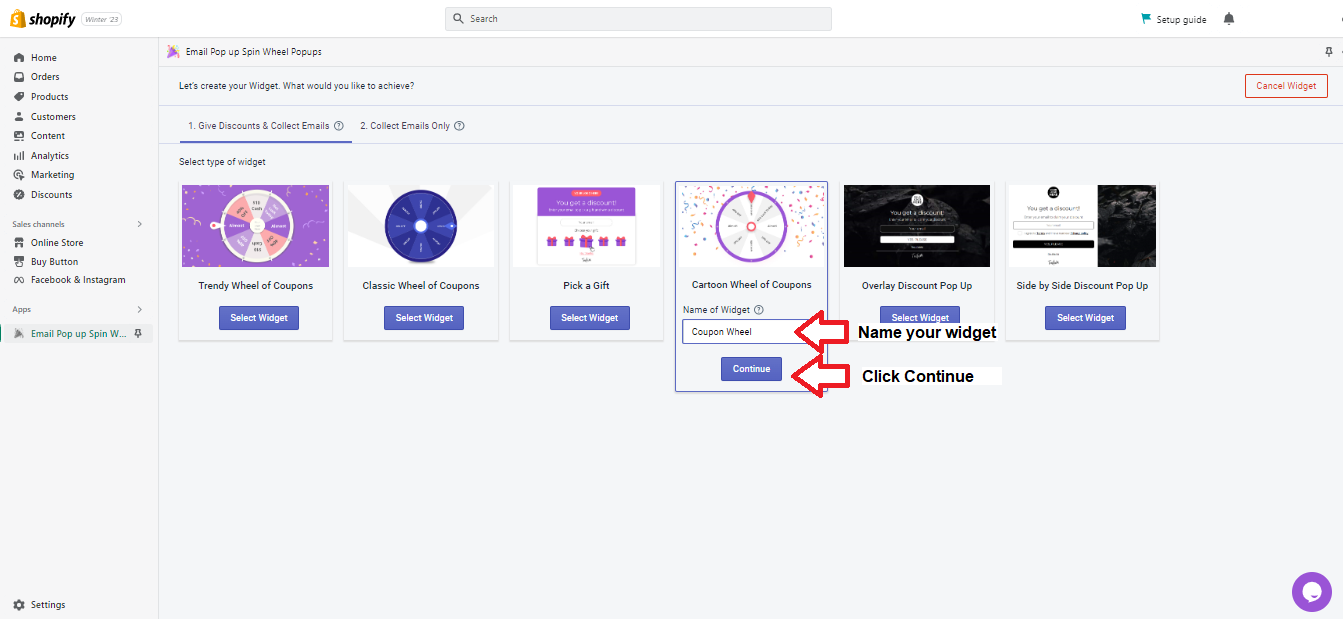
- On the Tada screen in Shopify, click Create new widget.
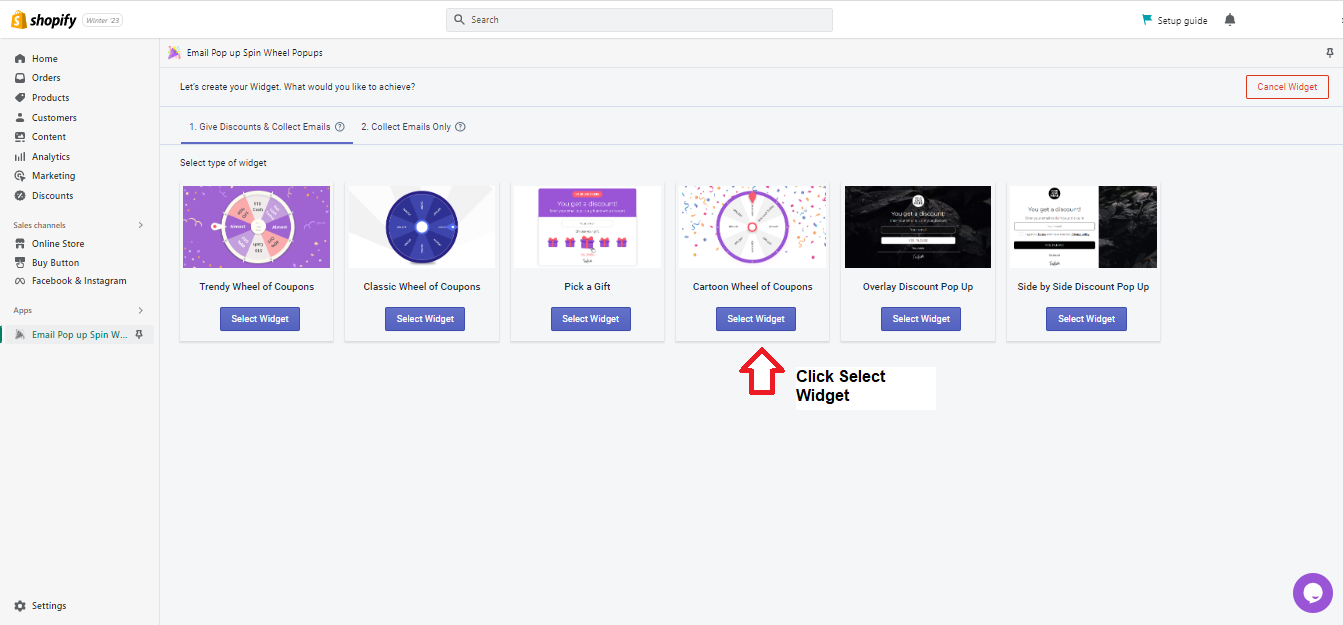
- Choose the widget you want, then click Select Widget under your choice. For this SOP, we’ll choose the Cartoon Wheel of Coupons.
- Name your widget, then click Continue.
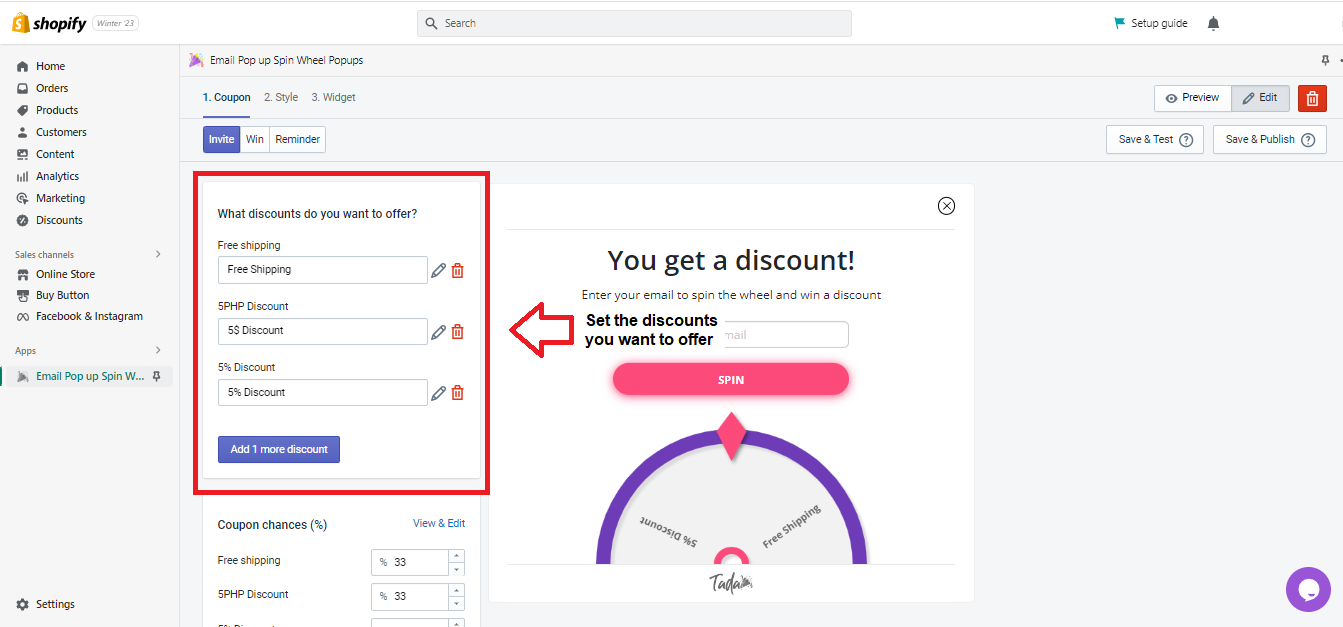
- Set the discounts you want to offer.
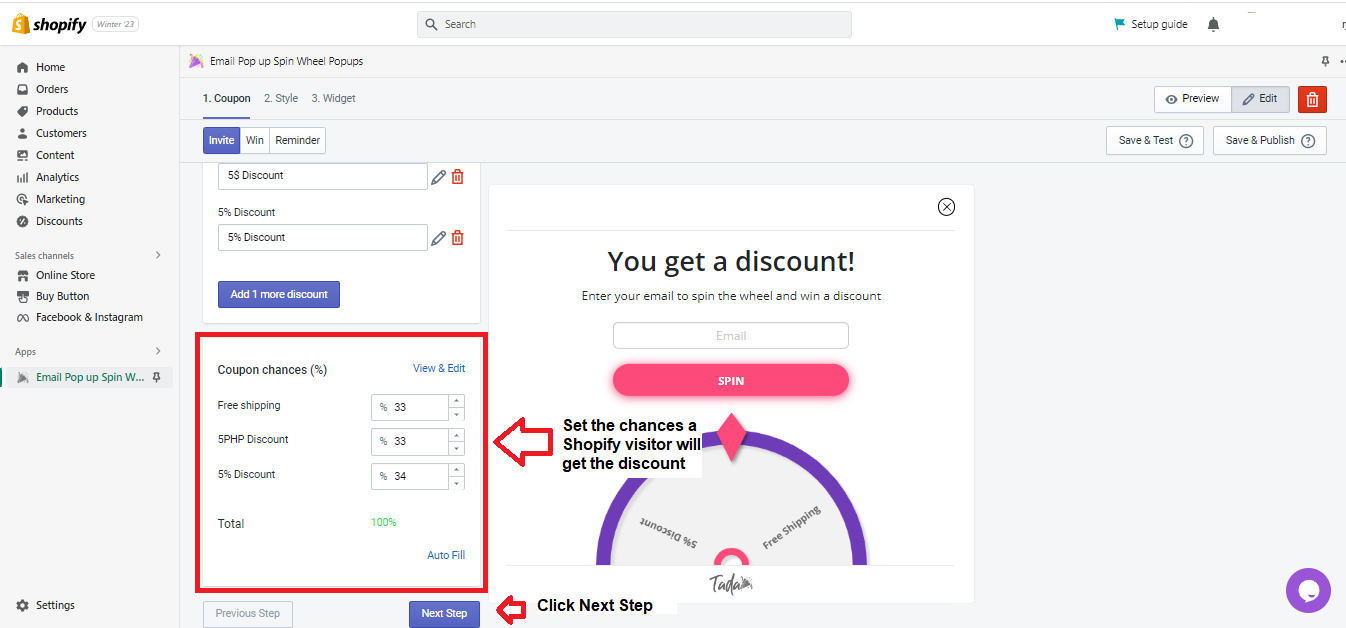
- Set the probability a Shopify visitor will win the discount. Ensure the total is 100%. For example, if you want more people to win “free shipping,” you can set it to 50%. Then, set the others to 25% each.
Click Next Step after finishing coupon set-up.
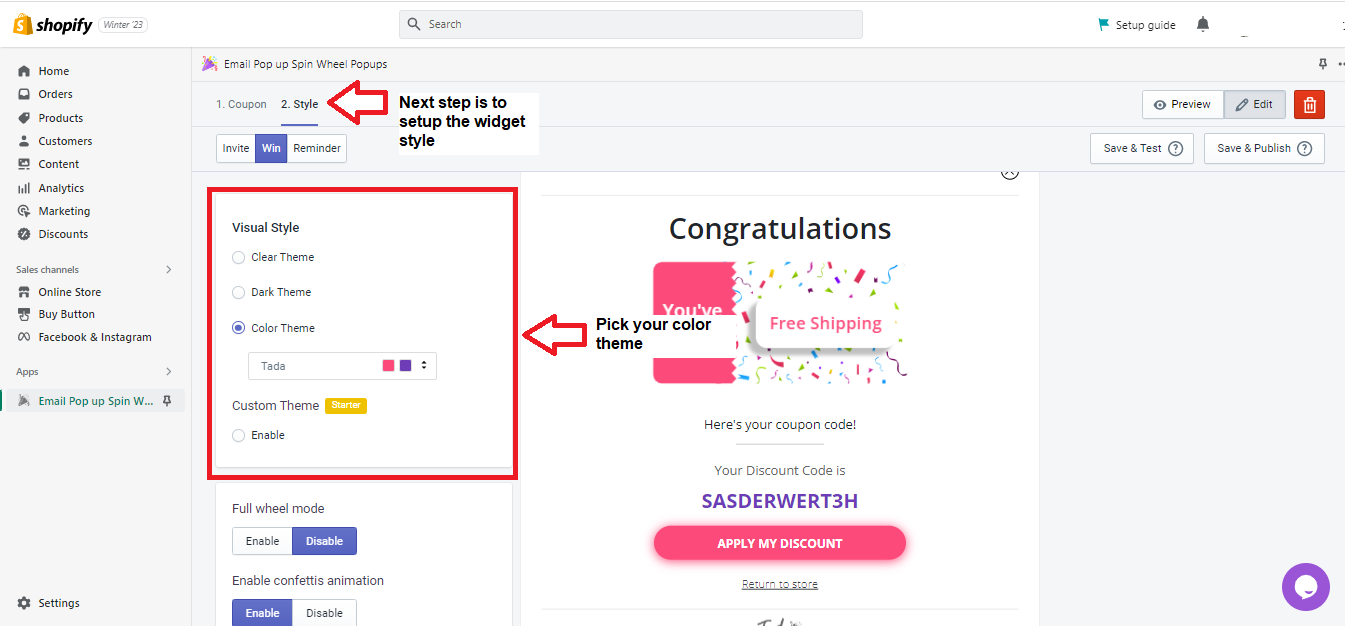
- Set up your color theme.
- Set up wheel mode, and confetti animation, remove Tada branding and enable Scarcity Progress Bar.
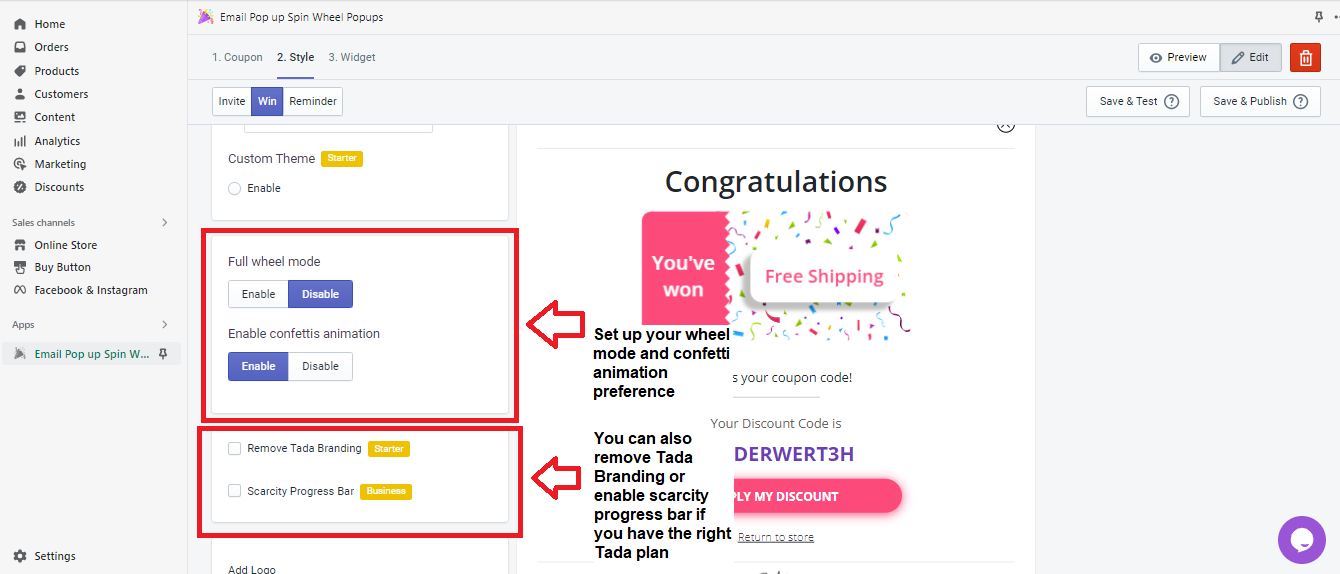
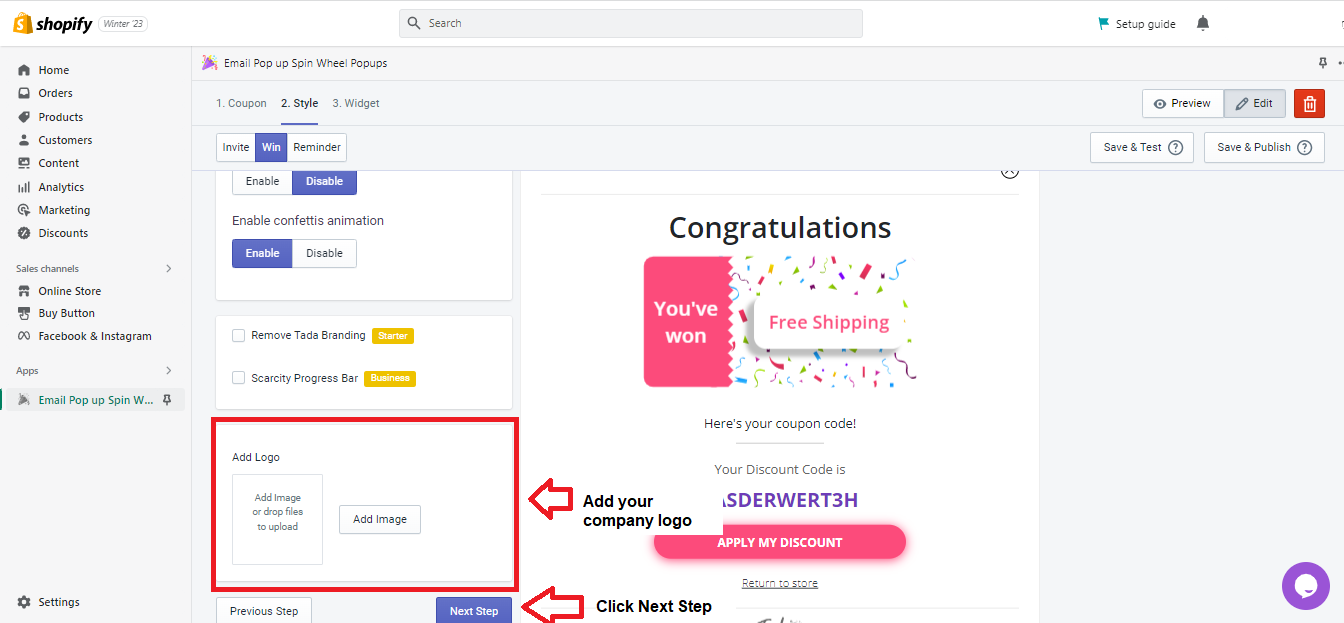
- Add your company logo, then click Next Step.
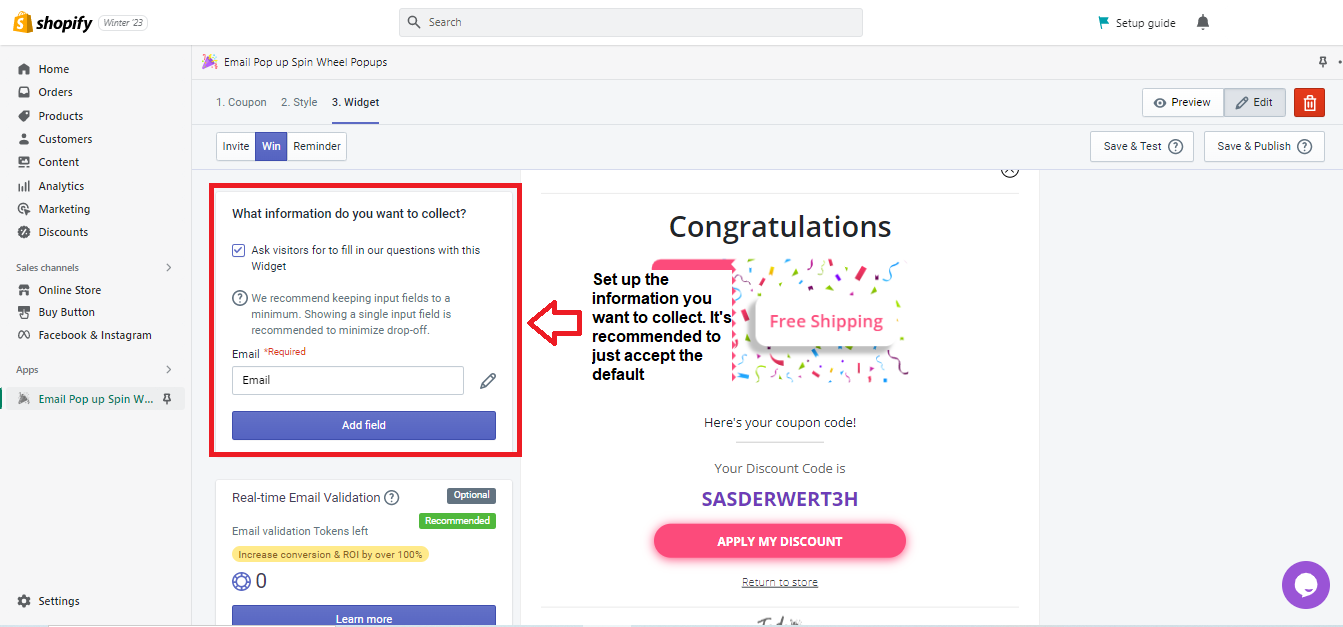
- Specify the information you want to collect. However, to limit drop-offs, you should accept the default - Email.
- You can set up email validation to ensure you only get high-quality subscribers.
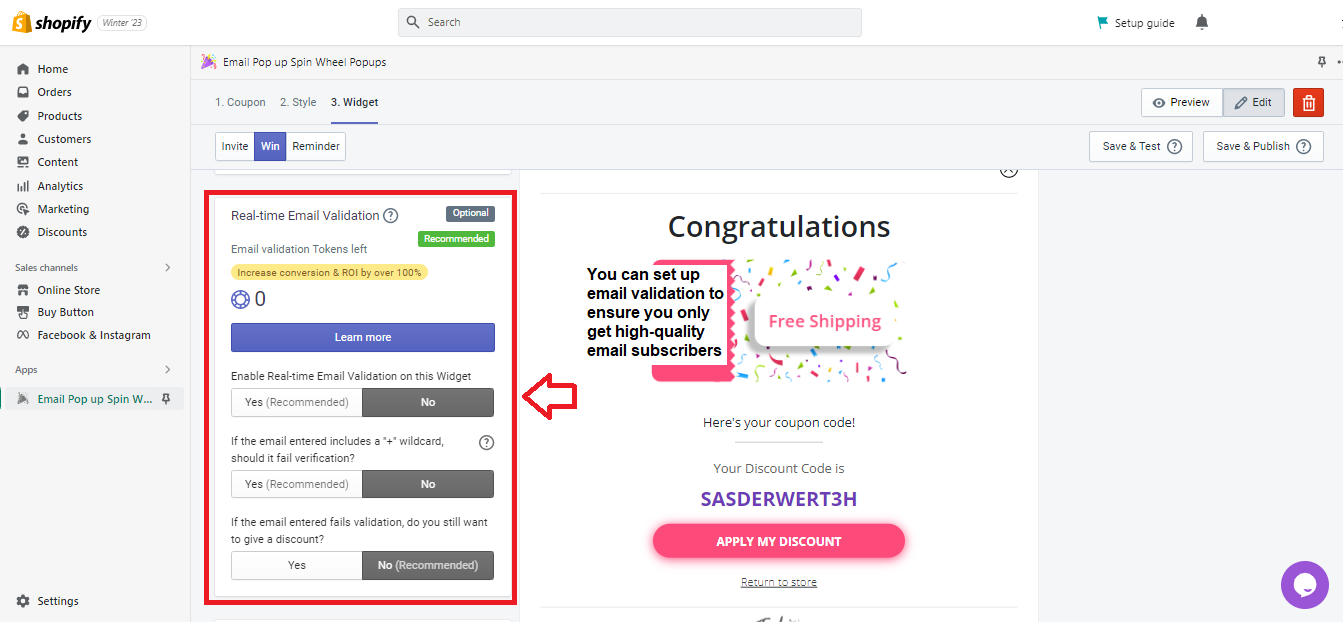
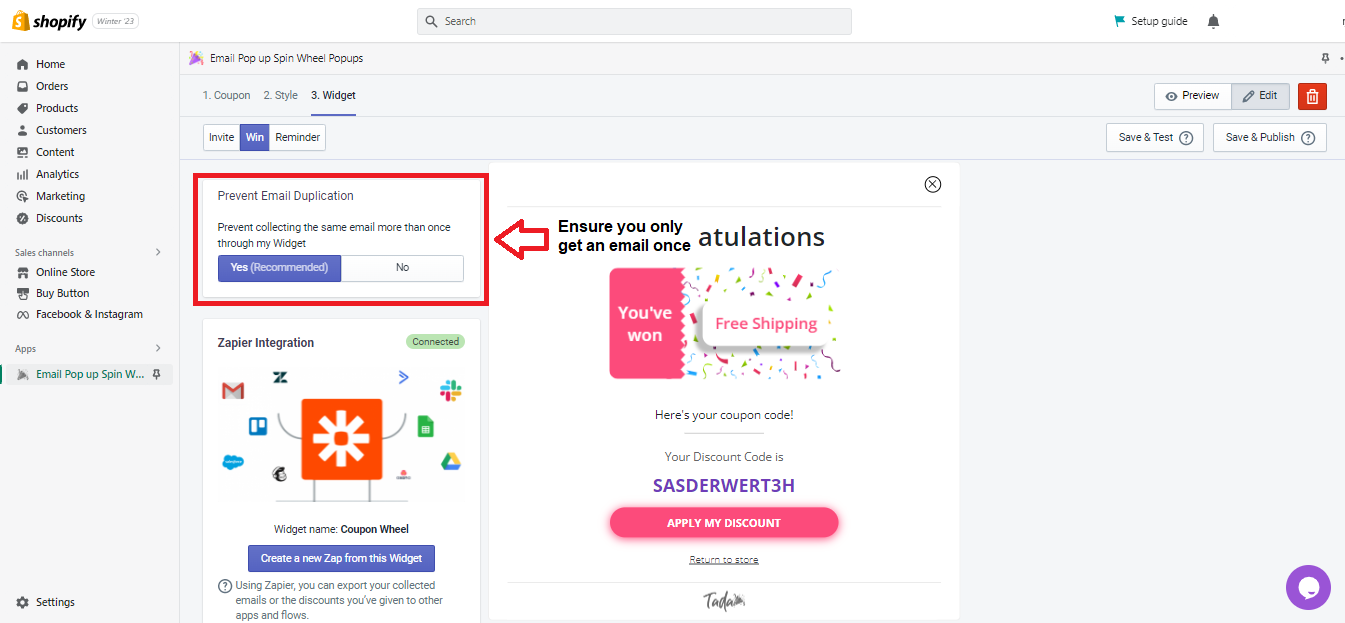
- Ensure you only get an email once by clicking Yes under Prevent Email Verification.
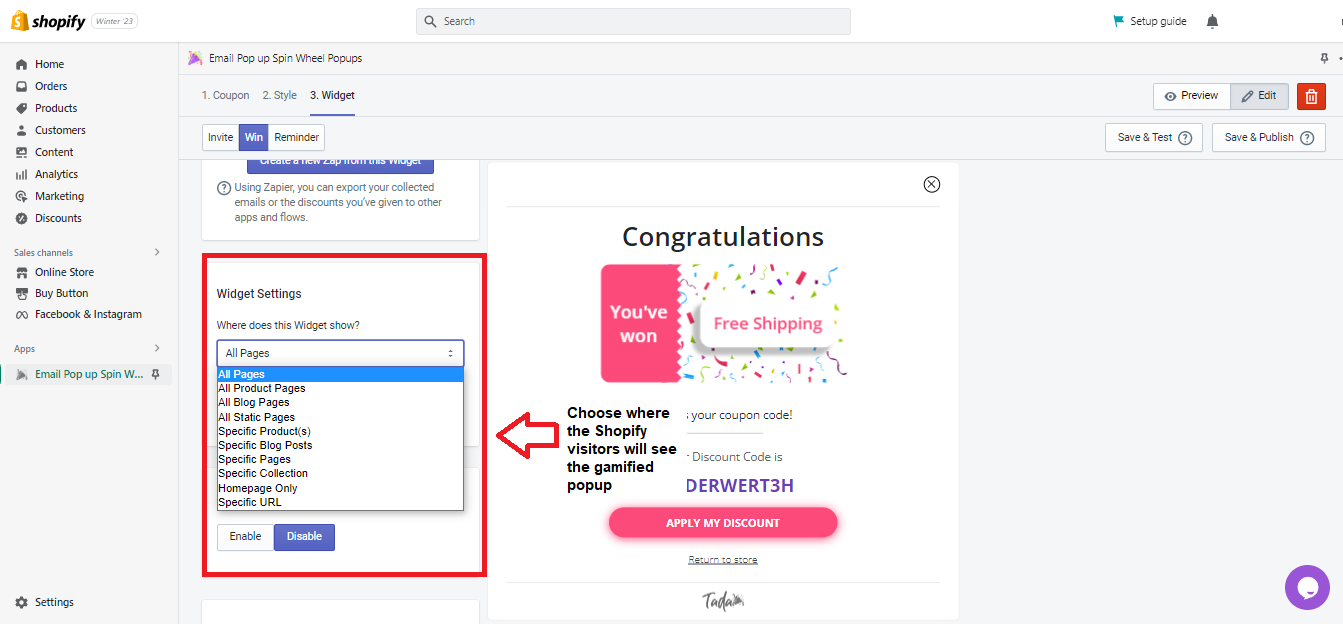
- Choose where your shoppers will see the gamified popup.
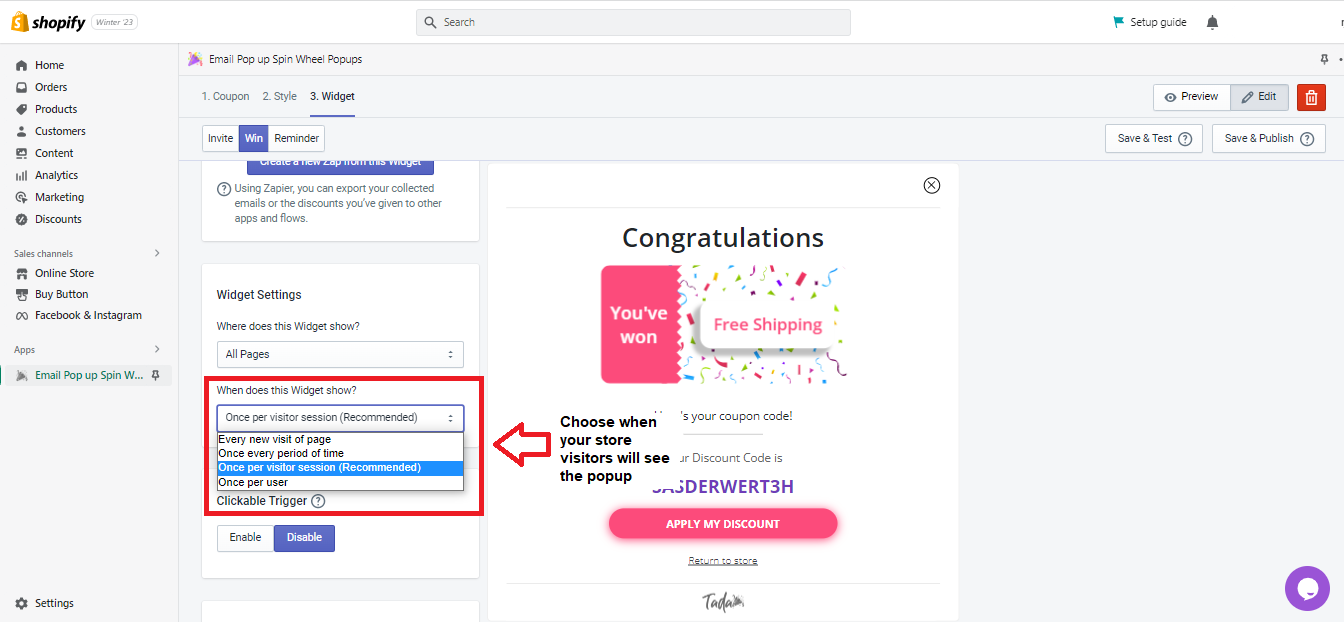
- Choose when the visitors will see your gamified popup.
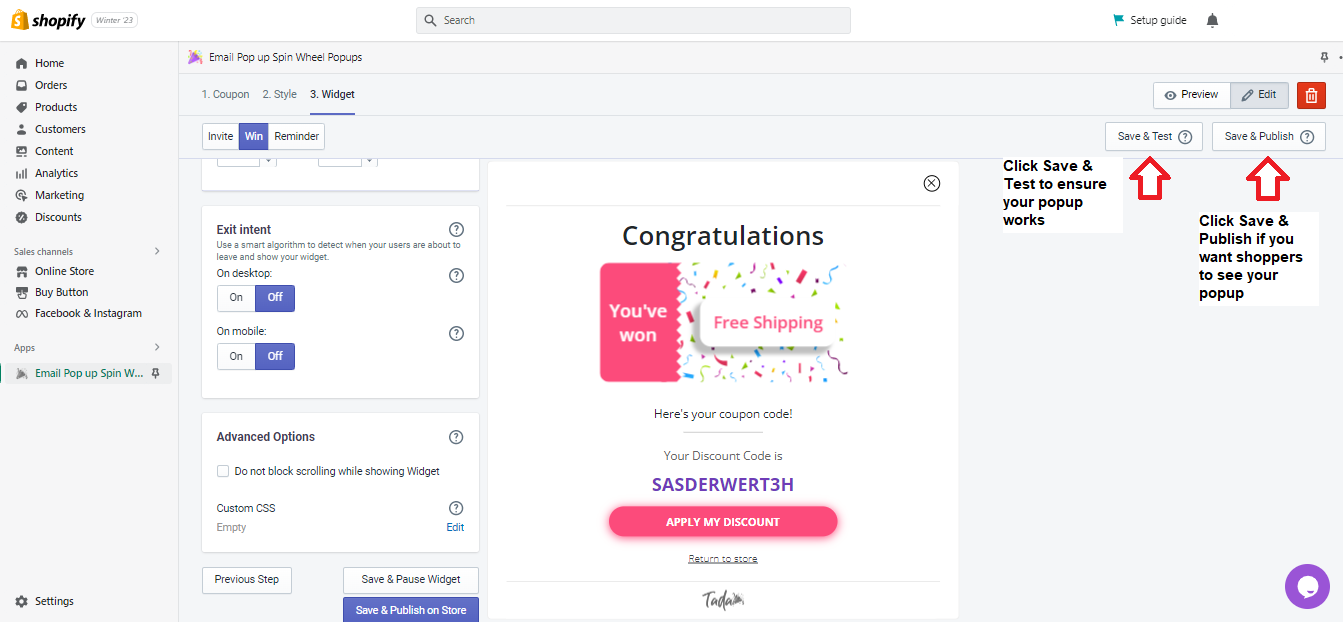
- Set up the rest of the details by scrolling down the page. Then, click Save & Test if you prefer to check first if your popup works. Otherwise, click Save & Publish to make your popup live.
Conclusion
Congratulations! You now know how to create a gamified popup for your Shopify store.
Execution Checklist:
-
Creating a gamified popup for your Shopify store can boost conversions because you offer a variety of discounts by making it seem like a game.
-
Before you can perform this SOP, you should already know the discount types you want to offer to your store visitors.
-
You may need to pay for a Tada spin-wheel popup plan.