How to Prevent Your Emails from Ending in the Junk Folder with Inboxally.com
To provide a step-by-step guide in using Inboxally.com to test and nurture the deliverability of your email campaigns.
Prefer a shortcut? 16 free tools do parts of this for you.

Aim: To provide a step-by-step guide in using Inboxally.com to test and nurture the deliverability of your email campaigns.
Optimal Outcome: To ensure all your emails are landing on the inbox of your recipients by improving your email deliverability and reputation.
What do you need to start: You’ll need the following:
-
Your own domain
-
Business email
-
InboxAlly account (paid)
Why is this SOP Important: Using a tool like InboxAlly to improve your email deliverability can help you achieve your business goals more effectively and efficiently, leading to increased success and growth.
When and Where to execute: InboxAlly.com
Who Should Be Doing This: Marketing staff, Data Analyst
What email deliverability?
Email deliverability refers to the success rate of an email campaign in reaching its intended recipient's inbox. It depends on factors such as the quality of the email list, email content, and the reputation of the sender. A high deliverability rate means that a high percentage of emails sent were delivered to the recipient's inbox, while a low deliverability rate means that a significant number of emails were bounced or marked as spam. Improving email deliverability requires a comprehensive strategy that includes best practices in email list management, email design, content creation, and sender reputation management.
Execution
Resources/Tools & Set up
-
Set up your own domain and business email. (Note: InboxAlly only works on business emails)
-
Configure your dedicated sending domain (Follow this guide, SOP 237: Setting Up a Dedicated Sending Domain to Enhance Email Deliverability)
-
Create an account in Inboxally.com and configure your settings (This is paid service)
-
Run a test campaign
-
Analyze your deliverability
Set up your email deliverability test in InboxAlly.com
-
Login to your account.
-
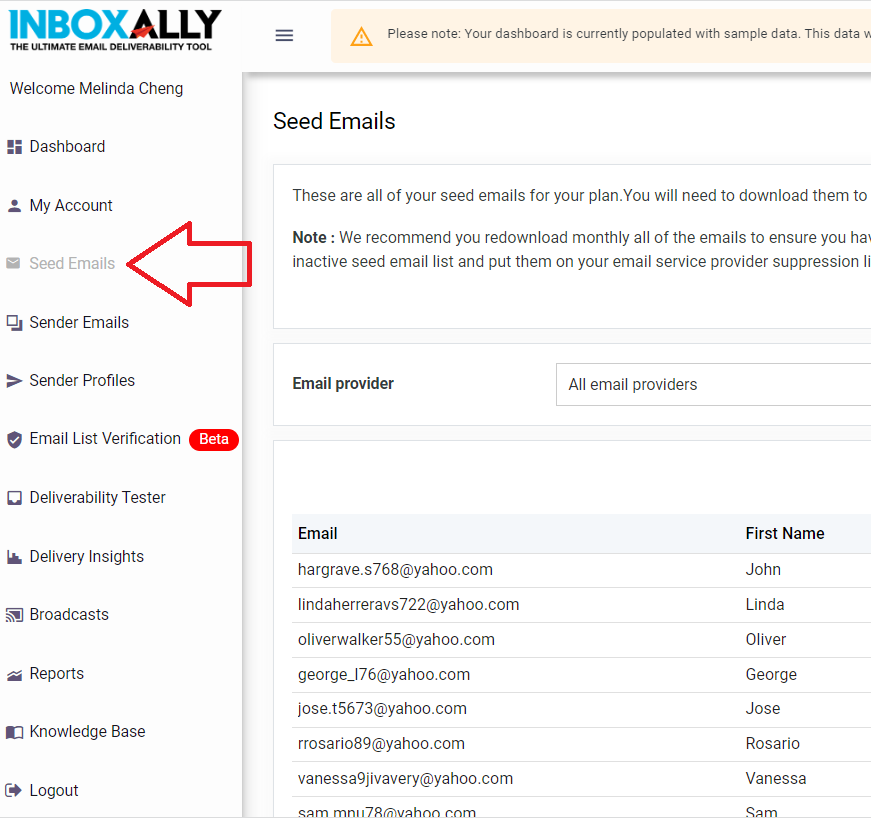
Navigate to the left menu then click Seed Emails.
Seed emails are InboxAlly’s own email accounts that you can use to send emails. This will be used to assess your email platform’s deliverability and perform engagement actions to improve your email’s reputation.
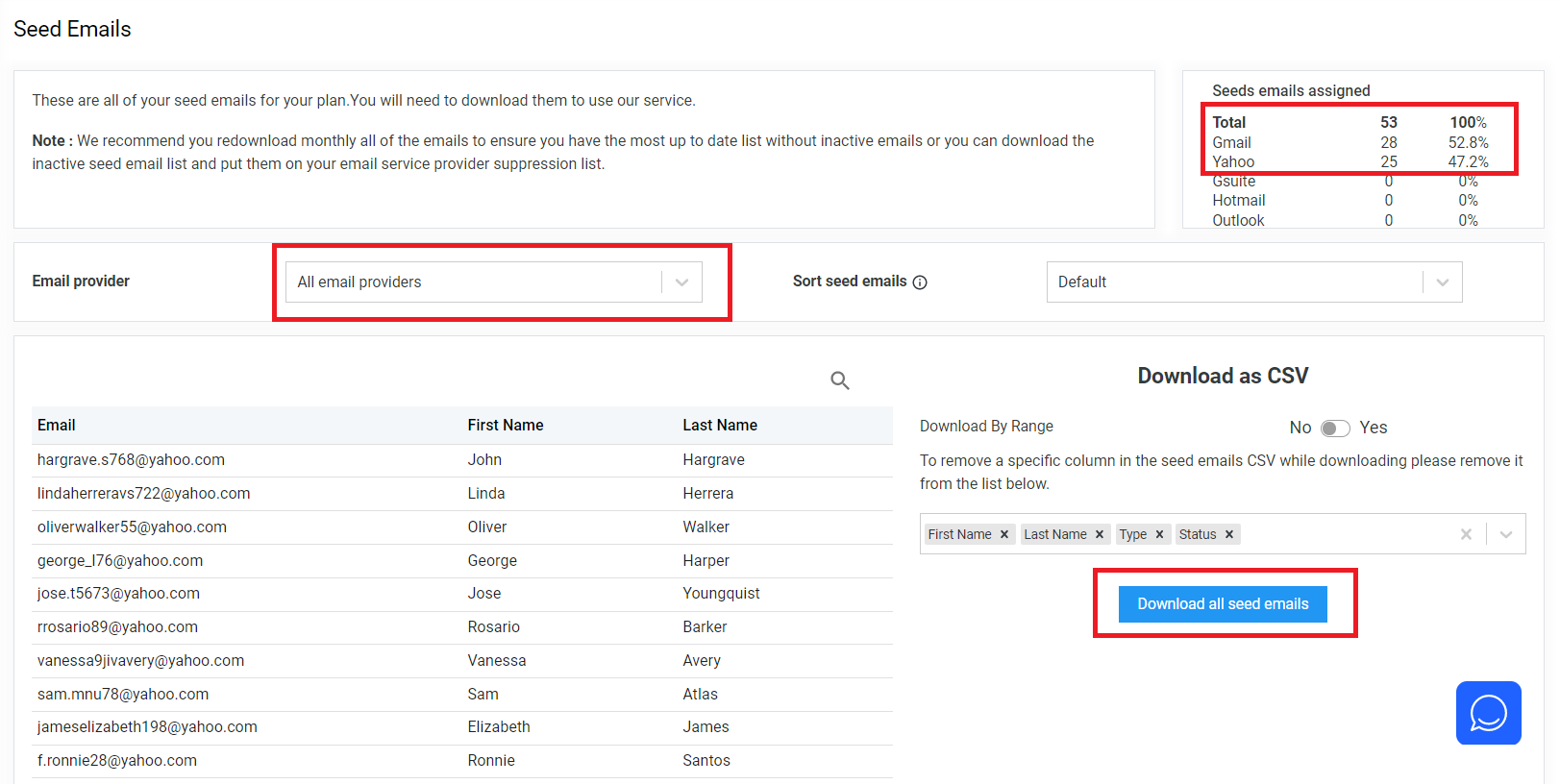
- On the Seed Emails page, you will see the list of email accounts that you can send your emails to initially. Instead of sending emails directly to customers, you can use these email accounts which can help analyze if your emails are actually landing or being routed to inbox. Download the email list and upload it to your marketing automation platform to run a test campaign.
- Create your sender profiles.
A sender profile allows you to define a set of rules for all the emails that you’re going to send from a specific email or IP address. In this example, you have both your admin@yourbusiness.com and reservations@yourbusiness.com as your sender profiles.
Note: The number of profiles you can use is based on your plan.

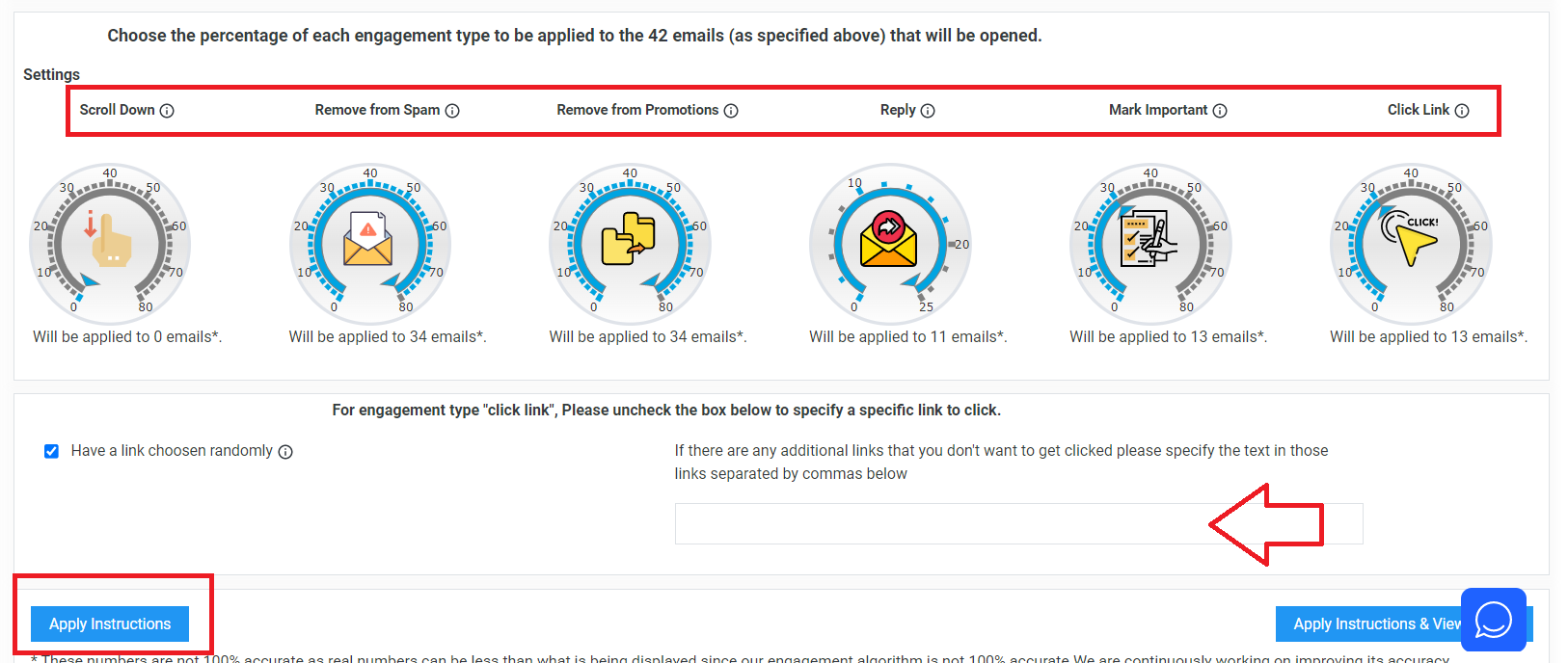
- Consider the metrics that you want to test and select the percentage of email that will be to measure these engagements. If you’re testing for Clink Links, you can specify a link you want to use or you can also opt to use random links. Once done, click Apply Instructions.
| Rule Preset | When to use |
|---|---|
|
|
| Traditional warmup | Use this when you have a cold domain or IP. Also be sure to ramp up slowly and spread your sending throughout the day if possible. Contact us if you need help with a ramp up schedule. |
| Domain & IP reputation repair | Use this when you are having trouble getting out of the spam folder. Also, if possible, it's best first to stop sending to your own list and instead send to just our seeds for a week or two. Before using our service, you should first check and get your domain/IP delisted from any blacklist. |
| Reputation boost | Use this when you have been sending to one or more lists on a regular basis and feel you have experienced a drop in opens. Send to our (highly engaged) emails about 4 hours before sending to the rest of your list with the same exact subject, content and from-address. Mailbox providers will learn from our highly engaged seeds as part of your "real" broadcast. |
|---|---|
| Reputation protect | Use this when things are going well but you want to make sure you keep up your good reputation, especially if there is something special coming up such as holiday sale, new product launch, or other important announcement. Send to our (highly engaged) emails about 4 hours before sending to the rest of your list with the same exact subject, content and from-address. This will make it seem as our highly engaged seeds are part of your "real" broadcast. |
| Custom | When you tweak any of the settings, you will see a radio box titled "custom" appear in a selected state. |
Run a test campaign in Klaviyo
Create a list for your seed emails
-
Login to Klaviyo
-
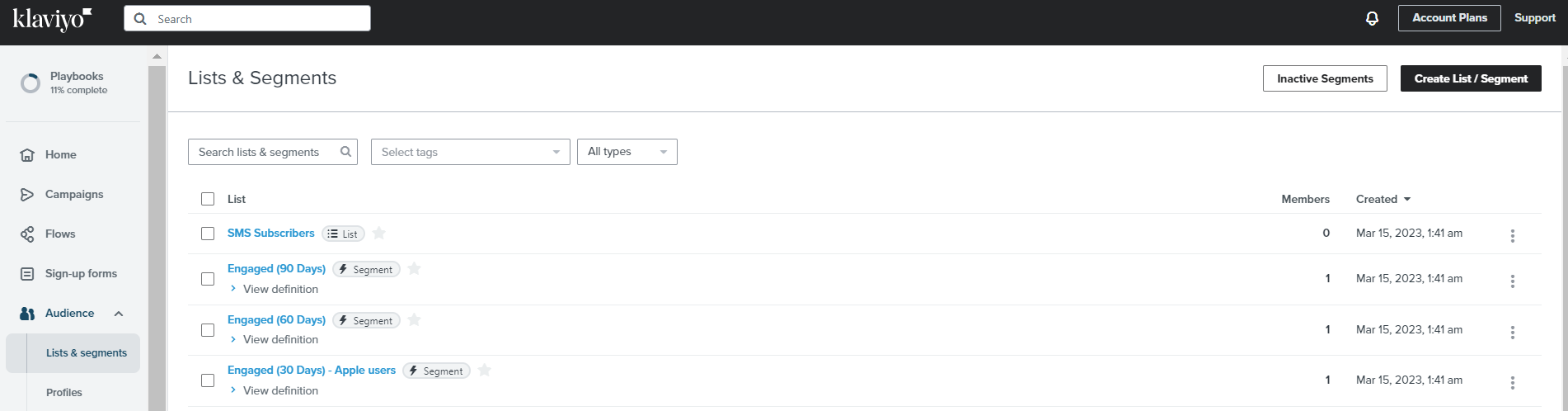
Navigate to the left menu. Under Audience, click Lists & Segments. Click Create List / Segment.
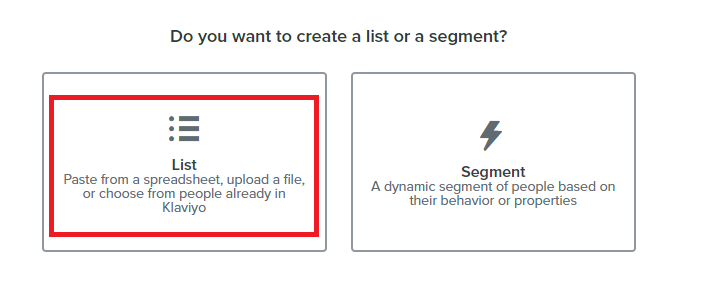
- Select the List card.
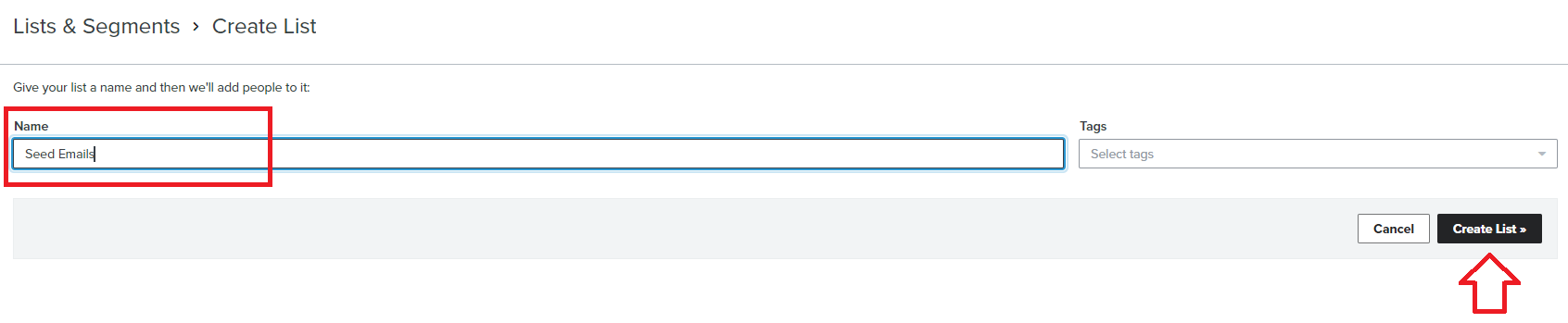
- Provide a name for your List then click Create List.
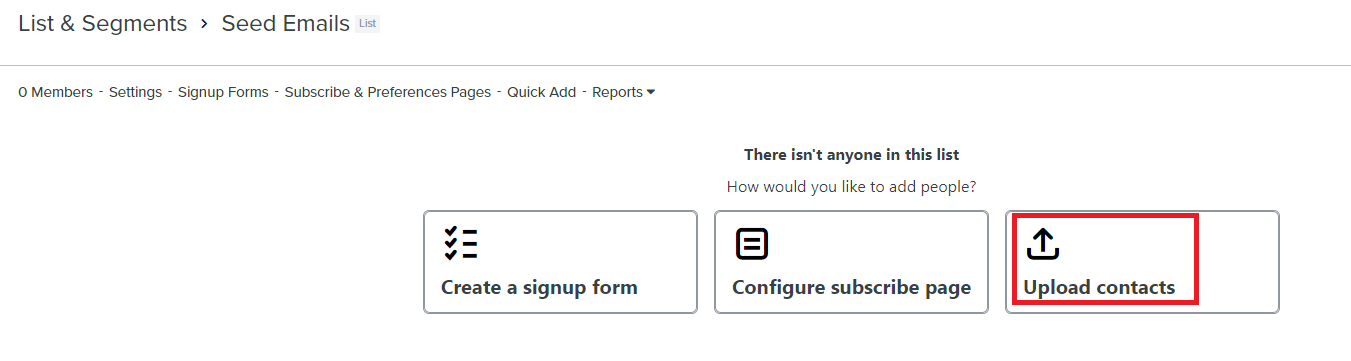
- Select Upload contacts.
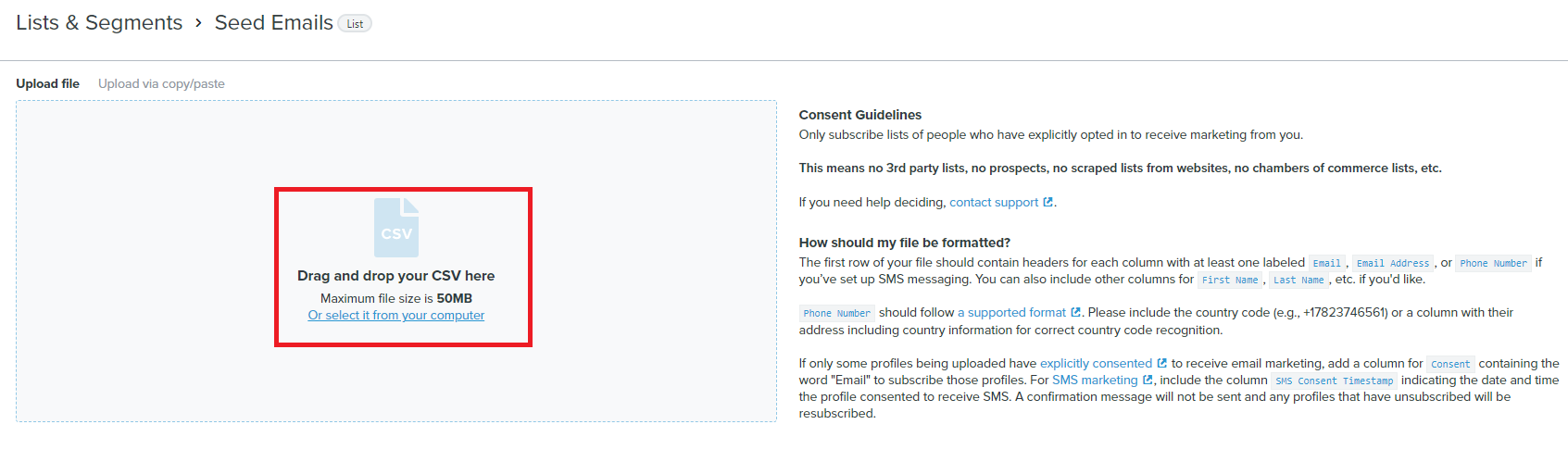
- Upload the CSV file that you’ve previously downloaded from InboxAlly.com containing seed emails.
- Once successfully uploaded, you should see your list and the number of recipients.

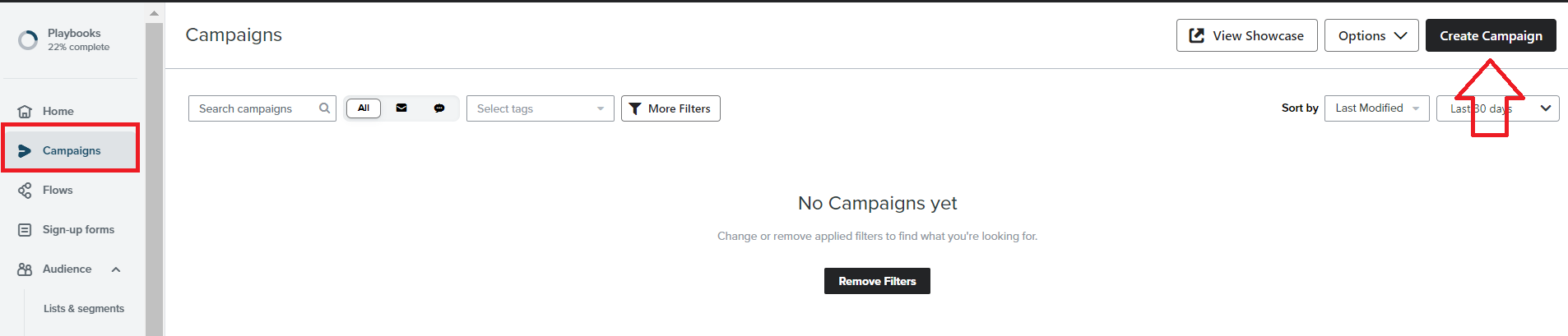
- Next, create your test campaign. Navigate to the left menu, click Campaigns, then click Create Campaigns.
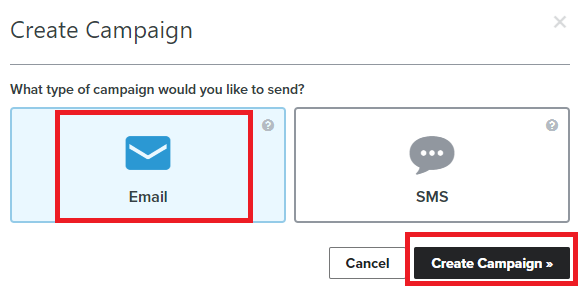
- Choose Email then click Create Campaign.
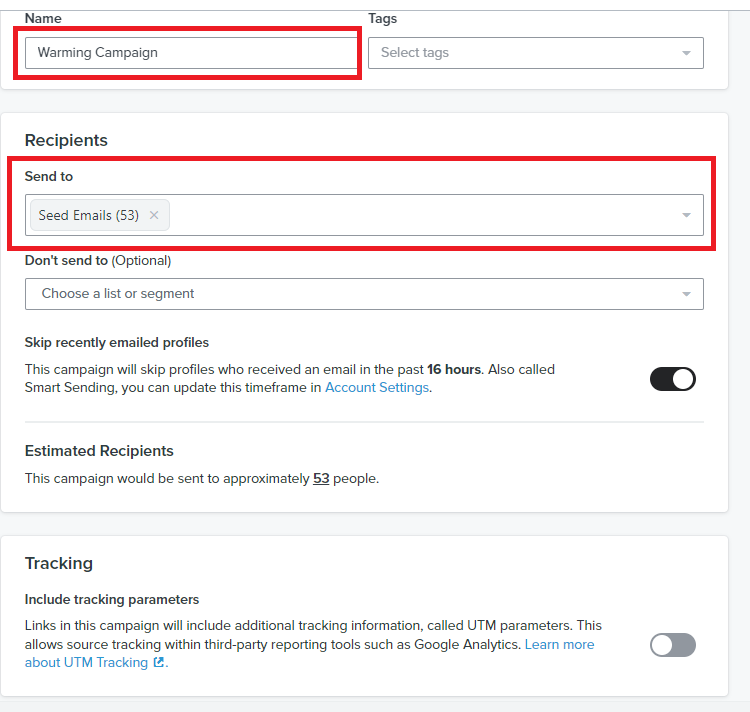
- Name your campaign. Then, select the Seed Email recipients that you’ve uploaded.
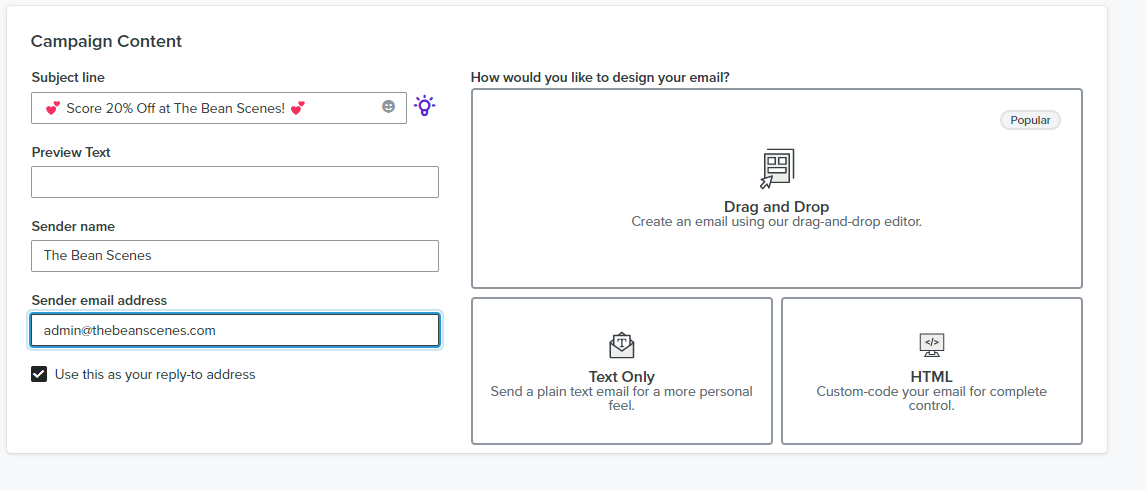
- Continue creating your email campaign by editing your subject lines and email contents.
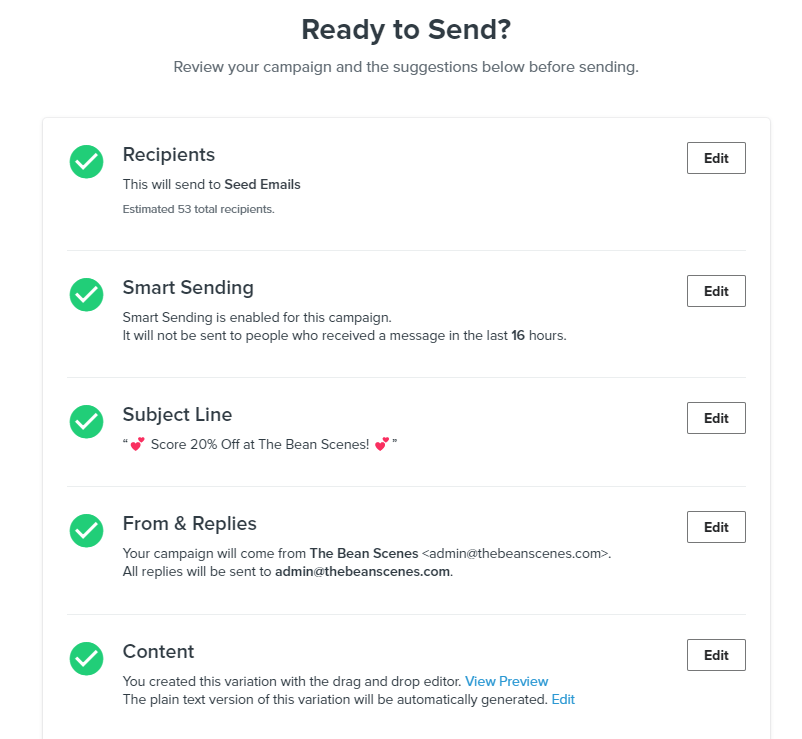
- Review your email campaign and send.
Check your email metrics in InboxAlly.com
-
Login again to www.inboxally.com.
-
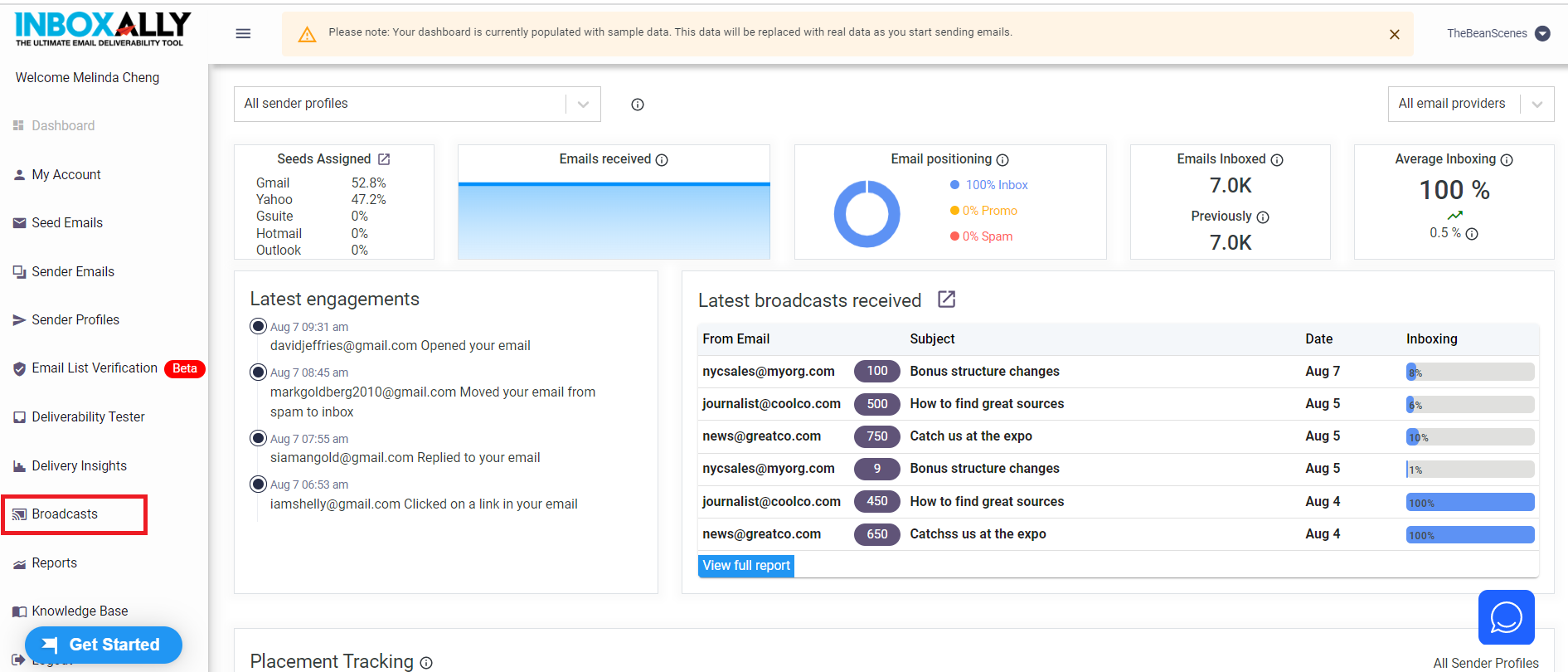
Navigate to the left menu then click Broadcast.
-
Below is just an example of what the report would look like once you’ve started your test campaign.
Conclusion
That’s it! You can now configure and evaluate your email deliverability to ensure that your emails are landing on your intended recipient’s inbox and not in junk or spam.
Execution Checklist:
-
Set up your own domain and business email. (Note: InboxAlly only works on business emails)
-
Configure your dedicated sending domain
-
Create an account in Inboxally.com
-
Download seed emails and configure your sending profiles
-
Upload the seed emails to your marketing automation platform
-
Create and run a test campaign
-
Analyze your deliverability in InboxAlly.com