Disabling Pop-Ups for Existing Email Subscribers
To stop showing the popups to people who are already email subscribers
Prefer a shortcut? 16 free tools do parts of this for you.
Aim: To stop showing the popups to people who are already email subscribers
Optimal Outcome: To retain customers by not swarming the store pages with unnecessary popups, especially if they’re already subscribers
What you need to start: Shopify and Klaviyo accounts
Why is this SOP Important: Provide your customers the ultimate shopping experience by not peppering your store pages with unnecessary popups
When and Where to execute: Perform this SOP when setting up your popups
Who Should Be Doing This: A person assigned to your Marketing team
Why Avoid Unnecessary Popups in Your Store?
Popups are annoying windows that show up on a page because they bar the shoppers from enjoying the ultimate user experience from your store. However, they’re helpful to you if you use them properly because they can increase conversion rates, leads, and sales. Therefore, you should be responsible for crafting your popups.
Execution
Resources/Tools & Set up
-
Shopify account
-
Klaviyo account
Make Your Popups Appear to Non-Subscribers Only
NOTE: This SOP assumes that you’ve already integrated your Shopify store and Klaviyo account. Moreover, you’ve already created or are creating a popup.
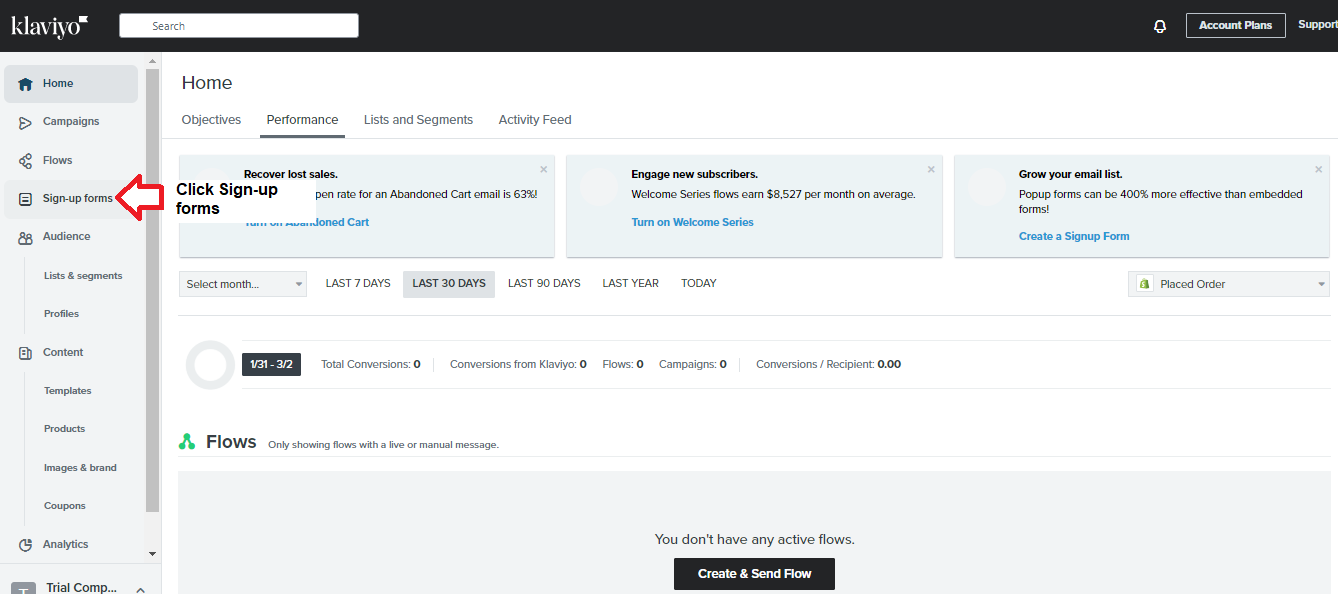
- Log into your Klaviyo account. Click Sign-up Forms.
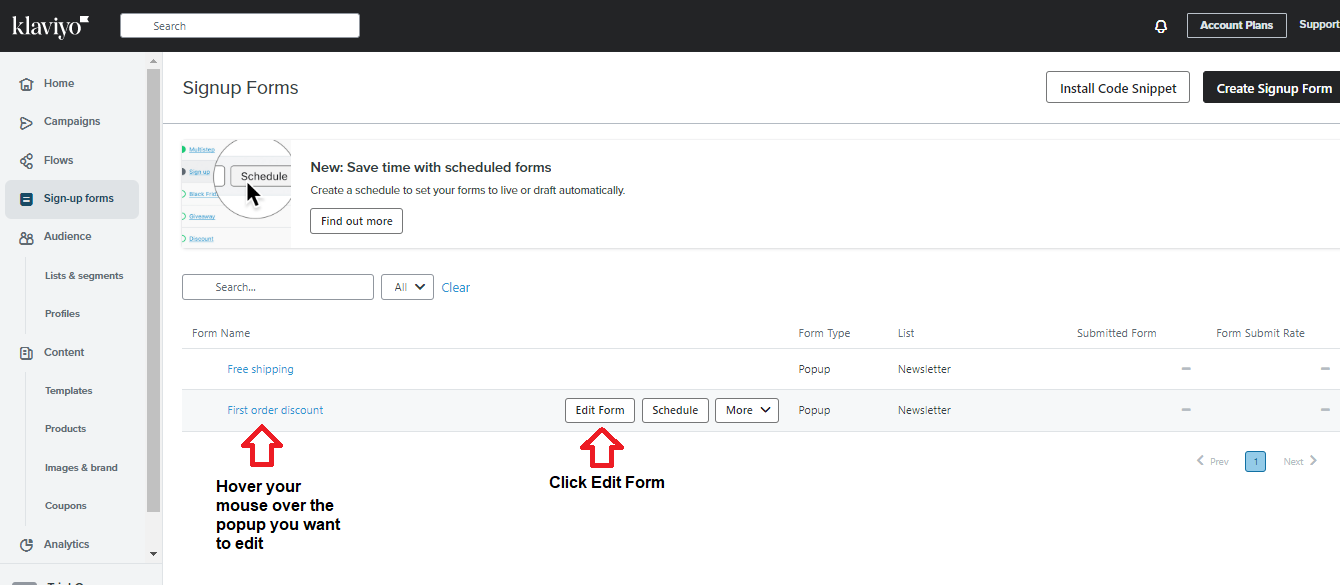
- Hover the mouse over the popup you want to edit. Click Edit Form.
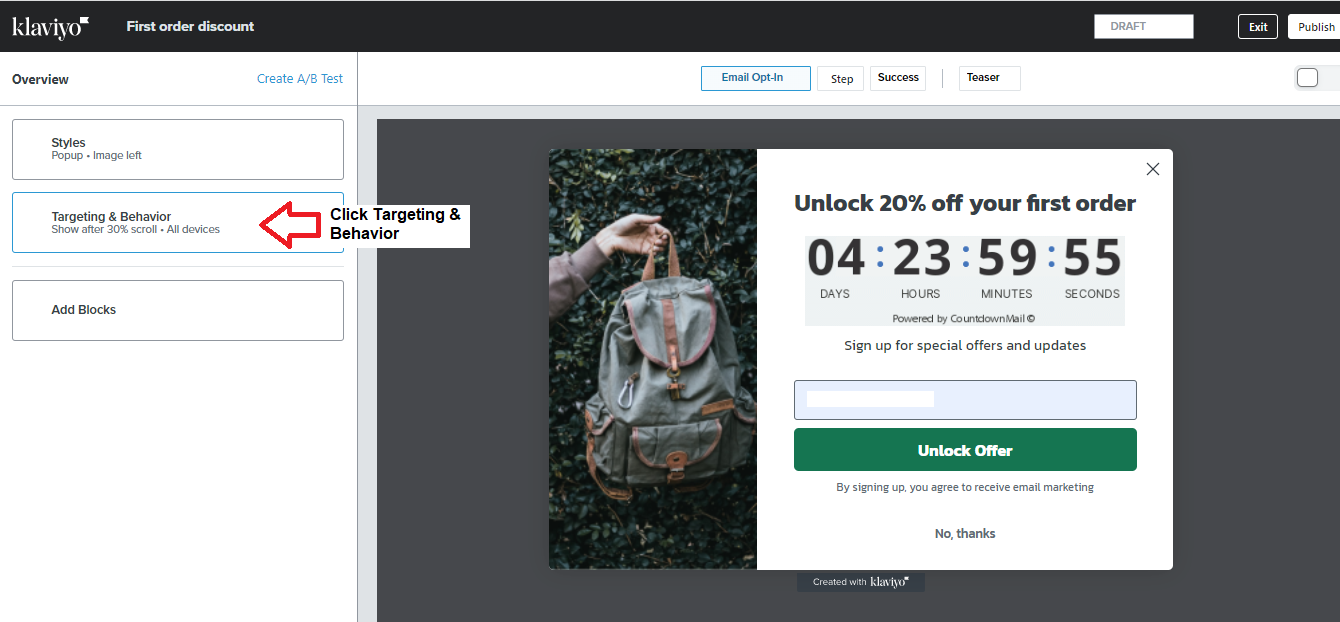
- Click Targeting & Behavior.
- Ensure you tick the “Don’t show to existing Klaviyo profiles.”
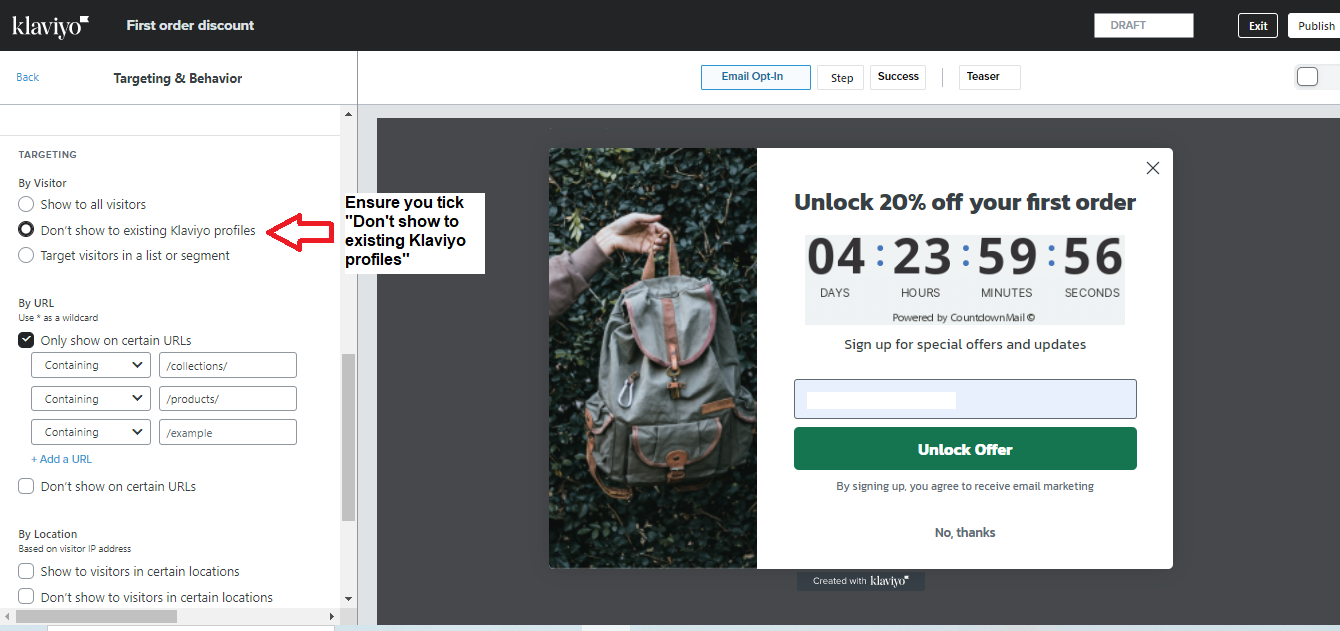
- If you change anything, remember to click the Publish button in the upper-right-hand corner.
Conclusion
Congratulations! Your existing email subscribers will no longer see the popup repeatedly when they visit your Shopify stores.
Execution Checklist:
-
Customers prefer to buy from an e-commerce site that offers the ultimate user experience.
-
Generally, these people don’t like to see many popups because they’re intrusive and prevent them from browsing your site completely.
-
Therefore, you should only continue showing them the popup if they didn’t subscribe to your list. Otherwise, set your popup to not show when they’re already subscribers.