A Guide to Connecting Your List to a Welcome Flow
To start building a solid relationship with your subscribers who may want to buy your products
Prefer a shortcut? 16 free tools do parts of this for you.
Aim: To set up a welcome flow using Klaviyo
Optimal Outcome: To start building a solid relationship with your subscribers who may want to buy your products
What you need to start: Klaviyo account
Why is this SOP Important: You need help in establishing your drip campaign and sharing your brand’s history. Once you connect with your subscribers, you start building a robust foundation with them.
When and Where to execute: Perform this SOP after you integrate your Shopify store into Klaviyo
Who Should Be Doing This: A person who belongs to your marketing team
What Is a Welcome Flow?
A welcome series email flow is a succession of messages that you send to freshly-signed-up subscribers to tell them about your company and brand. It helps recipients feel you are customer-centric in how you deal with business. Moreover, it consists of at most seven emails you send within a month.
Execution
Resources/Tools & Set up
- Klaviyo account
Use Klaviyo’s Welcome Flow
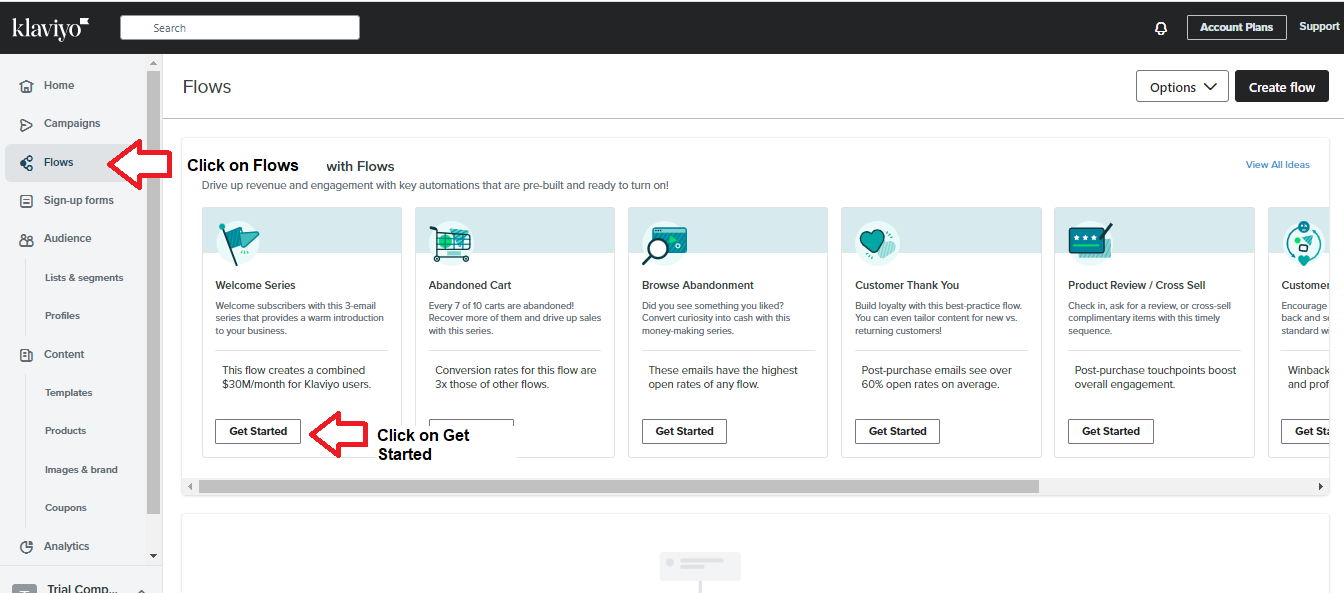
- Log into your Klaviyo account and click Flows on the dashboard. Then, click Get Started under the Welcome Series.
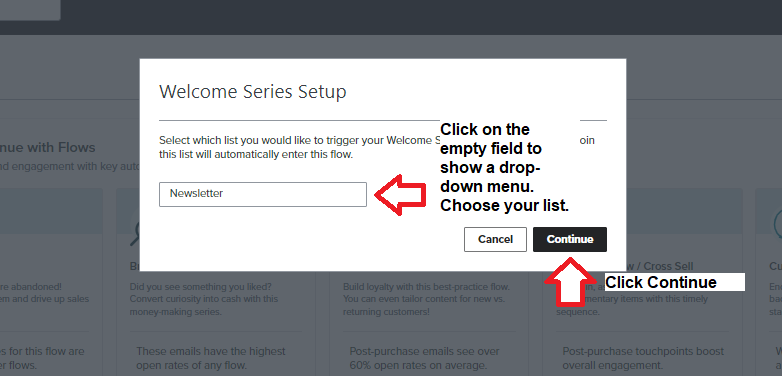
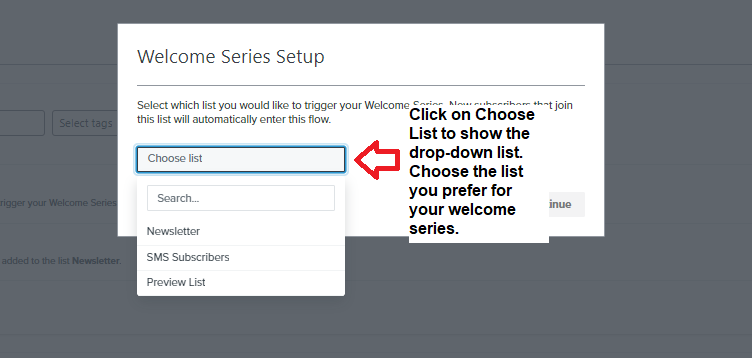
- A popup window will appear. Click on the empty field to show the drop-down menu. Choose the list you want to use, then click Continue.
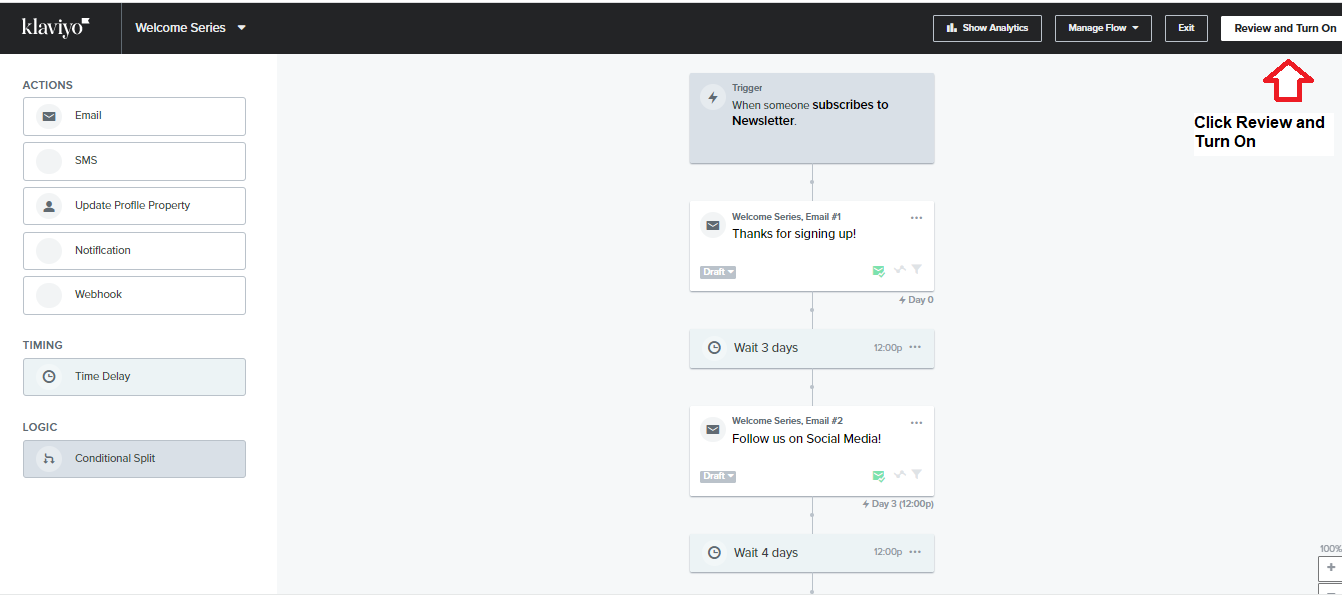
- The Welcome Series flow will appear, and you should click Review and Turn On to trigger the event.
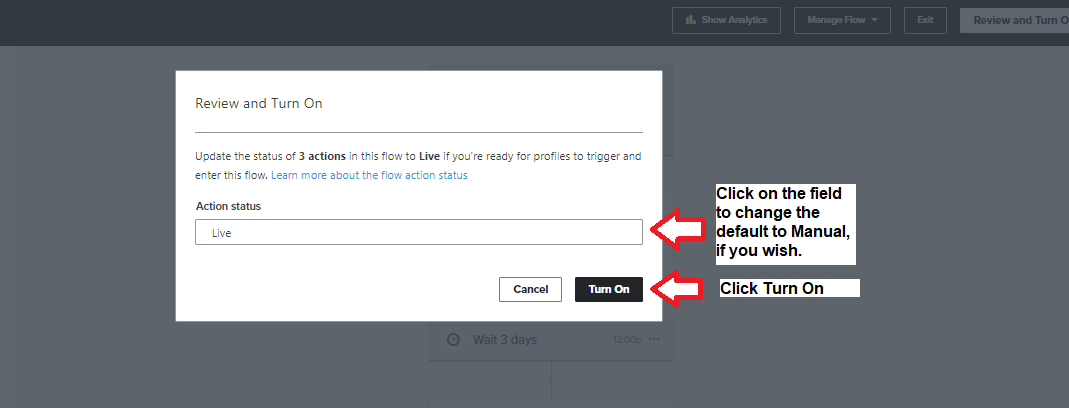
- A popup window appears. If you want to activate the welcome flow, accept the Live default. Click Turn On. Otherwise, click on the Live field to choose Manual then click Turn On.
Create a Welcome Flow from Scratch
Perform these steps if you don’t want to use Klaviyo’s preset Welcome Flow.
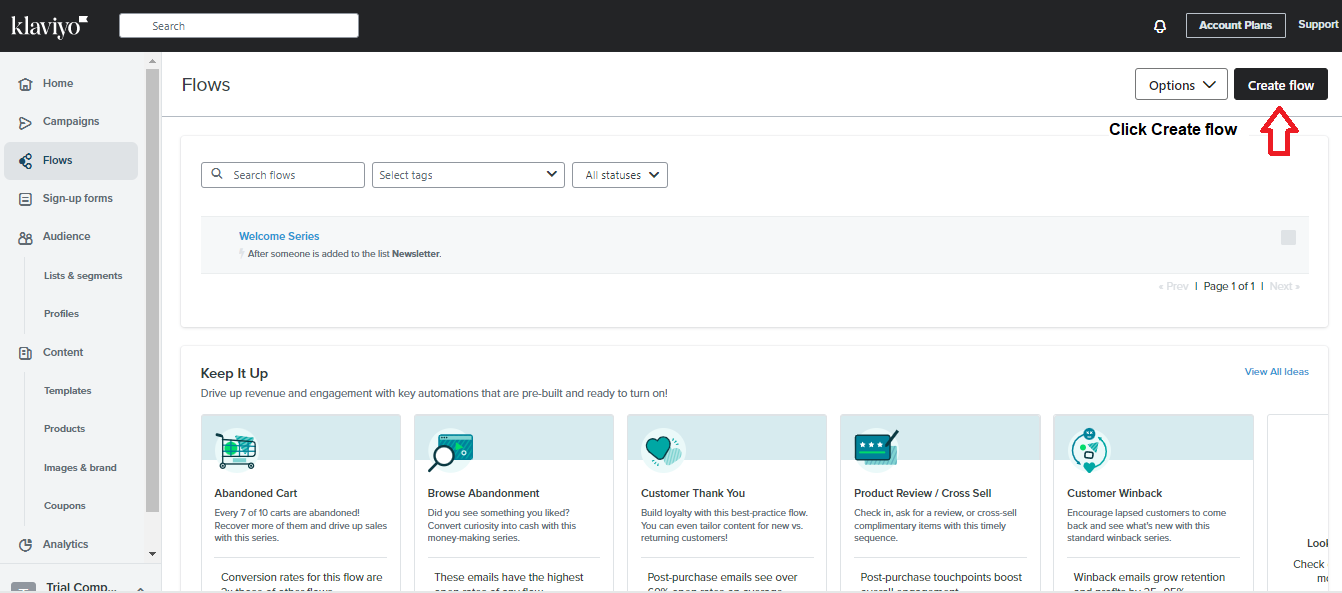
- Log into your Klaviyo account, then click Flows. On the upper right hand corner, click Crete Flow.
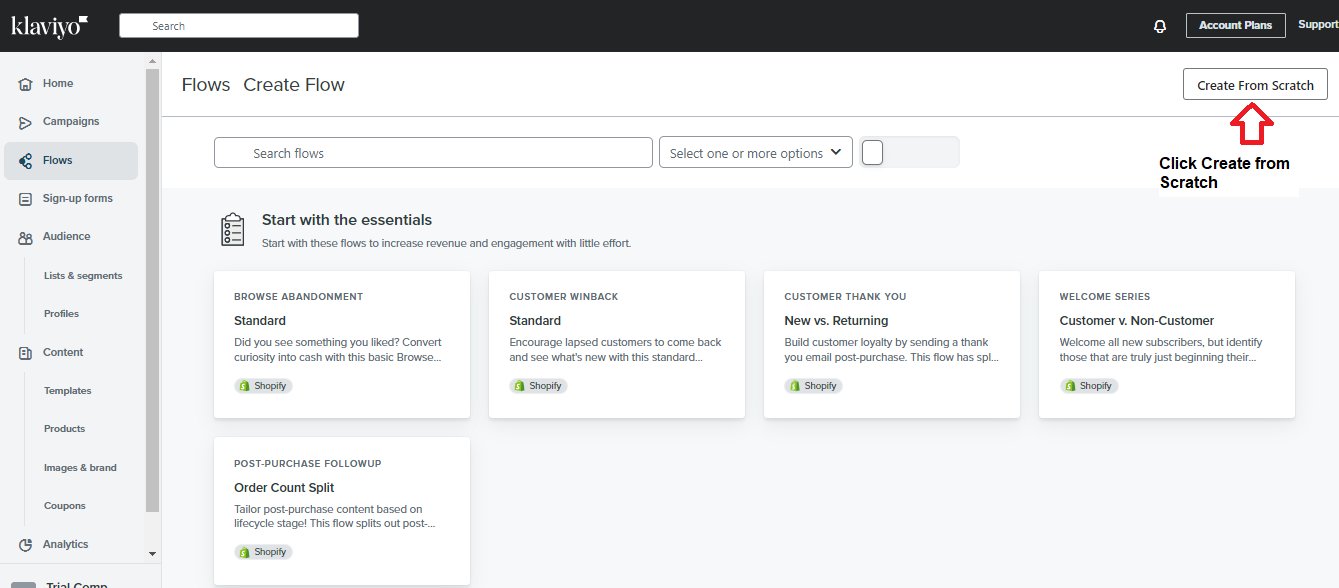
- Click Create from Scratch.
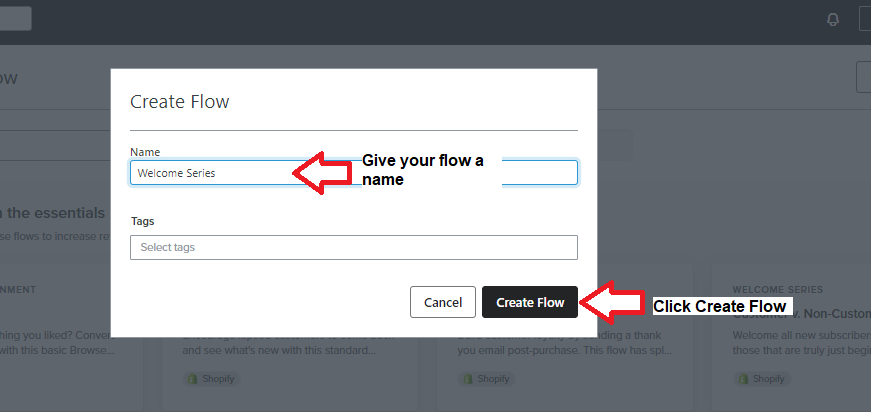
- Give your flow a name, then click Create Flow.
- Click on the Choose List field to show the drop-down menu and click on the list you want to associate with your welcome flow.
- Create your own flow by setting up the time delay, email, and other details in the next screen.
Klaviyo recommends using its welcome flow series for ease of use.
Conclusion
Congratulations! You have automated your Welcome Series Flow. Your new subscribers can now receive emails through Klaviyo.
Execution Checklist:
-
A welcome flow consists of a series of emails or SMS messages your subscribers will receive if they sign up to your list.
-
Klaviyo recommends using its welcome series flow if you don’t want have any specific flow in mind.
-
If you prefer to create your welcome series flow, you must set up the time delays, messages, and other details.