Keeping Your Popus Only on the Collection, Landing & Product Pages
To make a popup page appear on the landing, collection, and product pages only
Prefer a shortcut? 16 free tools do parts of this for you.

Aim: To make a popup page appear on the landing, collection, and product pages only
Optimal Outcome: To boost engagement by encouraging people to subscribe to your list but the popup should be on some pages only so as not to antagonize them by showing your popup everywhere
What you need to start: Klaviyo and Shopify accounts
Why is this SOP Important: Choose where to place your popup to encourage more interaction. People usually find popups appearing everywhere as intrusive.
When and Where to execute: Perform this SOP if you want to set your popup to appear on appropriate pages only
Who Should Be Doing This: A person assigned to your Marketing team
What Is a Popup?
A popup is a page that automatically shows on a website as users browse. Website owners use it to collect information, show errors, and share notifications and discounts. Generally, you need a code to insert it into your store’s HTML.
Execution
Resources/Tools & Set up
-
Klaviyo account
-
Shopify account
Add the Klaviyo Snippet to Your Shopify
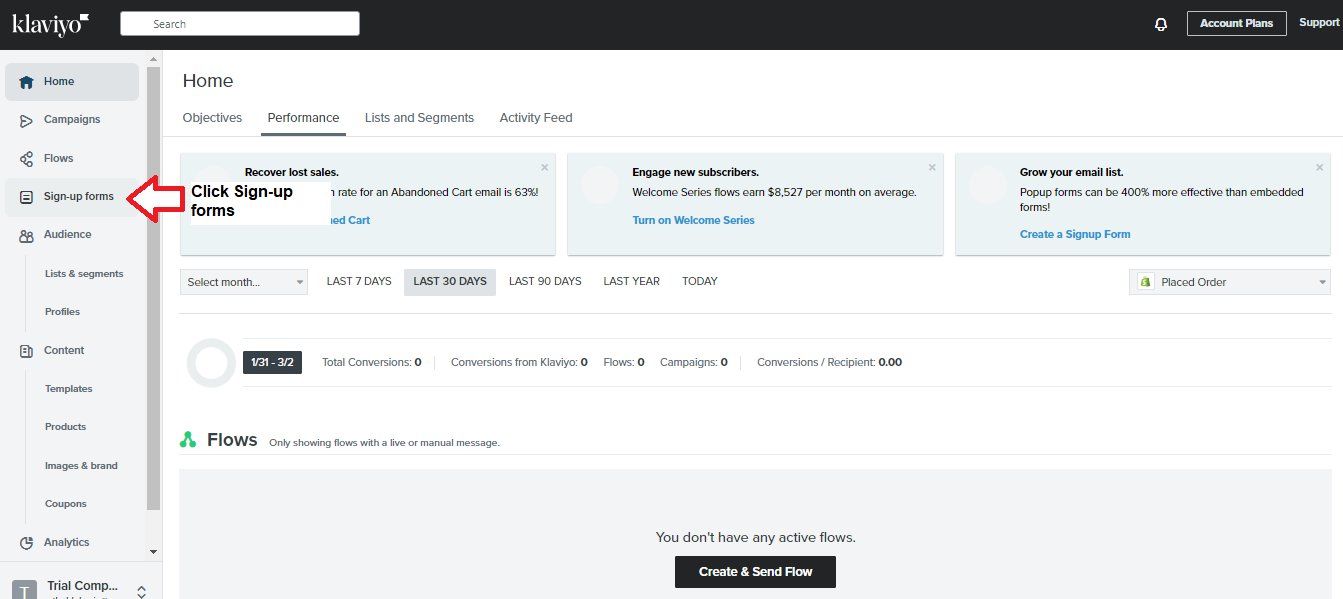
- Log into your Klaviyo account, and click Sign-up Forms.
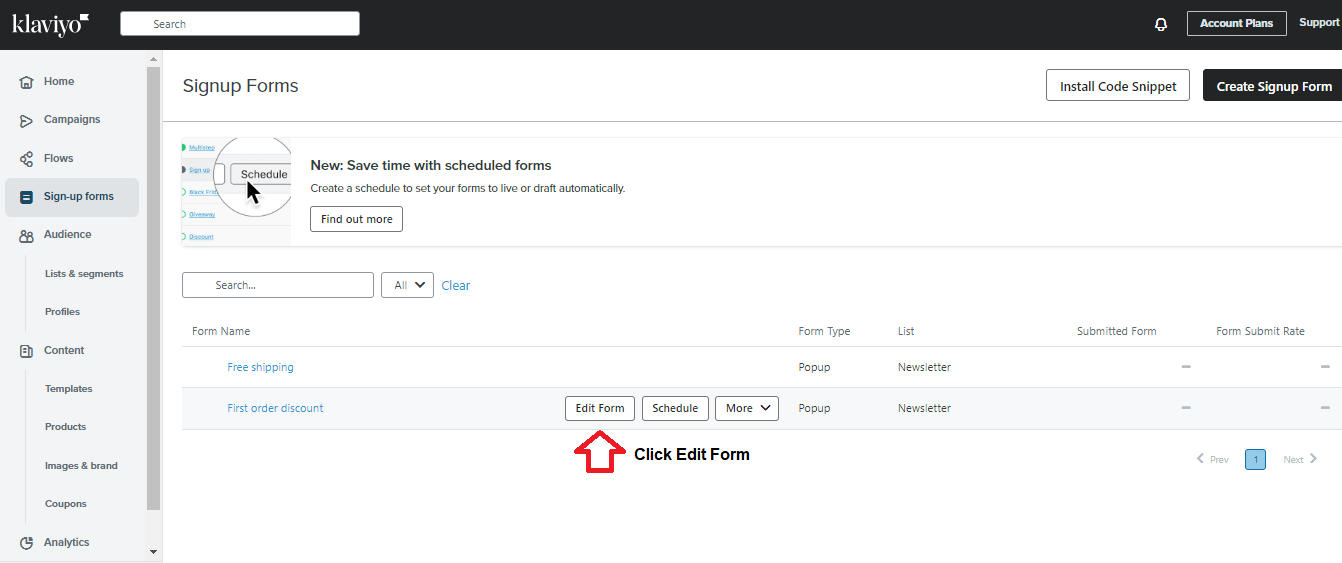
- Hover to an existing popup and click Edit Form.
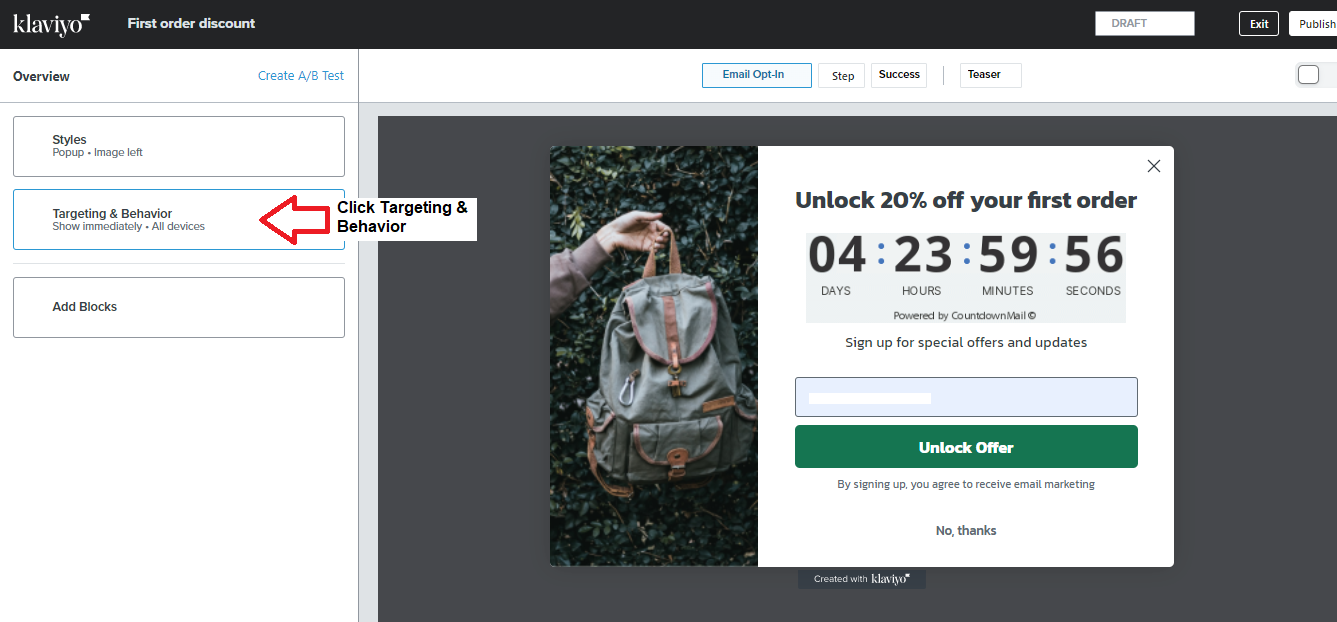
- Click Targeting & Behavior.
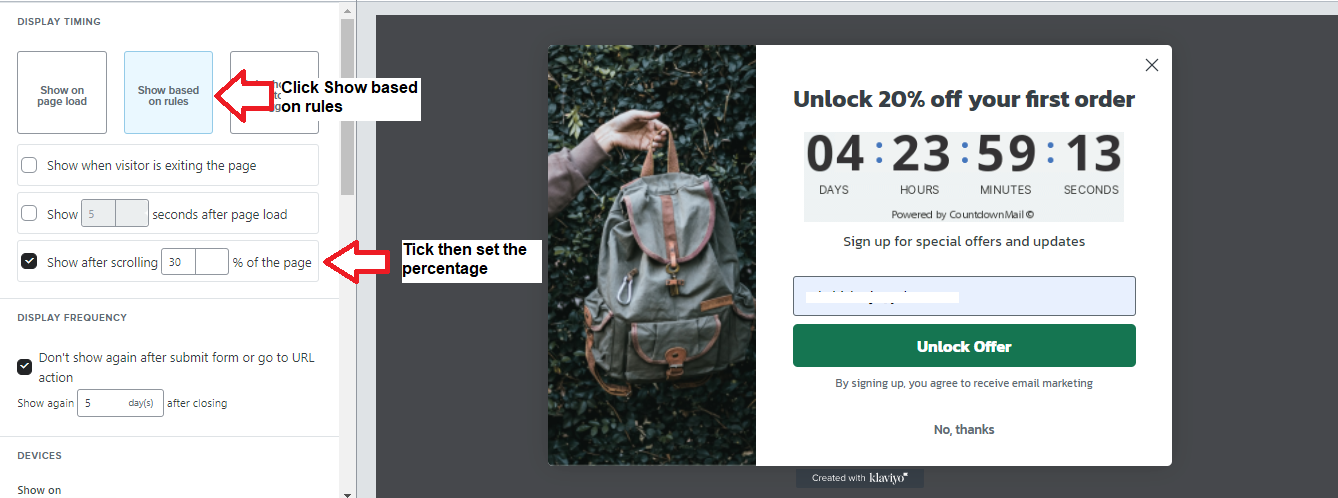
- Click Show based on rules. Then, ensure to click the radio button beside the Show after scrolling ___% of the page. Pick this option because you want your visitor to view your page before offering the discount. 30% is a good number.
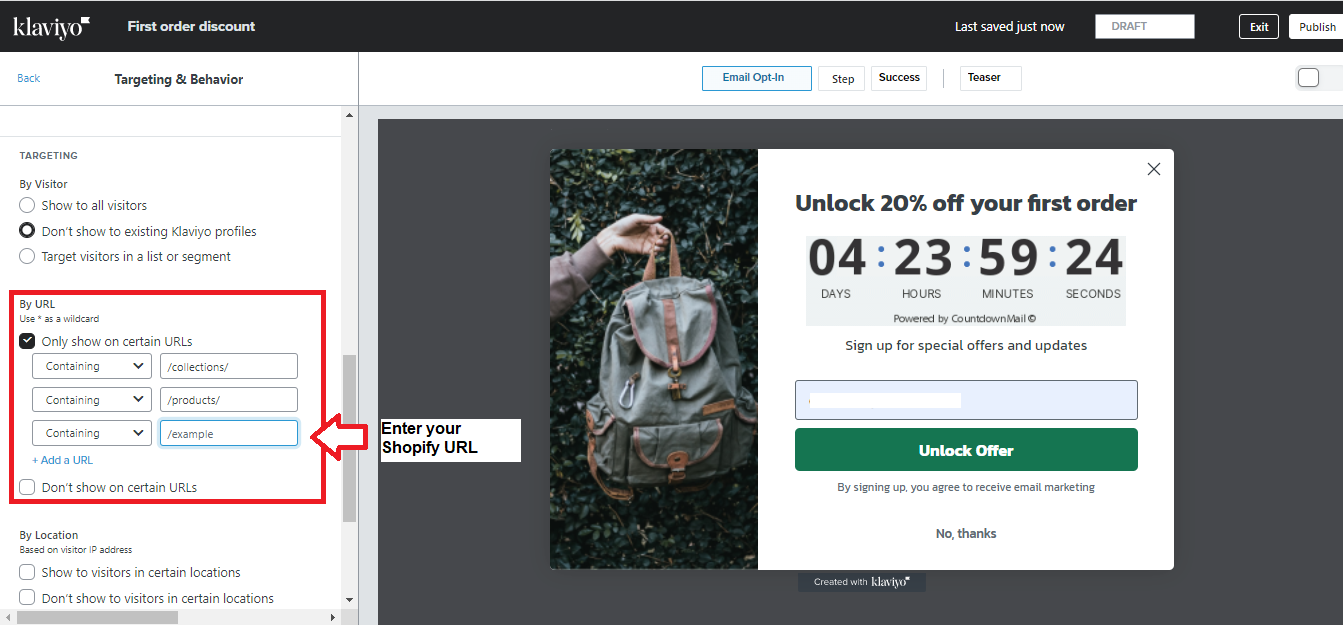
- Continue to set up the popup using your preferences, but when you get to “By URL,” you must choose Only Show on Certain URLs. For this SOP, you should have the popup only on your landing, collections, and product pages.
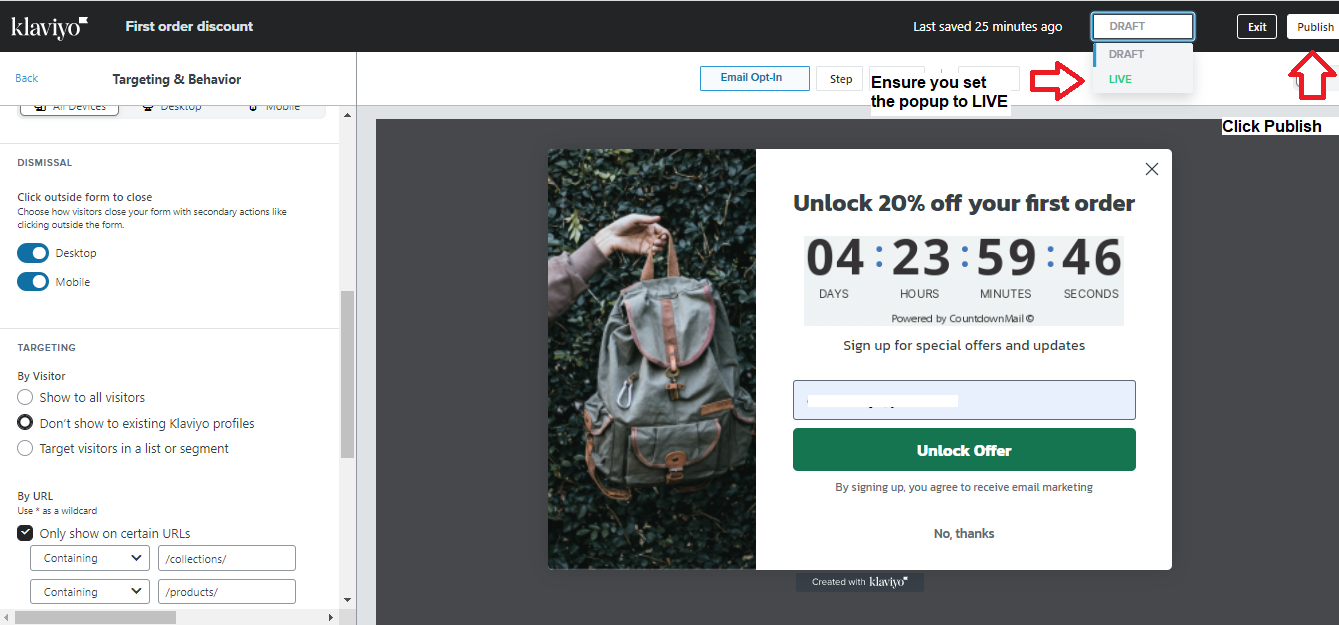
- Ensure you set your popup to LIVE before clicking Publish.
Conclusion
Congratulations! You now have a popup that will appear on your landing, collection, and product pages when a visitor has scrolled at least 30% of the page.
Execution Checklist:
-
Customers find popups as very intrusive; therefore, put your popup in appropriate places only - landing, collections, and product pages.
-
Before performing this SOP, ensure you’ve integrated Klaviyo and Shopify.