Establishing Naming Conventions for Google Ad Campaigns
To follow correct naming conventions when setting up Google Ads search campaigns.
Prefer a shortcut? 16 free tools do parts of this for you.
Aim: To follow correct naming conventions when setting up Google Ads search campaigns.
Optimal Outcome: Efficient campaign management and tracking performance across campaigns will be achieved. Campaigns and ad groups that follow proper naming are easier to track or monitor.
What you need to start: You need the information or description of the website, product, or service to create relevant campaign and ad group names. It will also be ideal if you have already identified the structure that you want your Google Ads campaigns to have.
Why is this SOP Important: Following the proper naming convention in Google Ads will help keep campaign names organized. It will also make finding a campaign or ad group easier. Naming conventions also help to identify different campaign types, such as search, display, and remarketing. These are especially crucial as your website or online shop launches more campaigns in the future.
When and Where to execute: This SOP is performed before you launch campaigns. It will be done on Google Ads manager. We are also going to use Google Sheets, but feel free to use any spreadsheet program you prefer.
Who Should Be Doing This: The marketing or advertising manager.
What is a Naming Convention in Google Ads?
A naming convention in Google Ads is a set of rules used to name campaigns, ad groups, and ads. You should follow a naming convention to ensure that campaigns, ad groups, and ads are easily identifiable.
Execution
Resources/Tools & Set up
-
An active Google Ads account
-
Google Sheets (or your preferred spreadsheet platform)
-
We have prepared a Google Ads Naming Convention Guide that you may use for this SOP. This way, you won’t have to make one from scratch.
Essential Things to Remember
-
If possible, keep your project or file names short. Shorter campaign names are not only easier to understand but they will also help in making campaign reports simple. Lastly, you’ll have no problem handing over the management of your campaigns to others given how straightforward their labels are.
-
Stick with your naming conventions and use them for all your campaigns. The only time we’ll recommend changing naming conventions is when your business is restructuring.
Naming Convention for Campaigns
-
Open our provided Google Ads Naming Convention Guide. Its first sheet will contain Naming Convention Rules. Feel free to go through it for more information.
-
Access the Campaign sheet.
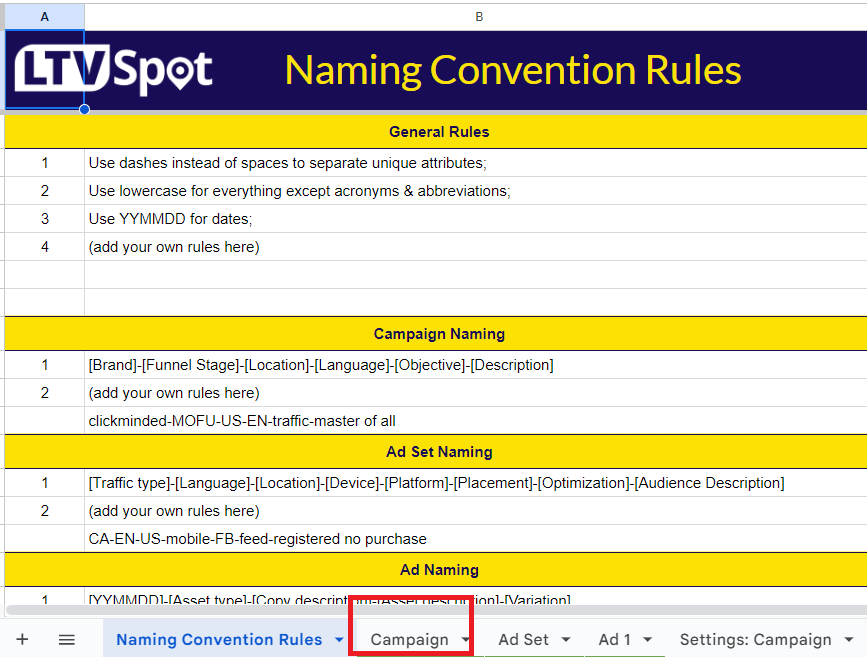
- We have already set up certain columns for your convenience. However, you will also notice that we have added a lot of extra fields that you can edit and add the attributes you need to label your campaigns.
We have made them into drop-down menus as well. This will allow you even more options.
Here are just some of the attributes that you might want to add:
-
Product Type
-
Service Type
-
Objective
-
To Increase Traffic
-
To Generate Leads
-
To Boost Sales
-
To Raise Brand Awareness
-
To Increase App Installs
-
-
Campaign Type
-
Search
-
Display
-
Shopping
-
Video
-
Smart
-
Discovery
-
Local
-
-
Location
-
Language
-
Device
Reminder: Select the attributes that are most applicable to you. You don’t have to add them all to your spreadsheet. In fact, we advise you to use the least number of attributes for a campaign.
For instance, if you’re putting out ads for a business with only one product, then you can remove the “Product” from the attribute. If your ad campaigns target only English speakers, then you can remove the “Language” from your list of attributes.
- Editing the attributes will automatically generate your campaign name under the “Your Campaign Name” column. You’ll find it at the end of the sheet.
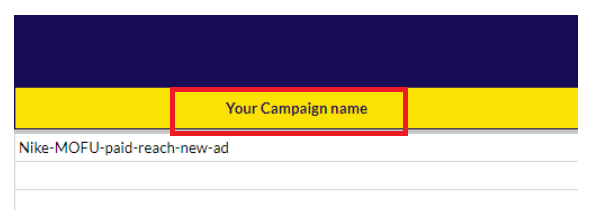
All you need to do now is copy-paste it into the name section of your campaigns.
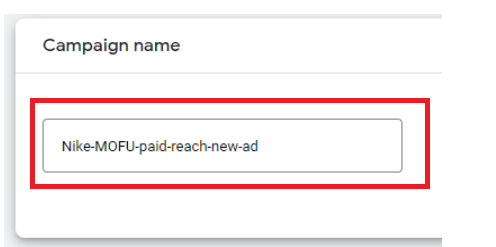
Reminder: Ensure that you follow the naming convention you chose for all campaigns you make in the future. Remember to use the same capitalizations, separators, spacing, and attribute labels.
Naming Convention for Ad Groups (Search)
-
Look for the most generic keyword or keyword subset from your ad group.
-
Name your ad group after a keyword when making an ad group for a single keyword.
Example:
Keyword: “best succulent species”
Ad group: “best succulent species”
- Name your ad group after a category of keywords if you’re creating an ad group for multiple keywords.
Example:
Keywords: “green plants”, “picking green plants”, “green plants for sale”, “calming green plants”
Ad group: green plant
Make different ad groups if you have varying subcategories inside the list of keywords.
Example:
Keywords: “green plants”, “green succulent plants”, “best succulent plants to grow”, “best green plants to grow”
Ad group 1: green plants
Ad group 2: succulent plants
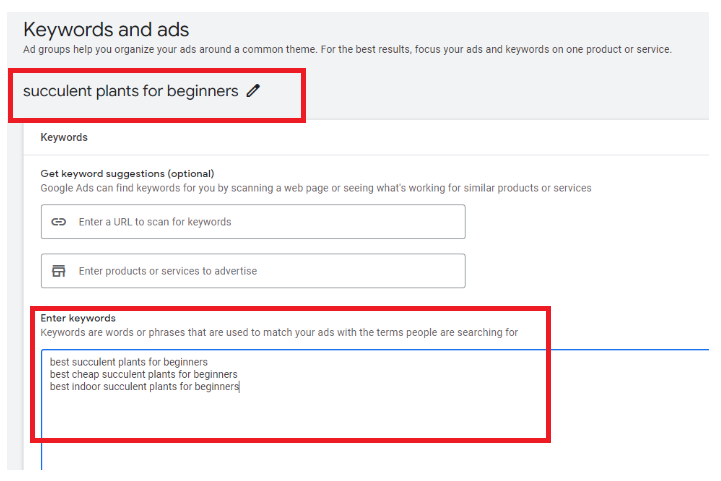
- Use the relevant ad group name for your search campaign. For instance, notice how we used “succulent plants for beginners” to name our campaign with the following keywords:
-
best succulent plants for beginners
-
best cheap succulent plants for beginners
-
best indoor succulent plants for beginners
Conclusion
You’re done! Remember, having set naming conventions for your ads and campaigns will help management and tracking easier. This, in turn, will make them more efficient and successful.
-
We have created a Google Ads Naming Convention Guide to make this effort easier and automated.
-
Add the relevant attributes to the guide we have provided to automate the naming process. All you need to do now is copy-paste the produced name to your Google Ads manager.
-
As for individual ads, you may use generic and categorical keywords depending on how many keywords you’re using.