Setting Up a Google Performance Max Campaign for Improved ROI
To walk you through how to set up your Google Performance Max campaign.
Prefer a shortcut? 16 free tools do parts of this for you.

Aim: To walk you through how to set up your Google Performance Max campaign.
Optimal Outcome: To enhance your marketing efforts through automation of the ad purchasing process and evaluate the success of your marketing campaigns and optimize your strategies.
What do you need to start:
-
Google Ads account
-
Digital assets including videos, images, logos etc.
Why is this SOP Important: Setting up a Google Performance Max ad campaign is an effective way for businesses to reach a large, targeted audience, increase brand awareness, drive website traffic, and generate leads and sales.
When and Where to execute: Performance Max is a good choice when you have specific advertising goals, want to maximize campaign performance, use all of Google advertising channels, and achieve more reach and conversions than just keyword-based Search campaigns.
Who Should Be Doing This: Digital Marketing Staff, Graphic Artists (for digital assets), Sales staff, Business owner
What is Google Performance Max?
Google Performance Max is a platform offered by Google that helps advertisers achieve their goals by reaching their desired audience on the web and mobile apps. It allows advertisers to automate ad buying and optimize campaigns based on real-time data, and provides insights and measurement tools to evaluate advertising success.
Execution
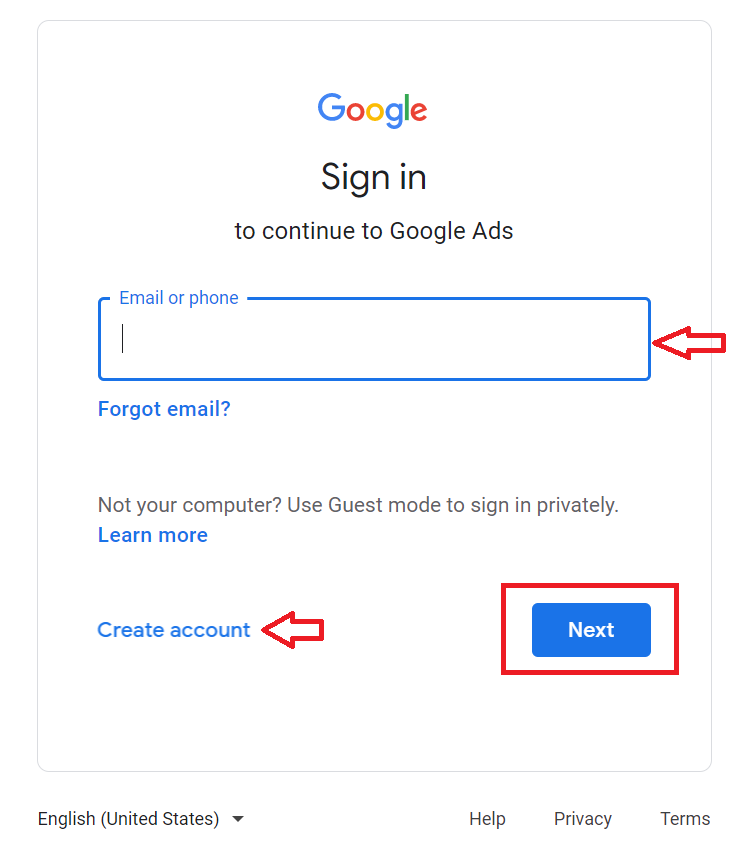
Login or Create your Google Ads Account
-
Go to https://ads.google.com.
-
Login or Create an account.
-
From the main dashboard, navigate to the left menu and select Campaign, then click the plus (+) sign.
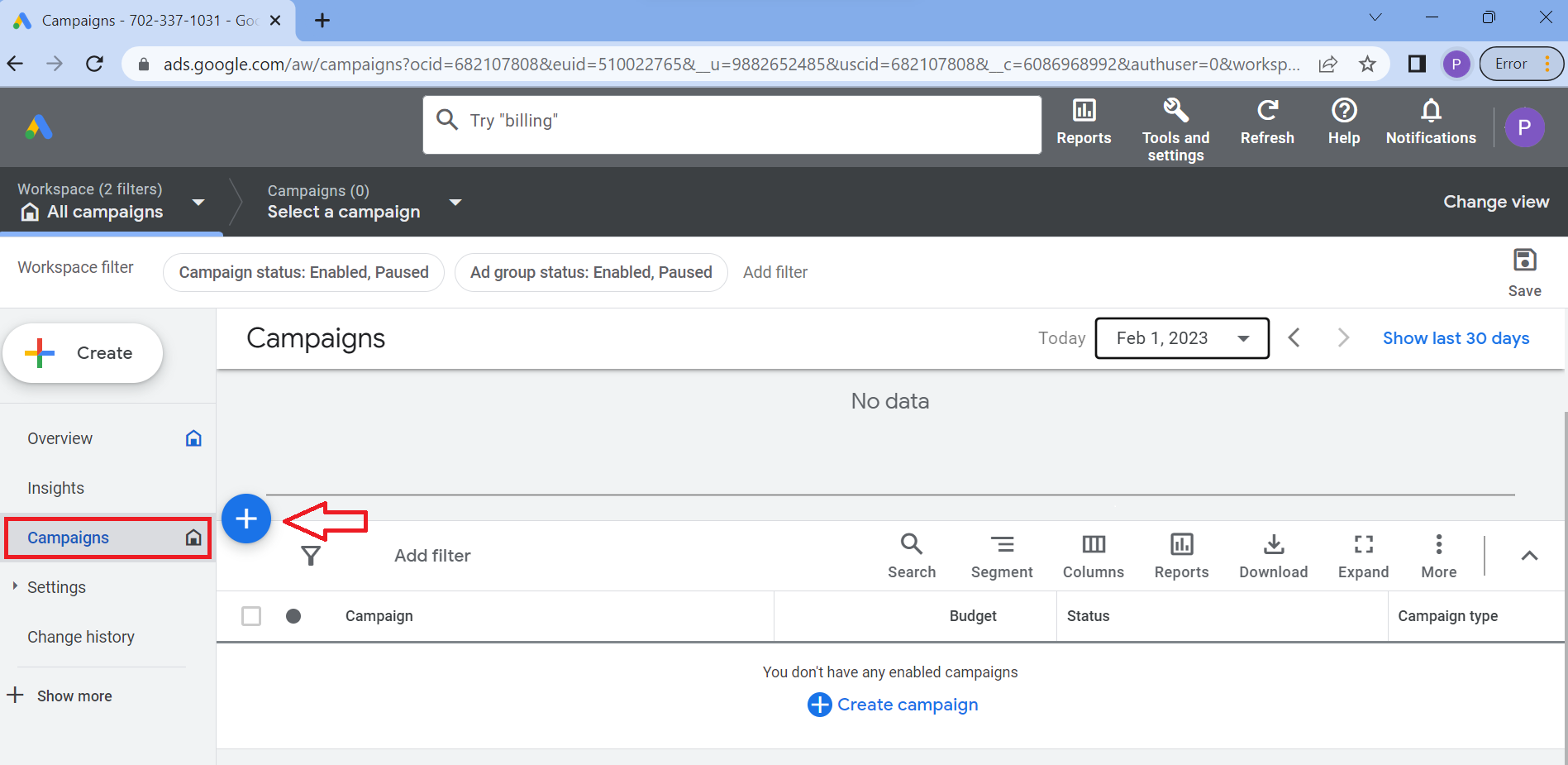
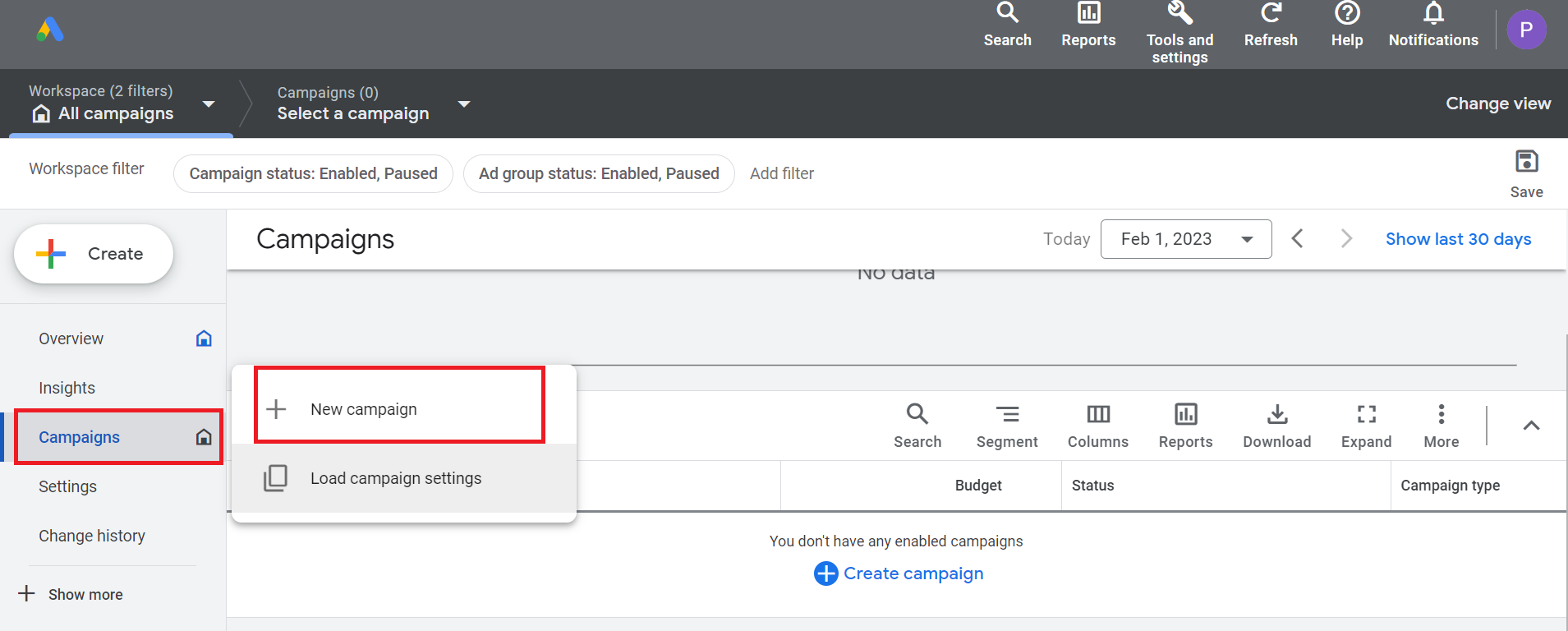
- Then, select New campaign.
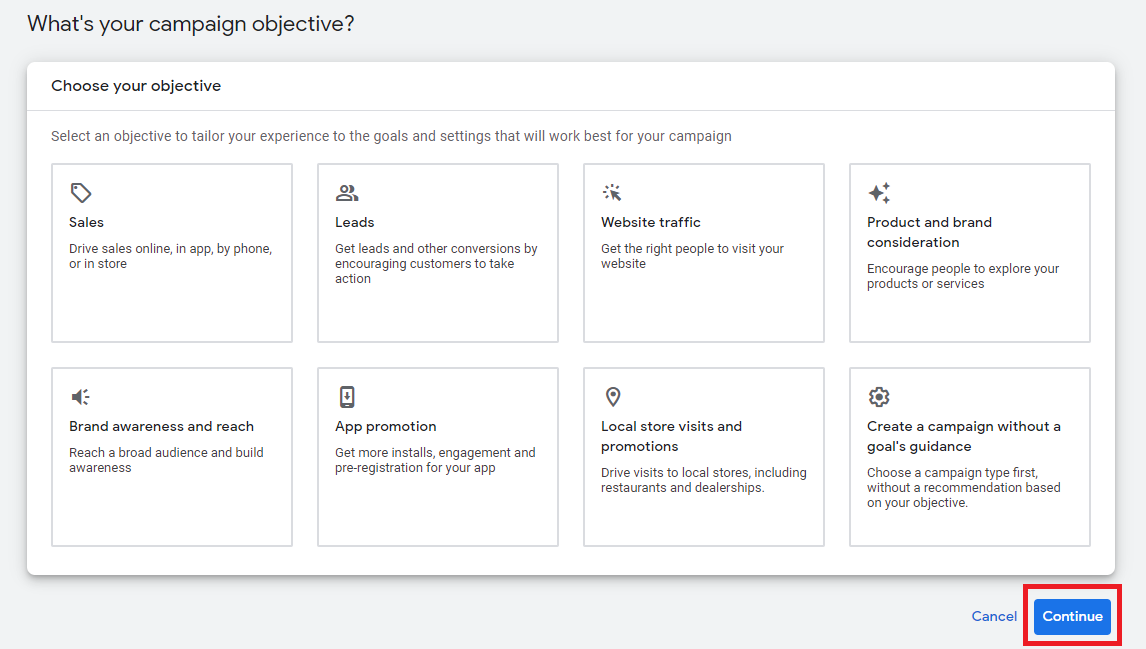
- Select an advertising objective for your campaign. If none of the goals fit what you’re looking for, select Create a campaign without a goal’s guidance. To proceed, click Continue.
- In the Campaign Type section, select Performance Max.
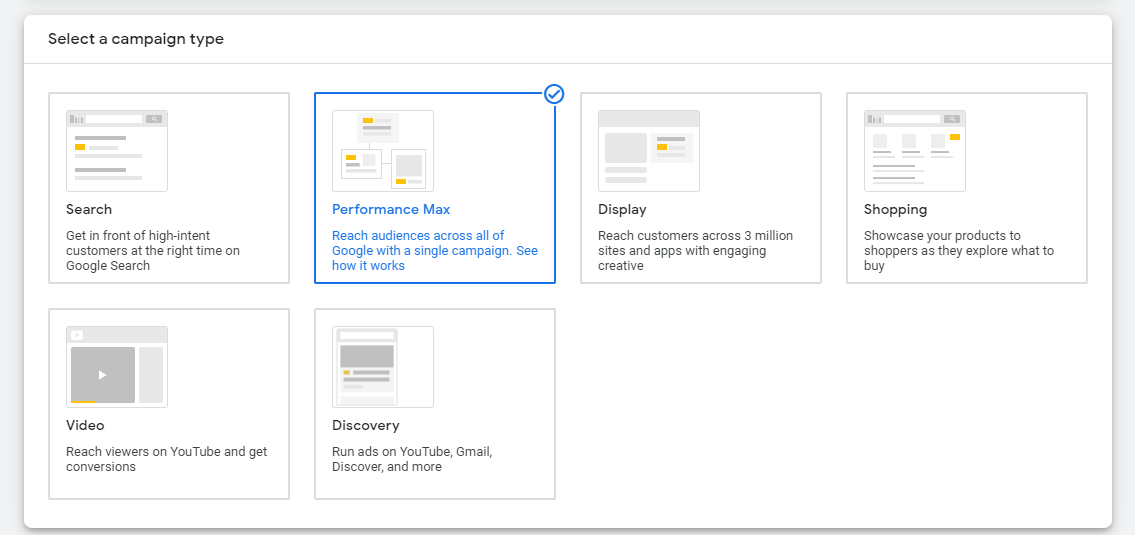
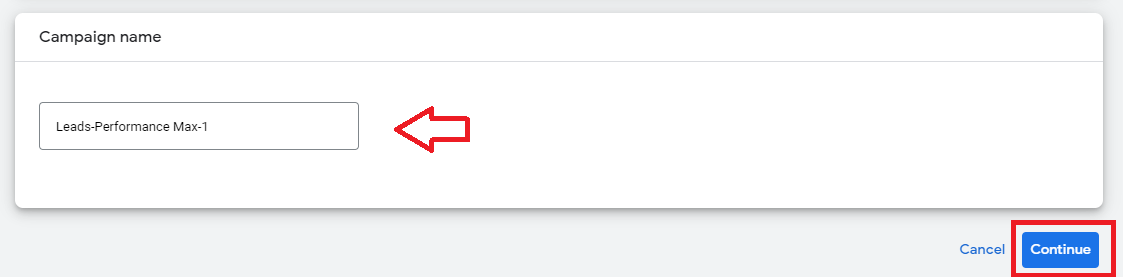
- Enter your campaign name, then click Continue.
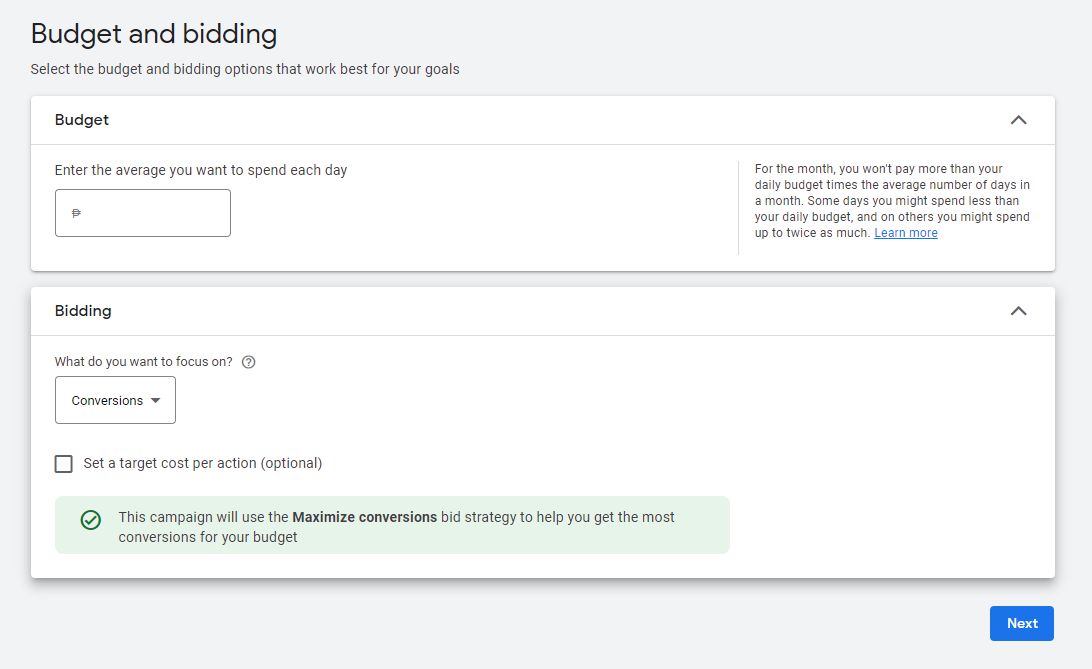
- Set your budget and bidding preferences.
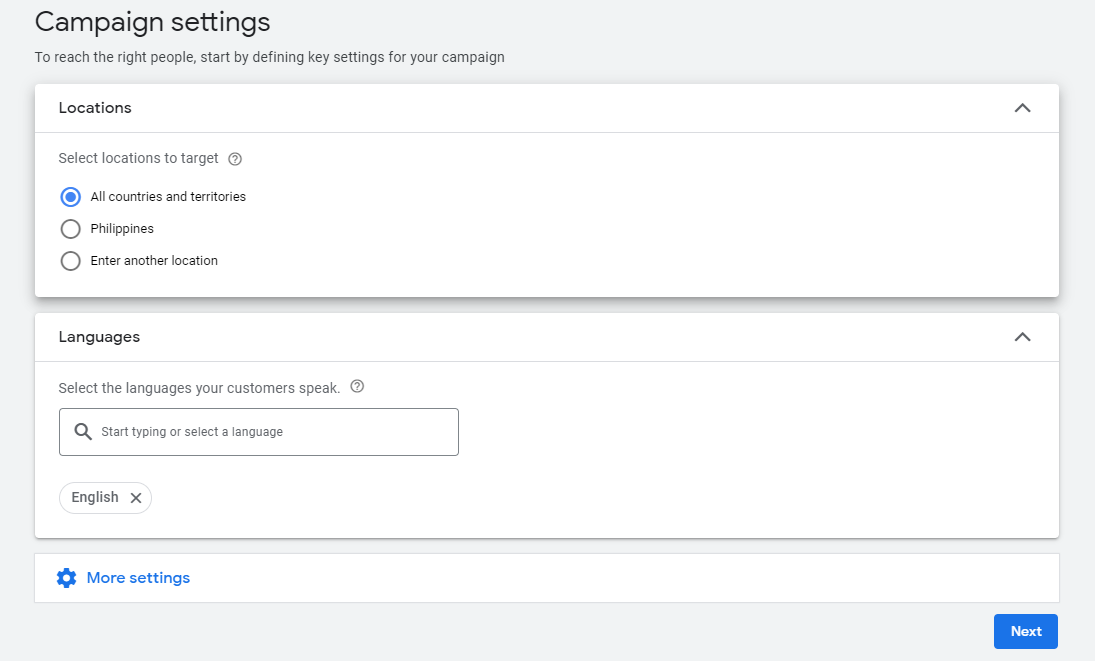
- In the campaign settings, add your location and languages.
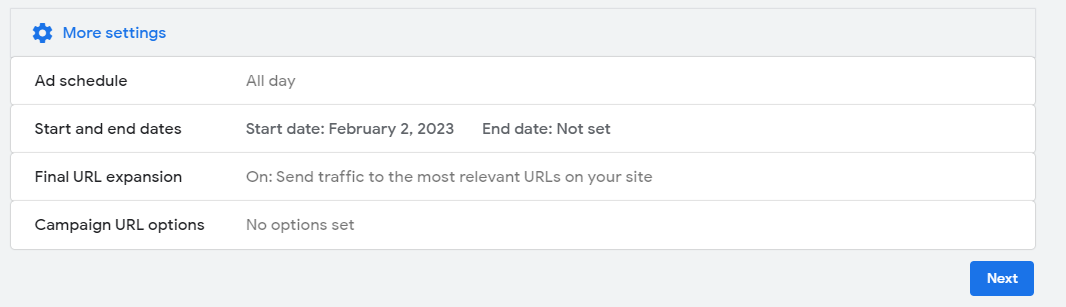
- Customize additional settings including ad scheduling, Final URL expansion, Campaign URL options.
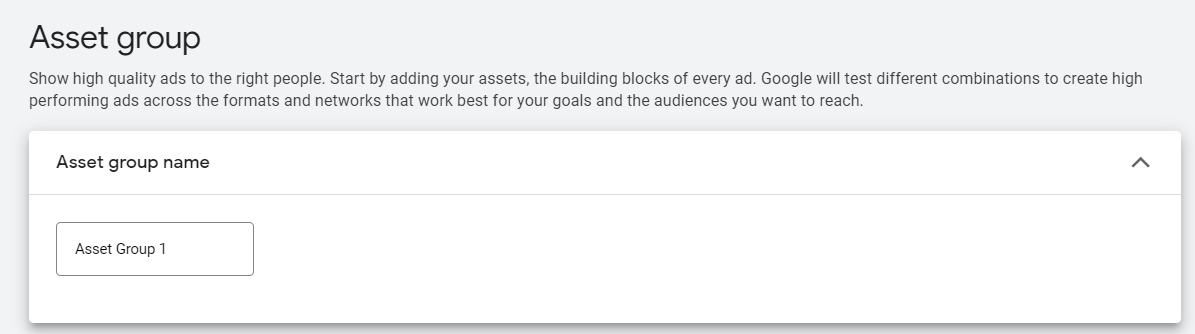
- Next, you’ll build your Asset Group. Create your Asset Group name.
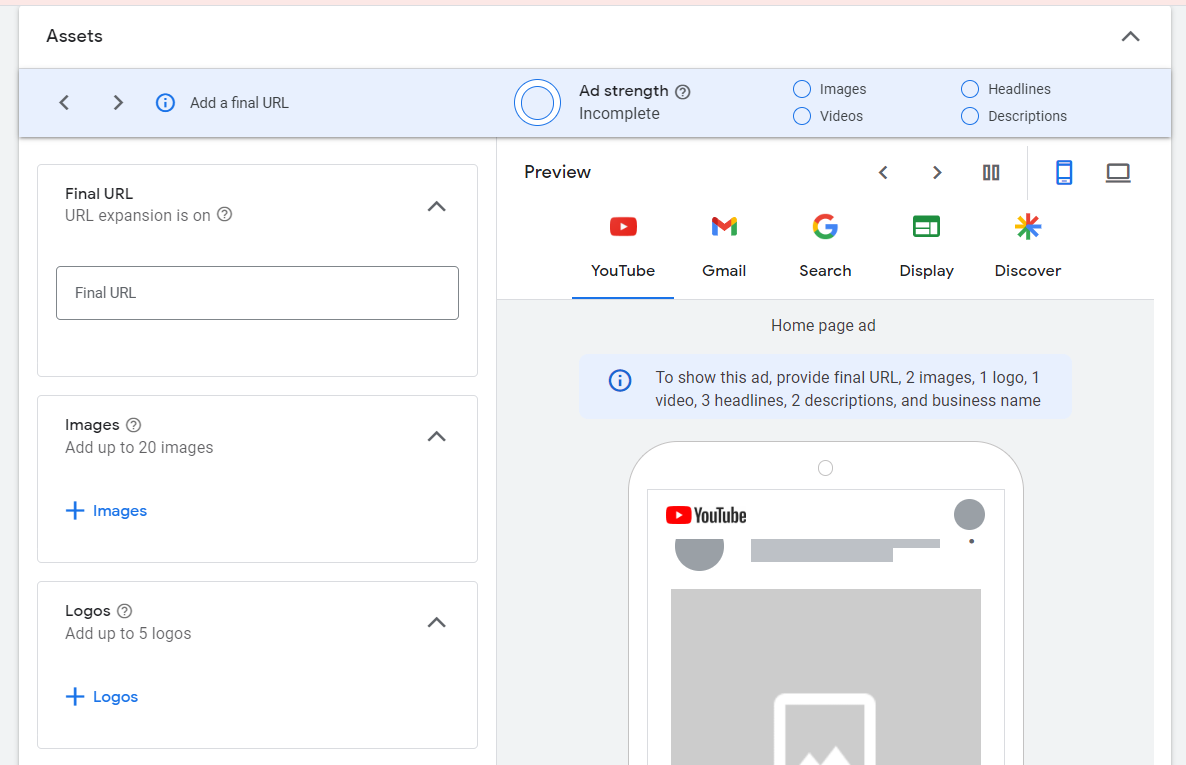
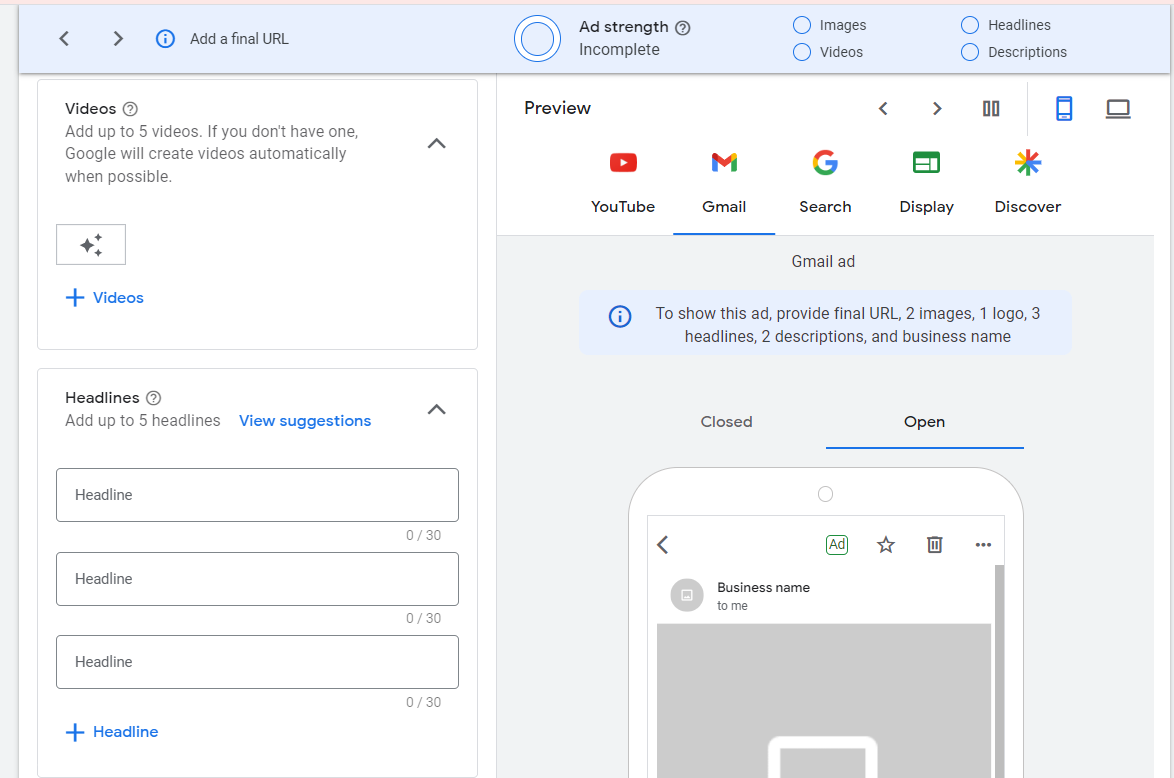
- Add Final URL, videos, images, logos, and headlines.
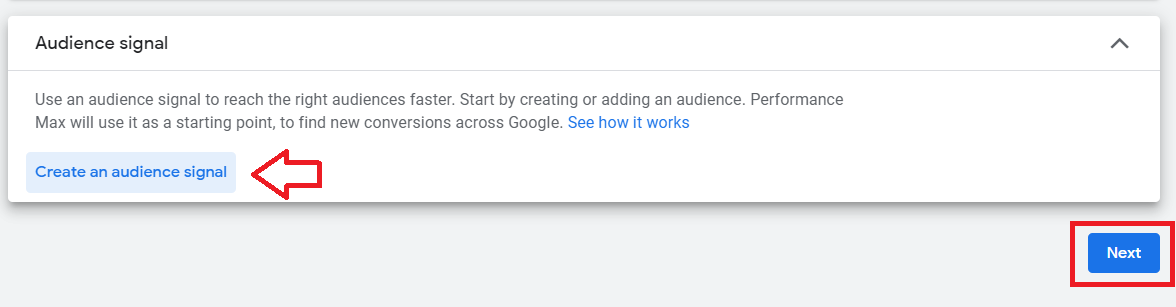
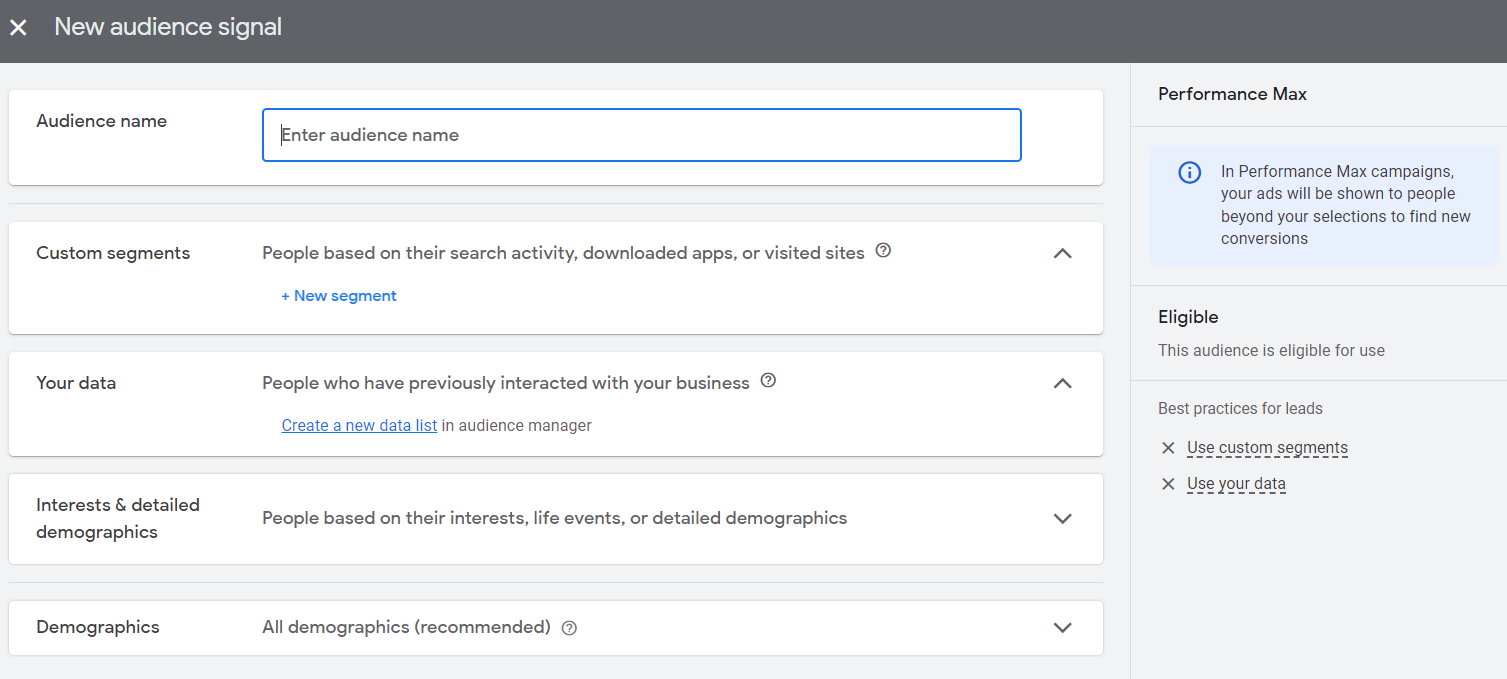
- Select Create an audience signal and customize your audience’s demographics and interests. Once done, click Next.
- Publish your campaign.
Conclusion
That’s it! You’re all done. Remember that running a successful Google Performance Max campaign requires ongoing optimization and management to ensure increase in sales and revenue.
-
Running a Google Performance Max ad campaign allows you to drive traffic and target users who are most likely to be interested in your product or service.
-
Ad campaigns on Google Performance Max help increase visibility and recognition of your brand, leading to higher brand awareness.
-
Google Performance Max uses advanced targeting methods to reach the right people, at the right time, with the right message.