Setting Up a Google Search Campaign
To walk you through on how to set up your Google Search ad campaign.
Prefer a shortcut? 16 free tools do parts of this for you.

Aim: To walk you through on how to set up your Google Search ad campaign.
Optimal Outcome: To boost return of investment (ROI) from your marketing efforts through improved visibility and credibility of your products, increase conversion rates.
What do you need to start: You’ll need a Google Ads account and ideally you’ve already done your keyword research necessary for your campaign.
Why is this SOP Important: Google search ads offer increased visibility through its massive user base, targeted audience through specific demographics, geographic locations and user queries, measurable results through detailed insights, cost-effectiveness through CPC model flexibility through customizability and immediate results by driving traffic to a website quickly.
When and Where to execute: There are several factors to consider to determine the optimal time for a Google search ad campaign including target audience, industry, competition, and business goals. It is recommended that you run campaigns during high-activity times for the target audience, and testing different times can help fine-tune the campaign. Special events and holidays can also be effective for ad campaigns.
Who Should Be Doing This: Marketing staff, media buyers
What is Google Search Ad Campaign?
Google Search Ad Campaign is a form of advertising on Google's search engine results pages (SERP) where advertisers can place their ads to reach potential customers searching for specific keywords related to their products or services. The ads appear at the top or bottom of the SERP and are labeled as "Sponsored" or "Ad". Advertisers bid on keywords and create ad campaigns, targeting specific demographics and geographic locations, to display their ads to relevant users. The advertiser pays only when someone clicks on their ad, making it a cost-per-click (CPC) model.
Execution
-
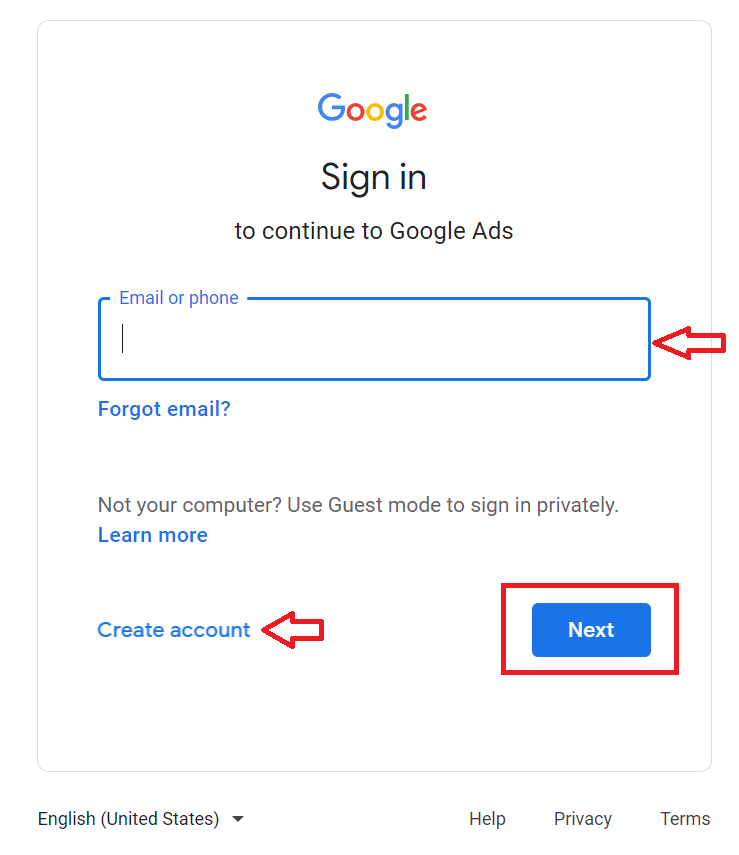
Go to https://ads.google.com.
-
Login or Create an account.
-
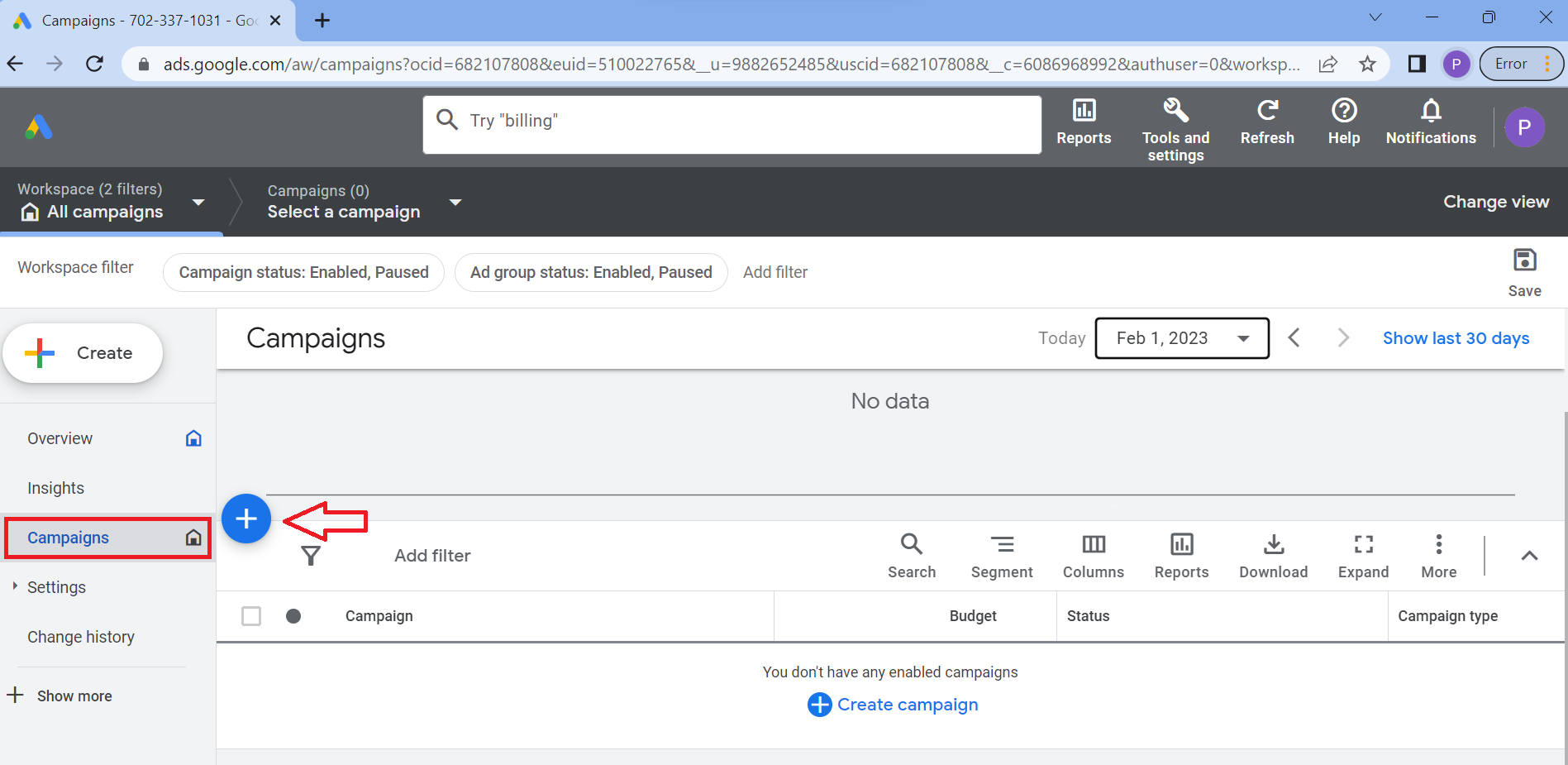
From the main dashboard, navigate to the left menu and select Campaign, then click the plus (+) sign.
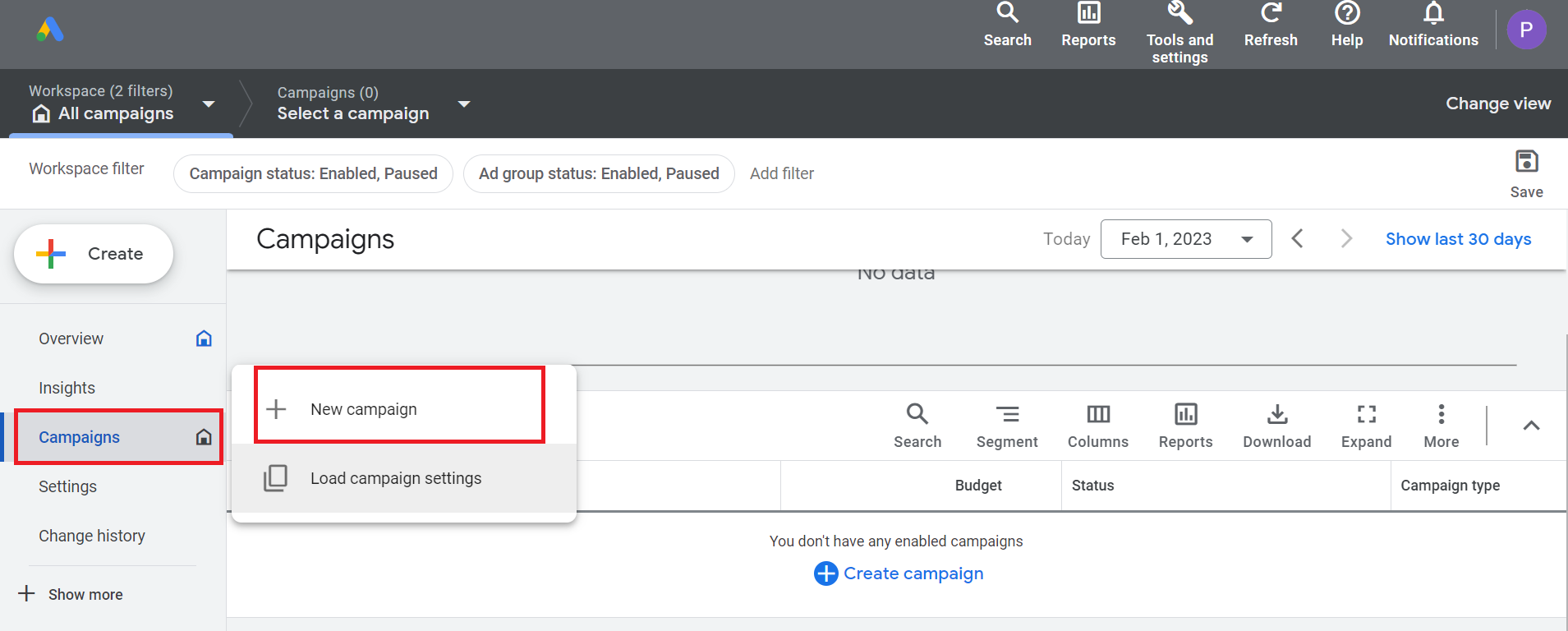
- Then, select New campaign.
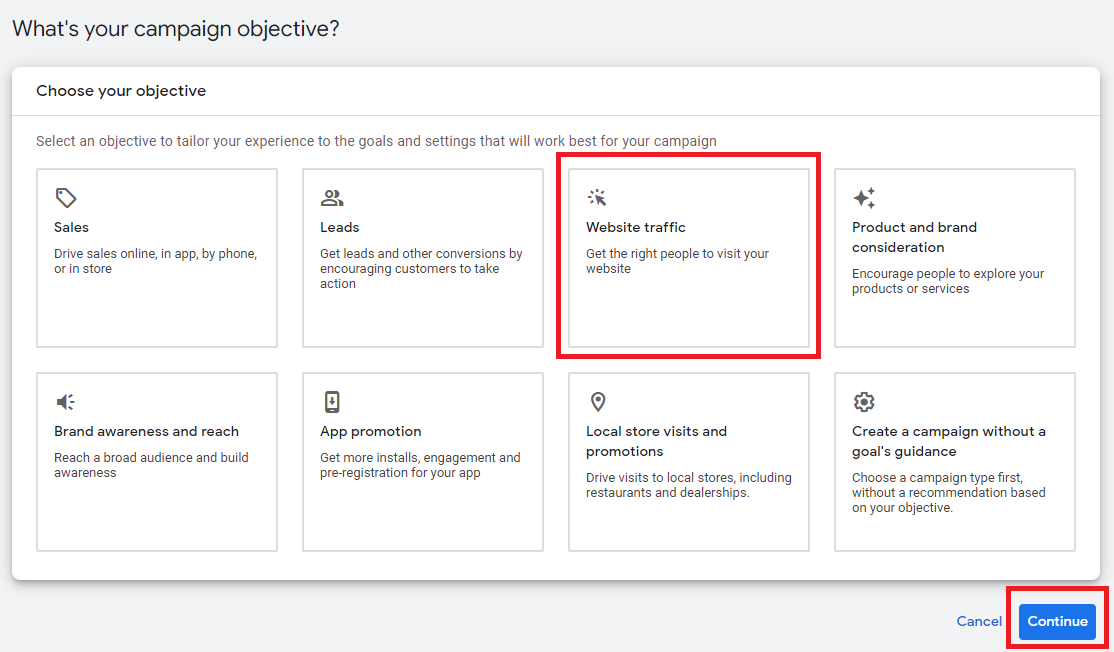
- On the campaign objective section, click Website Traffic then click Next.
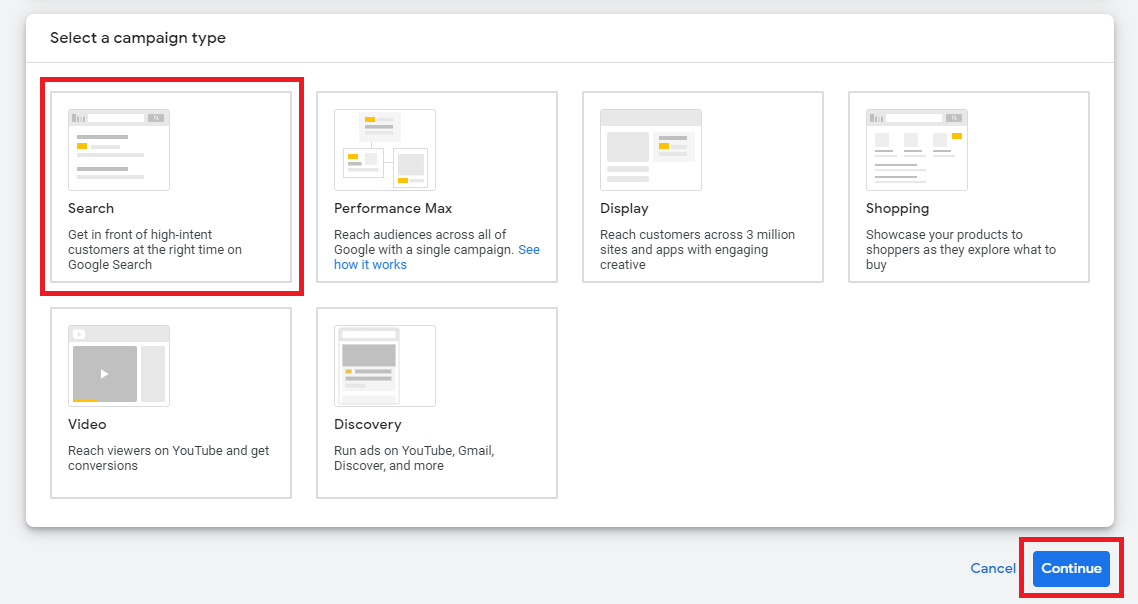
- From the campaign type section, choose Search then click Continue.
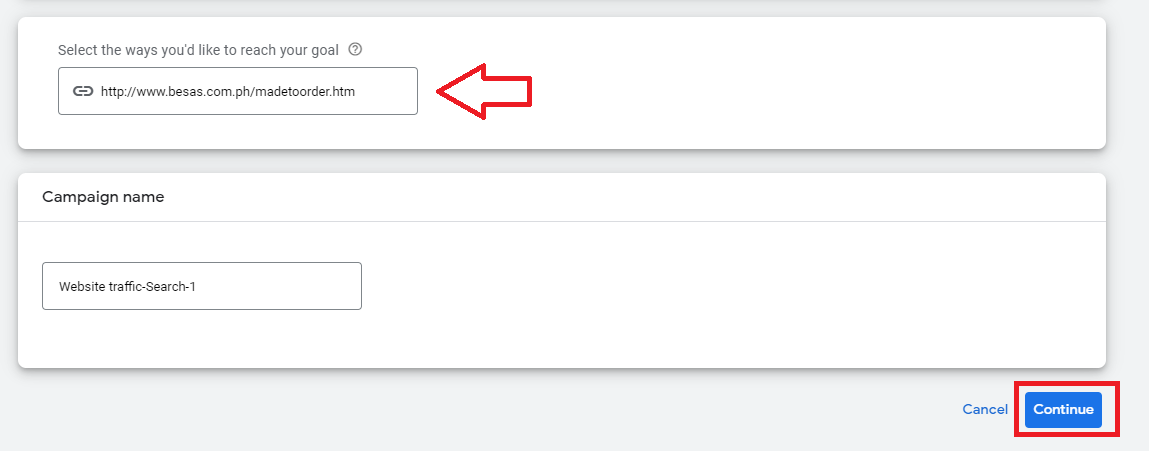
- Type your website, name of your campaign then click Continue.
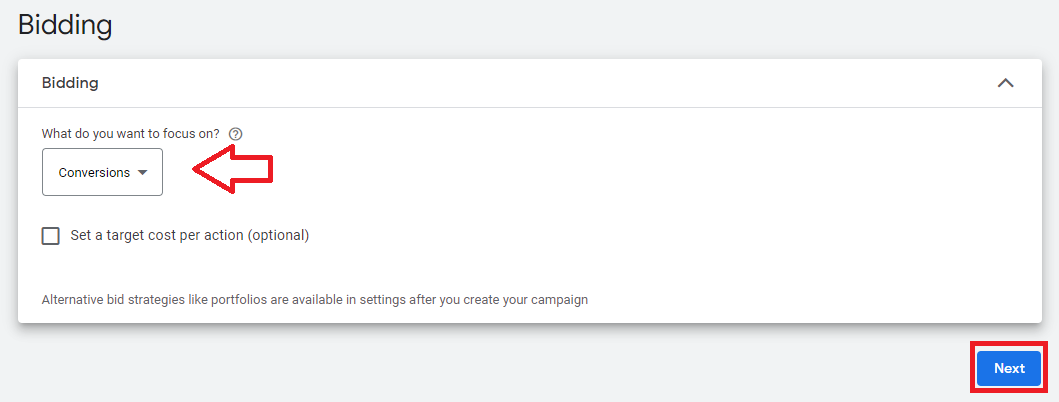
- Next, set your bidding strategy.
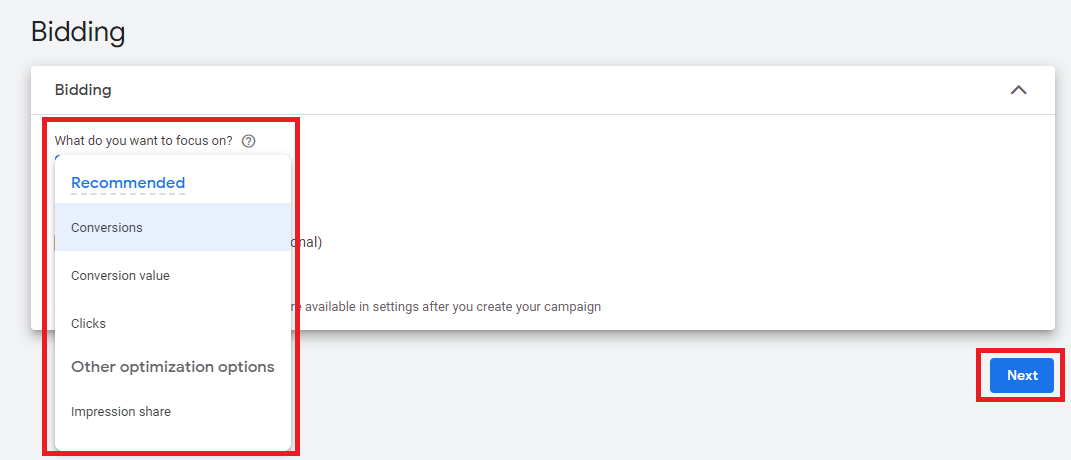
- Choose your preferred bidding option depending on your goals, then click Next.
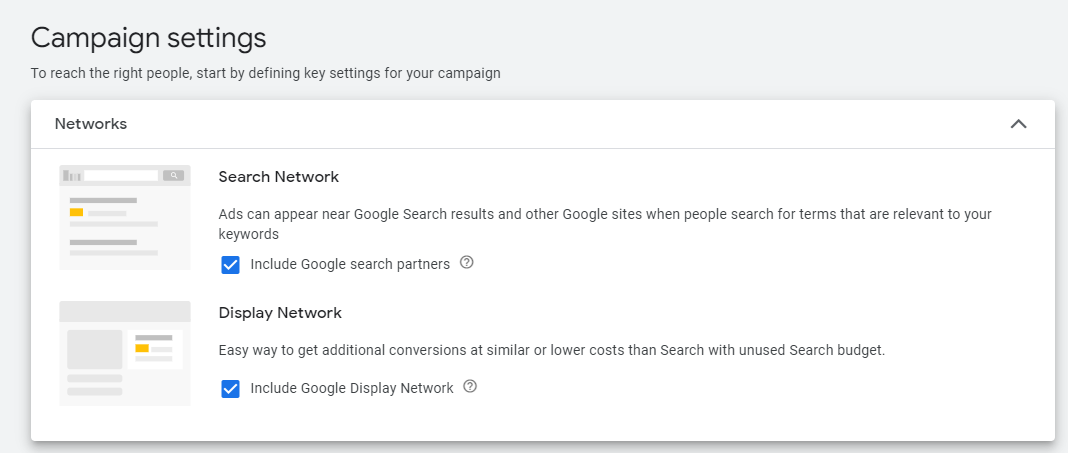
- Choose settings for your campaign. This section is optional but since your goal is to run a search campaign, it’s recommended to select Search Network so your ads can appear on other Google owned networks or websites.
Note: By default, both Search Network and Display Network are checked but to have a more focused strategy, set up separate campaigns for each option.
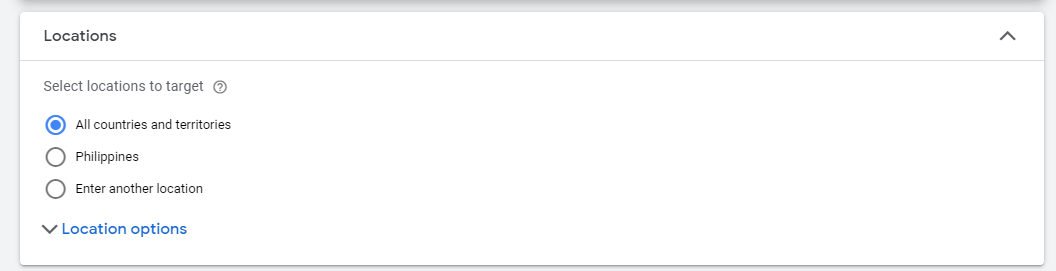
- Choose Location where you want your campaign to run.
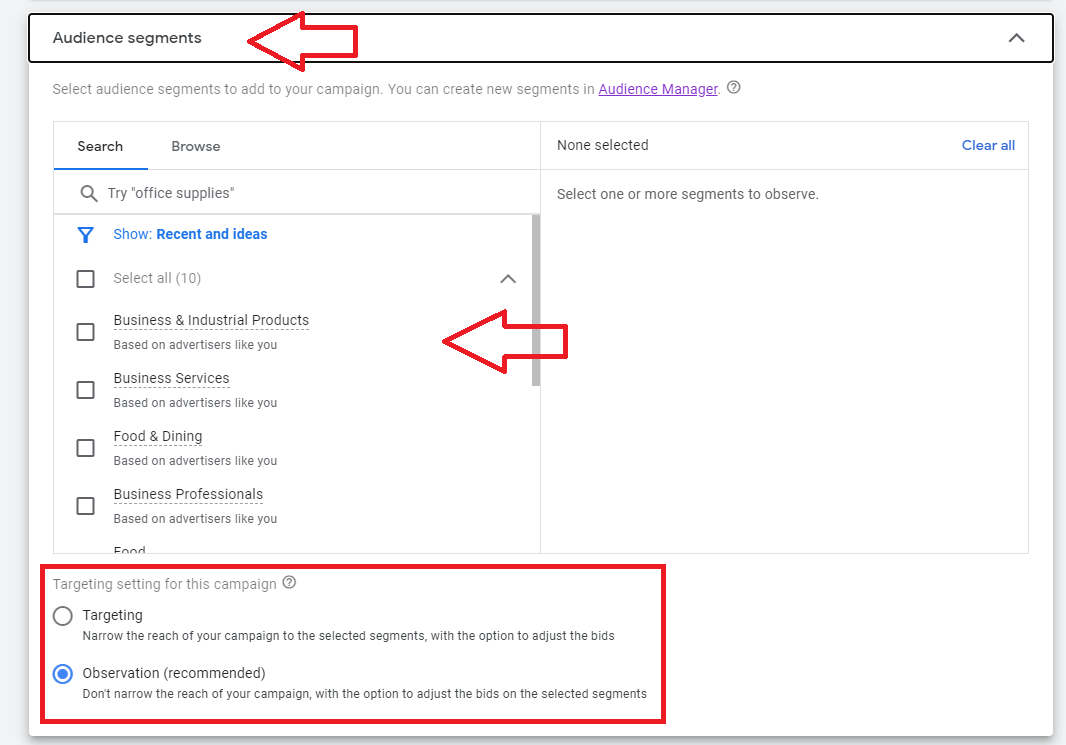
- Select and customize your audience segment.
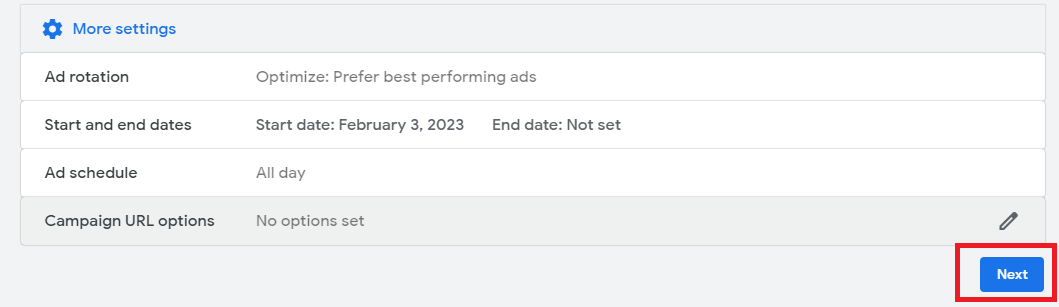
- Click More settings, then customize your Ad rotation, Start and End dates, and schedule. Once done, click Next.
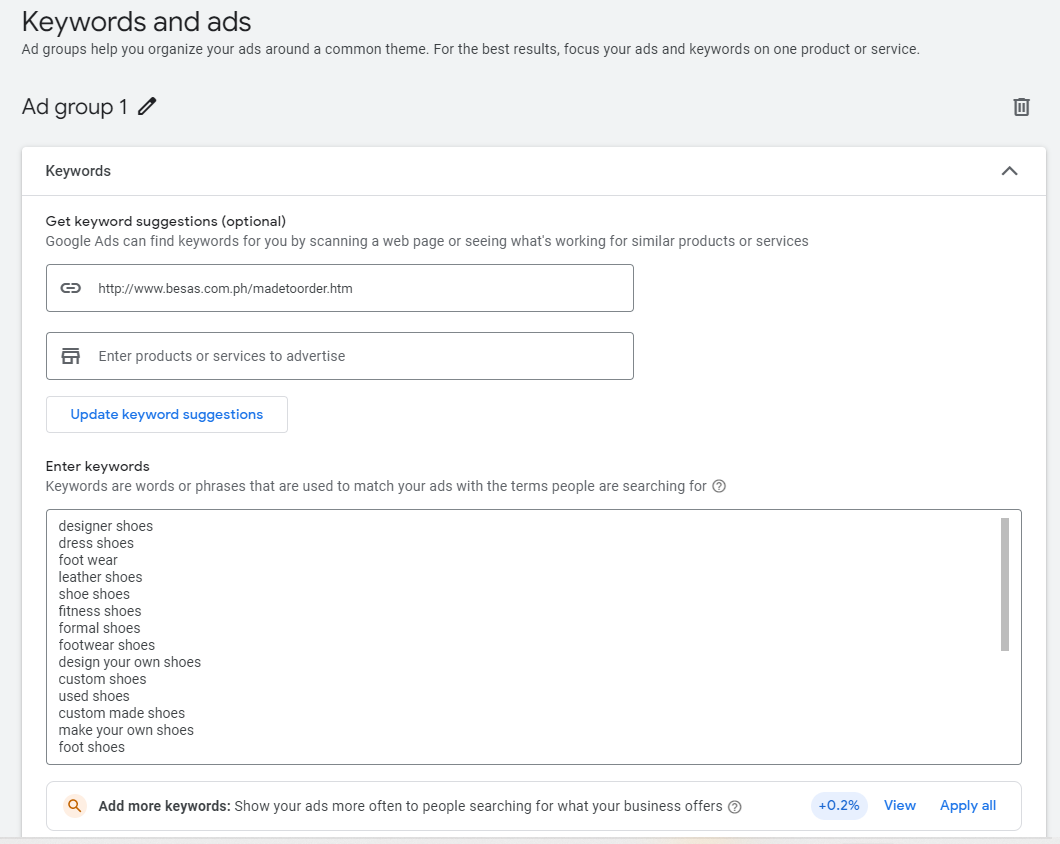
- On the Keywords and ads page, add your website and keywords from the Keyword research you did previously. If you’ve used Google Keyword Planner for your research, your selected keywords will automatically appear on the box.
Note: If you haven’t done your keyword research, you can follow this guide SOP 001: How to do Keyword Research for a Google Search Campaign.
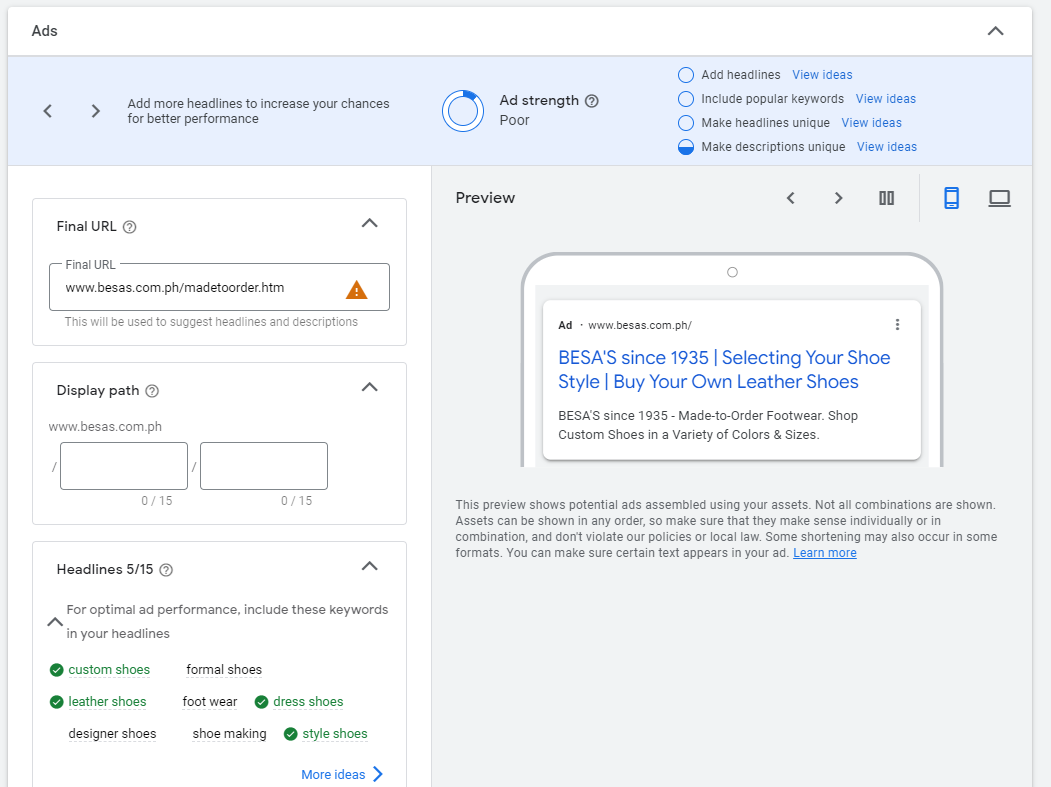
- Next, you’ll be able to customize and preview your ad.
-
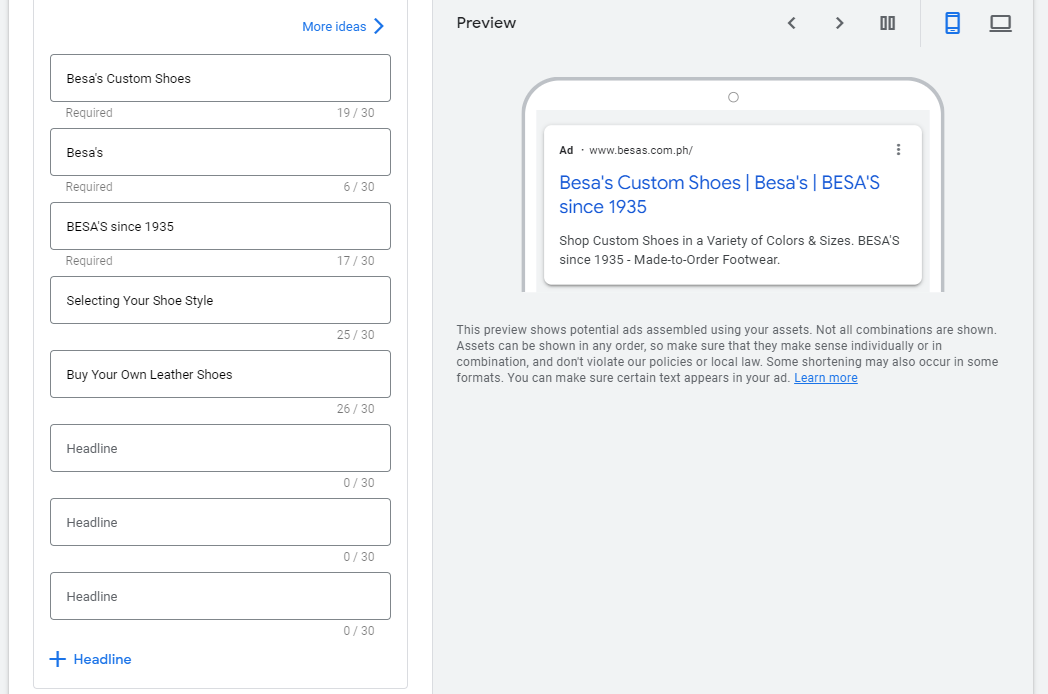
Add your Final URL, Display path, Headlines.
-
Final URL — Make sure the URL is correct and loads as intended.
-
Display path — Customize the URL being shown in the ad. Note: This doesn’t have to be an actual URL.
-
Headlines — Write headlines within 30 characters. You can write up to 15 headlines. Note: Not all your headlines will show at once. Google will rotate your headlines based on the user’s device or search query.
-
Description — Write a description within 90 characters. You can write up to 4 descriptions.
-
Add your Sitelinks to your ad. Sitelink extensions are additional links and ad copy that show up below your main ad. They take up larger real estates and allow you to direct people to specific pages on your site.
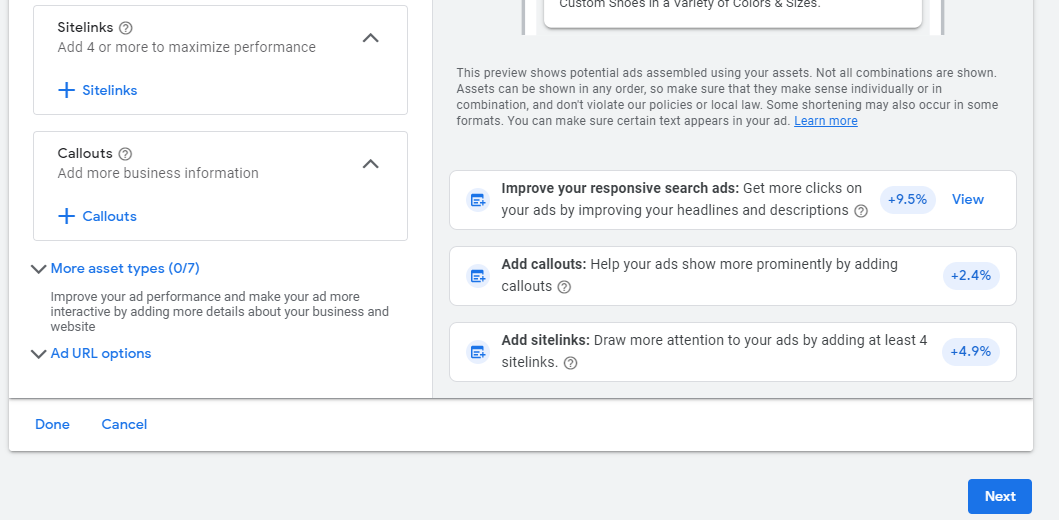
- Next, set a daily budget for your campaign.
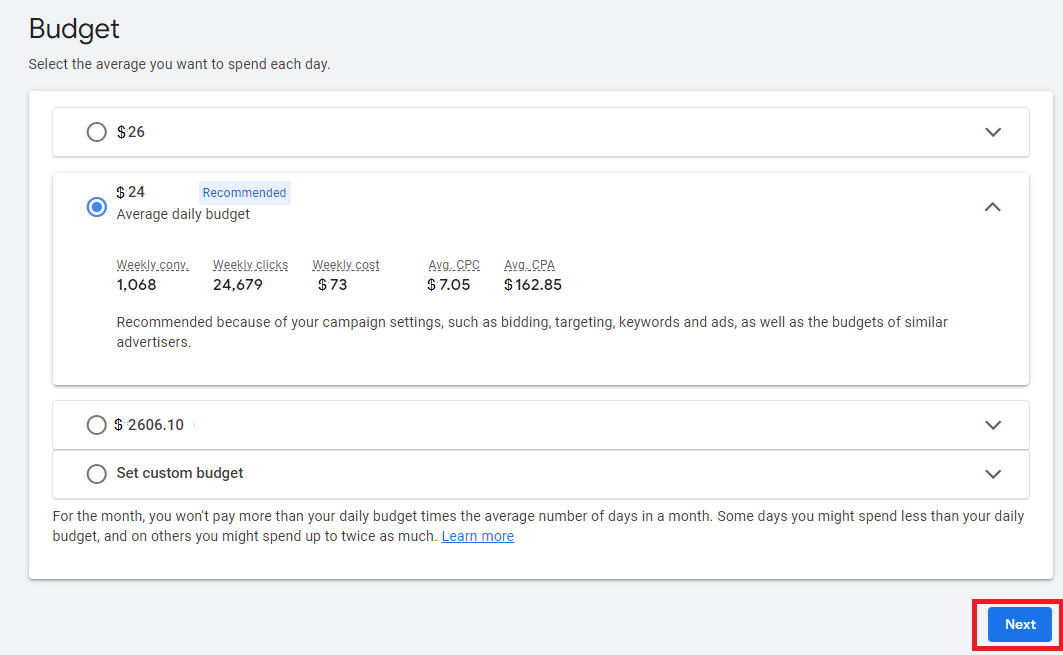
Pro tips on budget:
-
There might be a slight fluctuation on your daily spend and it is possible that in some days your campaign might overspend a little bit more than the budget you set.
-
Your daily budget you set should be based on the number of users on the remarketing list. The larger the list, the higher the budget you should set.
-
If you’re just getting started you can select a budget between $20-50 per day, you can edit and adjust this later on.
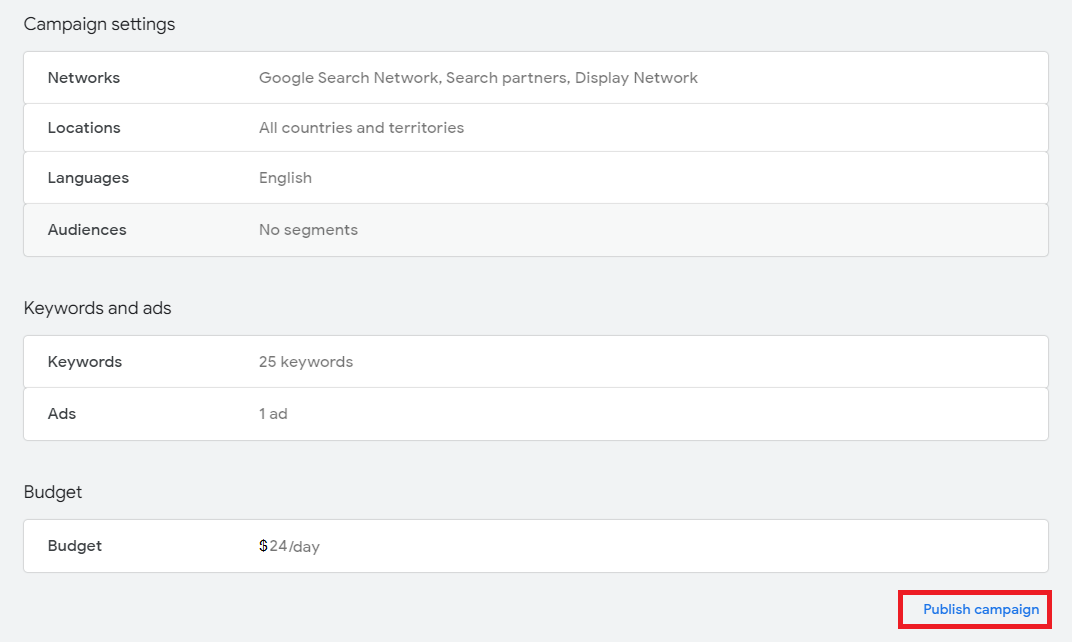
- Review and finalize your settings. Once everything’s in order, click Publish campaign.
Conclusion
That’s it! You’re all done.
-
Google Search Ads’ cost-per-click (CPC) model means that advertisers only pay when someone clicks on their ad, reducing the risk of ineffective ad spend.
-
Google search ads can drive traffic to a website almost immediately, making it a fast and effective way to reach potential customers.
-
Google search ad campaigns provide detailed and actionable insights on ad performance, making it easy to measure the return on investment (ROI) and adjust campaigns accordingly.
-
Perform Keyword Research prior to setting up your Google Search campaigns to optimize your results.
-
Running a successful Google Search Ad campaign requires continuous optimization and management to ensure increase in sales and revenue.