A Guide to Analyzing Your Competitor's Google Ads Strategy
To give you a step-by-step guide on how to analyze your competitor’s Google Ads strategy.
Prefer a shortcut? 16 free tools do parts of this for you.

Aim: To give you a step-by-step guide on how to analyze your competitor’s Google Ads strategy.
Optimal Outcome: To give you a standardized process in auditing and analyzing your competitor’s ad campaign strategies which can help you improve your own campaigns.
What do you need to start: You can use Google search results for basic analysis or a paid tool such as ahrefs, SEMrush, or Adbeat.
Why is this SOP Important: Analysis of your competitor’s Google Ad strategy is essential in staying ahead in a competitive market, helps you understand your target audience, keywords, and messaging, stay updated on market trends, and improve your own campaigns. Competitor analysis can also identify opportunities, avoid mistakes, and optimize your campaigns to achieve better results and higher return on investment (ROI).
When and Where to execute: It’s recommended to conduct a competitor analysis regularly but most especially before launching a new campaign, during the campaign, and after the campaign to stay updated, make improvements, and achieve better results.
Who Should Be Doing This: Marketing staff, personnel who is responsible for running Google Ads
What is Competitor Analysis?
Competitor analysis is the process of evaluating and comparing the strengths and weaknesses of your competitors in order to gain a competitive advantage. It involves researching and analyzing the marketing strategies, products, services, target audience, and other factors of your competitors to understand their competitive position in the market. The goal of competitor analysis is to identify opportunities, avoid mistakes, and make informed decisions to optimize your own business strategies and achieve better results. Competitor analysis is a crucial step in creating an effective marketing plan and staying ahead in a competitive market.
Execution
SimilarWeb
- Login to SimilarWeb and search the website of your competitor.

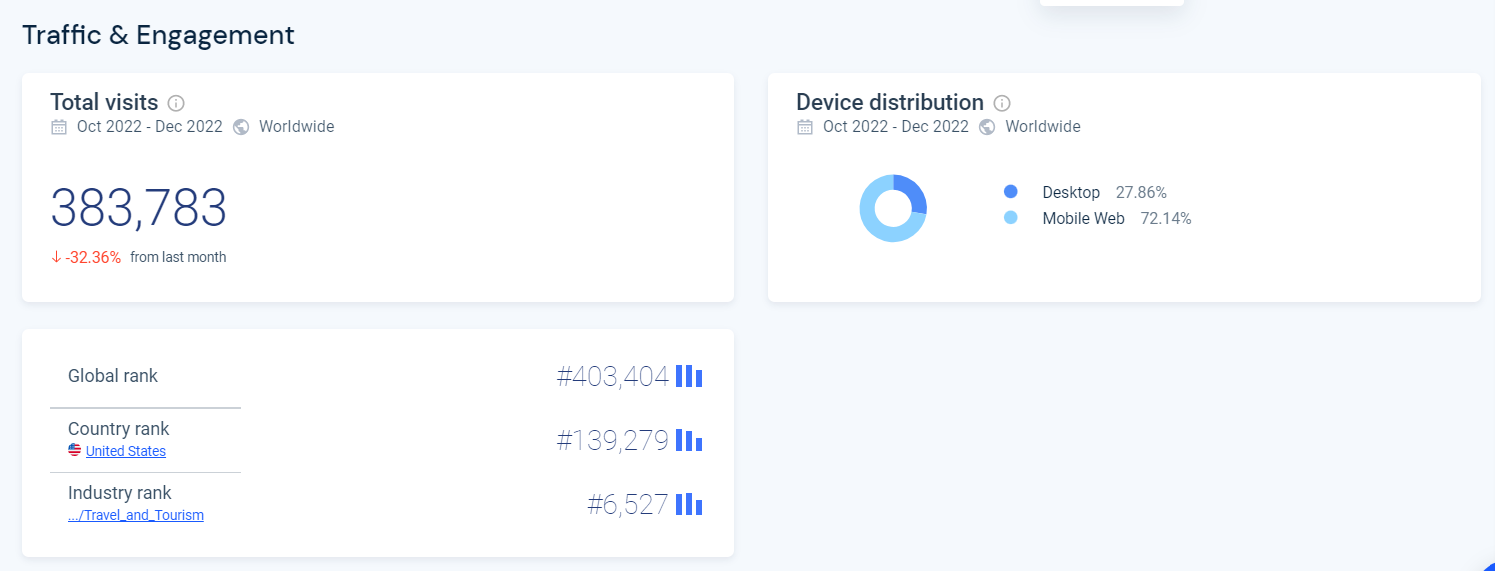
- From the main dashboard, you will get an overview of how your competitor is doing including their traffic, engagement, and global ranking.
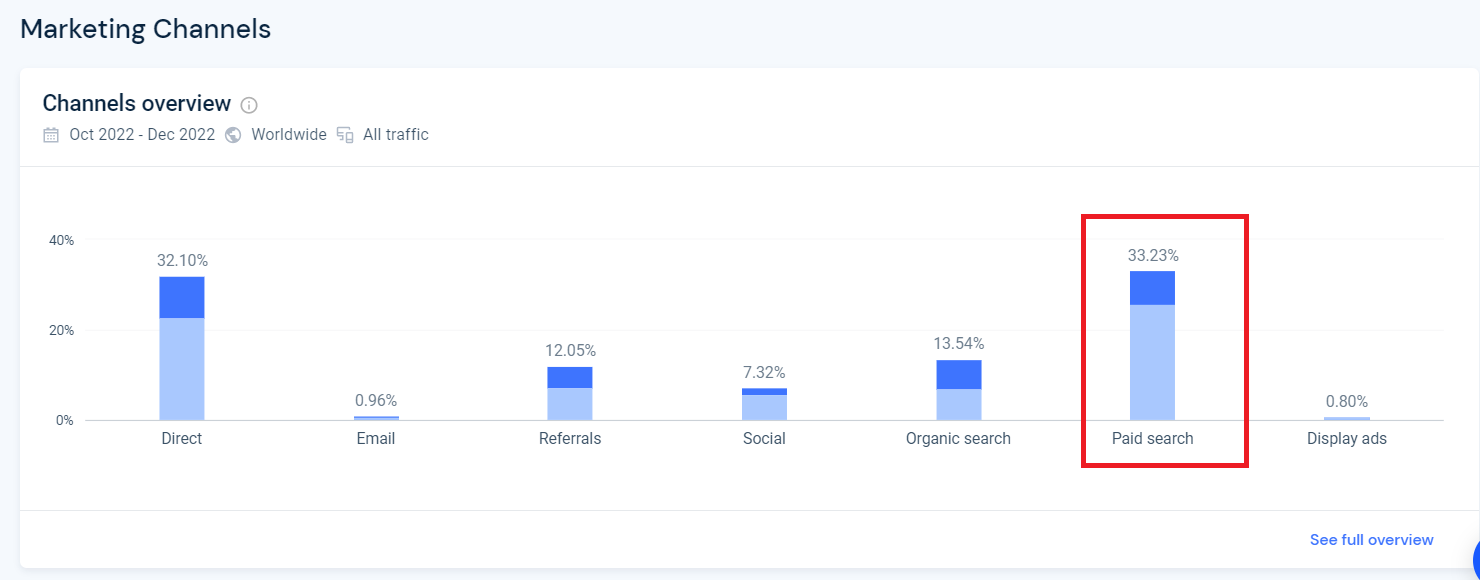
- Next, analyze your competitor’s marketing channels to see how much they are spending on advertising. In this example, this business is getting 33% of their traffic from paid search.
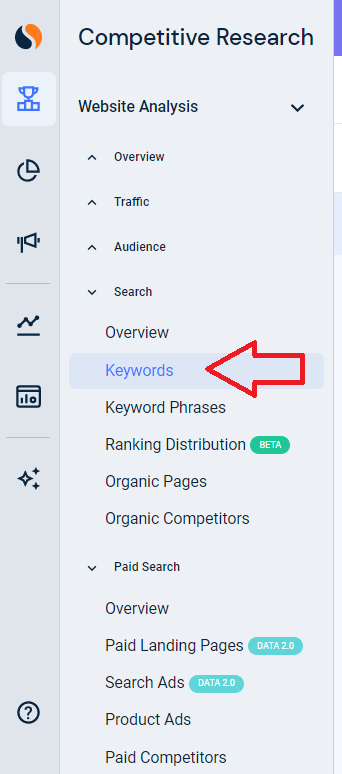
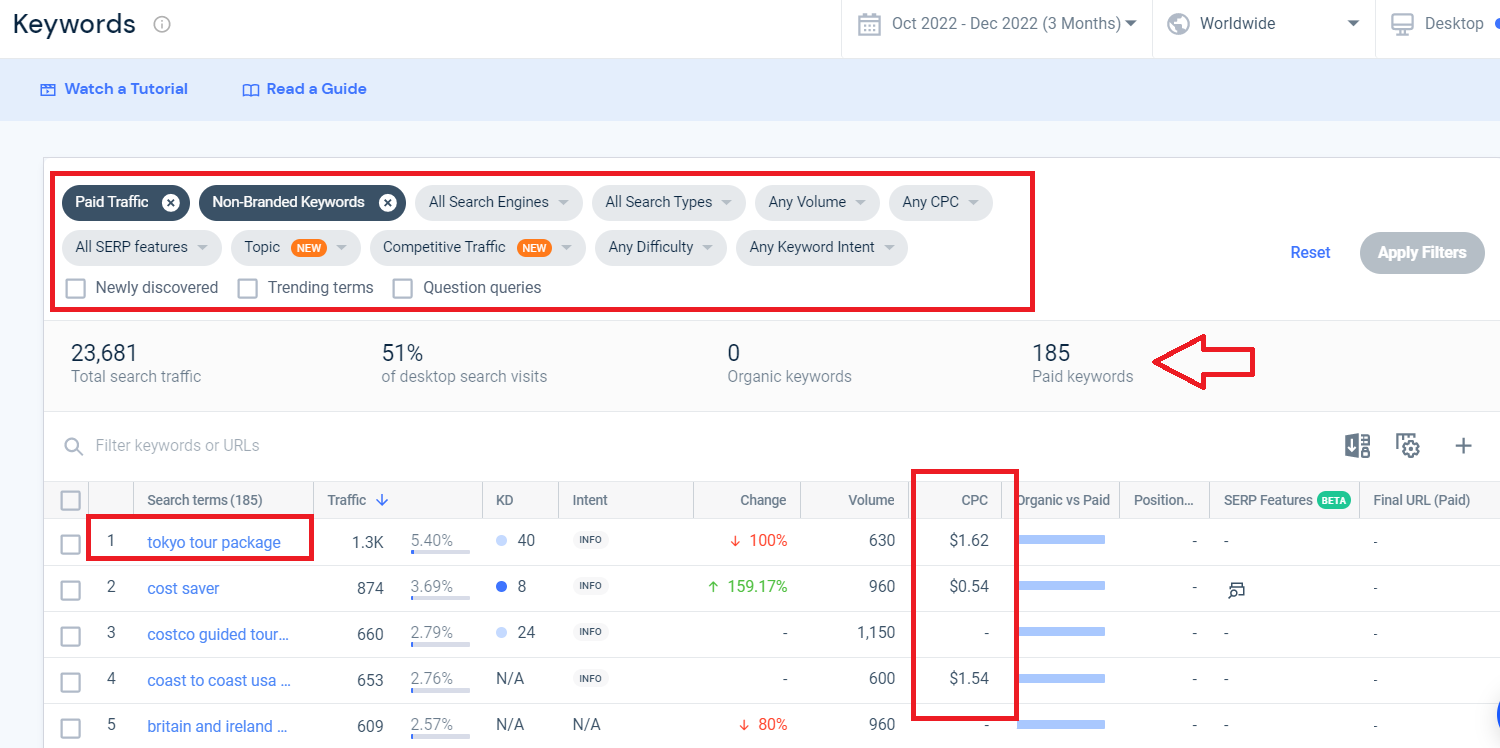
- Analyze your competitor’s keywords. Click Keywords from the left side menu. You’ll get the top keywords your competitor is currently bidding for, cost per click (CPC), and traffic generated by these keywords. Make sure to use the filters at the top to narrow down the list to the keywords that may be related to your business.
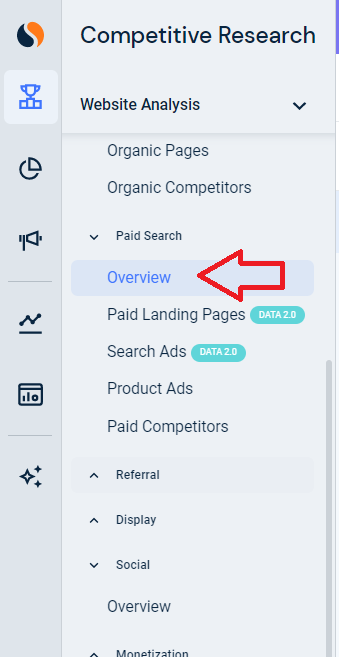
- Next, analyze the ads that are currently running. Click Paid Search from the left side menu. The overview section will show you the top search ads that your competitor is currently running.
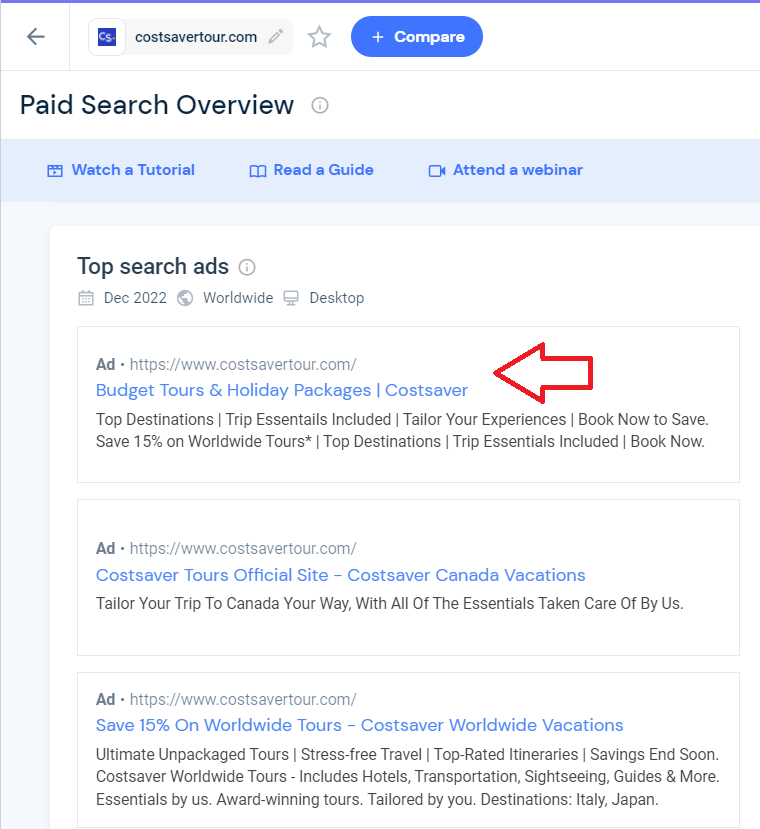
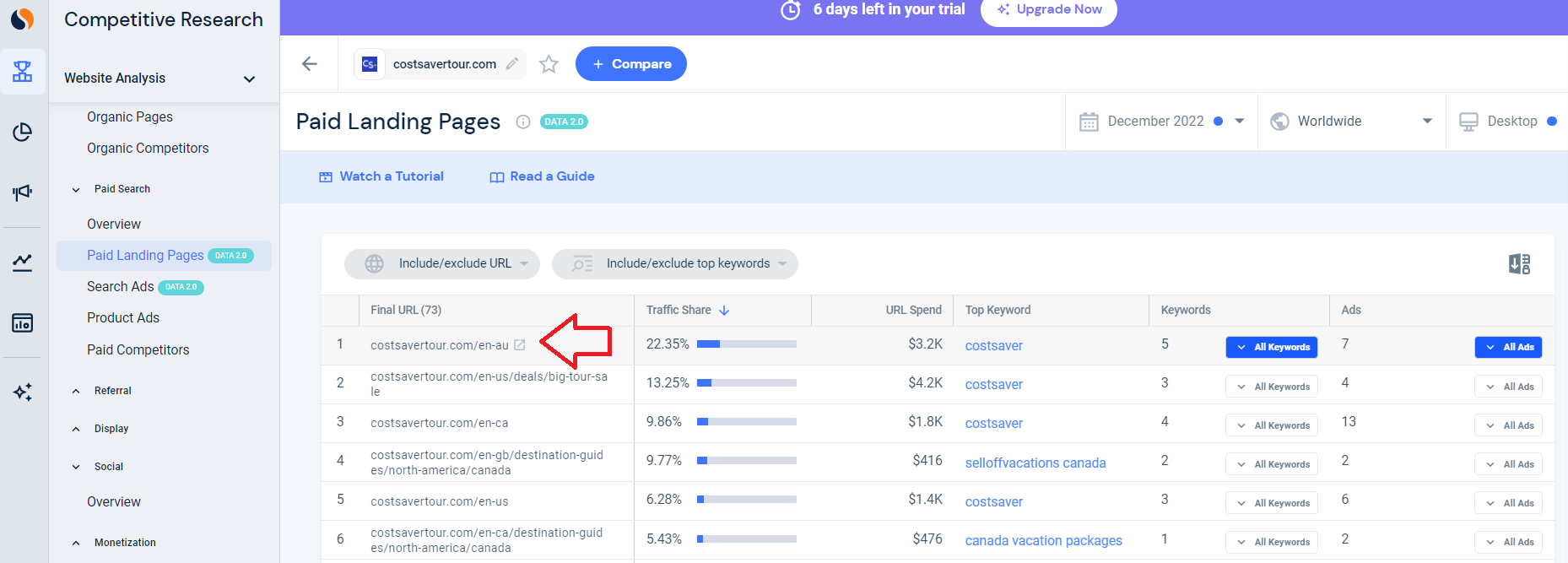
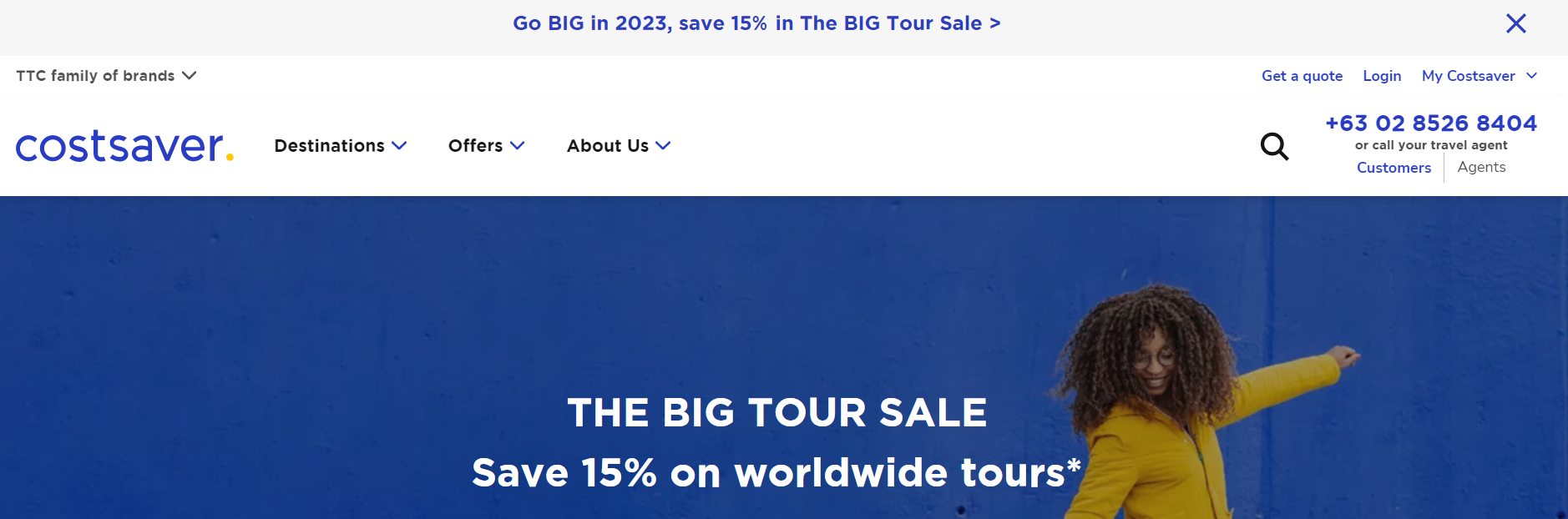
- Go to the Paid Landing Pages section and click any of the ads to analyze your competitor's landing pages. See if the type of creatives in these ads and if they’re running deals or discounts.
- To analyze Ad account structure, go to the Display section if your competitor is using UTM parameters, you will be able to see them there:
Example:
You can try to reverse engineer what your competitor is doing based on its UTM parameters. Using the above example:
utm_source=google
- Meaning: Traffic is coming from Google
utm_medium=ppc-b
- Meaning: Traffic is coming from PPC (Pay Per Click) and Branded (Guess: b=branded)
utm_campaign=S.US+-+Search+-+brand+-+exact+-+brand+-+brand+-+en+-+ampush
- Meaning: Search US (S.US) // Brand AdSet (Brand) // Exact match (Exact) // English (EN) // Ampush (it's an advertising agency, likely the one your competitor is using).
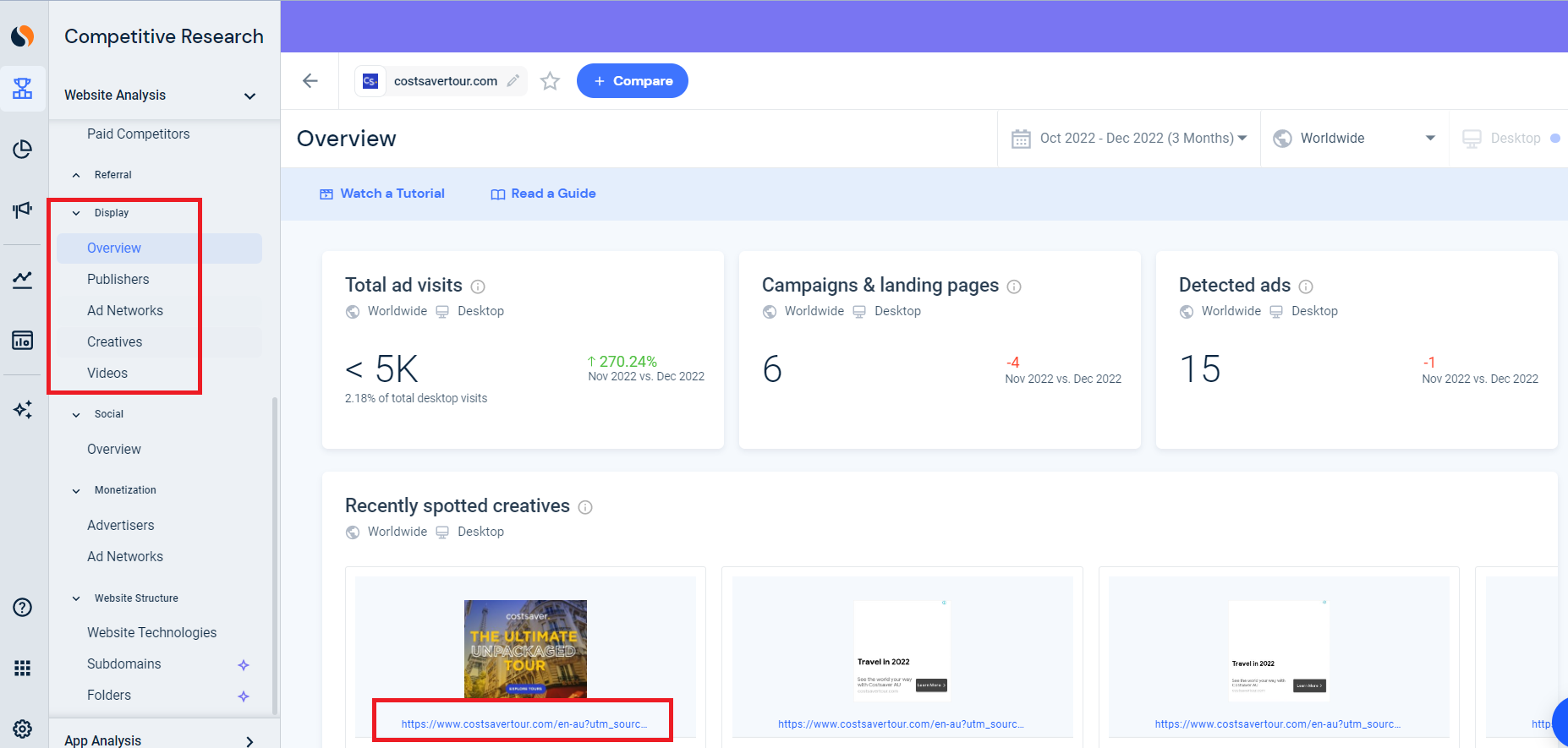
Repeat the process as necessary to gain a comprehensive understanding of your competitor's targeting, placements, bidding, and account structure.
You can now summarize the data you collected about your competitor’s ad strategy.
| Criteria | Example Findings |
|---|---|
| Countries | Sample Comment: Brand: Costsaver Which countries does your competitor run Google Ads in? |
| Branded Keywords | Does your competitor bid on its own brand name? |
| Non-Branded Keywords | Does your competitor bid on non-branded keywords? |
| Niches | Which topics does your competitor bid on? |
| Recurring Call to Action (CTA) | What do their ads typically promote? |
| Landing pages |
|
| Branded Campaigns/Ad Groups | Does your competitor seem to have independent Ad Groups / Campaigns for branded keywords? |
| Cold Campaigns/Ad Groups | Does your competitor seem to have independent Ad Groups / Campaigns for non-branded keywords? |
| Regional Campaigns/Ad Groups | Does your competitor seem to have independent Ad Groups / Campaigns for countries, cities, or languages? |
| Funnel-Stage Campaigns/Ad Groups | Does your competitor seem to have independent Ad Groups / Campaigns for different funnel stages? |
| Remarketing Campaigns/Ad Groups | Does your competitor seem to have independent Ad Groups / Campaigns for Remarketing? |
Conclusion
That’s it! You now have a comprehensive analysis on your competitor’s Google Ads strategy and you can now plan your own.
-
Analysis of your competitor’s ad strategies can provide insight into the current market trends and what’s working in the industry you’re in.
-
Understand the strengths and weaknesses of your competitor’s ad strategies to help you improve your own campaigns by avoiding mistakes and implementing effective tactics.
-
Competitor analysis can reveal the target audience of your competition which can help you better target your own audience.
-
Stay ahead of your competition and increase your return on investment (ROI), maximize your ad spend, and maintain a competitive advantage.
-
Increase your market share by applying strategic ad placements and offers that can attract customers.