Setting Up a YouTube Shorts Campaign for Improved Brand Awareness and Engagement
To provide you with a step-by-step guide on how to launch your ads campaign through YouTube Shorts.
Prefer a shortcut? 16 free tools do parts of this for you.

Aim: To provide you with a step-by-step guide on how to launch your ads campaign through YouTube Shorts.
Optimal Outcome: To drive your business’ sales and revenue by reaching a large audience through YouTube Shorts.
What do you need to start: To follow the steps in this SOP, you’ll need the following:
-
Google Ads account
-
YouTube channel (optional)
-
Vertical video ad content that is 60 seconds or less
Why is this SOP Important: By taking advantage of YouTube Shorts advertising, your business can reach a large and diverse audience and promote your products in a visually appealing and engaging way. This can help you increase brand awareness, drive traffic to your website, and ultimately drive sales. Additionally, with the popularity of YouTube Shorts, you can stay ahead of the competition and be innovative in your advertising efforts.
When and Where to execute: Ideally, you should advertise during peak hours when the target audience is most likely to be on the platform and engaged with the content. It is also recommended to take advantage of holidays and special events as users tend to spend more time on the platform during these times.
Who Should Be Doing This: Person in charge of social media marketing and sales.
What is YouTube Shorts
YouTube Shorts is a short-form video platform that has become increasingly popular and is used by millions of users daily. This feature YouTube’s response to the growing popularity of similar features on other social media platforms like Tiktok. YouTube Shorts feature allows users to create and upload short-form video content up to 15 seconds in length using various creative tools such as multi-segment camera clip, music, and speed control.
Execution
Resources / Tools & Set up
-
Google Ads account
-
YouTube Channel (optional)
-
Video ad content
Login or Create your Google Ads Account
-
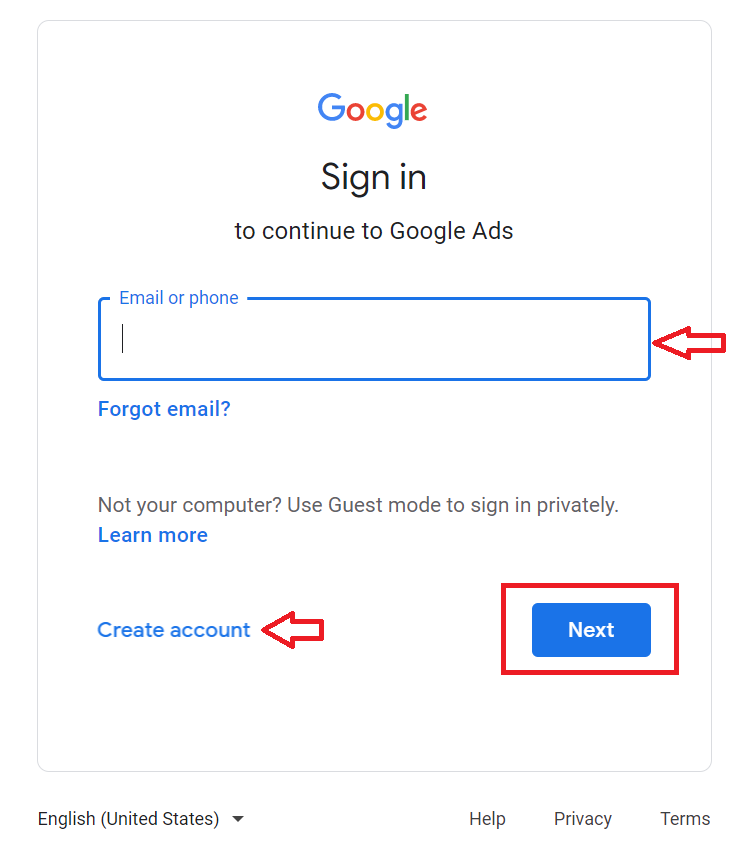
Go to https://ads.google.com.
-
Login or Create an account.
-
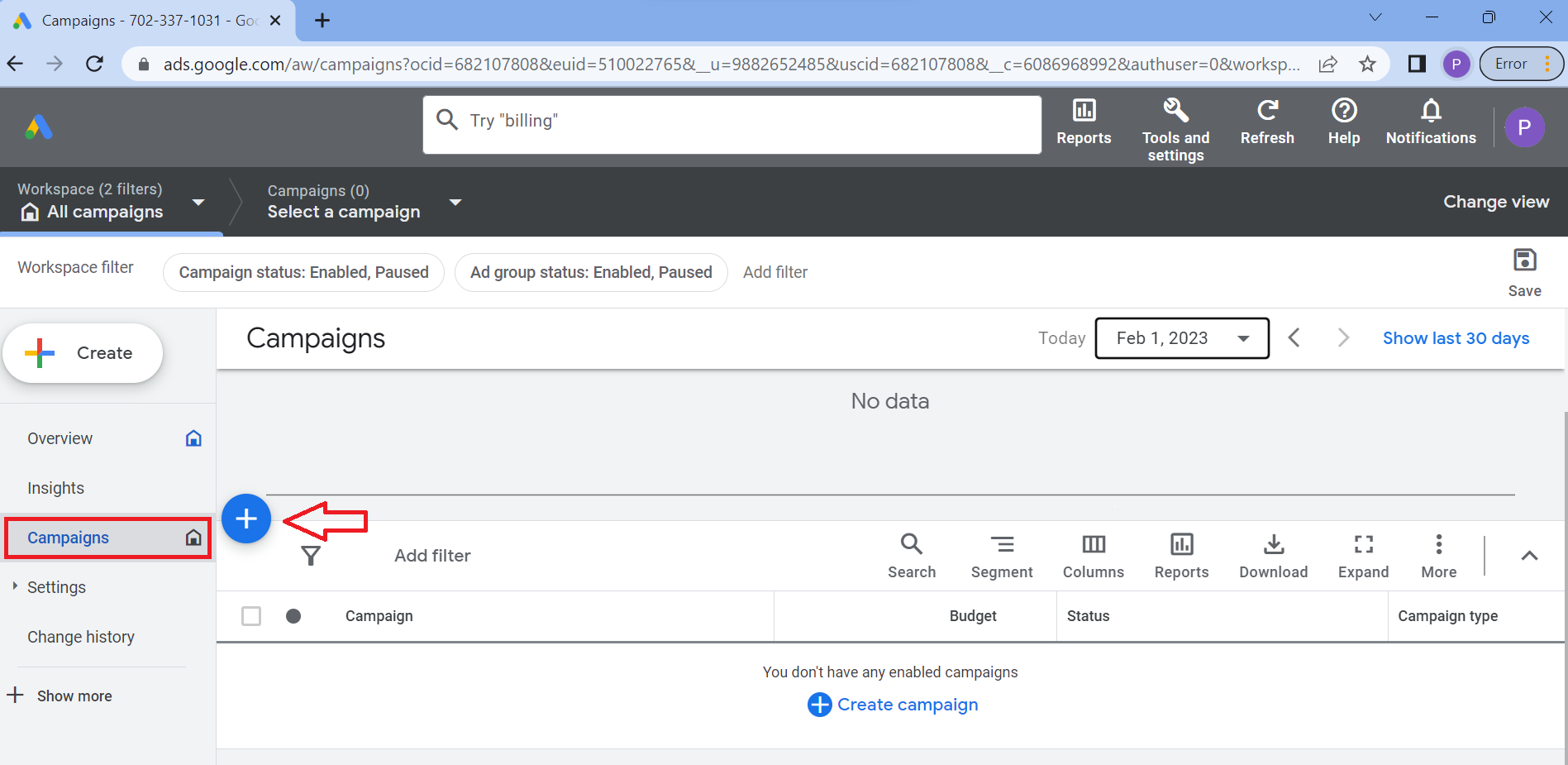
From the main dashboard, navigate to the left menu and select Campaign, then click the plus (+) sign.
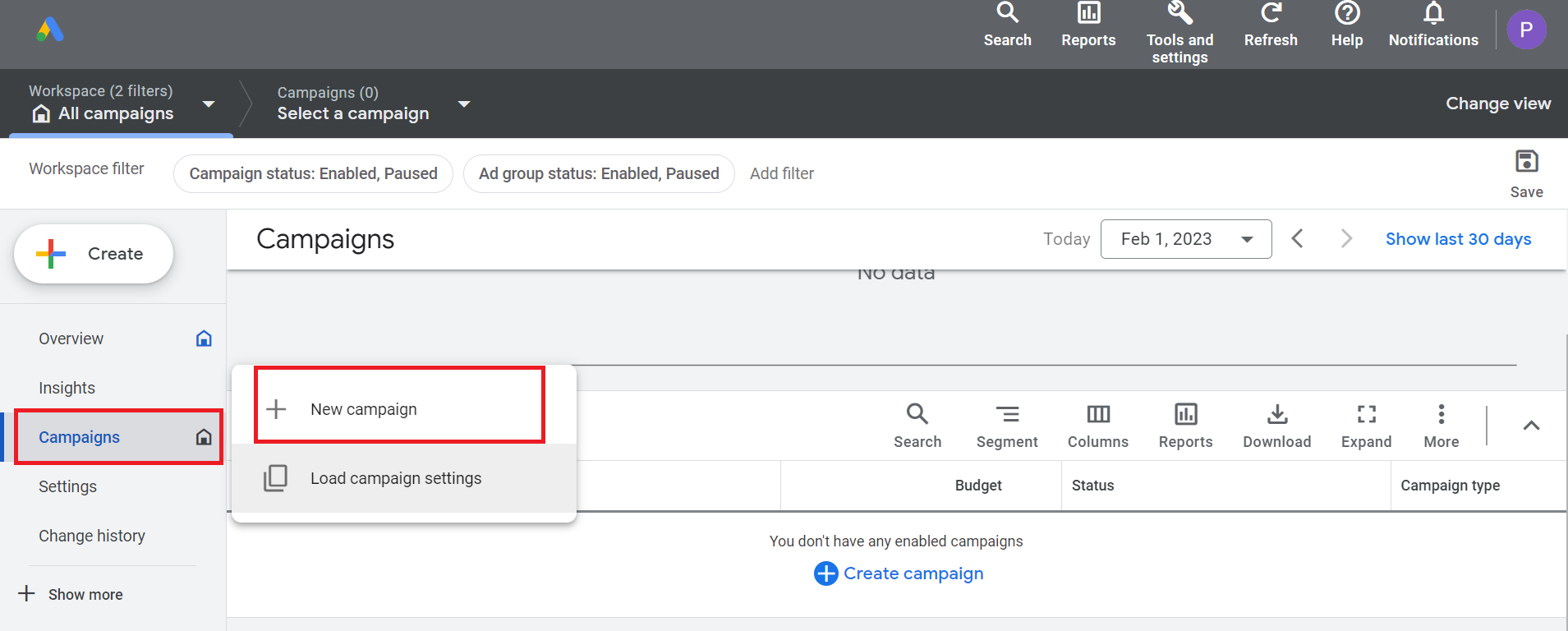
- Then, select New campaign.
-
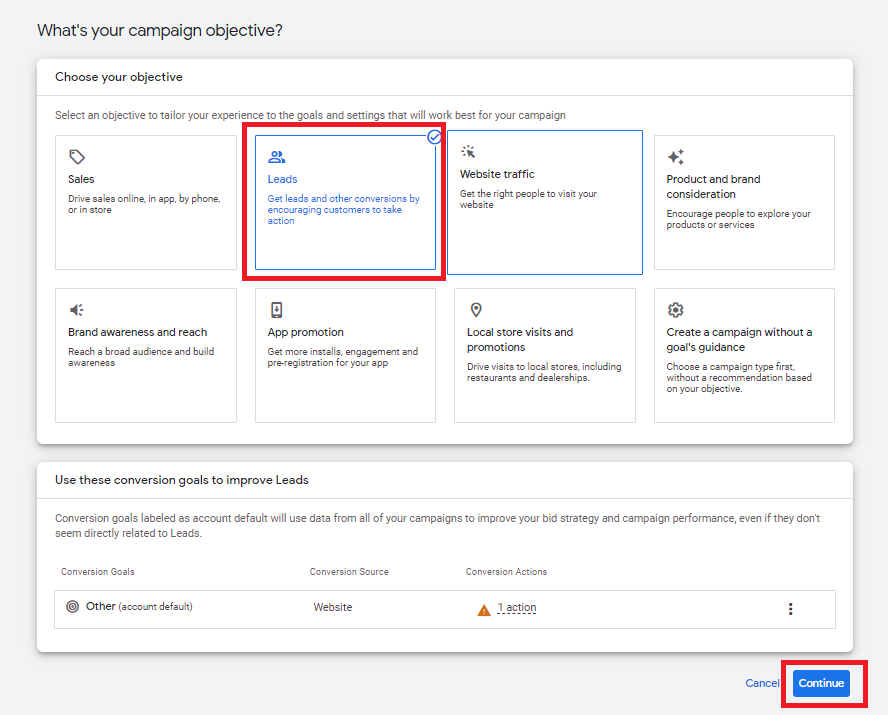
Choose the best option based on your campaign objectives. (Note: In this example, we’ll be choosing “Leads”) Once you’ve selected your objective, click Continue.
-
In the Campaign Type section, select Video and then click Continue.
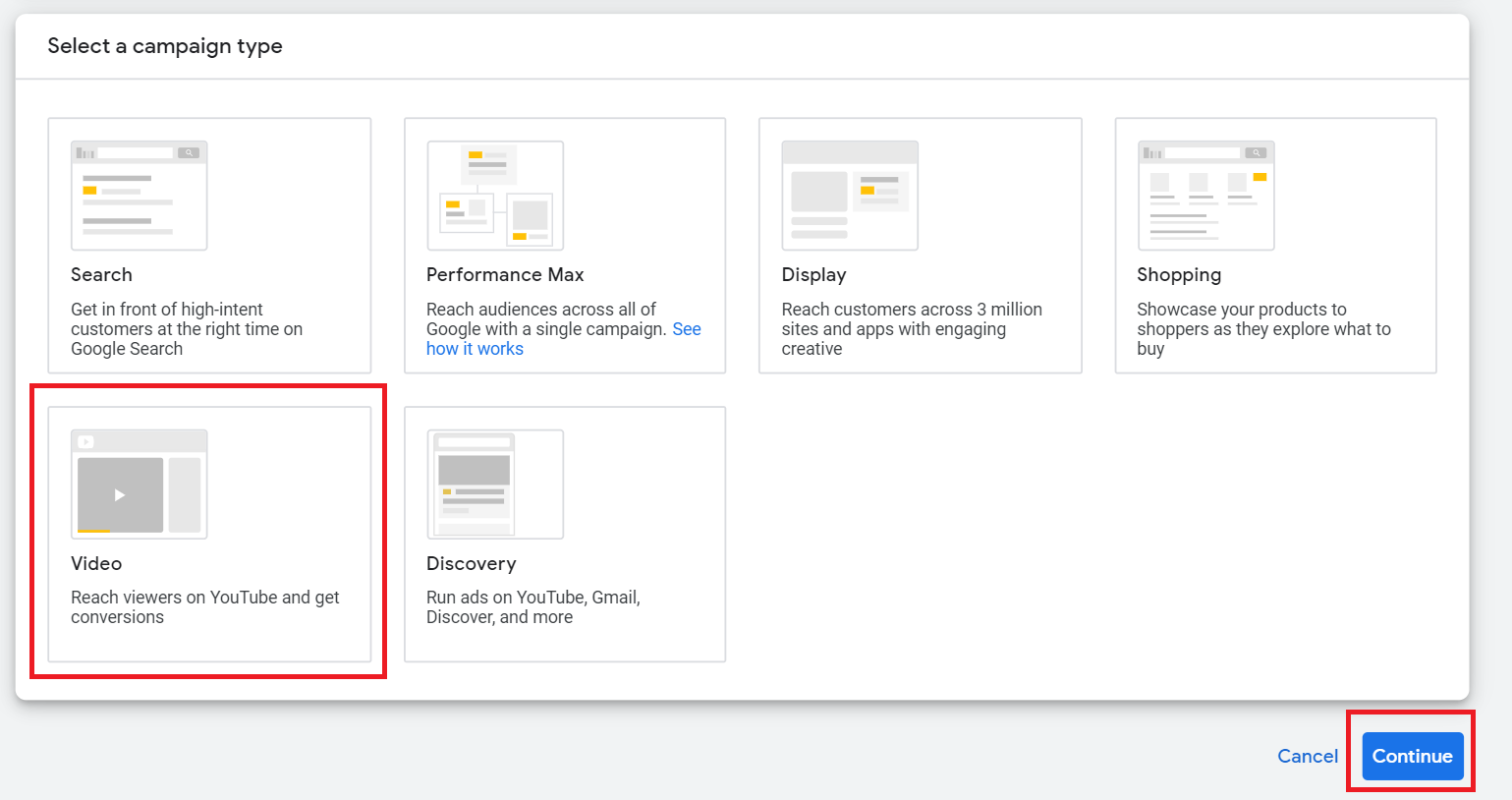
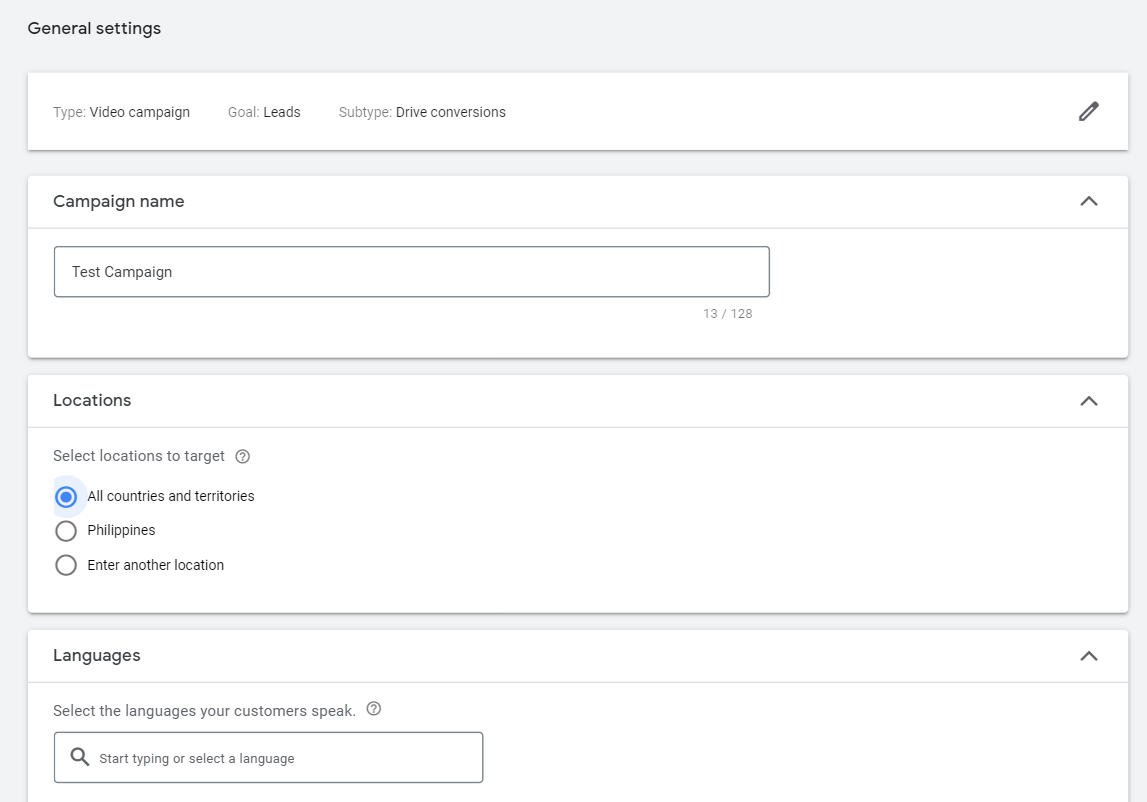
-
You will then be able to customize the settings for your campaign. Provide a name for your campaign, choose your target location, and languages.
-
Next, choose your bid strategy, your budget, and the start and end dates of your campaign.
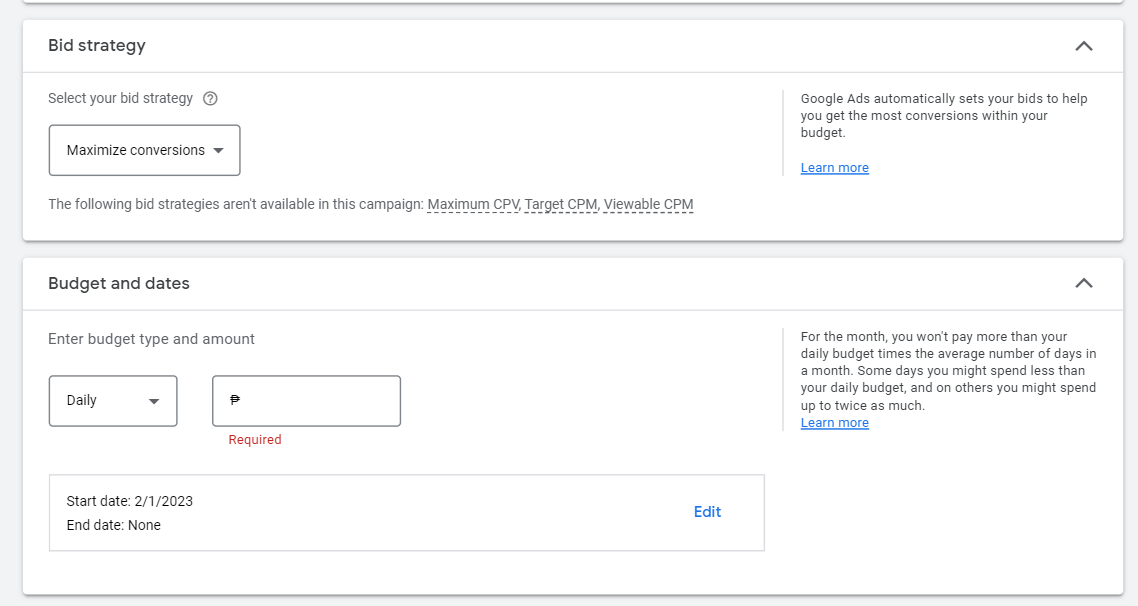
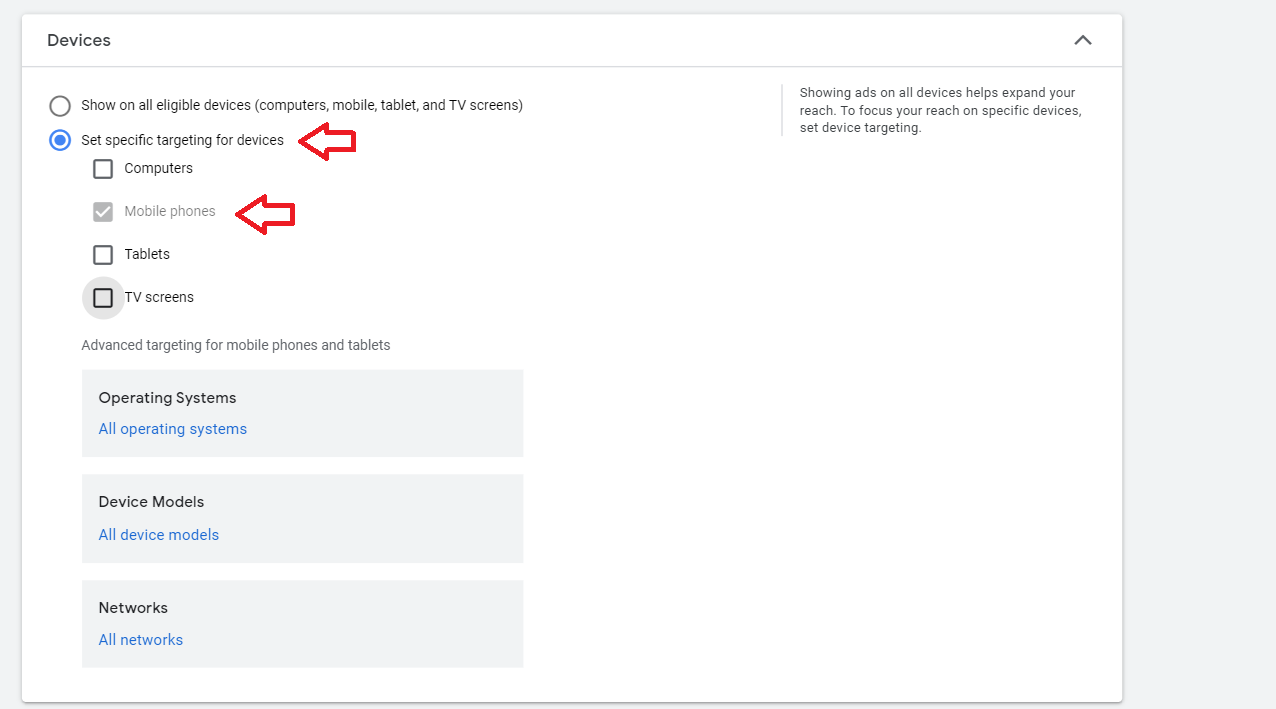
- In the Additional settings section, select Devices.
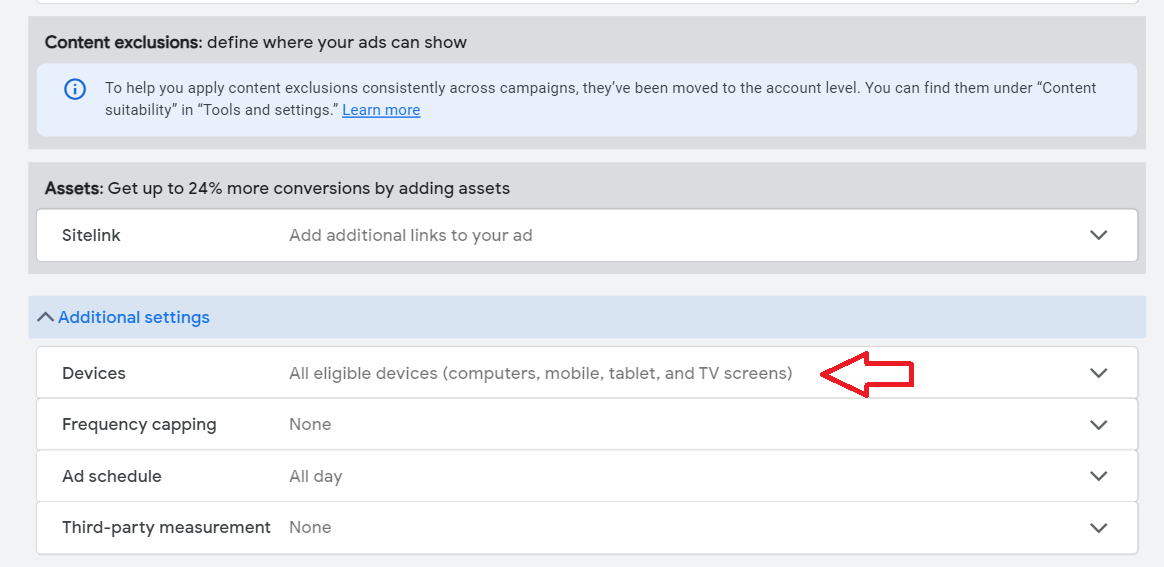
- Since YouTube Shorts are optimized for mobile use, you’ll want to choose Set specific targeting for devices button and uncheck the other devices.
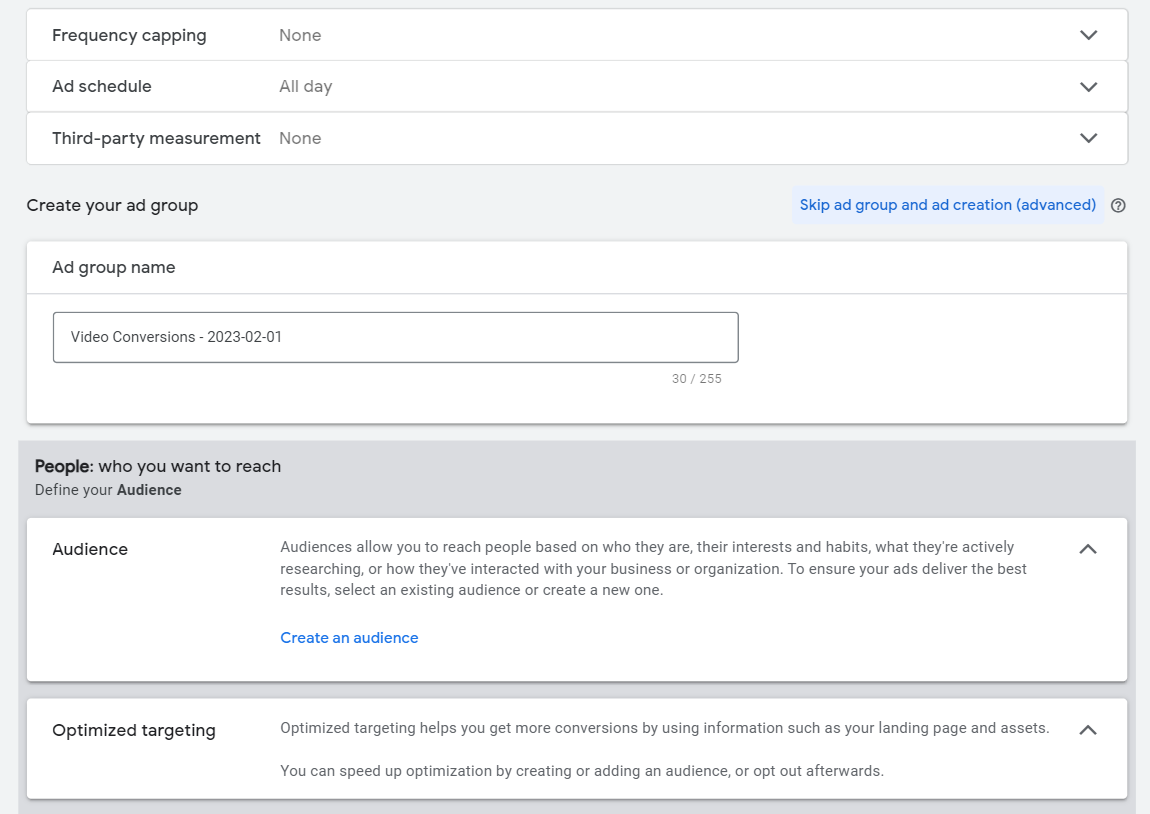
- Additional settings are available to customize your ad schedules and audience.
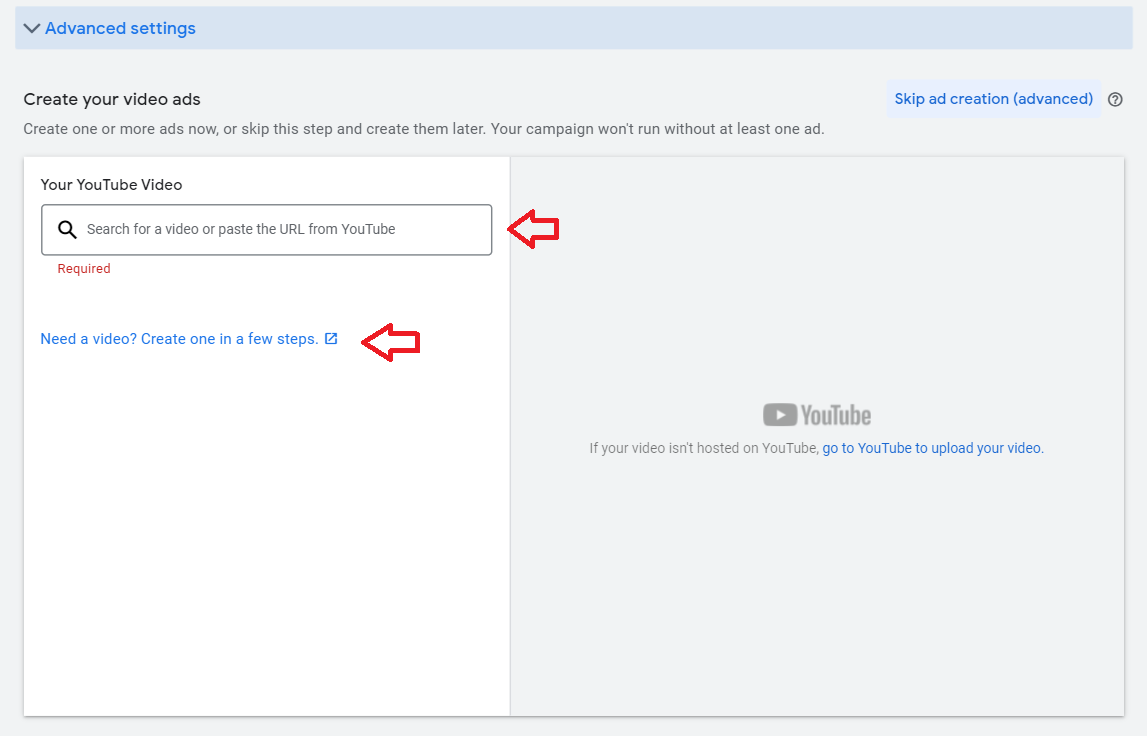
- Now you’re ready to add your video content. You can either add the URL of your ad from your YouTube channel or create one from Google Ads Manager.
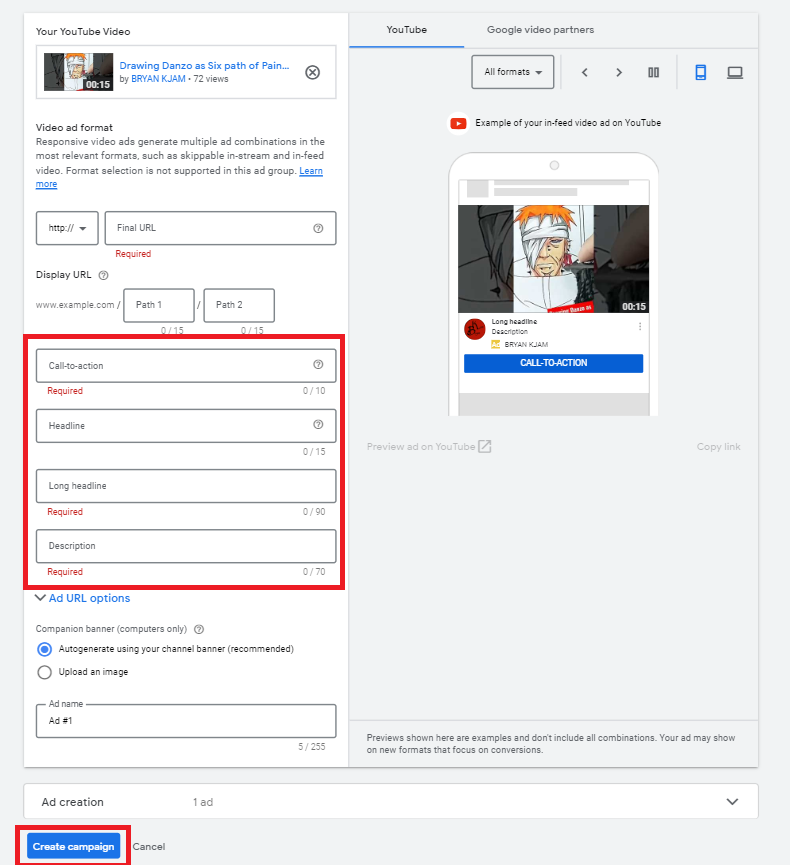
- To customize your ad, add Call To Action (CTA), headline and description. Once done, click on Create Campaign.
- Once created, you’ll be able to monitor the performance of your campaign from the main Google Ads dashboard.
Conclusion
That’s it! All done. Remember, setting up your YouTube Short ads campaign is a great way to connect to a large audience and increase your sales.
-
YouTube Shorts can reach a large audience as the platform has over 2 billion monthly active users.
-
Shorts are designed for a mobile-first experience and encourage users to engage with the content through features such as comments, likes, and shares.
-
You can customize your ad campaigns to target your specific audiences based on factors like age, gender, interests, and location etc.
-
YouTube Shorts platform allows advertisers to upload vertical video ad content that is 60 seconds or less.
-
To set up your YouTube Shorts Campaign, you’ll need a Google Ads account.