Setting Up an Abandoned-Cart Campaign on Google Display Network to Recover Lost Sales
Walk you through the process of setting up your Abandoned Cart Campaign on Google Display Network.
Prefer a shortcut? 16 free tools do parts of this for you.
Aim: Walk you through the process of setting up your Abandoned Cart Campaign on Google Display Network.
Optimal Outcome: Identify customers who were interested in your products but didn’t complete the purchase and set up your remarketing campaign.
What do you need to start: Google Analytics account and Google Ads account
Why is this SOP Important: Setting up an abandoned cart campaign on Google Ads can help an e-commerce store recover lost sales by targeting customers who have shown interest in a product but didn’t complete their purchase.
When and Where to execute: This should be an ongoing and continuous process in your business to recoup lost sales.
Who Should Be Doing This: Marketing staff, media buyers
What is an abandoned cart campaign?
Abandoned cart campaign is a targeted marketing effort aimed at recovering lost sales from customers who have shown interest in a product but haven't completed the purchase. It is often used by e-commerce stores to target customers who have added items to their shopping cart, but then left the site without making a purchase. Customers are typically re-targeted through email marketing or advertising channels, such as Google Ads, and aim to remind the customer of their interest in the product and encourage them to complete the purchase. Abandoned cart campaigns can include personalized offers, discounts, or other incentives designed to overcome any objections or concerns the customer may have had during their initial purchase attempt.
Execution
Set up a new audience segment in Google Analytics
-
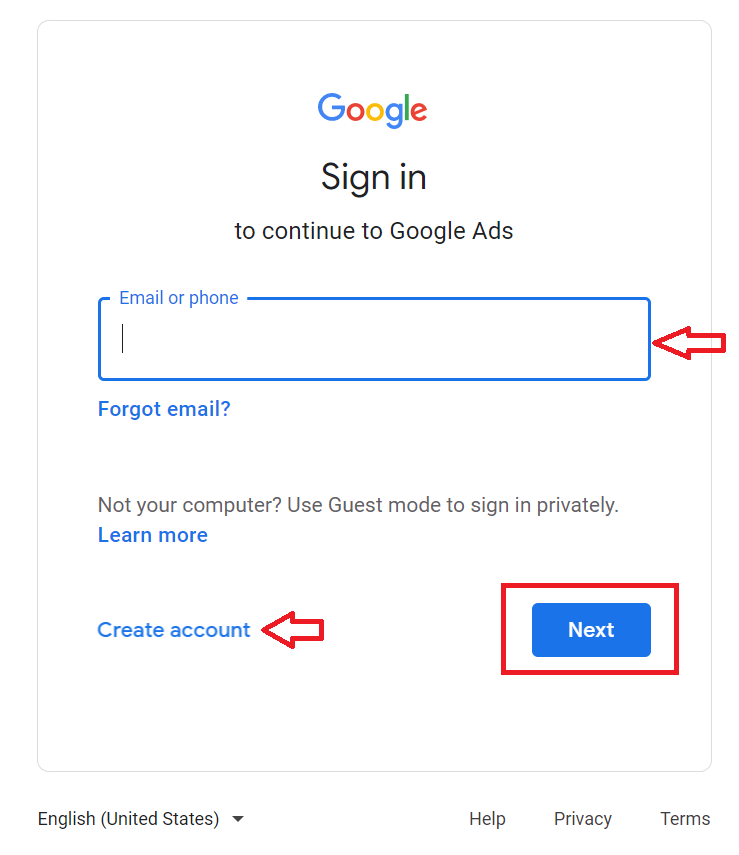
Go to https://ads.google.com.
-
Login or Create an account.
-
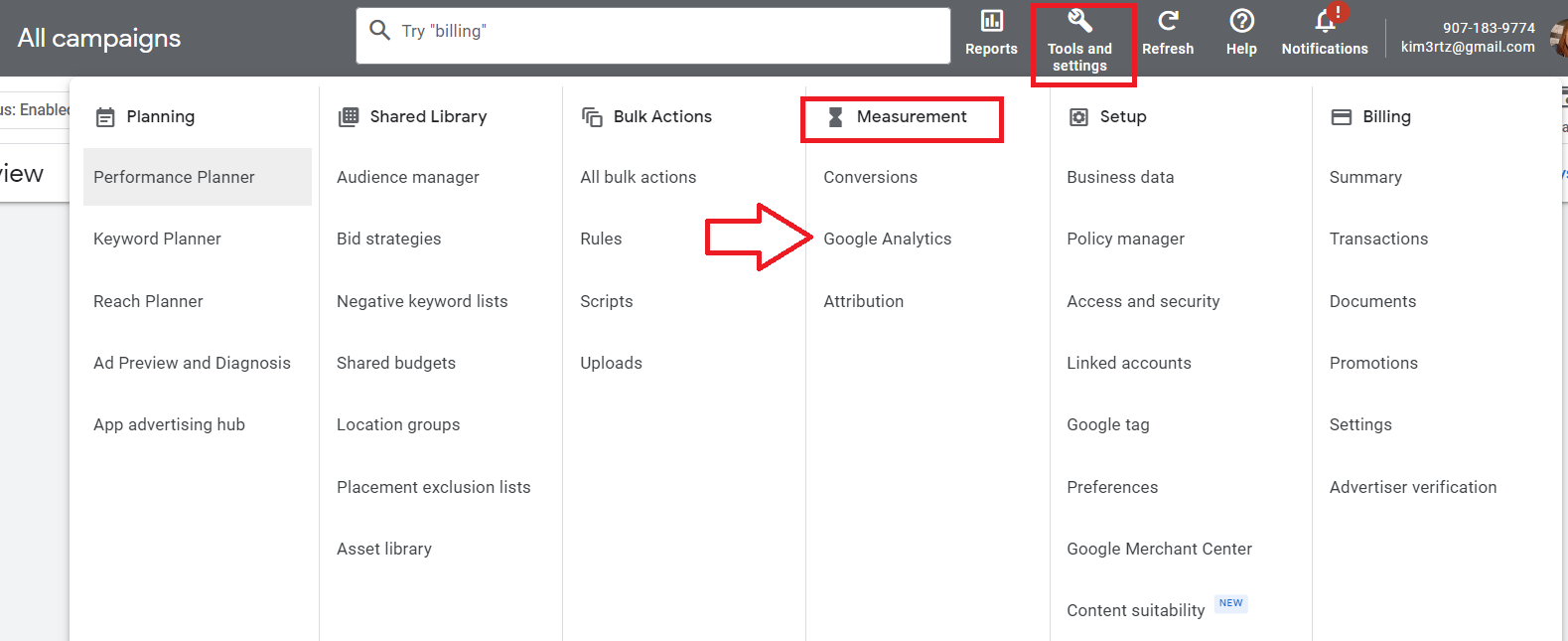
Click Tools and settings, under Measurement, click Google Analytics.
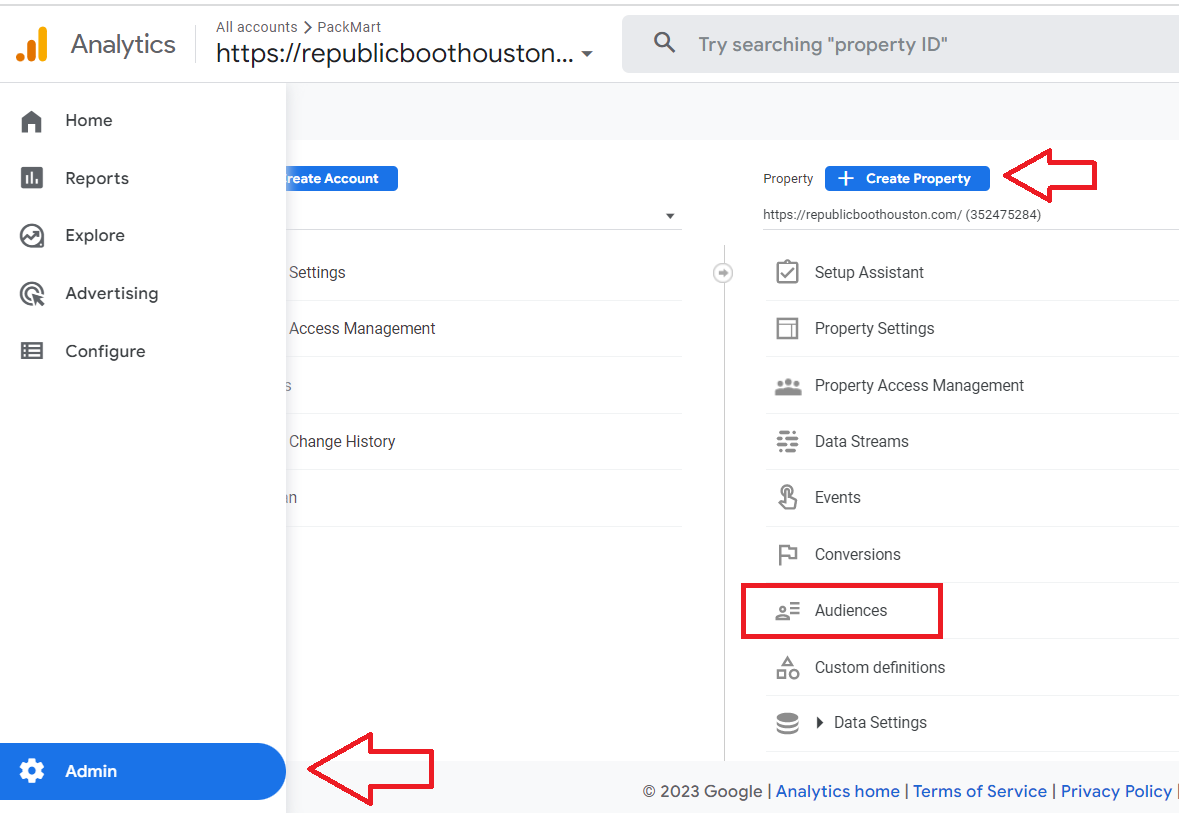
- From the main Google Analytics dashboard, click Admin at the bottom of the left menu. Then under the Create Property section, select Audiences.
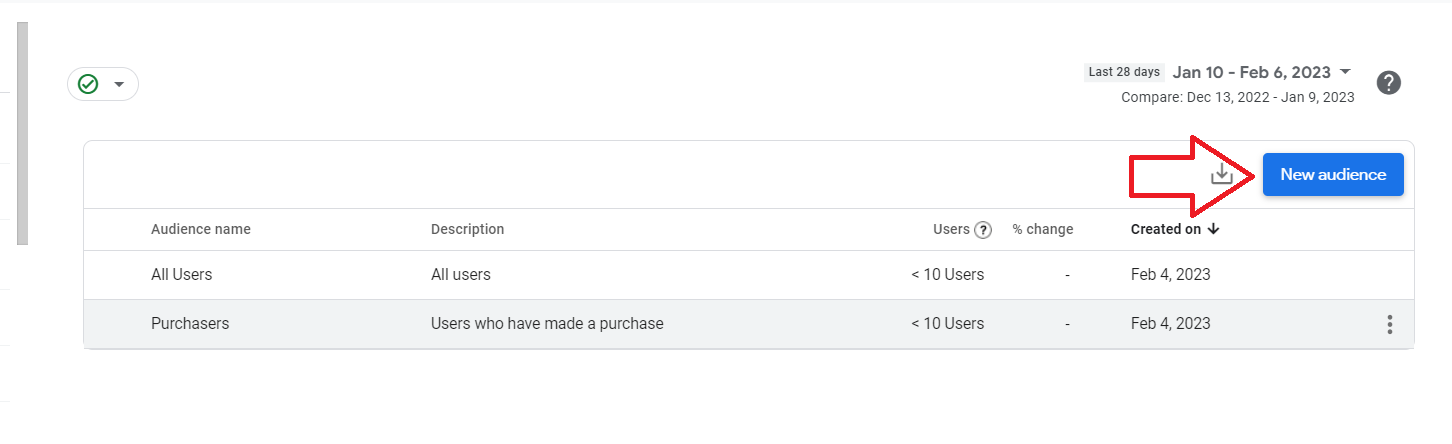
- Click New Audience.
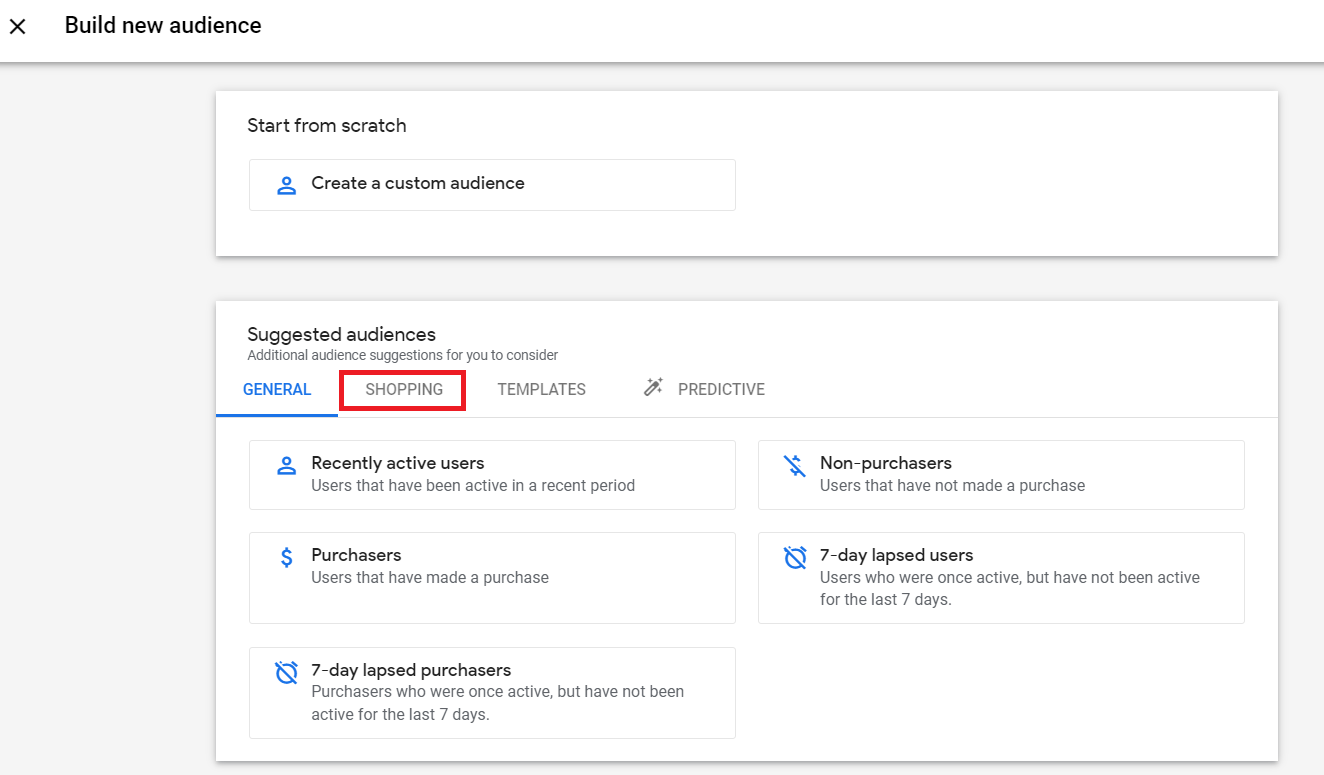
- From the suggested audiences, select Shopping.
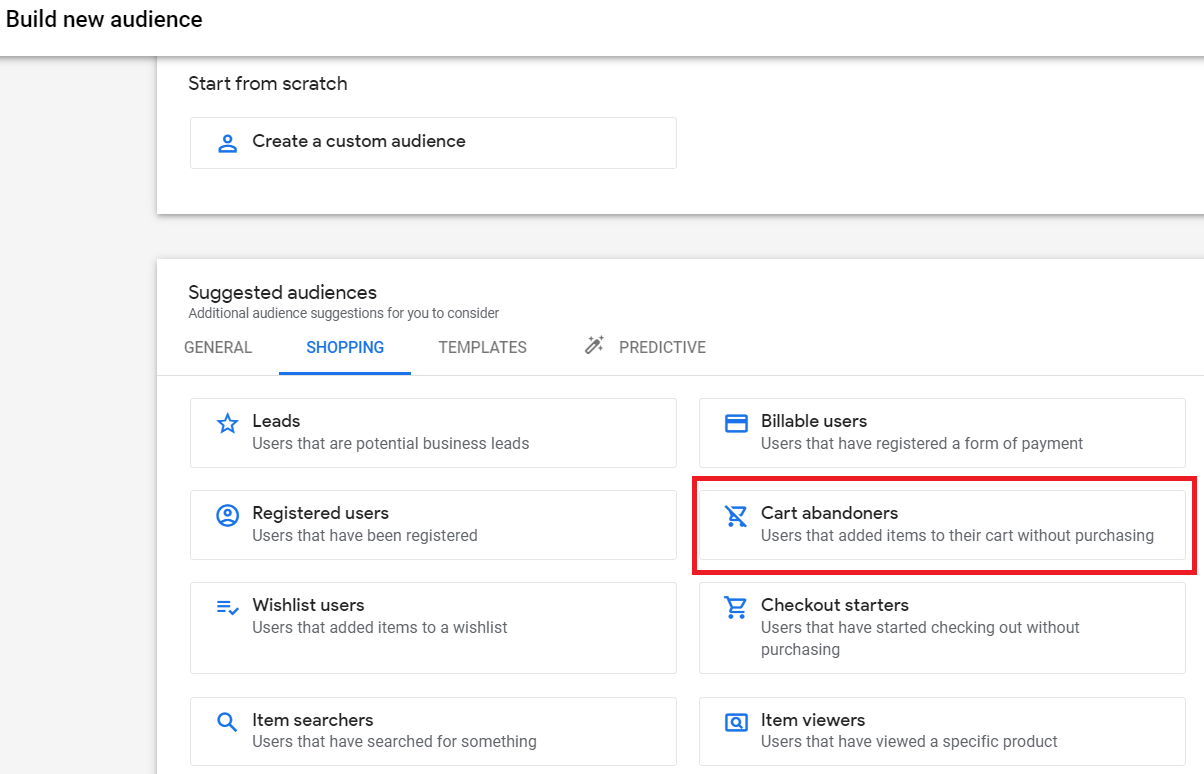
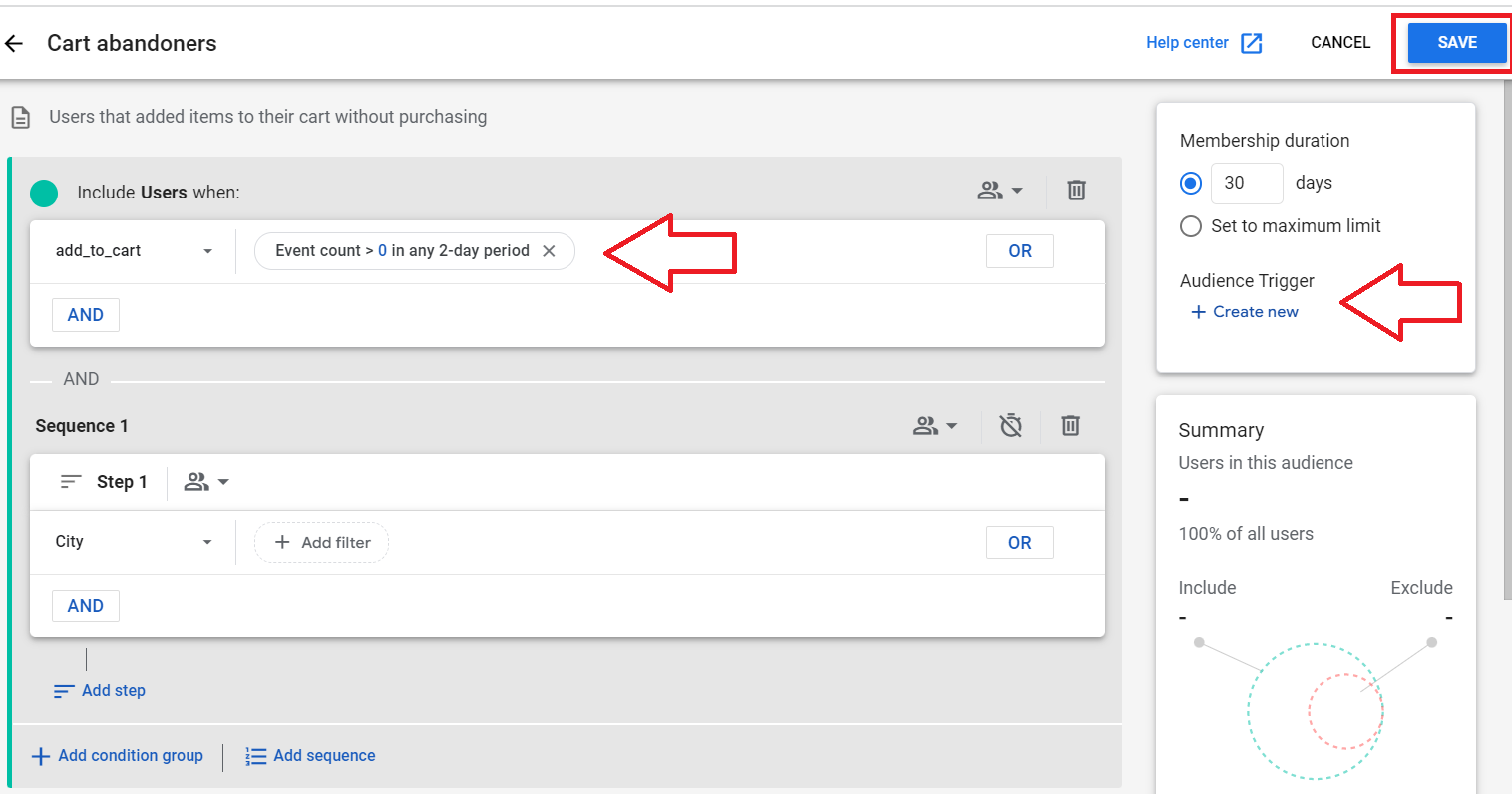
- Select Cart abandoners.
- You can customize your parameters to specify the characteristics of your target audience.
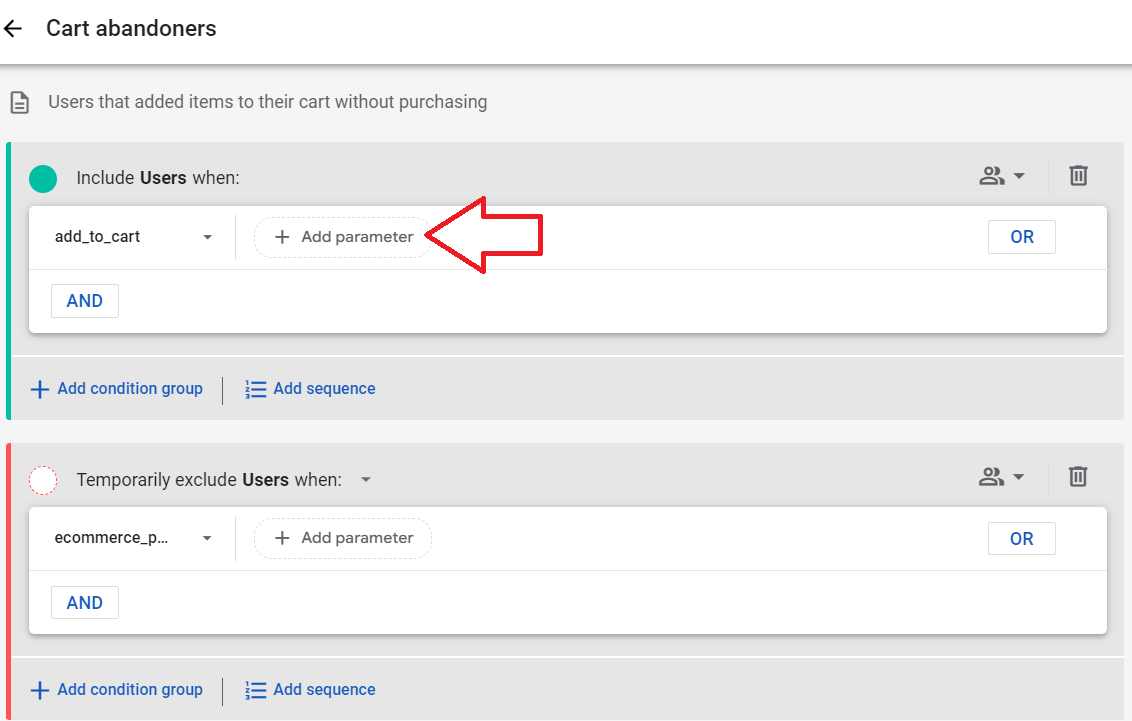
- Once you’ve set your parameters and audience trigger, click Save.
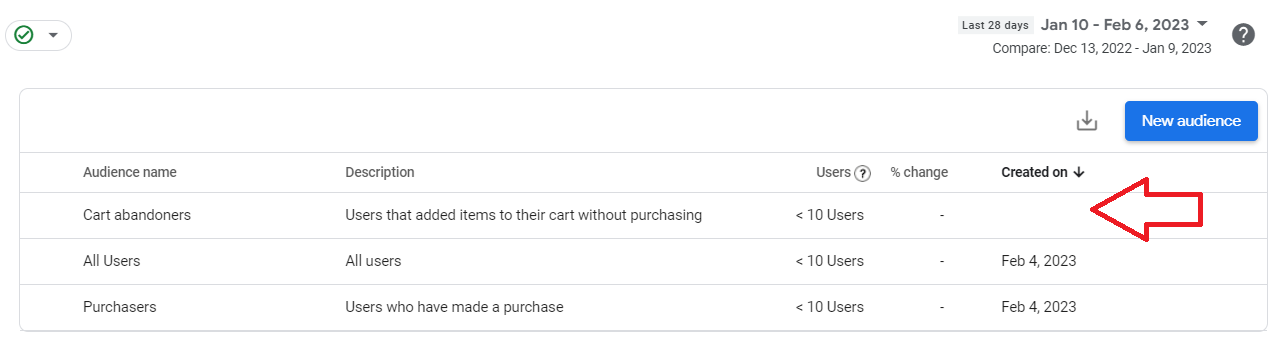
- Once completed, you’ll see your new audience on your audience list.
Link your Google Analytics account to your Google Ads account
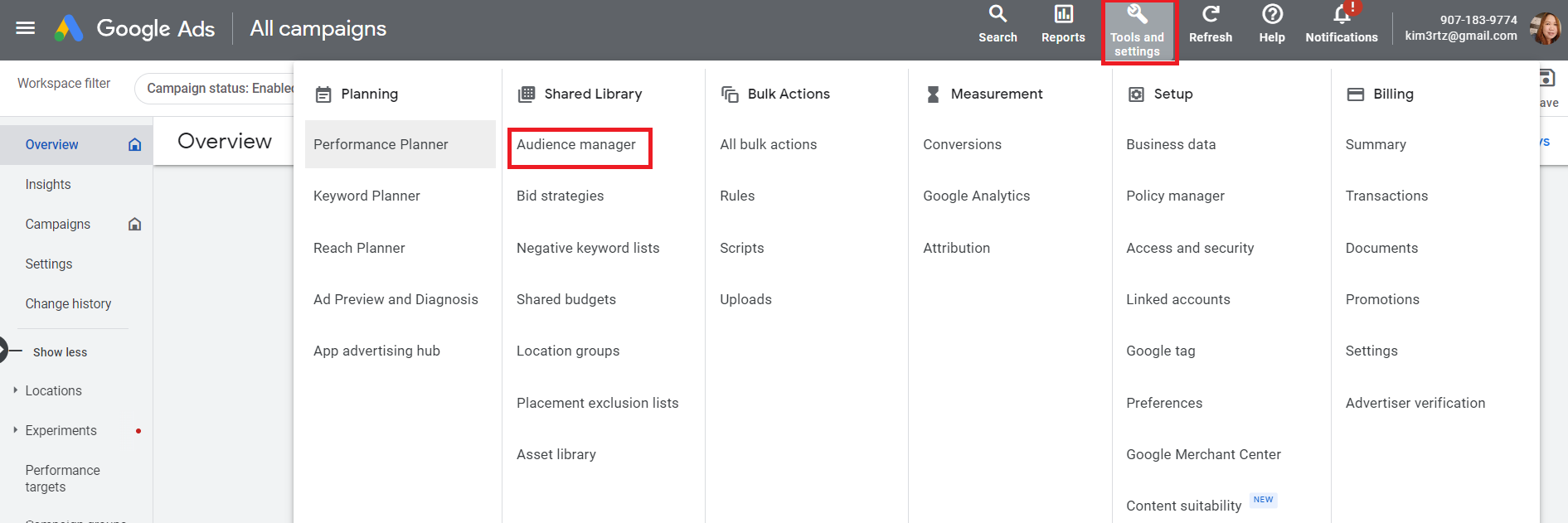
- Click on Tools and settings, then under Shared Library, click Audience manager.
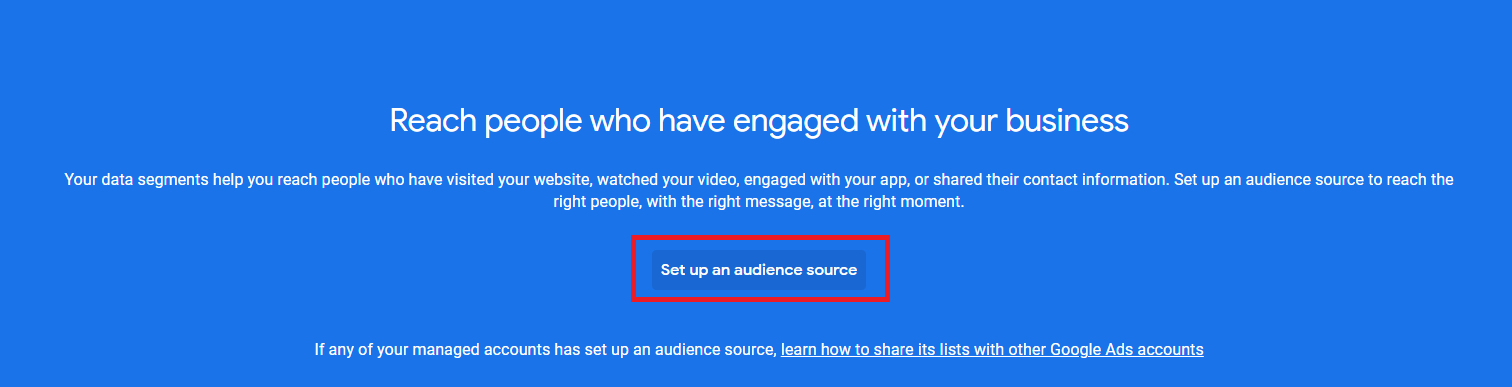
- Click Set up an audience source.
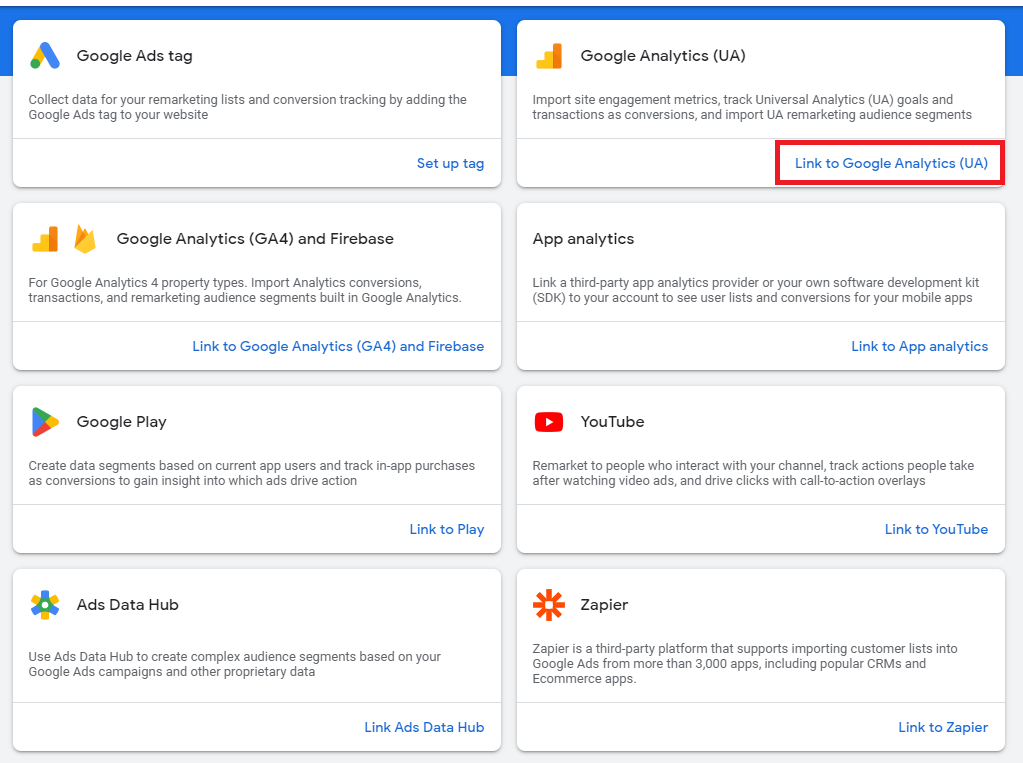
- Next, link your Google Analytics (UA) to your Google Ads account.
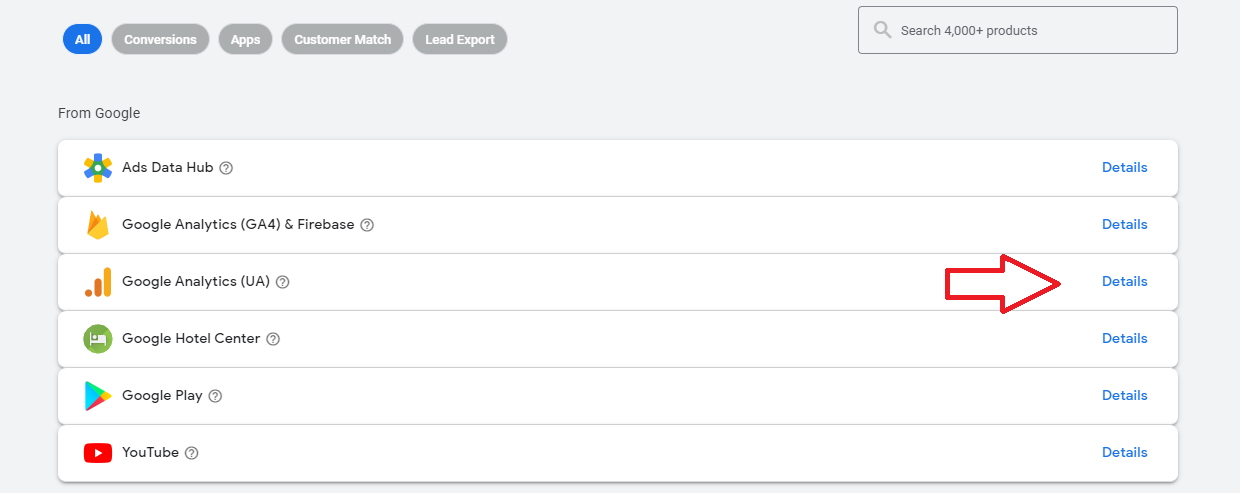
- Click Details from the list.
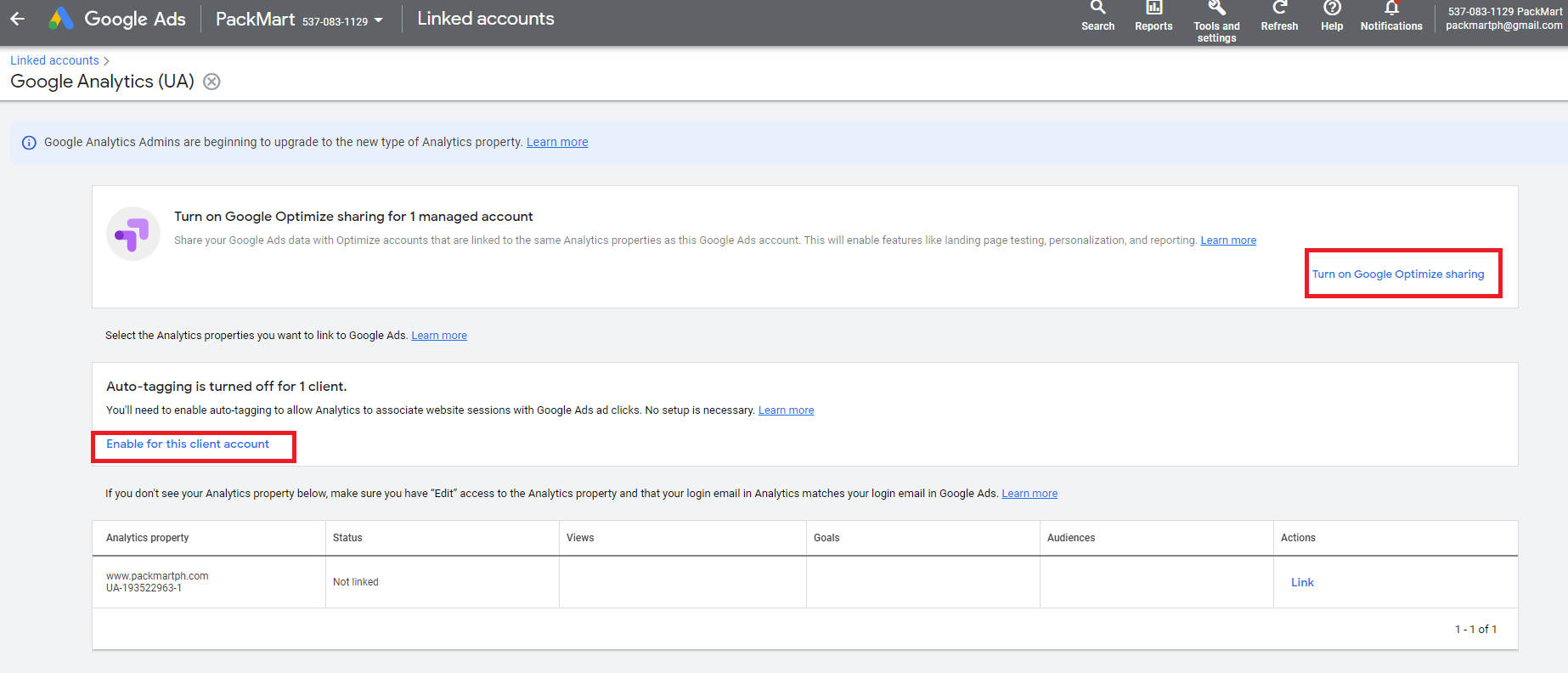
- Click Turn on Google optimize sharing and Enable for this client’s account.
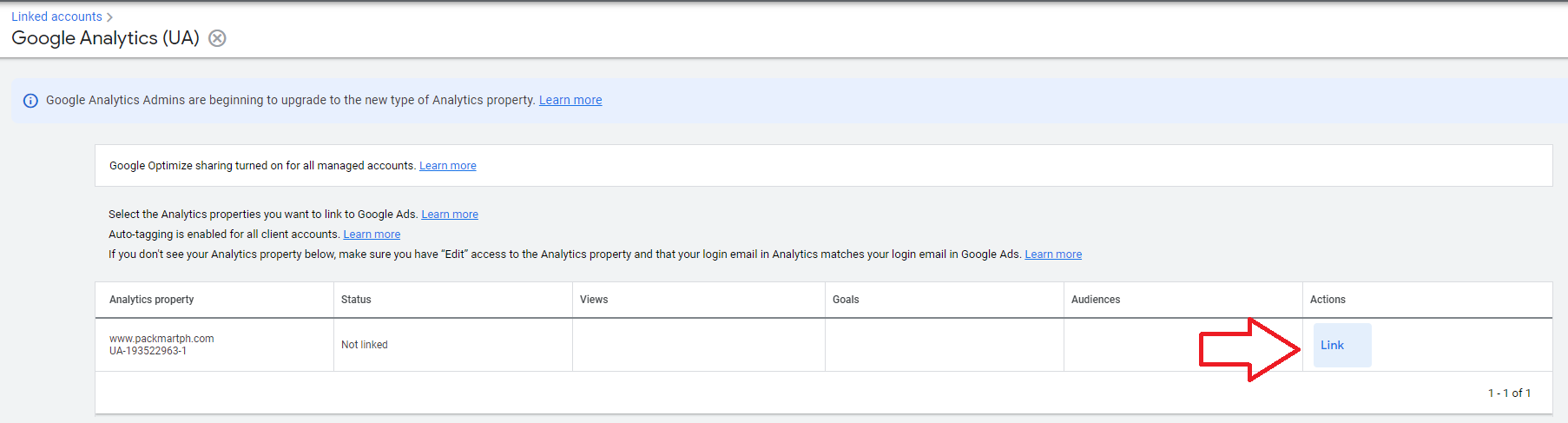
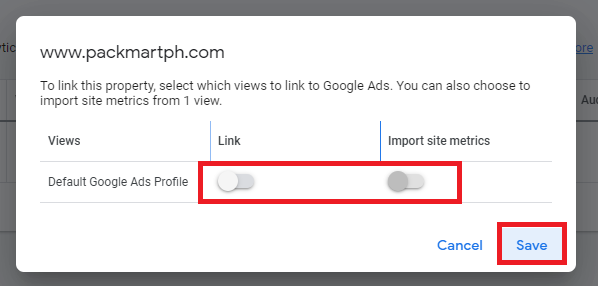
- Next, find your Google Analytics account from the table and click Link.
- Turn on both Link and Import site metrics options, then click Save.
-
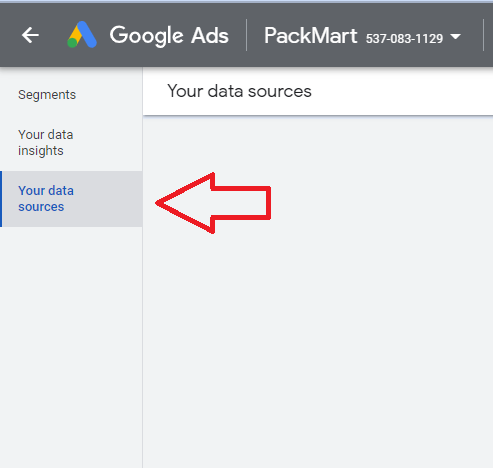
Back in the main Audience Manager dashboard, click Your data sources.
-
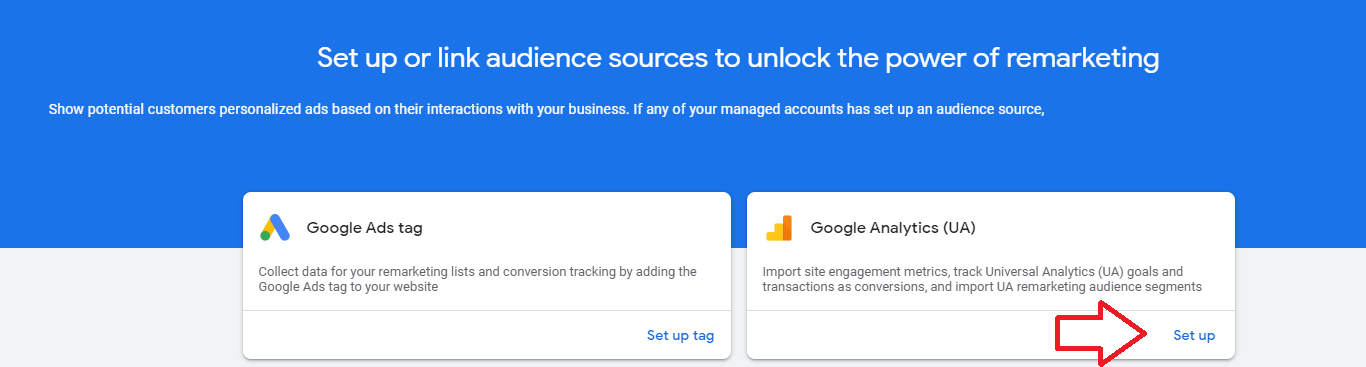
Look for Google Analytics (UA) then click Set up.
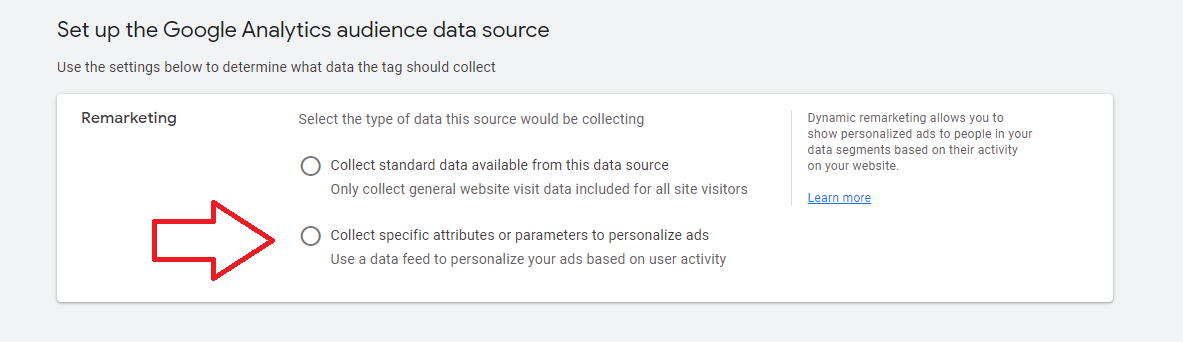
- Under the Remarketing section, select Collect specific attribute… option.
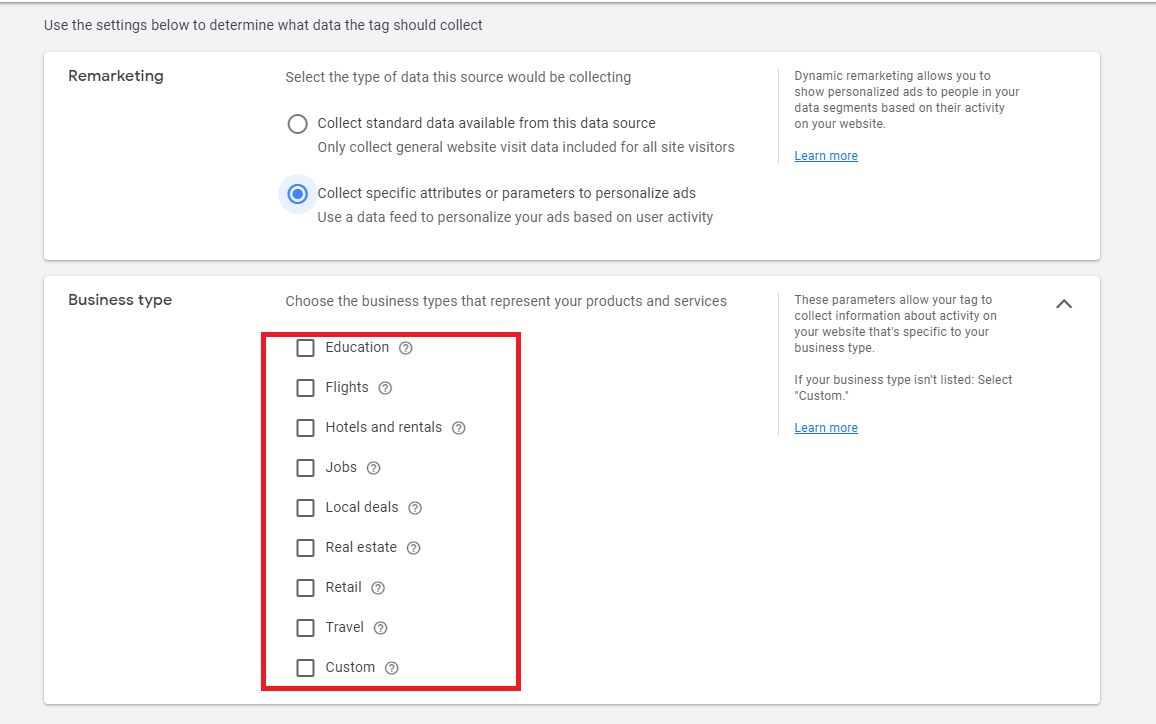
- Next, select your business type from the options.
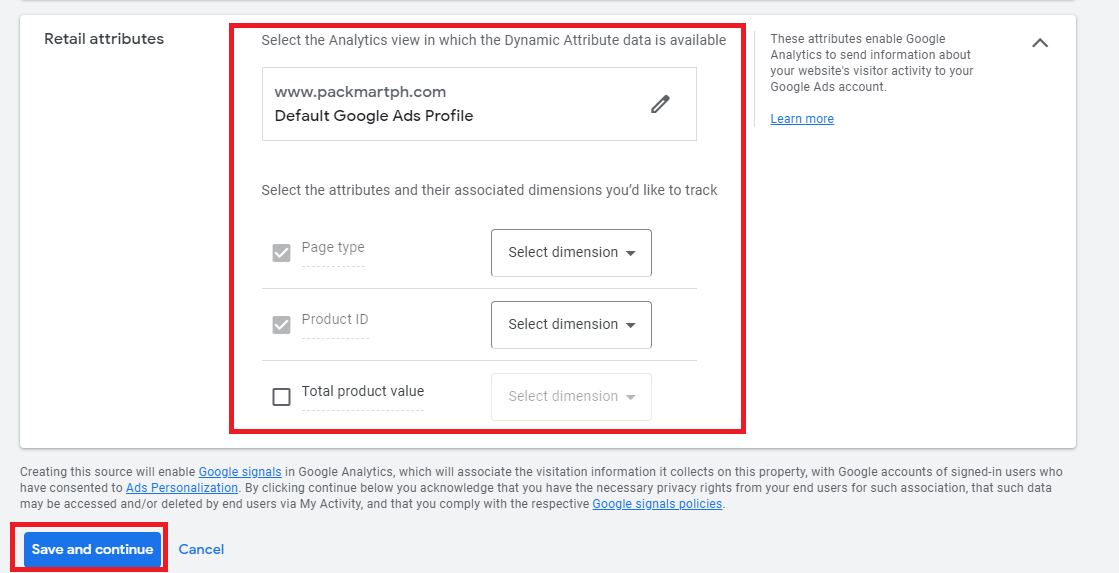
- Select the retail attributes for your business and click Save and continue.
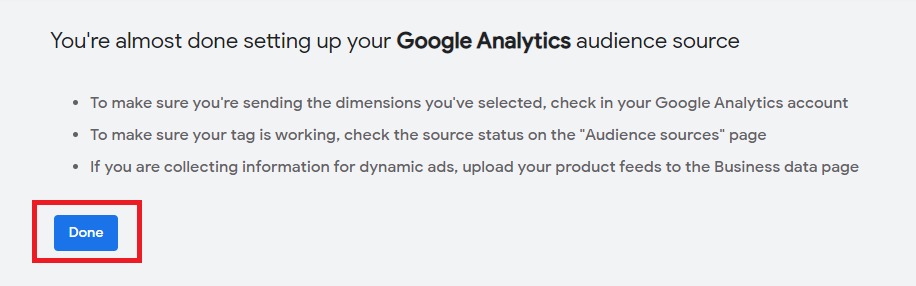
- On the next prompt, click Done.
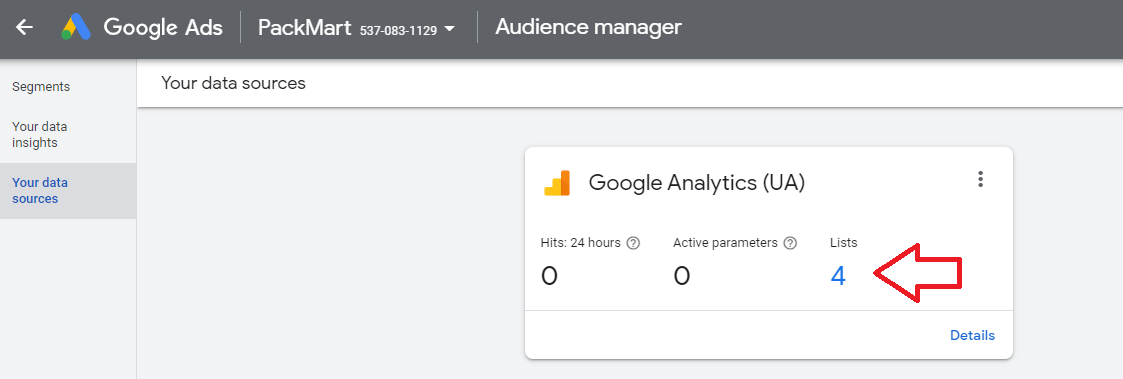
- You will now see Google Analytics under your data sources with a link to your audience list.
- You should now see the Shopping cart abandoners segment from the list.
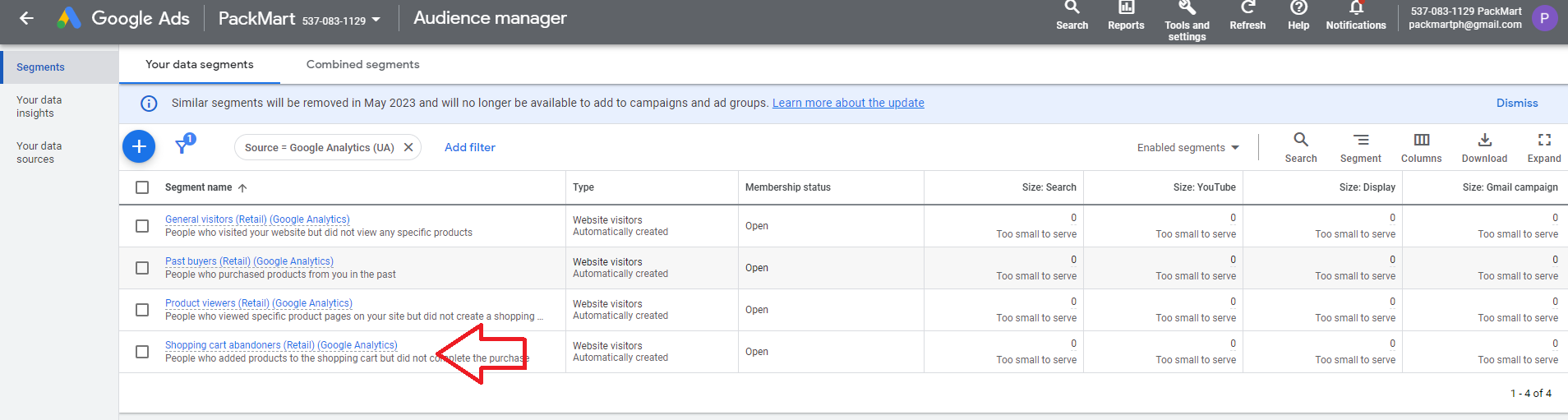
To use this segment in your campaign, follow the campaign creation as per usual. You can use the following guides:
Use abandoned cart audience segment on your campaign
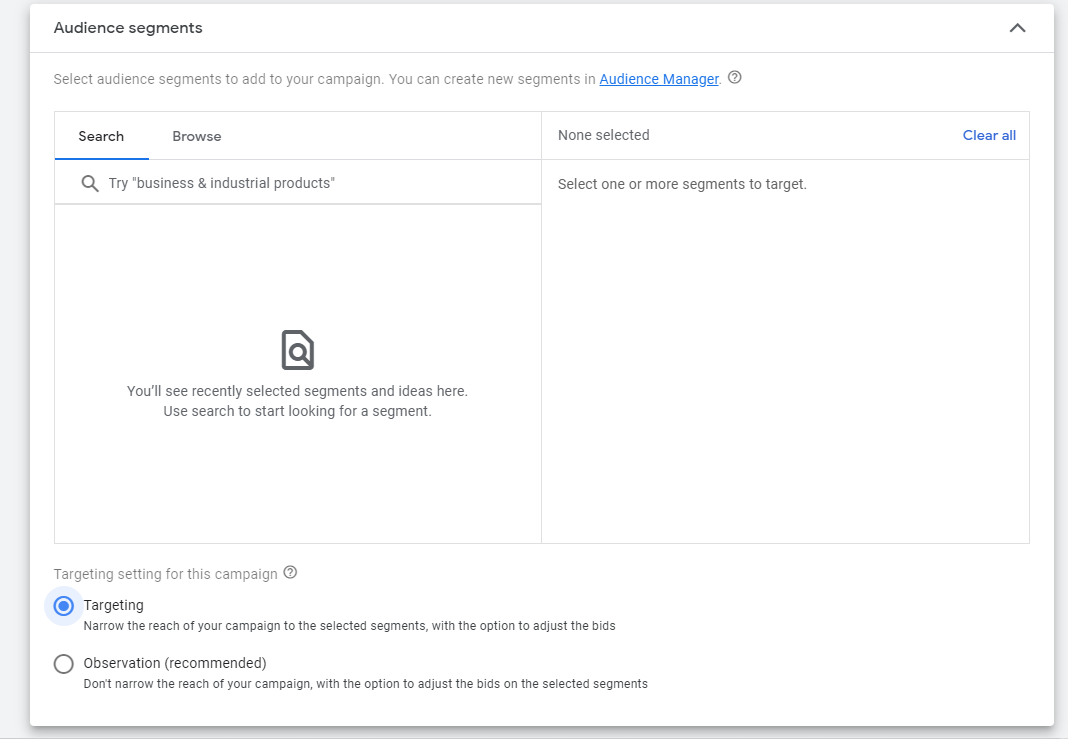
- Once you reach the Audience selection during campaign creation, select Targeting option, and click Browse.
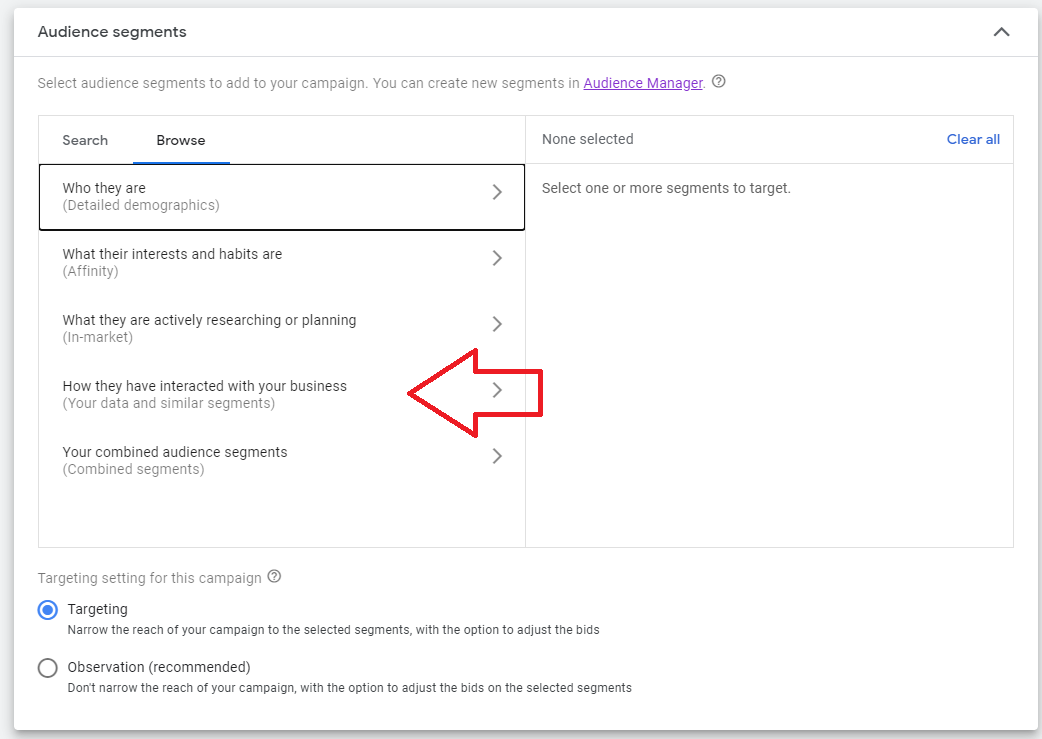
- Choose How they have interacted with your business option.
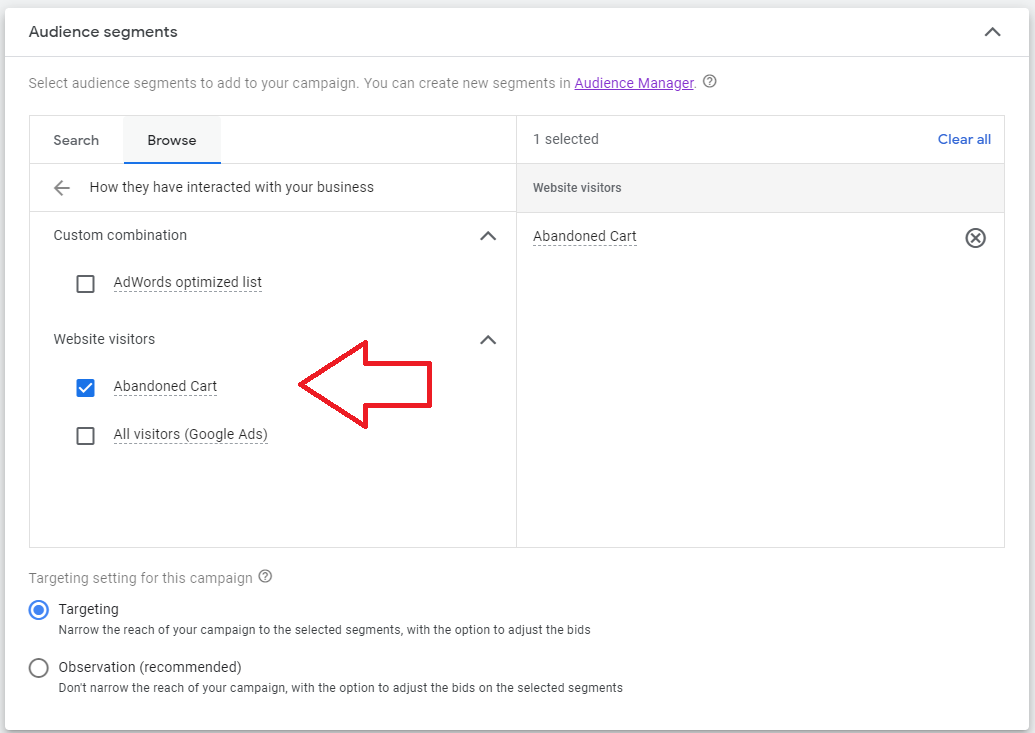
- Select Abandoned Cart from the list.
Conclusion
That’s it! You now have a way to monitor and run remarketing efforts for your customers who added your products to cart but did not continue to purchase.
-
Targeting customers who have already demonstrated an interest in a product, abandoned cart campaigns can help to boost conversion rates.
-
These campaigns can help provide a better customer experience by offering personalized, targeted advertisements that can help address any concerns or objections the customer may have had during their initial purchase attempts.
-
Abandoned cart campaigns can help increase brand awareness by reminding customers of the store and the products they were interested in.
-
Targeting customers who are more likely to make a purchase, abandoned cart campaigns can help achieve a better return on ad spend compared to other types of advertisements.
-
Abandoned cart campaigns can help re-engage customers who have shown interest in a product but haven’t returned to complete their purchase.