Verifying Ownership of Your Domain in Facebook Business Manager
Walk you through verifying your domain’s ownership on Facebook Business Manager.
Prefer a shortcut? 16 free tools do parts of this for you.
Aim: Walk you through verifying your domain’s ownership on Facebook Business Manager.
Optimal Outcome: To completely link your website to Facebook Ads Manager and Facebook Business Manager platform so you can track and analyze your ad campaign’s results.
What do you need to start:
-
Facebook Business Manager account - admin access
-
Admin or developer access to your domain
Why is this SOP Important: Verifying your domain on Facebook Business Manager can help your online presence and credibility, and provide you with better insights and support for your advertising campaigns.
When and Where to execute: Facebook Business Manager
Who Should Be Doing This: Marketing staff, person responsible for managing Facebook ads
What is Domain Ownership?
Domain ownership refers to the legal control and use of a unique domain name on the internet, which serves as an address for a website. The owner of a domain name has the right to control its content, design, and functionality and is responsible for its upkeep and any legal issues. The ownership details are publicly available through the WHOIS database and can be transferred from one person or entity to another.
Execution
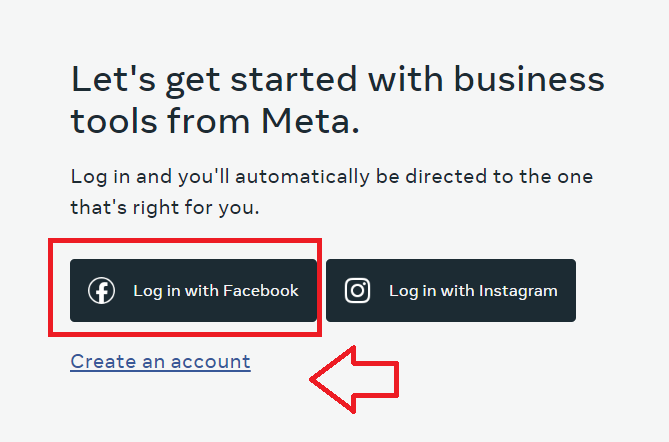
Login or create an account on Facebook Business Manager.
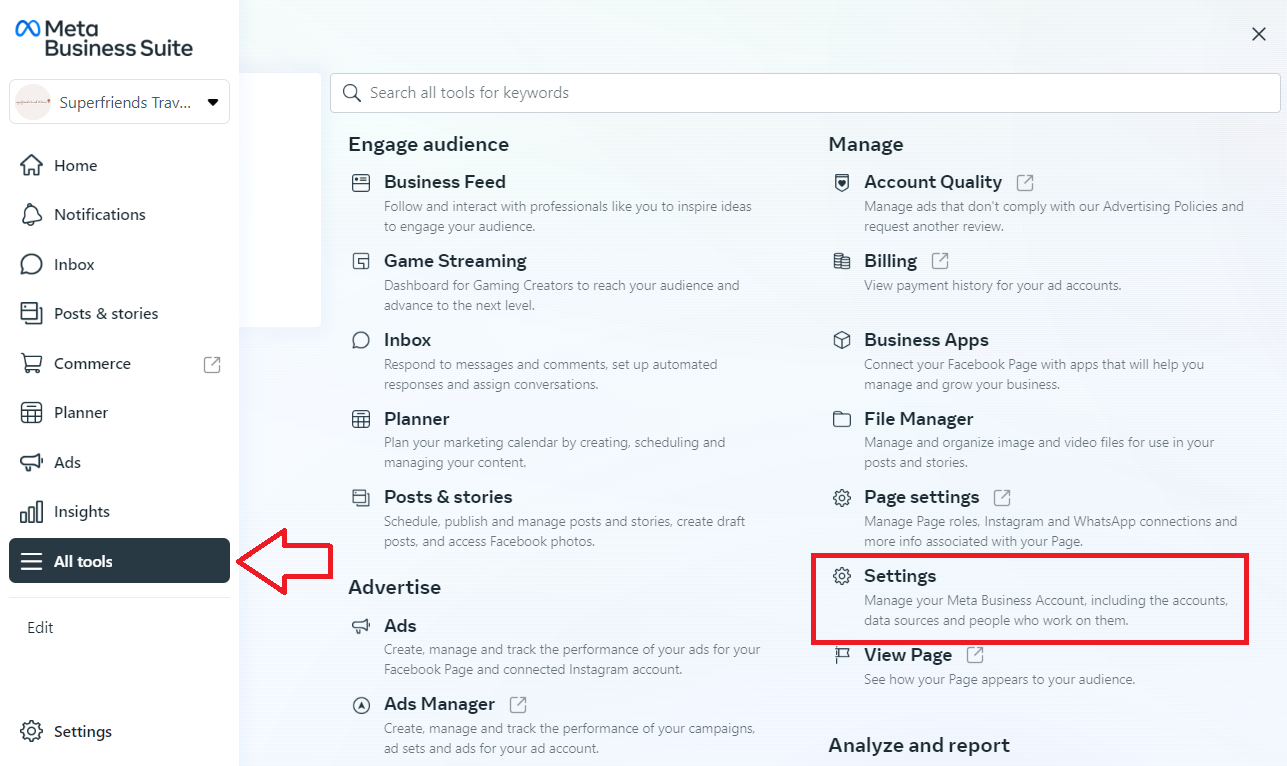
Click All tools, then select Settings.
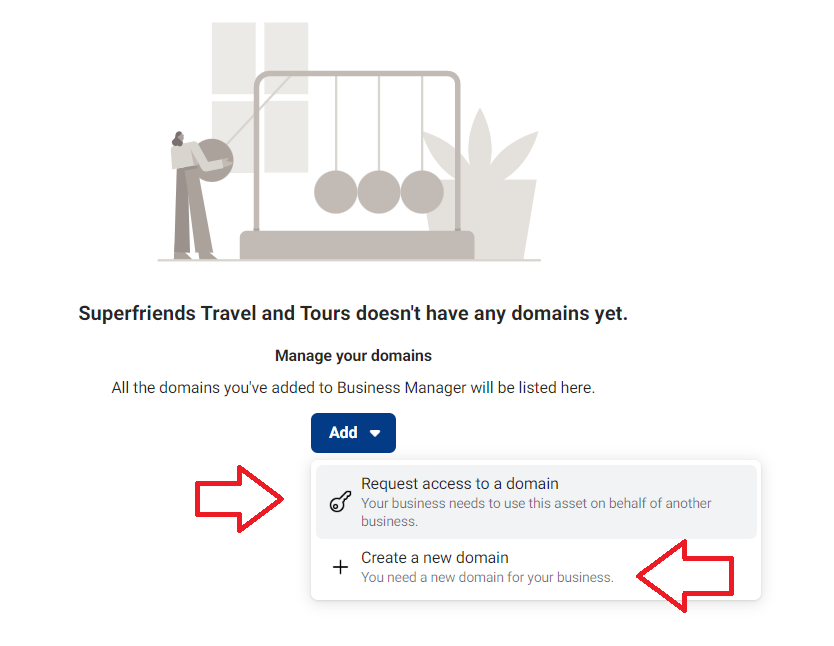
Click Add. You can either select the Request access domain if you’re setting Facebook ads for a client and Create a new domain to add your own domain.
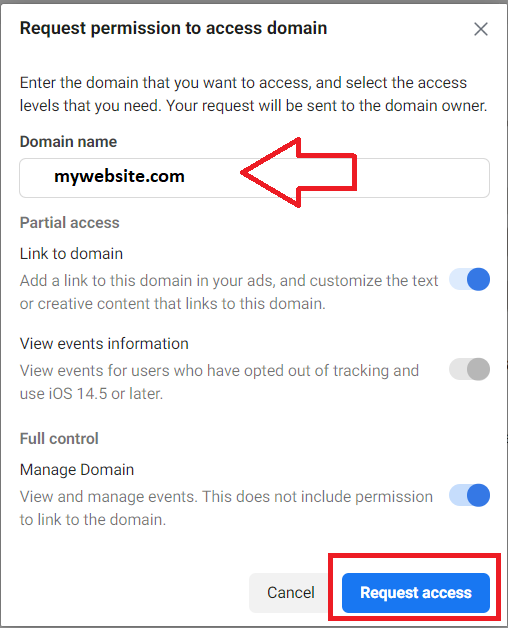
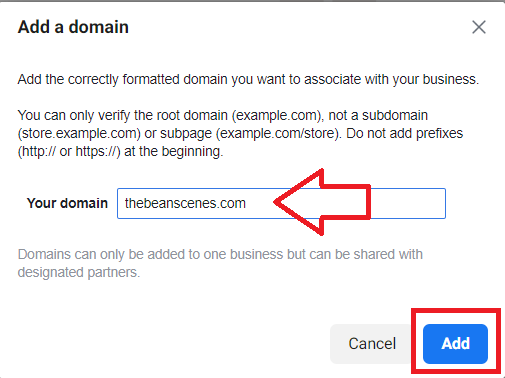
Enter your domain name. Make sure that it doesn’t contain prefixes such as http:// or www. Click Request access.
-
To add your own domain, then click Add.
-
There are three ways to verify your domain:
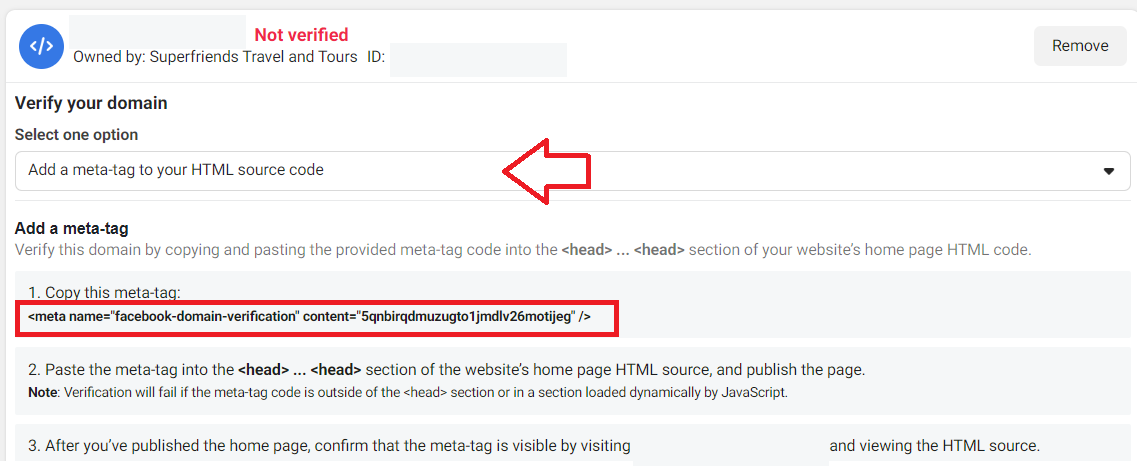
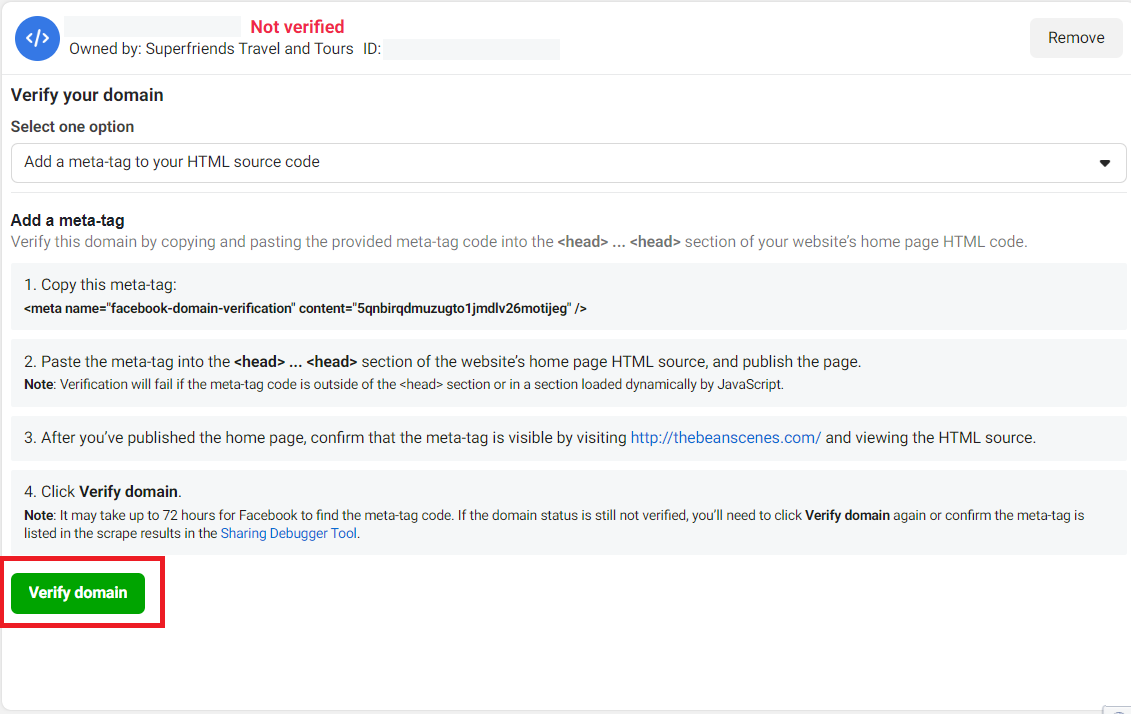
Add a meta-tag to your HTML source code
Steps:
-
Copy the meta-tag you see on your Facebook Business Manager settings screen.
-
Open your website’s home page HTML source.
-
Paste the meta-tag into the <head>....</head> section of the HTML code, and publish the page.
-
Go to the root domain of your website, and view the HTML source to confirm that the meta-tag is there.
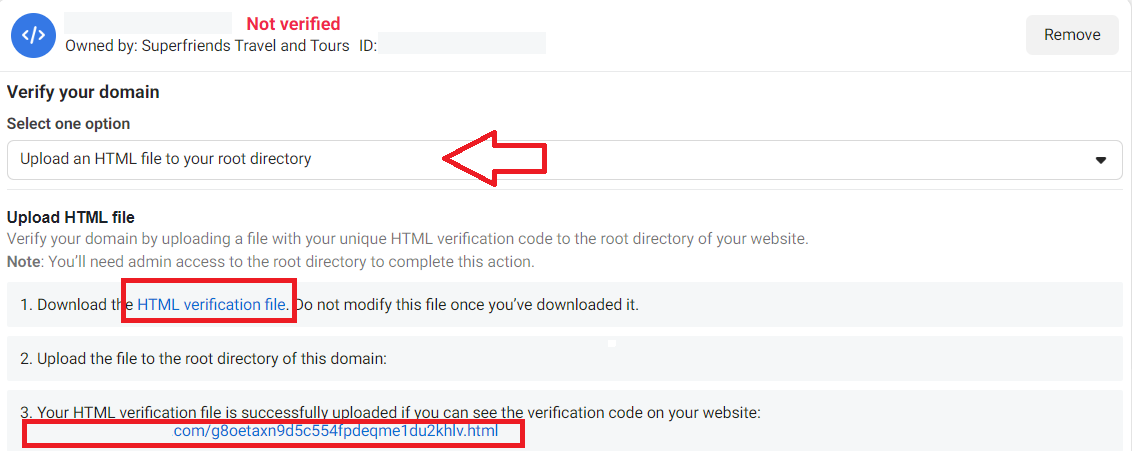
Upload an HTML file to your root directory
Steps:
-
Download the HTML verification file that’s linked on your Business settings screen. Remember don’t make any changes to the file after you download it.
-
Upload the HTML file to the root directory of your domain.
-
Go back to the Business settings, and click on the link in step 3 to confirm that you can see the verification code on your website.
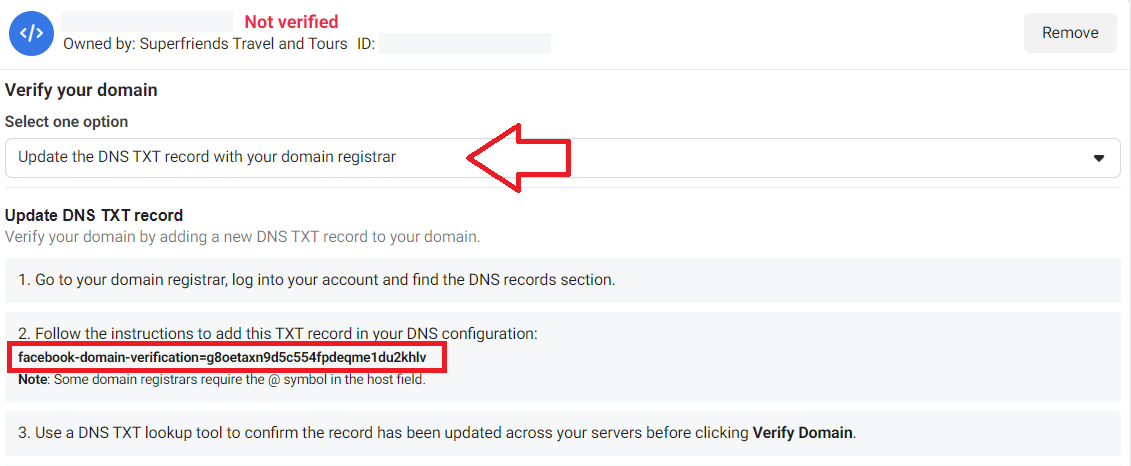
Update the DNS TXT record with your domain registrar
Steps:
-
Go to your domain registrar and log in.
-
Go to the DNS records section.
-
Go back to your Business settings screen and copy the TXT record in Step 2.
-
Add the TXT record in your DNS configuration by following the instructions from your domain registrar.
-
Use the DNS TXT lookup tool to confirm the TXT record has been updated across your servers.
Finally, click Verify domain from the Facebook Business Manager settings page.
Conclusion
That’s it! You’ve now linked verified ownership of your domain in Facebook Business Manager platform and you can now start running analytics and track the performance of your Facebook ads campaigns.
-
Verifying your domain ownership shows that you are a legitimate business and helps build trust with your target audience.
-
Verified domain ownership gives you access to advanced advertising features such as Domain Insights, which provides data and insights into the performance of your domain, and Domain Publishing, which allows you to publish posts directly to your domain from Facebook.
-
Verifying your domain ownership helps secure your Facebook Business Manager account and protest it from unauthorized access.
-
Having a verified domain ownership enables Facebook to better match your ads with the right people, which can result in higher ad relevance and an increase in ad reach.
-
Verifying your domain ownership allows you to track conversions and measure the success of your campaigns more accurately, giving you valuable insights into your advertising performance.