How to Create a Facebook Ads Account
To create a Facebook Ad Account for your business so you can start running ads campaigns.
Prefer a shortcut? 16 free tools do parts of this for you.

Aim: To create a Facebook Ad Account for your business so you can start running ads campaigns.
Optimal Outcome: You will have a Facebook Ad account ready to manage all your Facebook Assets and share them with your employees securely.
What do you need to start: You’ll need a personal Facebook account
Why is this SOP Important: Your Facebook Ad account will allow you to set up your first campaigns promoting yourself to the over 2.7 billion Facebook users.
When and Where to execute: You can set up your Facebook Ad account through Facebook platform. This should be done before you can start running ads on Facebook, Instagram and other Facebook affiliated apps.
Who Should Be Doing This: Business owner or the person responsible for running ads.
What is a Facebook Ads Account?
A Facebook Ads account is a platform for businesses and organizations to create and run advertisements on Facebook and its affiliated sites. It provides tools for targeting and tracking, as well as a variety of ad formats and budget options.
Execution
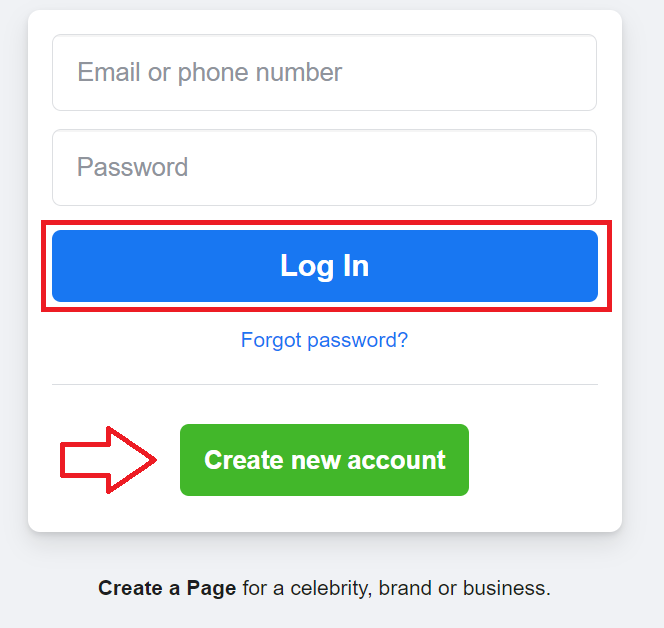
Login to https://business.facebook.com/business/tools/ads-manager.
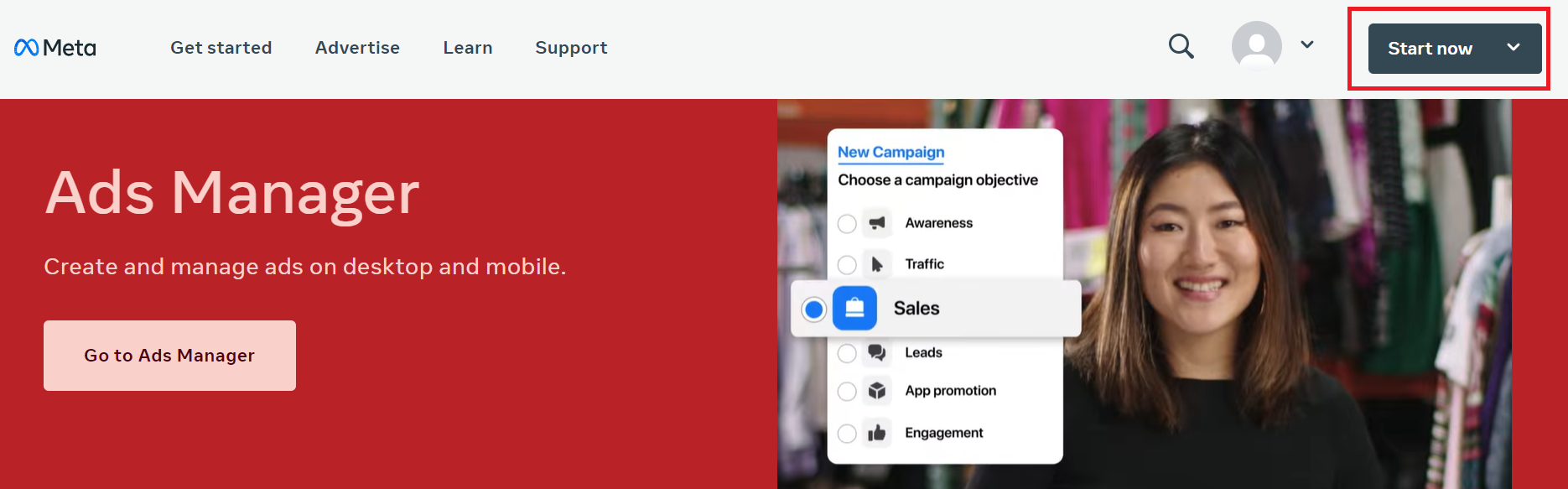
- Click on Start now.
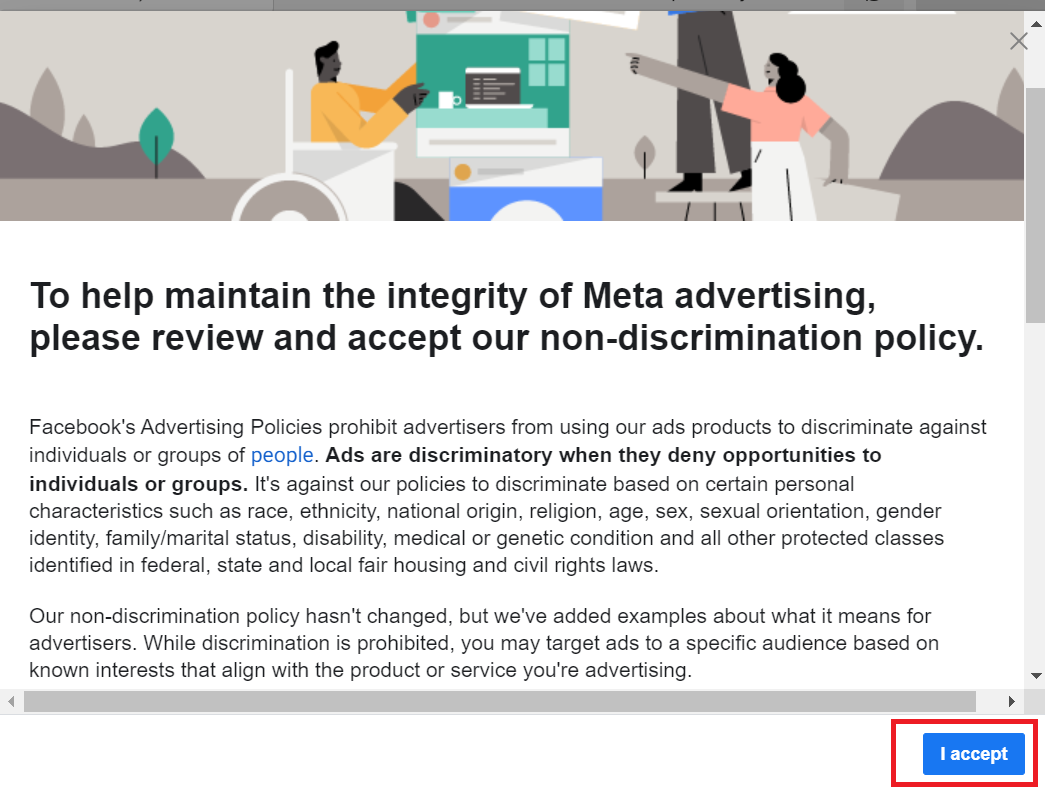
- Review and accept Facebook’s non-discrimination policy.
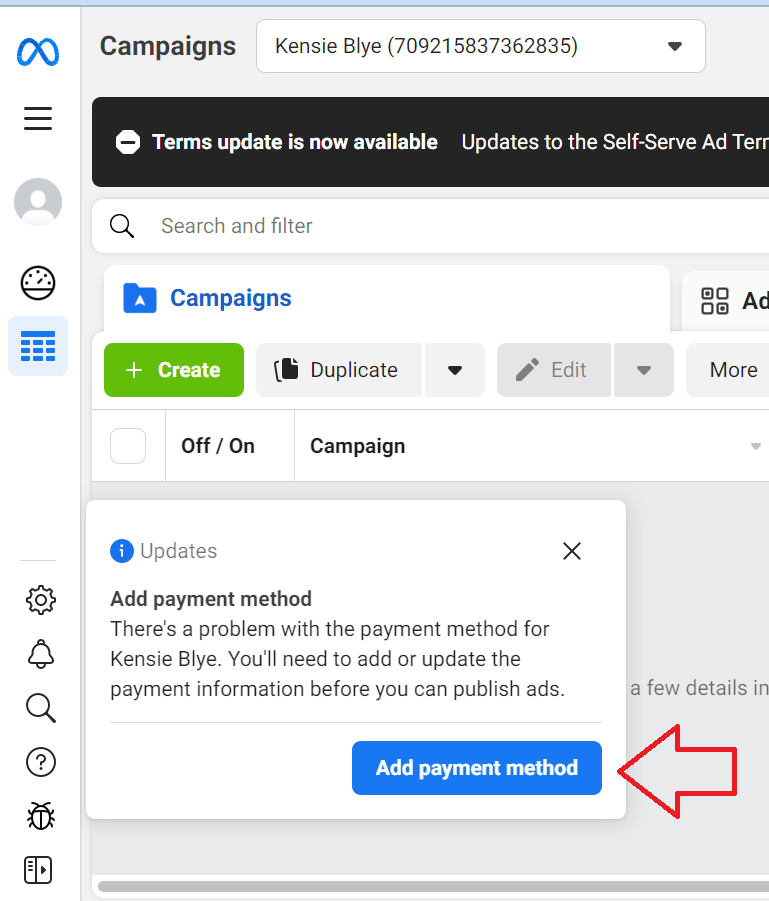
- Click Add payment method.
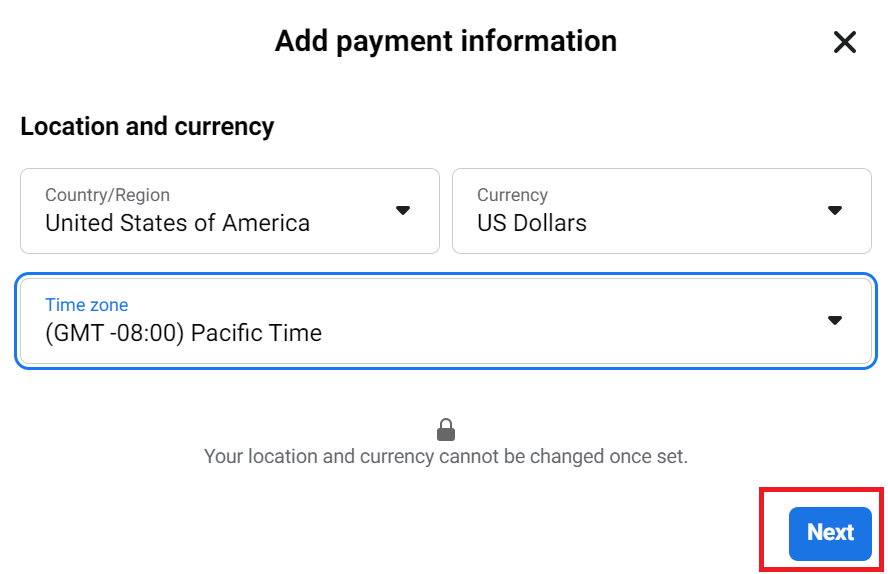
- Indicate your location, currency, and time zone. Note that you cannot change this information once set. Click Next.
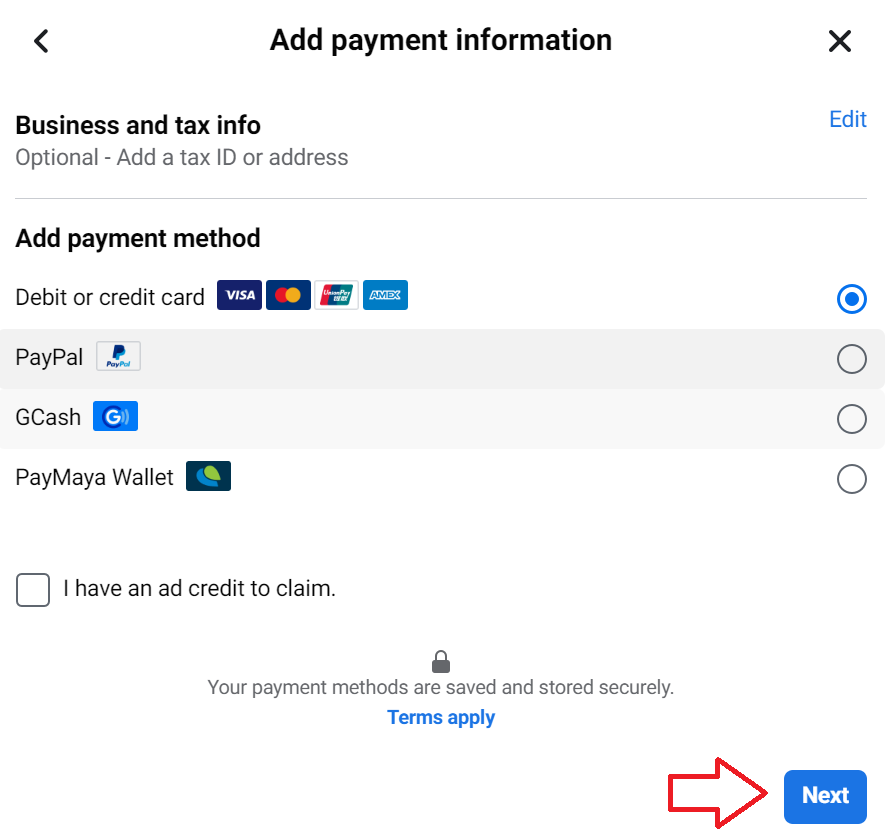
-
Add your payment information details, then click Next.
-
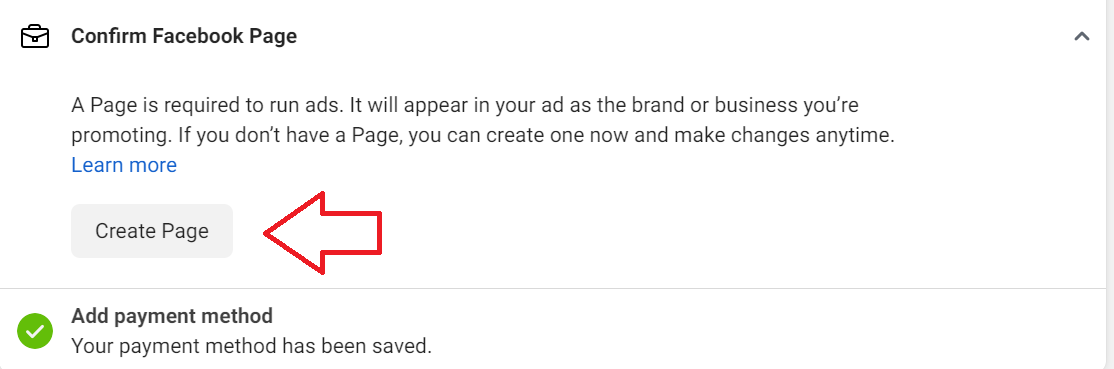
Next, you’ll need to confirm your business’ Facebook page. If you already have one, you’ll see it on the confirmation page, otherwise, click on Create Page.
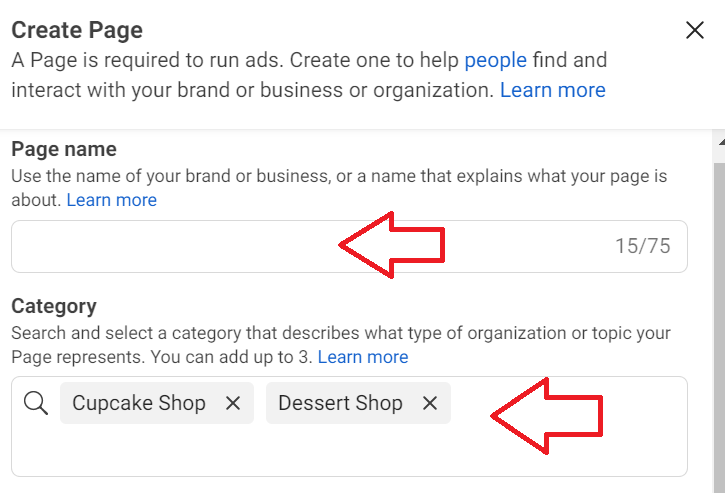
- Enter your page name then add words that describe the type of organization or topic your page represents.
-
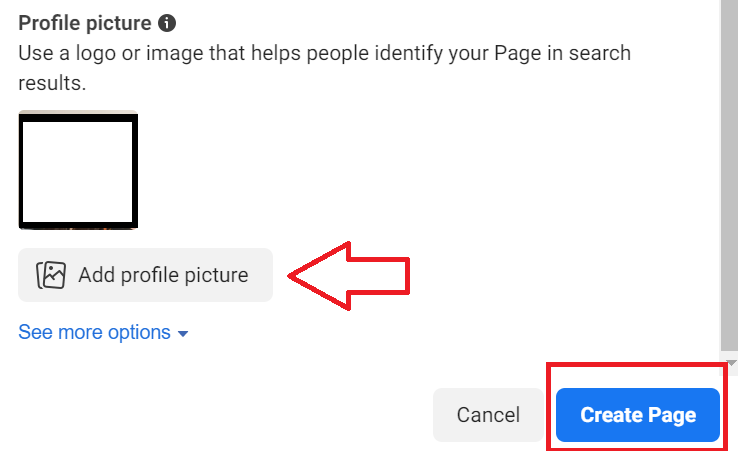
Upload a profile picture for your page then click Create Page.
-
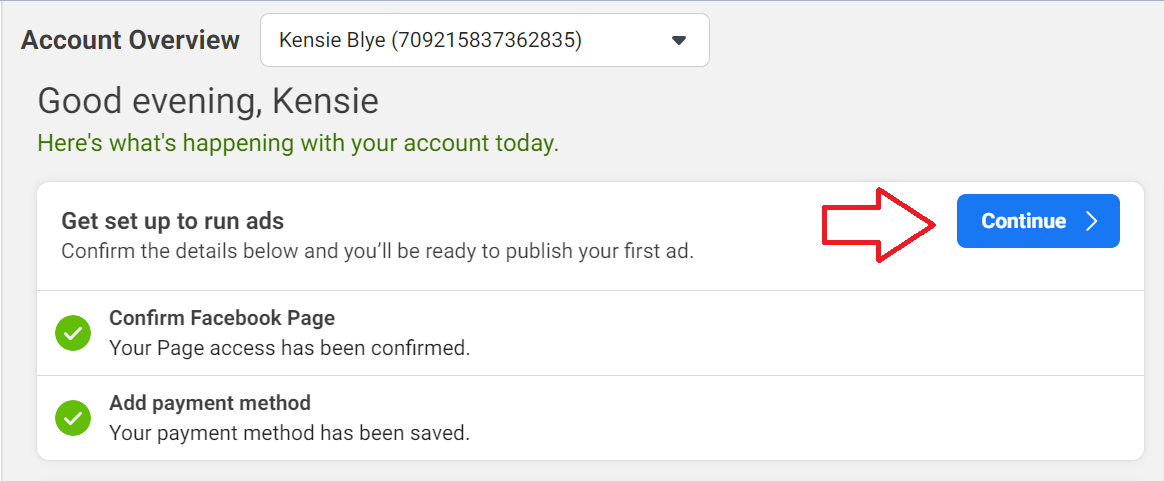
After confirming your Facebook Page and adding your payment method, you’re now ready to start creating your Facebook Ads campaigns. To set up your first Facebook Ad campaign, follow this guide, SOP 024: How to Set Up Your Facebook Ads Campaign.
Conclusion
That’s it! You already have a Facebook Ads Account where you can set up your Facebook Ads Campaigns.
-
Facebook Ads can be integrated with other Facebook tools, such as Facebook Pages and Instagram, allowing you to reach customers on multiple platforms with a single advertising campaign.
-
Facebook Ads allows you to choose from a variety of ad formats, including image and video ads, carousel ads, and more, so you can find the format that works best for your business.
-
Facebook Ads provides detailed analytics and reporting, so you can see how your campaigns are performing and make data-driven decisions about how to optimize your advertising efforts.