How to Transfer Personal Facebook Ad Accounts to Business Manager
Guide you in migrating your personal Facebook Ad account to your Facebook Business Manager.
Prefer a shortcut? 16 free tools do parts of this for you.

Aim: Guide you in migrating your personal Facebook Ad account to your Facebook Business Manager.
Optimal Outcome: To separate your personal Facebook account from your business account and manage all your Facebook assets (such as pages and ad accounts) under Facebook Business Manager.
What do you need to start: Facebook Business Manager
Why is this SOP Important: Migrating your personal Facebook account to Facebook Business Manager account allows you to access business-specific features, such as ad creation and management tools.
When and Where to execute: Facebook Business Manager
Who Should Be Doing This: Social Media admin
What is Facebook Account Migration?
Facebook account migration is the process of transferring a personal Facebook account to a Facebook Business Manager account. This allows users to separate their personal and business accounts, and access additional tools and features specifically designed for businesses. During the migration process, the user's personal profile is moved to the Business Manager account, along with any associated Pages and ad accounts. Once the migration is complete, the user can manage their business assets from a single interface, while maintaining control over account access and permissions.
Execution
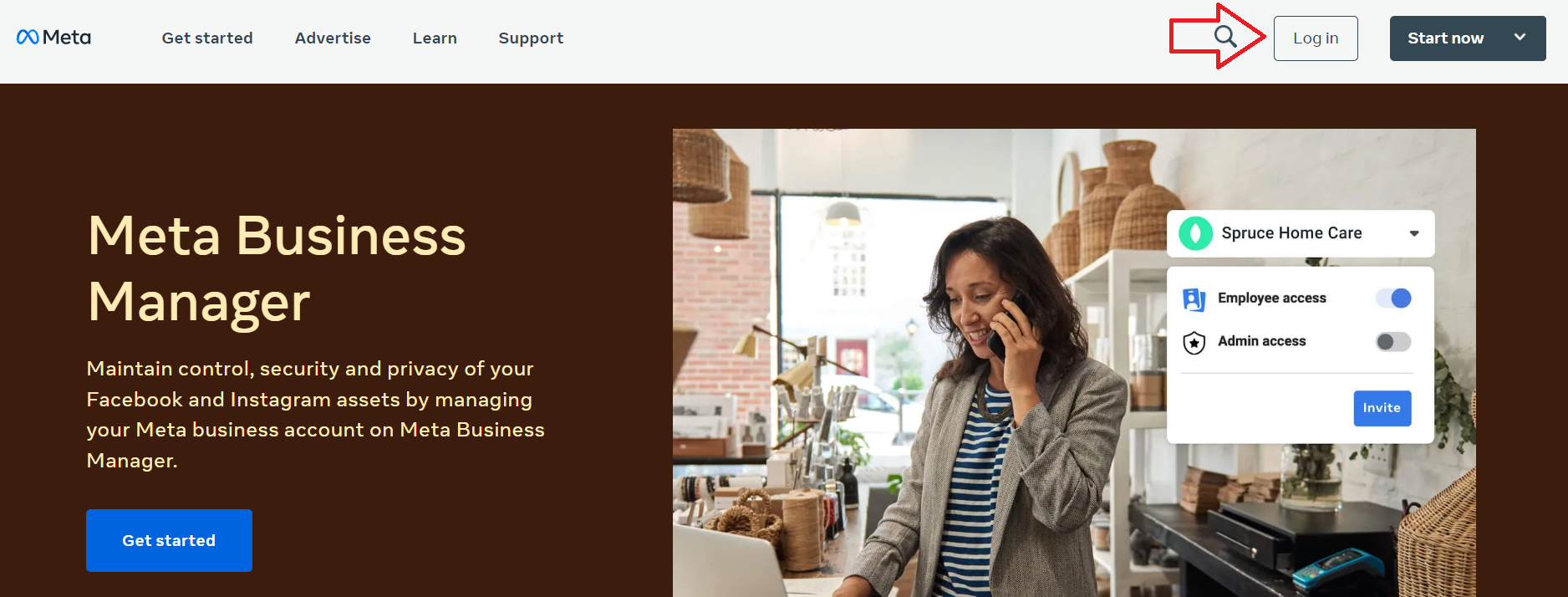
Login to your Facebook Business Manager.
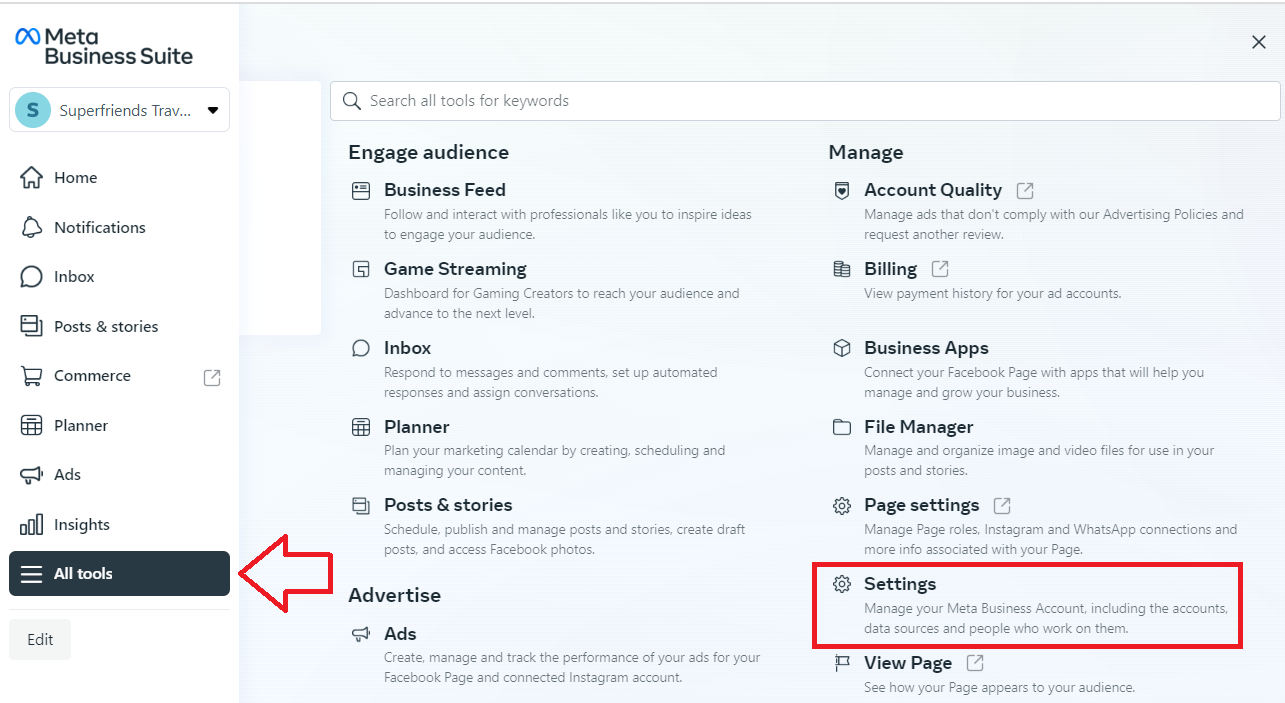
- Select All tools, then click Settings.
-
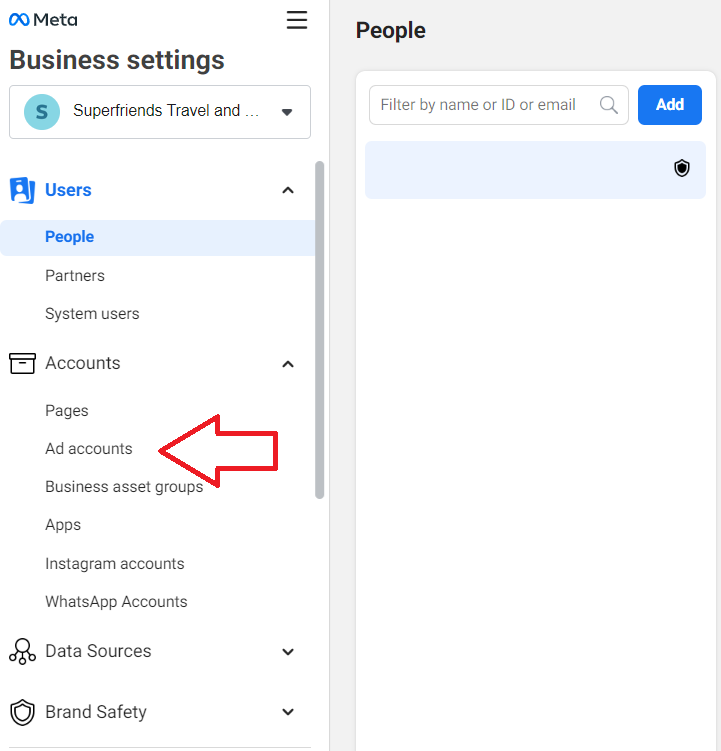
Navigate to the left menu and click Ad accounts.
-
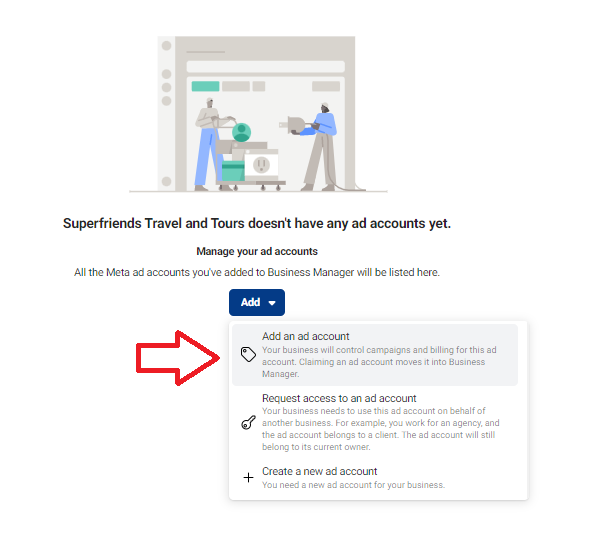
Click Add.
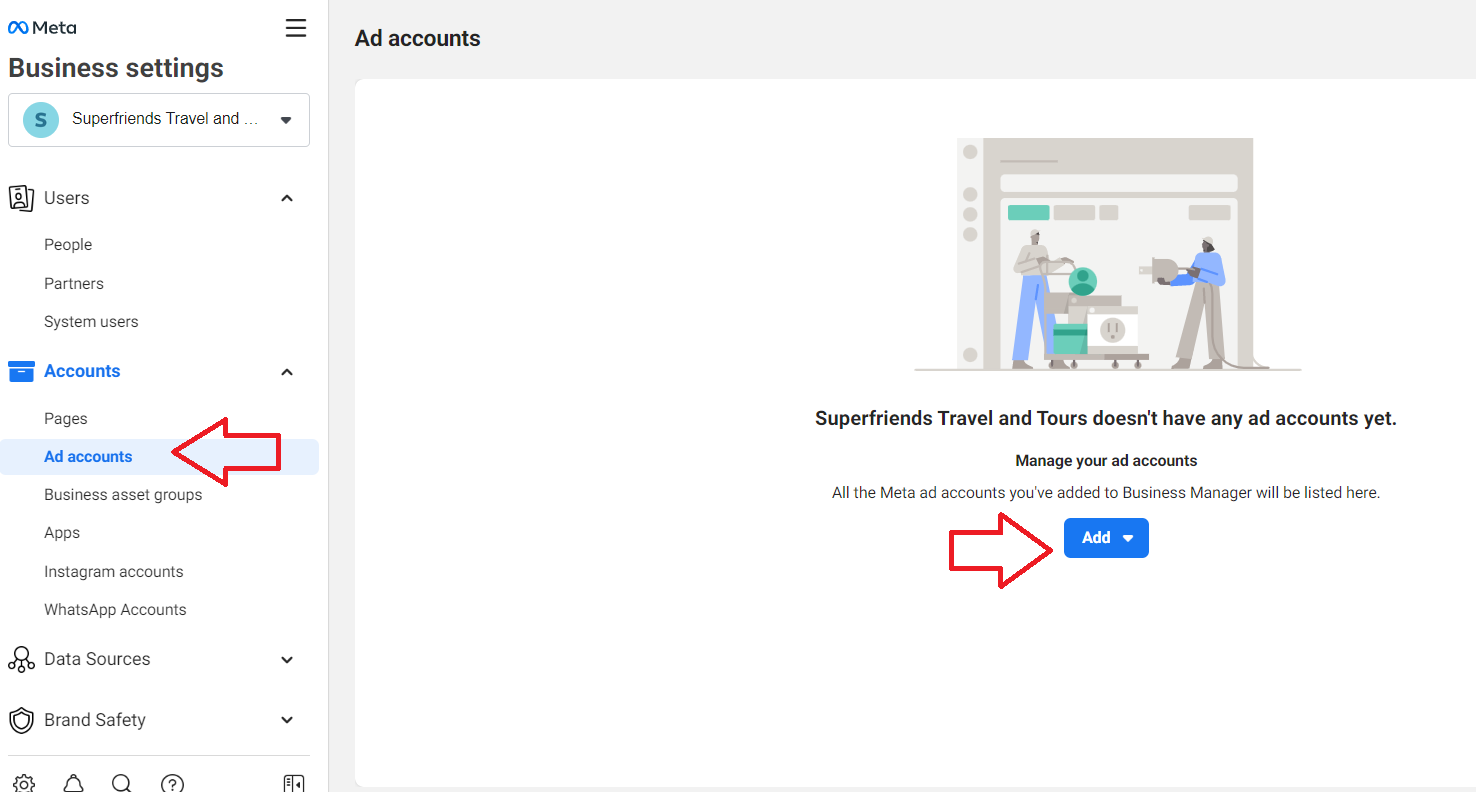
- Click Add an Ad account if you’re the owner of the Facebook Ad account, if you’re not the owner of the ad account, choose Request access to an ad account.
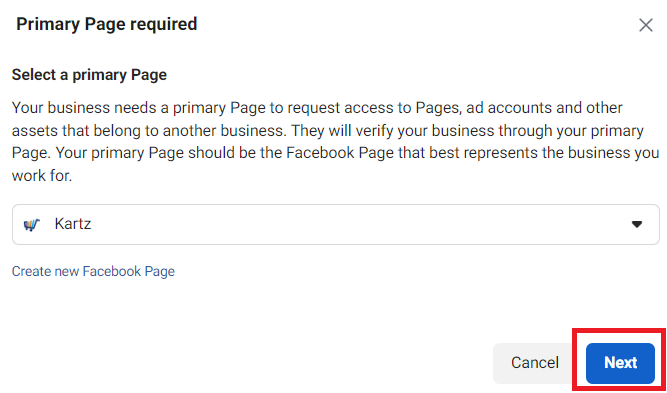
- Select your Primary Page then click Next.
-
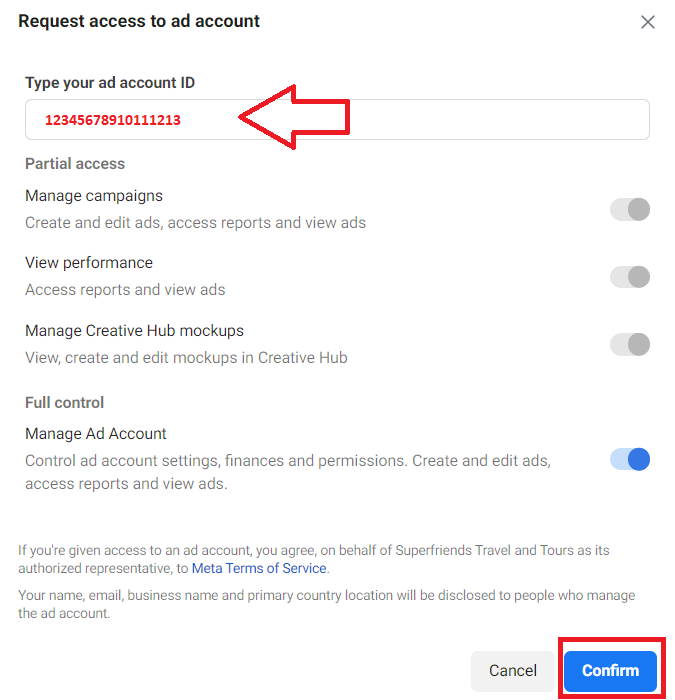
If you choose to request access to an ad account, type the ad account ID on the field, and select the access level you require. Click Confirm.
-
To check the ad account ID, have the owner login to their Ads Manager, then look for the ID column under the Ad Accounts section.

Conclusion
That’s it! You now migrated your personal Facebook Ad account to your Facebook Business Manager.
Migrating your personal Facebook Ad account to Facebook Business Manager allows you to:
-
Separate your personal and business accounts.
-
Access business-specific features such as ad creation and management tools.
-
Improve security and control over account access and permissions
-
Facilitate smooth collaboration with team members or agencies
-
Have the ability to create and manage multiple ad accounts and pages from a single interface.