How to Target the Right Audience with Your Facebook Ads
To provide you with step by step guide on how to choose your target audience on Facebook Ads
Prefer a shortcut? 16 free tools do parts of this for you.

Aim: To provide you with step by step guide on how to choose your target audience on Facebook Ads
Optimal Outcome: To optimize your targeting strategy for your Facebook ads which will result in better return on investment (ROI).
What do you need to start: Facebook Ads Manager account or Facebook Business Manager
Why is this SOP Important: Effectively targeting the right audience for your Facebook Ads can help you achieve your advertising goals more efficiently and can be a valuable tool for you to reach and engage with specific audiences on Facebook.
When and Where to execute: Facebook Ads Manager
Who Should Be Doing This: Marketing staff, Media buyer
What is Facebook Ads Targeting?
Facebook Ads Targeting refers to the process of selecting specific audience segments to receive your advertisements on Facebook. This allows you to show your ads to people who are likely to be interested in your products or services, based on factors such as their demographics, interests, behaviors, and location.
Execution
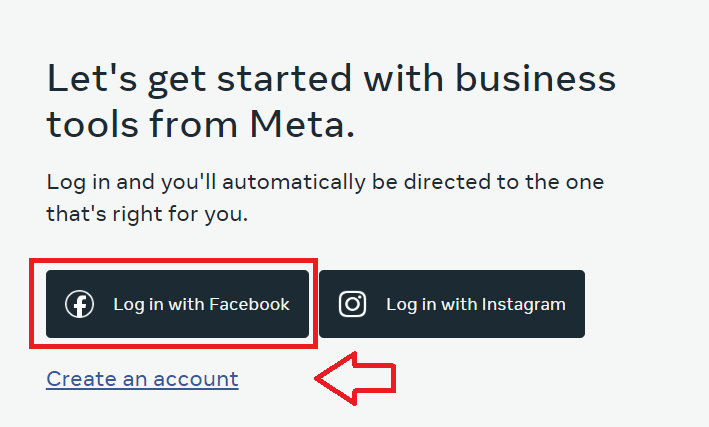
- Login or create an account on Facebook Ads Manager.
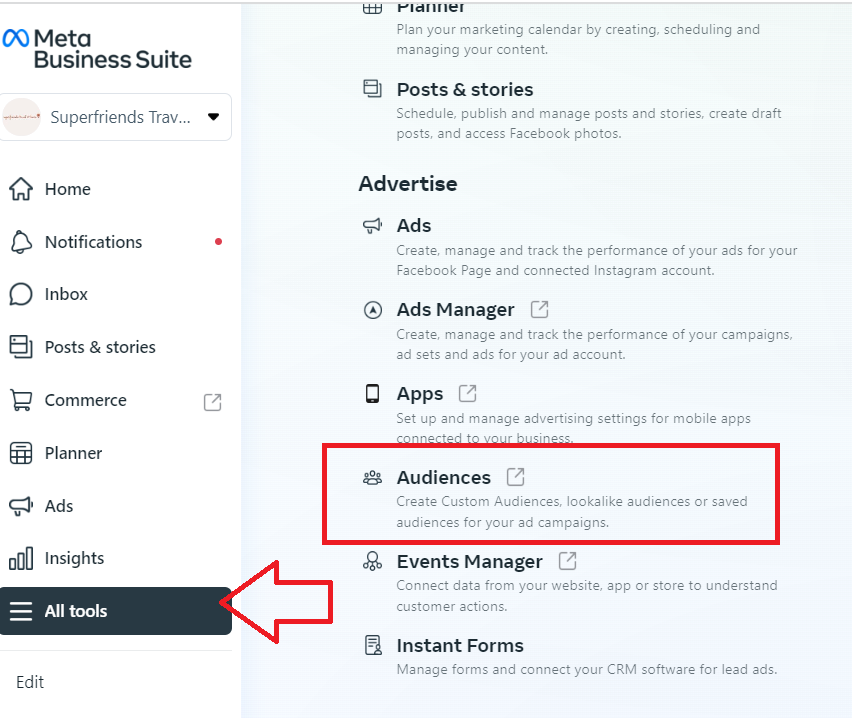
- Navigate to the left menu and click All tools, then select Audiences.
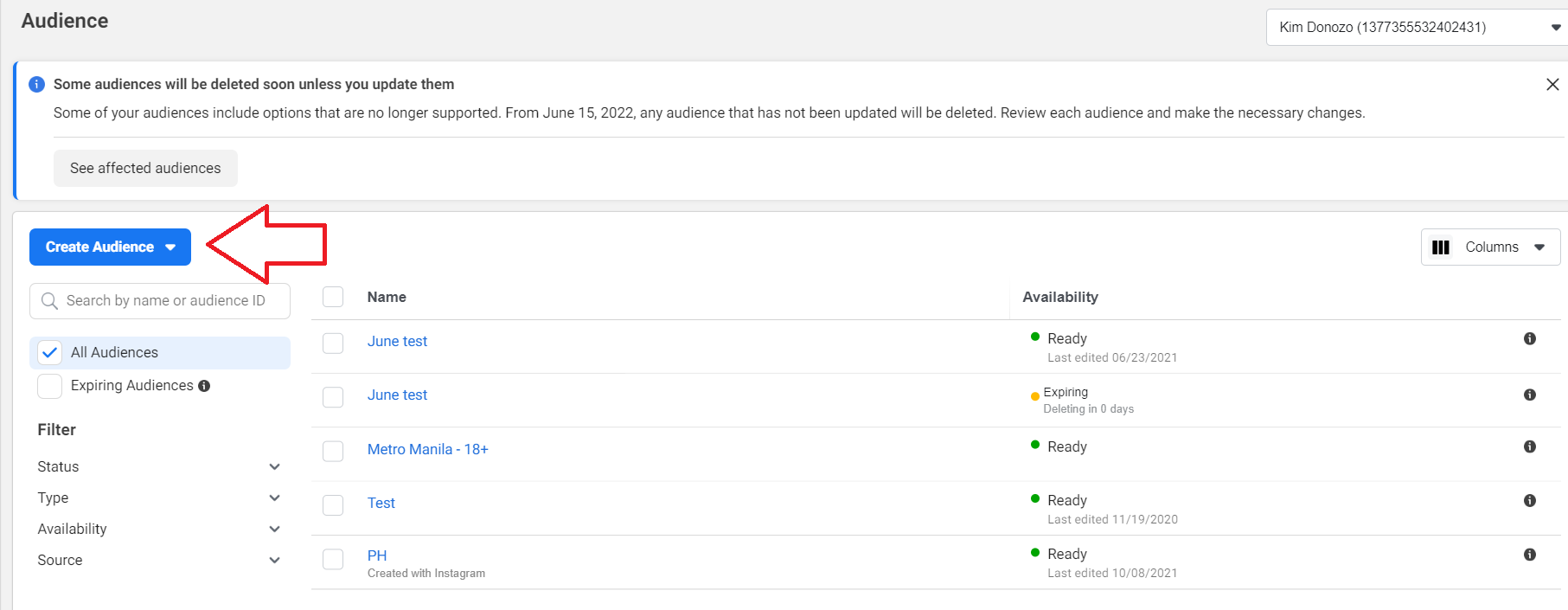
- From the main dashboard, click Create Audience.
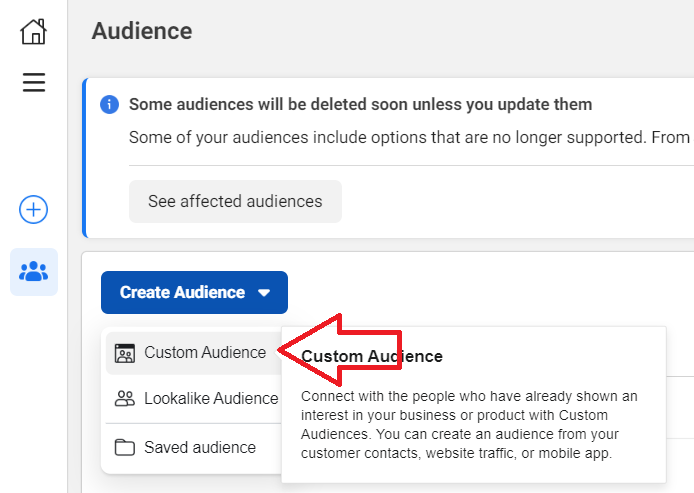
- If you want to target people who have already interacted with your website or Facebook page, select Custom Audience. If you want to cast a wider net and reach people who haven’t interacted with your business but can be potential customers, choose Saved Audience.
- You have the option to select the source of your audience. You can either provide your own source, coming from your website or customer list etc. or you can choose the data from within Facebook. Select your preferred source, then click Next.
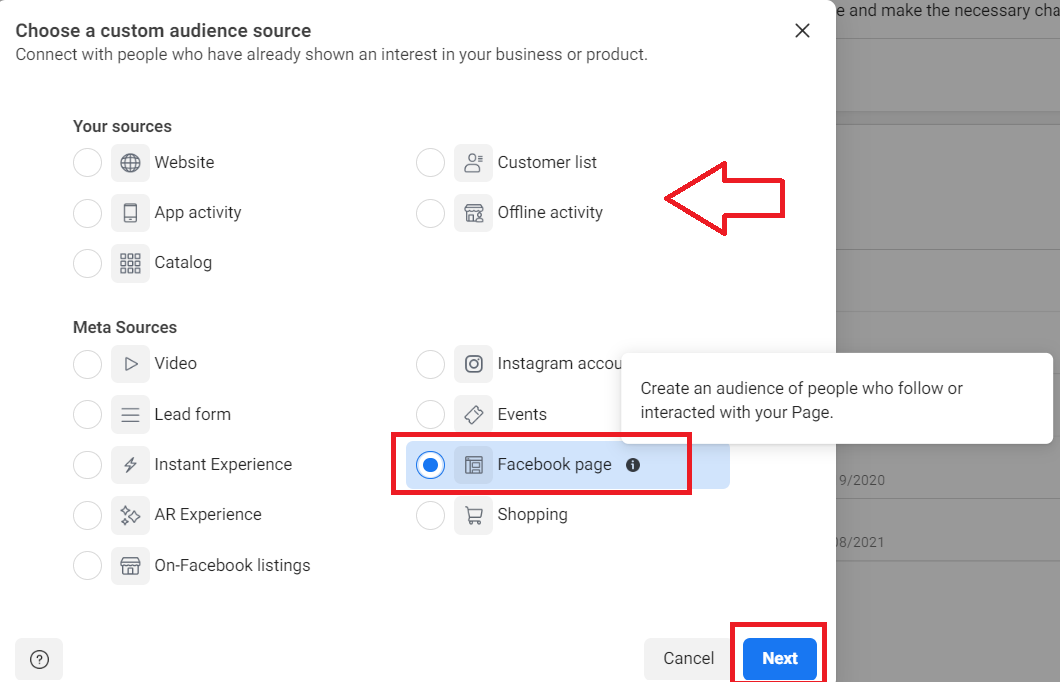
- Select your Facebook page then choose the Event where people interacted with your product or business.
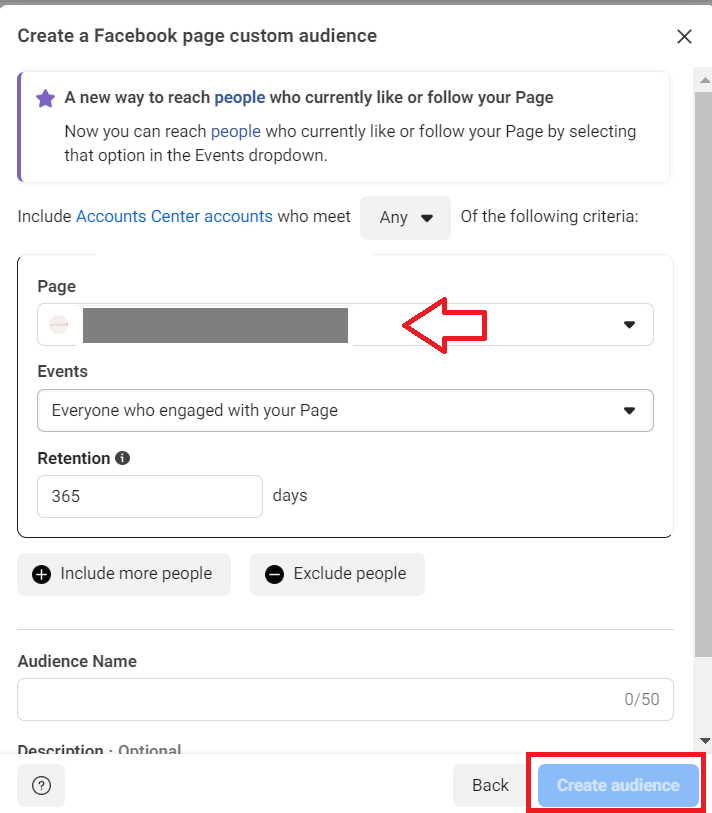
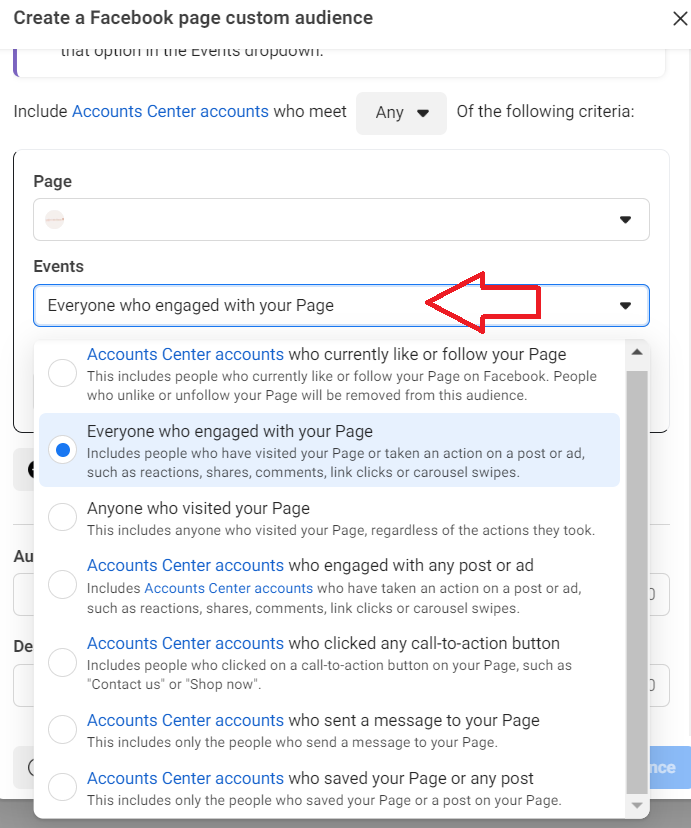
-
Choose the audience set from the drop down.
-
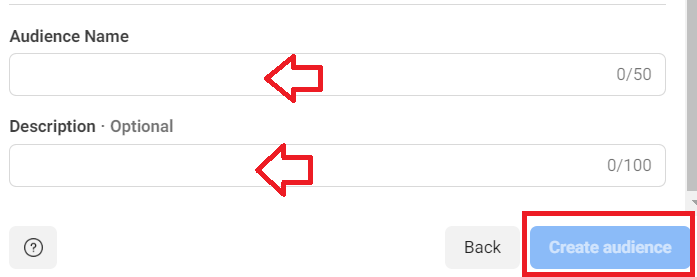
Provide a name for this audience and a short description. Once done, select Create Audience.
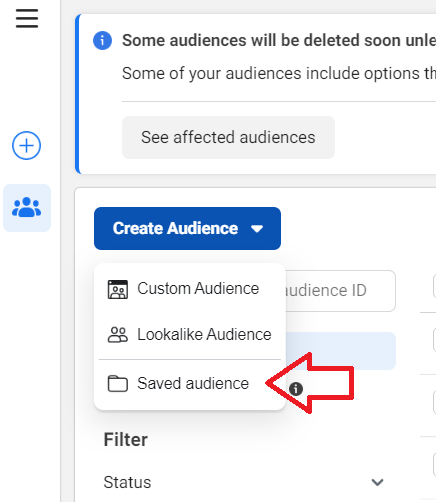
-
If you want to reach people who have not interacted with your business, click Create Audience, then click Saved Audience.
-
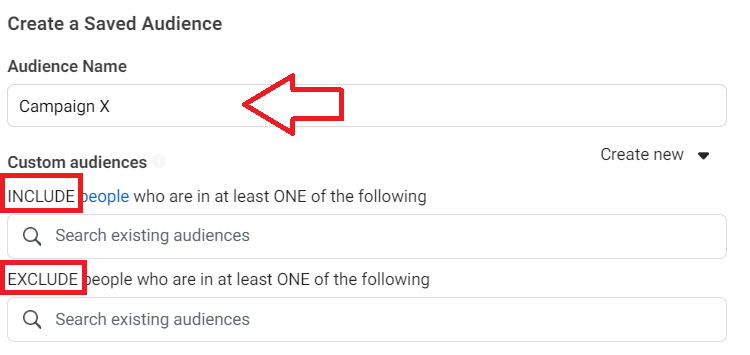
Provide a name for your audience. If you want to include or exclude Custom Audience (people who have already interacted with your business, you can choose them from the Custom audiences fields.
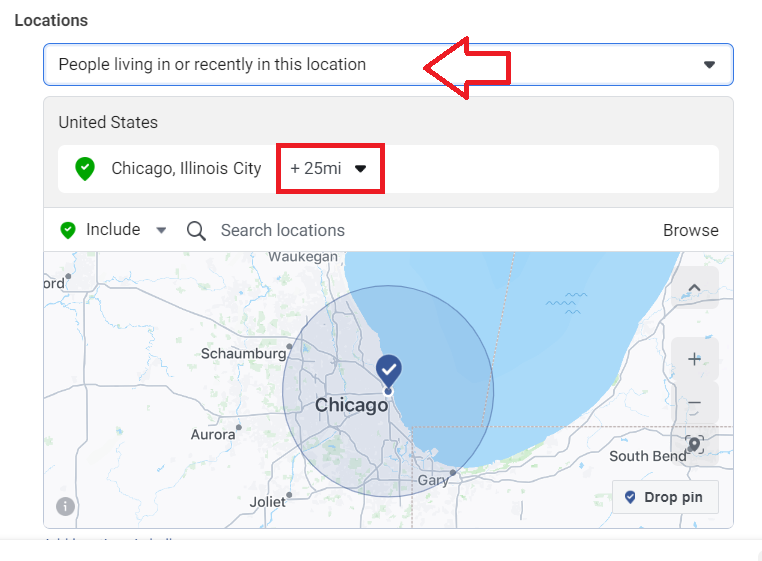
- Next, specify the locations where your ads will be displayed. You have the option to include or exclude specific areas and define the radius of coverage for your ads.
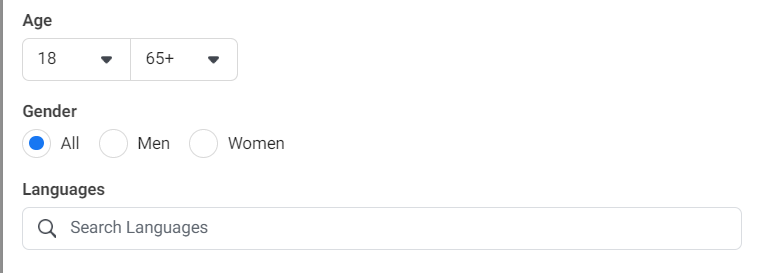
- Target specific demographics for your audience set, such as age, gender, and language.
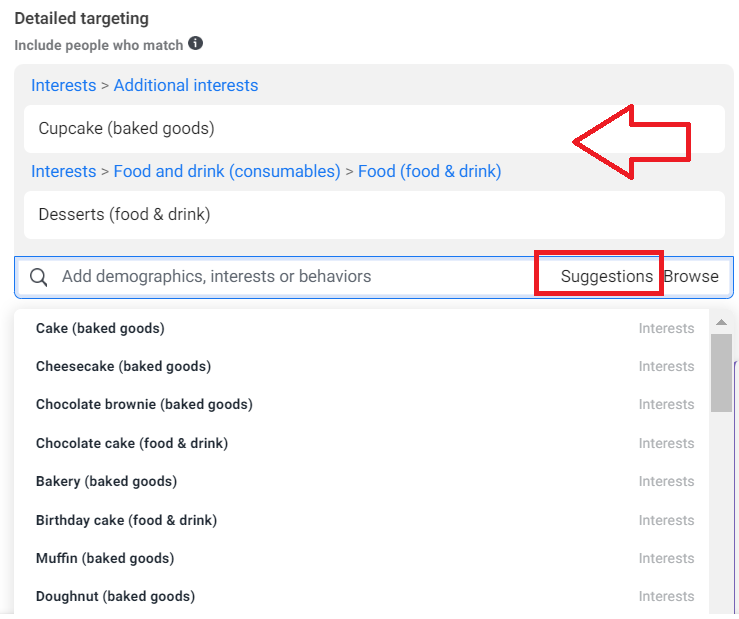
- Specify specific interests or behaviors of your target audience. In this example, if you’re selling cupcakes, you may want to include people who are interested in similar keywords such as cake, cheesecake, chocolate etc.
Provide a few keywords on the Detailed targeting fields, then click Suggestions to see additional options.
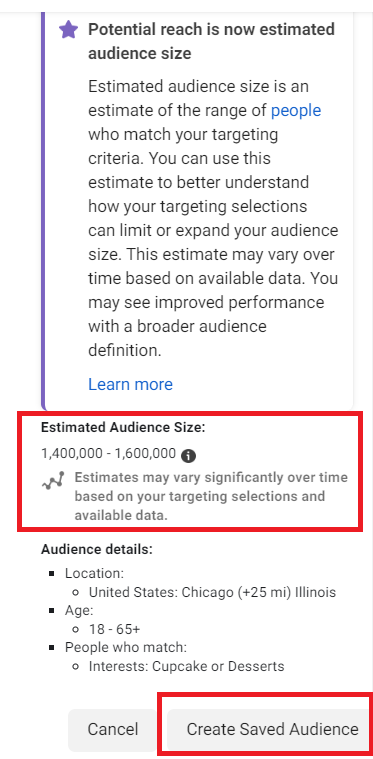
- Lastly, review the Estimated Audience Size. This estimate is based on several specifications you entered including location, demographics, and detailed targeting keywords.
Note: The audience size may impact the amount you’ll spend on your ad.
Once you’re good with your settings, click Create Saved Audience.
- That’s it! You can now use this audience for your ads. To learn how to create an ad on Facebook, follow this guide. SOP 024: How to Set Up Your Facebook Ads Campaign.
Conclusion
Remember, Facebook Ads Targeting can help you achieve your advertising goals more effectively and efficiently, and can be helpful if you are looking to reach and engage with specific audiences on Facebook.
-
By targeting specific audience segments, you can ensure that your ads are being shown to people who are more likely to be interested in your products or services, which can lead to higher engagement and conversions.
-
Facebook Ads Targeting provides detailed insights into the performance of your ads, including information on reach, impressions, clicks, conversions and more. This data can help you optimize your campaigns and improve your results over time.
-
Facebook Ads Targeting gives you the ability to reach specific audiences based on a variety of factors, including demographics, interests, behaviors, and location.
-
By showing your ads to the right people, you can increase awareness of your brand and reach new audiences who may not have been exposed to your business before.
-
You’ll need to have a Facebook Ads Manager or Facebook Business Manager account to set up your Facebook Ads Targeting.