A Guide to Creating a Brief for Facebook Ads Creatives
To provide concise business information which will be used by advertising personnel, graphic designers and other relevant stakeholders of the business.
Prefer a shortcut? 16 free tools do parts of this for you.

Aim: To provide concise business information which will be used by advertising personnel, graphic designers and other relevant stakeholders of the business.
Optimal Outcome: Create an advertising campaign post that provides the necessary details to highly engage existing and new customers.
What do you need to start: Meet with the client to gather the information needed. You must have a clear understanding of the mission and goal of the company or business; the target audience; and the purpose of the ad campaign to be able to create a relevant creative brief.
Why is this SOP Important: Having the creative brief as reference in developing an ad campaign post or message will ensure that the post or message contains the required information and meets the requirement or the business advertising goals.
When and Where to execute: You can create the creative brief using any word processing software like MS Word or online via Google Documents or Emails.
Who Should Be Doing This: The creative brief is prepared by the project manager, account manager or marketing manager.
What is a Creative Brief?
A creative brief is a document that contains the summary of the important information about the project mission, goals or objectives, marketing and/or advertising details. It can also contain other relevant details depending on the purpose and requirements of the business.
Execution
The components of a creative brief:
-
Background of the project - You should be able to define the business’ mission and goal, the value proposition to customers based on the type of products or services the business or company provides. This also gives an overview of what the project is about and the client’s background.
-
Campaign objective - You should be able to define the objective of the advertising campaign and what must be achieved by running the advertisement. This will help you identify what creative resources are relevant to use for the ads.
-
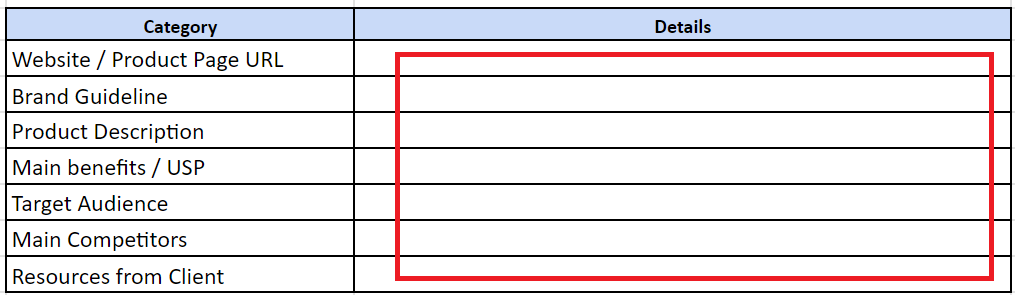
Business or client details - Based on the client’s background, you should be able to provide a brief of the client’s details to be included in the ad campaign. Example details may include their value proposition, brand guidelines, target audience, and competitors. A link to the website or e-commerce site may be included.
-
Ad image specifications - Images or videos are used as part of the creatives in Facebook ads. You should be able to identify the image specification like the image file type requirement (e.g., jpeg, png, gif, etc.),and image size in pixels. For video creatives, you also need to specify the video format (e.g., mp4, avi, webm, etc.) and the display size of the video.
Facebook provides different ad format with images or videos which are:
-
Single Image ads
-
Single Video ads
-
Carousel ads
-
Collection ads
-
Slideshow ads
Each ad format can be used for specific ad targets and design. This can be used to your ad objectives, post text, image and videos.
-
Call to Action (CTA) Button - The CTA button drives the audience to engage in your ad and when they do, it should lead to your ad goal. Facebook Ads provides various CTA such as Shop Now, Download, Sign Up, Contact Us, Learn More or Use App. Be sure to use the appropriate CTA button to meet the advertising goal.
-
Ad placement - You can select where you want to display your ad on Facebook or show your ads in different places within the platform. Facebook also allows for automatic placement which displays your ads in places where they are most likely to have engagement as identified by Facebook’s algorithm. These platform places may include Facebook, Instagram and Audience Network.
-
Ads references - You can include links to websites of the business competitors or screenshots as reference or for comparison when you design the ad.
Facebook Ad Creative Brief
Background of the Project
This is where you describe the company or business and the product or service they provide.
Campaign Objective
This is where you define the ad campaign objective.
Example objective: To increase lead quality.
Business or Client Details
Complete the table below with the information about the business or client.
Ad Image Specifications
Facebook Feed Ad
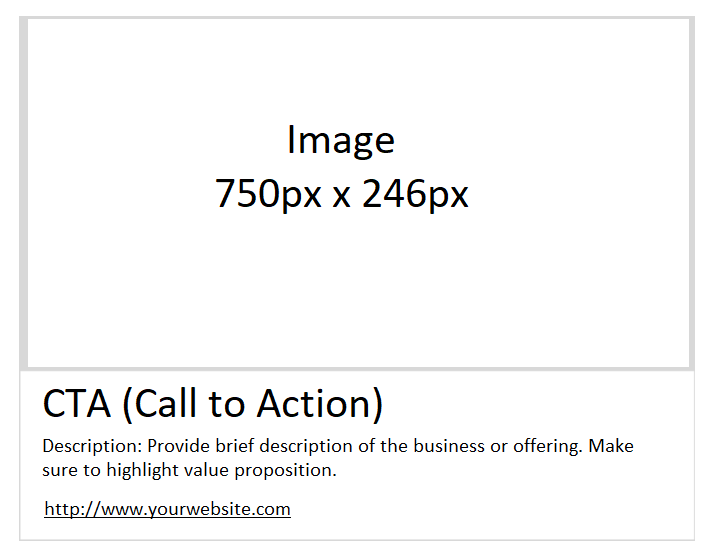
Complete the table below to provide details and specifications of the image to be used.
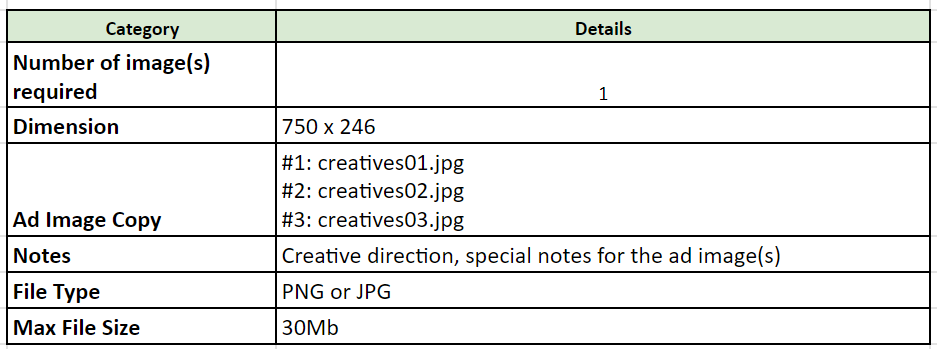
Facebook Carousel Ad
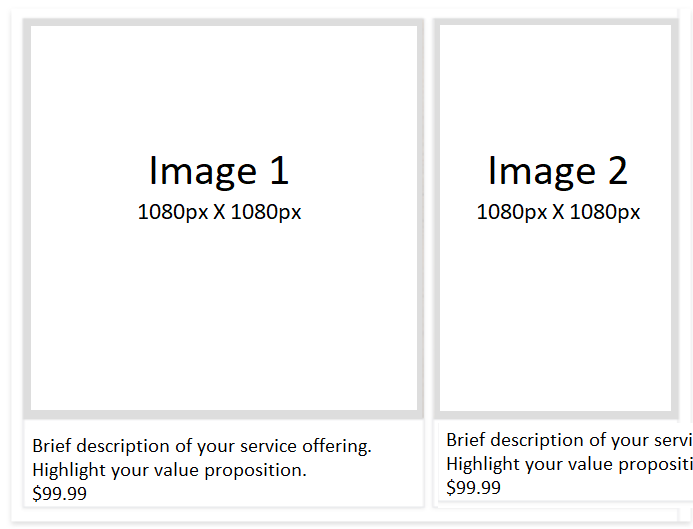
Complete the table below to provide details and specifications of the image to be used.
| Number of image(s) required | 3 |
|---|---|
| Dimension | 1080 x 1080 |
| Ad Image Copy | #1: Lorem ipsum dolor sit amet, consectetur adipiscing elit. #2: Nulla pulvinar, nibh sit amet rhoncus pellentesque. #3: Proin porttitor augue ut ornare vehicula. |
| Notes | Creative direction, special notes for the ad image(s) |
| File Type | PNG or JPG |
| Max File Size | 30Mb |
Call to Action (CTA) Button
Facebook Ads provides various CTA such as Shop Now, Download, Sign Up, Contact Us, Learn More or Use App. Be sure to use the appropriate CTA button to meet the advertising goal.
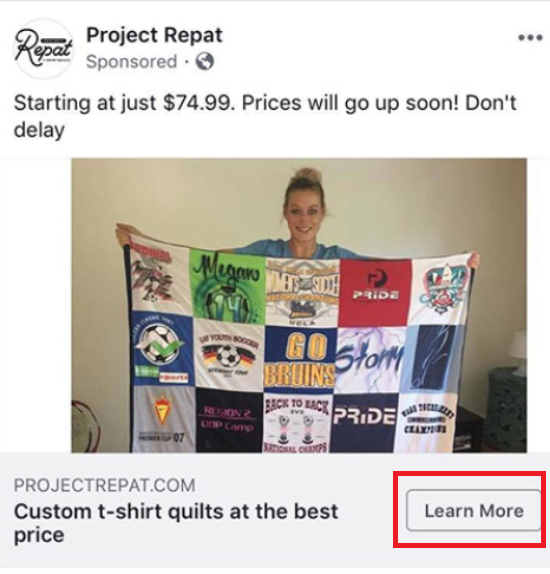
Here’s an example of a CTA button.
Conclusion
Excellent! You have just created a creative brief.
-
Following a well-designed creative brief when designing ads is very useful for running highly engaging ads that can meet your advertising goals.
-
You will only need knowledge in word processing software and use any of it like MS Office Word, Google Document, or Email to make a creative brief.