How to Configure Facebook Ads Conversion Events
Guide you through setting up your conversion events on Facebook Business Manager to optimize your campaigns.
Prefer a shortcut? 16 free tools do parts of this for you.
Aim: Guide you through setting up your conversion events on Facebook Business Manager to optimize your campaigns.
Optimal Outcome: To set up 8 most important conversions in Facebook Business manager which you can use to optimize your ad campaigns.
What do you need to start:
Facebook Business Manager account
Facebook Pixel installed on your website (SOP 013: How to Set Up Facebook Conversion Tracking Code)
Verified domain within Facebook Business Manager (SOP 028: How to Verify Ownership of Your Domain in Facebook Business Manager).
Why is this SOP Important: Facebook Ads now allows you to optimize your campaigns for one of the 8 configured conversion events you select for your domain.
When and Where to execute: Facebook Business Manager. You only need to set this once.
Who Should Be Doing This: Marketing staff, person responsible for running Facebook ads
What is Facebook Ads Conversion event?
A Facebook Ads conversion event is an action that a user takes on a website or mobile app that is tracked by Facebook's pixel. The conversion event can be anything from making a purchase to filling out a form, and is used to measure the effectiveness of Facebook Ads in driving desired actions by users. Advertisers can set up and optimize their Facebook Ads campaigns based on specific conversion events that are most relevant to their business goals.
Execution
-
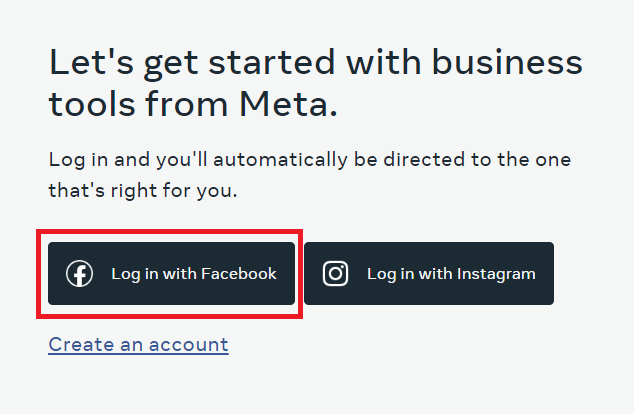
Login to Facebook Business Manager.
-
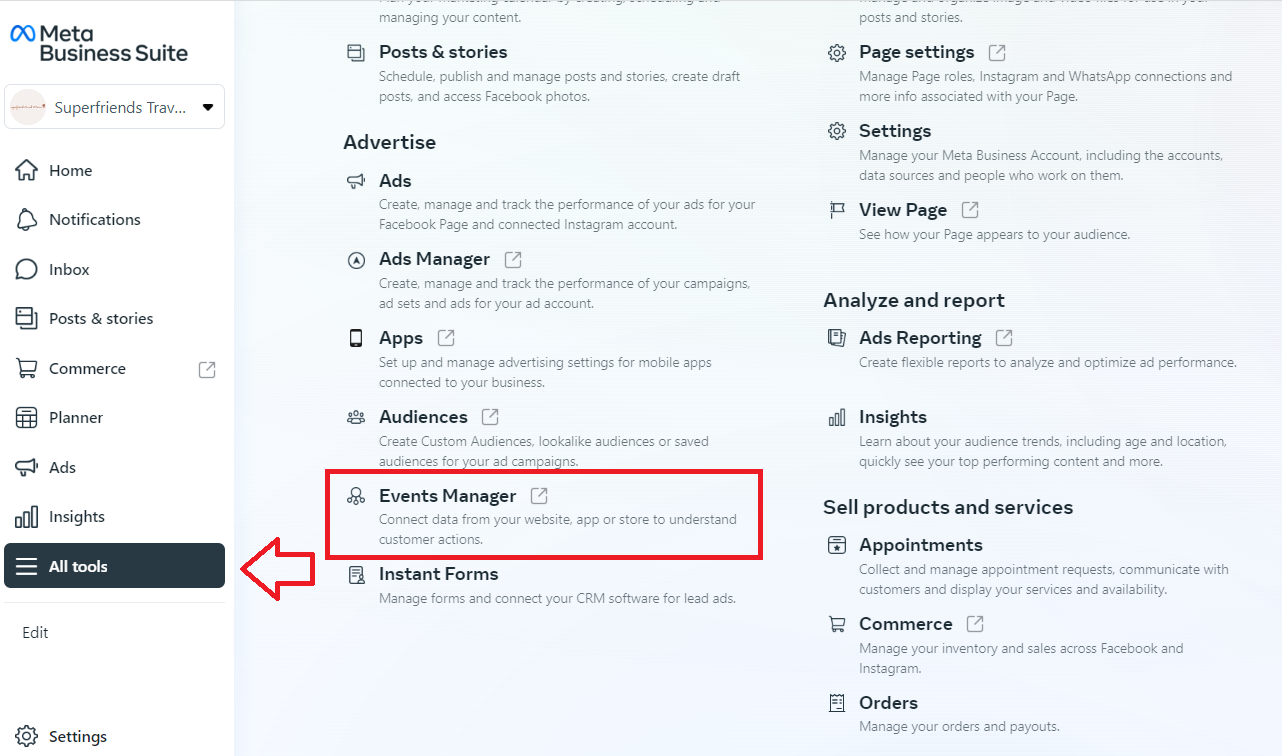
Navigate to All tools, then click Events Manager.
-
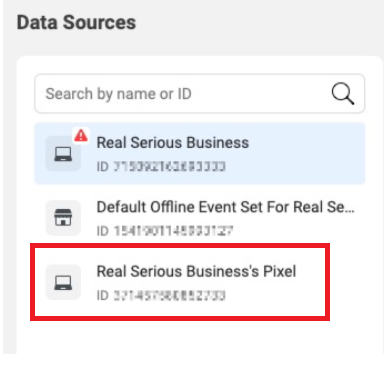
From the list of data sources, select the Facebook Pixel that you want to work on.
-
Select Aggregated Event Measurement.
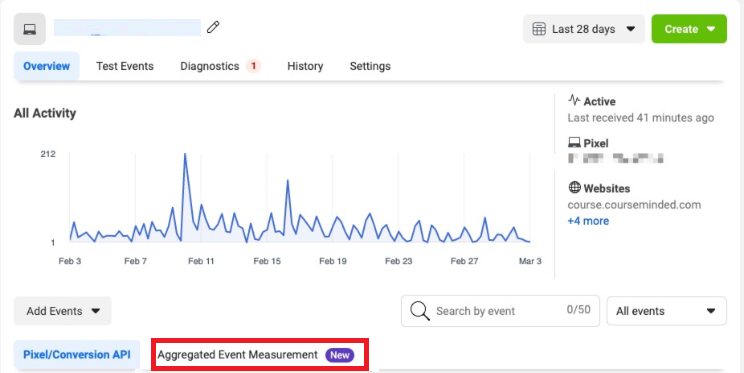
-
Click Configure Web Events. You’ll see a list of verified domains linked to your Facebook Business Manager. You’ll be able to configure up to 8 conversion events for each domain. Facebook will give you suggested conversion events but you can also manually configure your events.
-
To manually configure your events, select Edit Events.
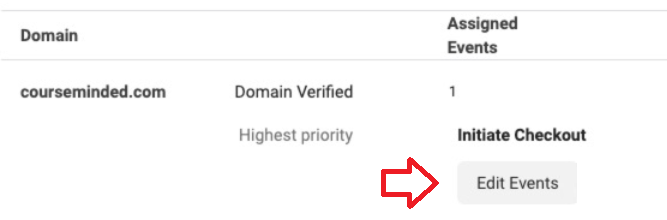
- Next, choose if you want to add standard events or custom events.
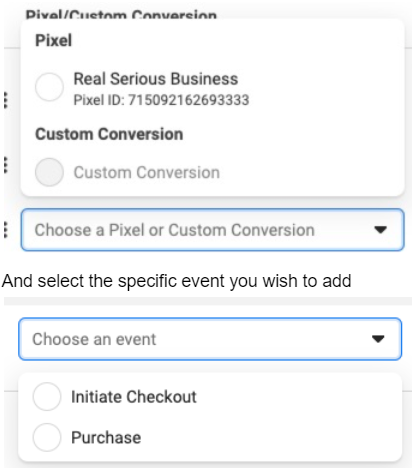
And select the specific event you wish to add
You can drag and drop events to reorder them based on priority.
Conclusion
That’s it! You’ve already set up your conversion events that can help you make data-driven decisions, improve your ad targeting, and ultimately drive more business results.
-
Tracking conversion events can help you better optimize your campaigns. Facebook’s algorithm can improve your ad delivery to reach people who are more likely to take the desired action on your website or app.
-
Conversion events allow you to measure the effectiveness of your Facebook ads and see which campaigns and ad sets are generating the most results for your business.
-
With conversion events, you can build custom audiences based on people who have completed specific actions on your website or app. This allows you to target more relevant ads to people who are more likely to convert.
-
By tracking conversion events, you can gain insights into your audience’s behavior, including the devices they use, the page they visit, and the time of day they are more likely to take action.