A Guide to Setting Up Your Facebook Ads Campaigns
To walk you through setting your Facebook Ads campaign.
Prefer a shortcut? 16 free tools do parts of this for you.
Aim: To walk you through setting your Facebook Ads campaign.
Optimal Outcome: Maximize your reach to potential customers by utilizing Facebook’s extensive platform and vast audience through the promotion of your ads.
What do you need to start: Facebook Ads account
Why is this SOP Important: Running ads campaigns on Facebook offers the benefits of a large audience, targeted advertising, cost-effectiveness, measurable results, multiple ad formats, and increased brand awareness.
When and Where to execute: The best time to run Facebook ads will depend on your specific audience and advertising goals, and you may need to experiment with different times and days to determine what works best for you.
Who Should Be Doing This: Marketing Staff, Social Media Manager
What is Facebook Ad Campaign?
A Facebook Ad Campaign is a marketing effort in which businesses create and run ads on the Facebook platform to reach their target audience and achieve their advertising goals. Ad campaigns can include various ad formats, targeting options, and budget constraints, allowing businesses to tailor their advertising efforts to their specific needs and objectives.
Execution
-
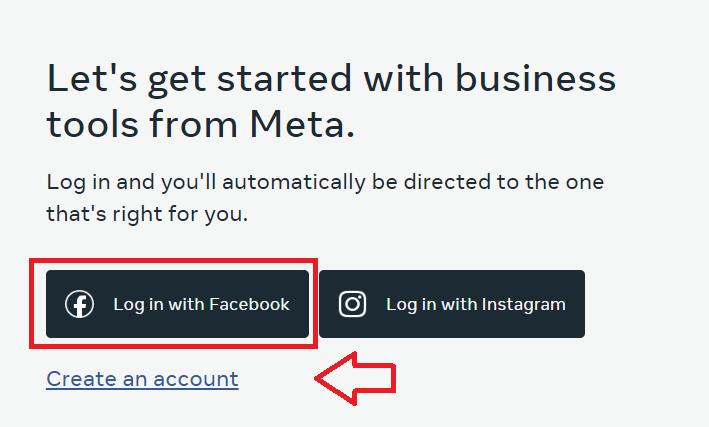
Login or create a Facebook Ads account.
-
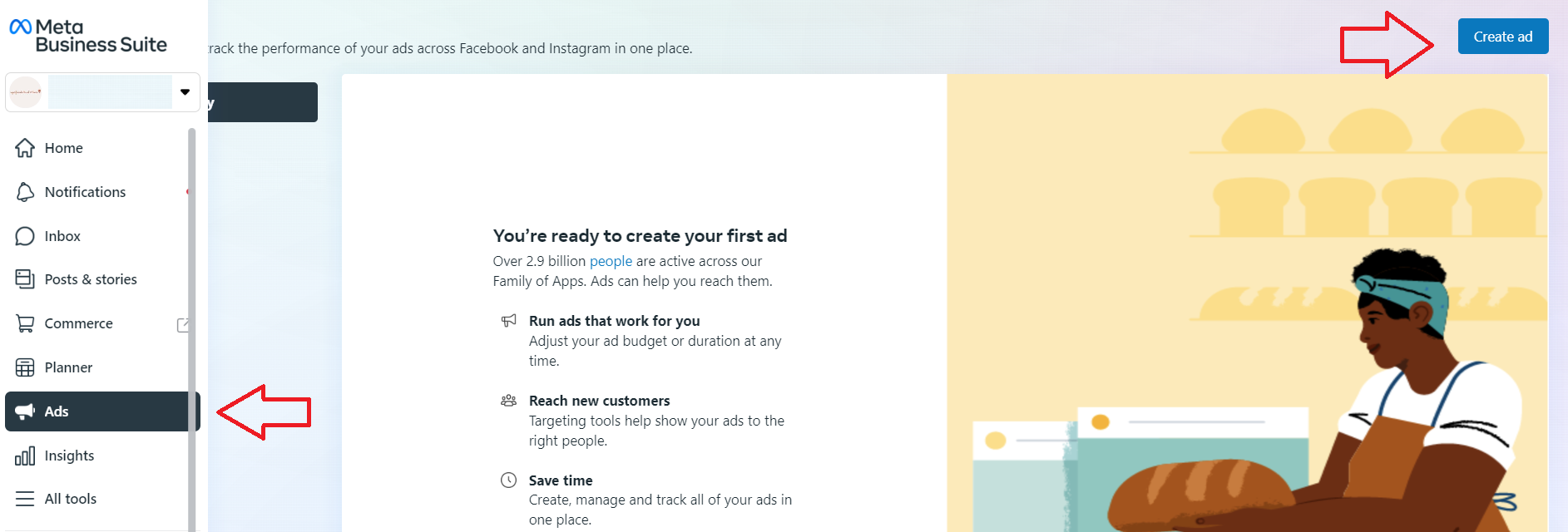
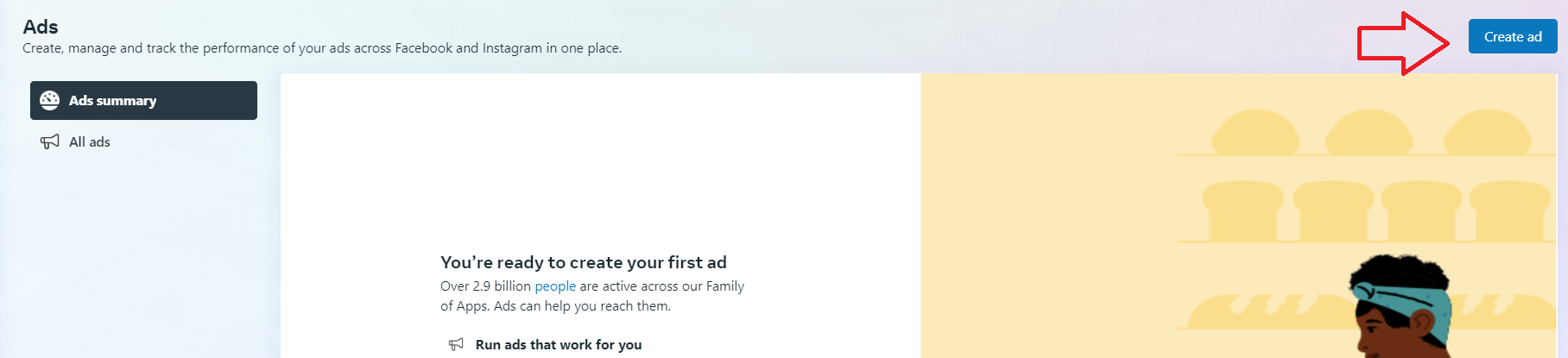
Navigate to the left menu, then click Ads, then click Create ad.
- There are two ways you can set up your ads campaign. You can either use the Automated Ads option where Facebook algorithm will adjust your settings based on data collected over time, or you can manually set up your ad by customizing the ad settings.
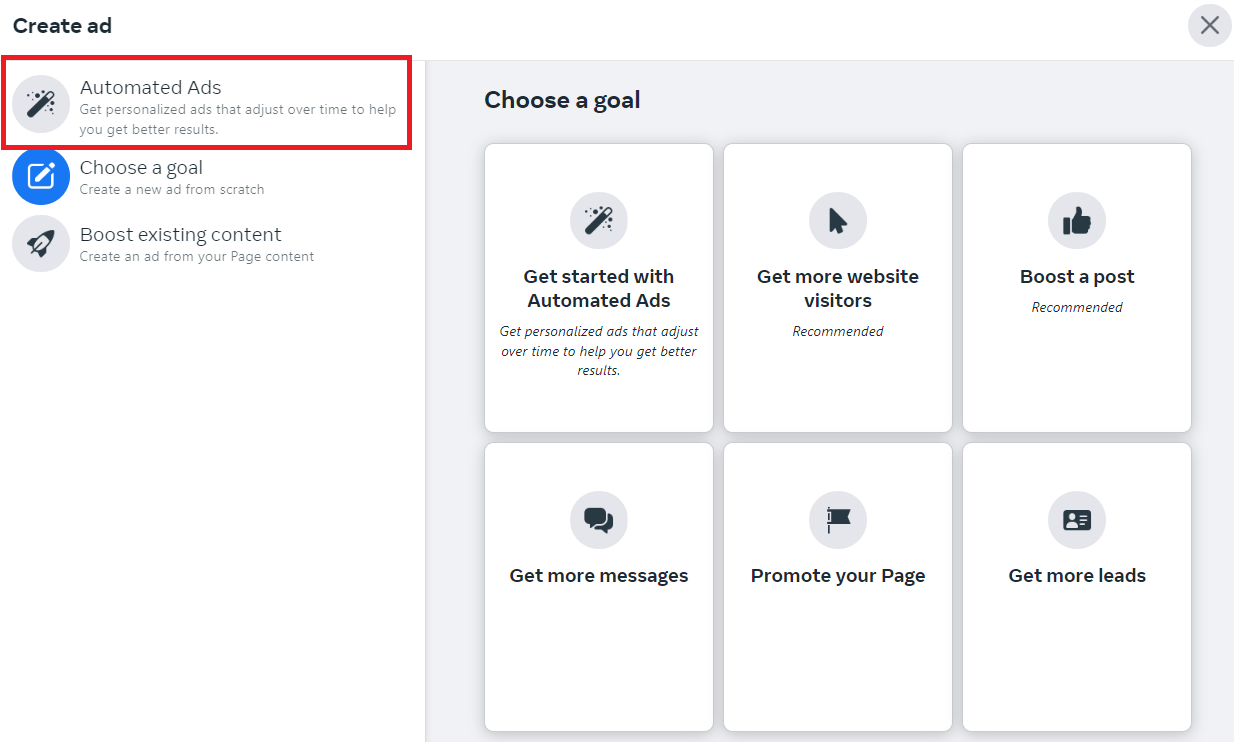
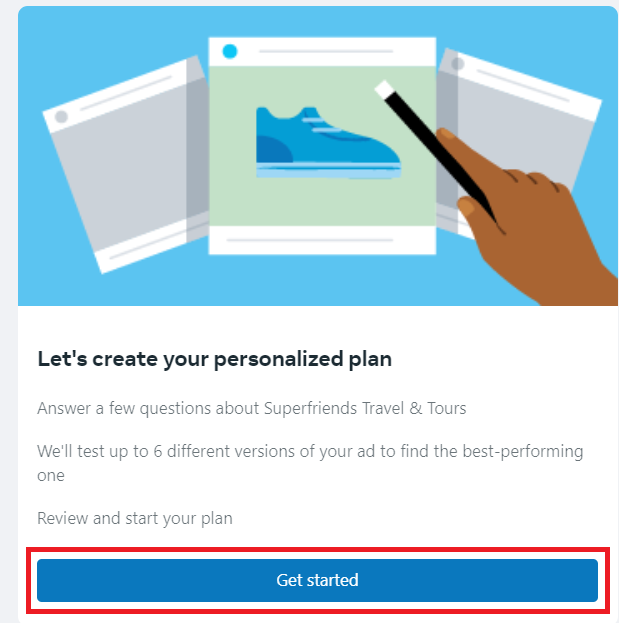
- If you choose automated ads, you’ll go through a series of prompts to plan your campaign. Click Get started.
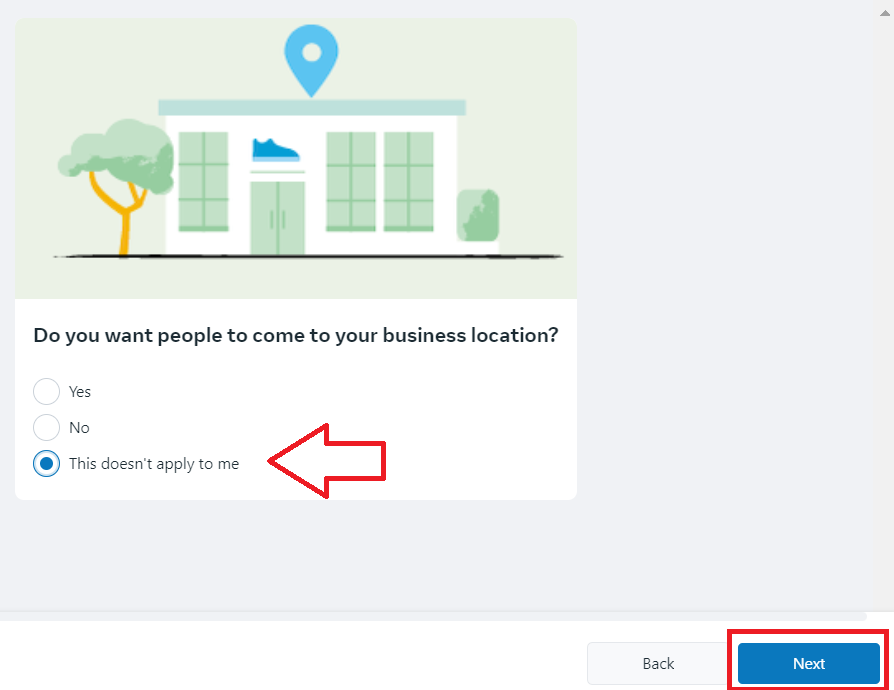
- Specify if you have a physical store, then click Next.
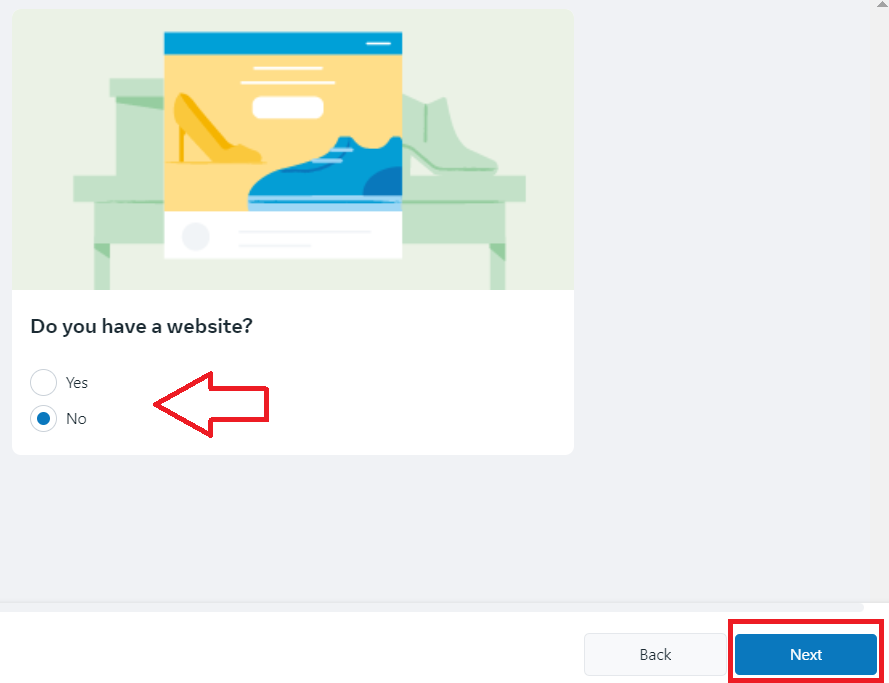
- If you have one, enter your website, then click Next.
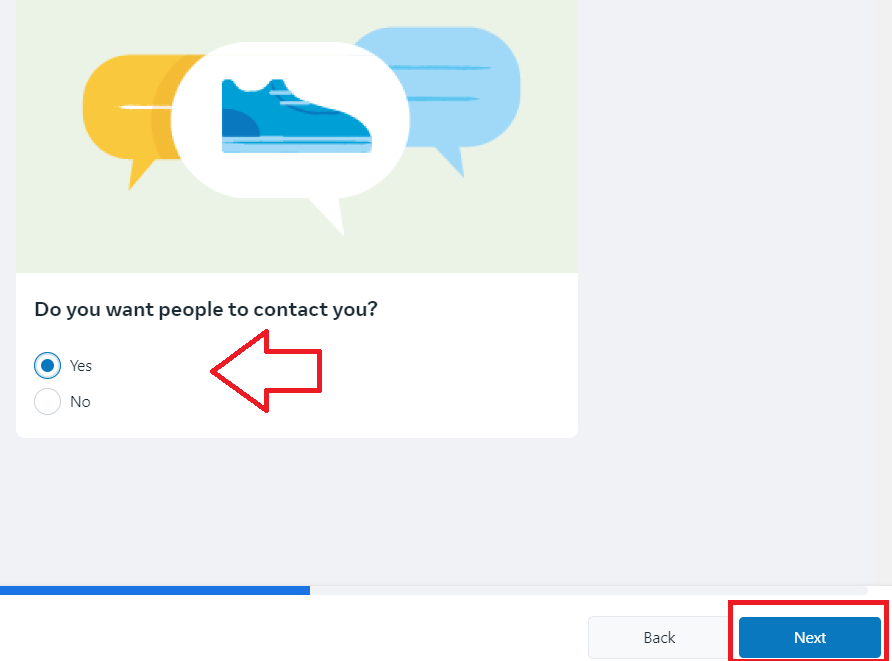
- Indicate your contact preferences, then click Next.
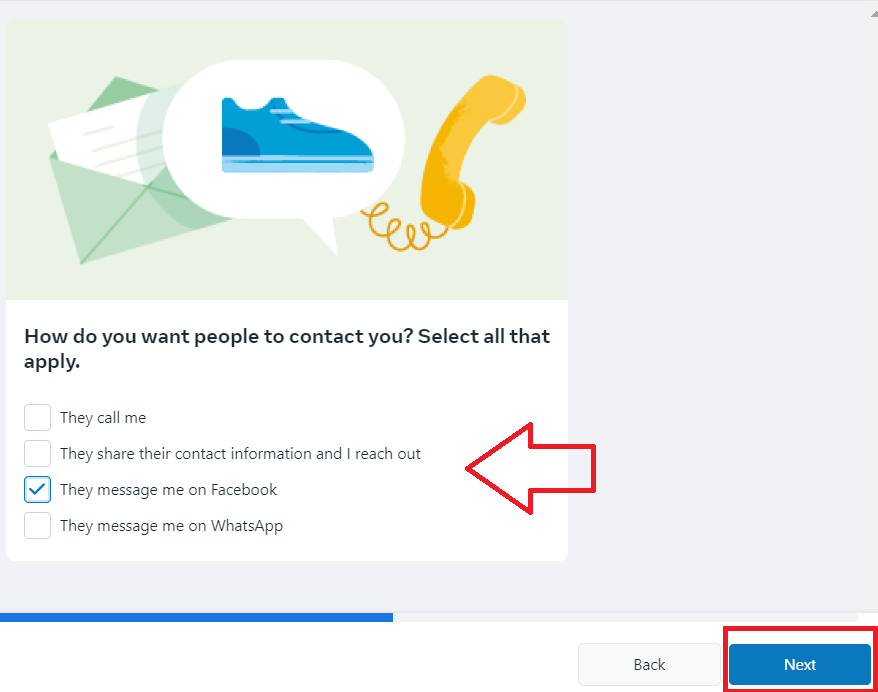
- Choose how you want your customers to reach you, then click Next.
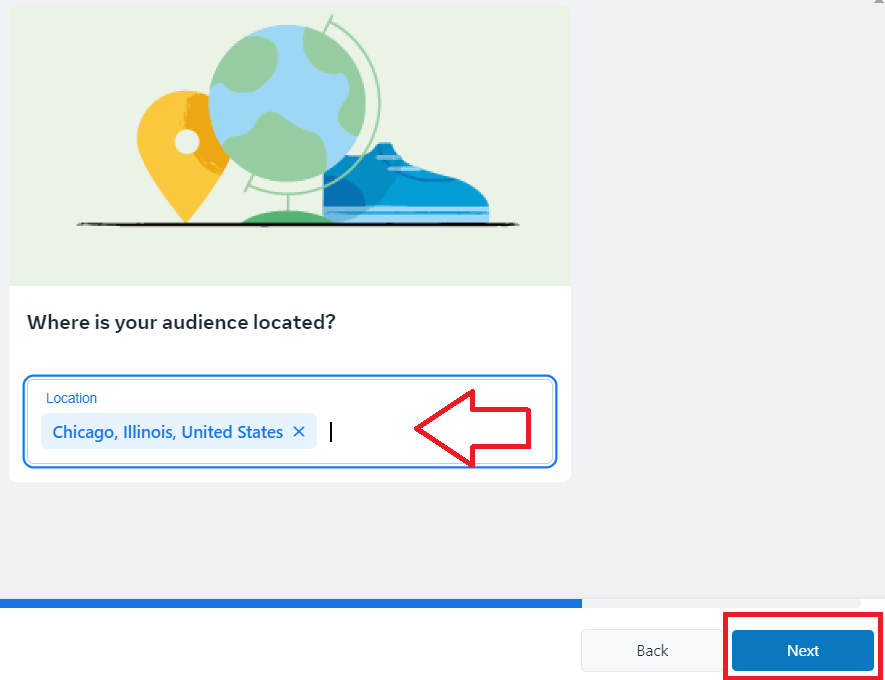
-
Specify the location where you want to show your ads, then click Next.
-
Enter some topics or keywords that your audience might be interested in. You can enter up to 10 keywords. Once done, click Next.
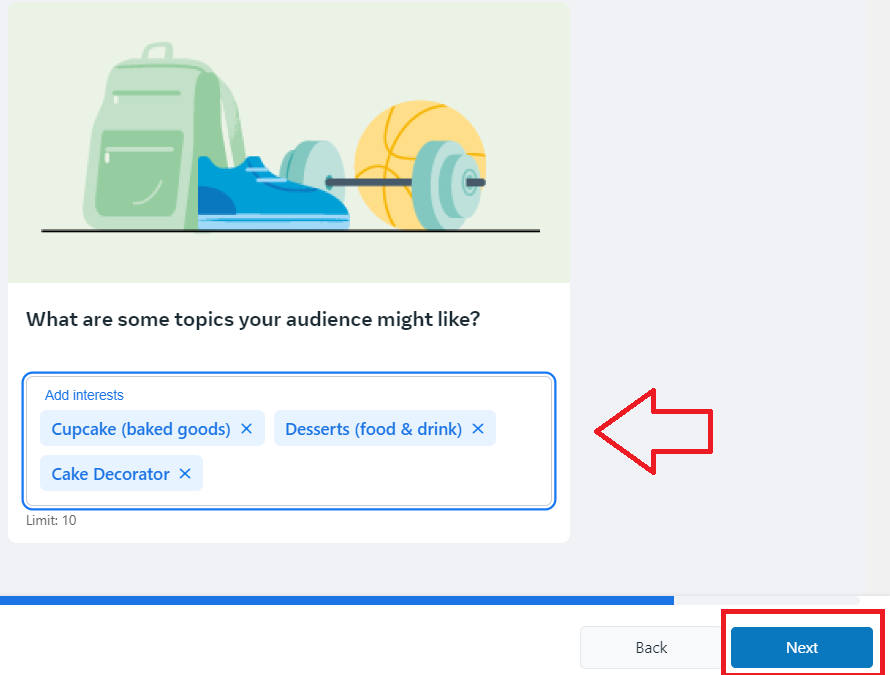
- Next, you can add up to 6 versions of your ad. Facebook’s algorithm will automatically optimize and choose which version is the most likely to achieve your goal. Click Next.
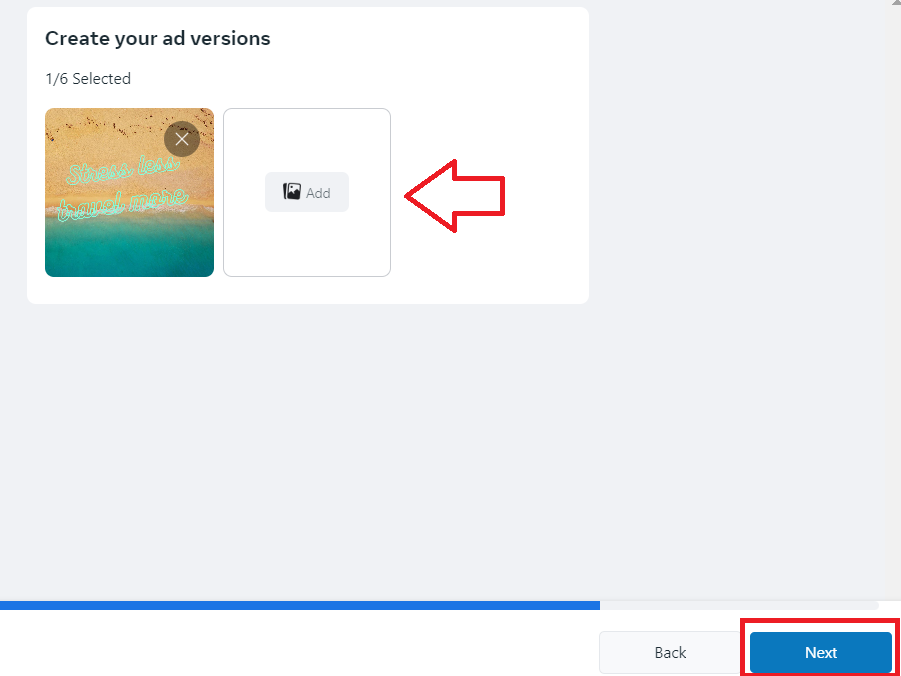
- Choose your campaign’s goal, then customize settings for your budget.
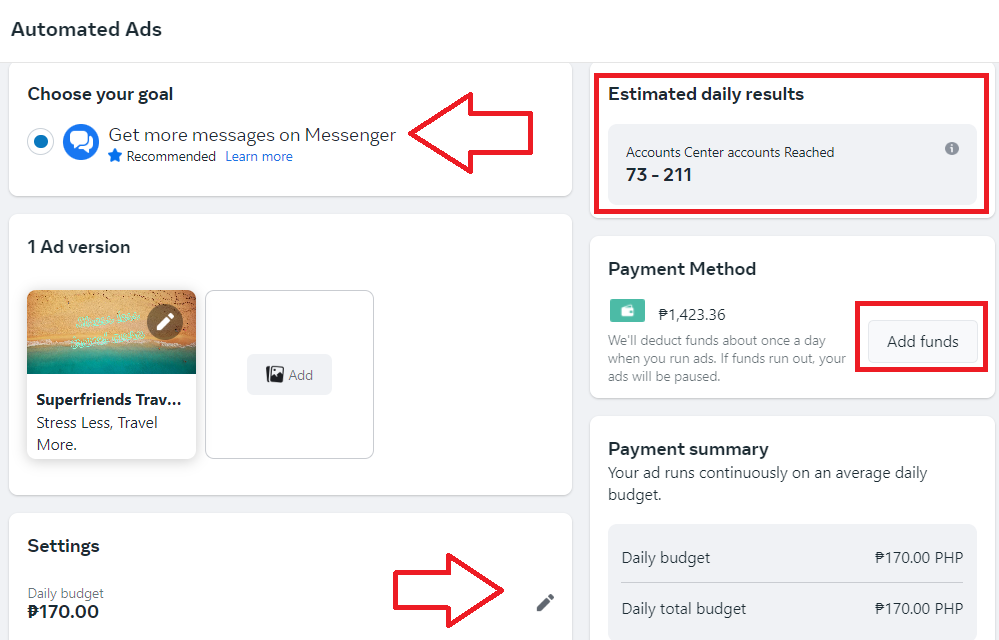
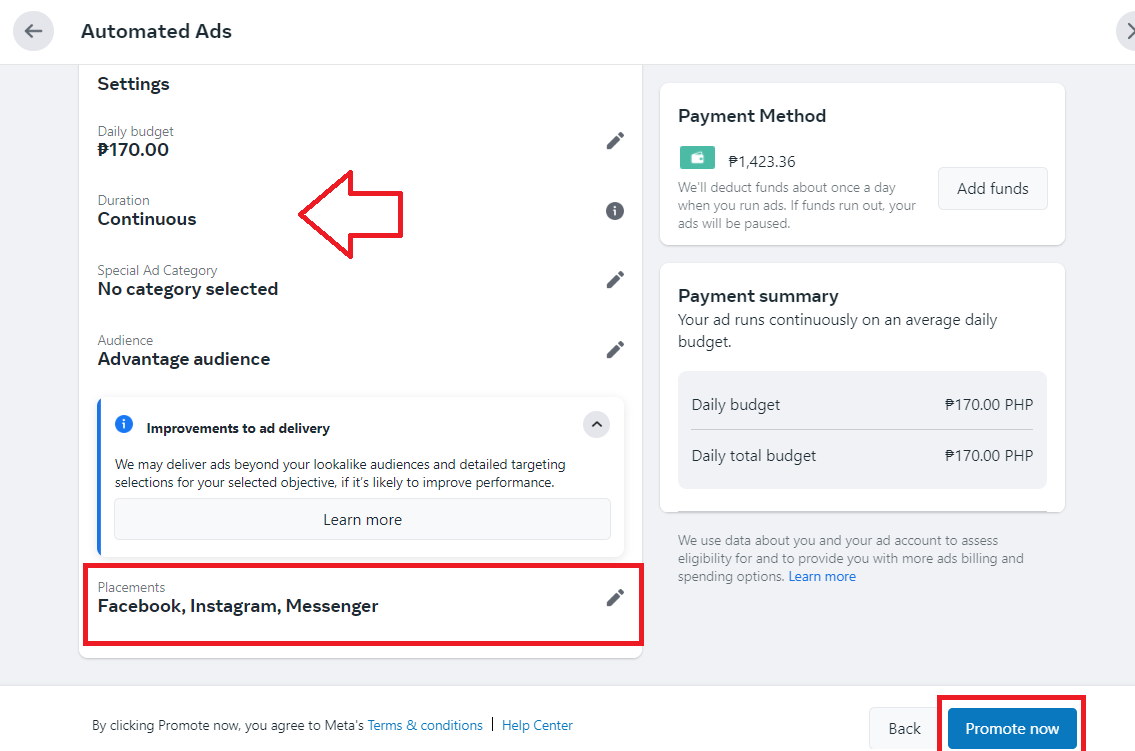
- Review your settings for the duration of your ads and placements. Remember that placements also contribute to the overall reach of your ad. Once you’re good with all the settings, click Promote now.
- To set up a manual Facebook Ads campaign, click Create ad from the main Ads page.
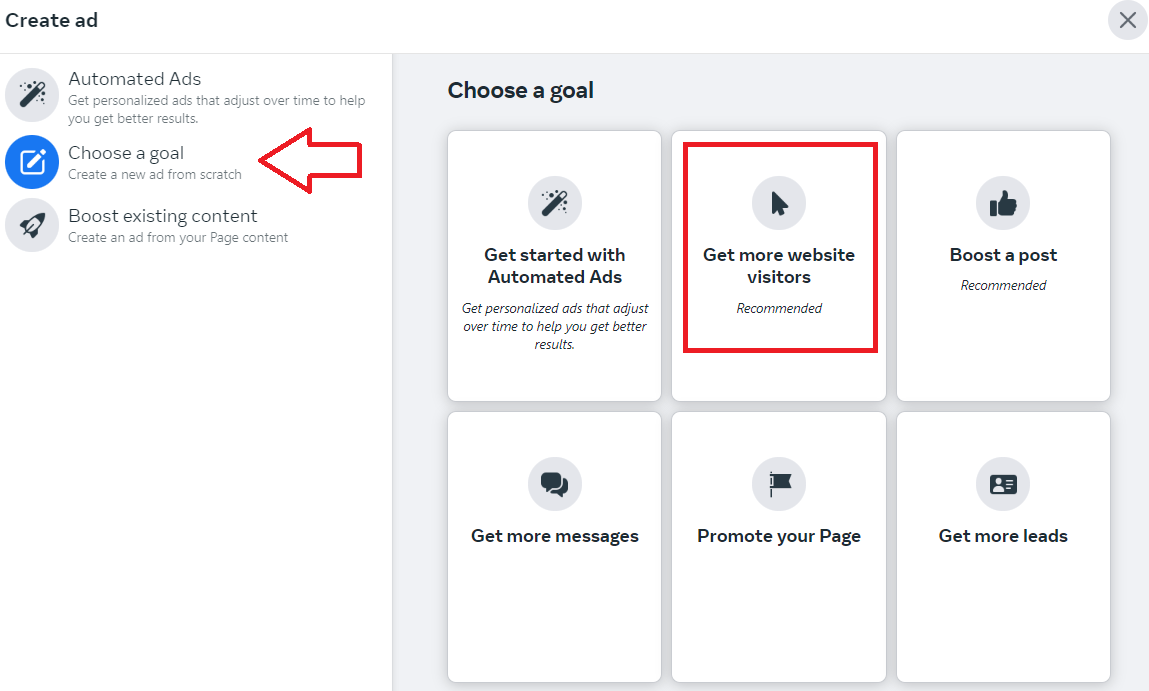
- Click Choose a goal, then select a goal from the options.
-
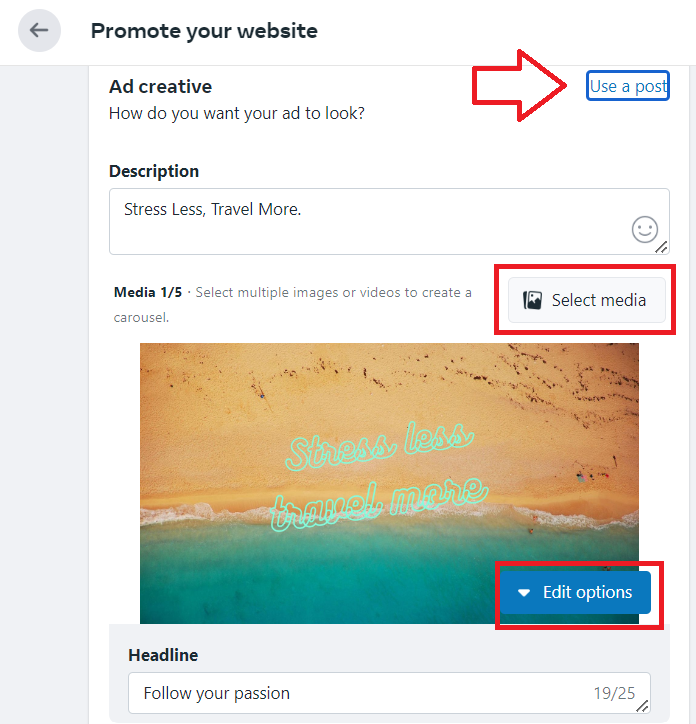
Customize your ad creative. You can use an existing post from your page and provide a brief description.
-
You also have the option to add media such as images and videos.
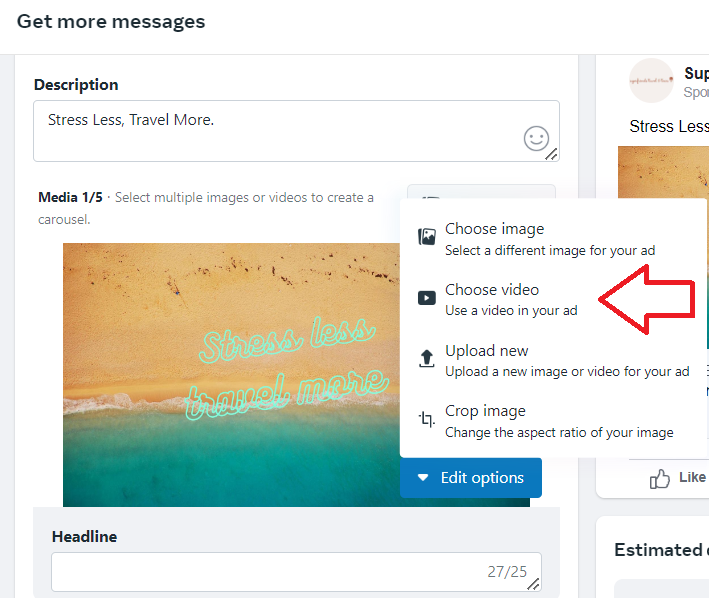
- Click Edit options to see additional choices for editing your ad creative.
-
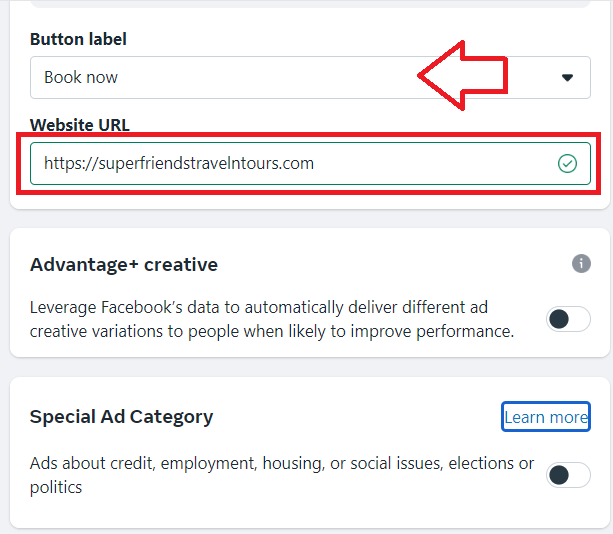
Choose your ad call to action (CTA) button which will be the button that the customer will click or interact with.
-
Enter your Website URL.
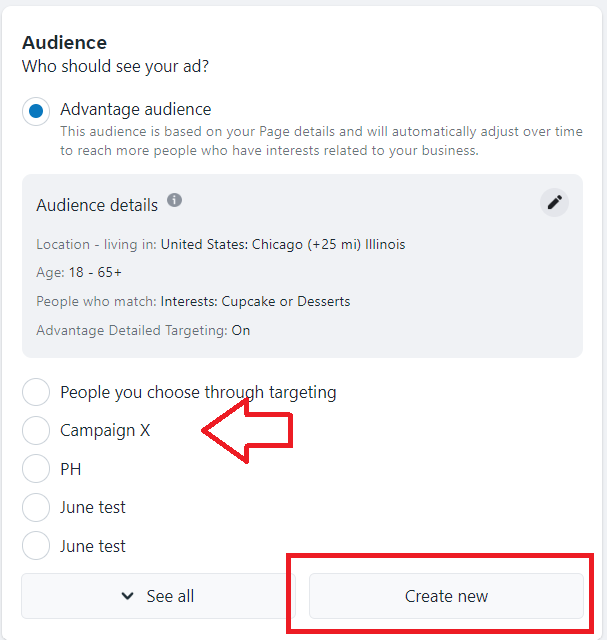
- Choose who should see your ad. You can choose from your existing Audience or create a new one.
Follow this guide to set up your Audience SOP 023: How to Choose Your Facebook Ads Targeting.
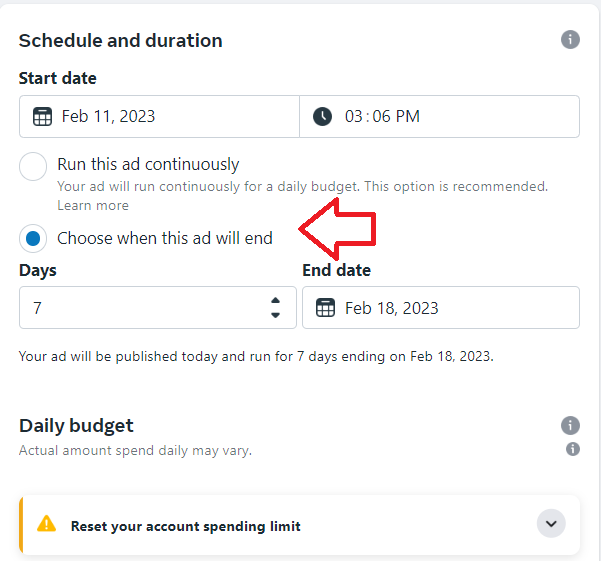
- Set the schedule and duration of your campaign.
-
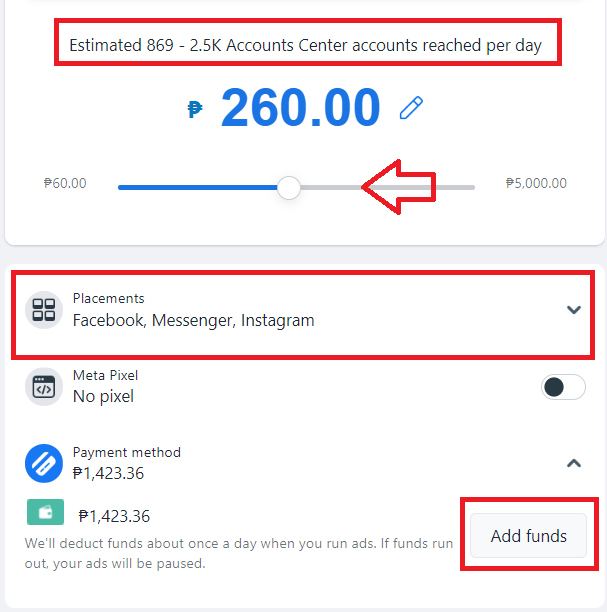
Adjust the budget and check the estimated reach of your campaign.
-
You’ll also have the option to customize where you want your ads to be placed.
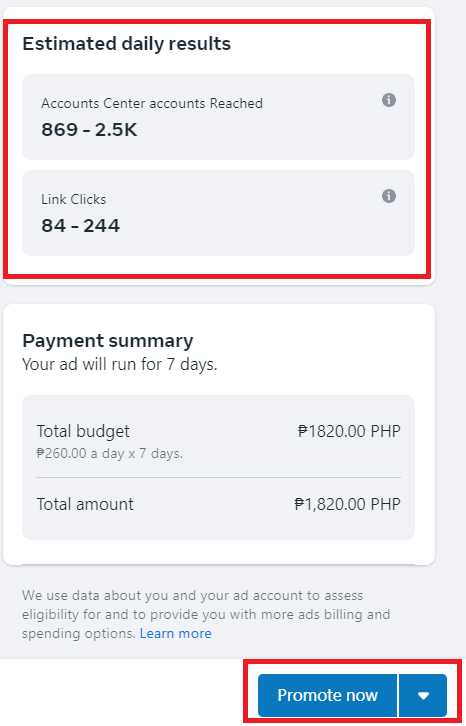
- Review the estimated results of your campaign. Pay attention to the potential reach and link clicks. Once everything looks good, click Promote now.
Conclusion
That’s it! Now that you’ve set up your Facebook ad, you can now easily monitor the results of your campaign.
-
Facebook’s massive user base provides a huge audience for your ads.
-
Compared to traditional advertising methods, running ads on Facebook can be more cost-effective. You can set a budget for your campaign and only pay for the impressions or clicks of your ads.
-
Facebook offers a variety of ad formats, including image, video, carousel, and more, which gives you the flexibility to create engaging and effective ads that meet your marketing goals.
-
Facebook provides robust analytics and reporting tools that allow you to track the performance of your ads in real-time which can help you optimize your campaigns and make informed decisions about your advertising efforts.
-
Facebook offers highly targeted advertising options based on a user’s interests, behaviors, and demographics which makes it easier for you to reach the right people with your ads.