A Guide to Creating a Lead Generation Campaign on Facebook
Give you a step-by-step guide on how to set up your lead generation ad campaign on Facebook.
Prefer a shortcut? 16 free tools do parts of this for you.

Aim: Give you a step-by-step guide on how to set up your lead generation ad campaign on Facebook.
Optimal Outcome: Set the stage for your successful marketing campaign by generating and nurturing leads from your Facebook lead generation ads.
What do you need to start: You’ll need a Facebook Ads account or Facebook Business Manager account
Why is this SOP Important: A lead generation campaign on Facebook is an effective way to reach, engage, and convert your target audience and help you grow your business.
When and Where to execute: Lead generation ads on Facebook are most effective during the times when your target audience is most active on the platform. This can vary depending on factors such as age, location, and interests. Generally speaking, weekdays during business hours tend to have higher engagement rates.
Who Should Be Doing This: Marketing staff
What is a lead generation campaign?
A lead generation campaign is a marketing effort aimed at attracting potential customers for a business with the goal of generating interest and capturing their information for follow-up and conversion into paying customers. Lead generation campaigns can take many forms and the specific tactics used will vary based on the campaign’s goals and target audience.
Execution
Create lead generation campaign from Facebook page
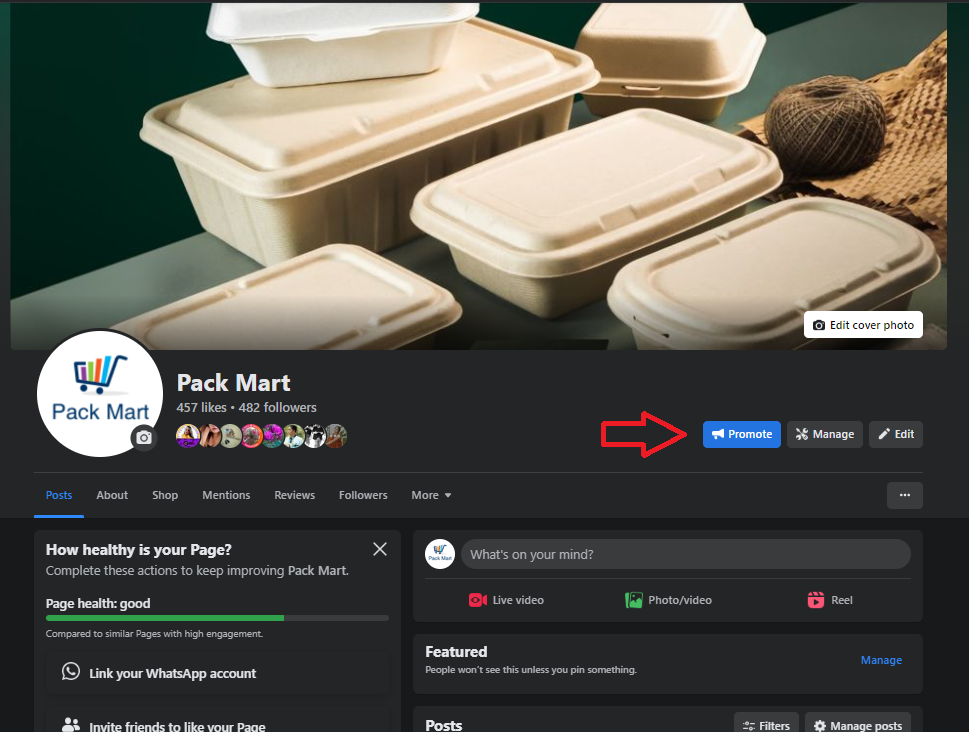
- Login to your Facebook page and click Promote.
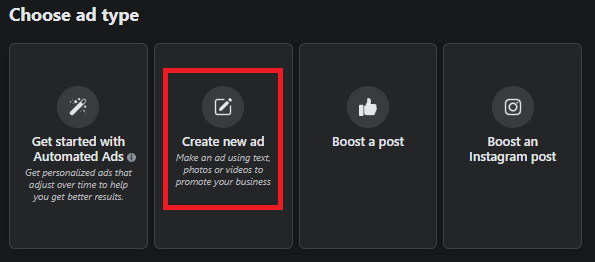
- Click Create new ad.
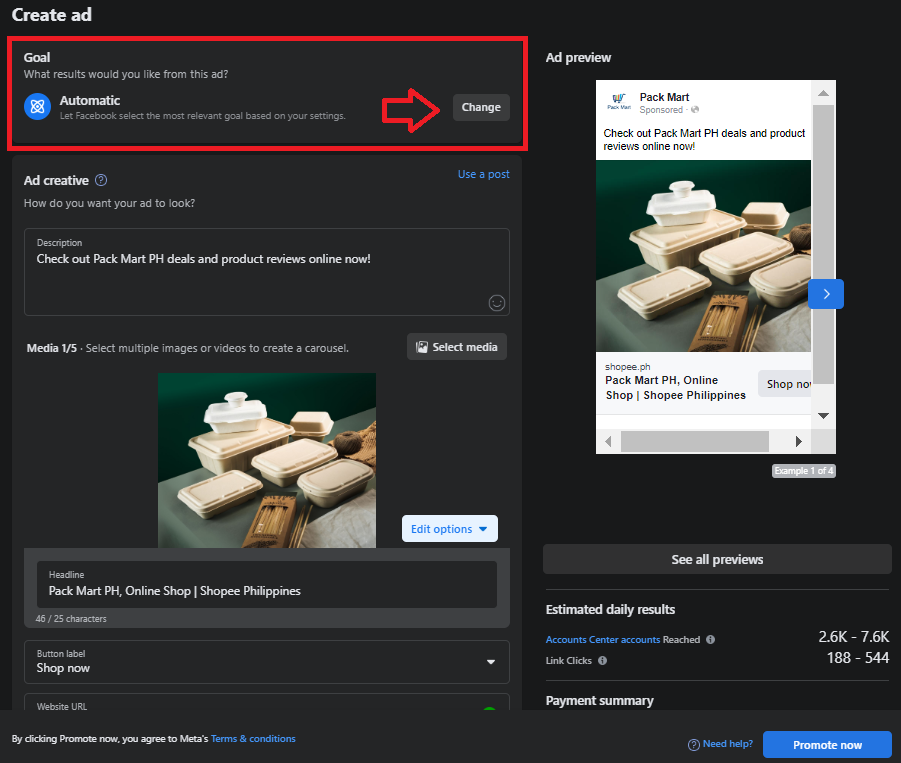
- From the Goal section, select Change.
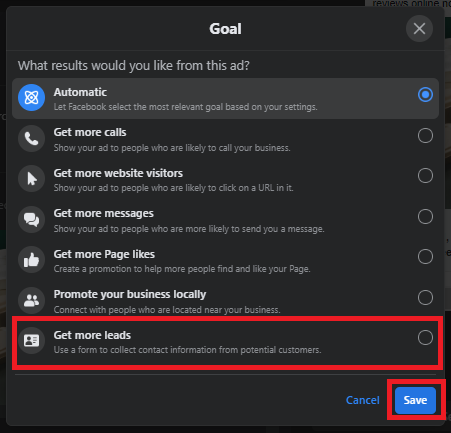
- Choose Get more leads from the drop down menu, then click Save.
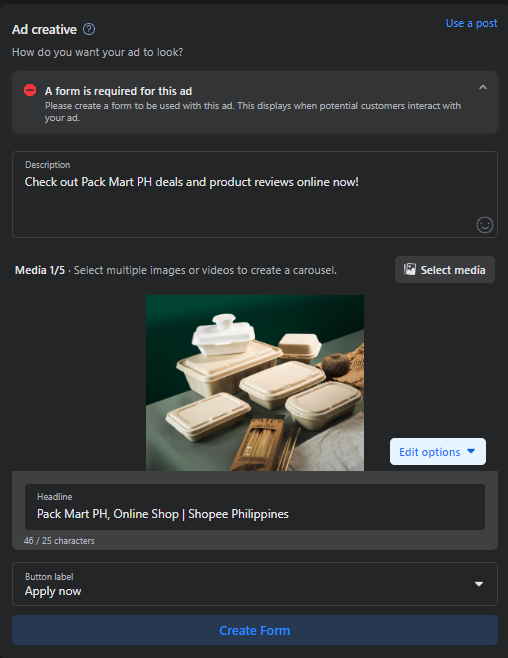
- Add images or videos to your ad creative. A form is required to run a lead generation ad campaign. To do this, click Create Form.
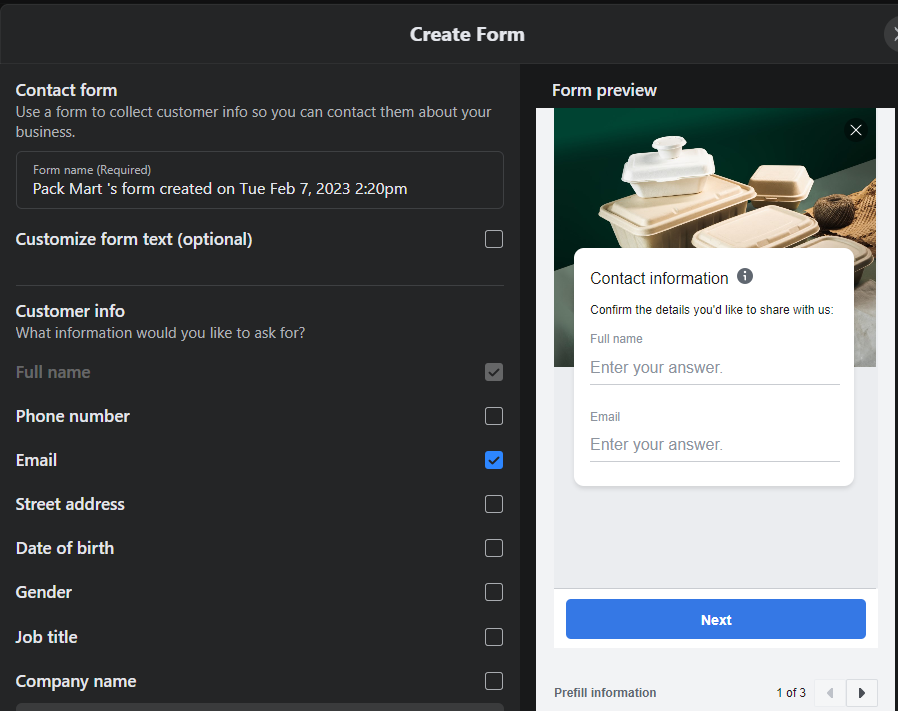
-
Select information that you want your potential customers to fill out in your form.
-
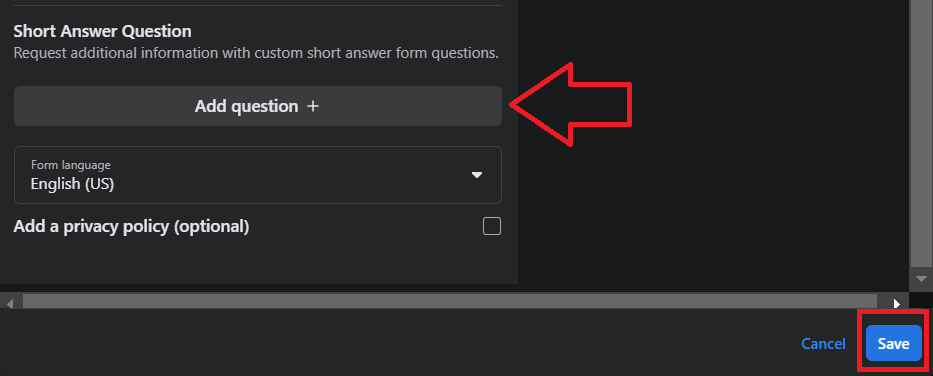
You can also customize the questions you want to show on your form. Optionally, you can add a privacy policy from your own website to let customers know how their information will be handled.
Once done, click Save.
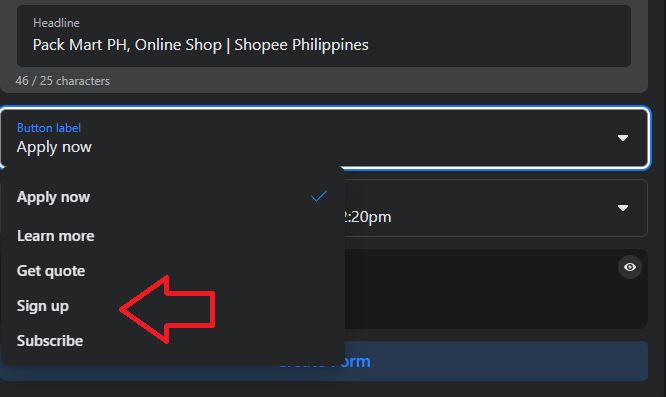
- Next, select the button that will appear on your Facebook ad which the customer will interact with.
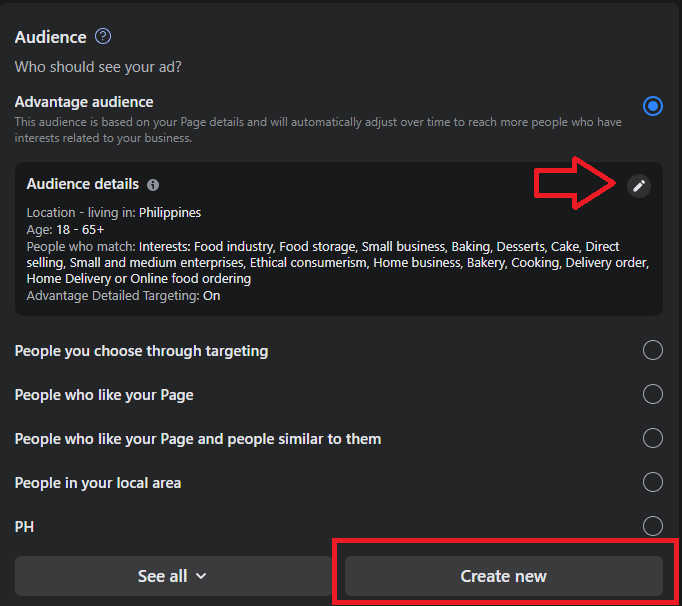
- Select the Audience for your ad campaign. If you already have an existing audience set, and you want to edit it, choose the Edit icon from the details box. You can also specify your target audience based on their behavior and how they interact with your Facebook page.
-
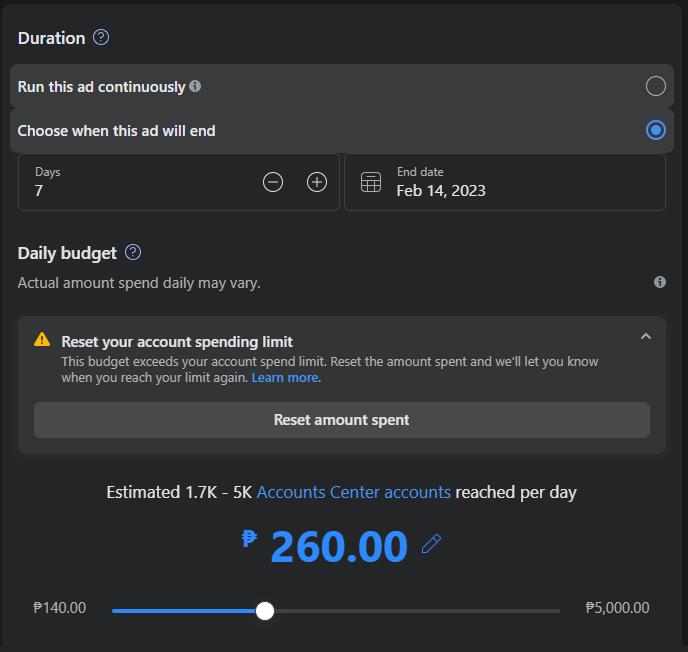
Set the duration of your ad and your daily budget.
-
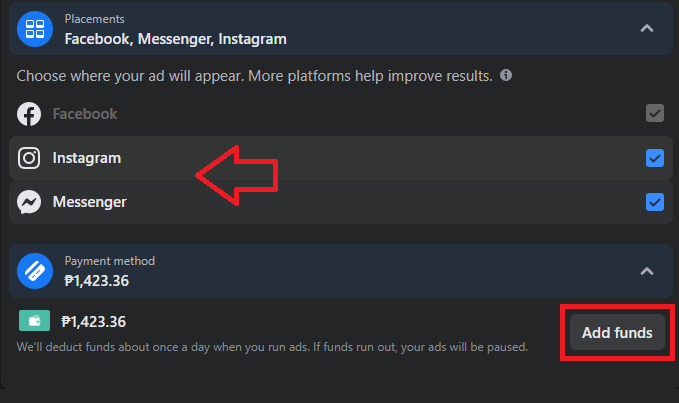
Choose Placements for your ads and Add funds to your account.
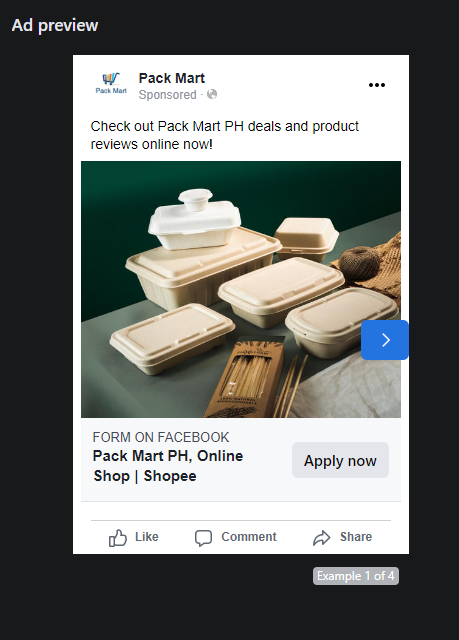
- Preview your Ad to make sure everything is in order.
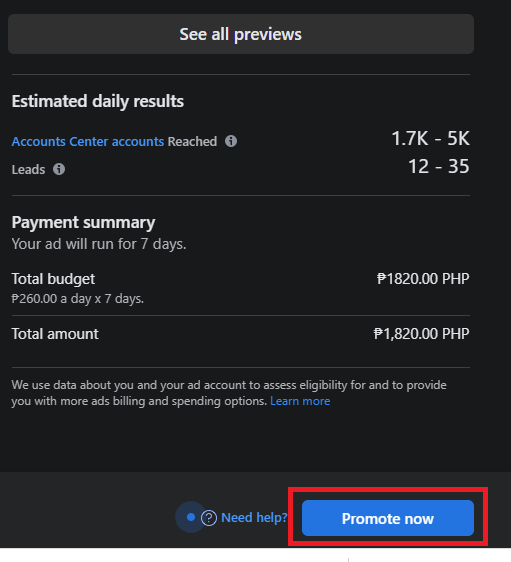
- Review the settings of your ad and the number of potential leads it will generate. Once you’re good with your settings and budget, click Promote now.
Create lead generation campaign from Facebook Ads Manager
- Login to your Facebook Business Manager platform. Click Ads from the left side menu.
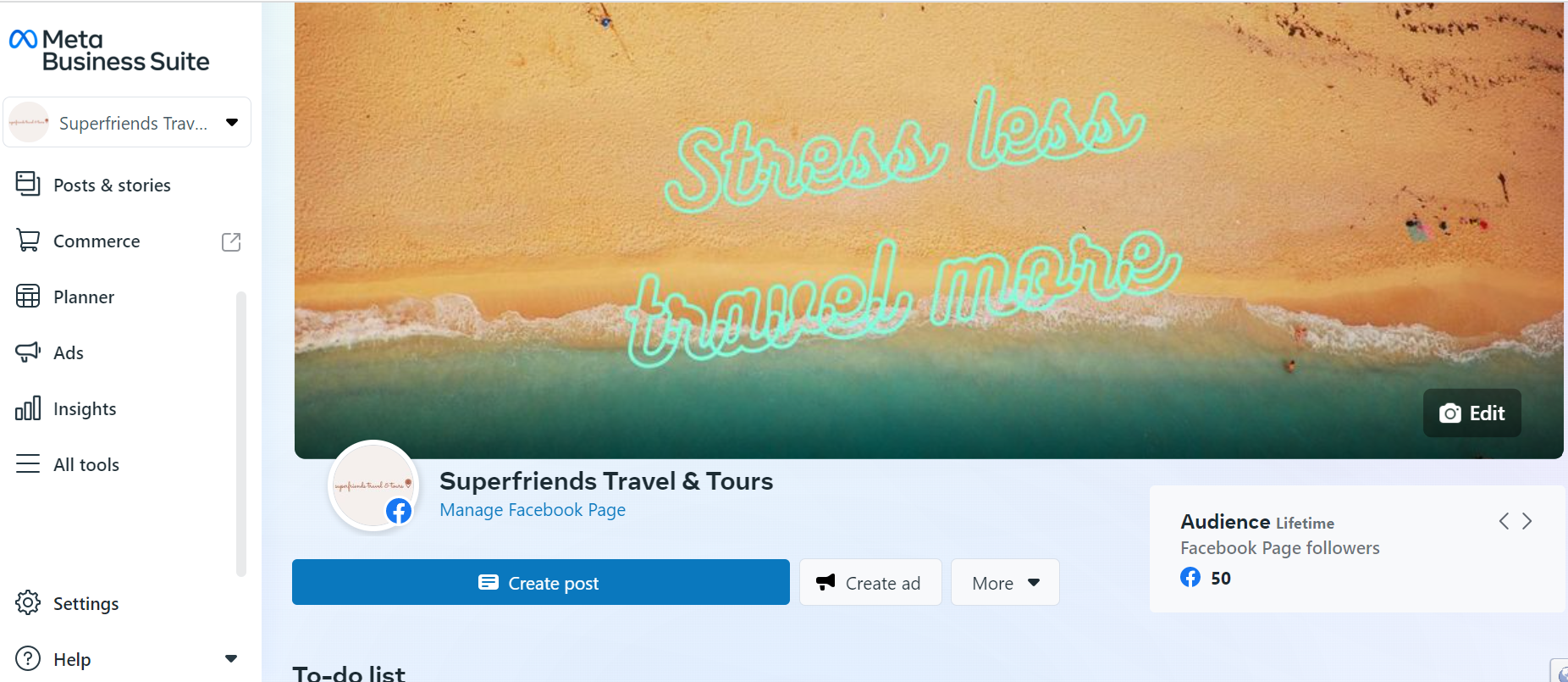
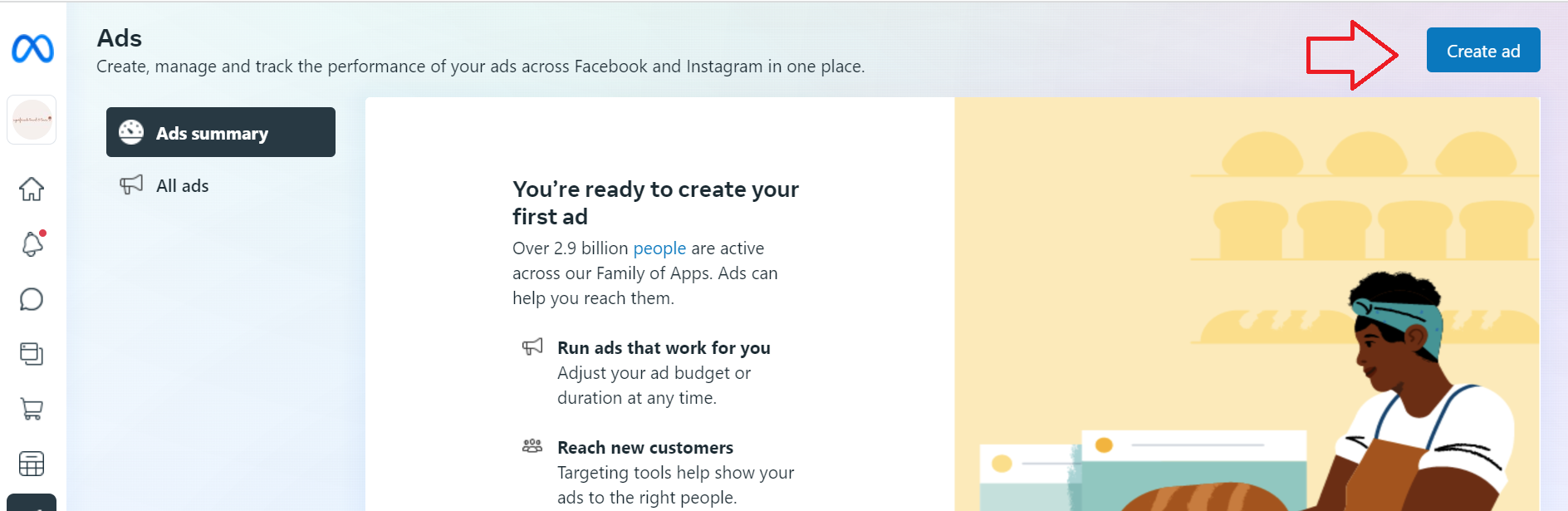
- Click Create ad.
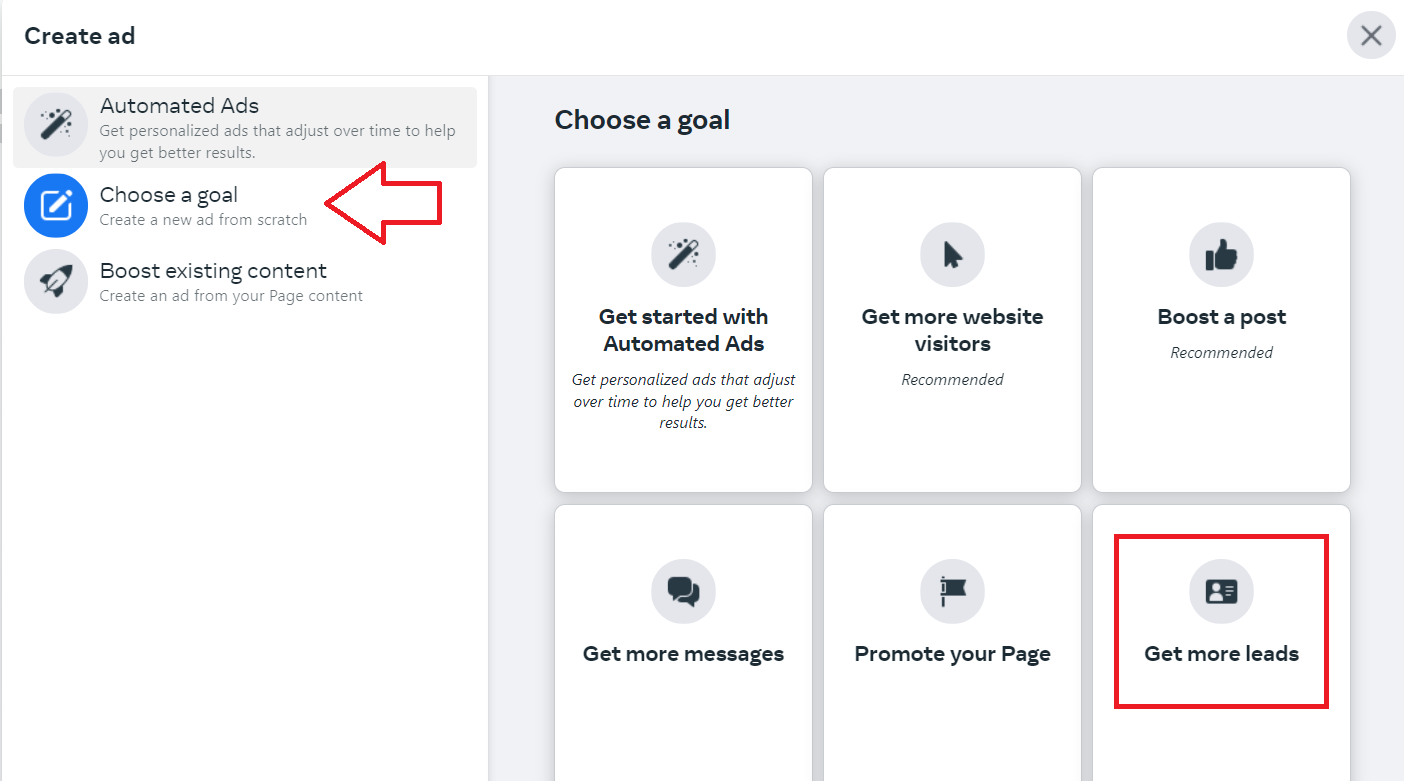
- From the left menu, select Choose a goal then click Get more leads.
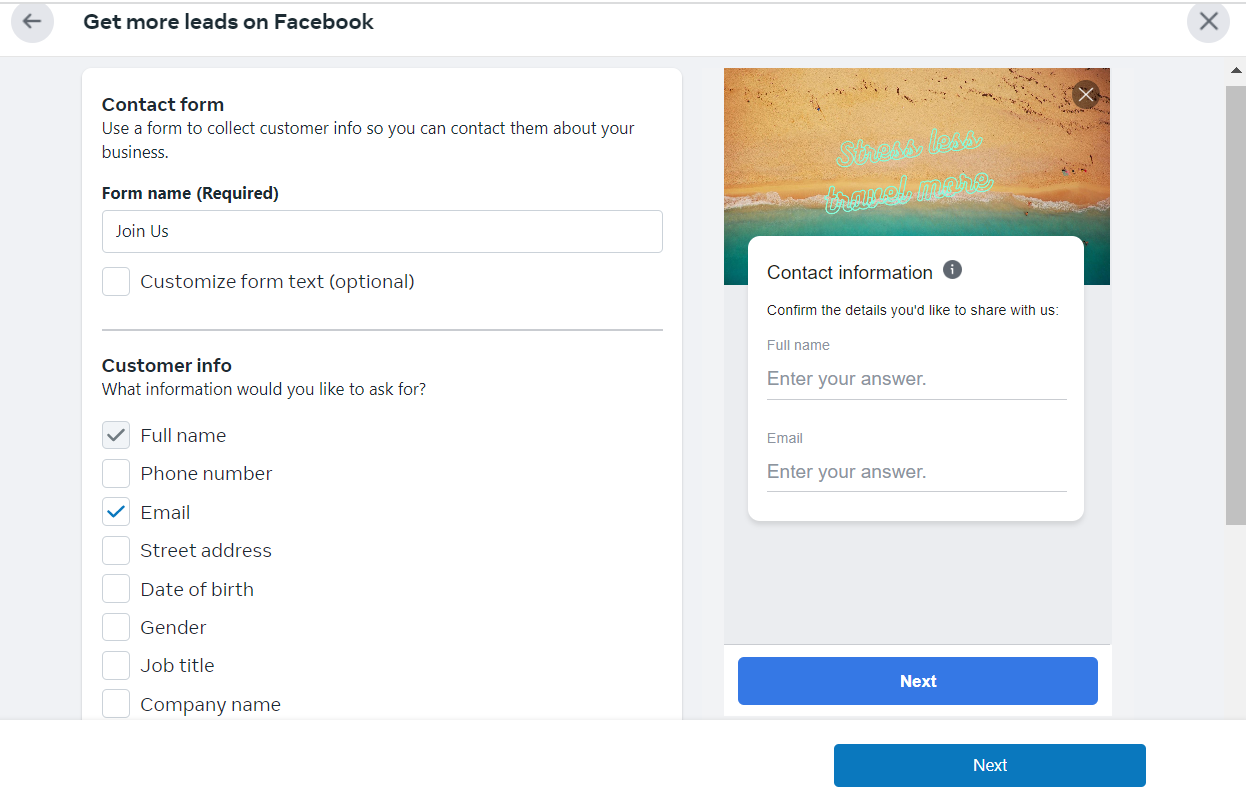
- Next create the form that your customers will fill out. Indicate the information that customers will need to provide.
Note: Make sure to follow Facebook’s Lead Ad Terms.
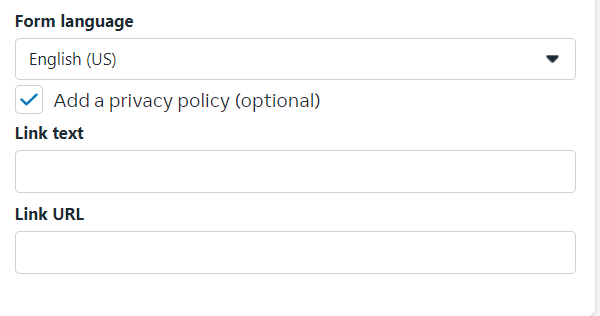
- Choose the language for your form then add the link to your privacy policy.
-
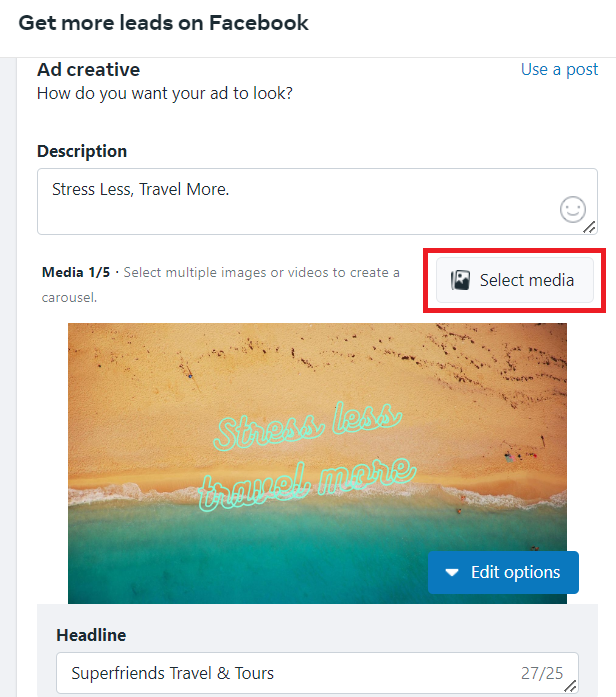
Next, customize your ad creative and headline. You can add more images or videos.
-
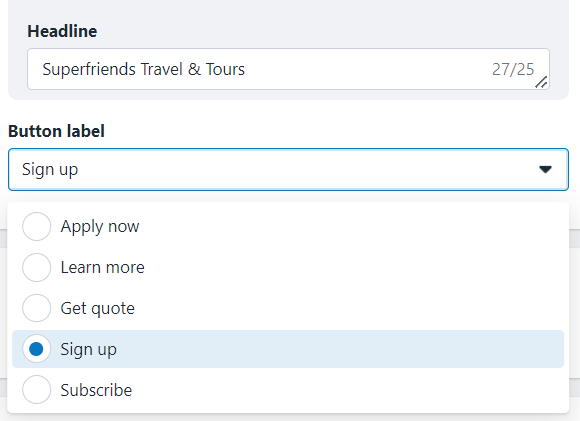
Choose the Button label from the drop down. This will serve as the call to action for your ad.
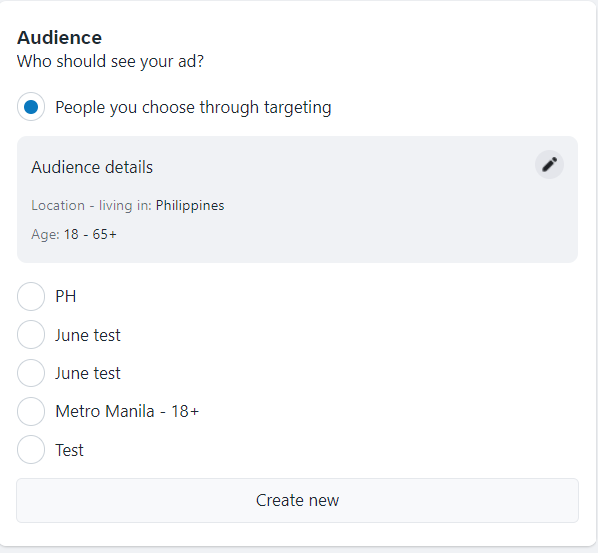
- Customize your audience’s demographics and location.
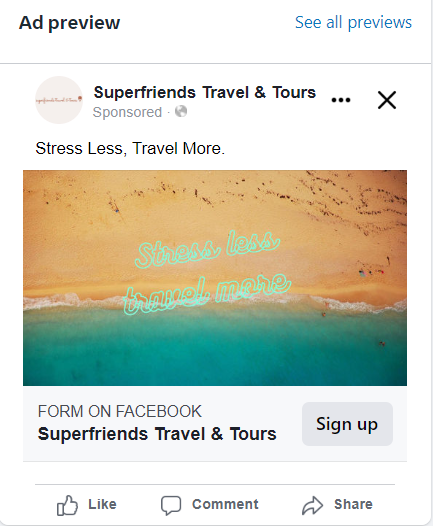
- Preview your ad.
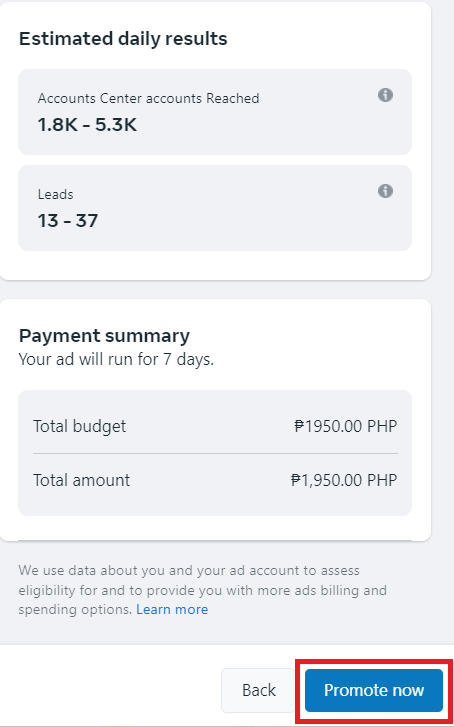
- Review your budget and click Promote now.
Conclusion
That’s it! You can now generate leads from your campaign and set up your email marketing campaign to engage and nurture your leads.
-
Take advantage of Facebook’s massive user base for reaching a large and diverse audience.
-
Facebook offers extensive targeting options, allowing you to reach specific segments of your target audience based on factors such as demographics, interests, behaviors etc.
-
Facebook’s lead generation form feature makes it easy for you to collect lead information directly from within the platform, without the need for users to leave Facebook and visit your website.
-
Facebook provides valuable insights about the performance of your lead generation campaign including the number of leads generated, cost per lead, and demographics of users who have submitted leads.
-
You can launch your lead generation campaign from your Facebook page or from the Facebook Business Manager platform.