A Guide to Increasing Your Shopify Site’s Speed
To increase the loading speed of your Shopify store
Prefer a shortcut? 16 free tools do parts of this for you.

Aim: To increase the loading speed of your Shopify store
Optimal Outcome: Optimizing your Shopify store’s speed will increase the conversation rate and user experience
What you need to start: Shopify account
Why is this SOP Important: A faster page loading speed creates a high-quality user experience. In addition, your customers will keep visiting your store if your pages load quickly.
When and Where to execute: You should perform this SOP after you’ve set up your store or regularly to assess your store’s performance.
Who Should Be Doing This: The person in charge of your Shopify store maintenance
What Is Shopify Page Load Time?
Load time is the time it takes a webpage to display its content using the browser window. It’s a web performance metric directly affecting user engagement and your profits.
Execution
Resources/Tools & Set up
-
Shopify account
-
Google PageSpeed Insights
How to Know Your Shopify Store’s Loading Speed
Google suggests a Shopify store’s loading speed to be under one second, but even a 3-second page speed is impressive. However, expect a 32% increase in bounce rate if your number is higher. You can use Google Pagespeed Insights to learn your Shopify speed score.
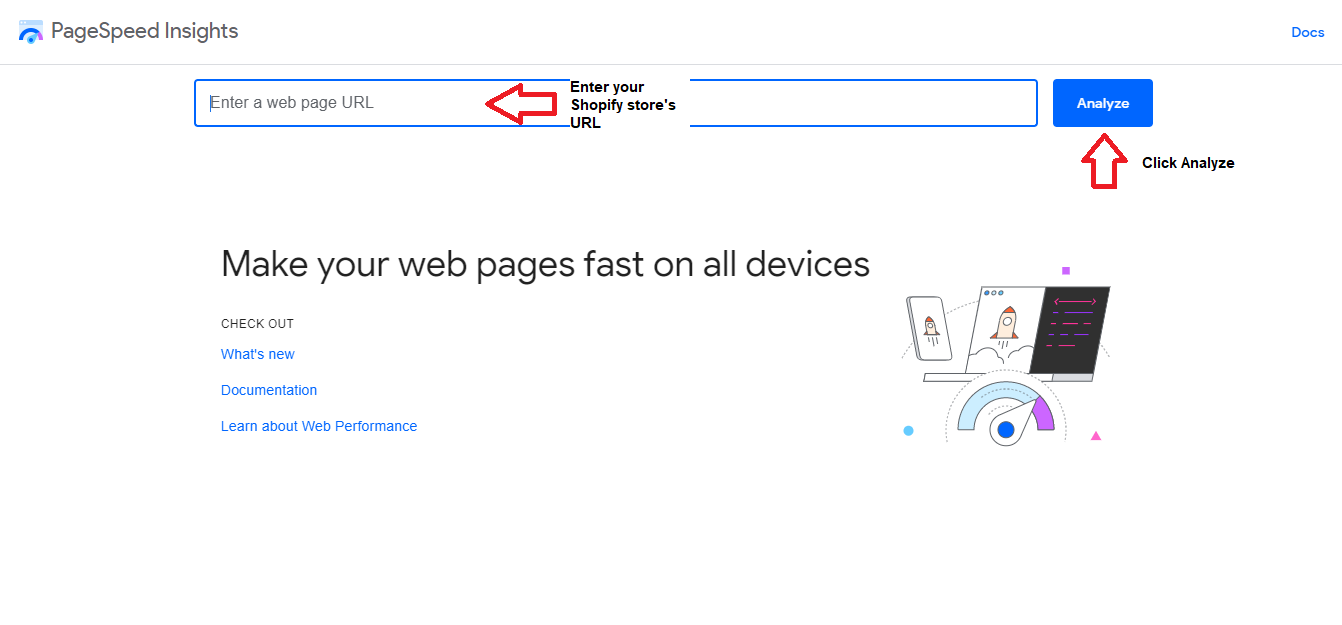
- From your browser, search for PageSpeed Insights and click on the link. Enter your Shopify store’s URL.
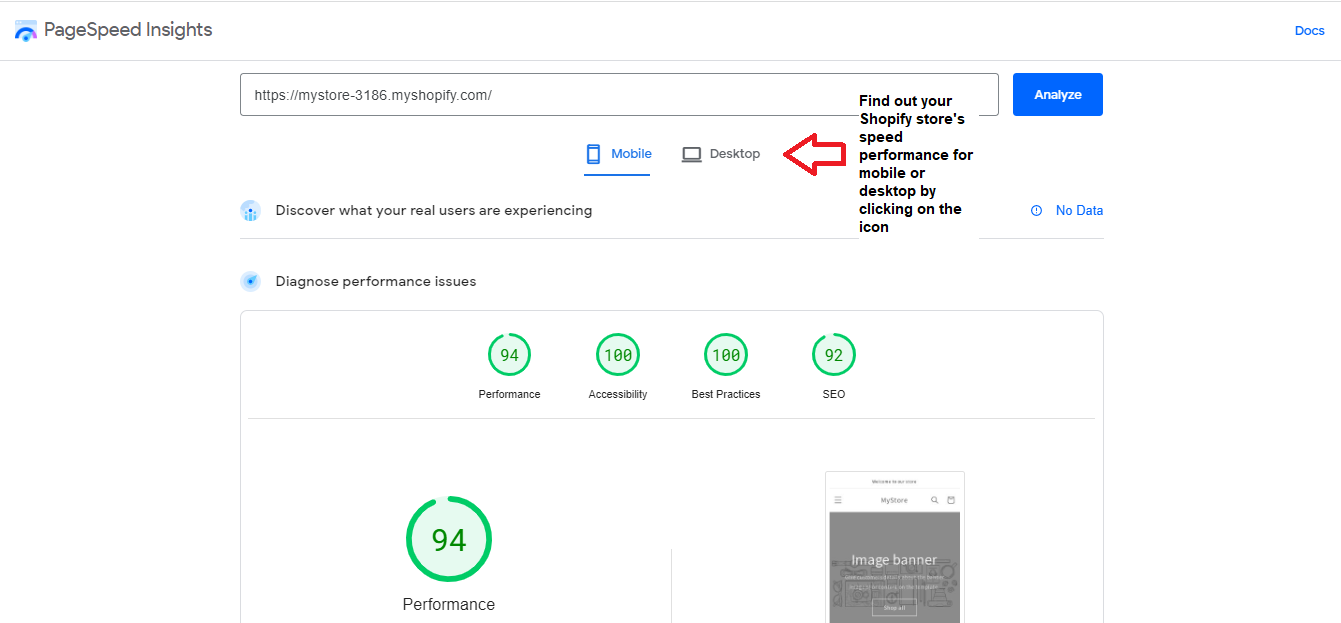
- Click on either Mobile or Desktop to know your store’s loading performance.
- Aim for a performance rating of at least 90.
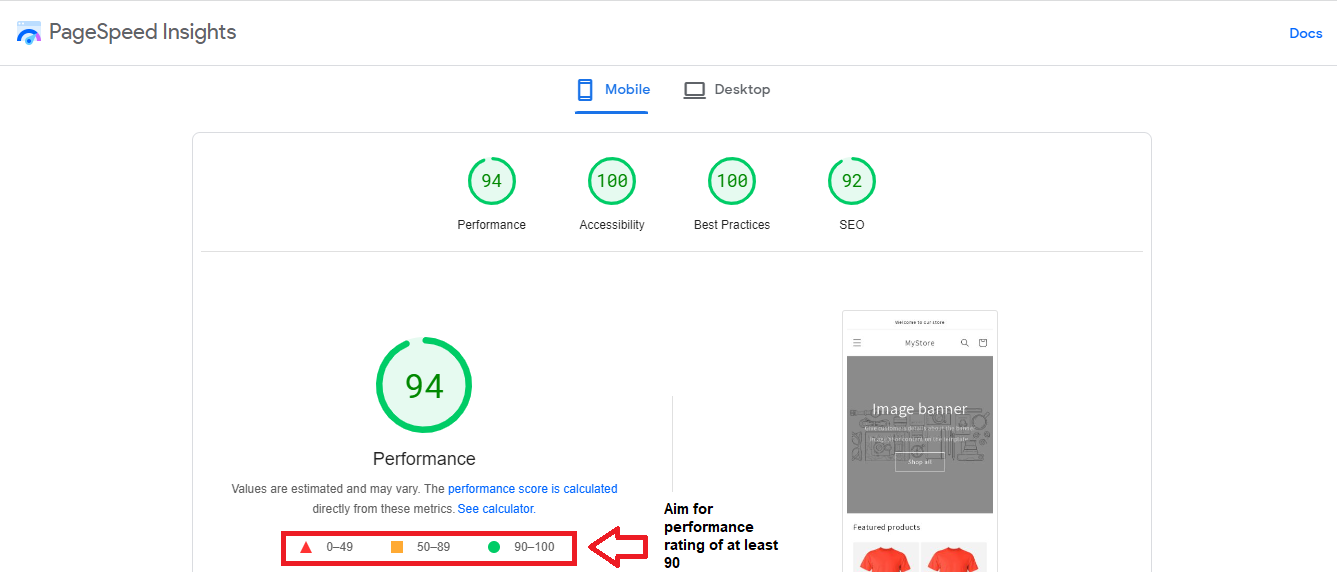
Don’t worry if your page loading performance is below 90. Check the tips below on how you can improve your loading speed.
Pick the Appropriate Shopify Theme
Your theme should match your brand but load quickly. Ensure that it’s updated and responsive.
Use the Shopify System Font
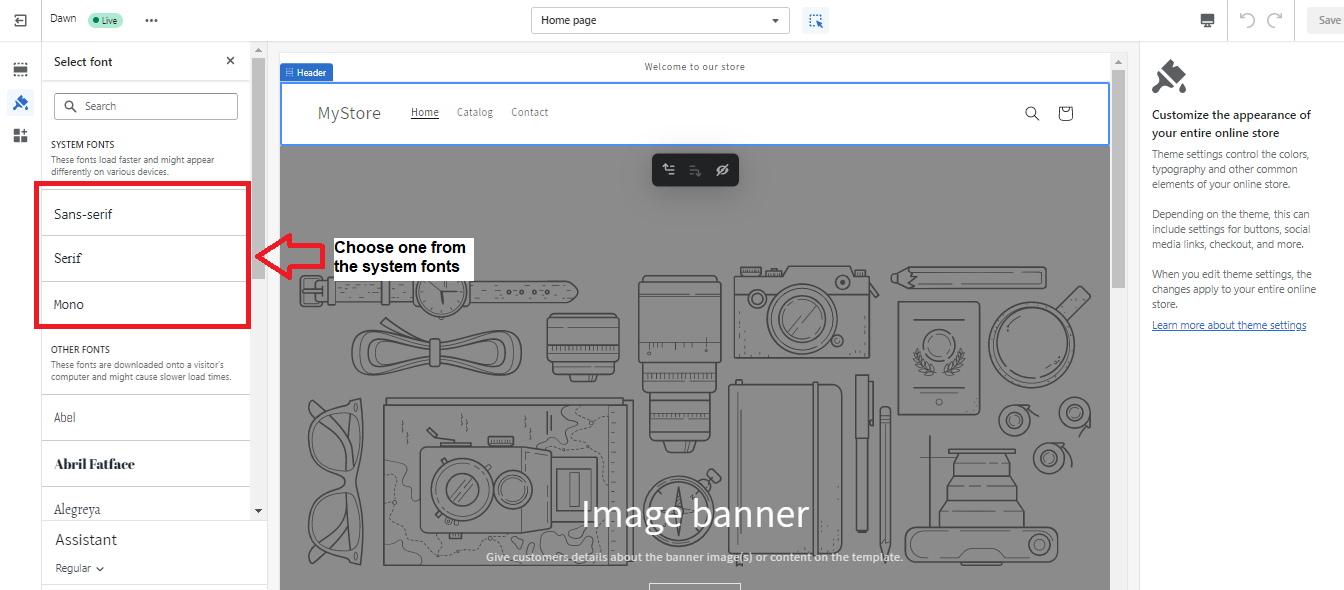
Fonts can slow down loading speed; therefore, stick to the system font. If you should change it, only choose Monaco, Times New Roman, Trebuchet MS, Garamond, Palatino, Lucida Grande, and Courier New for faster page loading time.
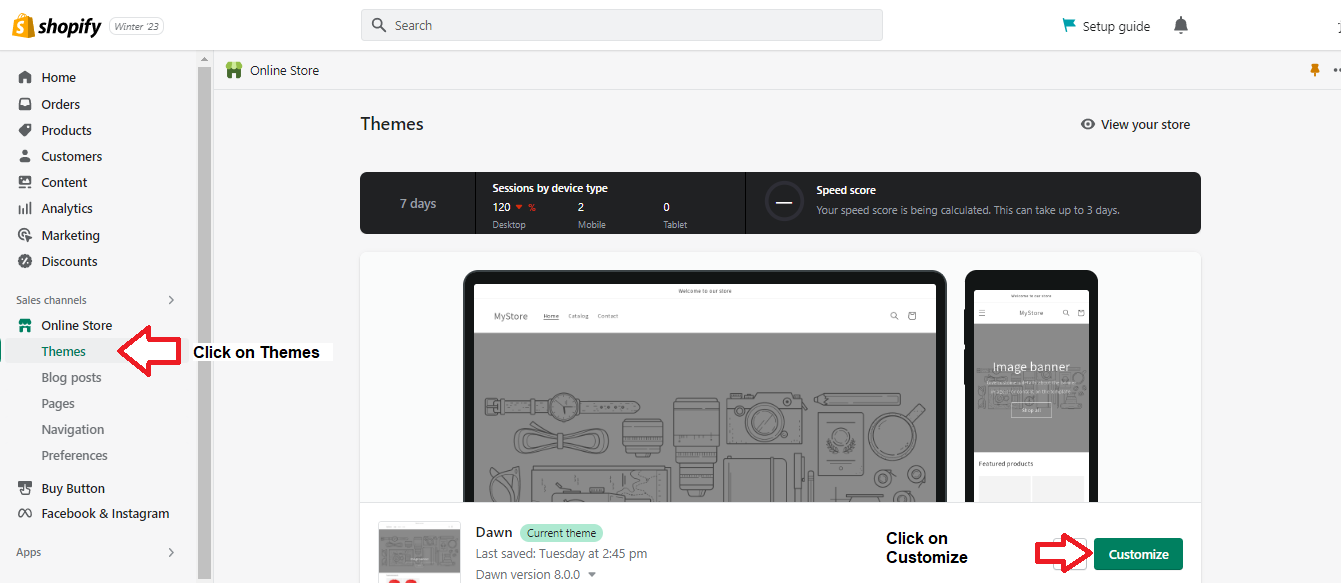
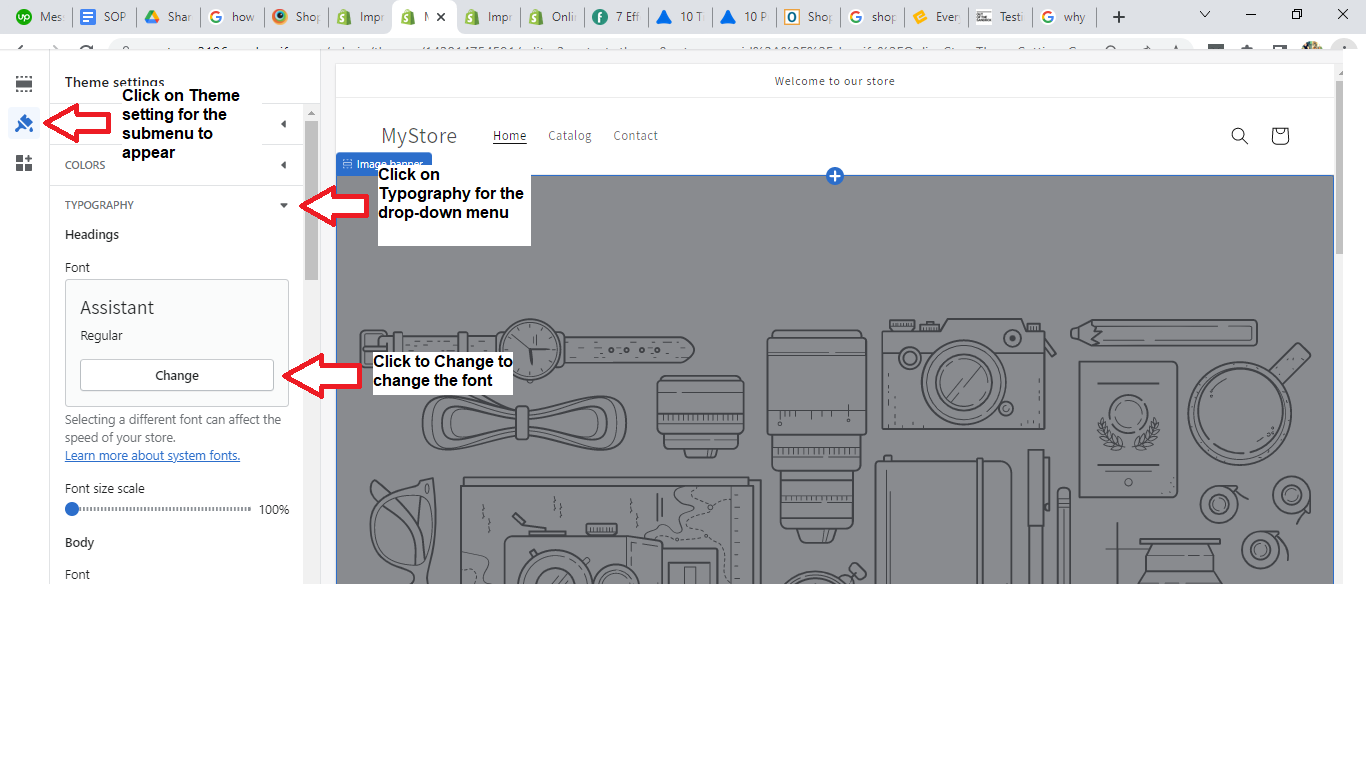
- Log in to your account to check the font used on your Shopify store. Then, click on Themes and click on Customize.
- Click on Theme Settings -> Typography -> Change to update the font.
- A drop-down menu will appear. You can scroll down to pick a font, but remember that Shopify recommends using the system fonts for faster loading speeds.
Assess Your Store’s Installed Apps
Shopify apps enhance the users’ shopping experience, boost engagement, improve store functionality, and multiply your sales and conversations. Unfortunately, they also slow down your page’s loading speed. You should remove useless apps.
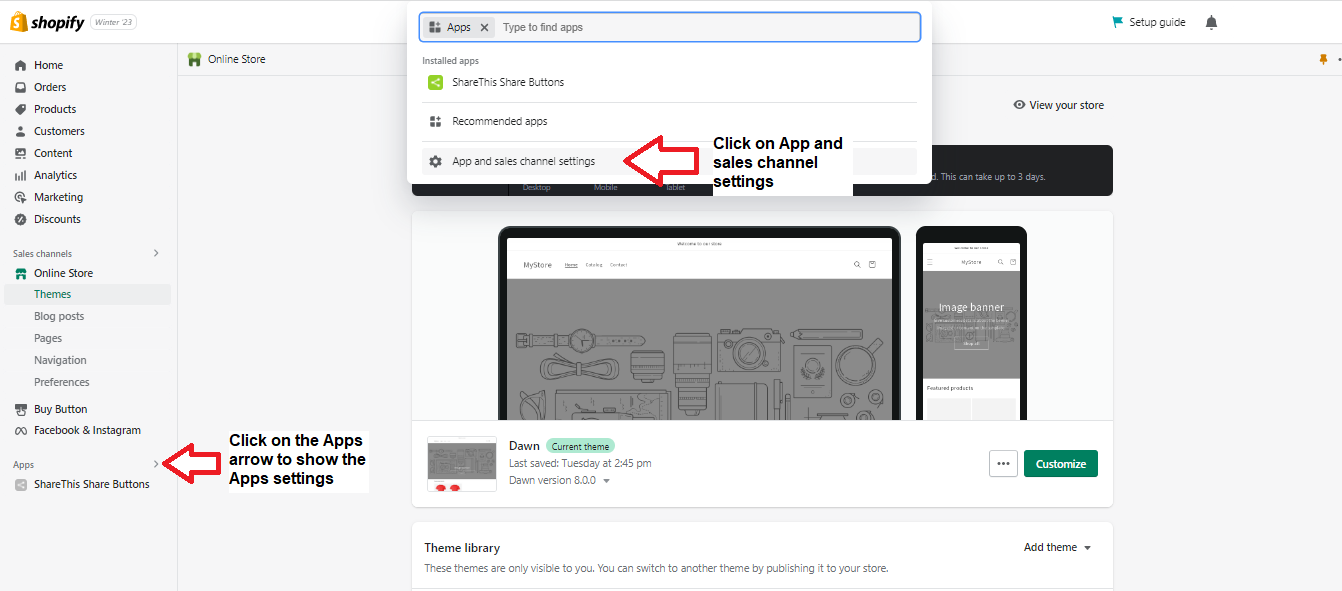
- Click on the arrow beside Apps, and a popup window will appear. Then, click on App and sales channel settings.
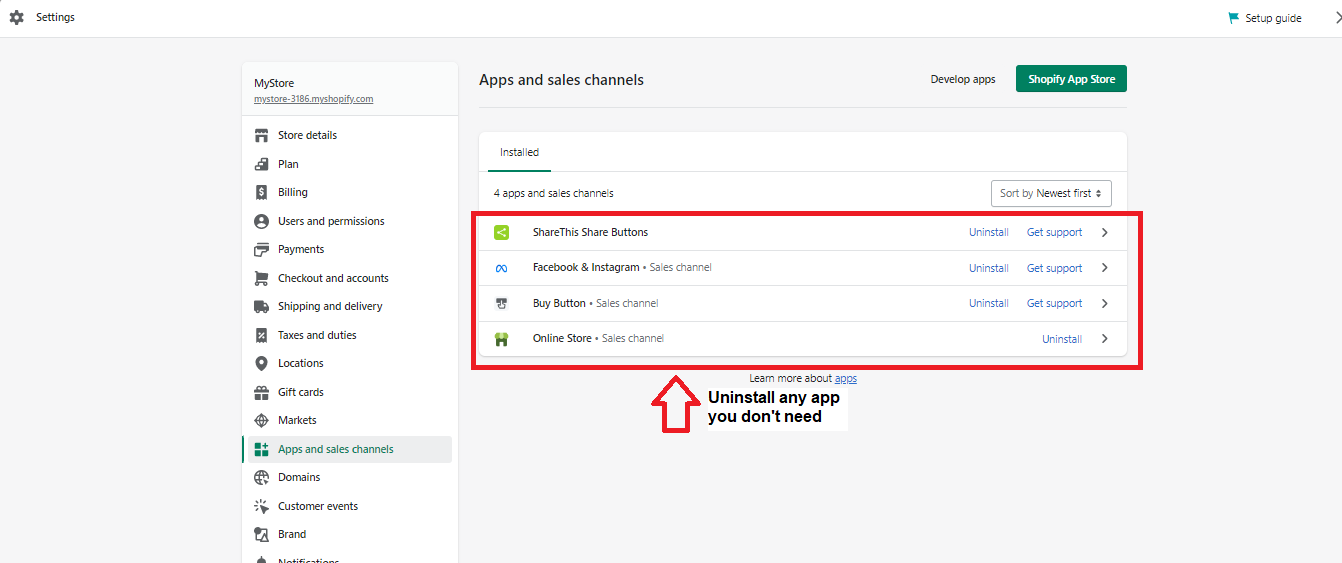
- A popup window will appear. Just uninstall the app you don’t need.
Opt for a Simplified Homepage Design
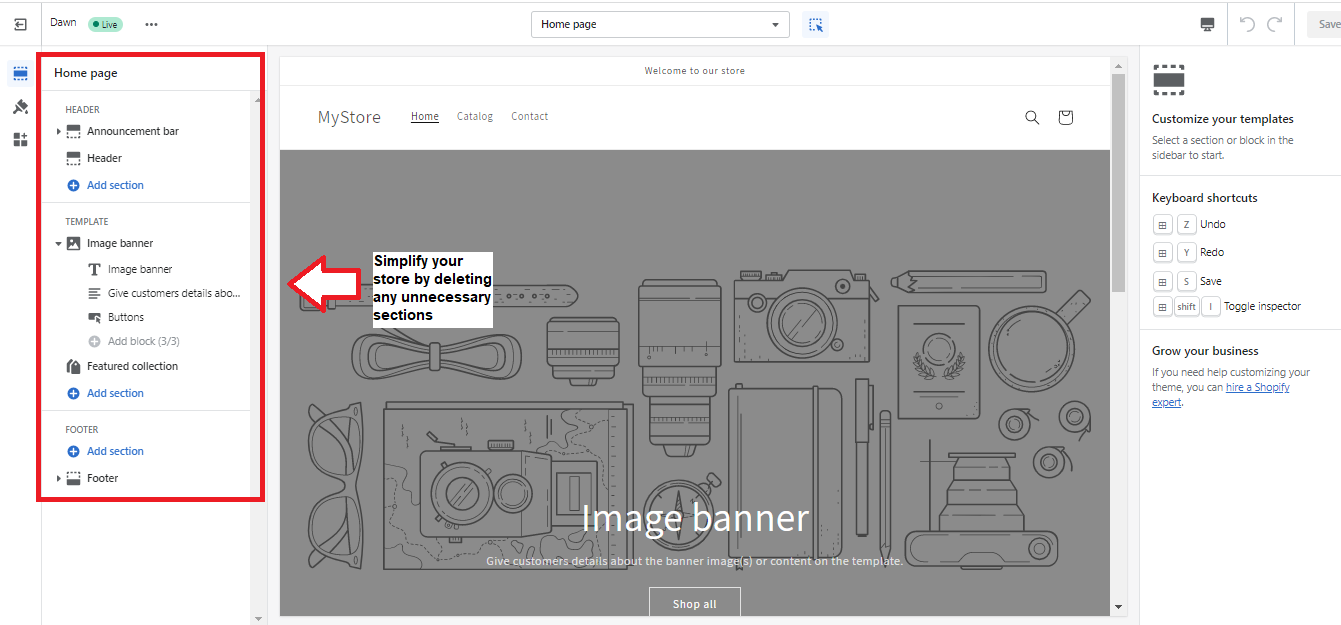
If you add more items on your homepage, expect it to slow down the loading speed. Customers prefer to check the upper half of your page; therefore, if it takes too long to load, your visitors will leave. Your homepage should only contain essentials to provide value and credibility. It should offer excellent navigation and create a desire for your products. Thus, remove valueless sections.
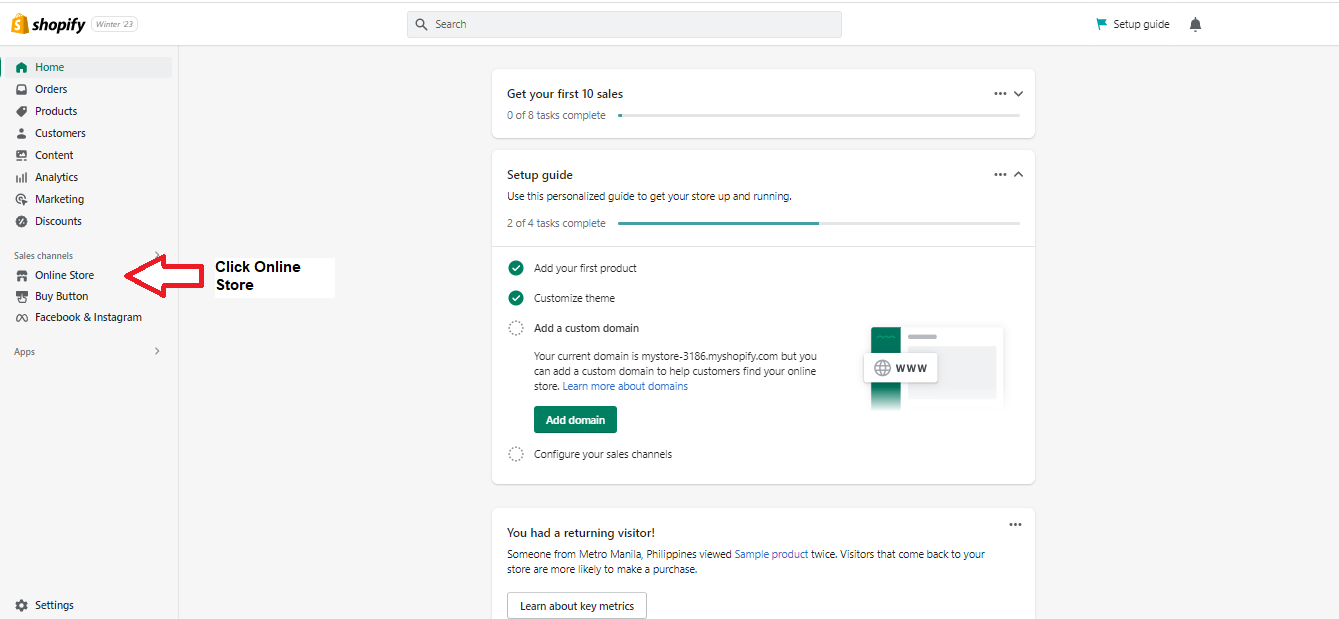
- Log into your Shopify store and click Online Store.
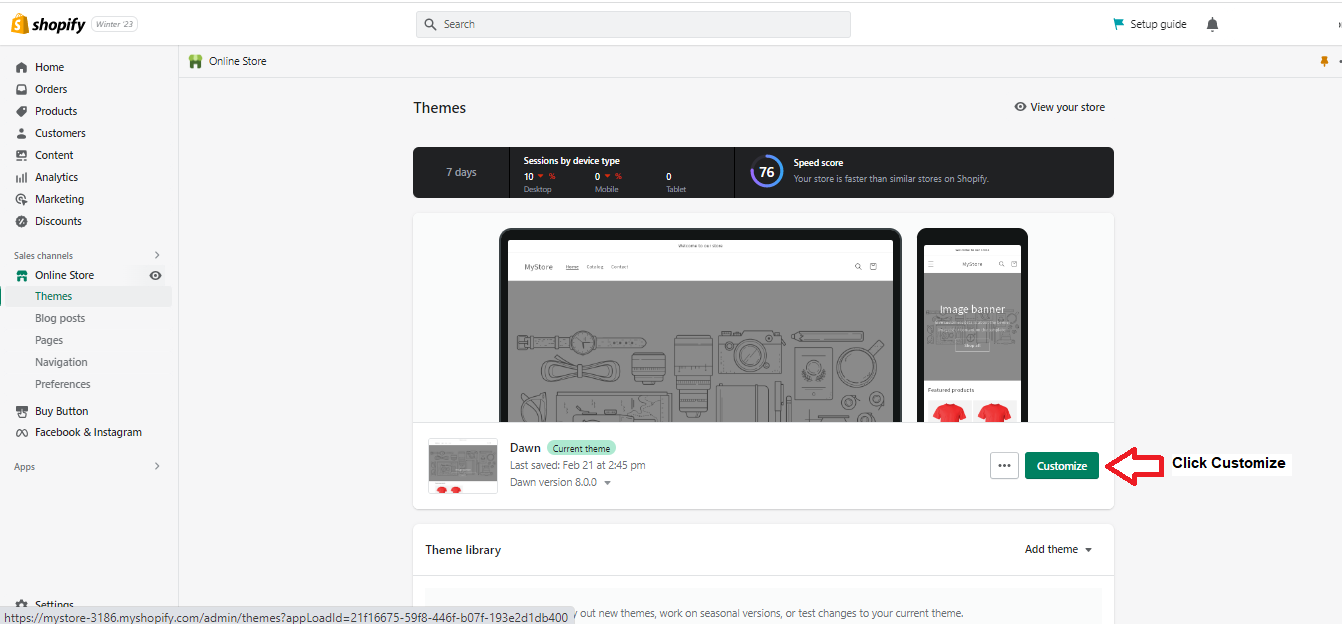
- Click Customize.
- Ensure your store only has the necessities. Get rid of everything that may slow down page loading speed.
Optimize Filtering and Collections
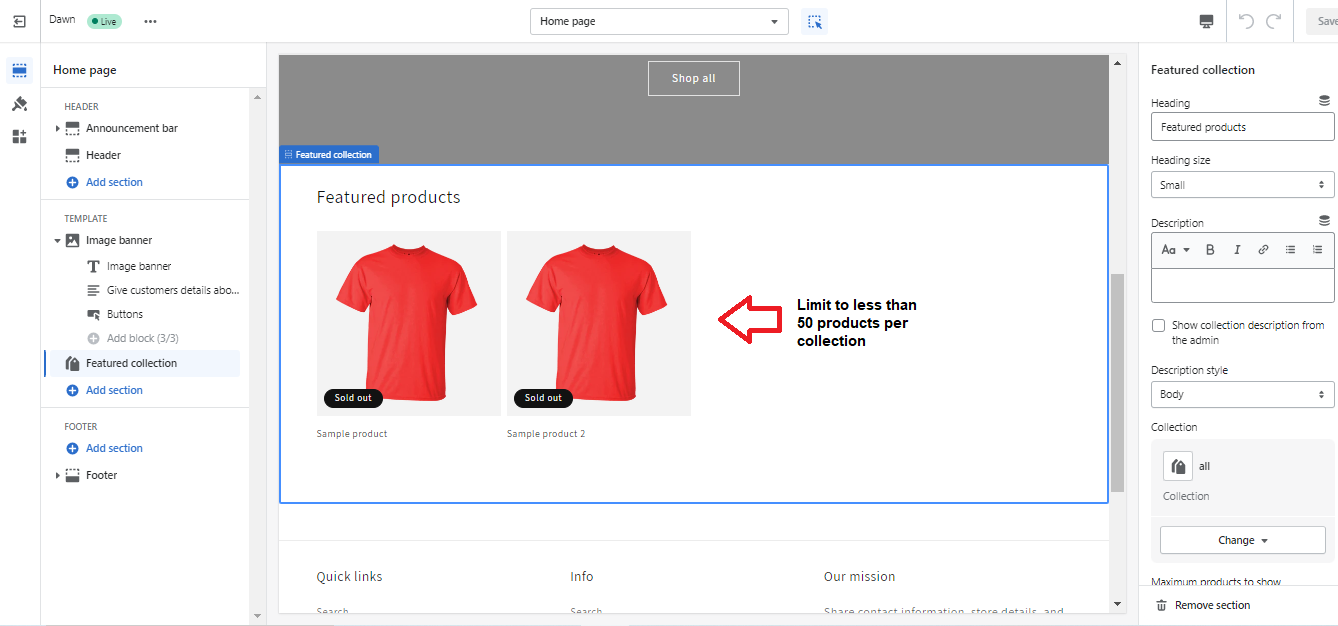
Shopify sets a limit of 50 products on a collection page. Ensure to build smaller collections with fewer and more specific products. Add relevant and necessary filters but keep them to a minimum because filters slow down the loading speed. Use a heatmap to understand how customers use the “quick view” feature. Remove it if they don’t use it.
Optimize Videos and Images
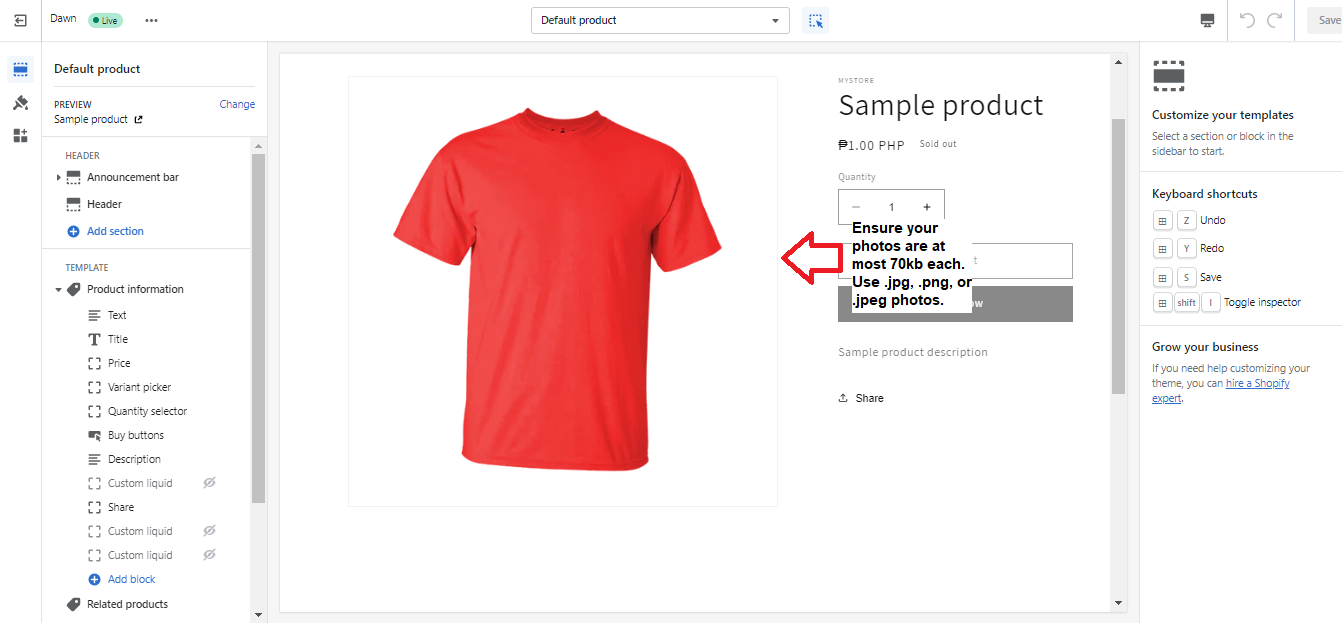
High-quality photos can slow down your Shopify store, even if essential. Therefore, you should create a balance between page speed and product images. First, you should only upload the necessary images to limit the HTTP requests. Consider compressing your images to reduce the file size to a maximum of 70kb. Use JPEG or PNG file formats. Host your videos on YouTube or Vimeo or use file embeds.
Conclusion
Congratulations! Your Shopify store will now have faster loading speeds.
Execution Checklist:
-
Your Shopify store should have a fast loading time to heighten the user experience.
-
You can increase your sales and profits if you don’t keep your customers waiting.
-
Therefore, you should ensure your store pages load quickly.
-
You can boost page load time by choosing a suitable theme, sticking to Shopify’s system font, deleting unused apps, simplifying your homepage, and optimizing videos, collections, filtering, and images.