A Step-by-Step Guide to Creating Discount Codes in Shopify
To provide you with a step-by-step guide through creating discount codes for your Shopify store.
Prefer a shortcut? 16 free tools do parts of this for you.

Aim: To provide you with a step-by-step guide through creating discount codes for your Shopify store.
Optimal Outcome: To encourage your customers to buy using the discount codes available for the products or services that your business offers and clear out inventory on the products that you no longer want to sell.
What do you need to start: To follow this SOP, you must have a Shopify account that you utilize solely for your business.
Why is this SOP Important: Creating discount codes in Shopify is a marketing strategy often used by businesses to provide an opportunity for customers to purchase your products at lower price than original and increase customer satisfaction level. In addition to this, you will also get to keep some of your customers who liked the product.
When and Where to execute: To execute this SOP, you need to prepare the inventory of those products that will be subjected to the discounts so there will be no problem after your customers proceed with the checkout.
Who Should Be Doing This: This should be done by the person-in-charge of sales or marketing.
Creating Discount Codes
Discount codes in Shopify are created to promote product awareness to your customers and induce sales. For inventory clearing, this is also a proven effective method to clear out products that are nearing an expiration date or products that would be phased out. Discounts serve as a reward for loyal customers that buy on your Shopify store and it could potentially encourage more customers to try these products because of the lowered prices. However, discount codes must be limited considering that the profits would not be largely affected and there would still be enough funds for the production.
Execution
Resources/Tools & Set up
-
Shopify store account
-
Discounted products’ enough supply
Product/Order Discount Codes
- Sign in to your Shopify store account by clicking “Log in” and entering your account details.
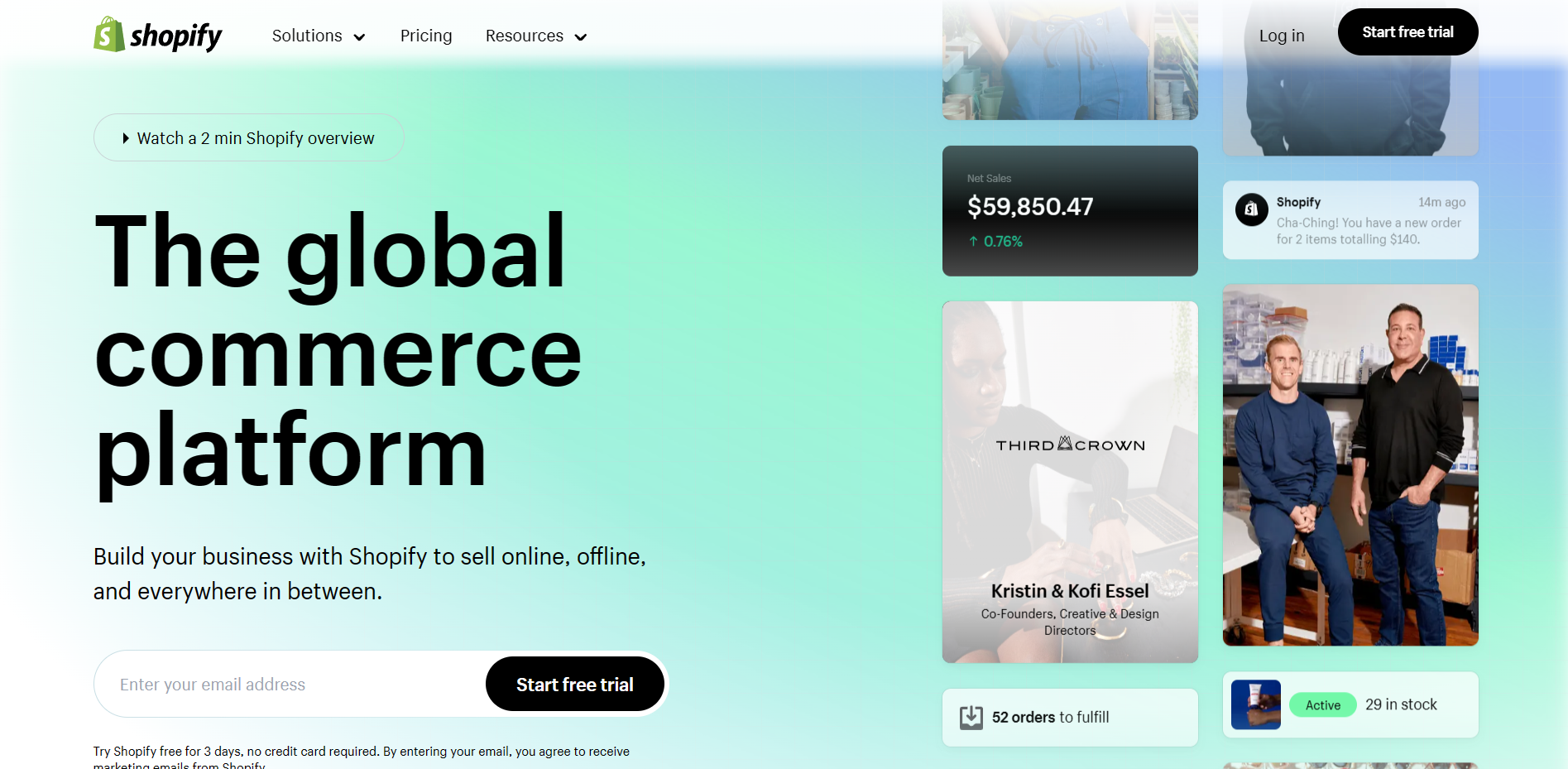
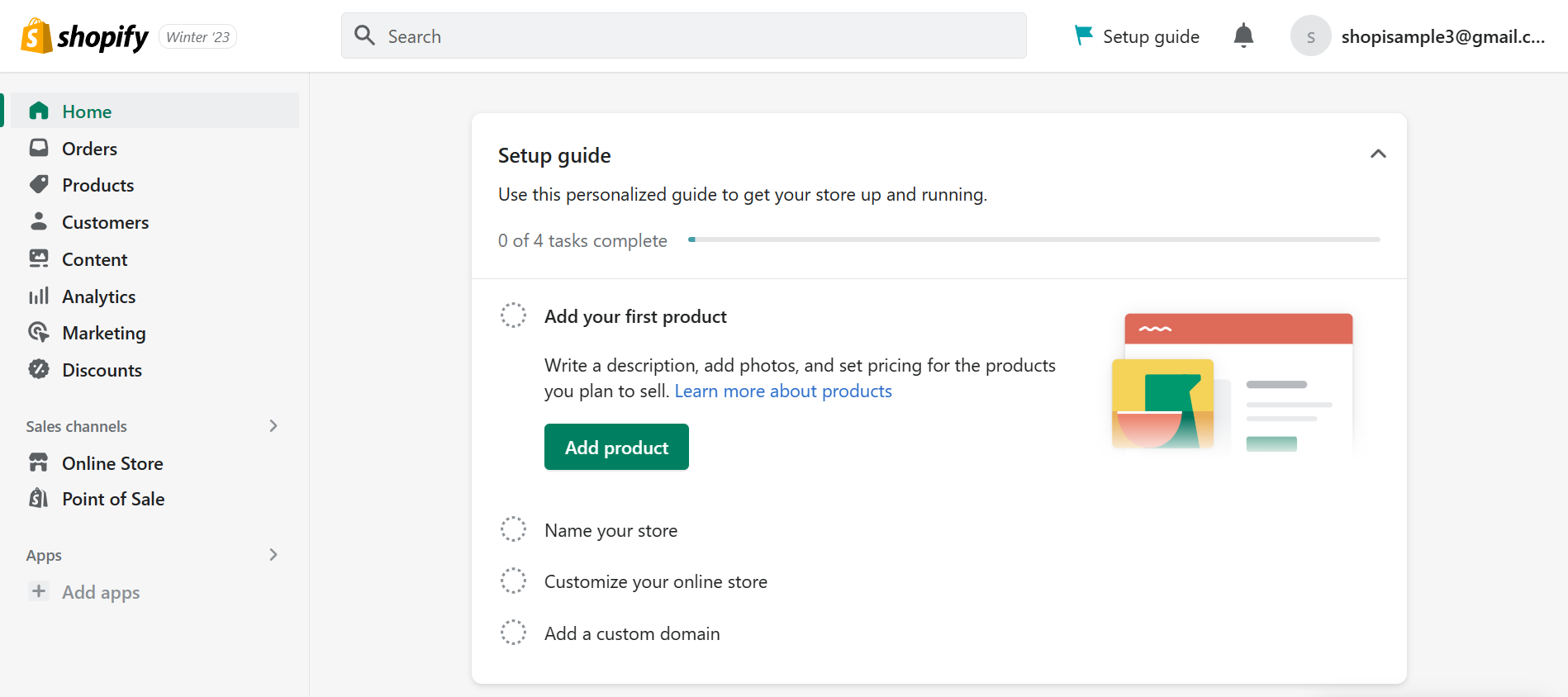
- Once you are redirected to the Shopify homepage, you will see a dashboard on the left. Click “Discounts”.
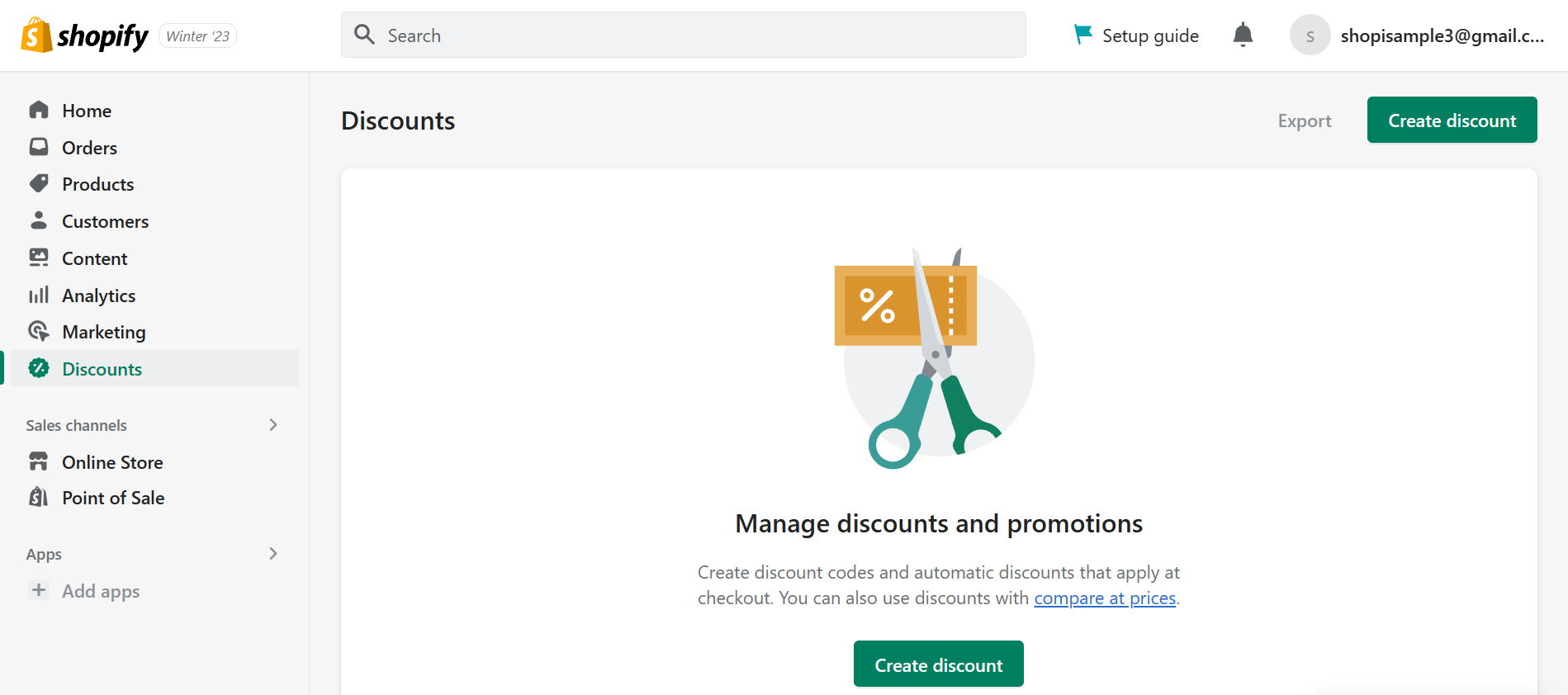
- Click the “Create discount” button to create a new discount code for your business.
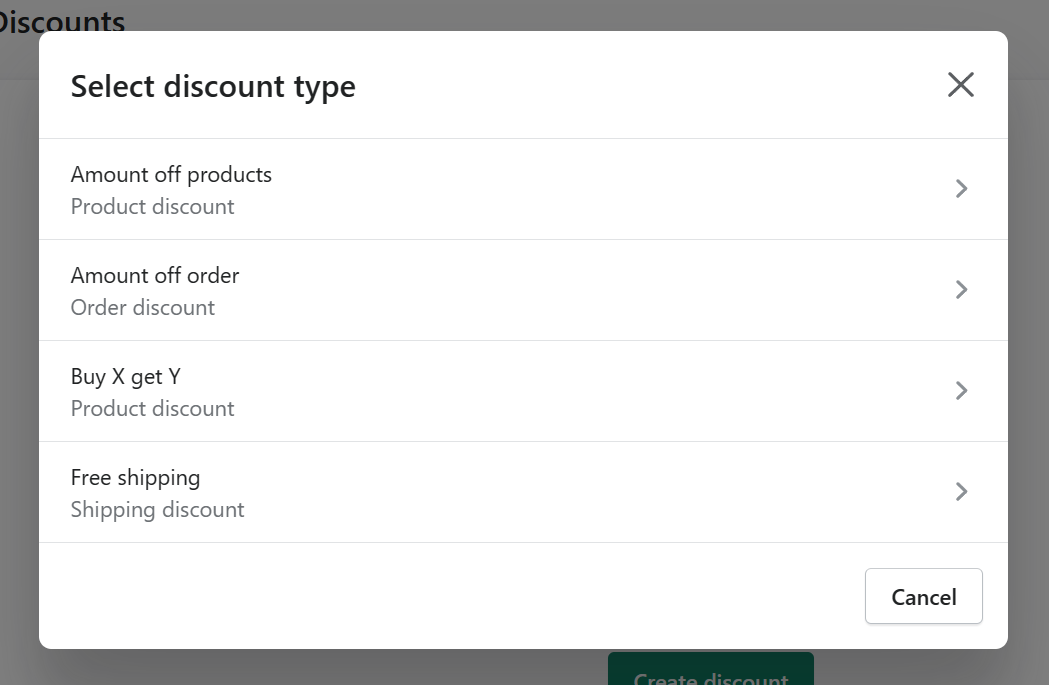
- There will be a pop-up tab where you can select the type of discount that you want to create. To create a product discount code, click “Amount off products”. On the other hand, an order discount is created by clicking “Amount off order”.
- In creating a product discount, you will be given a choice whether the method that you want to use is a discount code or an automatic discount. In this case, you will click the “Discount code” and enter the discount code that you would want your customers to type in the discount code field before checking out their items. You can create a discount code that is related to the percentage or fixed amount discount that you would provide them.
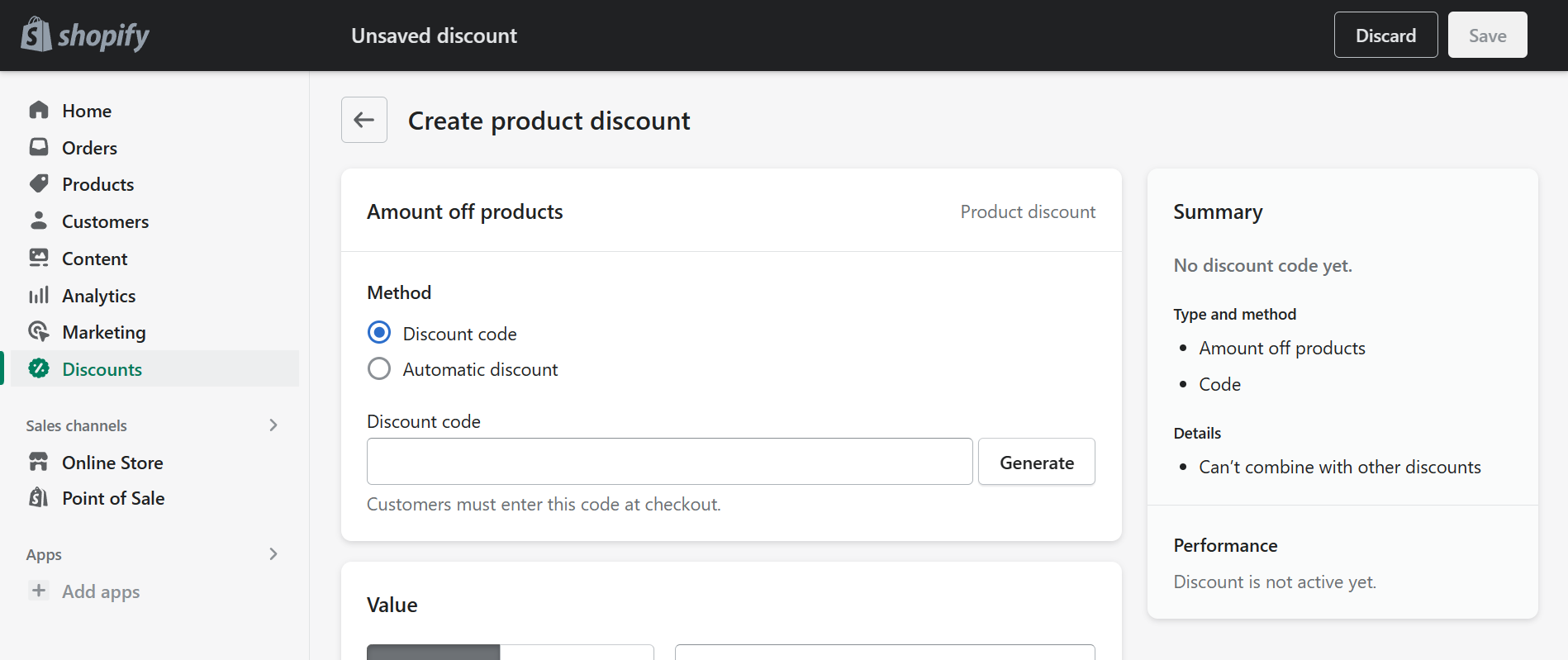
- Next is the Value of the discount. This can be in Percentage or Fixed amount values. For percentage, you must indicate the percent discount of the product or order that you are discounting.
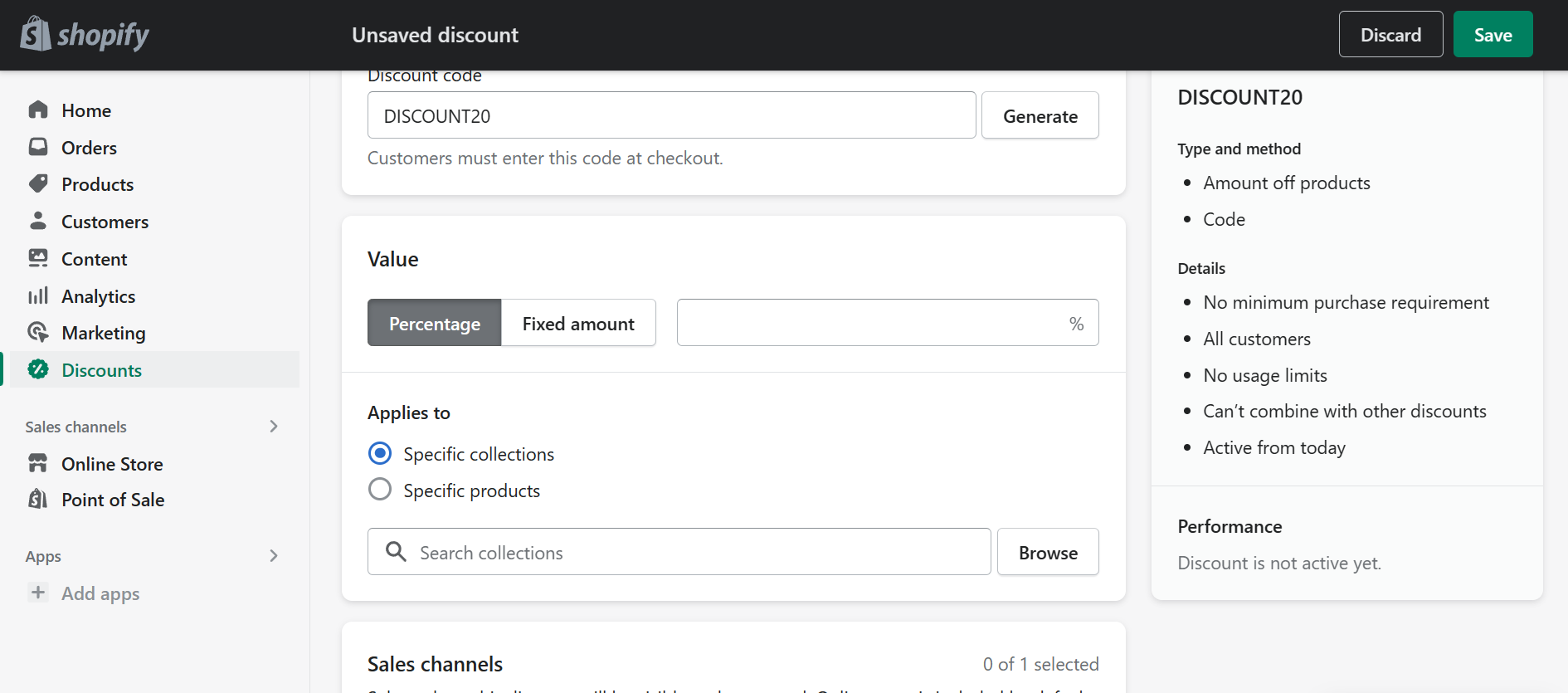
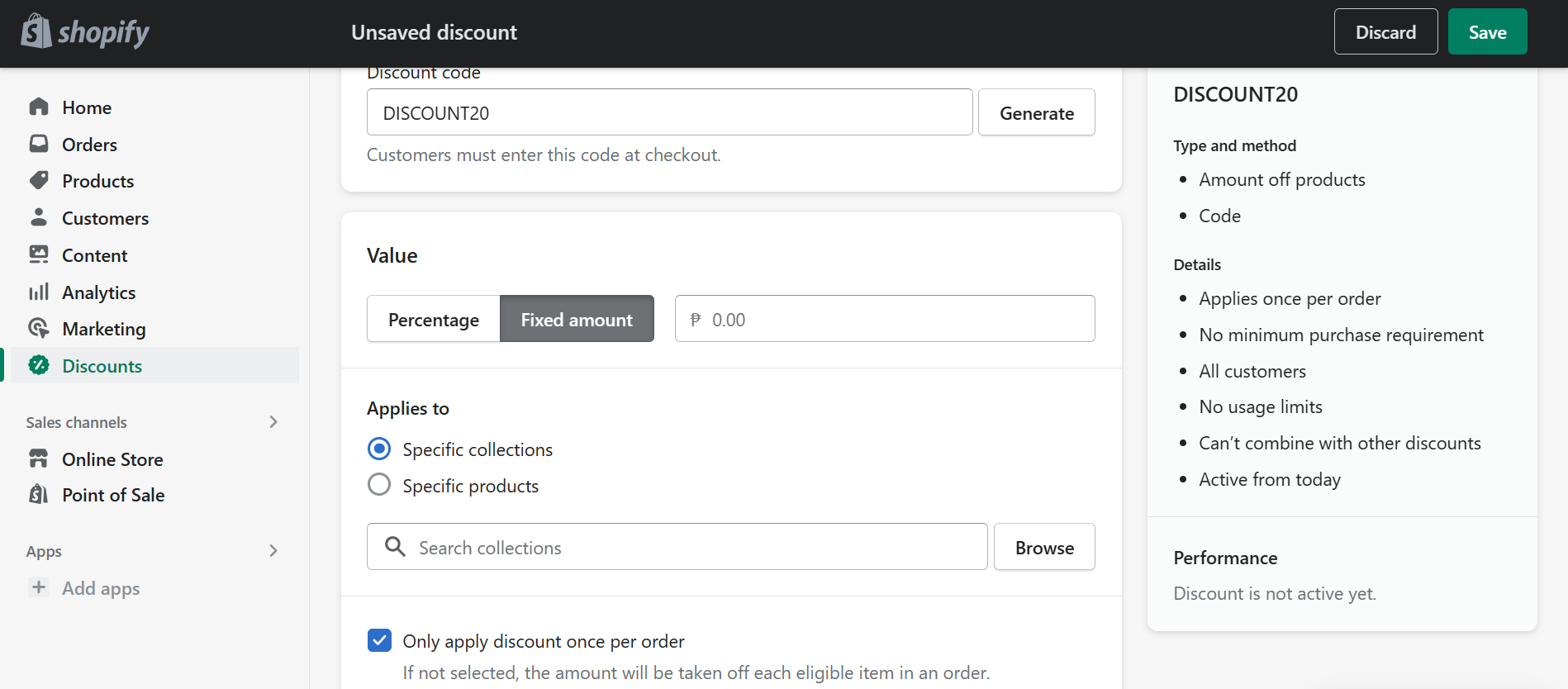
- In Fixed amount, you must enter the minimum value of the product or order that a customer must spend before they can use the discount. You can also select whether you would only apply the discount once per order by checking the checkbox provided**.**
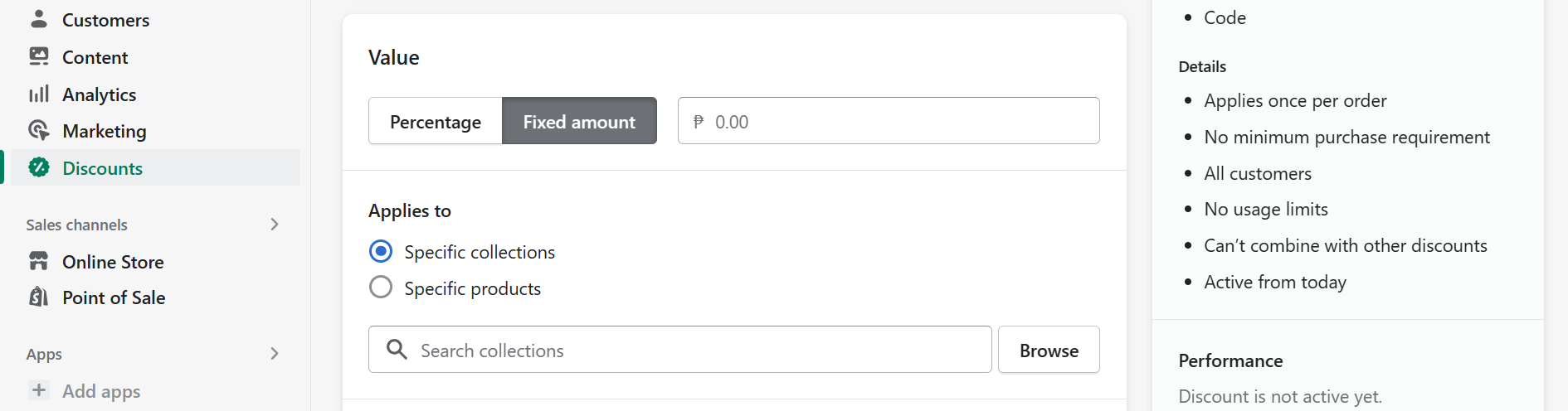
- Both the percentage and fixed amount value discounts are applicable to specific collections or products. These collections and products must be added to the Shopify store before creating the discount codes to have a direct process. To select a certain collection or product, click the circle beside the option that you want to choose and click “Browse”.
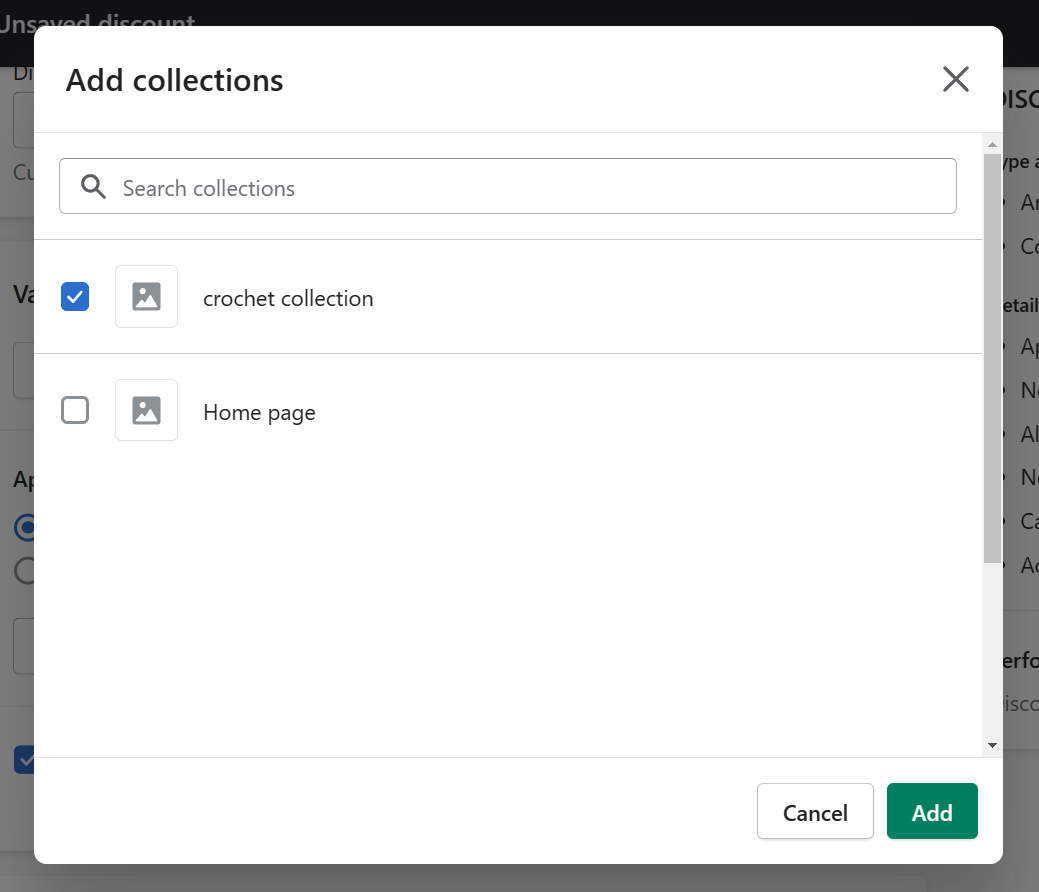
- Previous collections and/or products will show as you browse for it in your Shopify store. To add it, check the checkbox on the specific product or collection that you want to include in the discount.
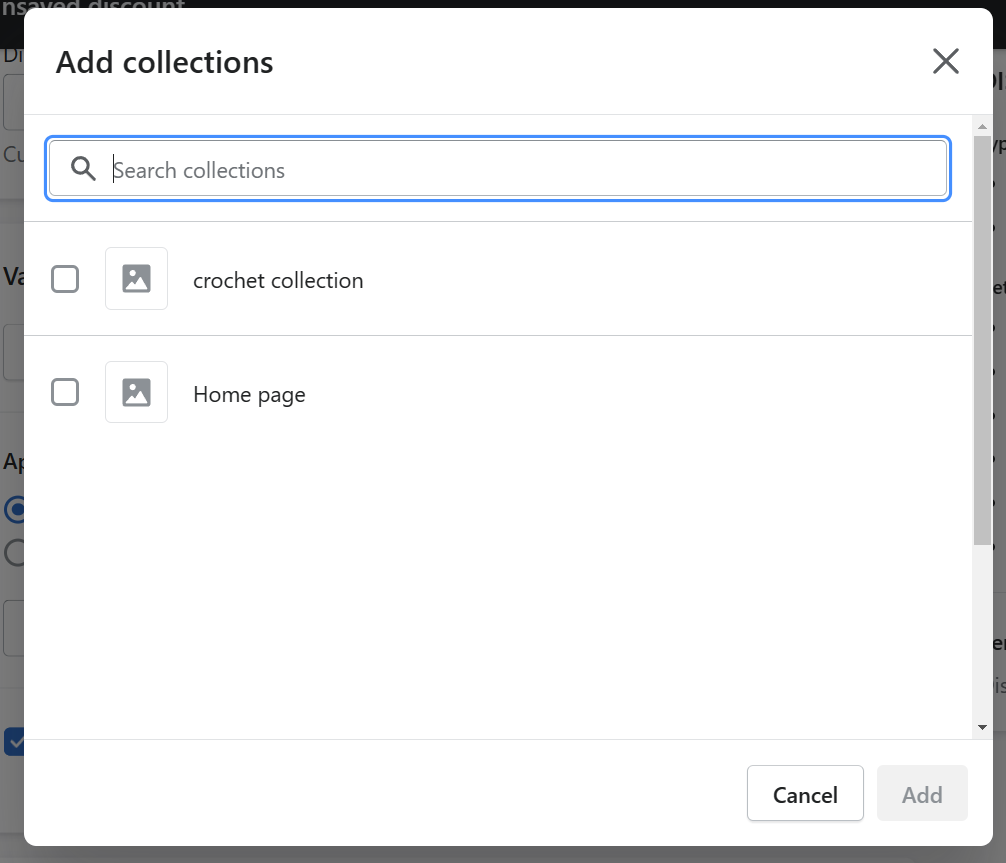
- After clicking the product or collection that you want to add, click “Add”.
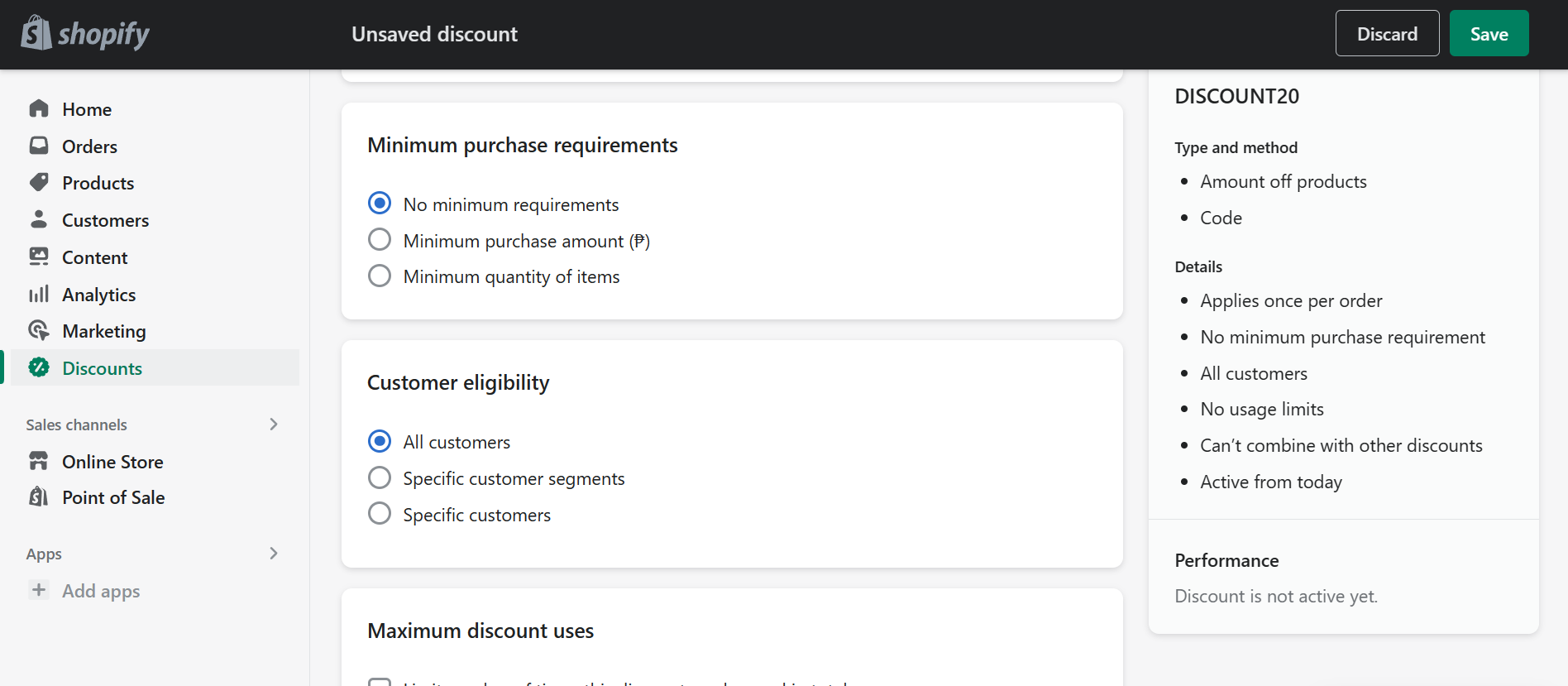
- Next is the Minimum purchase requirements. For sales, you can set a minimum purchase amount in your currency or minimum quantity of products before the customers have the capability to use the discount codes. The customer eligibility is encouraged to be for All customers, so there would be no restrictions and a lot of customers, preexisting or new, can participate with the discount.
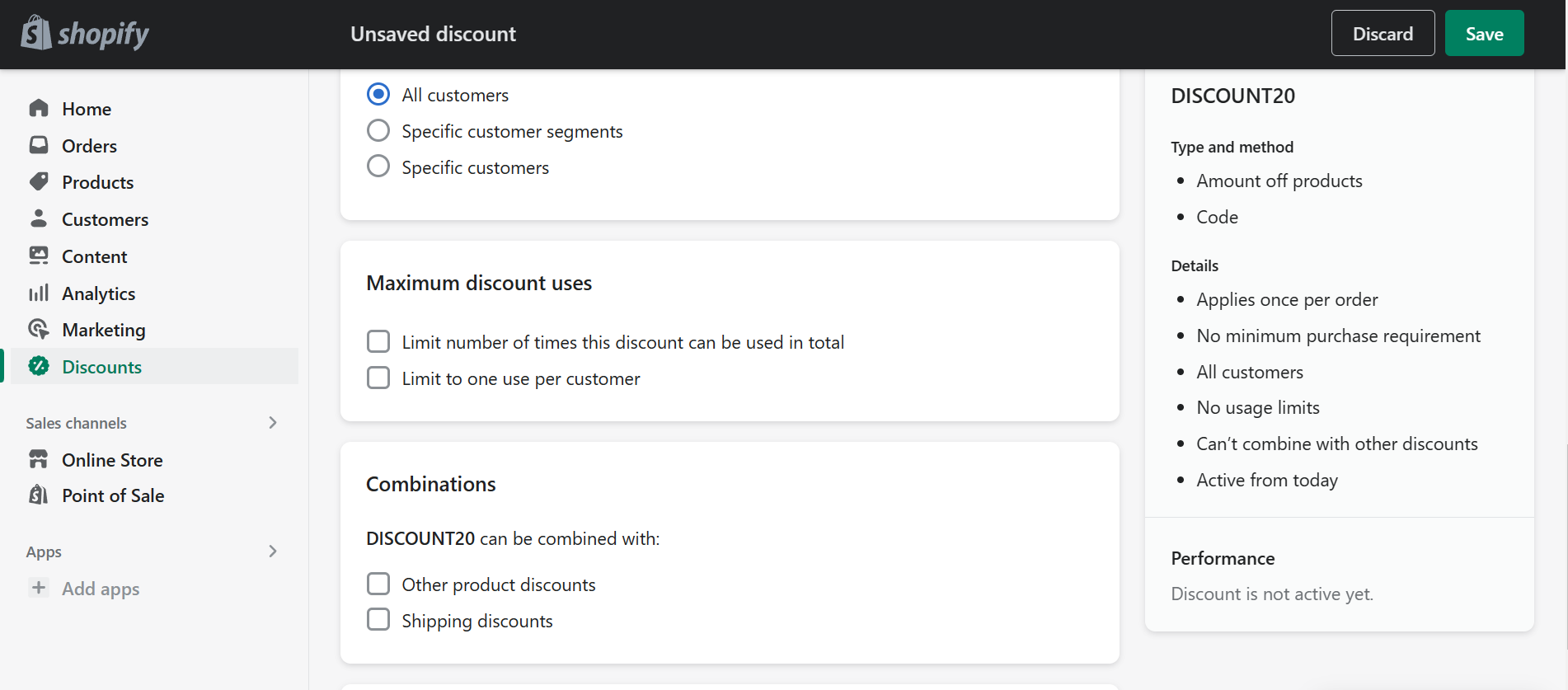
- Next is the Maximum discount uses. You can limit the use of your discounts especially if you are tight in profits. You can limit the discount code to one use per customer or how much the discount codes should be used in the total number of orders in your Shopify store. In addition to this, product/order discount codes can be used in combination with other product or shipping discounts. Check the checkbox of your preferred option.
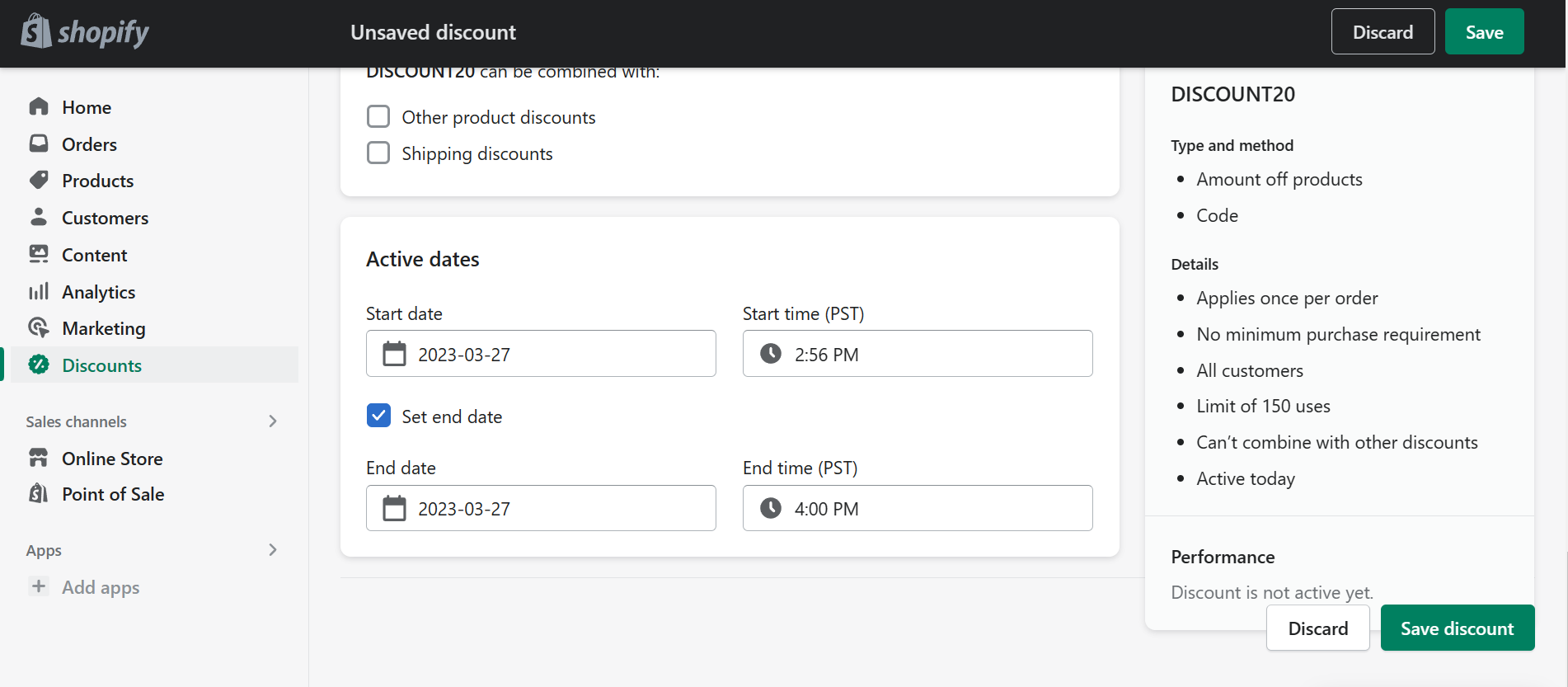
- You can set active start and end dates by checking the “Set end date” first. It is ideal to make short active dates during discounts so customers would have no time to hesitate the products that they want to checkout and apply the discount codes to their orders immediately. This time will reflect the time one of the countries that you have indicated while creating your account. After setting the start and end dates, click “Save discount” so the discount codes would work.
Free Shipping Discount Codes
- Sign in to your Shopify store account by clicking “Log in” and entering your account details.
- Once you are redirected to the Shopify homepage, you will see a dashboard on the left. Click “Discounts”.
- Click the “Create discount” button to create a new discount code for your business.
- There will be a pop-up tab where you can select the type of discount that you want to create. To create a shipping discount code, click “Free shipping”.
- To create a shipping discount, you will enter the discount code that you would want your customers to type in the discount code field before checking out their items. You can create a discount code that is related to the shipping discount that you would provide them.
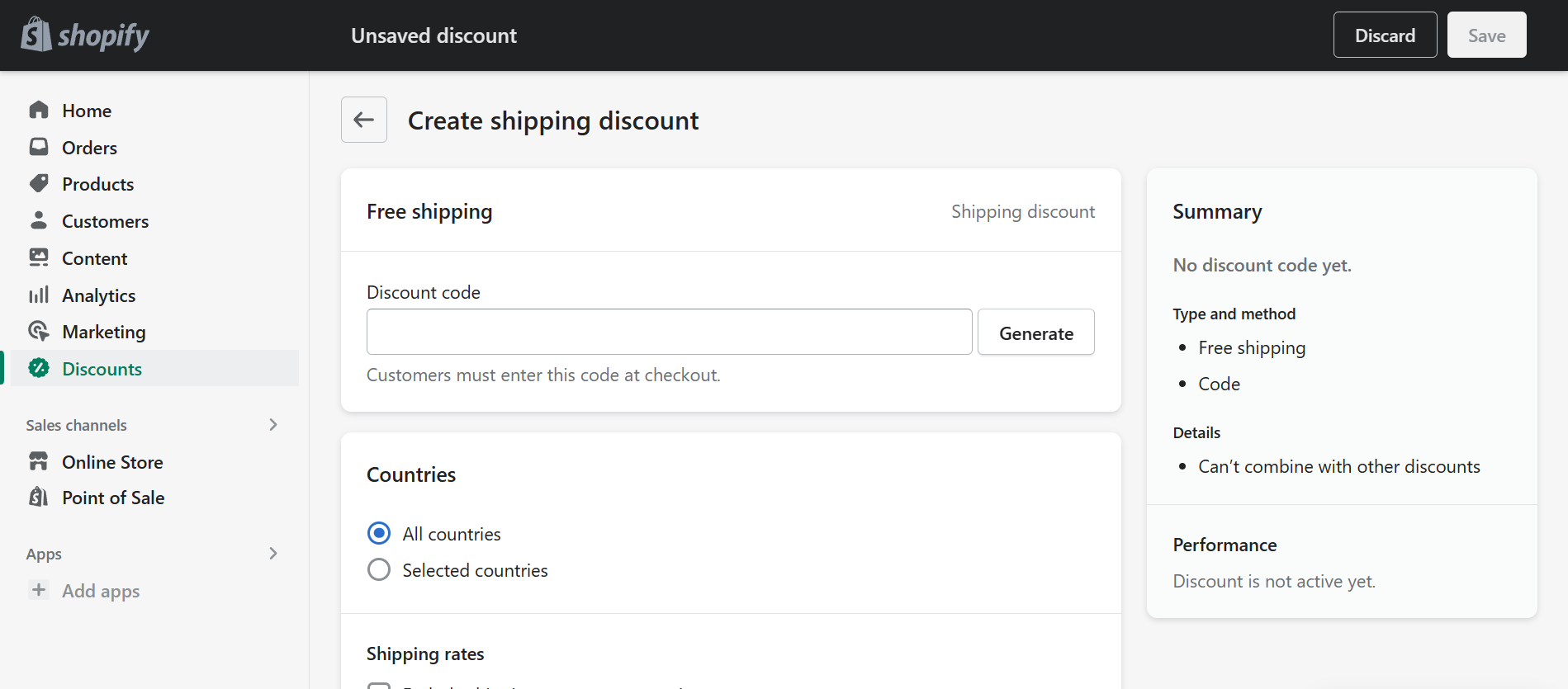
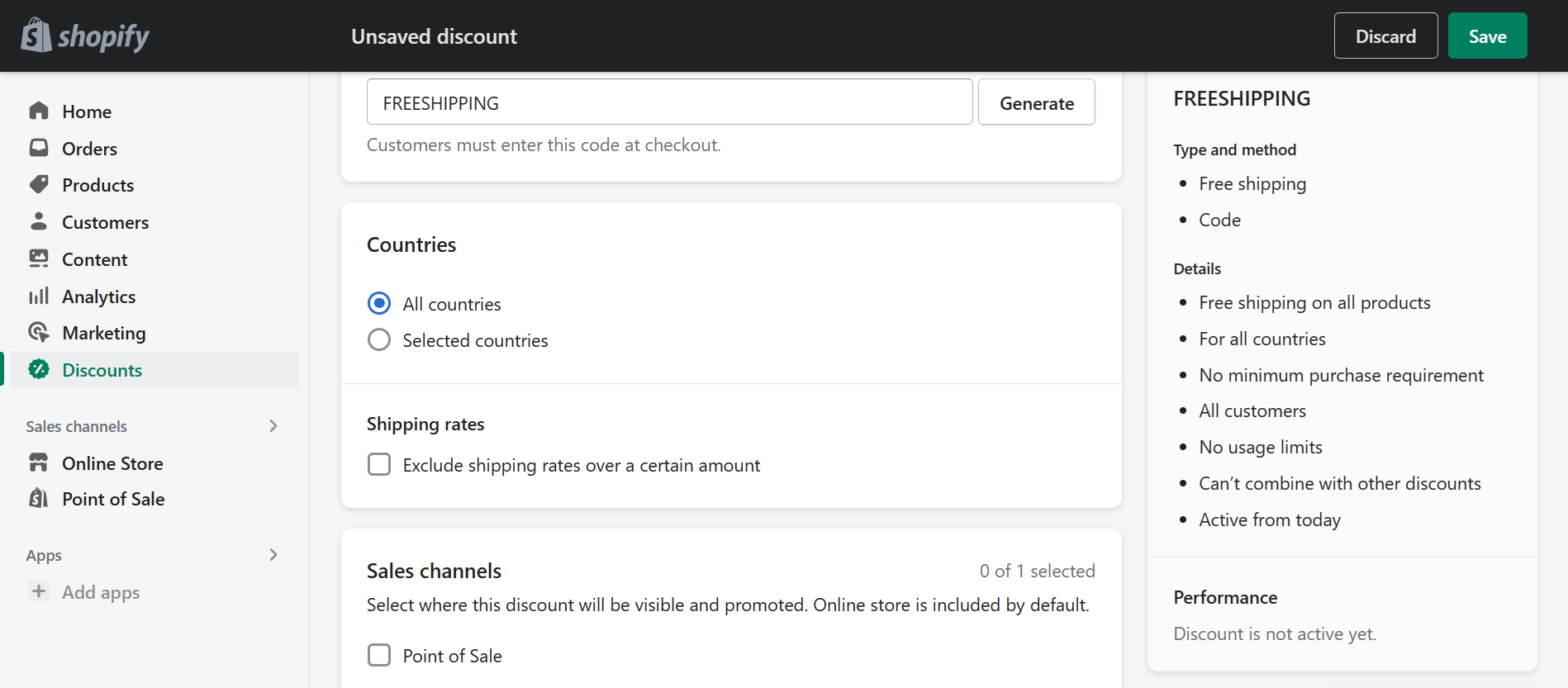
- After the discount code, you can select whether this free shipping discount code will be available on All countries or on specific countries only. For example, if your business is based in the United States, then you can choose the Selected countries to choose only the United States.
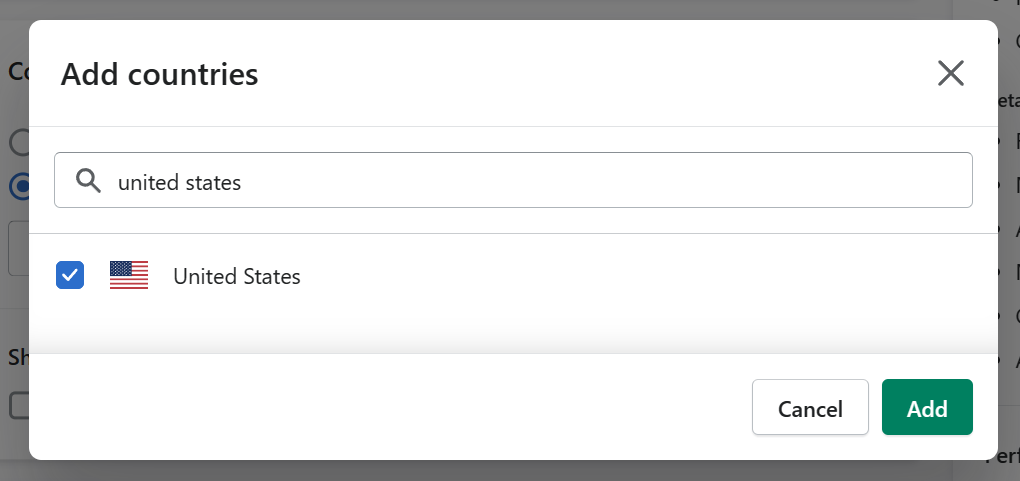
- If you chose the Selected countries, search it in the search field and check the checkbox. After checking it, click the “Add” button to add the country in the areas of your customers where the free shipping discount will be available in.
- Next is the Minimum purchase requirements. For sales, you can set a minimum purchase amount in your currency or minimum quantity of products before the customers have the capability to use the shipping discount codes. The customer eligibility is encouraged to be for All customers, so there would be no restrictions and a lot of customers, preexisting or new, can participate with the discount.
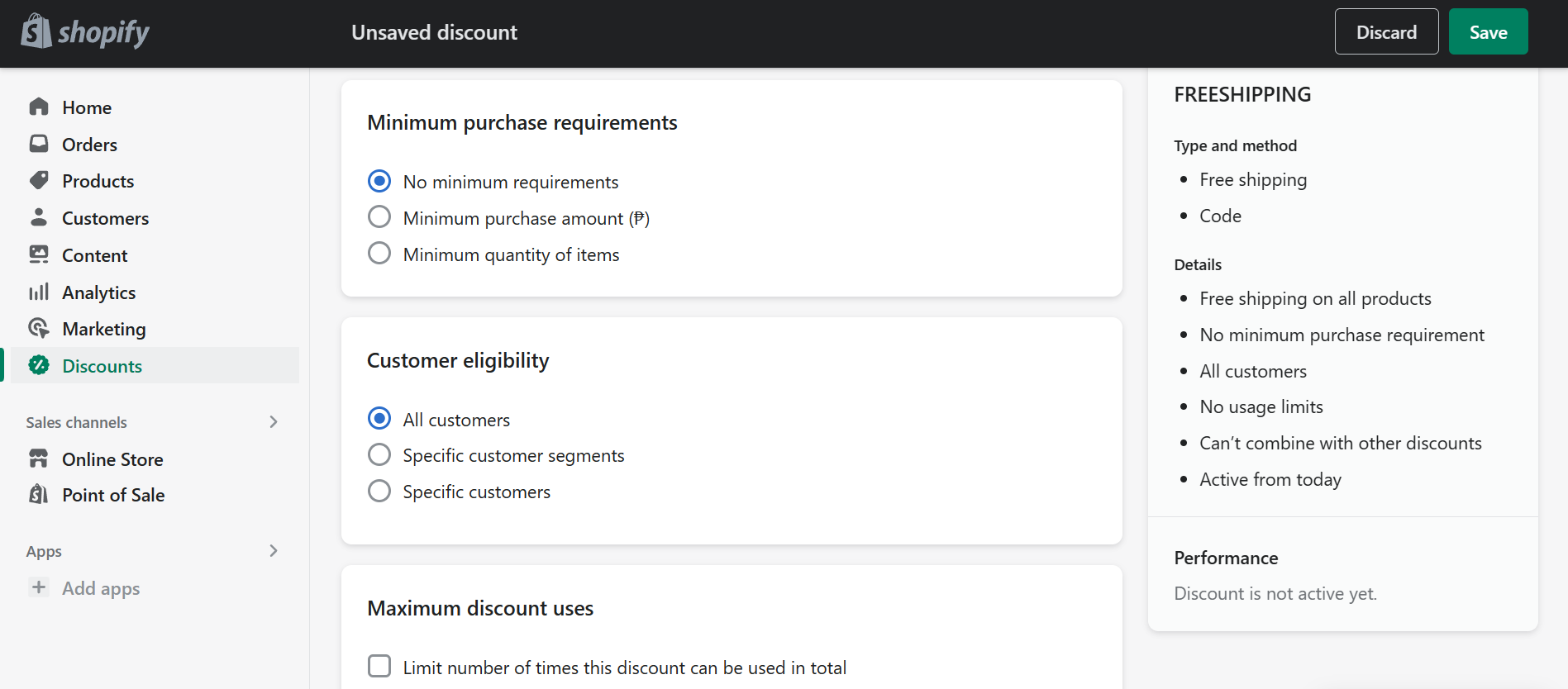
- Next is the Maximum discount uses. You can limit the use of your discounts especially if you are tight in profits. You can limit the discount code to one use per customer or how much the discount codes should be used in the total number of orders in your Shopify store. In addition to this, free shipping discount codes can be used in combination with other product or order discounts. Check the checkbox of your preferred option.
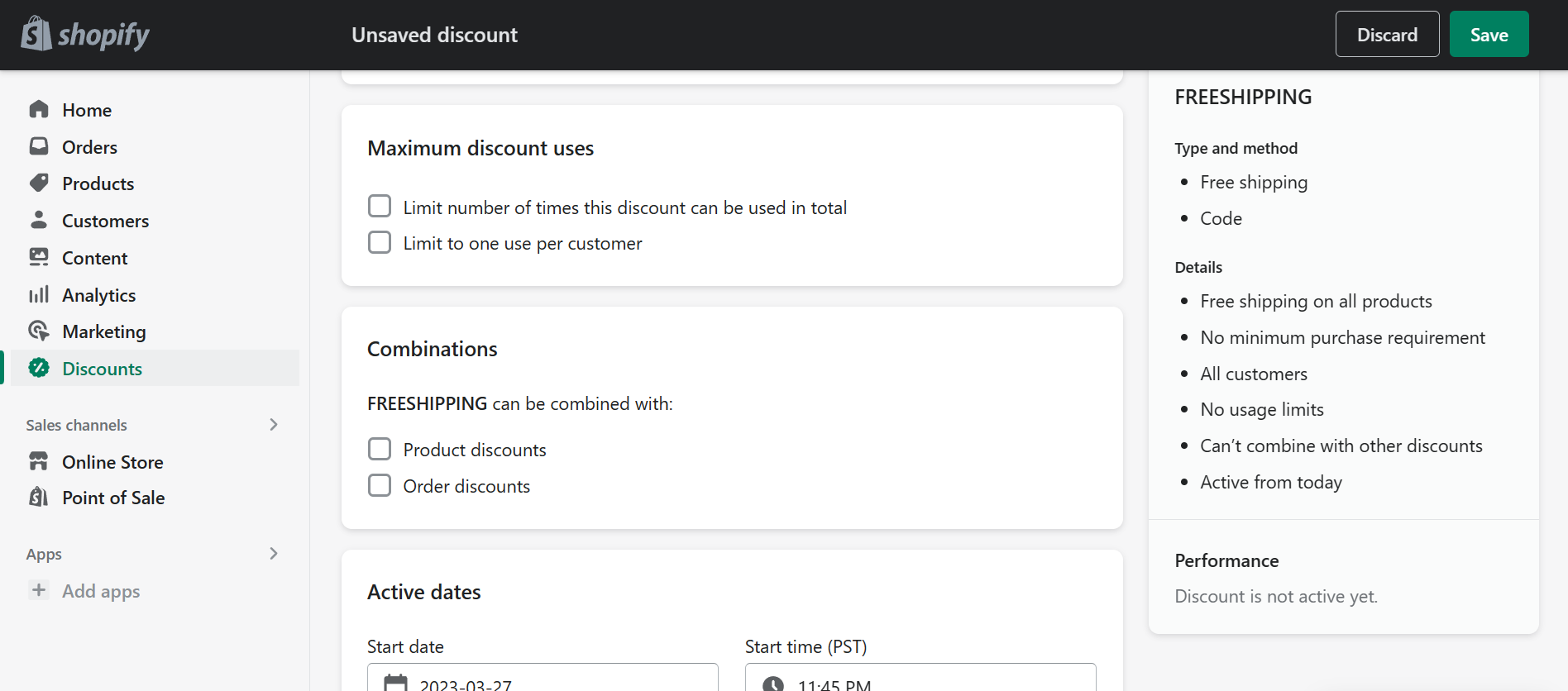
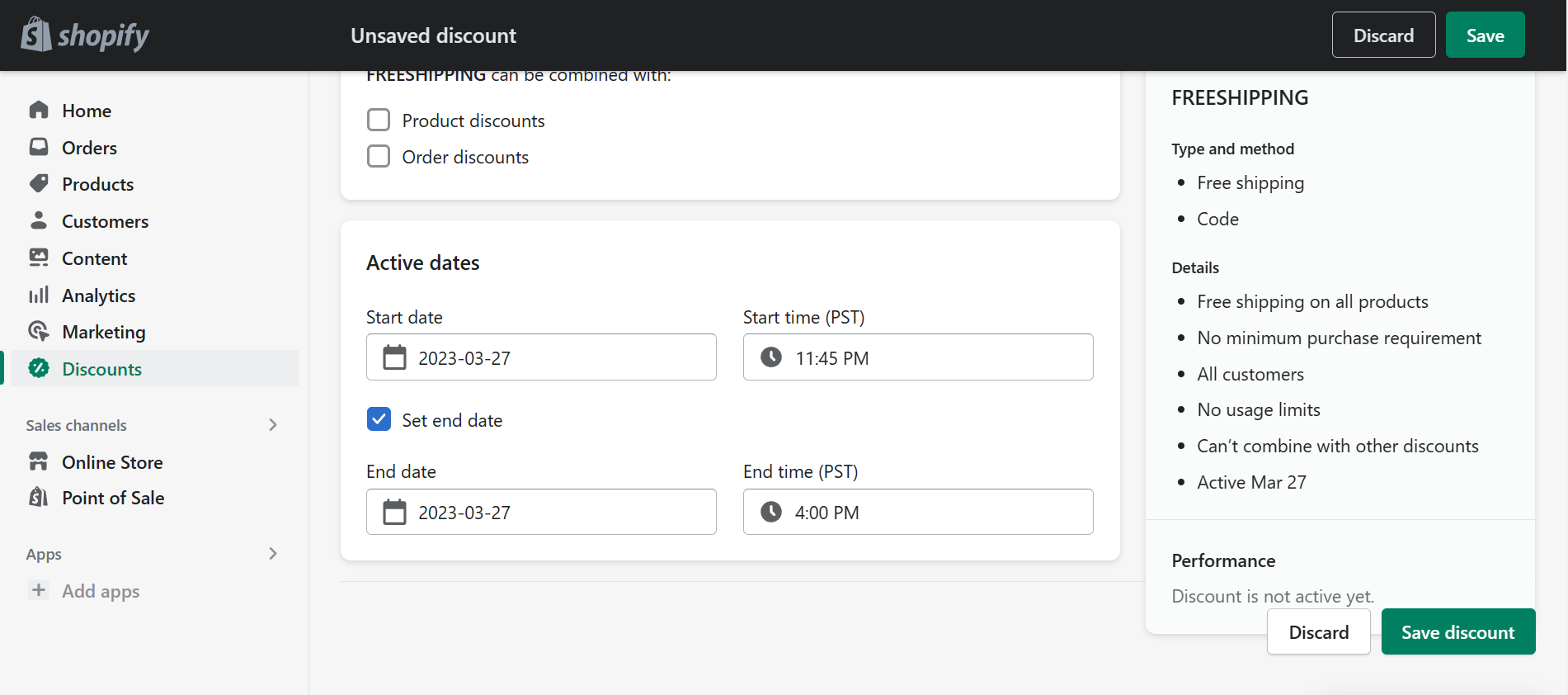
- You can set active start and end dates by checking the “Set end date” first. It is ideal to make short active dates during discounts so customers would have no time to hesitate the products that they want to checkout and apply the discount codes to their orders immediately. This time will reflect the time one of the countries that you have indicated while creating your account. After setting the start and end dates, click “Save discount” so the discount codes would work.
Conclusion
You’re done! Always remember that creating discount codes in Shopify is one of the multiple ways to encourage your customers to check out the products or services that your business can offer. Although making discount codes is relatively easy, determining the maximum amount of discounts that you can offer your customers is a hard task, and it may affect your progress big time. Studying these aspects of discounting is essential to grow your business.
-
To create discount codes, you must have a Shopify store account and there must be specific products and collections that are previously arranged in your store.
-
There are four discounts you can make in Shopify: product discounts, order discounts, BOGO product discounts, and free shipping discounts.
-
Among these four, you can categorize the product, order, and BOGO discounts in the same category of tutorial because they are almost the same. Free shipping has additional settings when creating the discount code, so a separate checklist is made for it.
-
Minimum purchase requirements, customer eligibility, maximum discount uses, combinations, and active dates are the general aspects to consider when creating a discount code.
-
Discount codes may be personally related to your business, or you can think of a creative code which would be advantageous for the brand recognition of your business.