How to Generate the Necessary Legal Policies for Your Shopify Store
To generate the necessary legal policies for your Shopify store.
Prefer a shortcut? 16 free tools do parts of this for you.
days*

Aim: To generate the necessary legal policies for your Shopify store.
Optimal Outcome: Complete and accurate legal policies that comply with legal requirements for your Shopify store.
What do you need to start: Access to your Shopify store and an understanding of your business practices and legal requirements.
Why is this SOP Important: Legal policies are essential for any online business as they inform customers of their rights and obligations when using the website. In addition, having the necessary legal policies can help protect your business from legal disputes and liabilities.
When and Where to execute: This is a one-time process that should be executed before launching your Shopify store. However, it is recommended to review and update your policies periodically, especially if there are any changes in your business practices or legal requirements.
Who Should Be Doing This: The person responsible for the legal compliance of your Shopify store.
Step-by-step Guide:
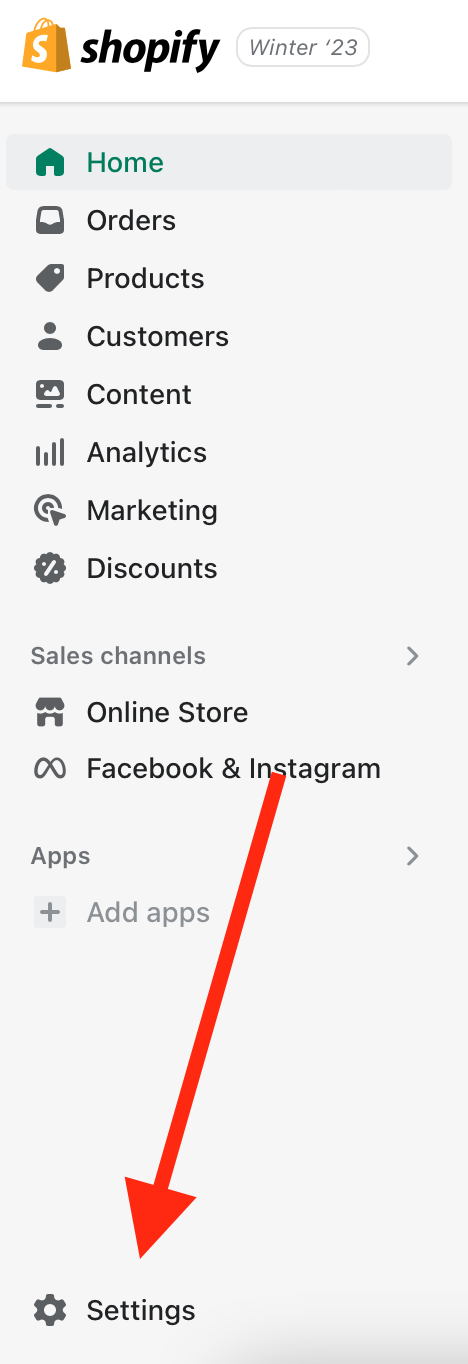
- Log in to your Shopify account and navigate to the "Settings" menu on the bottom left-hand side of the dashboard.
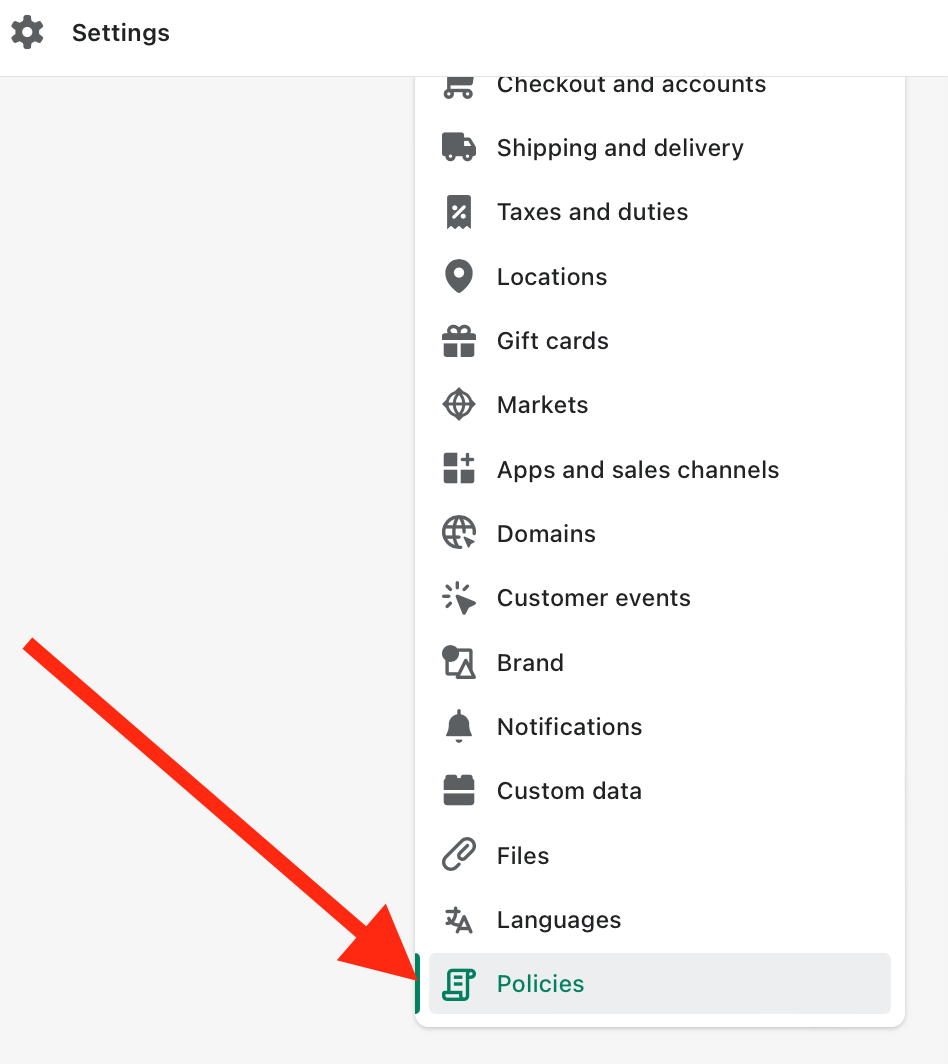
- Click on "Policies" from the list of options in the "Settings" menu.
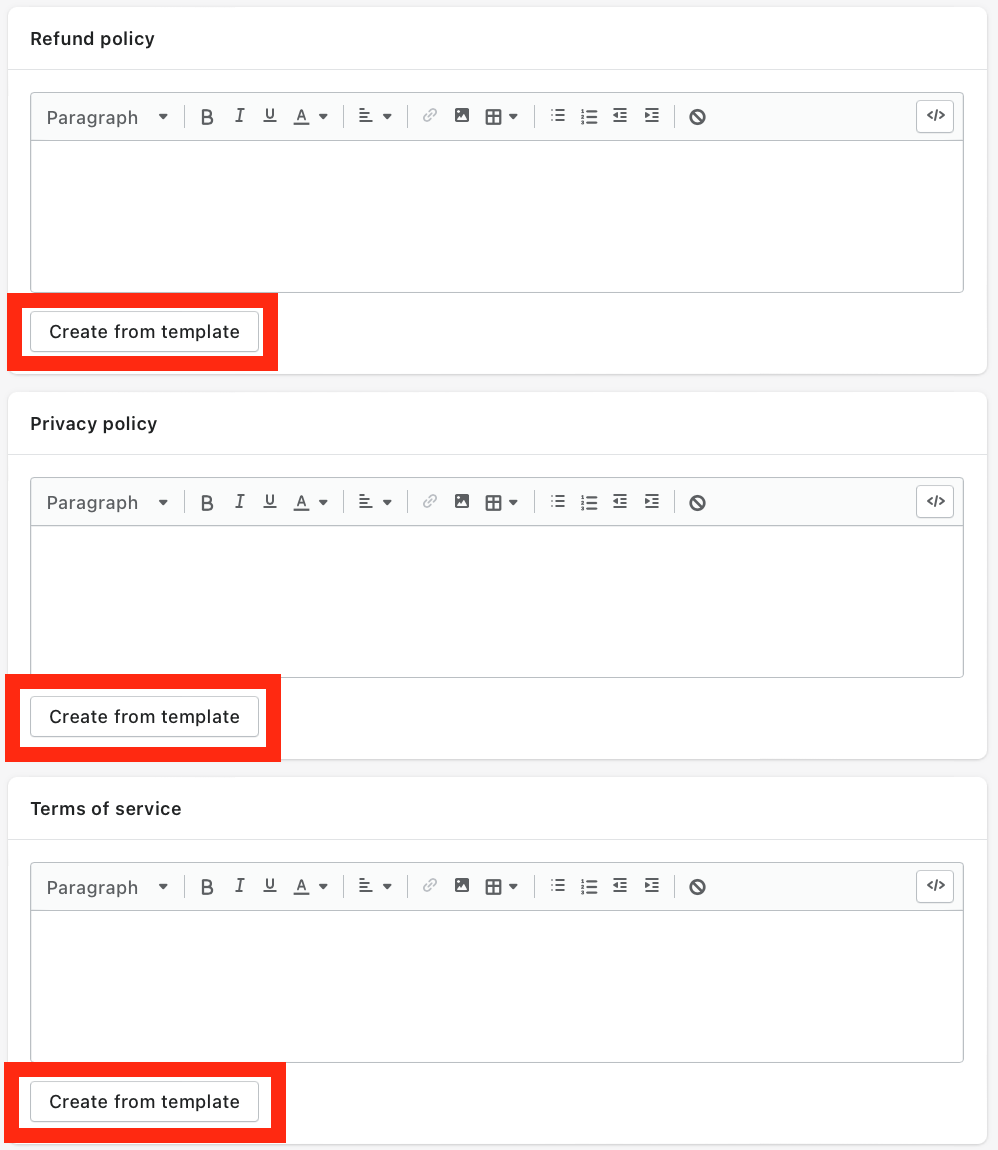
- Shopify provides three default templates for legal policies: "Privacy Policy," "Terms of Service," and "Refund Policy." Choose the policy that you need to generate and click on "Create from template."
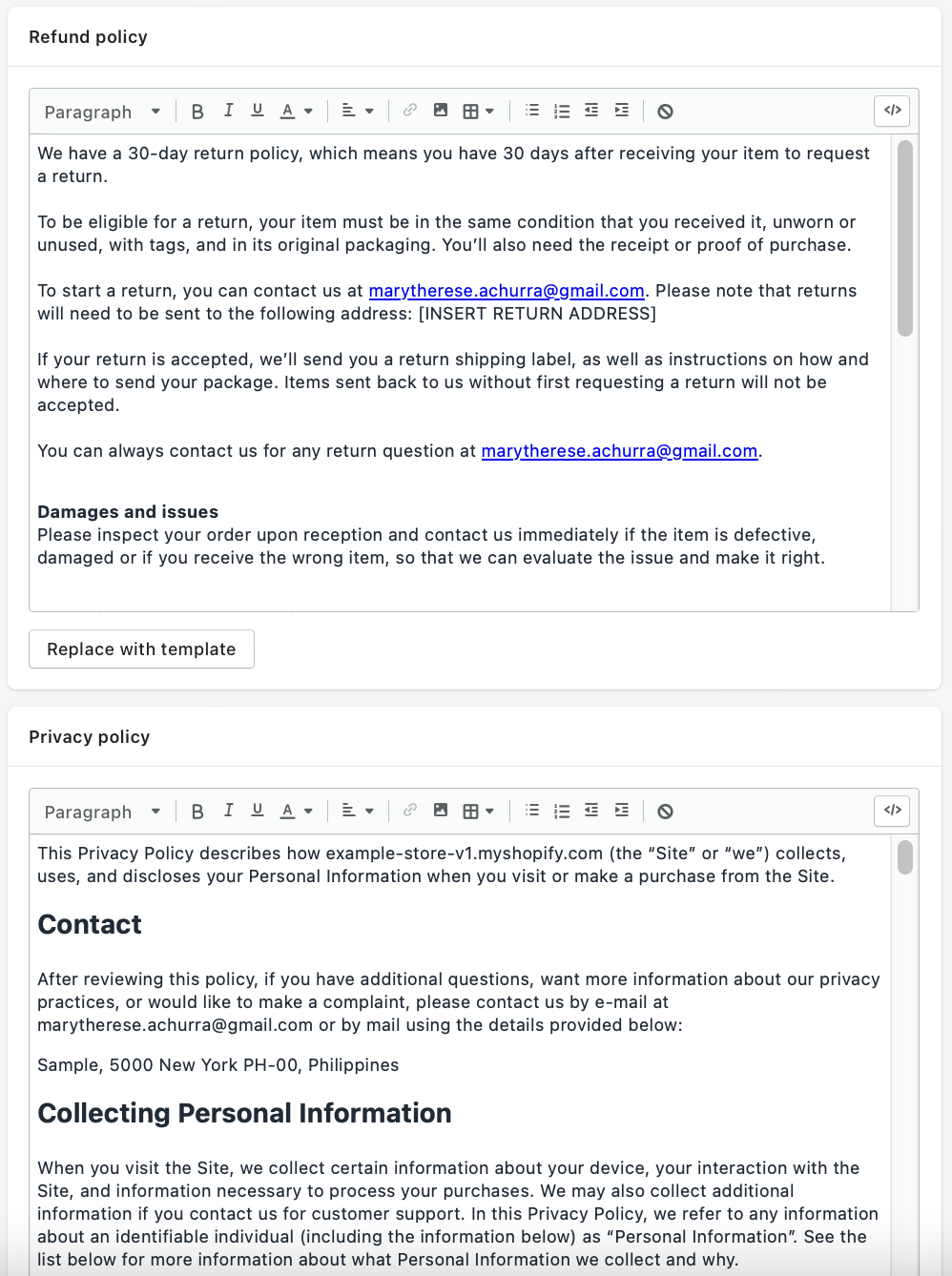
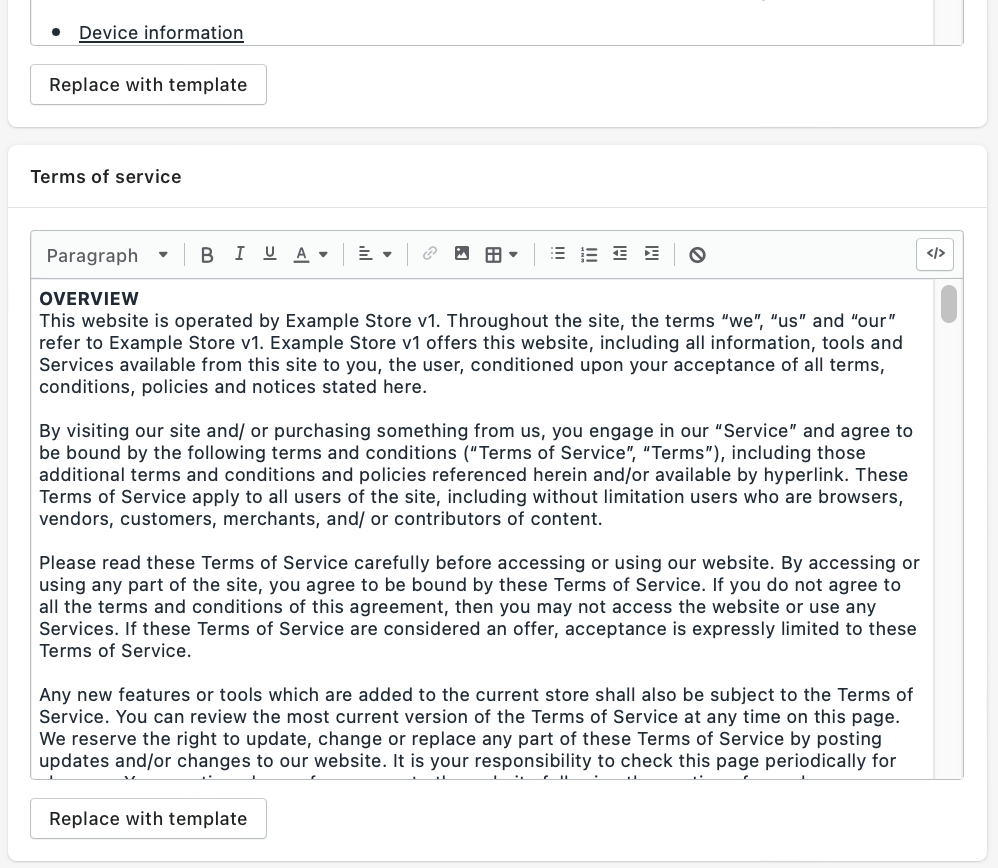
- The template will be populated with generic information. Review and customize the policy to reflect your business practices and legal requirements.
-
Pay attention to specific legal requirements in your country, state, or industry. You can consult with a lawyer or use online legal resources to ensure that your policies are compliant with legal requirements.
-
Once you have customized the policy, click on "Save" to publish it on your Shopify store.

-
Repeat the process for the other legal policies that you need to generate.
-
It is recommended to provide easy access to your legal policies by adding links to them in the footer section of your website.
-
Finally, periodically review and update your policies to ensure that they remain compliant with legal requirements and accurately reflect your business practices.
Conclusion
You’re done!
With this step-by-step guide, you can easily create and customize your legal policies to ensure that they accurately reflect your business practices and legal requirements.
Execution Checklist:
-
Log in to your Shopify account and navigate to the "Settings" menu.
-
Click on "Policies" from the list of options in the "Settings" menu.
-
Click on "Create from Template" for the policy that you want to generate.
-
Choose the policy that you need to generate and click on "Create."
-
Review and customize the policy to reflect your business practices and legal requirements.
-
Pay attention to specific legal requirements in your country, state, or industry. You can consult with a lawyer or use online legal resources if needed.
-
Click on "Save" to publish it on your Shopify store.
-
Repeat the process for the other legal policies that you need to generate.
-
Provide easy access to your legal policies by adding links to them in the footer section of your website.
-
Periodically review and update your policies.