Keeping URLs Short for Shopify
The objective of this procedure is to keep URLs Short for Shopify to rank better in search results.
Prefer a shortcut? 16 free tools do parts of this for you.

Aim: The objective of this procedure is to keep URLs Short for Shopify to rank better in search results.
Optimal Outcome: This procedure will result in keeping URLs short for your Shopify Store and eventually helping your store rank higher in search engine results.
What do you need to start: You must have a Shopify Account to proceed with this procedure.
Why is this SOP Important: Keeping your URLs short in Shopify is important for several reasons. First, it can help your store appear more professional and modern. Shorter URLs are easier to remember, which can help build customer trust and loyalty. Additionally, short URLs are also more SEO-friendly, helping your store rank higher in search engine results. Finally, short URLs are easier to share on social media, making it easier for customers to find and access your store. Short URLs can also help encourage customers to make a purchase, creating a better overall shopping experience.
When and Where to execute: You should start this procedure after establishing your Shopify account.
Who Should Be Doing This: The owner of the store or the person in charge is responsible for taking this procedure into account.
What is a URL?
URL (Uniform Resource Locator) is a web address that points to a specific page or file on the Internet. It's usually used to access websites, but can also be used for other purposes. A short URL is a technique used to make a Uniform Resource Locator (URL) shorter, usually for easier sharing and access. This technique is used to make URLs easier to remember, as well as to make them easier to type and share. It works by taking a long URL and redirecting it to a shorter one. This makes it easier to share links on social media, email, or text messages.
Short URLs are beneficial for E-commerce businesses as they are easier to include in emails and other forms of communication, as well as being much more user-friendly when it comes to remembering a web address. Short URLs can also improve the Ecommerce user experience by allowing customers to quickly access the page they are looking for, rather than having to type in a long, complicated web address. This can also help with SEO, as shorter URLs are more search engine friendly, which in turn can help increase traffic to the E-commerce site.
Execution
How to shorten URLs manually
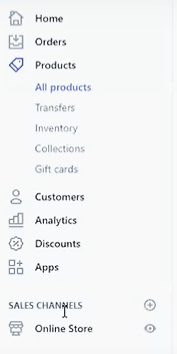
- Log in to your Shopify account and direct to Online Store from your dashboard.
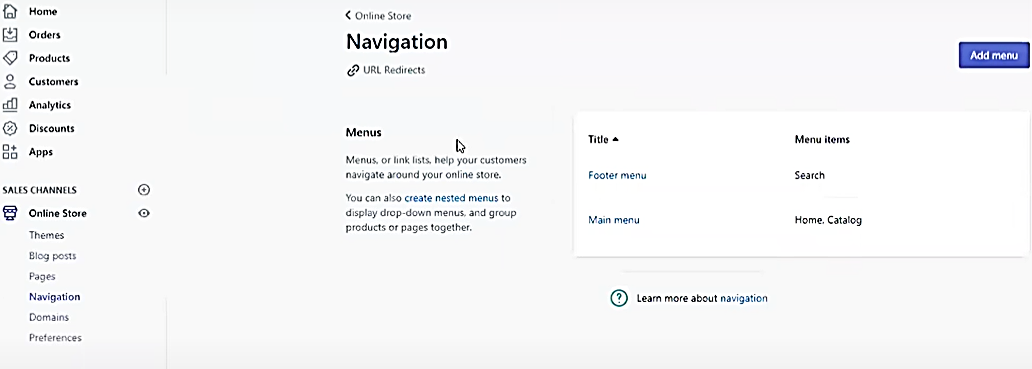
- Click Navigation, then click URL Redirects.
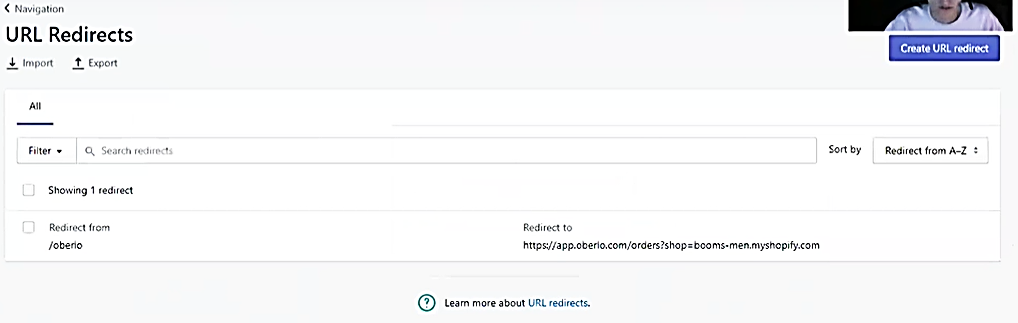
- Click Create URL redirect.
- Take a look at the URL Redirect – Redirect from and Redirect to.
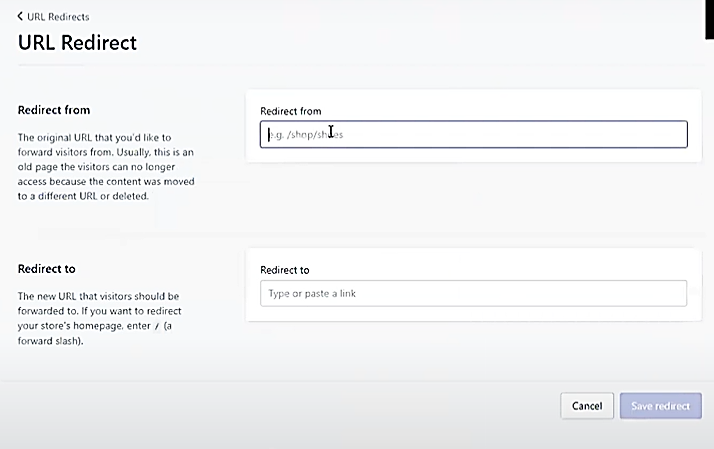
- In the from field, type your old URL. In the to field, type the new URL. Then click Save Redirect. You can use this method to create as many URLs as you want for your products.
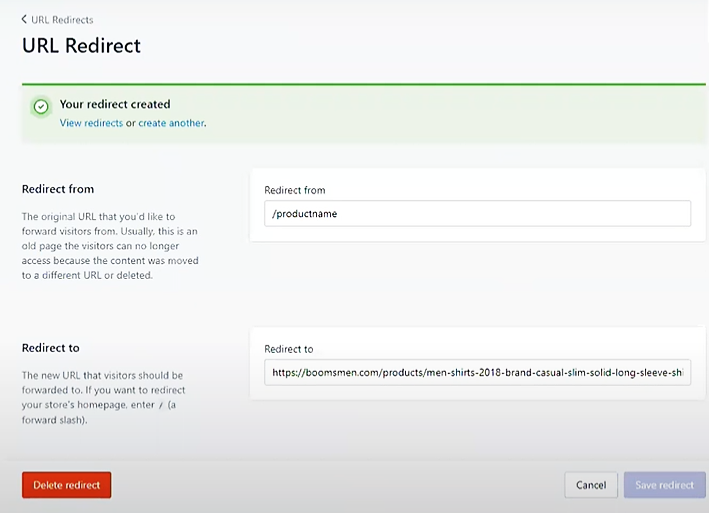
- Congratulations! You have successfully shortened your Shopify product URL.
Shorten Link using GoAffPro
- Click the Apps button on your Dashboard.
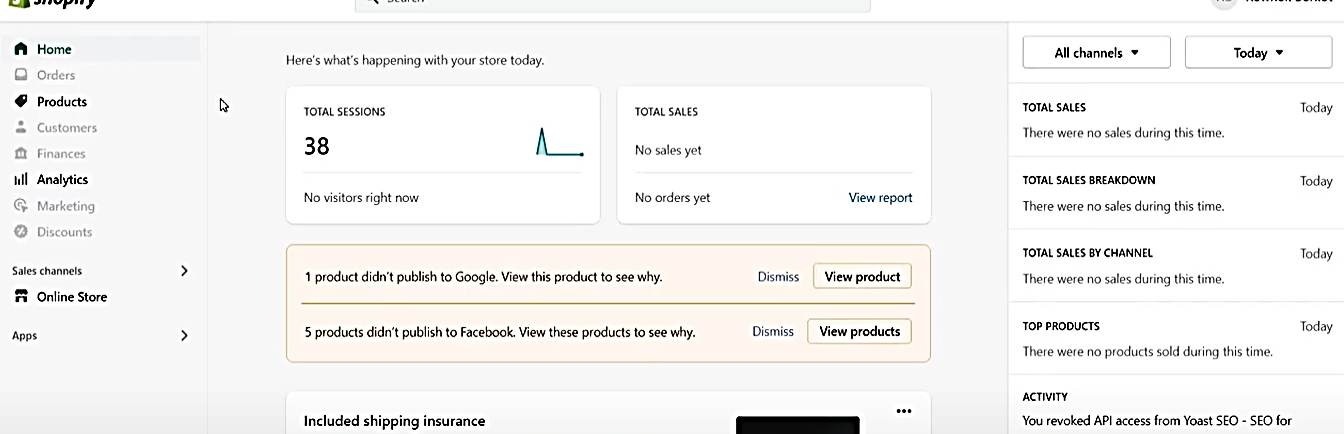
- Navigate through the search bar.
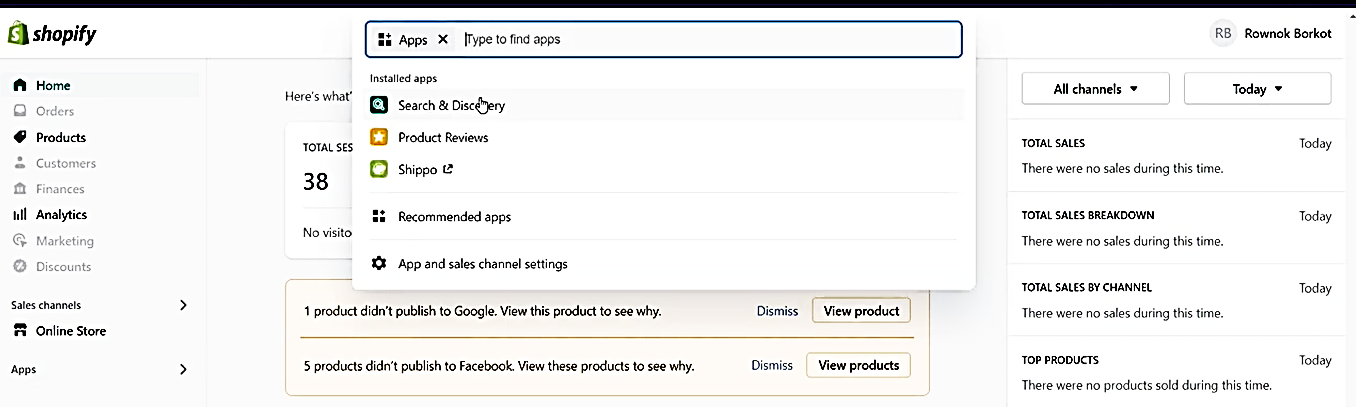
- Type “Affiliate Marketing GoAffpro” into the search bar, then click the App.
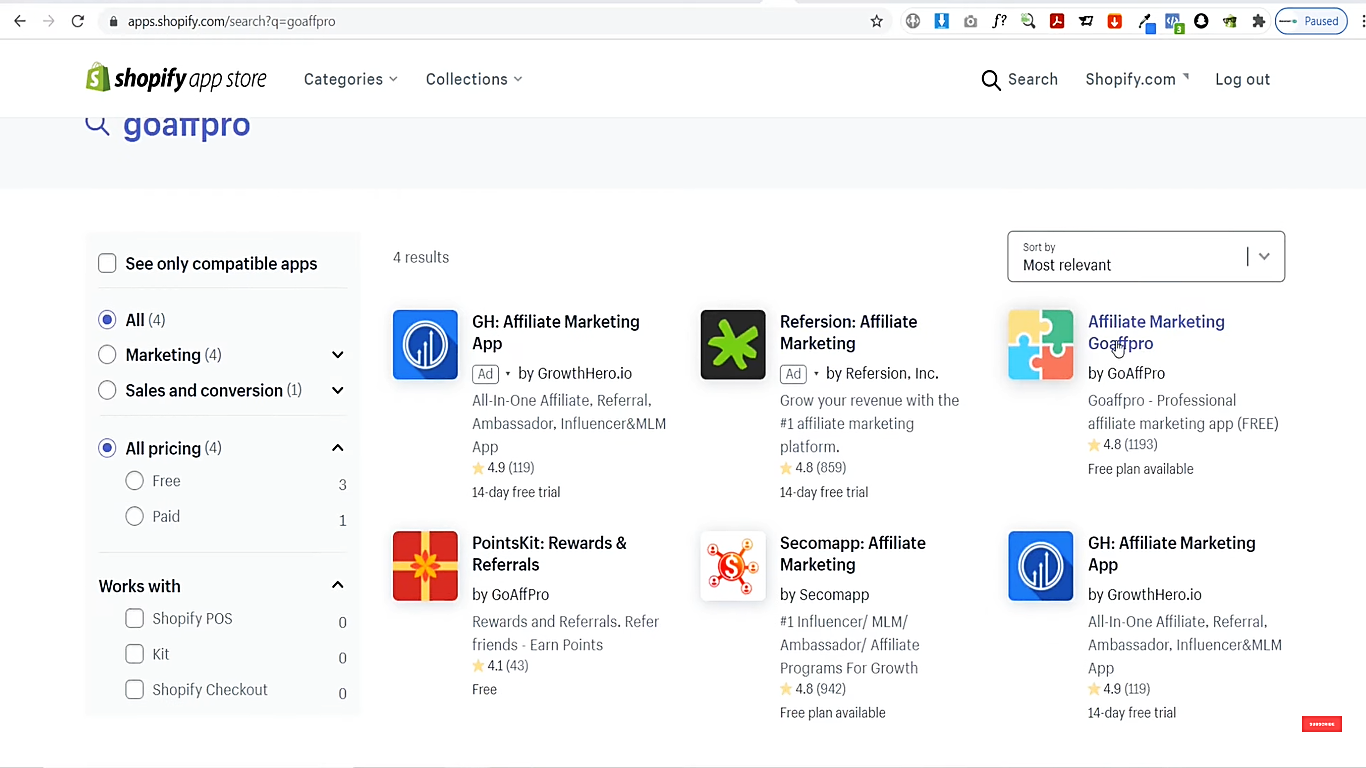
- Click Add App.
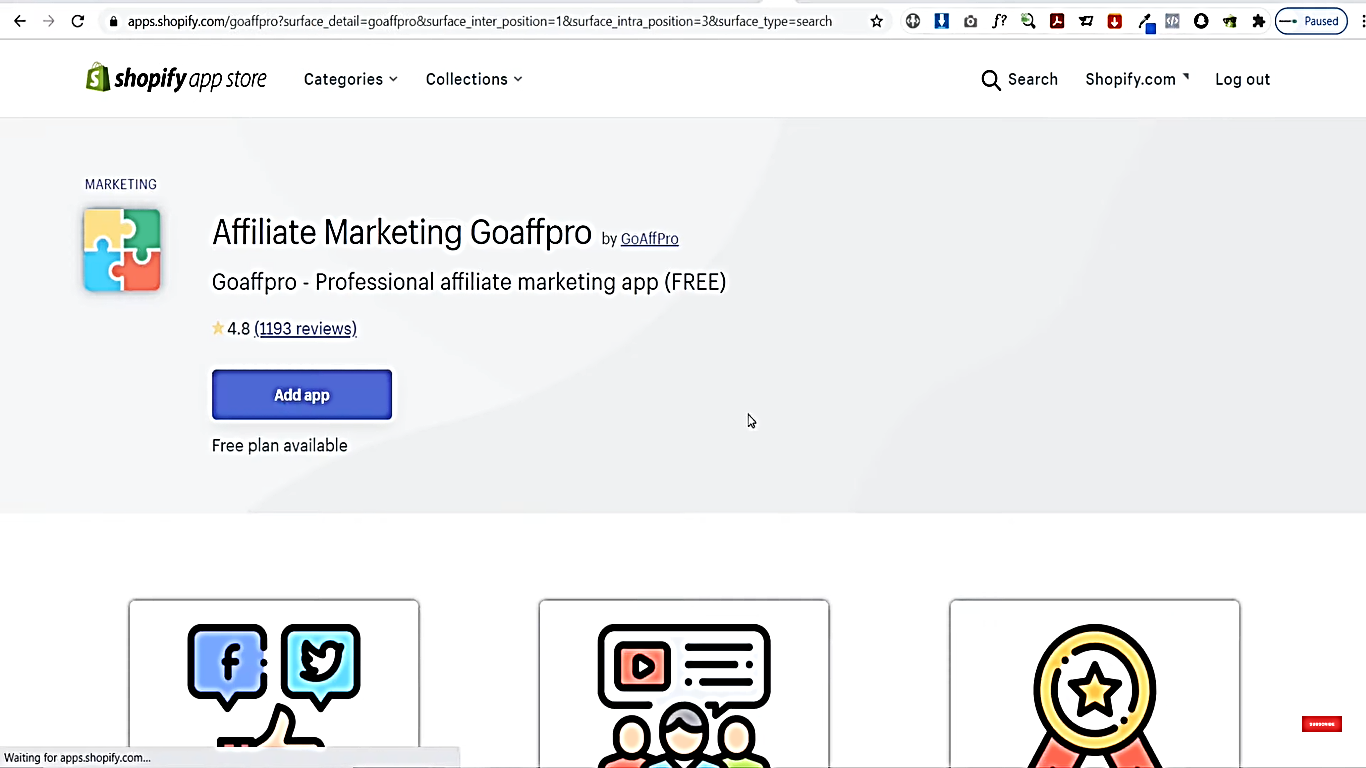
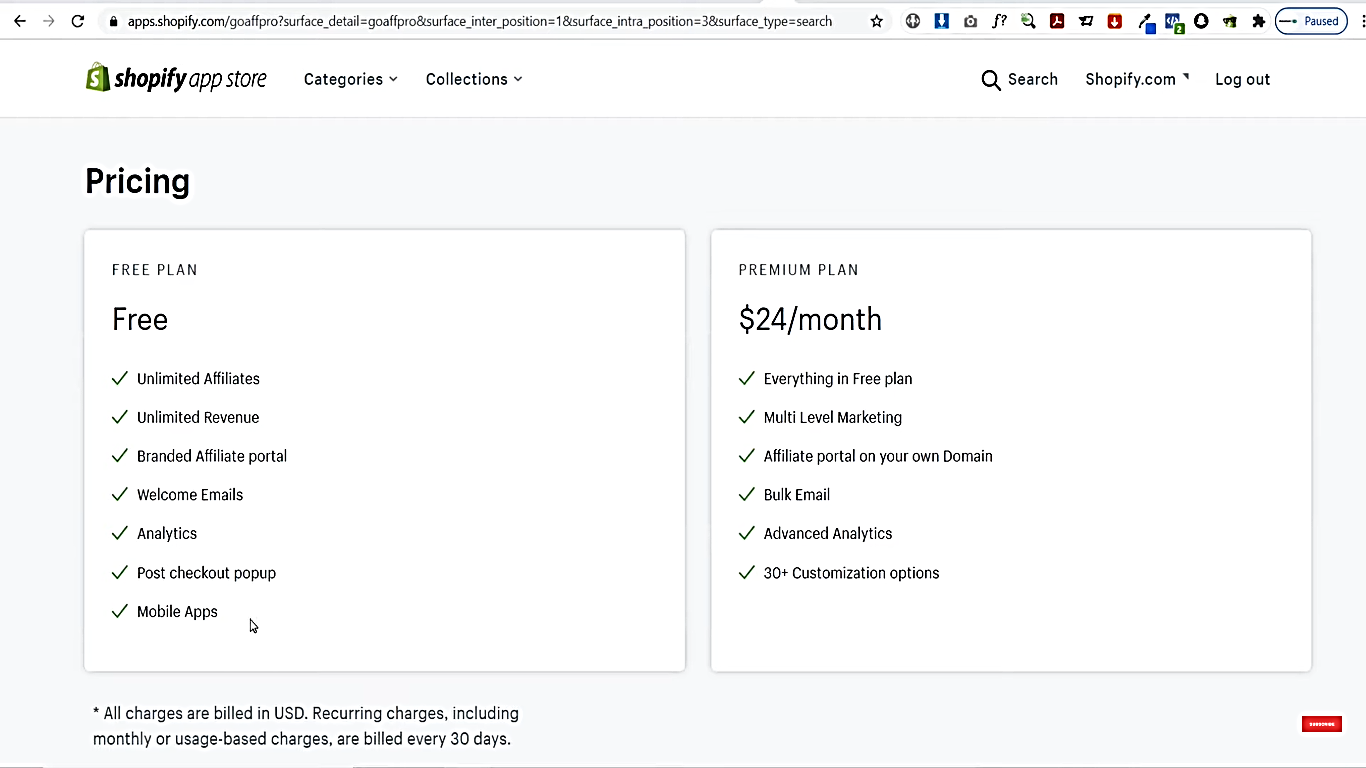
- Choose whether to install a free or paid plan.
- Navigate to the bottom, then click Install App.
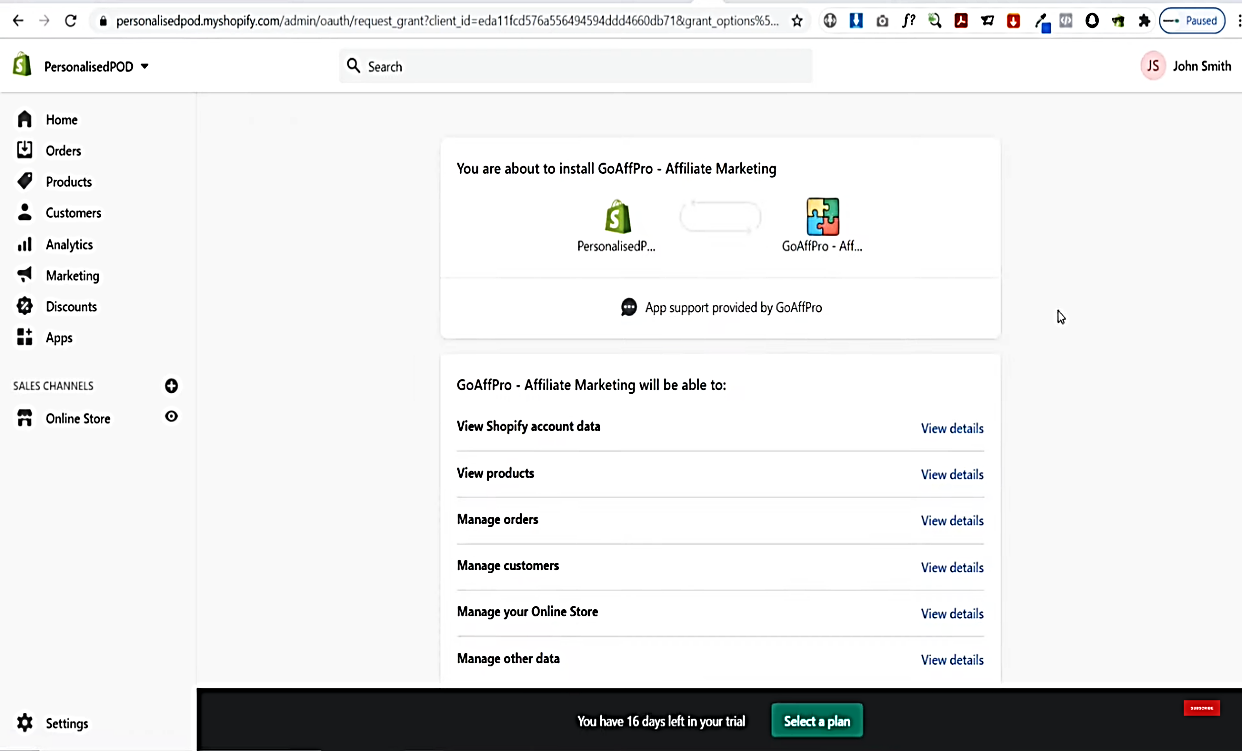
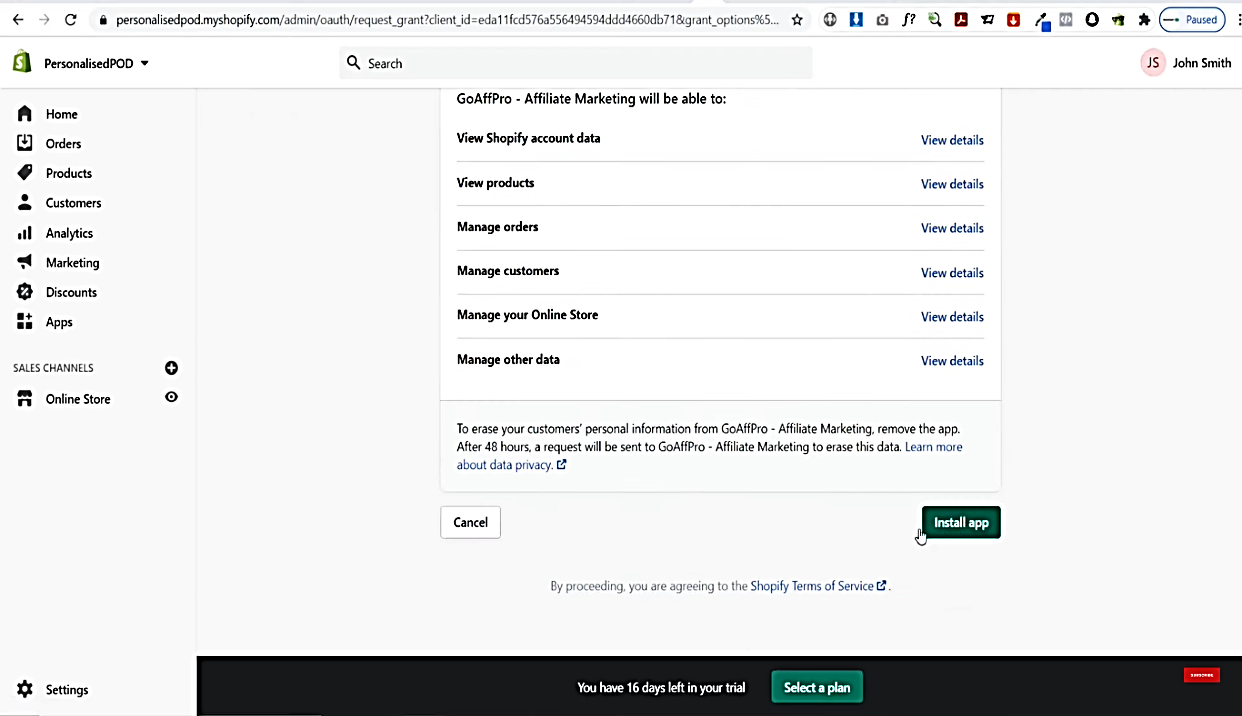
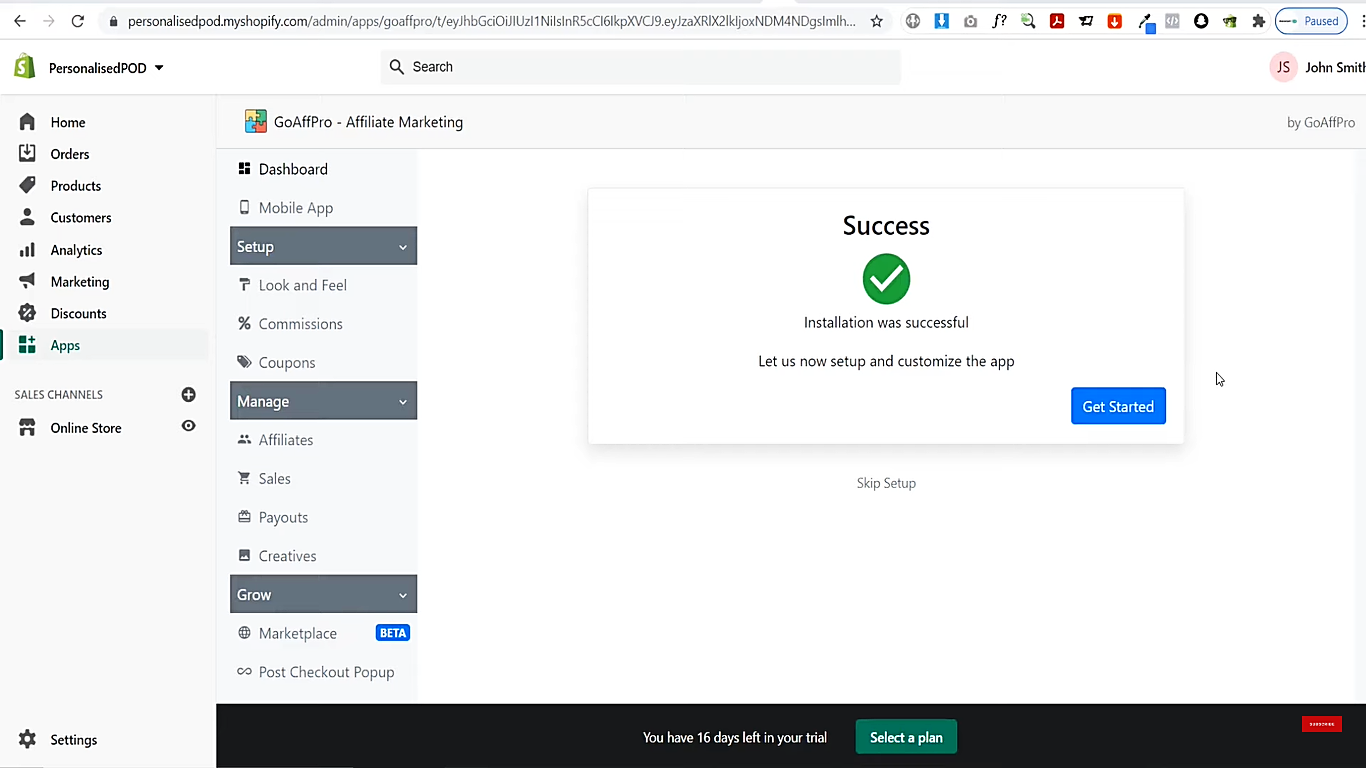
- A pop-up window will appear upon successful installation.
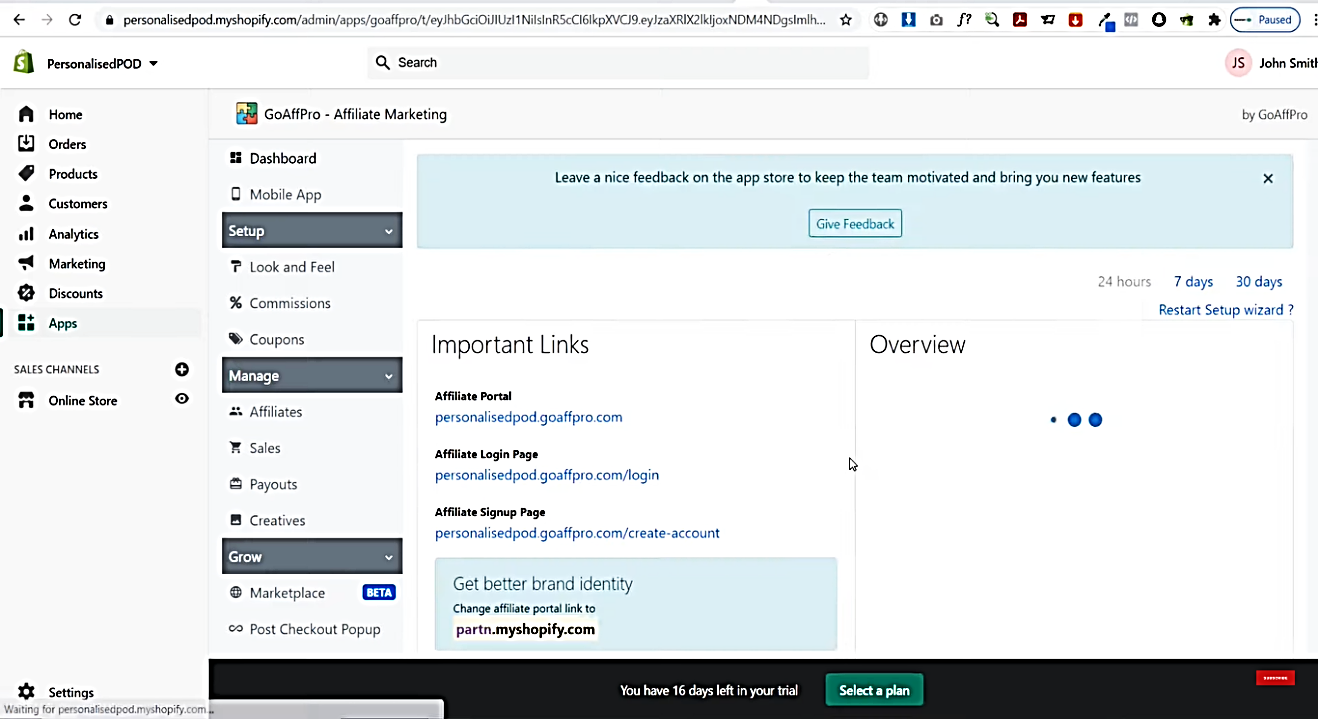
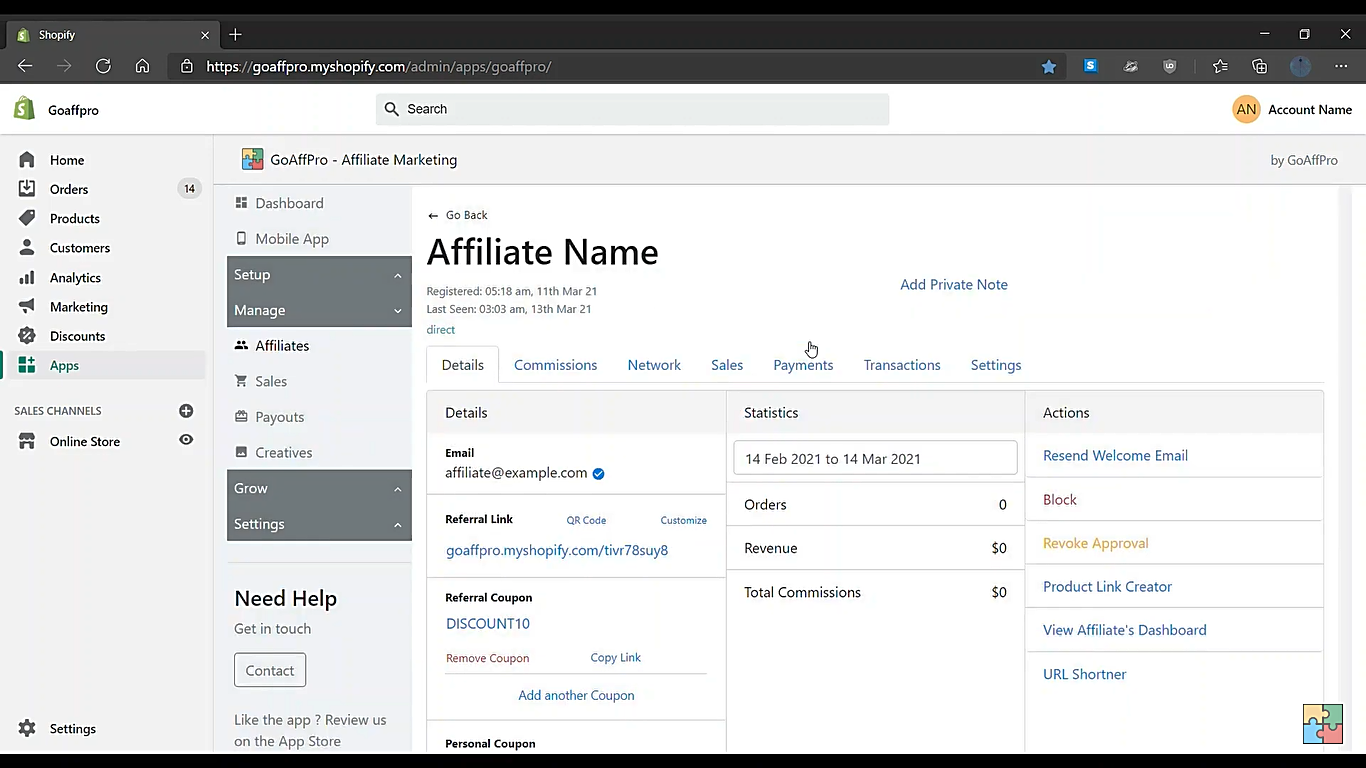
- Click on the Affiliates button.
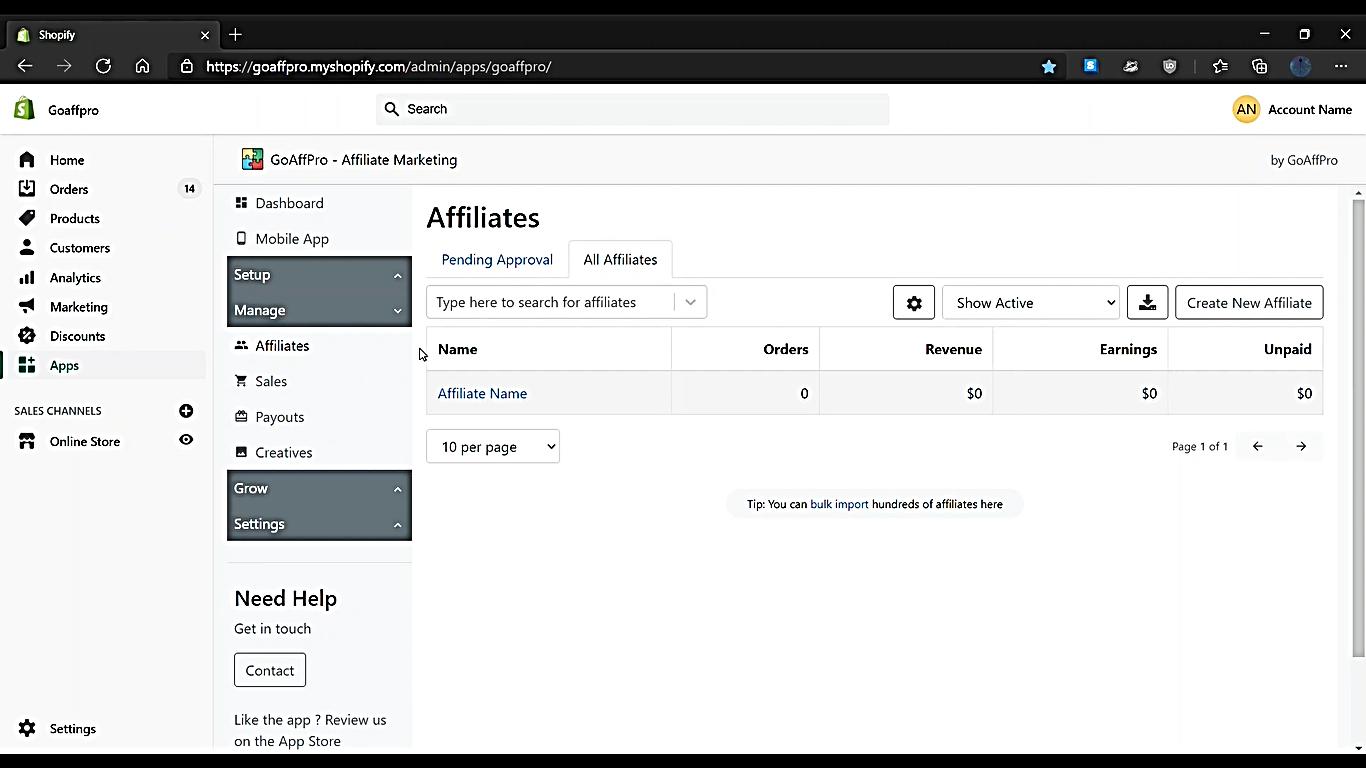
- Navigate to All Affiliates, then click on Affiliate Name.
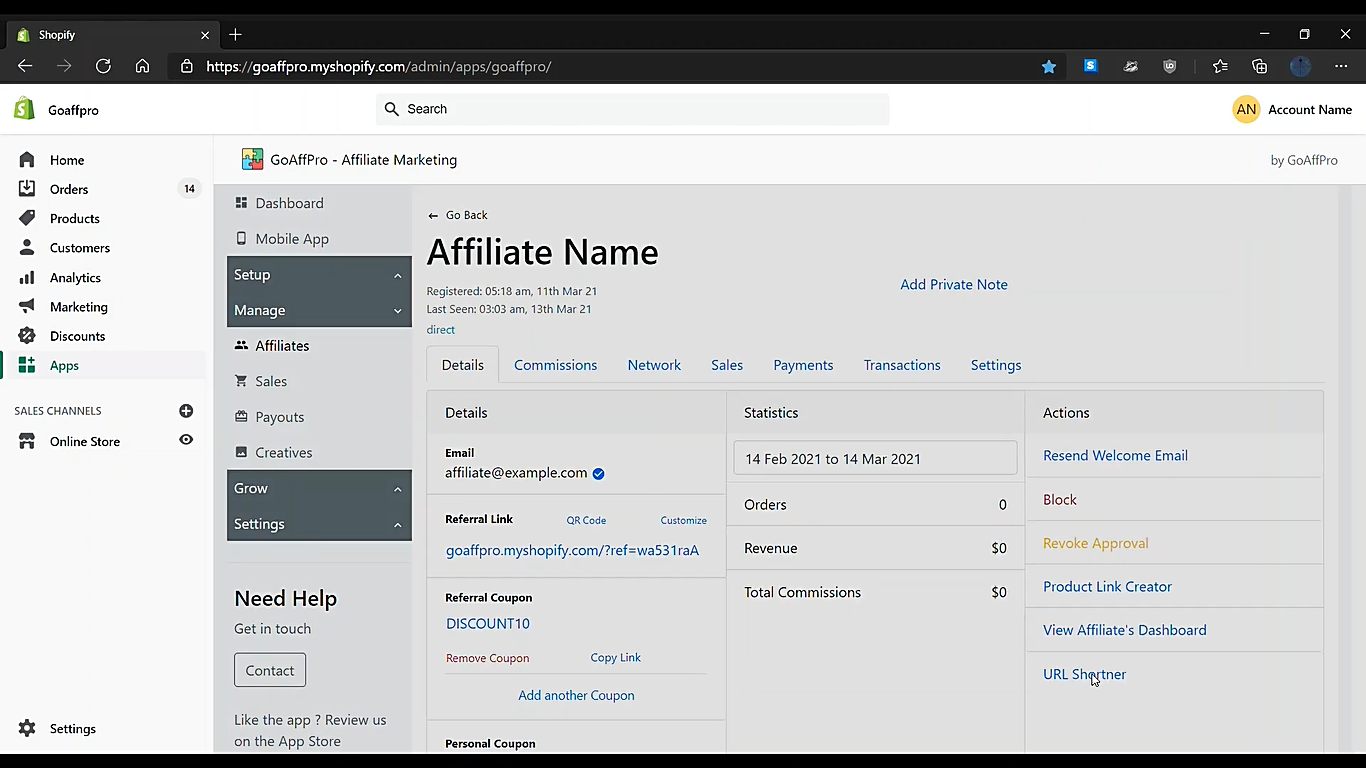
- Click on URL Shortner.
- A shorten URL pop-up window will appear. In the Shortner option, select Shopify.
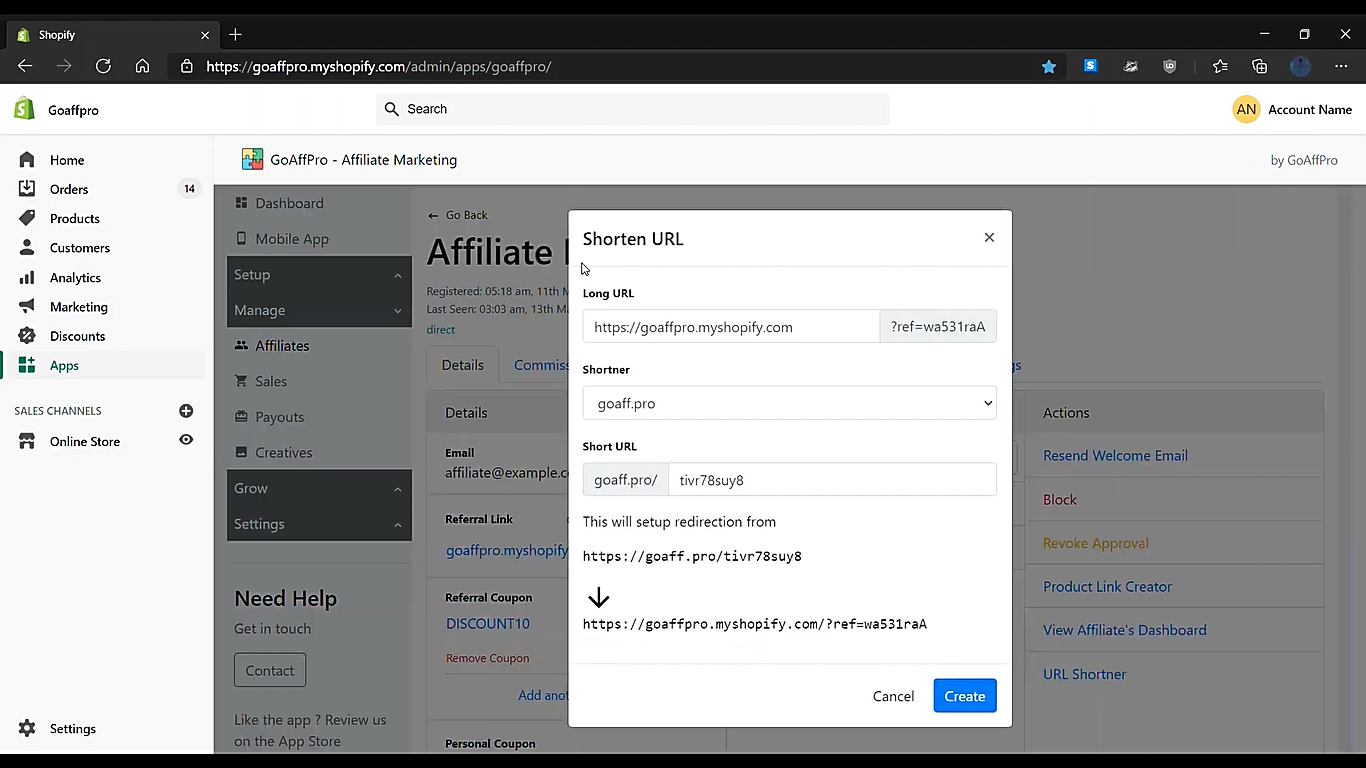
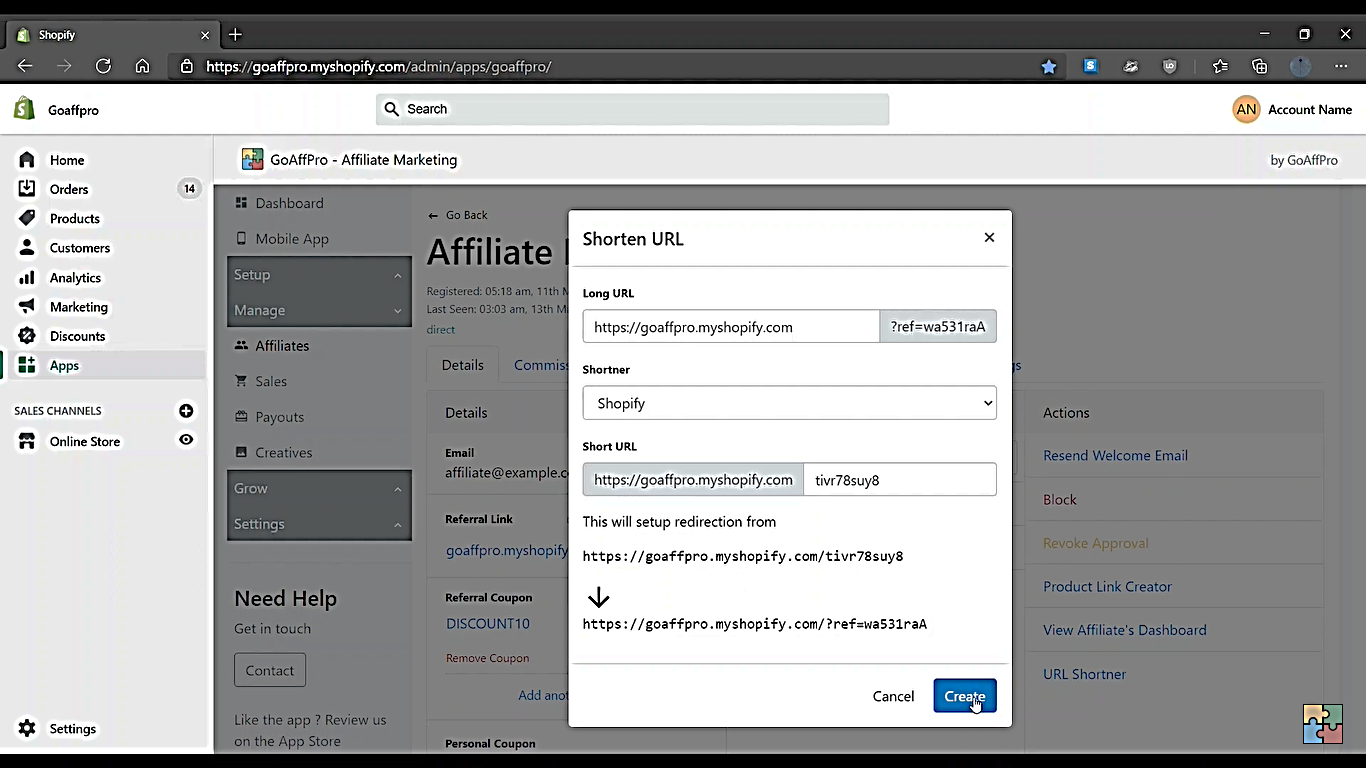
- Click Create button.
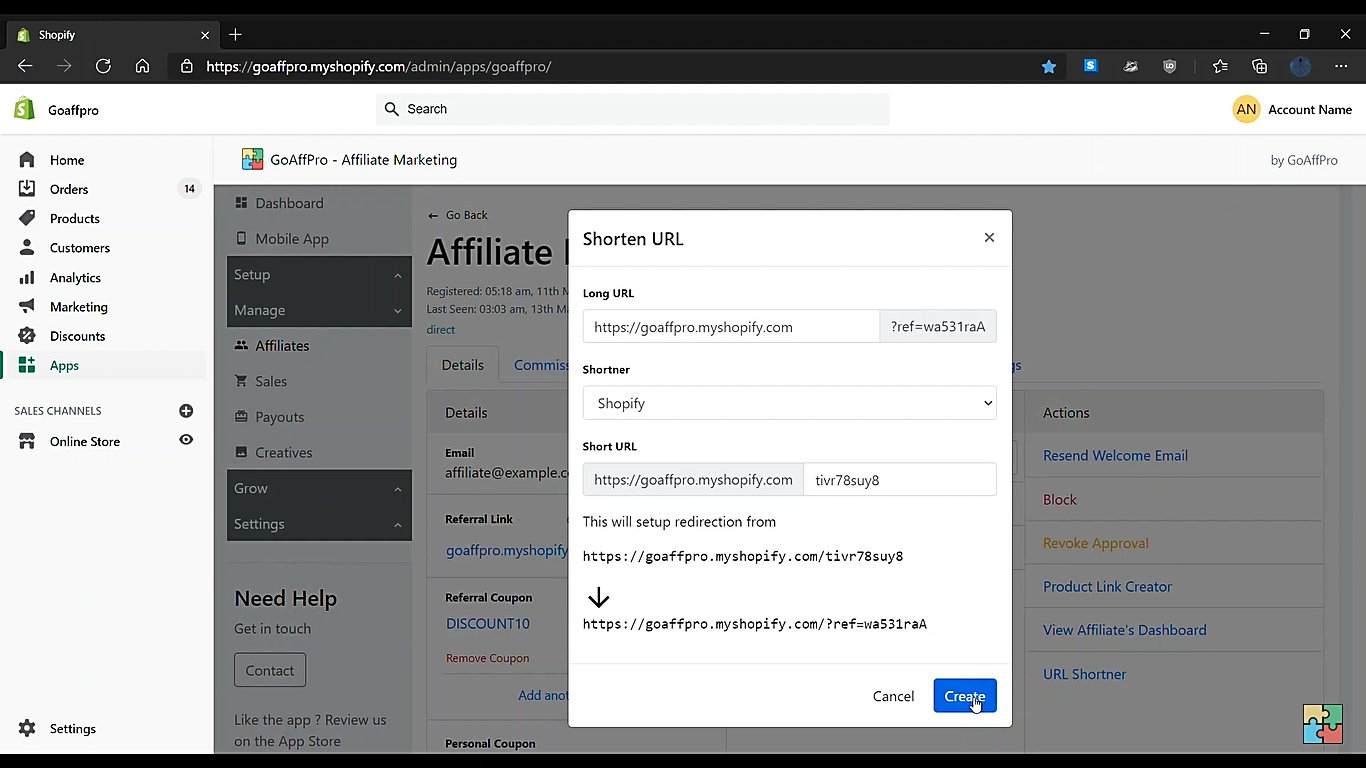
- You have successfully created a shortened URL.
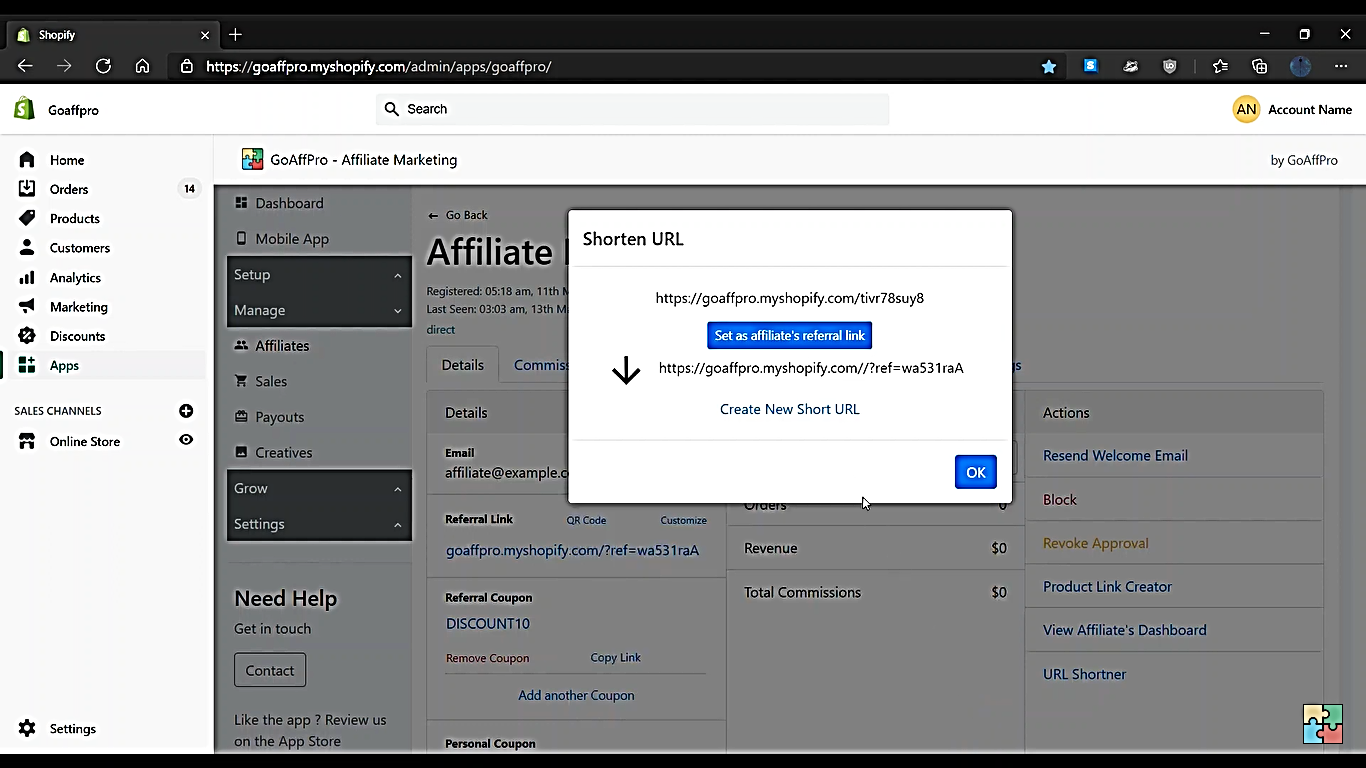
- You can view your shortened URL as shown below.
Conclusion
You’re done! Keep in mind that URL shortening is a technique in which a long URL is shortened, usually by creating a shorter URL that will redirect to the long URL. This technique is commonly used to make a link more visually appealing or to hide the address. However, URL shortening is vulnerable to brute-force attacks. This means that attackers can programmatically enumerate the set of possible shortened URLs, and access any valid URLs from the set.
To ensure the security of Shopify merchant data, you should use high-entropy, non-guessable URLs at all times, whether handling confidential or non-confidential data.
If your app generates URLs that might contain confidential information, then you shouldn't use techniques to shorten the URL. This applies to any URLs that could pose a risk if compromised, including but not limited to:
-
Checkout URLs
-
Order URLs
-
Other URLs that might include secret tokens or PII