Fixing Broken Links in Shopify SEO Stores
This method will locate and fix any broken links on your Shopify store.
Prefer a shortcut? 16 free tools do parts of this for you.

Aim: This method will locate and fix any broken links on your Shopify store.
Optimal Outcome: Your Shopify store will have no broken links.
What do you need to start: You need to download the Screaming Frog SEO Spider, and log into your Shopify account to start this process.
Why is this SOP Important: Fixing broken links is an important task for website maintenance, as they can lead to a poor user experience, and can have a negative effect on your site’s SEO.
When and Where to execute: This procedure must be followed immediately following the launch of your website and then on a regular basis thereafter.
Who Should Be Doing This: The person in charge of this procedure is in charge of maintaining the site.
What are Broken Links?
Broken links are links that no longer work or lead to the desired web page. They can occur for a variety of reasons, including a page being moved or deleted, a mistyped URL, or a typo. Fixing broken links is an important task for website maintenance, as they can lead to a poor user experience, and can harm your site’s SEO.
Broken links can have serious consequences for Shopify stores. If a customer clicks on a link that leads to a page that doesn't exist or is unavailable, it can create a poor user experience, leading to customer dissatisfaction, fewer sales, and lower customer satisfaction overall. Additionally, having broken links on your Shopify store can lead to Google penalizing your website in the search engine rankings, meaning customers are less likely to find your store.
Execution
Installation of Screaming Frog SEO Spider
-
Download the Screaming Frog SEO Spider from here.
-
Scroll down the page and choose whether to download a free app or purchase a licensed version of the app.

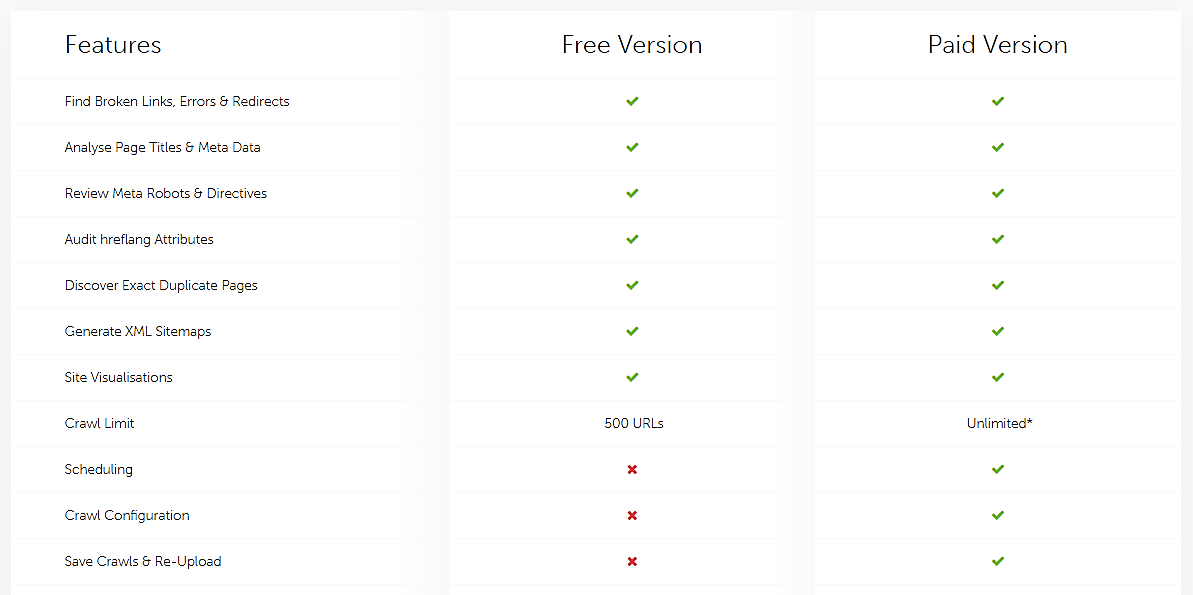
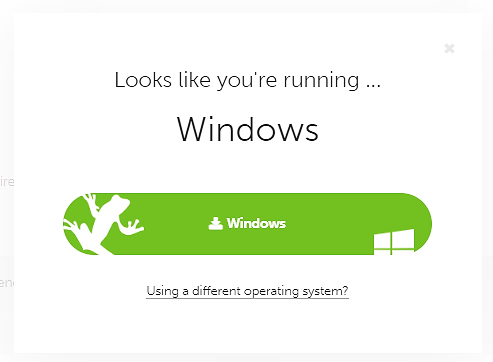
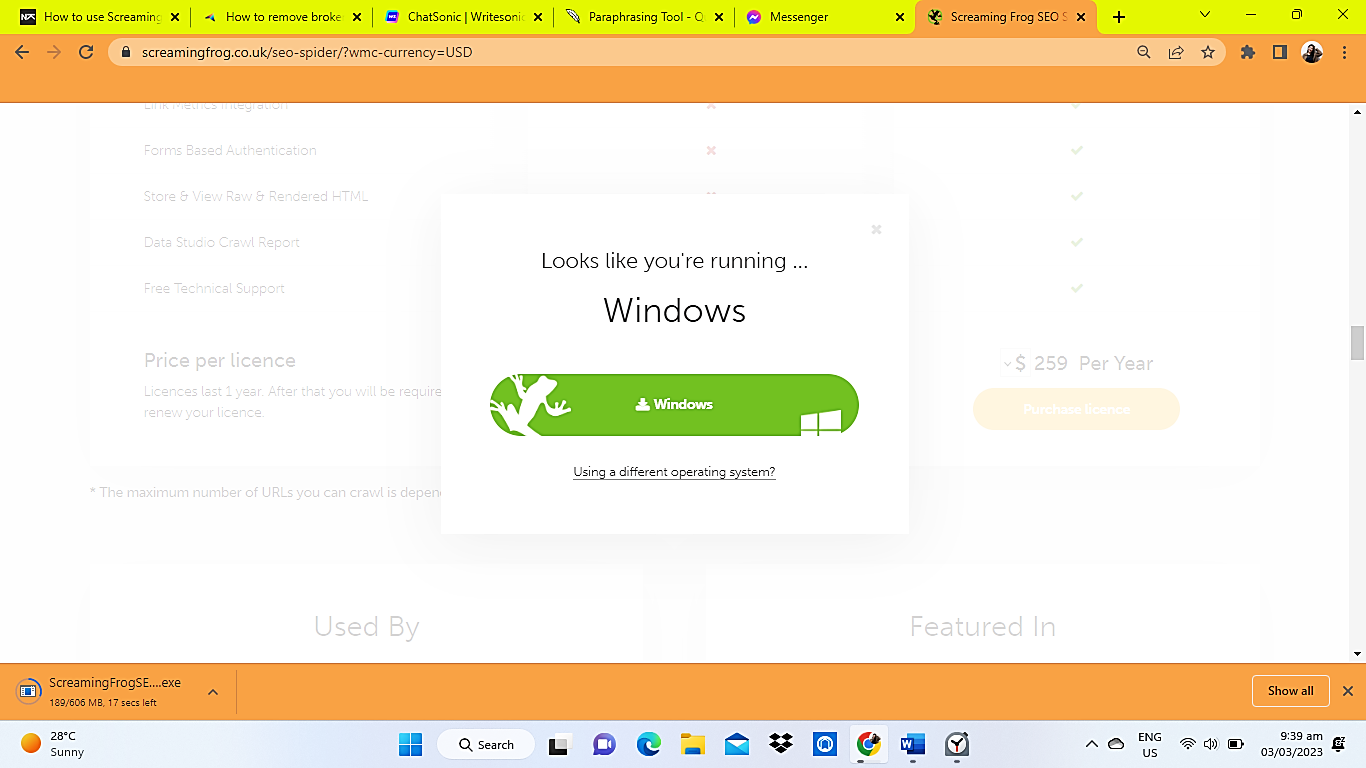
- You will be redirected to a pop-up window. Click the download button as shown below.
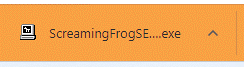
- Be patient and wait for the download to finish. Then click the downloaded app to install.
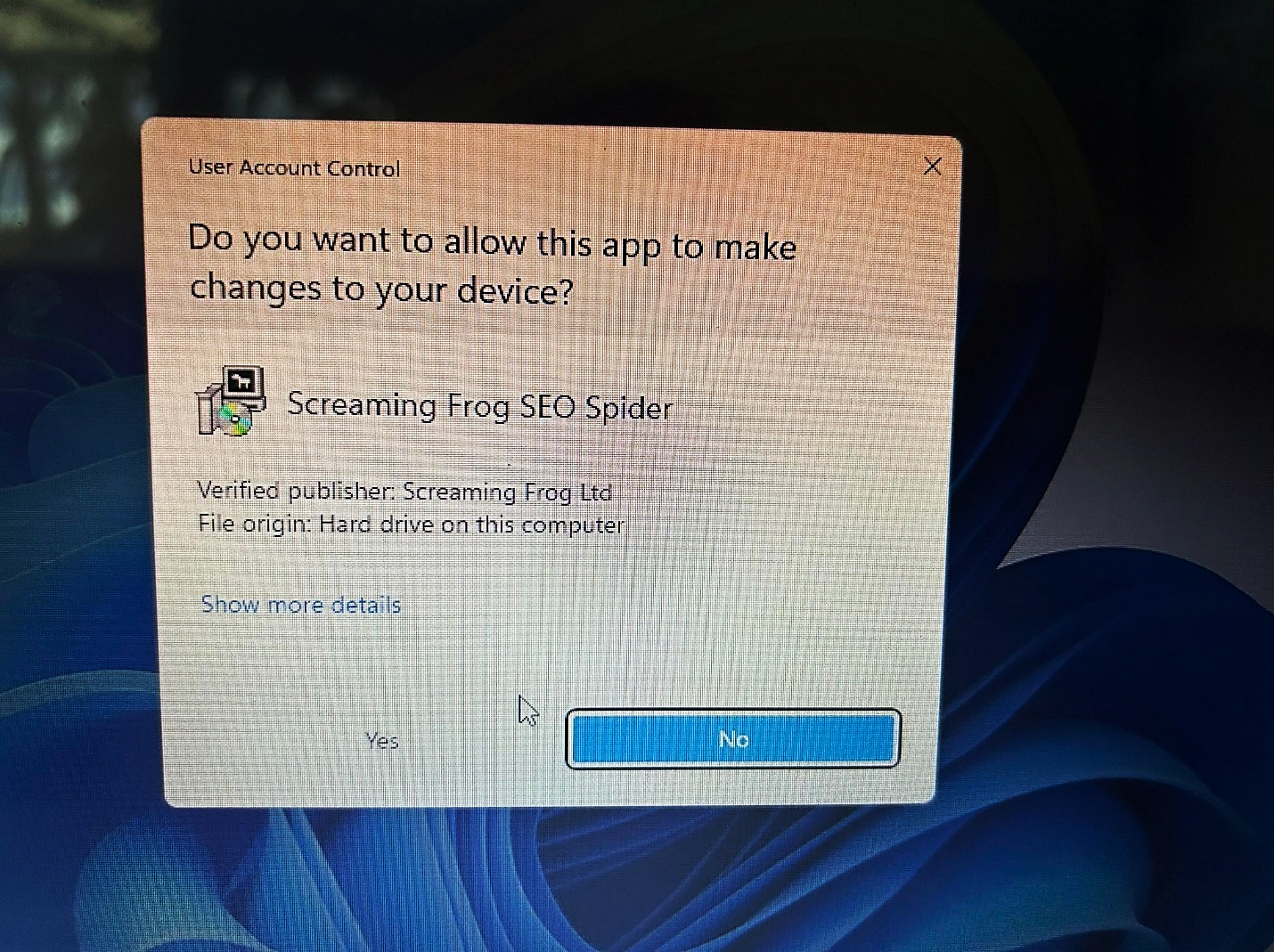
- A pop-up window confirming installation will appear. Click Yes to Install.
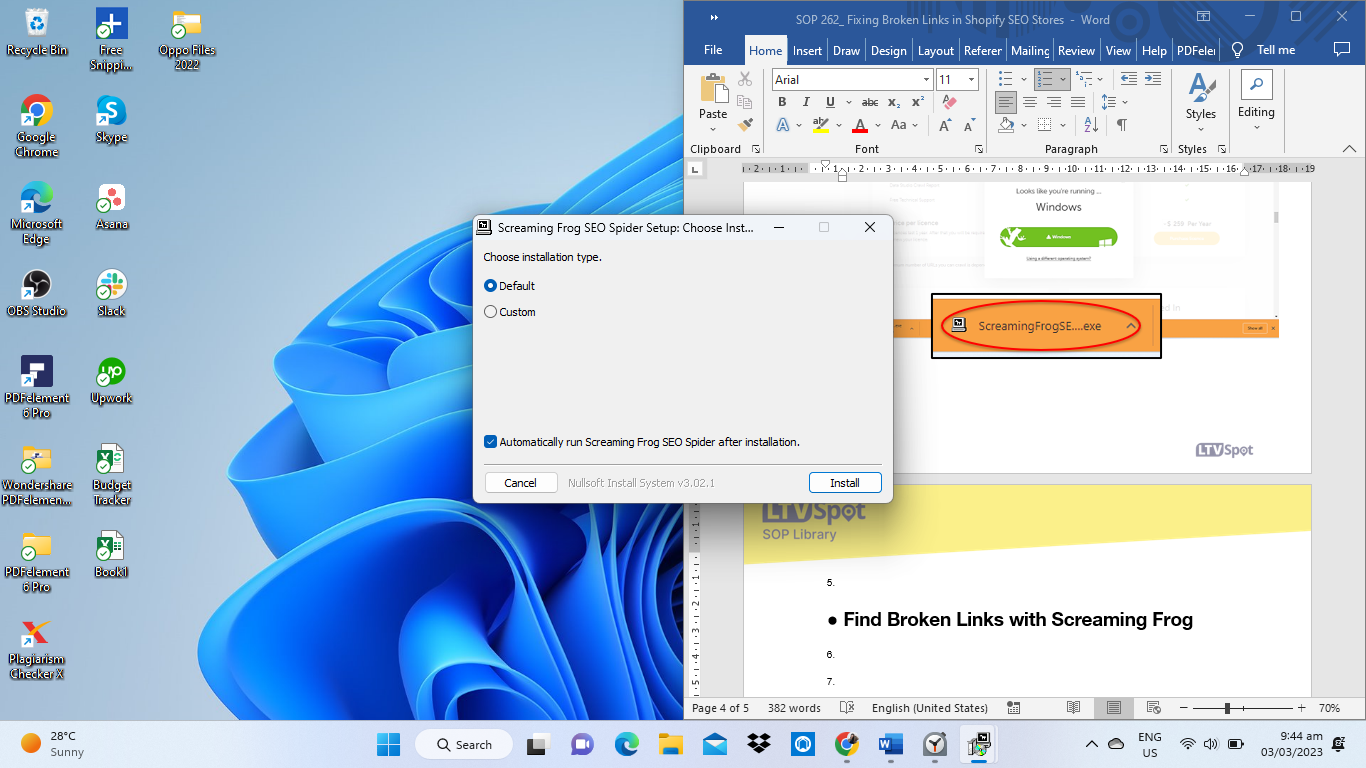
- Choose “Default” as the installation type. Then click Install.
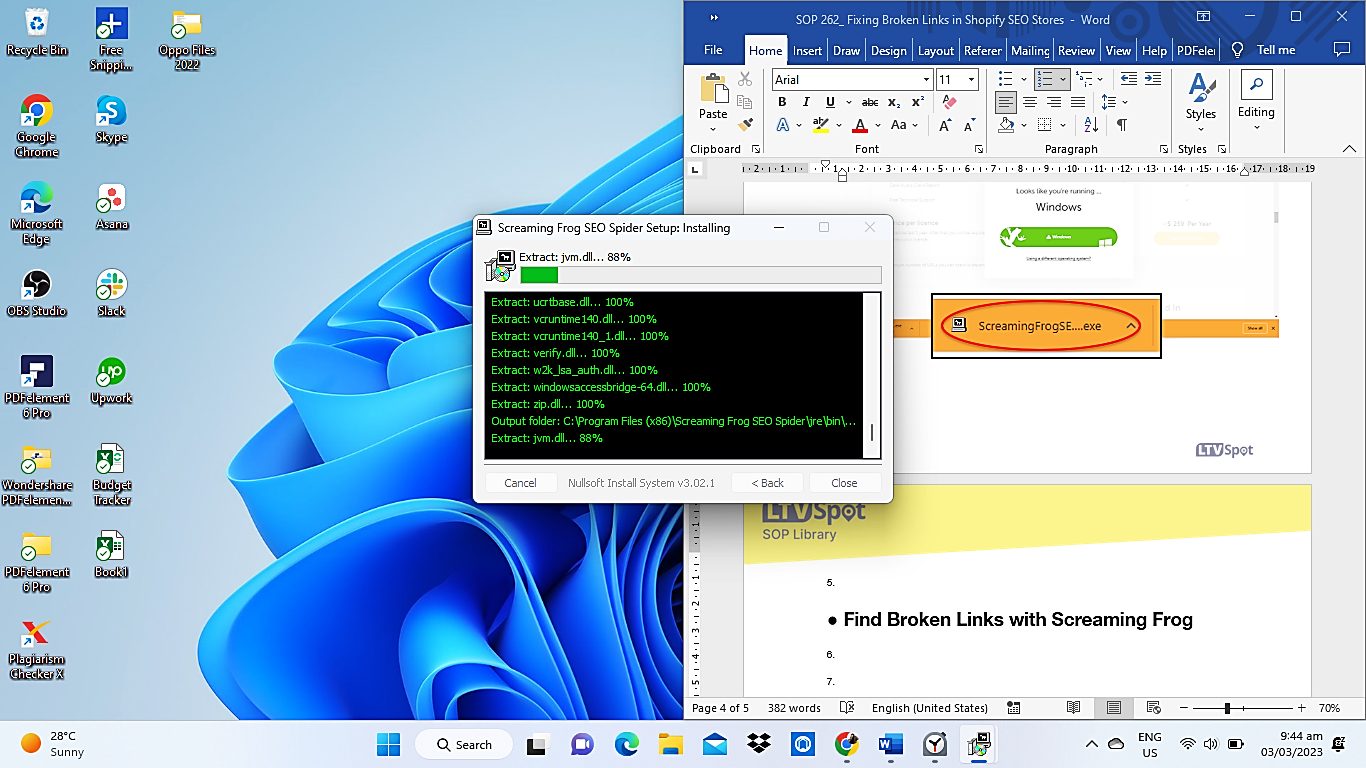
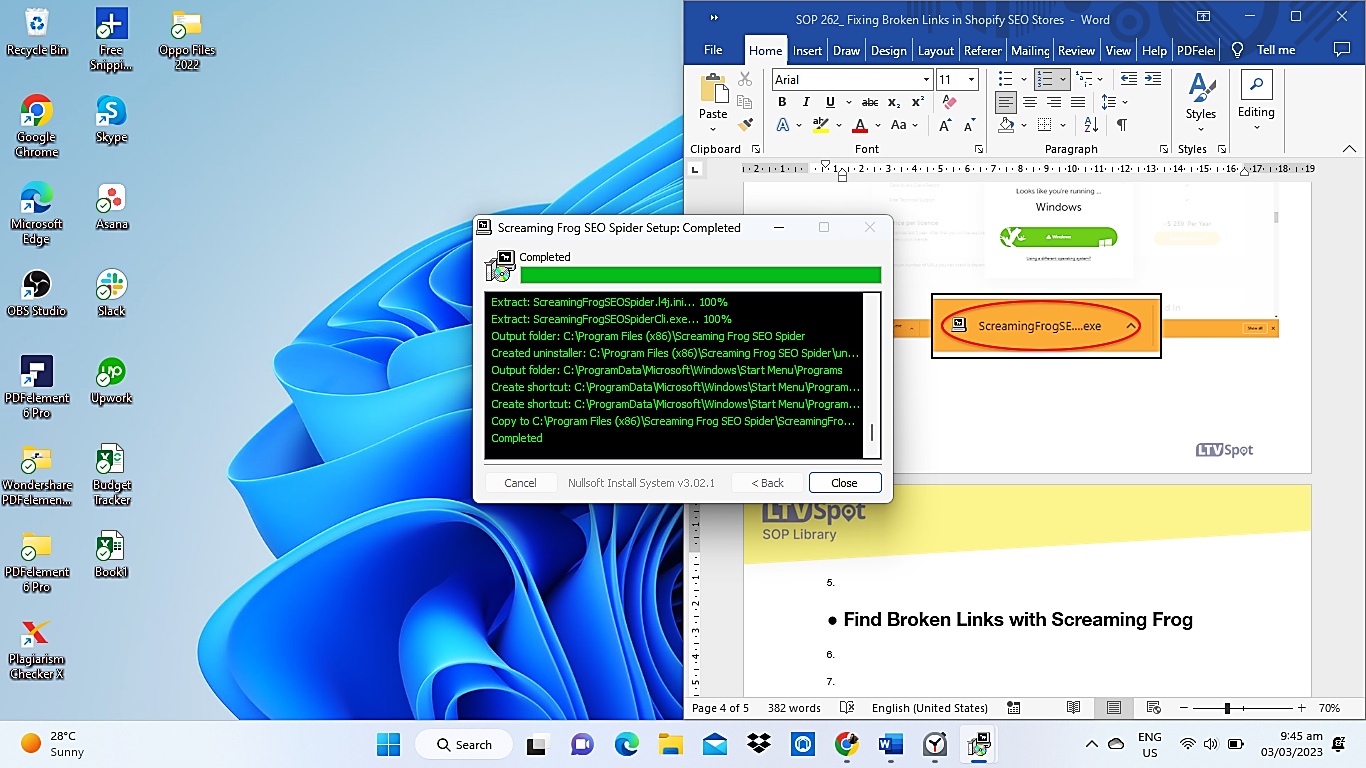
- Wait for the Screaming Frog SEO Spider Setup Installation to finish, then click Close.
- Double-click the Screaming Frog SEO Spider App.
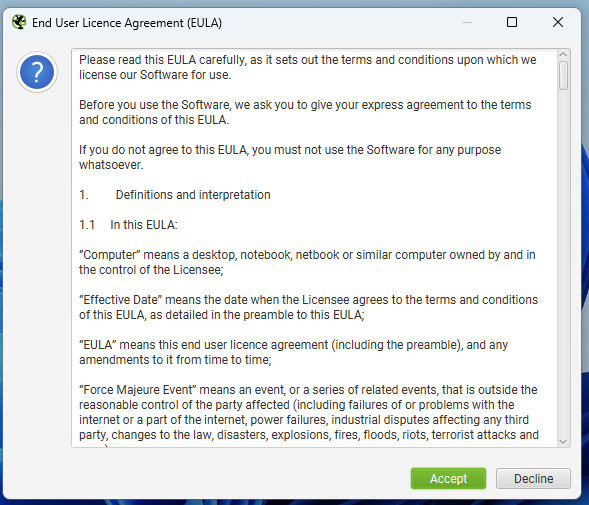
- Read the End User License Agreement (EULA) and click Accept.
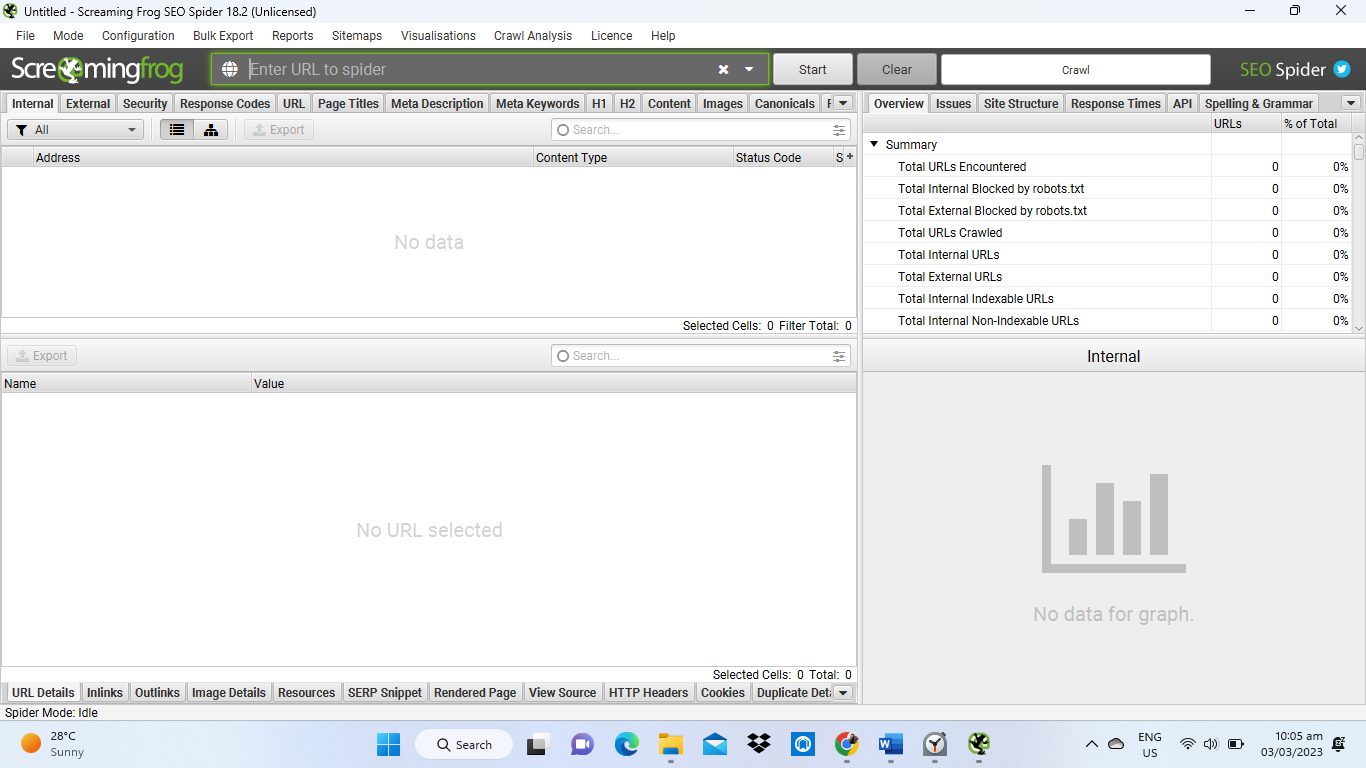
- Congratulations! You have successfully installed Screaming Frog SEO Spider.
Find Broken Links with Screaming Frog
- Crawl your Shopify website by entering your website’s URL in the search bar and clicking on Start to start crawling your website.

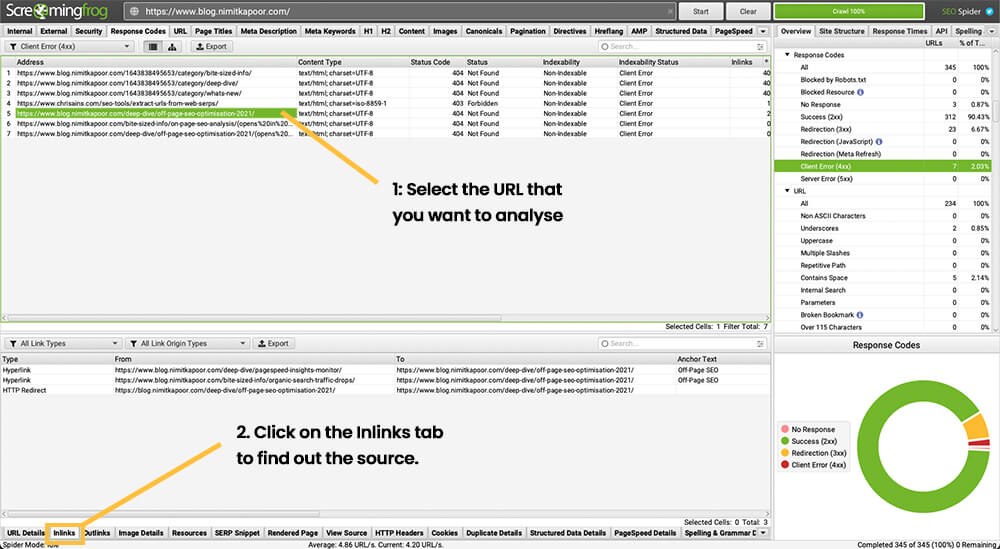
- To view the broken links, click on the Response Code at the top navigation once the crawling has finished, then from the filter select Client Error (4xx).
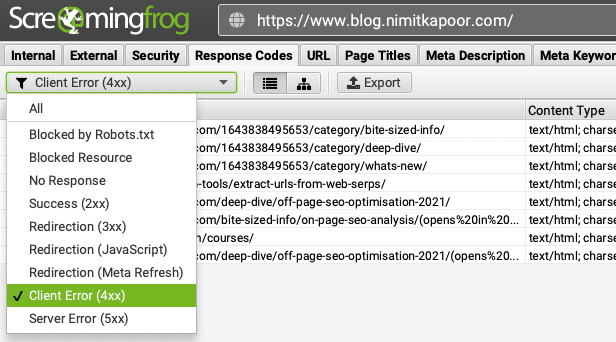
- Determine which pages on your website contain broken links. Click on the URL in the list and then tap Inlinks in the bottom navigation.
How to Fix Broken Links in Shopify
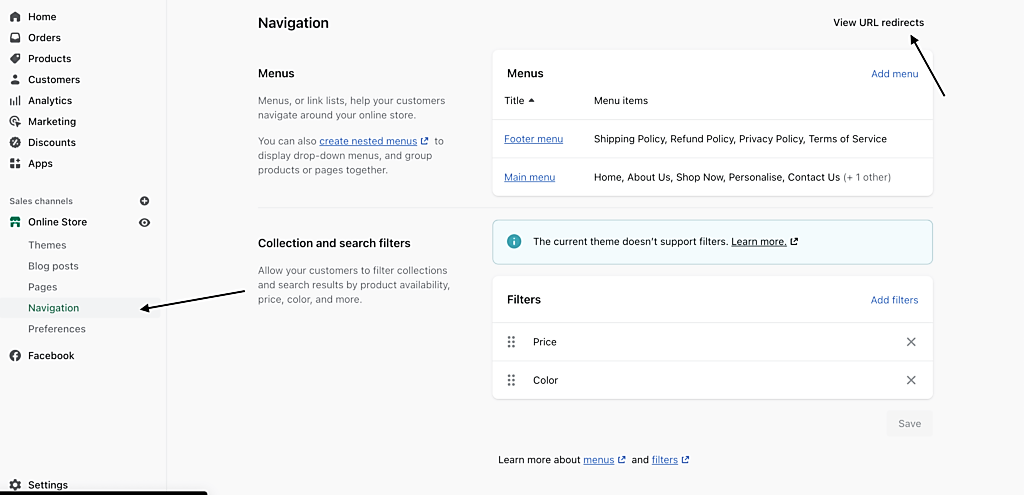
- Log in to your Shopify Account. Click on Navigation and then Click on View URL Redirects.
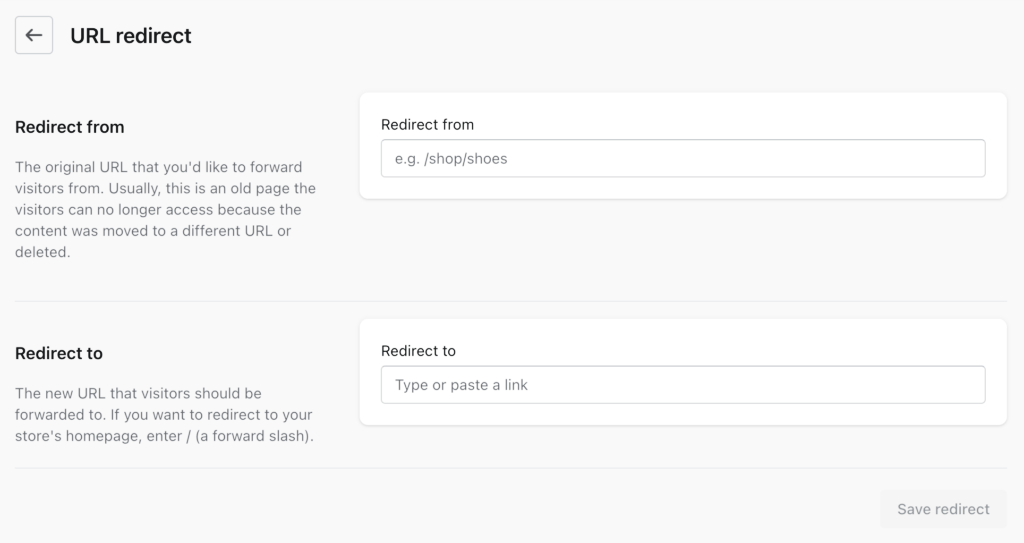
- Click on create URL redirect.

- Enter the broken link from screaming frog, as well as the new URL that will fix the broken link. Click the Save Redirect button.
Conclusion
You’re done! Keep in mind that broken links can have serious consequences for Shopify stores. If a customer clicks on a link that leads to a page that doesn't exist or is unavailable, it can create a poor user experience, leading to customer dissatisfaction, fewer sales, and lower customer satisfaction overall. Additionally, having broken links on your Shopify store can lead to Google penalizing your website in the search engine rankings, meaning customers are less likely to find your store. Broken links can occur due to a various number of reasons:
-
The website owner has misspelled the URL.
-
The website owner has recently deleted a page without setting up a redirect.
-
The site is no longer available (is offline or has been moved to a new location).
-
Links to content that has been moved or deleted.
Execution Checklist:
-
Download and install Screaming Frog SEO Spider.
-
Enter the Shopify URL, then crawl your website to find the broken links.
-
Log in to your Shopify account and be ready to fix broken links through URL redirects.