A Guide to Identifying On-Page Optimization Opportunities
To identify on-page optimization opportunities for a website in order to improve search engine visibility, user experience, and conversion rates.
Prefer a shortcut? 16 free tools do parts of this for you.

Aim: To identify on-page optimization opportunities for a website in order to improve search engine visibility, user experience, and conversion rates.
Optimal Outcome: A list of specific on-page optimization recommendations that can be implemented to improve the website's performance.
What do you need to start:
-
Access to the website's content management system (CMS)
-
Keyword research data (if available)
-
Google Analytics access (if available)
-
A website analysis tool such as Ahrefs, SEMrush, or Moz
Why is this SOP Important: On-page optimization is an essential part of any SEO strategy. Identifying on-page optimization opportunities can help improve a website's visibility in search engine results, leading to increased traffic and conversions.
When and Where to execute: This SOP can be executed on an ongoing basis as part of regular website maintenance and optimization. It can be performed on any website, regardless of its size or industry.
Who Should Be Doing This: This SOP can be performed by a webmaster, SEO specialist, content strategist, or anyone responsible for the website's optimization and performance.
Step-by-Step Guide:
You can use any SEO tool but for illustration purposes, we’re using SEMrush.
-
Conduct a Content Audit
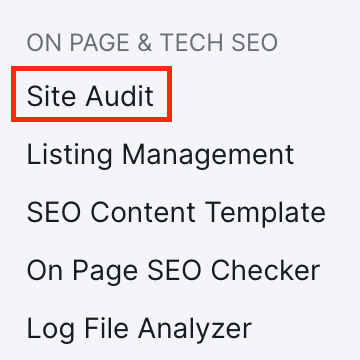
- Go to ON PAGE & TECH SEO and click Site Audit.
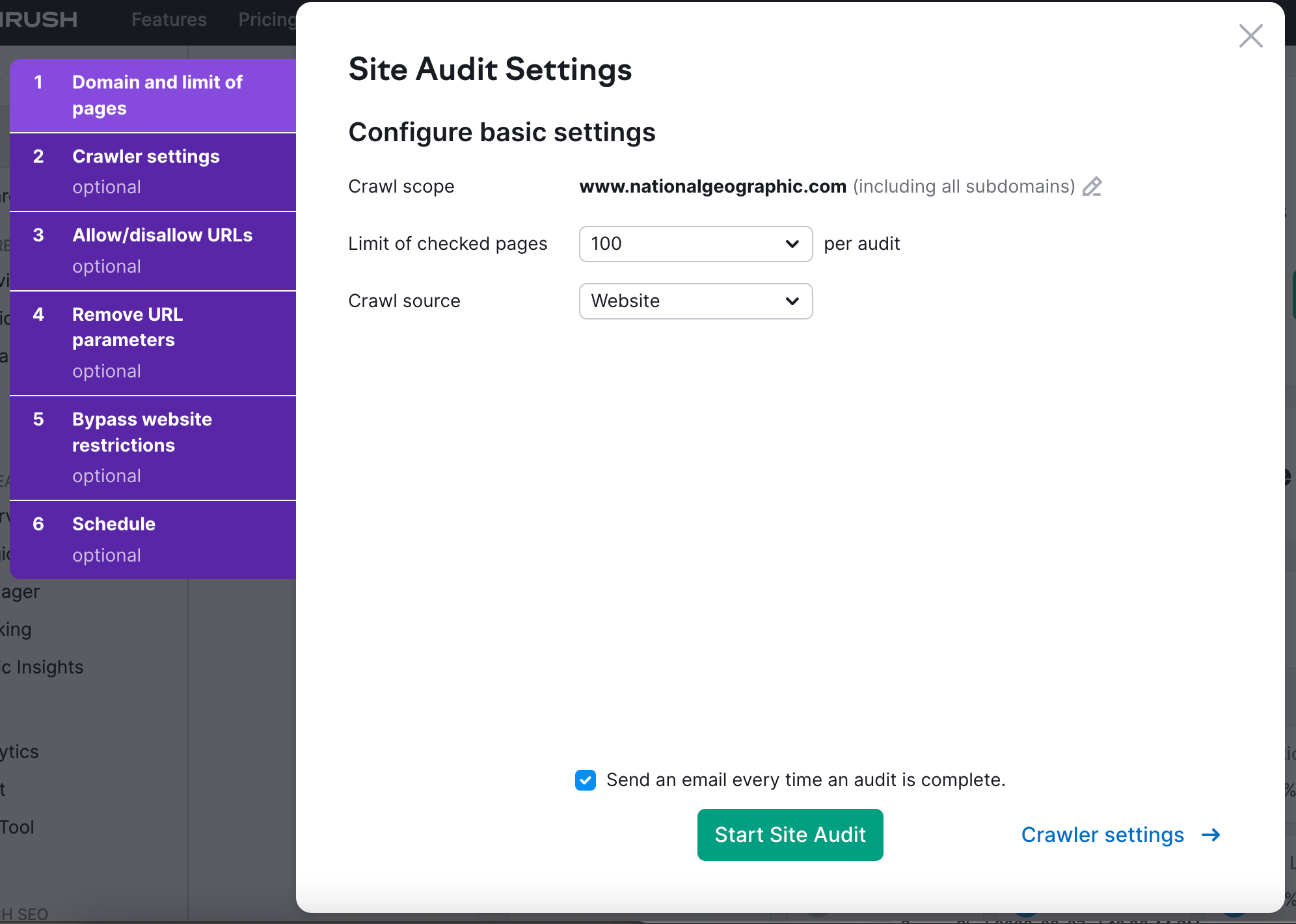
- Enter your website URL (for illustration purposes, we’re using www.nationalgeographic.com), then click Start Audit.

- Configure the Site Audit Settings to your preference and click Start Site Audit.
-
Analyze the website's content, its structure, and the way it is organized.
-
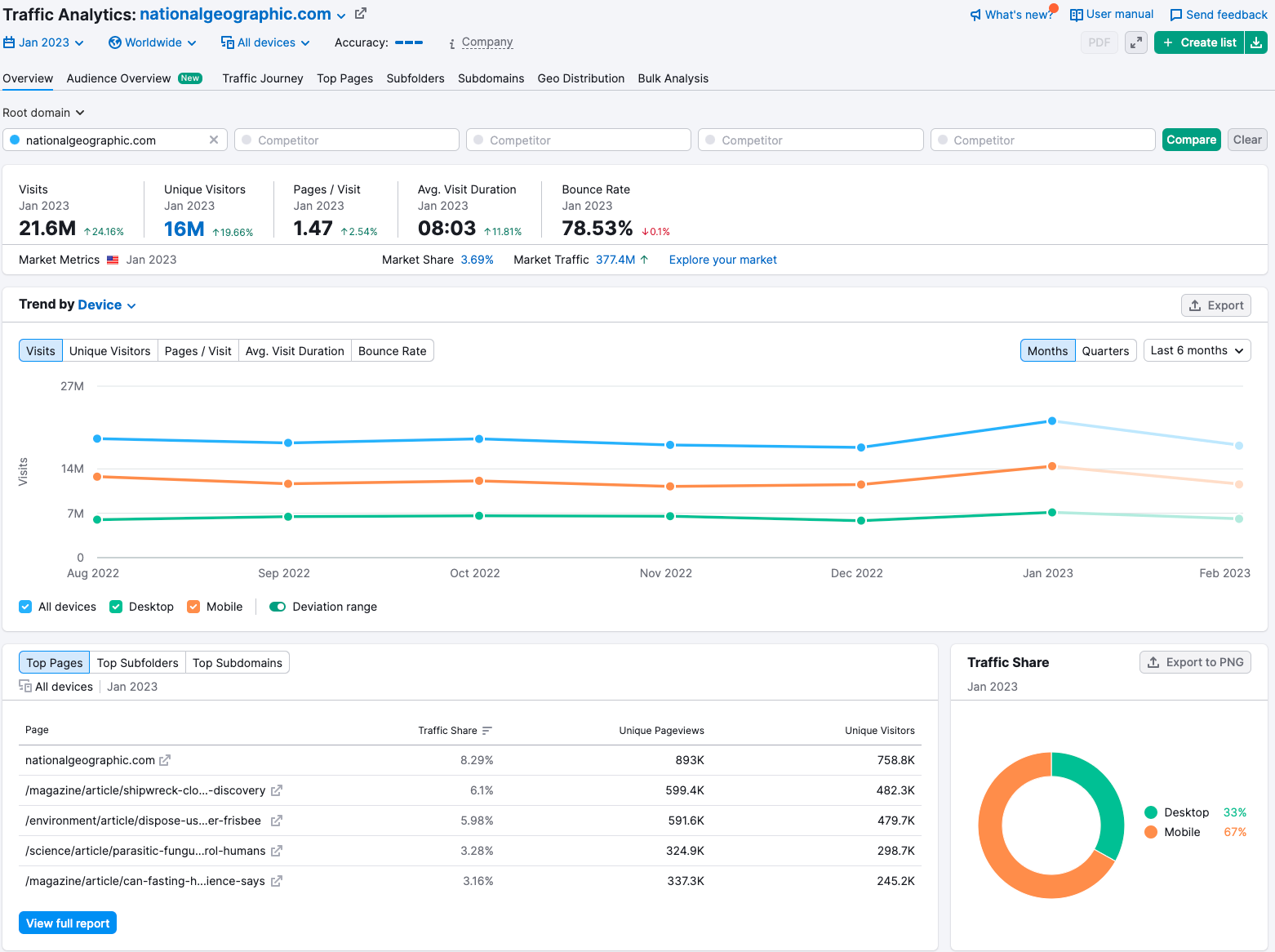
Identify the top-performing pages based on website traffic and engagement metrics.
-
Also, identify pages with high bounce rates, low time-on-page, and fewer backlinks.
- Conduct Keyword Research
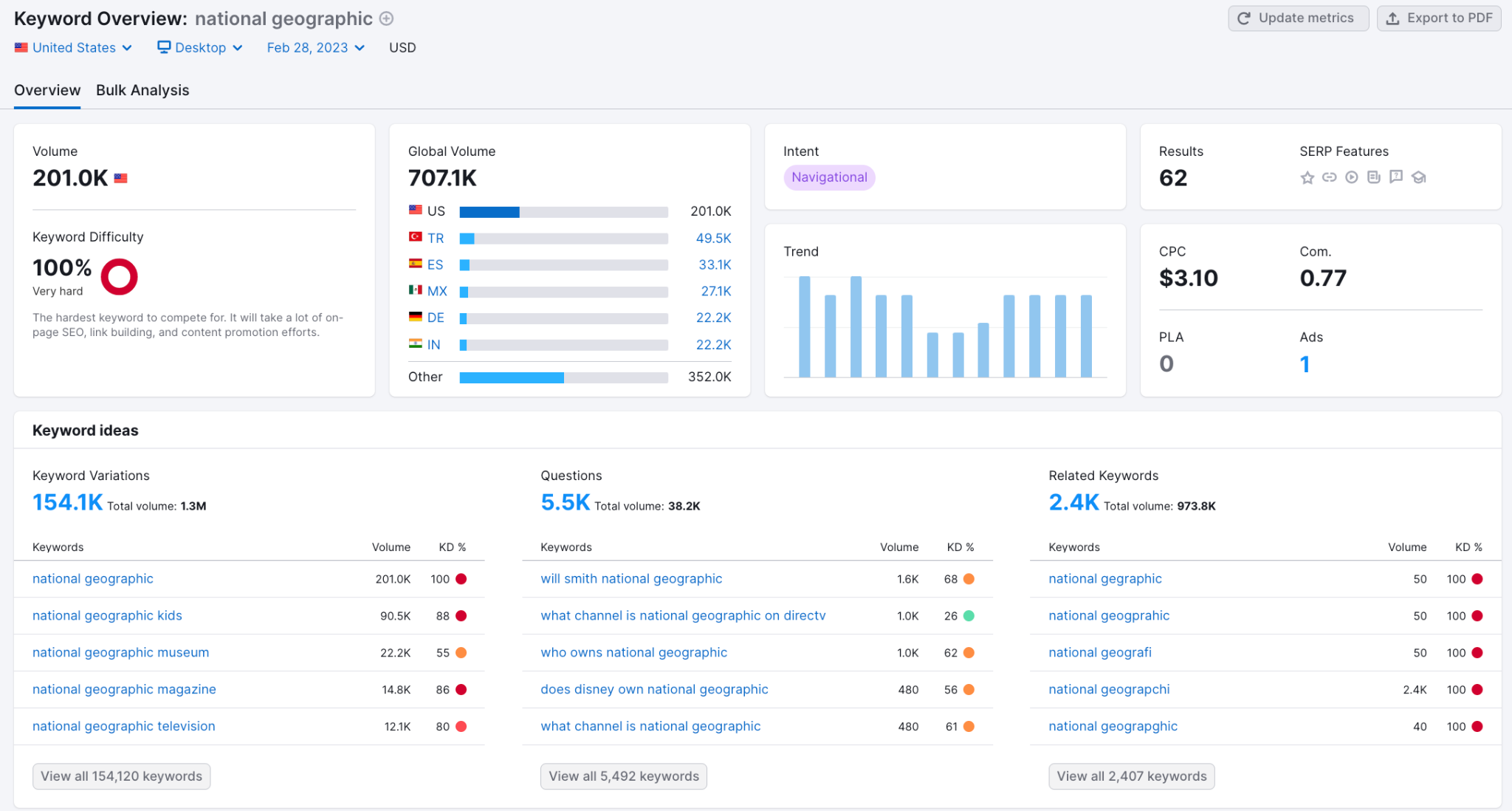
Use a keyword research tool to identify high-traffic and high-intent keywords relevant to the website's content.
- Analyze the Page URLs, Titles, and Meta Descriptions
-
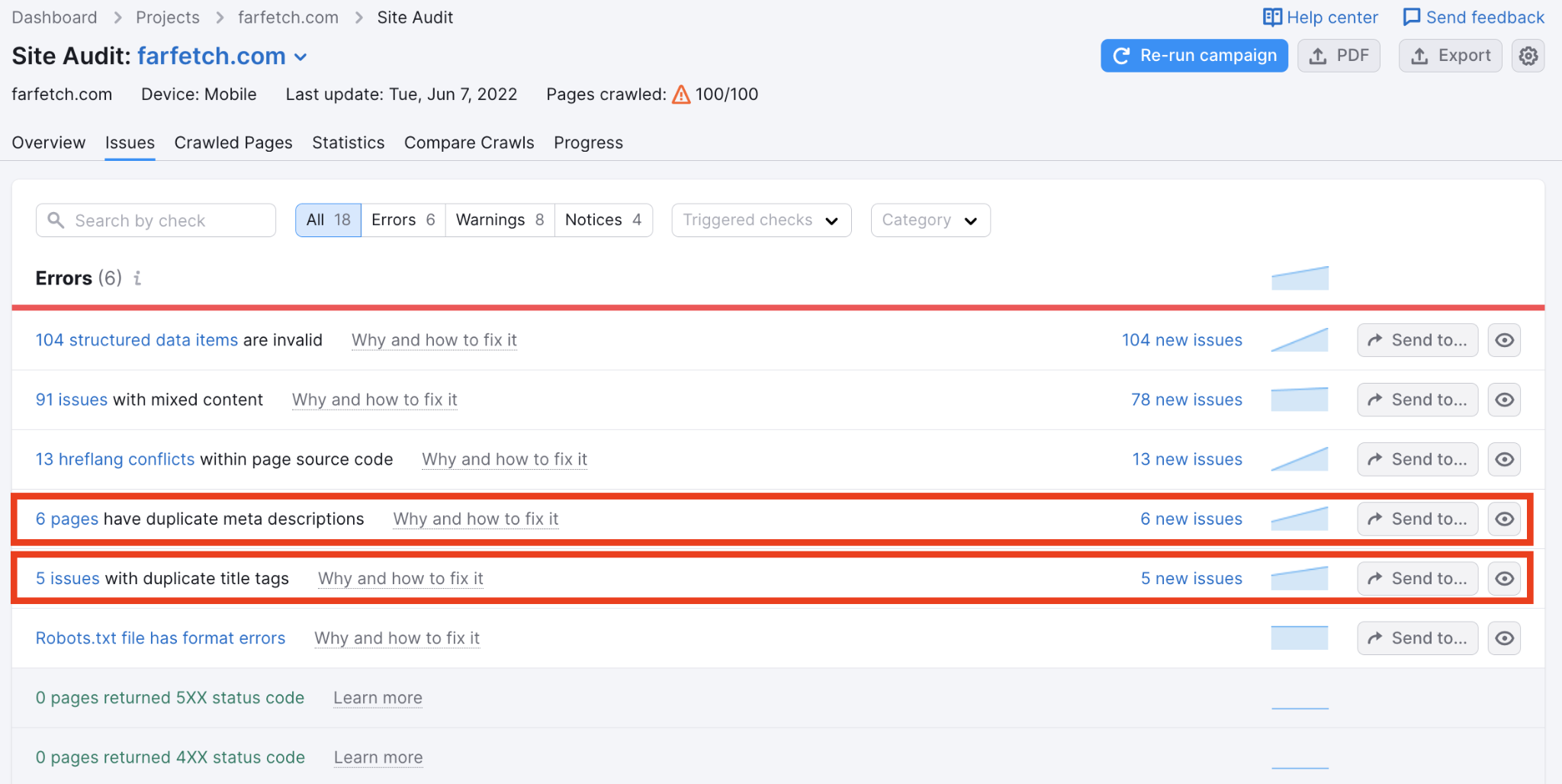
Check if the page URLs are descriptive, short, and include the target keywords. Avoid using long and complex URLs.
-
Check if the page titles and meta descriptions are descriptive, relevant, and compelling. Ensure that they include the target keywords and entice the user to click through to the website.
- Analyze the Page Content
-
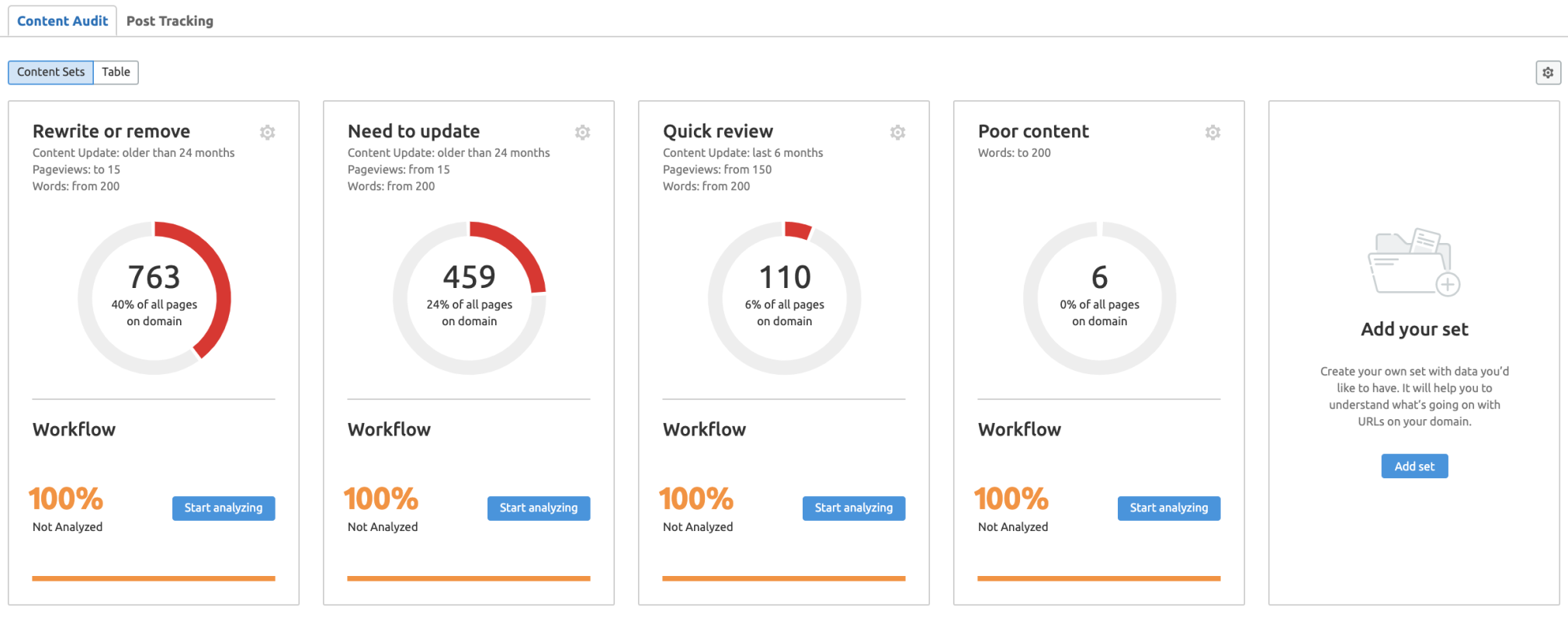
Ensure that the page content is relevant, high-quality, and engaging.
-
Ensure that the target keywords are used naturally throughout the content.
-
Ensure that the headings and subheadings are descriptive, relevant, and contain the target keywords. Use proper hierarchy (H1, H2, H3) to structure the content.
- Analyze the Images and Videos
Ensure that the images and videos are optimized for search engines. Use descriptive file names and alt text for images and include captions and transcripts for videos.
- Analyze the Internal Links
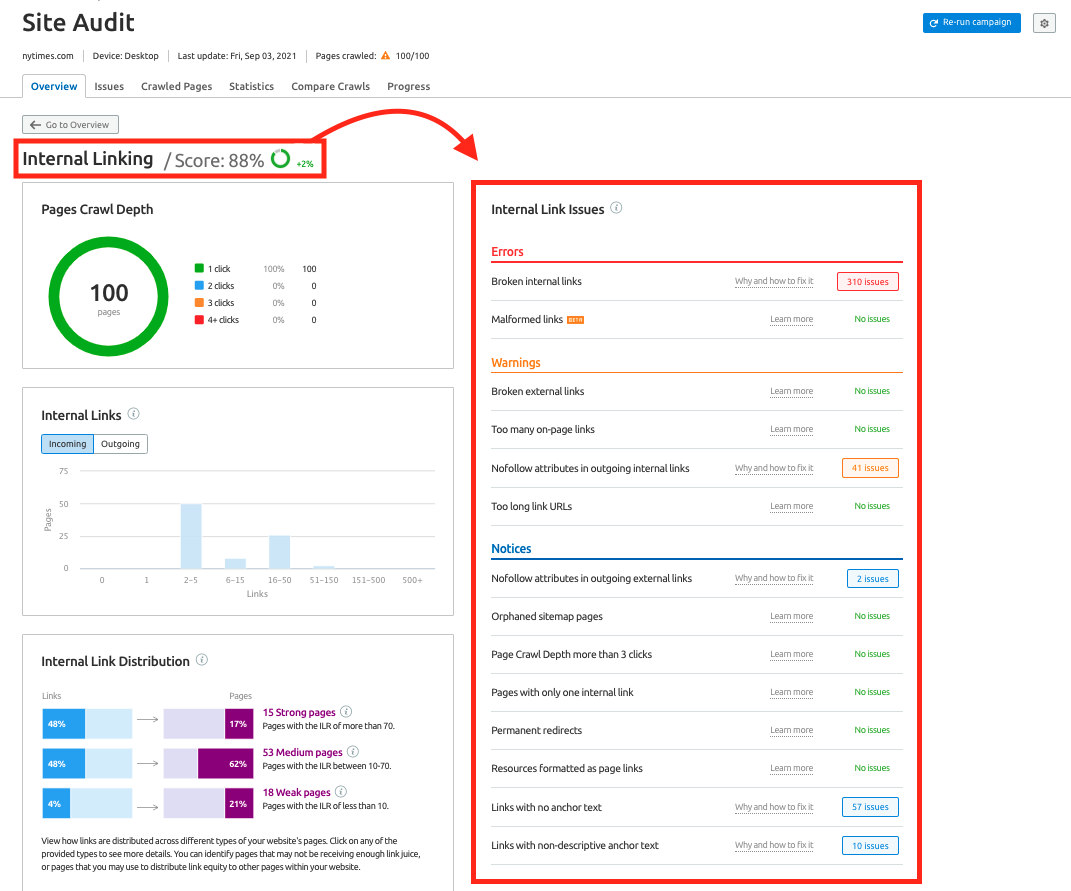
Ensure that the internal links are relevant and follow a logical structure. Use descriptive anchor text and ensure that the linked pages are accessible and relevant.
- Analyze the External Links
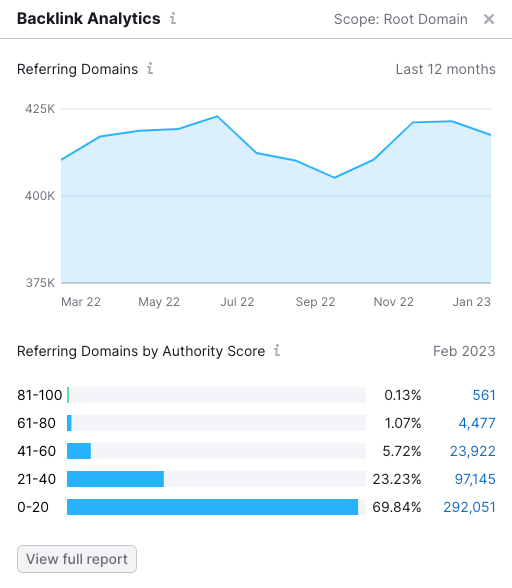
Ensure that the external links are relevant and from reputable sources. Avoid linking to spammy or low-quality websites.
- Check for Technical Issues
Use an SEO audit tool to check for technical issues such as broken links, missing meta tags, duplicate content, and page speed. Address any issues identified by the audit tool.
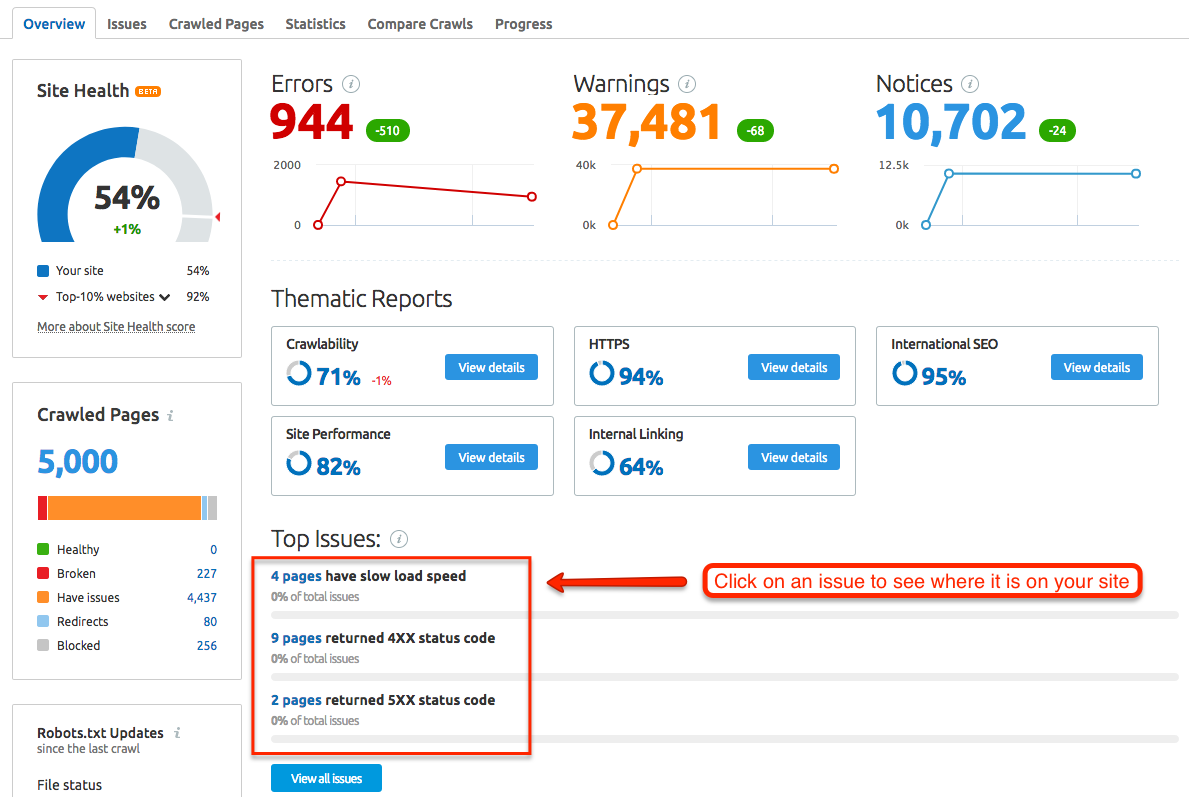
- Identify Opportunities
Based on the analysis, identify on-page optimization opportunities that can improve the website's search engine visibility. Prioritize the opportunities based on their potential impact and feasibility.
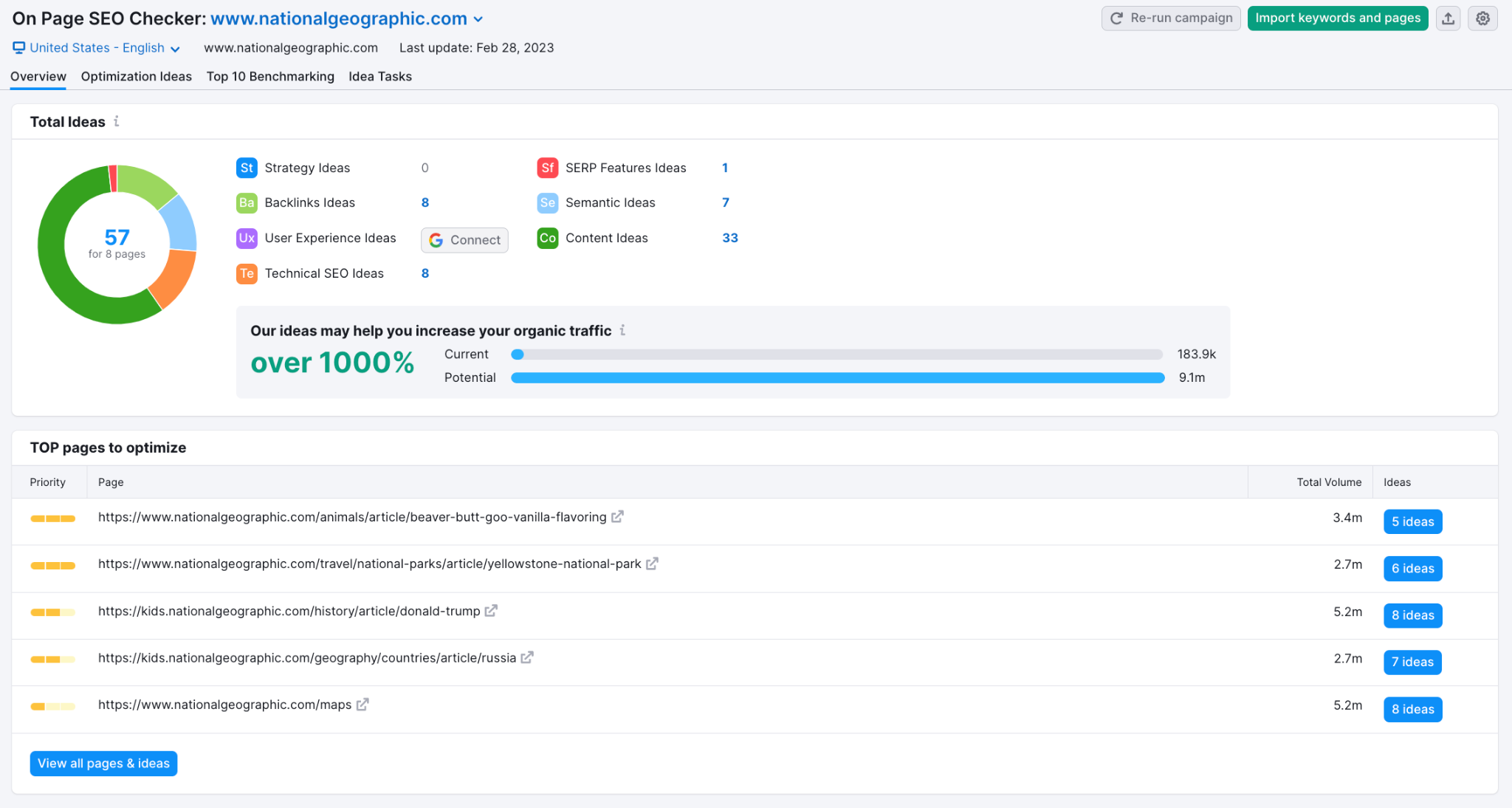
- Implement Changes
Implement the on-page optimization changes based on all the analyses you made. Monitor the website's performance to measure the impact of the changes and make further adjustments as needed.
Conclusion
You’re done!
By following these steps, you can identify on-page optimization opportunities and implement changes to improve the website's visibility
Execution Checklist:
-
Conduct a Content Audit
-
Conduct Keyword Research
-
Analyze the Page URLs, Titles, and Meta Descriptions
-
Analyze the Page Content
-
Analyze the Images and Videos
-
Analyze the Internal Links
-
Analyze the External Links
-
Check for Technical Issues
-
Identify Opportunities
-
Implement Changes