Generating Structured Data for Shopify
This process aims to generate structured data for Shopify.
Prefer a shortcut? 16 free tools do parts of this for you.

Aim: This process aims to generate structured data for Shopify.
Optimal Outcome: The outcome of this process is to have generated structured data in Shopify which provides additional context to search engines about the products, prices, reviews, and other important information on your site.
What do you need to start: You must need to have a Shopify account to start with this procedure.
Why is this SOP Important: Structured data is an important component of Shopify, as it helps to improve the visibility of your store in search engine results pages. Generating structured data in Shopify requires taking a few steps to ensure that the data is accurate and up-to-date.
When and Where to execute: You must able to execute this process right after establishing your Shopify account.
Who Should Be Doing This: The person who manages the Shopify account or the account for SEO is mostly responsible for this procedure.
What is Structured Data?
Structured data refers to a specific format of organizing and coding data so that search engines can easily understand and categorize it. This structured data is represented using a language called schema markup.
In the context of Shopify, structured data can be used to provide additional information about your products, such as their price, availability, and reviews. This information can be displayed in search engine results, making it easier for potential customers to find what they are looking for.
Structured data is important for Shopify because it can help improve your search engine rankings and increase click-through rates. By providing more detailed and relevant information about your products, you can make it easier for search engines to understand the content of your website and display it in search results. This can lead to more traffic and sales for your store.
Execution
Three Types of Structured Data Formats
Shopify is a popular e-commerce platform that allows businesses to create and manage their online stores. It offers a wide range of features and tools to help entrepreneurs quickly set up their stores and start selling products. One of the most important features is the ability to store data in different structured formats, which makes it easier for businesses to organize and manage their data. In this article, we will explore the three types of structured data formats available in Shopify: JSON, XML, and CSV. We will look at how each format works, its advantages, and disadvantages, as well as its use cases.
JSON-LD structured data (recommended)
JSON-LD (JavaScript Object Notation for Linked Data) is a format for encoding data in a way that can be read and understood by machines. It is based on the JSON data interchange format and enables web developers to express the relationships between pieces of structured data on the web. It is used to create rich snippets, which are pieces of information that appear in search engine results pages (SERPs). It also helps search engines better understand the content on a website, providing more accurate results for users.
JSON-LD annotates elements on a page, organizing the data, which search engines may use to decipher elements and establish the truths around entities, leading to the development of a better, more structured web.
Microdata and RDFa: XML and CSV
Structured data may be nested inside HTML text using an open-community HTML definition. It employs HTML tag attributes, just as RDFa, to identify the features you want to make available as structured data. While it may be used in the head> element, it is most frequently used in the body> element.
XML
Extensible Markup Language (XML) is one of the most widely used semi-structured data formats. Users can specify the tags and attributes necessary for storing data in a hierarchical structure using this flexible and simple markup language.
Data are kept in plain text format in XML. This offers a method for storing, moving, and exchanging data that is independent of both software and hardware. Also, without sacrificing data, XML makes it simpler to update or extend to new operating systems, programs, or browsers.
CSV
Data can be saved in a tabular manner in a CSV file, which stands for comma-separated values. CSVs resemble standard spreadsheets but have a. extension of the form csv. Most spreadsheet programs, including Google Spreadsheets and Microsoft Excel, support the usage of CSV files.
Data is organized in CSV files so that each entry is on a different line and is separated from other records in the file by commas. In each row of the above image's two columns, Name, and Food, are the names of various people along with their favorite foods.
Generate Structured Data
- Log in to your Shopify account. Navigate to your Shopify Dashboard.
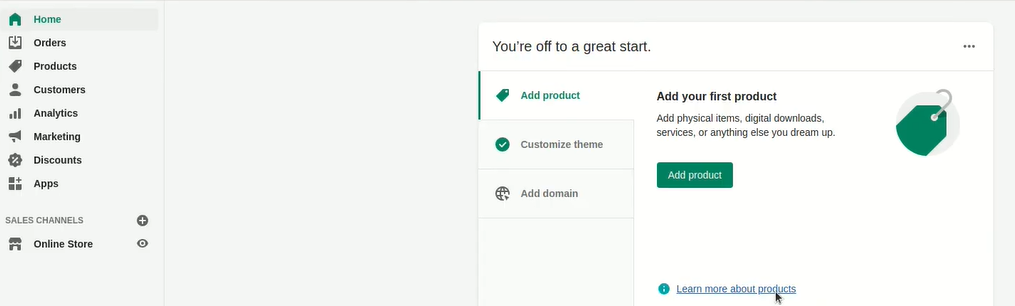
- Open another tab and navigate to schema.org/docs/schemas.html.
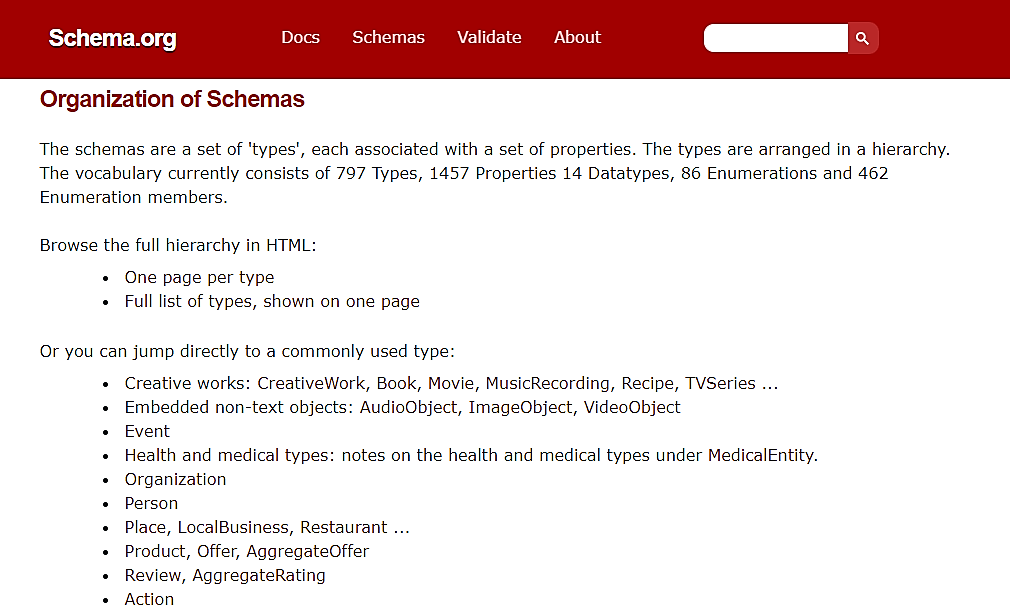
Take notice that you will discover most of the HTML code required to produce structured data for Shopify.
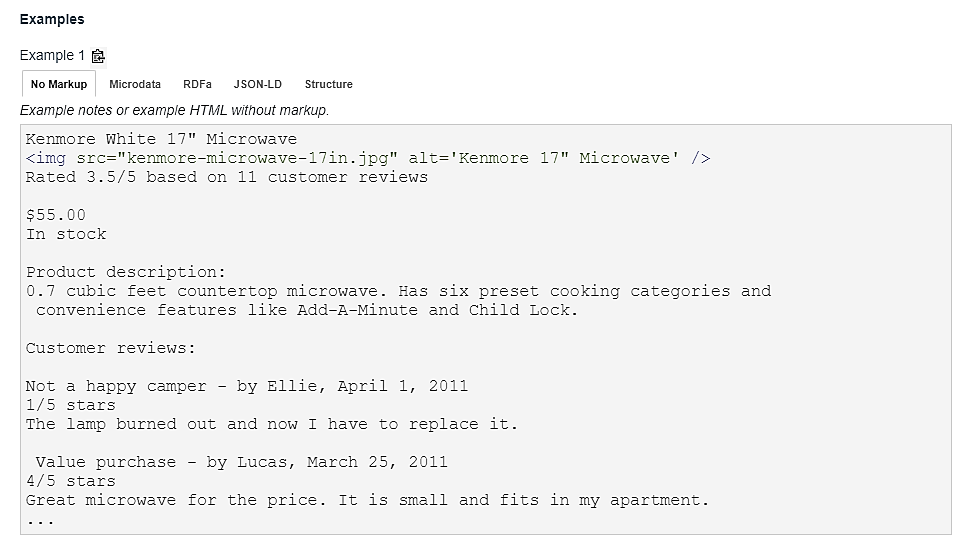
Remember to use JSON-LD as this is the most prevalent and recommended structured data format in Google.
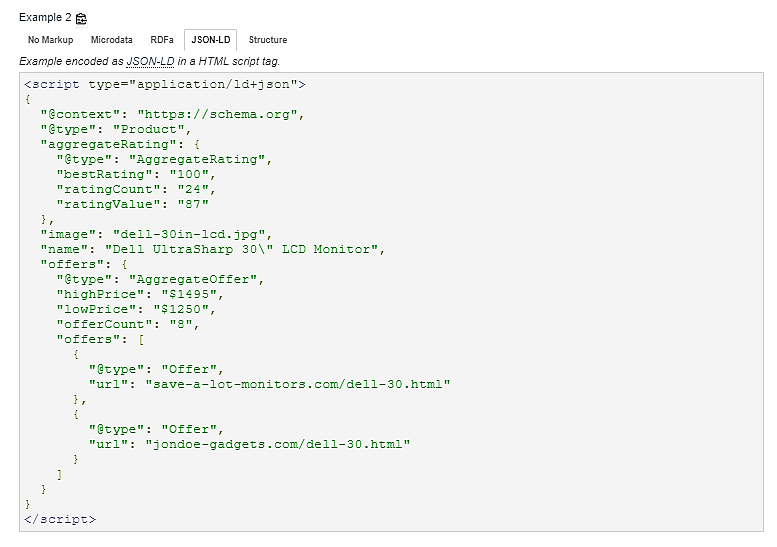
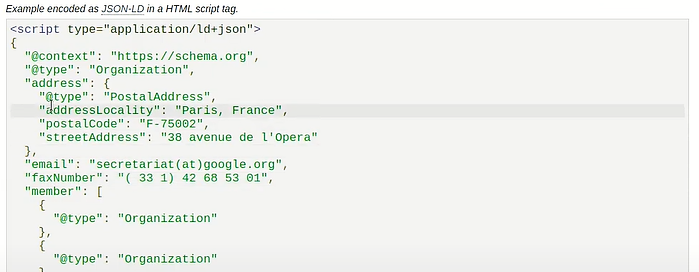
- Choose your preferred Shopify schema. Copy its JSON-LD LD HTML format and paste it to your Shopify account.
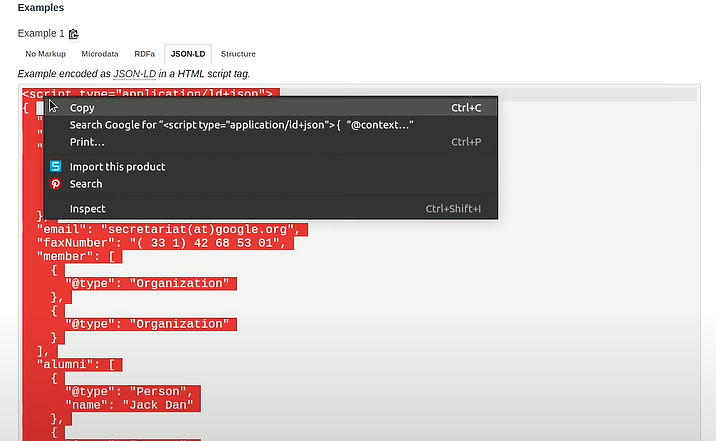
Remember to edit the HTML before copying it into your Shopify account.
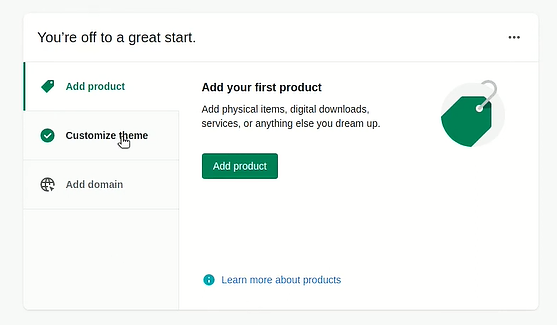
- Navigate to your Shopify Admin account and select the customize theme option.
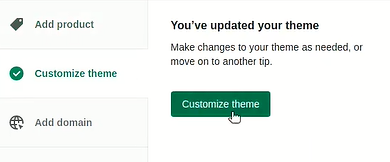
- Click the actions button, then select Edit Code.
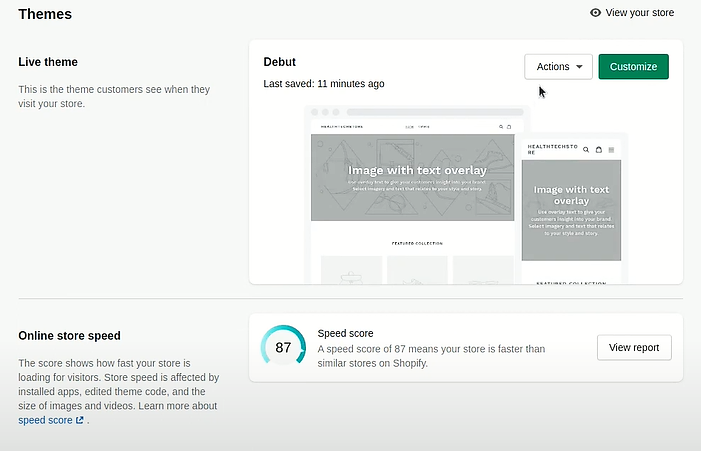
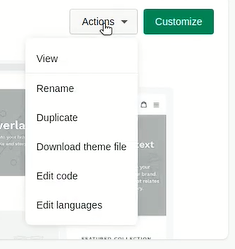
- Click the theme.liquid to edit the code.
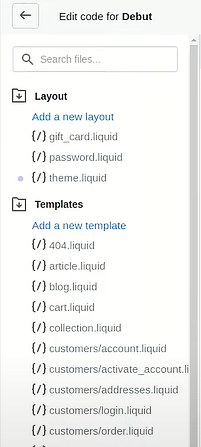
- Navigate to the head HTML and paste the JSON-LD HTML format as shown below.
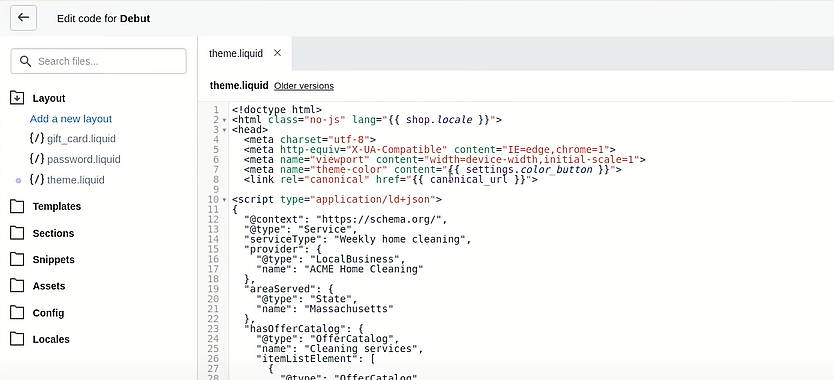
- Click Save.

- Navigate to Sections, then click the header.liquid.
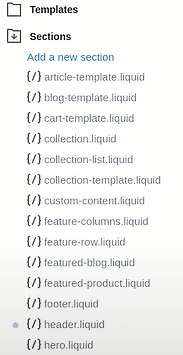
- Explore back to schema.org and select the required JSON LD HTML format for your header.liquid template.
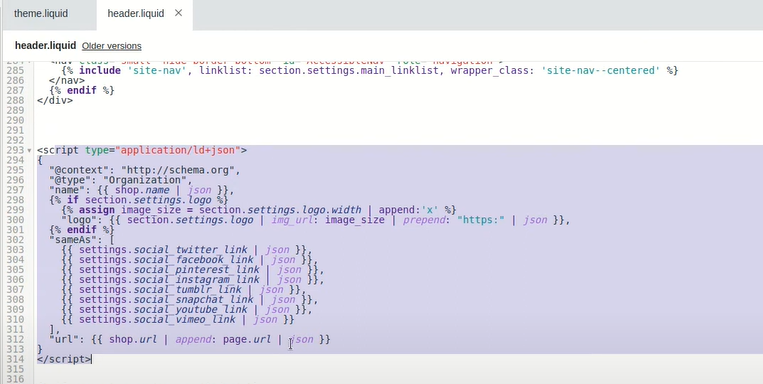
- Click Save.

Verified Google Structured Data
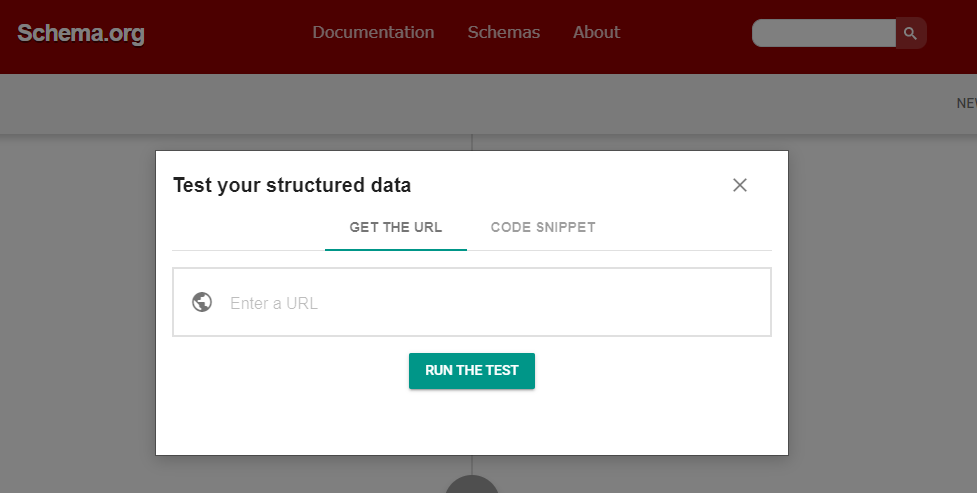
-
Go to schema markup validator. Enter your Shopify URL and paste it.
-
Click the Run Test button to verify the structured data.
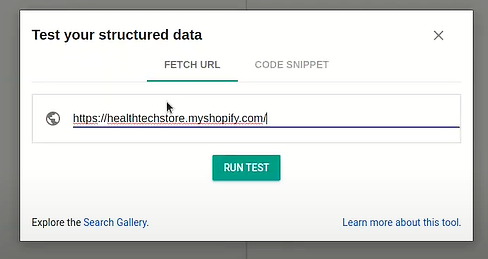
- This test will identify all made structured data. You will moreover notice the errors and warnings in your Shopify theme.
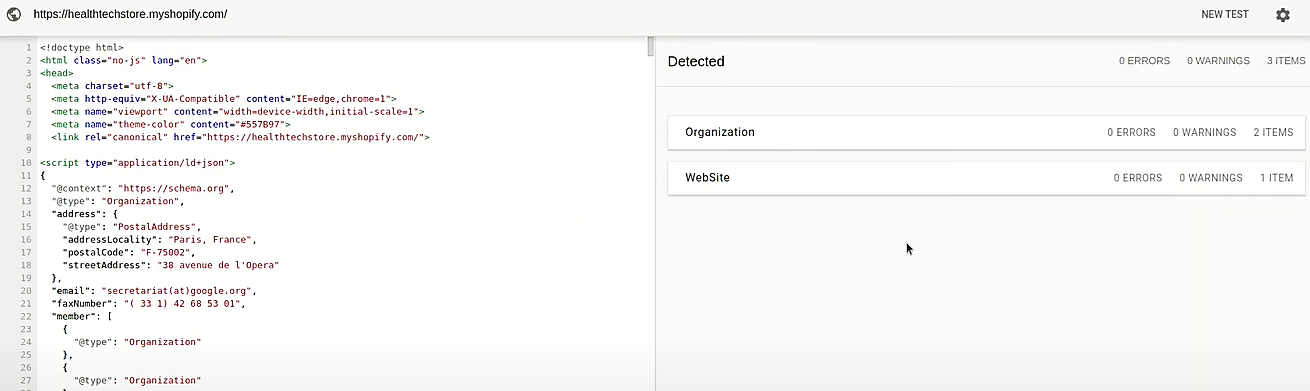
- Upon clicking the created data, you will see the details in the left-side column of the HTML.
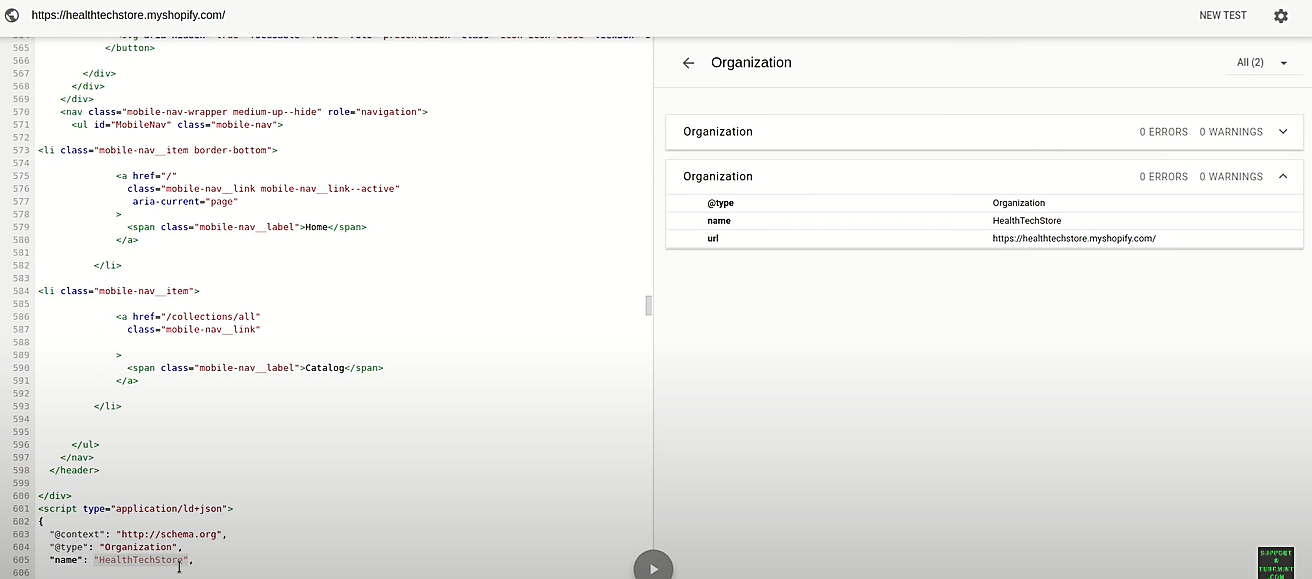
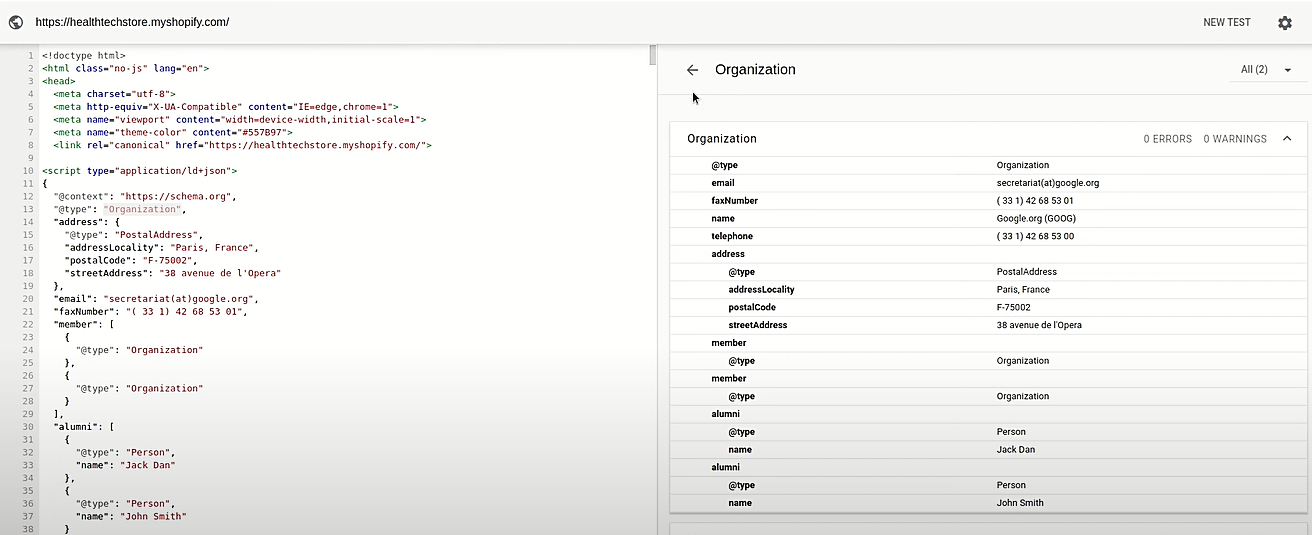
- Congratulations. You have now successfully created structured data for Shopify.
Conclusion
You’re done! Keep in mind that structured data is essential for any website that wants to remain visible and relevant in search engine results. It helps search engines understand the content of a web page, making it easier for users to find what they need. To ensure that your structured data is correctly formatted and valid, there are several steps you can take.
Execution Checklist:
-
Go to Structured Data Markup – schema.org.
-
Select the Type of Data.
-
Paste the URL You want to markup in your Shopify theme.
-
Click Save.
-
Test and generate your Schema.