Create Content Hubs in Shopify
This process aims to create content hubs in Shopify that helps to organize your store's content into logical categories so customers can easily find what they need.
Prefer a shortcut? 16 free tools do parts of this for you.

Aim: This process aims to create content hubs in Shopify that helps to organize your store's content into logical categories so customers can easily find what they need.
Optimal Outcome: The main outcome of this process is a creation of a successful content hubs in Shopify.
What do you need to start: You must have a Shopify account to start this process.
Why is this SOP Important: Content Hubs are essential for any successful Shopify store because it provides structure and organization to your store’s content. It makes it easier for customers to navigate around your site and find exactly what they are looking for.
When and Where to execute: A Shopify store should create Content Hubs as soon as possible in order to maximize their potential reach and success.
Who Should Be Doing This: The owner of the store, or the content writer assigned is responsible in creating content hubs in Shopify.
What is Content Hub?
Content Hubs are collections of related content, such as blog posts and product pages, which can be found on Shopify stores. Content Hubs help to organize your store's content into logical categories so customers can easily find what they need. Additionally, Content Hubs allow you to track visitor engagement with each page or post within the collection for better understanding how visitors interact with different parts of your store. You can also use Content Hubs to promote certain products or services by linking them directly from one Content Hub to another. This allows customers to quickly access more information about those items without having to search through multiple pages. Finally, Content Hubs provide additional SEO benefits since all linked-together content helps Google rankings. By creating well organized Content Hubs, businesses can increase their visibility online and attract more potential customers.
Execution
Blogging for Shopify
One of the biggest mistakes we see with Shopify sites is that they do not have the content necessary to rank for their primary keywords. Shopify sites frequently concentrate on product and category pages in order to increase user conversions. For example, we have a Shopify store and want to rank for the term "cloth diapers."
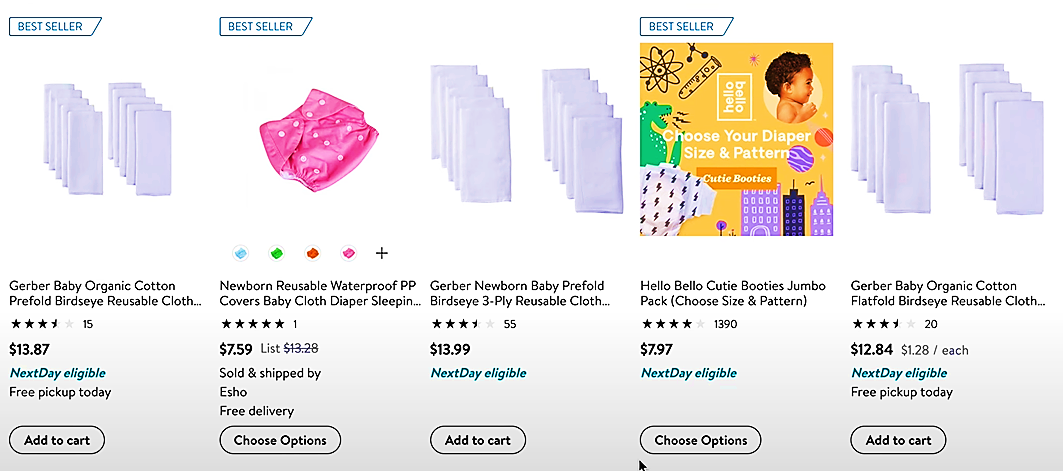
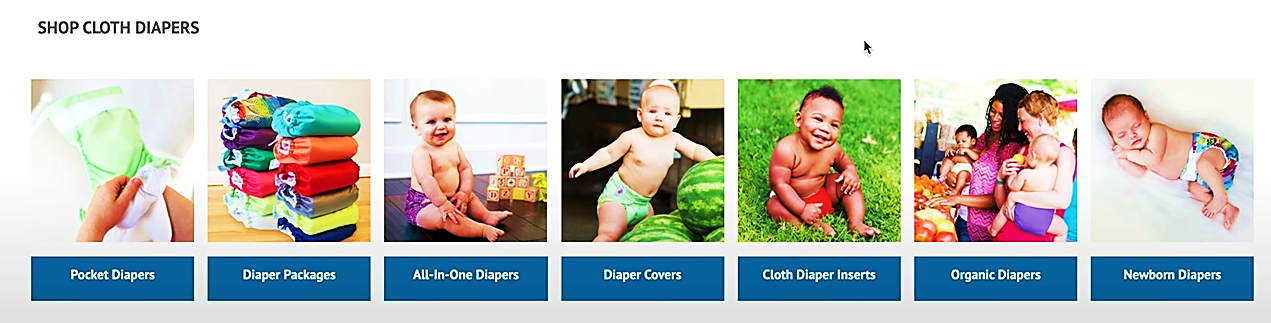
We may want to rank our category page for the phrase cloth diapers because it has a compilation of all our cloth diaper items. This makes sense because we believe visitors searching this keyword are wanting to make a purchase.
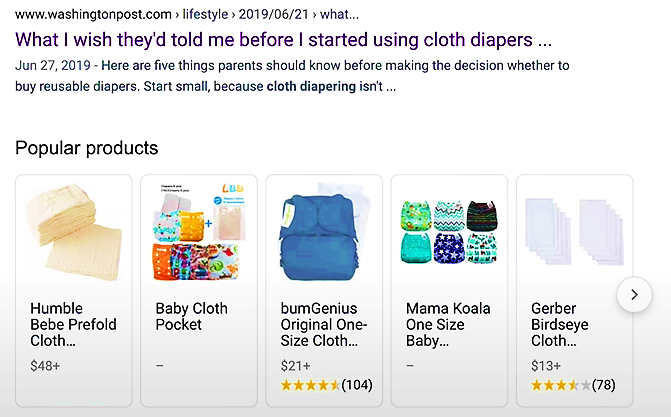
Nevertheless, when we look at the Google results, we can see that the purpose of the phrase is slightly different, since the top ranking results are a combination of category pages and blog entries..
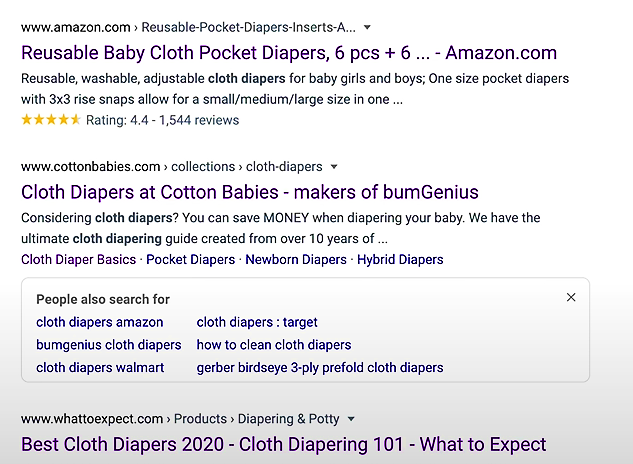

For example, several of these results include instructional content, such as the sixth best cloth diapers of 2020, since Google recognized that this phrase had both transactional and informational intentions.

This suggests that the chance to rank for this keyword exists not just on your category page, but also on a blog post. To rank for this term, you could want to try developing an instructive blog piece that offers guide material about cloth diapers.
Create Informational Content
Once you have identified keyword potential for non-blog articles such as this cloth diapers example, you will need to go out and develop that content. If you're not sure what sort of material should appear on these sites, here are some tips to help you decide.
- Note Common Topics
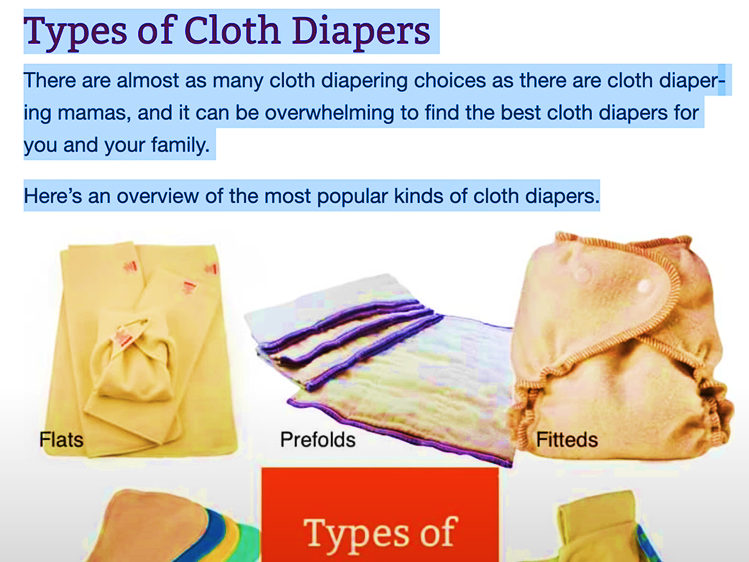
The most vital element in strategizing your blog content should be reviewing common topics of high ranking posts. Start by conducting a search for the keyword you want to rank for. Then, look through the top 10 results and make a note of the common subjects that these pages cover. For example, if you conduct a search for cloth diapers and notice that six of the top ranking articles discuss the most popular cloth diaper products, your article should address this topic.

- Review Related Searches
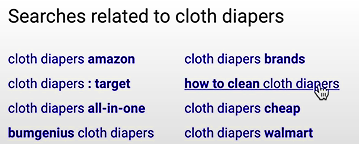
This can be a great list of potential topics to include in your blog posts. For example, when searching for cloth diapers, we can see that one of the related searches is how to clean cloth diapers. Since users are interested in this topic, you might want to consider creating a section for this in our information. Related searches are queries that users who search the original keyword might also be interested in.
- Utilize hub content.
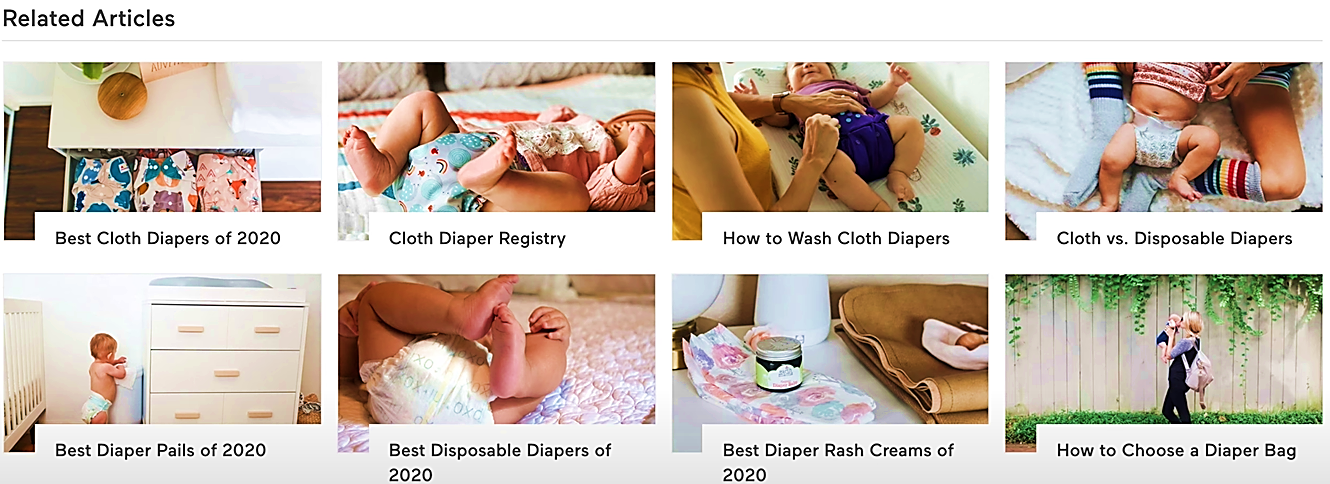
While producing a blog post, consider if you can make it into a content hub by locating other related blog articles or valuable resources that you can internally link to on your Shopify site. The notion of hub content is gaining traction. Simply said, a hub page offers links to internal resources and other information on the site about that topic. We've recently seen several examples of hub material doing effectively in search engines.
Types of Content Hub
- Classic Hub & Spoke
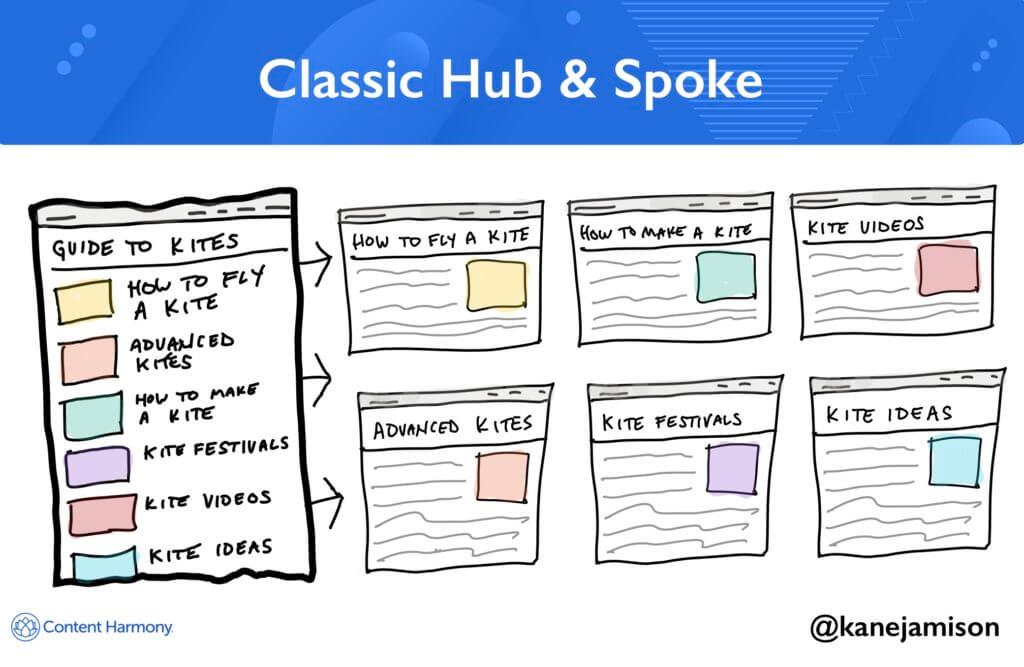
A classic Hub and Spoke Content Hub model consists of a centralized, or “hub,” which contains all the core content such as product information, customer service resources, etc., while individual spokes represent specific topics related to the main topic. The user can access any resource by navigating through the various spokes connected to the hub. This type of organization allows for easy navigation and quick retrieval of relevant information.
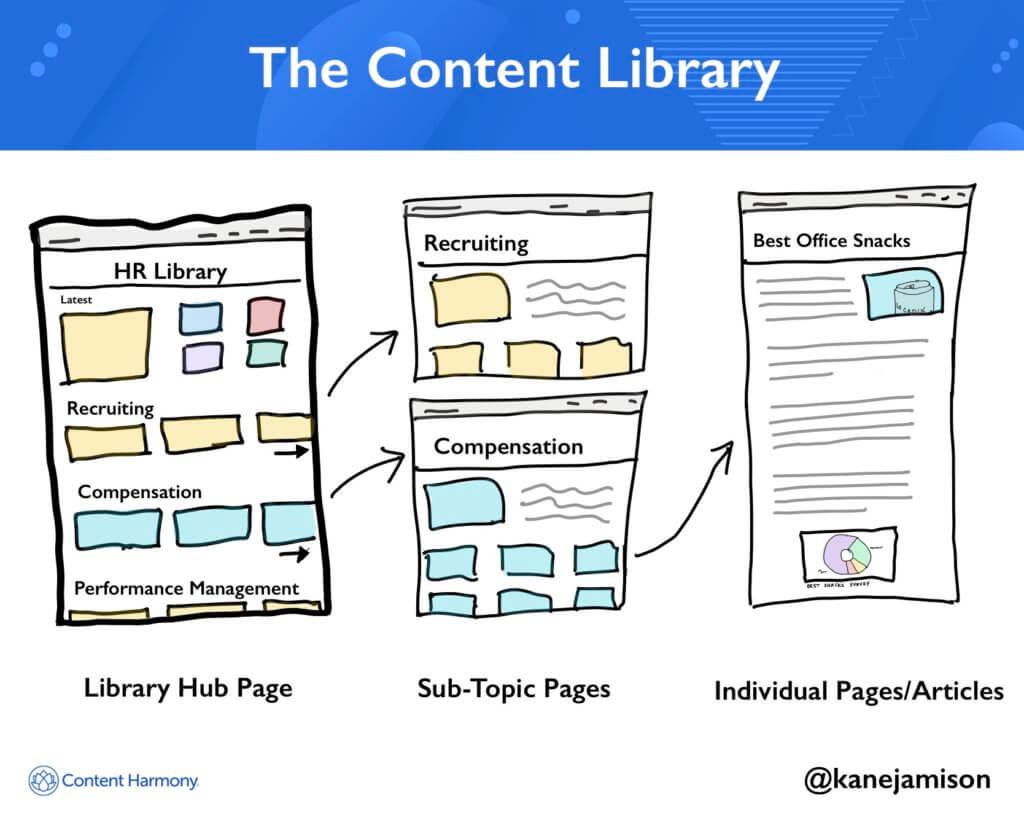
- The Content Library
The Content Library Model is like the Classic Hub-and-Spoke model in terms of its structure but differs in how it stores and organizes content. Instead of having one large repository of content stored at the hub, each piece of content is stored separately within the system. When users search for content, they are presented with a list of available options from which they can choose. Each option leads them to a separate page containing the desired content. This makes finding and accessing content easier than traditional models since there is no need to navigate multiple pages to find what you are looking for. Additionally, this model also provides more flexibility when managing content since changes made to one item do not necessarily require updating other items.
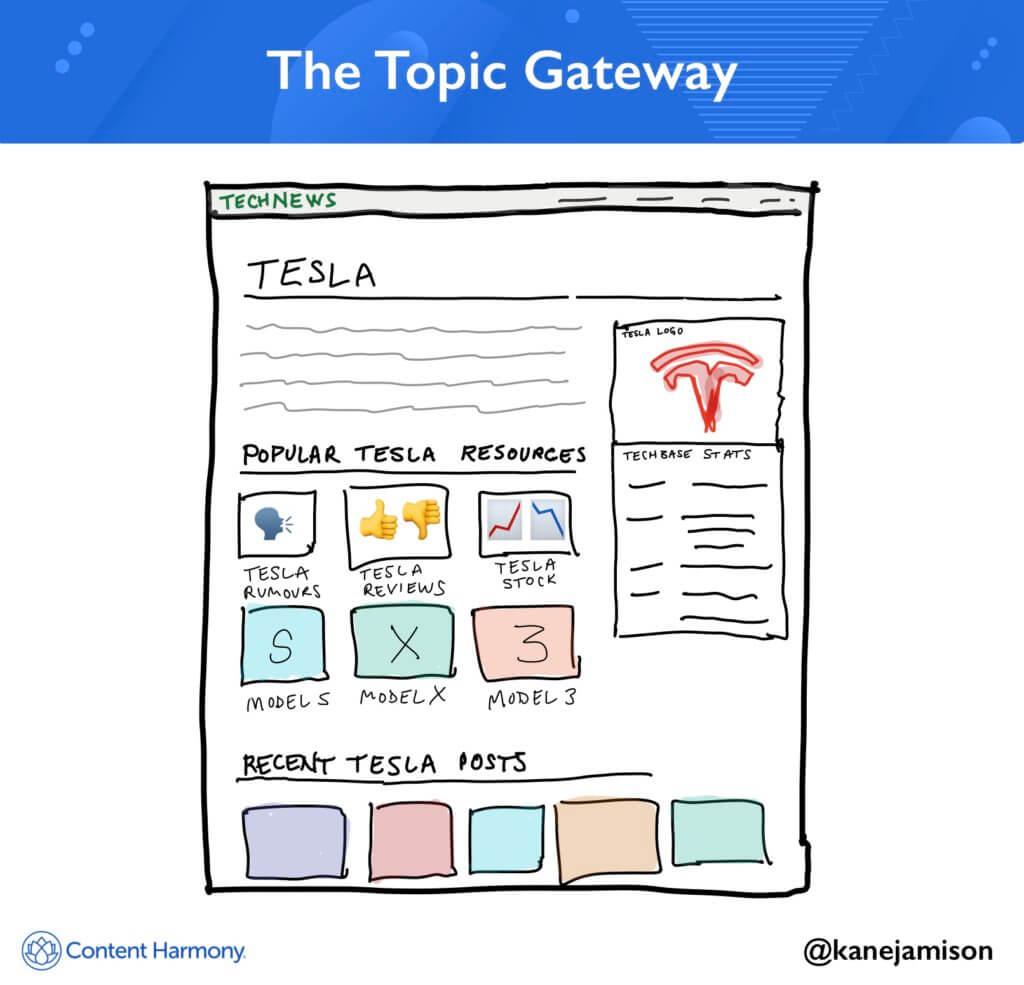
- The Topic Gateway
The Topic Gateway Model is designed to help users quickly access specific topics or subjects by providing a single point of entry into a collection of related resources. It works similarly to a classic hub-and-spoke model where all content is stored centrally on the hub, however instead of navigating through different categories like products or services, users must first select a particular subject before being taken to a landing page full of relevant information. The advantage of this model lies in its ability to provide easy navigation between various pieces of content while still allowing users to explore further if they wish. Furthermore, because all content is organized around a central theme, it allows for better organization and management of content as well as improved discoverability due to increased keyword relevance.
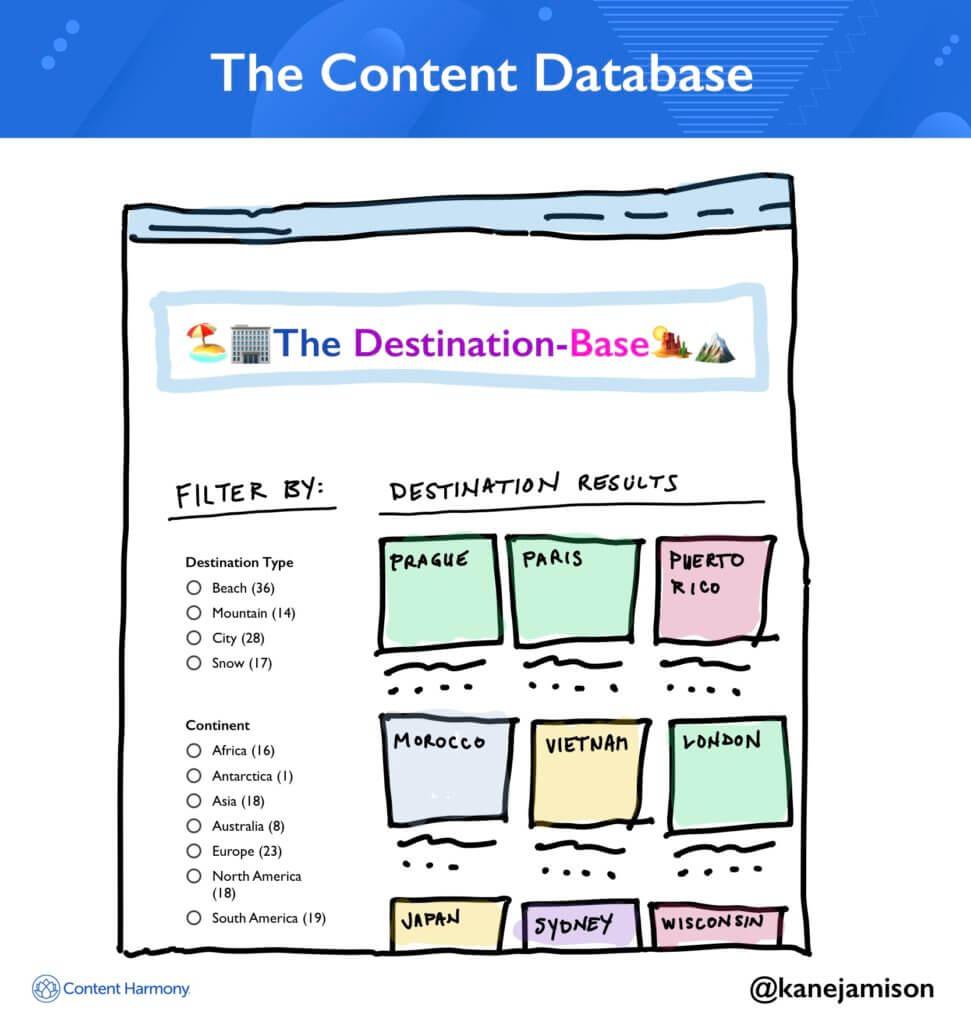
- The Content Database
The Content Database Model is based off of traditional relational databases which store data in tables with columns and rows. This type of content hub stores content within predefined fields such as title, author, date created etc., making it easier to organize and manage large amounts of content. Additionally, since each piece of content can be linked back to one or more topics, it also helps improve discoverability and user experience. However, unlike other models, the Content Database Model does require some manual effort when creating and updating content, as well as additional software to maintain the structure of the database itself. Nevertheless, it remains popular among larger organizations who need to keep track of vast quantities of content.
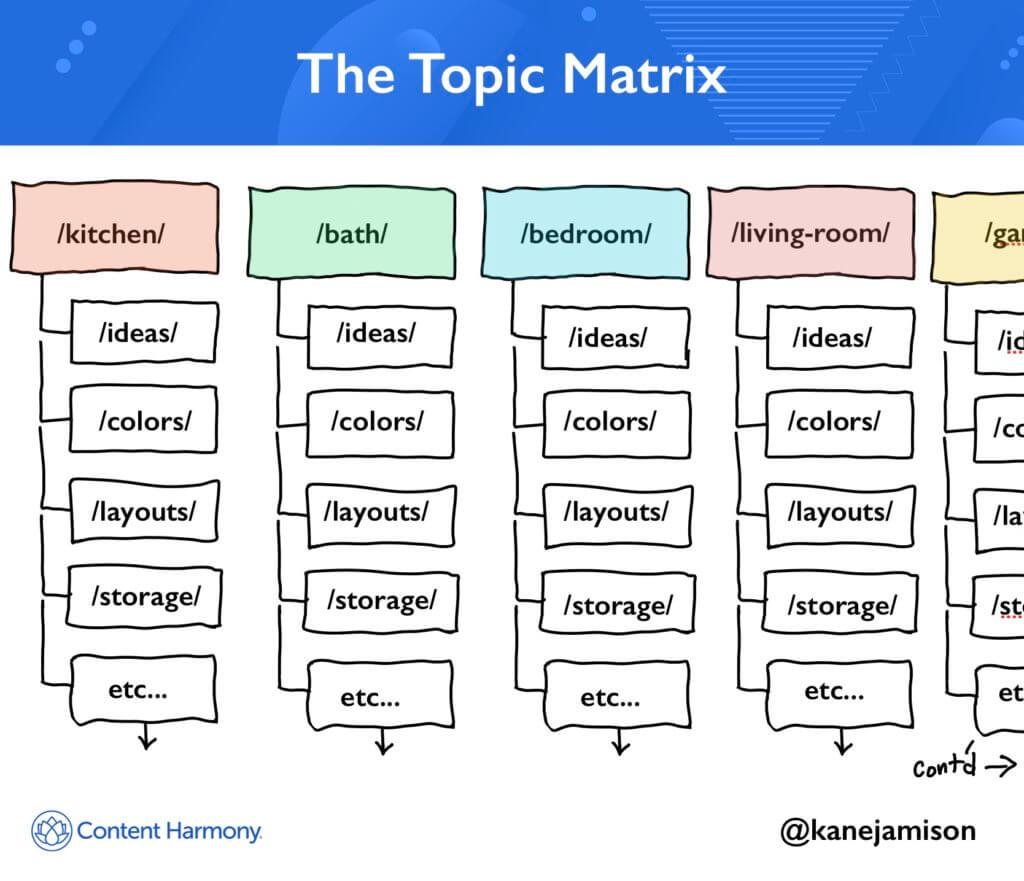
- The Topic Matrix
Topic Matrix is a type of Content Hub, which allows users to find relevant information quickly and easily on any given subject by providing them with multiple entry points into related topics or subjects. It can be used for both internal and external communication purposes. Topics are connected through hyperlinks, allowing readers to explore different aspects of a particular issue in more depth. This makes it easier for people to access specific pieces of information they need without having to search through large amounts of data. Additionally, Topic Matrices provide contextual links between various documents, making it easy to navigate from one source to another. Finally, Topic Matrices also allow organizations to track user activity and analyze trends over time. By doing so, companies can gain valuable insights about their customers’ needs and preferences.
Conclusion
You’re done! Always remember that creating a content hub on Shopify provides businesses with a platform to share resources such as blog posts, videos, podcasts, eBooks, webinars, and other types of media. A well-designed Content Hub helps to establish trustworthiness and credibility among potential customers while helping existing customers learn more about your products/services. Furthermore, a Content Hub gives you the opportunity to engage directly with your audience and build relationships with them. You can use this platform to announce updates, launch campaigns, host giveaways, and even offer exclusive discounts. All these activities help drive traffic back to your storefront and increase sales.
Execution Checklist:
-
Step 1 - Create Your Account: Sign up for a free Shopify account or log into an existing one if you already have one.
-
Step 2 - Choose a Theme: Select a theme from the available options within the Shopify App Store. Make sure it fits your branding requirements.
-
Step 3 - Add Pages & Sections: Once you have chosen a theme, add pages and sections like About Us, Blog, FAQs etc., using the drag and drop interface provided by Shopify.
-
Step 4 - Design Your Page Layout: Customize the page layout according to your needs. This includes adding images, text blocks, buttons, forms, and any other elements required.
-
Step 5 - Publish Your Work: When everything looks perfect, click “Publish” to make your work live.
-
Step 6 - Promote Your Content Hub: Share links to your newly created Content Hub across various social networks and other platforms. Encourage people to visit and explore what you have to offer.