
Do Customer Photos in Reviews Increase Conversion Rate?
Yes, but almost none of the lift comes from having them. Photos that sit on the page move conversion 2.5%. Photos people click move it 114%. That gap is the whole story.

Do customer photos in reviews increase Shopify conversion rate? Yes. And the honest version of that answer is more useful than the yes.
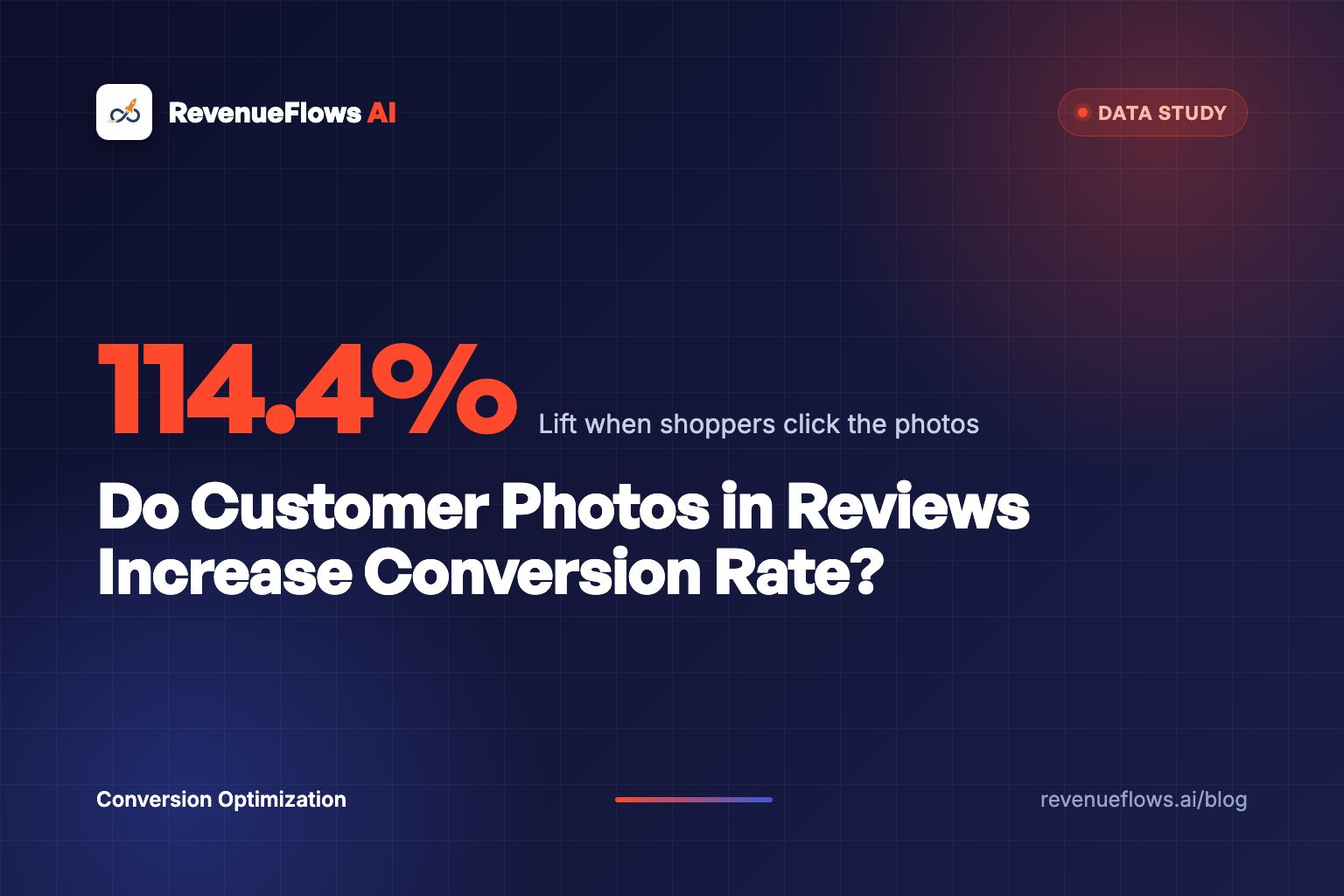
They lift it, but almost none of the lift comes from having them on the page. PowerReviews measured visual user-generated content across their network and found that shoppers who were merely served photos converted about 2.5% higher on average. Shoppers who actually clicked into those photos converted 114.4% higher on average.
Read those two numbers next to each other again. Presence is worth a rounding error. Interaction is worth roughly doubling.
Which means the standard advice, "add a photo review widget," is close to worthless on its own. A gallery bolted below the fold that nobody opens is a 2.5% lift, and 2.5% of a 1.4% conversion rate is a change you will never see in your dashboard through the noise of a single week.
The brands getting the 114% are not the brands with more photos. They're the brands whose page is built so that opening a photo is the obvious next move.
A photo gallery nobody clicks is decoration. A photo gallery everybody clicks is the second product page.
This post is the long version: what the data actually says, why the interaction gap exists, which categories get the biggest swing, where photos backfire, how many you need, and how to get them without paying for them.
What the research actually found
Two studies matter here and they agree with each other, which is rarer than it should be.
The first looked at activity across 1.5 million product pages on more than 1,200 sites. It separated visitors who were exposed to user-generated content from visitors who engaged with it. The exposed group converted 3.8% higher than the site average. The engaged group converted 102.4% higher.
Broken out by content type, the engaged-visitor lifts landed like this:
| What the shopper interacted with | Conversion lift |
|---|---|
| Question and answer section | +177.2% |
| Ratings and reviews | +108.6% |
| User-generated photos and videos | +103.9% |
| Any user-generated content | +102.4% |
| Merely being shown user-generated content | +3.8% |
The second study zoomed in on visual content specifically and split it the same way: impressions versus interactions. Impressions averaged a 2.5% lift. Interactions averaged 114.4%.
Same finding twice, from two angles. The photos are not the mechanism. The clicking is.
The obvious objection, handled
Somebody is already typing it: that's correlation, not causation. Shoppers who click photos were more likely to buy anyway, because clicking is what high-intent people do.
Partly true, and it matters. Nobody should read "+114%" as a promise that adding a lightbox doubles revenue. A meaningful chunk of that gap is selection: the person who opens seven customer photos of a stroller folded into a trunk had already half-decided.
But the selection story doesn't explain the whole thing, and here's the tell. The impression number is not zero. Visitors who never clicked still converted 2.5% higher, and that group is not self-selected at all. Exposure alone does something small and real. Then interaction multiplies it.
The practical read is this: you cannot manufacture intent, but you can absolutely manufacture the click. Every shopper who would have opened a photo and didn't, because the gallery was buried under 40 text reviews or loaded in four seconds, is a conversion you left on the floor.
Why does clicking a photo do so much more than seeing one?
Because the two actions answer different questions.
Seeing a strip of customer photos answers "have other people bought this." That's a trust signal, and trust signals stack with diminishing returns. You already have the badge, the star rating, the review count. One more signal moves the needle a little.
Opening a photo answers a completely different question: "what does this look like in a life like mine?"
That question is doing enormous work and nobody puts it on a page directly. A shopper looking at a customer photo of a rug is measuring it against their own living room. A shopper opening a customer photo of a jacket is looking for someone with their shoulders. A shopper opening a photo of a stand mixer is checking whether it fits under the cabinets in a kitchen built in 1974.
Your studio photography cannot answer any of those, because it was shot in a room that does not exist, on a person selected for being photogenic, under lighting nobody owns.
Studio photos sell the product. Customer photos sell the product in a house. Only one of those is the thing being bought.
This is also why the Q&A section beat everything else at +177.2%. Q&A is the purest form of the same act: a stranger with my exact doubt, answered by a stranger who owns the thing. Photos are the visual version of that, and the brands that treat their review gallery as an answering machine instead of a trust badge get the bigger number.
Which categories get the biggest lift from photo reviews?
The spread is wide enough that a category benchmark is worth more to you than the average.
| Category | Interaction conversion lift |
|---|---|
| Automotive and motor sport | +161.3% |
| Luggage and bags | +157.7% |
| Apparel and accessories | +151.0% |
| Network average | +114.4% |
| Office supplies | +30.1% |
There's a clean logic running through that ranking, and it predicts where you'll land.
Photos pay the most when the buyer's biggest unknown is fit, scale or finish. Will this bag hold a 16-inch laptop and still go under the seat. Does this paint colour read grey or green in north-facing light. Do these jeans sit like that on a body shaped like mine. The photo is the only artifact on the entire page capable of answering, so opening one is the buying decision.
Photos pay the least when the product is specified rather than experienced. A box of manila folders is a box of manila folders. The spec sheet already closed the question, so the photo is confirmation, not evidence, and confirmation is worth +30% instead of +160%.
Run your own product through that filter before you invest. If your buyer's last unresolved doubt is visual, photos are the highest-return thing on your page. If their last doubt is a number, you should be fixing the spec block first, which is the same argument behind do 360 product images increase Shopify conversion rate.
Does photo quality matter, or does worse look more real?
Worse looks more real, and I'd go further: polish actively destroys the asset.
The entire value of a customer photo is that it's visibly not from your camera. Bad lighting is a credential. A cluttered countertop is a credential. A thumb in the corner of the frame is a credential. The moment a review photo looks art-directed, a shopper's brain files it under brand content, and brand content does not carry the trust that made you want the photo in the first place.
I've watched brands run their customer photos through a filter to "keep the grid on-brand" and quietly kill the only genuinely persuasive images on the page. Don't. Crop for aspect ratio, compress for speed, leave everything else alone.
There's a sharper version of this problem arriving now. As AI-generated product imagery gets cheap, shoppers are getting faster at spotting the too-perfect frame, and the suspicion is spreading from the brand photos to everything near them. A gallery of slightly-too-clean customer photos now reads as fake in a way it didn't three years ago. We took that apart in do AI generated product images hurt Shopify conversion rate, and the short version is that visible authenticity is becoming the scarce thing.
The flaws in a customer photo are the proof of purchase. Retouch them out and you've deleted the evidence.
How many photo reviews does a product page actually need?
Fewer than you think, arranged better than you think.
The useful target is not a count, it's coverage of variation. Six to twelve photos that show genuinely different situations beat sixty photos of the same white-walled apartment.
For apparel, variation means body types and heights, with the height and size worn printed next to each image. For furniture and home, it means room sizes and light: a small apartment, a big open plan, north-facing, evening lamp light. A Shopify mattress product page lives on exactly this, since nobody can feel firmness through a screen and a photo of a 230-pound person sitting on the edge answers more than a paragraph about coil gauge. For anything technical, variation means the install, the scale next to a known object, and the unglamorous shot of the cable management.
Past roughly a dozen, more photos of the same scenario add nothing. What keeps adding is a photo that answers a specific doubt you know your buyers have, and you already know what those doubts are because you have two sources sitting in your admin right now.
The first is your return reason codes. Every repeated reason is a photo you're missing. If "smaller than expected" is your top code, you need three photos of the product next to an object everybody owns. That whole loop is the subject of how to write a Shopify product page for high-return products, and photo reviews are the cheapest tool in it.
The second is your Q&A and support inbox. Every question asked twice is a photo you're missing.
How do you get customers to send photos?
Four levers, in order of how much they move the number.
Ask after use, not after delivery. Most review requests fire on the shipping confirmation or two days after delivery, which asks for a photo of a product still in a box. Push the photo request to the point where the thing has actually been used: two weeks for apparel, six weeks for anything that needed setup, longer for consumables.
Ask for one specific shot. "Add photos" gets ignored. "Show us where it ended up in your kitchen" gets uploads. A named shot removes the decision of what to photograph, which is the actual friction, and it gives you the variation coverage you wanted anyway. Rotate the prompt by product.
Make the upload two taps from a camera roll. If the flow bounces to a login, or a desktop-shaped upload widget, on a phone, you've lost most of them. Test the whole thing on a phone with one hand, which is how the request will actually be read.
Reward in a way that doesn't read as paid. Store credit on a future order works. Cash-equivalent rewards attract the wrong photos and start showing up in the tone of the reviews. Entry into a monthly draw works surprisingly well and costs almost nothing.
One more thing that isn't a lever so much as a decision: let the unflattering photos through. A gallery where every photo is glowing reads as curated, and curated reads as filtered. A gallery with one photo of the sofa in a genuinely cramped apartment is more persuasive than ten in a loft, and it's the same mechanism that makes critical reviews pull their weight, which we measured in do negative reviews increase Shopify conversion rate.
Where customer photos backfire
Three situations, and only one of them is really about photos.
The gallery exposes a real quality gap. Your studio shot shows a rich walnut finish. Forty customer photos show something closer to orange pine. The photos didn't cause that problem, they revealed it, and hiding them just moves the discovery to the unboxing and the refund. Fix the product or fix the studio shot.
Sort order puts the worst image first. Most review apps default to newest-first, which means the thumbnail a shopper sees is whatever came in yesterday, including the blurry one taken in a dark garage. Sort the visible strip by helpfulness or by a curated pin, keep everything accessible behind the click. Curating the order is fine. Deleting the awkward ones is not.
The gallery is slow. This is the one that quietly costs the most. Review widgets are usually third-party scripts pulling full-size images, and a gallery that adds 1.2 seconds to a mobile product page can cost more conversions than the photos win. Lazy-load below the fold, serve thumbnails at thumbnail size, and measure the page before and after you install the app. A photo asset that slows the page is a net loss no matter how good the photos are. If the widget is the problem, Loox alternatives compares seven review apps and includes the speed test before and after the switch.
What photo reviews are worth on a real Shopify store
Run the math on a home and apparel store like this one. 10,000 monthly visitors to product pages, conversion rate 1.4%, average order value $96. That means revenue per visitor is $1.34. On 10,000 visitors, that's $13,400.
Say 18% of those visitors currently open a customer photo. Now you do the four things in this post: move the gallery above the review text, cut the load time, ask for a named shot after two weeks of use, and cover the eight doubts sitting in your return codes. Photo interaction goes from 18% to 34% of visitors.
Be conservative and assume the interaction lift on your store is half the network number, so +57% instead of +114%, since some of the network gap is selection. Conversion rate lands at 1.9%, and the shoppers who now understand the fit order slightly bigger, so average order value moves to $104. Revenue per visitor $1.98. On the same 10,000 visitors, that's $19,800.
Same traffic. Same products. $6,400 more a month, from photos your customers took for free.
That's a hypothetical store with deliberately conservative assumptions, so here's a real one. A bedding brand came to us with a conversion rate of 1.0% and an average order value of $125, which put their revenue per visitor at $1.25. On 10,000 visitors, that's $12,500. After the rebuild: conversion rate 3.5%, average order value $231, revenue per visitor $8.10. On the same 10,000 visitors, that's $81,000, a gap of $68,500 a month. You can see the full case study numbers on our results page. Real client numbers, not typical results, and not a promise of what your store will do.
Photo reviews were one input in that rebuild, not the whole thing. But the principle that produced the number is the same principle in this post: the page stopped asserting things about the product and started showing evidence a stranger could check.
What I'd actually do on Monday
If I had one hour on a store with an existing review base, in this order:
- Open the product page on a phone and count the taps to the first customer photo. If it's more than one, that's the whole hour's work right there.
- Move a horizontal strip of customer photos directly under the price block, above the description. Not below the reviews. Above the fold on mobile.
- Pull the top three return reasons and the top three repeated questions. Write down the six photos that would answer them.
- Send one review request campaign to buyers from 45 to 90 days ago asking for exactly one of those six shots, by name.
- Measure gallery open rate as its own metric from now on, next to conversion rate. If you're not measuring the click, you're managing the 2.5% number instead of the 114% one.
Step five is the one brands skip, and it's the one that turns this from a widget into a lever. The whole social proof on a Shopify product page argument falls apart without a number attached to it.
What to do next
Pick your best-selling product. Open it on your phone. Time how long it takes to get a customer photo big enough to actually study.
Then look at what that photo shows. If it's the product against a white wall, you have a gallery. If it's the product in somebody's cramped hallway with a coat rack in the frame, you have evidence.
The same test applies to any category where a buyer has to trust something they can't hold yet, which is exactly why publishing the honest frame matters so much on a Shopify baby monitor product page too.
Book Your Profit Audit
Get your free profit audit and we'll show you exactly where your product page is asserting instead of proving, then rebuild a high-converting product sales page in less than 15 minutes.
P.S. Your customers have already shot the most persuasive images on your product page. They're sitting in camera rolls because nobody asked for a specific photo at a moment when taking it was easy. That's the cheapest conversion lift on this entire list.
Frequently asked questions
Do customer photos in reviews increase conversion rate?
Yes, but the size of the lift depends almost entirely on whether shoppers interact with the photos or merely see them. PowerReviews measured an average 2.5% conversion lift for visitors who were served visual user-generated content, and an average 114.4% lift among visitors who actually clicked into it. Presence is worth a rounding error. Interaction is worth doubling.
Are photo reviews better than text reviews?
They do a different job. Text answers whether the product works. Photos answer whether the product is real and what it looks like in a normal room on a normal person. In PowerReviews data covering 1.5 million product pages, shoppers who interacted with user-generated photos and videos converted 103.9% higher than the site average, which puts visual content in the same band as interacting with reviews themselves.
How many photo reviews does a product page need?
Enough to show variation, which in practice means six to twelve across different body types, room types, lighting and use cases. Past that, adding more photos of the same thing stops helping. What keeps helping is coverage of the specific doubt your buyers keep raising, which you find in your return reason codes and your Q&A, not in a volume target.
Do professional-looking customer photos convert better than bad ones?
No, and over-polished ones can hurt. The value of a customer photo is that it is visibly not a studio shot. Bad lighting and a cluttered countertop are credentials. The moment a review photo looks art-directed, shoppers read it as brand content and it stops carrying the trust that made it worth showing.
How do I get customers to upload photos with their reviews?
Ask at the right moment and lower the cost of saying yes. Send the review request after the product has been used rather than after it shipped, ask for one specific shot instead of photos in general, make the upload work from a phone camera roll in two taps, and give a small reward that does not read as paid. Brands that ask for a named shot get several times the upload rate of brands that ask for photos generically.
Can customer photos hurt conversion rate?
They can, in three situations: when the photos reveal a real quality gap between the studio shot and the product, when they are sorted so the worst image lands first, and when the gallery is slow enough to delay the page. The first is a product problem wearing a photo costume. The other two are fixable in an afternoon.