
How to Increase Average Order Value on Shopify: The Playbook
A bigger order doesn't just add revenue. It multiplies profit, because the ad and the shipping box cost the same either way. Here's every order value lever on Shopify, in the order to pull them, with the math.

For years I tracked average order value like a vanity number. It went up, I felt good. It went down, I ran a sale.
Then I did the profit math on a single order and felt a little sick. The ad cost the same whether the buyer spent $42 or $68. So did the shipping box. So did the time it took to pack it. Every dollar I added to the order went almost straight to profit, and I'd been leaving it on the table for years.
So here's the short answer. How to increase average order value on Shopify comes down to five moves, pulled in this order:
- Bundle the products customers already buy together.
- Put one relevant add-on in the cart drawer.
- Turn on a one-click post-purchase offer.
- Set a free shipping threshold or free gift above your typical order.
- Splinter your hero product into offers for each type of buyer.
Then judge every change by revenue per visitor, never by order value alone. A bigger basket that quietly kills your conversion rate is a pay cut wearing a promotion.
This page is the hub for everything we've written on order value. Every section links to the deeper breakdown when you need it, and there's a full reading list near the end.
The ad costs the same whether the buyer spends $42 or $68. That's the whole game.
The math: why order value compounds into profit
Most founders think of order value as a revenue lever. It's a profit lever, and the difference is enormous.
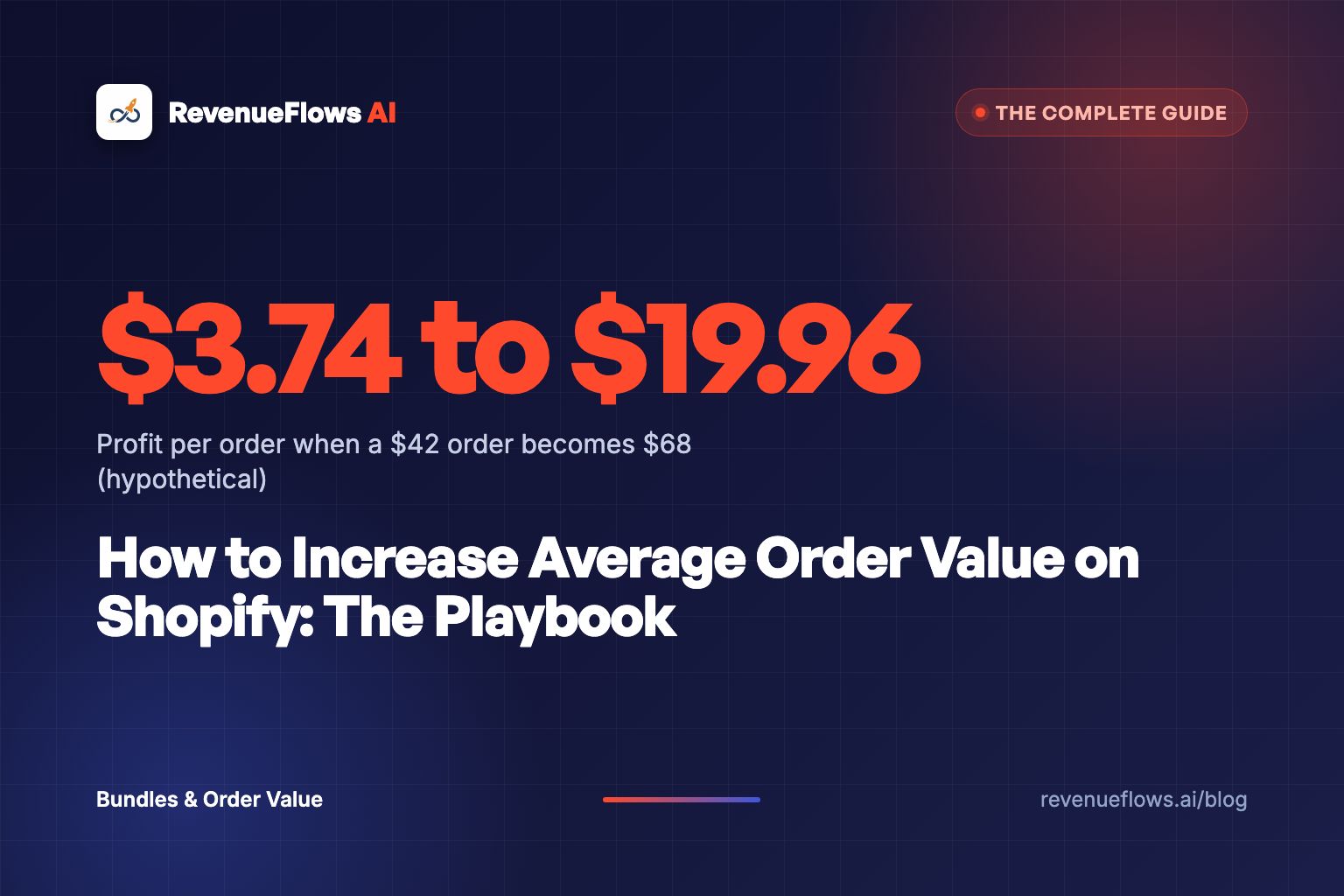
Here's the math. Run it on a store like this (a hypothetical, not a client): a magnesium sleep drink, one tub for $42. Each order carries fixed costs that barely move with the size of the basket.
| Per order (hypothetical) | Single tub, $42 order | Bundle, $68 order |
|---|---|---|
| Product cost | $11.00 | $19.00 |
| Pick, pack and shipping | $8.00 | $9.00 |
| Payment fees (about 3%) | $1.26 | $2.04 |
| Ad cost to get the order | $18.00 | $18.00 |
| Profit per order | $3.74 | $19.96 |
Order value went up about 62%. Profit per order went up more than five times, from $3.74 to $19.96.
Watch what happens to the ad cost. It's $18 either way. The algorithm doesn't charge you more because the buyer added a second tub. The shipping box barely changes. Those two lines are why every extra dollar in the basket lands almost entirely in your pocket.
This is also why cheap single-item orders feel impossible to scale on paid traffic. At $42, an ad cost that creeps from $18 to $22 wipes out the profit. At $68, you can absorb it and still bank $15.
A cheap order can't pay for its own ad. A bigger one can pay for the ad and the next one.
Now look at order value next to conversion rate, because that's where most playbooks go wrong. Revenue per visitor is conversion rate times average order value. On this hypothetical store, a 2.0% conversion rate at a $42 average order value means revenue per visitor is $0.84. On 10,000 visitors, that's $8,400. Hold the conversion rate at 2.0% and lift the average order value to $68, and revenue per visitor becomes $1.36. On the same 10,000 visitors, that's $13,600.
But drop the conversion rate to 1.2% because the page got cluttered with offers, and that $68 order earns you $0.82 per visitor. Worse than where you started. Bigger basket, smaller business.
That's why revenue per visitor is the scoreboard. We've written a full guide on how to increase revenue per visitor on Shopify, and if you want to see where your store sits against your category, start with our average order value benchmarks by category.
Conversion rate held at 2.0% (200 orders). Average order value: $42, $56, $61, $65, $68.
Here's what real numbers look like when order value moves with the page. Our bedding client went from a conversion rate of 1.0% and an average order value of $125 (revenue per visitor $1.25) to 3.5% and $231 (revenue per visitor $8.10). On 10,000 visitors, that's $12,500 before and $81,000 after. See the full case study numbers. Real client numbers, not typical results, and not a promise of what your store will do.
And on the Amazon-to-Shopify side, one pest repellent product sold at $17.95 on Amazon. Rebuilt on Shopify, its average order value was $101.38, and net profit per sale went from $3.83 to $48.27, after paying for ads and inventory. Same product. Different offer. On our homepage we put it plainly: "We typically take your normal product pricing and turn it into a 2.5x to 3x bigger order."
Bundles: types, pricing and naming
Bundles are the first lever because they change the default. The buyer doesn't have to decide to spend more. The bigger order is just the option that looks best on the page.
There are four types worth knowing:
- Multipack. Two or three of the same product. Best for consumables: the sleep drink, coffee, supplements, candles.
- Fixed bundle. A set of different products sold as one. The skillet plus the lid plus the scraper.
- Starter kit. The hero product plus everything a first-time buyer needs to get the result.
- Build your own. The buyer picks items from a set. Good for flavors and scents, harder to price.
On the tooling side, Shopify has a free first-party app, Shopify Bundles, that's available on all plans. Shopify's help page lists fixed bundles and multipacks, with up to 30 components in a fixed bundle, and bundles work with both discount codes and automatic discounts. If you need build-your-own or more complex logic, that's app territory, and we compared the options in our roundup of Shopify bundle app alternatives.
How should you price a bundle?
Here's where most stores bleed. They slap 20% off the bundle because a competitor does, and never check whether the math works.
Price the bundle from profit, backward. On the hypothetical sleep drink, two tubs at full price is $84. The second tub costs $11 to make and adds about $1 to shipping. Price the two-pack at $76 and the buyer saves $8, which feels real. You give up $8 of a second tub that you'd never have sold otherwise, and you still clear about $21 more profit than the single-tub order ($24.72 against $3.74, with the same hypothetical costs), because the ad cost and most of the shipping were already paid for.
Same rule for fixed bundles: the discount should come out of costs the bundle removes (a second ad, a second box), never out of margin the bundle doesn't earn back.
A bundle discount should be paid for by the costs the bundle removes. If it's paid for by your margin, it's a sale in disguise.
What should you call it?
Naming is the part everyone skips, and it's a big deal. "Bundle 2" tells the buyer nothing. "The 60-Night Reset" tells them what they get and why it's more than one tub.
Name the bundle after the outcome or the buyer. "Couples Pack." "The Full Pour-Over Kit." "First Month Starter Set." The name does the selling the discount used to do.
I've watched this play out more times than I can count. Same two products, same price, and the bundle with a name that answers "why would I want both?" beats the one called "Value Pack."
If you want the sequencing (which bundle to show first, and where), read our guide on how to sequence product bundles without hurting conversion rate. And before you launch one, check it against the three bundle mistakes that kill margin. They show up in almost every store we look at.
What about quantity breaks and tiered pricing?
Quantity breaks ("buy 2, save 10%, buy 3, save 15%") are bundles' louder cousin. They work, but they have a trap: the buyer who was always going to buy two now gets a discount they didn't need.
Worth knowing before you set them up: Shopify's native amount-off discounts let you set a minimum quantity or minimum purchase amount, but a single discount holds one value. Multi-tier breaks in one widget usually mean an app or stacked discounts. We broke down the margin model behind quantity discounts and who actually clicks "buy 2" in separate posts, because the answer changes by product type.
Cart drawer offers
The cart drawer is the second lever, and it's the one founders get most wrong. They fill it with a carousel of eight "you might also like" products and wonder why nothing gets added.
One offer. One. The product that completes what's already in the cart.
The sleep drink buyer gets the frother that mixes it. The skillet buyer gets the lid. The legging buyer gets the matching scrunchie at $12. The question you're answering is the one the buyer is already asking in their head: "Is there anything I'll wish I'd bought?"
Here's the thing about the cart. The buyer has already decided. Anything you put there should make the decision feel more complete, never reopen it. A cart that asks them to browse again is a cart that invites them to leave.
The cart is where the buyer has decided. Don't hand them a new decision to make.
On tooling: Shopify's Search & Discovery app lets you set complementary products, either from purchase history or picked by hand (up to 10 per product), but Shopify's own help page says those recommendations display on product pages and depend on your theme having the right sections. For offers inside the cart drawer, you need a theme that supports it or an app. Rebuy, for one, describes its Smart Cart on the Shopify App Store as "an easily customizable, AI-powered, slide-out cart."
Price the cart add-on at 15 to 30% of the cart total. Much more and it's a second purchase decision. Much less and it doesn't move the number.
The fear every founder has here is fair: will the offer hurt my conversion rate? We ran through the data on whether cart upsells hurt conversion rate, and the short version is that relevance and count matter more than the offer itself. One relevant item, fine. A wall of products, not fine.
One more cart item deserves its own warning: shipping protection. It feels like free money because so many buyers accept it, but if the widget costs you checkouts, the fee doesn't cover the loss. Read the shipping protection break-even math before you switch it on.
One-click post-purchase upsells
This is my favorite lever, and I'll tell you why. It's the only offer on your store that can't cost you the first sale.
The buyer has paid. The order is locked. Now, before the order confirmation page, you show them one offer they can add with a single click, no re-entering the card.
Shopify runs this through post-purchase checkout extensions. Per Shopify's developer docs, the offer shows "after the payment step, but before the Order status page." Apps from the Shopify App Store can use it on any plan. Aftersell, for example, lists "1-click post-purchase upsells" on its App Store page. The underlying extension is still labeled beta in Shopify's post-purchase documentation, and apps that use it on live stores go through Shopify's access request, which is the app developer's job, not yours.
What should the offer be?
- A second unit at a better price. "Add another tub for $29." Works for consumables.
- The accessory that completes it. The frother. The lid. The travel case.
- The refill or next-step product. Whatever they'll need in 30 days.
Keep it to one product and make the yes obvious. A post-purchase page with three options makes the buyer think, and a thinking buyer closes the tab.
Run the math on the hypothetical store: 200 orders a month, and a $29 second-tub offer. If 1 in 10 buyers take it, that's 20 extra units and $580 in extra revenue, most of it profit, because the ad and the shipping are already paid. Spread across all 200 orders, that's $2.90 added to your average order value from one screen.
The post-purchase offer is the only upsell on your store that can't cost you the sale. So why is it the one most stores skip?
We've gone deep on stacking these. Start with the three-layer upsell stack for how pre-purchase, cart and post-purchase fit together. Placement matters as much as the offer: the same product in the wrong spot does nothing.
Thank you page and checkout offers
After the post-purchase page comes the thank you page, and on most stores it's a dead end. "Thanks for your order." A logo. Nothing.
That's a buyer who just said yes, still warm, looking right at you. Give them one thing to do.
Here's where the Shopify plan matters, so get this right before you buy an app. According to Shopify's checkout apps page, apps that customize the thank you and order status pages are available on the Basic Shopify plan or higher. Apps that customize the information, shipping and payment steps of checkout are available only on Shopify Plus. Aftersell's own listing says the same thing about its checkout widgets: "Shopify Plus only."
So for most stores under Plus, the order runs: cart drawer, then post-purchase page, then thank you page. No offers inside checkout itself.
What works on the thank you page:
- A reorder or subscribe offer for consumables, timed to when they'll run out.
- A "for someone else" offer. A gift version of what they just bought.
- A next-order discount with a short expiry, if your margin carries it.
If you're on Plus, a checkout offer can work, but treat it carefully. Checkout is where buyers are closest to paying and most sensitive to friction. Baymard's research puts the average documented cart abandonment rate at 70.22%, and "extra costs too high (shipping, tax, fees)" is the top reason at 40% of shoppers who weren't just browsing, per Baymard's cart abandonment list. An offer that reads like another cost at checkout is gasoline on that fire.
Free gifts, thresholds and tiered pricing
Thresholds are the lever everyone reaches for first, and I think that's backward. They work best as the last layer, once bundles and add-ons have given buyers something worth adding.
The mechanic is simple. "Free shipping over $60." "Free travel pouch over $75." The buyer sitting at $52 goes looking for $8 more.
Where do you set it? Start roughly 20 to 30% above your typical order. On the hypothetical store, the typical order after bundles and add-ons sits around $61 to $65, so a free gift at $75 pulls the two-tub buyer up, not the single-tub buyer who was never going to get there. Our post on how to set a free shipping threshold that doesn't cut revenue walks through where it breaks.
Tell buyers about it early. Baymard found that 64% of users looked for shipping costs on the product page before deciding to add a product to the cart, and 43% of sites don't show any shipping costs there, per Baymard's product page shipping research. A threshold the buyer only discovers in the cart is a threshold that mostly surprises people.
Free gift or free shipping?
Use free shipping when shipping cost is the main reason people hesitate. Use a free gift when you can give away a low-cost item (a $3 scoop, a sample, a pouch) that feels worth more than it costs you.
On Shopify, free gifts usually run through a Buy X Get Y discount, which supports a minimum purchase amount. One detail catches a lot of founders: Shopify's help page says the free "get" item "is never automatically added to the cart." The buyer has to add it. So the gift needs to be visible and one tap away, or buyers qualify and walk right past it.
Before you commit, run the free gift with purchase math. A gift that bumps conversion a little can still lose money if it costs more than the margin it earns. For gift-giving categories, gift wrapping as a paid add-on is a quieter lever that pays for itself.
And if you're weighing a progress bar in the cart, read whether free shipping bars raise order value and when free shipping destroys margin. Free shipping is the most recommended fix on the internet, and it's the one I see burn the most profit when it's set wrong.
A threshold should pull the buyer who's almost there. If it pulls nobody, it's decoration. If it pulls everybody, it's a discount.
Offer splintering: one product, many offers
Here's the lever almost nobody uses, and it's the one I'd bet on hardest.
Most stores have one page per product. One offer. One price. One set of copy, written for an average buyer who doesn't exist. Every visitor, whatever they came for, gets the same pitch.
Splintering means taking one product and turning it into distinct offers for each use case and buyer. Same SKU. Different packaging of the offer.
Watch what happens to the hypothetical sleep drink:
| Offer | Who it's for | What's in it | Price |
|---|---|---|---|
| The 30-Night Tub | First-time buyer testing it | 1 tub | $42 |
| The Couples Pack | Two people, one bed | 2 tubs | $76 |
| The Shift Worker Reset | Night shift nurses, irregular sleep | 1 tub, sleep mask, schedule card | $58 |
| The Travel Sticks | Frequent flyers, jet lag | 14 single-serve sticks | $24 |
| The Gift Box | Buying for a parent | 1 tub, frother, gift wrap | $64 |
Five offers. One product. Each one answers a different buyer's silent question. The nurse isn't asking "is this a good magnesium drink?" She's asking "will this work when I sleep at 9 in the morning?" The Shift Worker Reset answers that on the page, and she pays $58 instead of $42 because the offer was built for her.
That's the difference between a spec sheet and a conversation. The spec sheet sells a tub. The conversation sells the outcome the buyer came for, at the price that outcome is worth.
Most stores have one offer per product. The ones that print have one offer per buyer.
This is how the Amazon-to-Shopify products I mentioned earlier got their order values. The product didn't change. The offer around it did: who it was for, what came with it, and why it was worth more than the bare listing.
Where do these offers live? A dedicated page or landing page for each one, which you send the matching traffic to. The nurse ad goes to the Shift Worker Reset. The gift ad in December goes to the Gift Box. Your price anchoring changes too, because each offer is compared against a different alternative. Our breakdown of price anchoring covers why the same product can feel cheap on one page and expensive on another.
The honest cost of splintering is the pages. Five offers means five pages that each need their own copy, photos and objection handling. That used to be a month of agency work. It's the part of this playbook where AI has changed the math the most.
Using AI and order data to pick offers
Here's my confession. For years I picked bundles and upsells by gut. "These go together." Sometimes I was right. Often I was building offers around what I thought customers wanted, not what they were already buying.
The data to fix that was sitting in the admin the whole time.
Shopify lets you export your orders to CSV, and orders with multiple line items put each extra item on its own row, with the product name, SKU, quantity and price. That file holds the answer to almost every question in this playbook. Most founders never open it.
This is where an AI model earns its keep. Hand it the export (strip customer names and emails first) and ask it things like:
- Which two products appear in the same order most often?
- When someone buys product A first, what do they buy next, and how many days later?
- What's the most common order total, and how far is it from my free shipping threshold?
- Which products show up in orders above $75, and which never do?
The answers become your offers. The pair that shows up together is your first bundle. The second purchase that follows 30 days later is your post-purchase offer. The gap between your typical order and your threshold tells you where to set the gift.
Shopify's own tools are moving in this direction too. Its help center describes Sidekick, the AI assistant in the admin, as able to "handle tasks such as analyzing data, managing orders, or editing products." And Search & Discovery can generate complementary product recommendations from purchase history. Useful, but a recommendation widget can't write the Shift Worker Reset page. It doesn't know the nurse exists.
Where AI matters most is the step after the data: building the offer. Once the order data says "sleep drink plus frother is the pair," AI can write the bundle page, name it, answer the objections a couples buyer has that a solo buyer doesn't, and do it for five splintered offers in the time one page used to take. That's the part of our work at RevenueFlows AI that changes the economics of this whole playbook. A splinter that costs a month of copywriting doesn't get built. One that takes an afternoon does.
One warning. AI will happily invent patterns in a small file. If you have 80 orders, you don't have enough data to trust "customers who buy X always buy Y." Wait for a few hundred orders, or treat the output as a hypothesis to test, not a fact.
The order export already knows your best bundle. Most founders just never ask it.
Holiday and Black Friday offers that keep margin
Every November I watch founders do the same thing. Sitewide 25% off. Record revenue. Then January comes and the profit isn't there.
Here's the math on the hypothetical sleep drink. At 25% off, the $42 tub sells for $31.50. Costs don't care about your sale: $11 product, $8 shipping, $0.95 in payment fees, $18 in ads. That's $37.95 in costs on a $31.50 order. You lose $6.45 on every order and call it your best month.
Now run the same buyer through a Gift Box at full price, $64. Costs: $17 product (tub plus frother), $9 shipping, $1.92 in fees, $18 in ads. Profit: $18.08 per order.
Same buyer. Same season. One offer loses $6.45 per order, and the other banks $18.08.
Black Friday doesn't reward the biggest discount. It rewards the best offer.
Here's how to keep margin through the holidays:
- Lead with gift sets, not percent off. Holiday buyers are shopping for someone else. A named gift set answers their real question ("will they like it?") better than a discount does.
- Use a gift threshold instead of a sitewide sale. "Free gift over $75" protects margin on every order below it and raises the orders above it.
- Put the discount on the bundle, not the single item. If you must discount, discount the offer that carries the most fixed costs. For 11 ready-made examples, see these Black Friday bundle ideas.
- Write for cold traffic. Black Friday brings the most comparison-happy buyers of the year to a page written for warm returning customers.
That last one is its own post: we covered writing a product page for Black Friday traffic and writing a product page for gift buyers, who have different fears than people buying for themselves. And once your shipping cutoff passes, a gift card upsell keeps holiday orders coming in.
Before you set any holiday discount, check what it really costs per sale with our discount margin calculator. And if you want the version of this whole approach with no discounts at all, read raising order value without discounts.
Which lever should you pull first?
Here's every lever in one table, with where it lives on Shopify and how much it risks.
| Lever | Where it shows | What Shopify needs | Risk to conversion rate | Best for |
|---|---|---|---|---|
| Multipack or fixed bundle | Product page | Free Shopify Bundles app, all plans | Low if the default stays clear | Consumables, products used together |
| Quantity breaks | Product page | Minimum quantity discounts or an app | Medium (discounts buyers who'd buy 2 anyway) | Refills, gifting in multiples |
| Cart drawer add-on | Cart | Theme support or an app | Low with 1 relevant item, high with a carousel | Accessories under 30% of cart |
| Post-purchase one-click offer | After payment | App Store app using post-purchase extensions | None on the first sale | Second units, refills, accessories |
| Thank you page offer | Thank you page | Checkout app, Basic plan or higher | None on the first sale | Reorders, gifts, next-order offers |
| Checkout offer | Checkout steps | Shopify Plus only | Medium, checkout is fragile | High-intent add-ons |
| Free shipping threshold | Sitewide | Shipping rates setup | Low if shown early | High shipping cost categories |
| Free gift threshold | Cart | Buy X Get Y with a minimum amount | Low, but the gift must be added manually | Low-cost gifts that feel valuable |
| Offer splintering | Dedicated pages | New pages, same SKU | Lowers it for the wrong buyer, raises it for the right one | Hero products with several buyer types |
If you only have one hour this week, start with the post-purchase offer. It can't cost you the first sale. If you have a week, add the bundle. If you have a month, splinter your hero product.
Start here: the full reading list
Everything we've written on order value, grouped by the question you're trying to answer.
Bundles
- How to sequence product bundles without hurting conversion rate
- The three bundle mistakes that kill margin
- Shopify bundle app alternatives compared
Upsells in the cart and after the sale
- The three-layer upsell stack
- Whether cart upsells hurt conversion rate
- The shipping protection break-even math
Free shipping, gifts and thresholds
- How to set a free shipping threshold that doesn't cut revenue
- Whether free shipping bars raise order value
- When free shipping destroys margin
- The free gift with purchase math
- Gift wrapping as a paid add-on
Quantity discounts and pricing
- The margin model behind quantity discounts
- Who actually clicks "buy 2"
- Price anchoring and why your price feels expensive
- Raising order value without discounts
Holidays
- Writing a product page for Black Friday traffic
- Writing a product page for gift buyers
- Black Friday bundle ideas that protect your margin
- The gift card upsell for last minute shoppers
The scoreboard
FAQ
How do I increase average order value on Shopify? Build one bundle around how customers already buy, add one relevant cart drawer add-on, turn on a one-click post-purchase offer, then set a threshold 20 to 30% above your typical order. Measure revenue per visitor after each change.
What is a good average order value for a Shopify store? It depends on category and price. The better test: does your order value cover your ad cost per order with profit left over? If not, it's too low for paid traffic.
Do bundles increase average order value on Shopify? Yes, when the bundle matches how customers already buy. Find the pairs in your order export and bundle those. The free Shopify Bundles app handles fixed bundles and multipacks on every plan.
Are post-purchase upsells worth it on Shopify? Usually, because the offer shows after payment and can't cost you the first sale. App Store apps run them on any plan. Offer one product that completes the purchase.
Should I use a free shipping threshold or a free gift? Threshold when shipping cost is the main hesitation, gift when a low-cost item feels worth more than it costs you. Set either roughly 20 to 30% above your typical order.
How can AI help increase average order value? AI reads the order data founders skip. Export orders with line items, have AI find the products bought together and the second purchase that follows, then build offers around those real pairs.
What to do next
Open your Shopify admin today and export last 90 days of orders with line items. Find the two products that show up together most often. That pair is your first bundle, and you can have it live on the free Shopify Bundles app before the end of the week.
Book Your Profit Audit
A bigger order only matters if the page still converts, and that's the math we run on every store. Get your free profit audit and we'll show you where your order value and your conversion rate are leaking, then show you how to rebuild a high-converting product sales page in less than 15 minutes.
Or go here to check it out → revenueflows.ai
P.S. The ad costs the same whether the buyer spends $42 or $68. Stop paying full price for small orders.
Frequently asked questions
How do I increase average order value on Shopify?
Pull the levers in this order: build one bundle around how customers already buy, add a single relevant add-on in the cart drawer, turn on a one-click post-purchase offer, then set a free shipping threshold or free gift about 20 to 30 percent above your typical order. Measure revenue per visitor after each change, not order value alone, so a bigger basket never hides a lower conversion rate.
What is a good average order value for a Shopify store?
There's no single good number, because it depends on category and price point. A better test is whether your order value covers your cost to acquire a customer with profit left over. If your ad cost per order eats most of a single-item order, your order value is too low for paid traffic, whatever the benchmark says.
Do bundles increase average order value on Shopify?
Yes, when the bundle matches how customers already buy. Pull your order export, find the two or three products that already show up together, and bundle those. Shopify's free Bundles app supports fixed bundles and multipacks on every plan, so the cost to test is close to zero.
Are post-purchase upsells worth it on Shopify?
Usually yes, because the offer appears after the payment is done, so it can't cost you the first sale. Shopify runs these through post-purchase checkout extensions that App Store apps use on any plan. Offer one product that completes the first purchase, priced so a yes feels obvious.
Should I use a free shipping threshold or a free gift?
Use the threshold when shipping cost is the main reason people hesitate, and the free gift when your margin can carry a low-cost item better than a shipping subsidy. Either way, set it roughly 20 to 30 percent above your typical order and check profit per order after, not just order value.
How can AI help increase average order value?
AI is good at the part founders skip: reading the order data. Export your orders with line items, have an AI model find which products are bought together and which second purchase follows the first, then build bundles and post-purchase offers around those real pairs instead of guesses.