
Do Compatibility Checkers Increase Conversion Rate?
Auto parts stores that answer 'will this fit my car' on the page convert 30 to 45 percent better than the ones that don't. Here's why that finding travels far beyond car parts, and where it stops working.

Do compatibility checkers increase Shopify conversion rate? Yes, in one specific situation: when the buyer genuinely cannot tell whether your product works with something they already own.
In those categories the numbers are unusually large for a single page element. Auto parts stores running a year make model lookup convert roughly 30 to 45 percent better than stores without one, which moves a category baseline of 1.5 to 2.5 percent into the 2.5 to 3.5 percent band. Return rates move even harder in the other direction, from a 20 to 30 percent range down to 5 to 10 percent, because most of those returns were never dissatisfaction. They were a wrong guess.
Outside those categories, a compatibility checker is a step you added to a decision that didn't need one, and it costs you money.
That's the whole finding: one of the few page elements with a real effect size, and one of the few where installing it in the wrong category makes things measurably worse. This piece is about telling those two situations apart.
A compatibility checker doesn't persuade anybody. It removes a reason to leave. That's a smaller job than most conversion tactics claim and a much more reliable one.
What counts as a compatibility checker?
Any on-page mechanism that confirms your product works with something the customer already has.
The clearest version is automotive. A shopper picks year, make and model, sometimes a VIN, and the store tells him whether this brake rotor fits his 2019 Tacoma. Same idea, different clothes, across a dozen categories:
- Printer supplies. Enter your printer model, see the cartridges that fit it. HP, Canon, Epson and Brother all run one, and so does every serious third party seller.
- Projectors. Enter your room depth and desired screen size, see which models make that picture. This is the strongest single addition a multi model projector store can make.
- Water filtration. Enter your system model, see the correct replacement cartridge. Water filter buyers are almost entirely repeat buyers hunting for a match, which makes this the whole product page.
- Phone and device accessories. Pick your exact model and year, see the case that fits.
- Machinery and equipment parts. Serial number in, correct part out.
What unites them has nothing to do with the industry. In every one of these, the customer owns a thing, the thing has a model number, and buying the wrong match is expensive and annoying enough that they'd rather leave than guess.
That's the test. Not "is my product technical." The test is: does the buyer own something this has to match?
What does the data actually show?
The strongest published figures come from auto parts, because the category has the worst fitment problem and therefore the most measurement.
Here's what shows up consistently across vendor and agency reporting in that space:
| Metric | Without fitment tool | With year make model lookup |
|---|---|---|
| Conversion rate | 1.5% to 2.5% | 2.5% to 3.5% |
| Relative conversion lift | baseline | 30% to 45% better |
| Return rate | 20% to 30% | 5% to 10% |
| Fitment-related returns | baseline | 20% to 40% reduction |
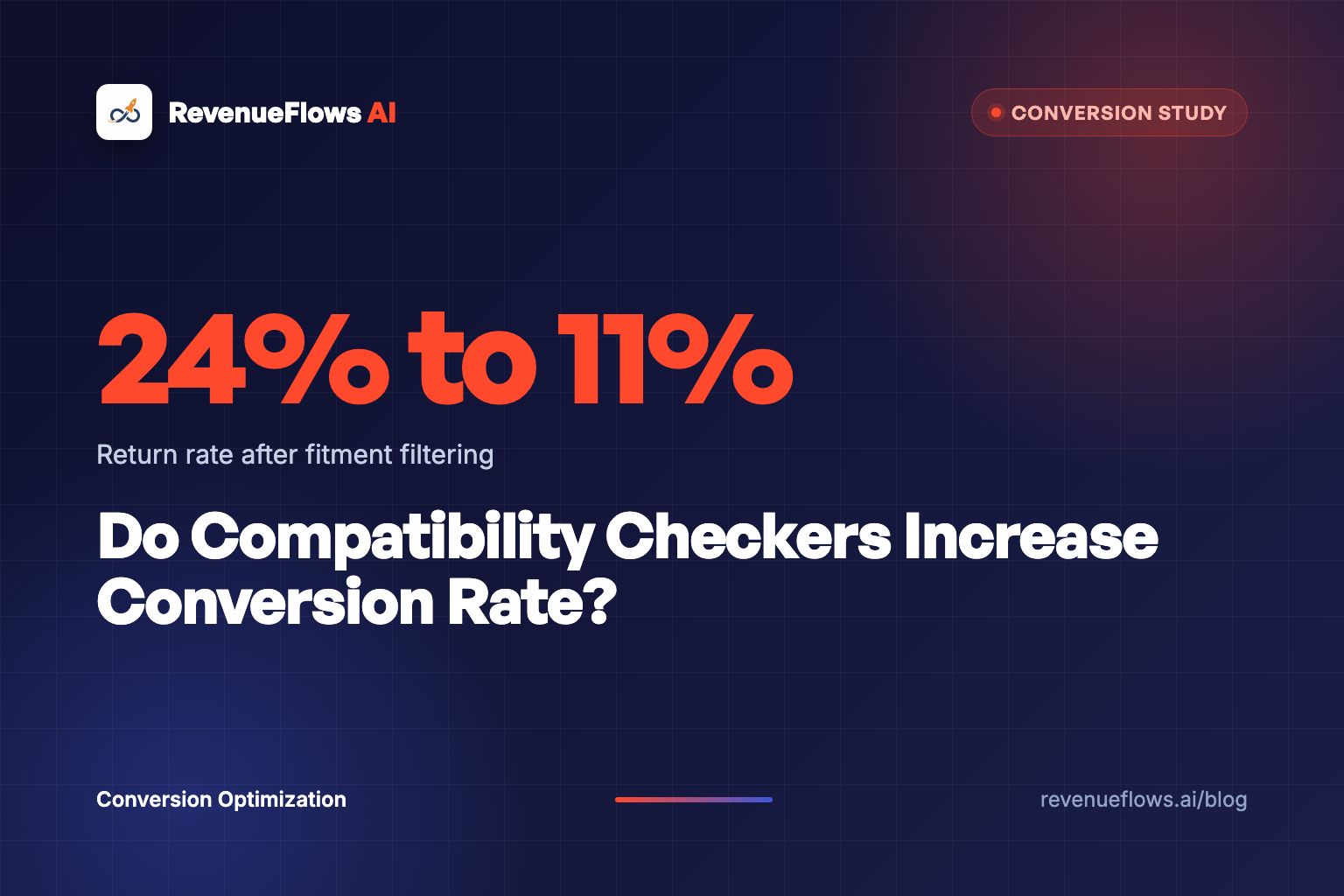
One mid-size auto parts store reported its overall return rate falling from 24 percent to 11 percent within three months of adding proper fitment filtering. Battery sellers using VIN decoding reported return rates down around 35 percent inside six months. Across the category, fitment errors are a leading cause of automotive returns, against an overall return rate that runs as high as 20 percent.
Two cautions before anyone quotes those numbers at a board meeting.
First, most of this reporting comes from companies selling fitment software, which is a reason to treat the top of each range as marketing and the bottom as roughly credible. Second, and more interesting, the stores that add a fitment tool usually clean up their product data at the same time, because they have to. Some of that lift belongs to the data hygiene, not the widget.
Neither caution changes the direction. It's a big effect in the right category. Treat the ranges as ranges.
Why does it work? Because the buyer was going to leave
Not to a competitor. To a search engine.
Think about what a shopper does when your page doesn't answer the fit question. He opens a new tab. He searches his model number plus your part number. He lands on a forum, a manufacturer PDF, a review site, or an Amazon listing where somebody answered it in the Q&A section four years ago. On Amazon, the shopping assistant pulls from that same community Q&A when it answers a buyer, as I explain in what still works for Rufus listing optimization.
That tab is where you lose him. Not because the competitor's page was better, but because you sent him out of your store to finish a decision he started in it. Half the time the site that answers the question is the site that gets the order, and often it's the affiliate review page collecting a commission on whatever he ends up buying.
Uncertainty at the moment of decision is one of the well documented drivers of cart abandonment across ecommerce. A compatibility checker attacks that directly, and it does it at the exact millisecond the doubt appears, which is worth more than an email sequence trying to win him back on Thursday.
Every question your page doesn't answer gets answered by somebody else's page. Some of those pages are paid to send the customer elsewhere.
This is also why the effect is bigger on returns than on conversion rate. The buyer who guesses and buys is not a win. He's a shipping cost, a restocking problem, a refund, and a review that says the part didn't fit, which then costs you the next buyer too. Guessing customers are borrowed revenue.
Where compatibility checkers backfire
Three situations, and I've watched all three cost real money.
1. The compatibility was never in question
If your product works with everything, a checker that always returns yes teaches the customer that a compatibility problem exists. You've created an anxiety in order to resolve it, and some percentage of people abandon in the gap between those two events.
Sell a t-shirt, a candle, a supplement, a pillow. Nobody is wondering whether it fits their car. Adding a "check compatibility" module to that page is a click you charged the customer for nothing.
2. The data is wrong
This is the expensive one, and it's worse than having no tool.
A tool carries your store's authority. Two lines of hedged copy in a description say "here's our best understanding." A green checkmark that says COMPATIBLE says "we checked, and we're telling you." When that's wrong, you haven't merely failed to help. You've moved the blame for the wrong purchase off the customer and onto yourself, and the refund conversation starts from a much worse place.
If your fitment data comes from a supplier spreadsheet last updated in 2023, fix the data before you build the interface. A checker sitting on stale data industrializes your mistakes.
3. It's a quiz wearing a lab coat
There's a real difference between a compatibility checker and a product finder quiz, and stores blur them constantly.
A compatibility checker answers a yes or no question about a specific thing the customer already owns. A quiz recommends a product to someone who doesn't know what they want yet. Different buyer, different intent, different placement, different measurement. Product quizzes have their own conversion story and their own failure modes, and treating a checker like a quiz is how you end up with a five step flow in front of a man who wanted to know if a filter fits.
If your checker takes more than two inputs to answer a yes or no, you've built the wrong thing.
How to build one that actually works
Six rules, in the order they matter.
Put it above the add to cart button. The doubt shows up when the buyer looks at the price and the buy button together. Answering it two screens down means answering it after he's gone.
Return a sentence, not a grid. This is the mistake I see most. The buyer is looking at one product and asking a yes or no question about it. Filtering him into a new grid of forty products restarts a decision he'd almost finished. The right output is "Yes, this fits your 2019 Tacoma" with a green state, or "No, but the XR-40 does" with a direct link to that one product.
Remember the answer. Once he's told you his printer model, the store knows it. Every other page in the session should reflect it, and the collection pages should filter to it. Making him re-enter it on the next product is a tax on the customer for shopping more.
Handle the no gracefully. A negative answer with no alternative is a dead end and an exit. A negative answer with one correct alternative is a saved sale, and it's often a bigger sale, because the correct part is frequently the more expensive one.
Show your source and your confidence. "Verified against manufacturer fitment data, updated March 2026" does real work, especially in categories where buyers have been burned. If a match is a probable fit rather than a confirmed one, say so. Hedged and honest beats confident and wrong.
Make it work on a phone. A four dropdown cascade is tolerable on a desktop and miserable on a phone in a parking lot, which is where a substantial share of parts shopping happens. Fewer inputs, bigger targets, and never a free text field where a picker will do.
What if you only sell five products?
Then don't build a tool. Write the answer down.
Under about four or five models, a compatibility checker is engineering effort spent to hide information you could publish in a table. Two columns, model on the left, what it fits on the right, sitting in the page rather than behind an interaction. It loads instantly, it gets indexed by search engines, and generative engines can quote it, which a JavaScript widget usually can't.
The version I like even better for small catalogs: one line in the buy box that names the two most common things it works with, and one line naming the most common thing it doesn't. "Fits all Berkey and Alexapure systems. Does not fit ProOne G2." That second sentence prevents more refunds than the first sentence creates sales, and it takes ninety seconds to write.
This is the same instinct behind qualifying buyers directly on the product page. Telling the wrong customer he's the wrong customer is a conversion tactic, because it protects the reviews, the return rate and the margin that pay for everything else.
And it's the same logic that makes size charts work in apparel. A size chart is a compatibility checker for a body. The mechanic is identical: the buyer owns something, your product has to match it, and the store that answers precisely wins both the sale and the keep rate.
What this does to the number that actually matters
Conversion rate on its own hides the best part of this, because compatibility answers tend to move order value too. The buyer who learns his system takes the two stage cartridge buys the two stage cartridge, which costs more than the one he was about to guess at.
So watch revenue per visitor.
Run the math on a store like this. A parts retailer at a 1.8% conversion rate with a $95 average order value has a revenue per visitor of $1.71, which is $17,100 on 10,000 visitors. Add proper fitment answers above the buy button, clean the underlying data, and handle the negative case with a correct alternative. A 2.6% conversion rate at a $112 average order value puts revenue per visitor at $2.91, which is $29,100 on the same 10,000 visitors. A $12,000 monthly gap from the same traffic, before you count the returns you stopped paying for.
That's a hypothetical built on the published category ranges. The real client numbers are on our results page: a bedding brand went from a 1.0% conversion rate and a $125 average order value, a revenue per visitor of $1.25, to a 3.5% conversion rate and a $231 average order value, a revenue per visitor of $8.10. On 10,000 visitors that's $12,500 before and $81,000 after. Real client numbers, not typical results, and not a promise of what your store will do.
Now add the returns. If a category return rate of 24 percent falls to 11 percent, that's thirteen percent of your orders that stop reversing, and every one of those was already carrying its acquisition cost. In most fitment-heavy stores the return saving is worth more than the conversion lift, and it never shows up in a conversion rate dashboard.
The conversion lift is the part you can see. The return reduction is the part that pays for the build.
Frequently asked questions
Do compatibility checkers help with search rankings? The tool itself usually doesn't, because the answers live behind an interaction. The compatibility data published as plain text does, and it's some of the most valuable content a parts store owns. Publish the fitment table on the page and run the tool on top of it, rather than replacing one with the other.
Can I use a compatibility checker on a one product store? Rarely worth it. With one product the compatibility answer is a fixed sentence, so write the sentence. The exception is when your single product has many variants that each fit different things, at which point you're really running a small catalog.
What is the difference between a compatibility checker and a product finder? Direction of travel. A compatibility checker starts from a product and validates it against what the buyer owns. A product finder starts from the buyer's situation and recommends a product. Checkers belong on product pages, finders belong on collection and landing pages.
How much fitment data do I need before launching? Enough to be right about the top 80 percent of your traffic, plus an honest fallback for everything else. A tool that says "we don't have confirmed data for that model, here's how to check" is trustworthy. A tool that guesses to avoid an empty state is the version that generates refunds.
Do generative search engines use compatibility data? They use whatever is readable as text on the page. That's a strong argument for publishing the fitment table in HTML rather than hiding every answer behind a widget, because a question like "which cartridge fits a Brother MFC-L2750DW" is exactly the kind of thing people now ask an assistant instead of a search box.
What to do next
Look at your top selling product and ask one question: does the buyer own something this has to match?
If the answer is no, skip all of this and spend the time on your photography. If the answer is yes, go find where that question is currently answered. It's answered somewhere, on a forum, in a manufacturer PDF, in an Amazon Q&A, or in a review site's comparison table. Every one of those is a page collecting the attention you paid to acquire.
Bring the answer home. Above the buy button, in a sentence, with a real alternative when the answer is no.
Book Your Profit Audit
We'll look at your product pages, work out where buyers are leaving to answer questions you could have answered, and run the numbers on what that's costing you per visitor. Then we'll rebuild a high-converting product sales page in less than 15 minutes with the fit question settled above the buy button, so you can compare the two side by side.
It's free, and the rebuilt page is yours.
Frequently asked questions
Do compatibility checkers actually increase conversion rate?
In categories where the buyer genuinely cannot tell whether a product works with what they already own, yes, and the effect is large. Auto parts stores with year make model lookup convert roughly 30 to 45 percent better than stores without one, moving a typical 1.5 to 2.5 percent conversion rate into the 2.5 to 3.5 percent band. In categories where compatibility was never in doubt, the same tool adds a step and costs you sales.
What is a fitment tool in ecommerce?
A fitment tool is any on-page mechanism that confirms a product works with something the customer already owns. Year make model selectors for car parts, printer model finders for ink, throw distance calculators for projectors, and filter model matchers for water systems are all the same idea wearing different clothes.
Do compatibility checkers reduce returns?
Sharply, in fitment-heavy categories. Auto parts return rates run as high as 20 percent overall, and fitment errors are a leading cause. Stores that add proper year make model filtering typically report a 20 to 40 percent reduction in fitment-related returns. One mid-size store took its return rate from 24 percent to 11 percent within three months.
Should a small Shopify store build a compatibility checker?
Only if you sell more than a handful of models and the compatibility data actually exists somewhere reliable. Under about four or five products, a plain comparison table or two lines of copy in the buy box answers the same question with none of the build cost and none of the risk of the tool being wrong.
What happens if the compatibility data is wrong?
It is worse than having no tool at all. A checker that says yes and ships the wrong part converts a browsing customer into a refund, a freight cost and a one star review. A tool carries the store's authority, so bad data does not merely fail to help, it actively transfers blame from the buyer to you.
Where should a compatibility checker sit on the product page?
Above the add to cart button, and it should return a plain sentence rather than a filtered grid. The answer the buyer wants is yes or no about the product already in front of them, not a new list of products to evaluate from scratch.